Page 248 of 435
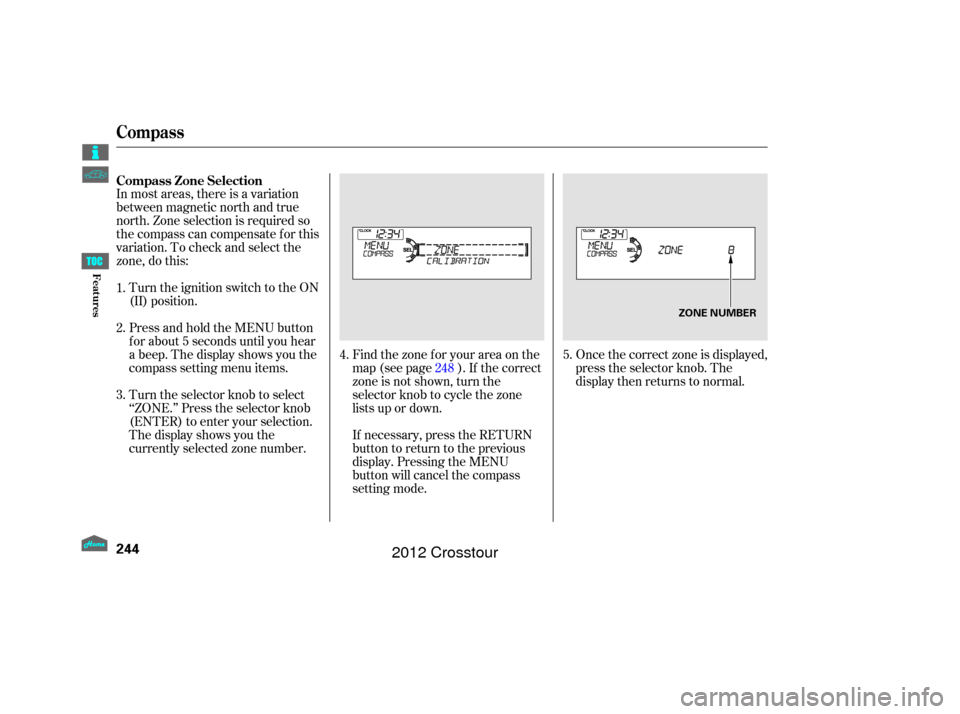
In most areas, there is a variation
between magnetic north and true
north. Zone selection is required so
the compass can compensate f or this
variation. To check and select the
zone, do this:Once the correct zone is displayed,
press the selector knob. The
display then returns to normal.
Turn the ignition switch to the ON
(II) position.
Press and hold the MENU button
f or about 5 seconds until you hear
a beep. The display shows you the
compass setting menu items.
Turn the selector knob to select
‘‘ZONE.’’ Press the selector knob
(ENTER) to enter your selection.
The display shows you the
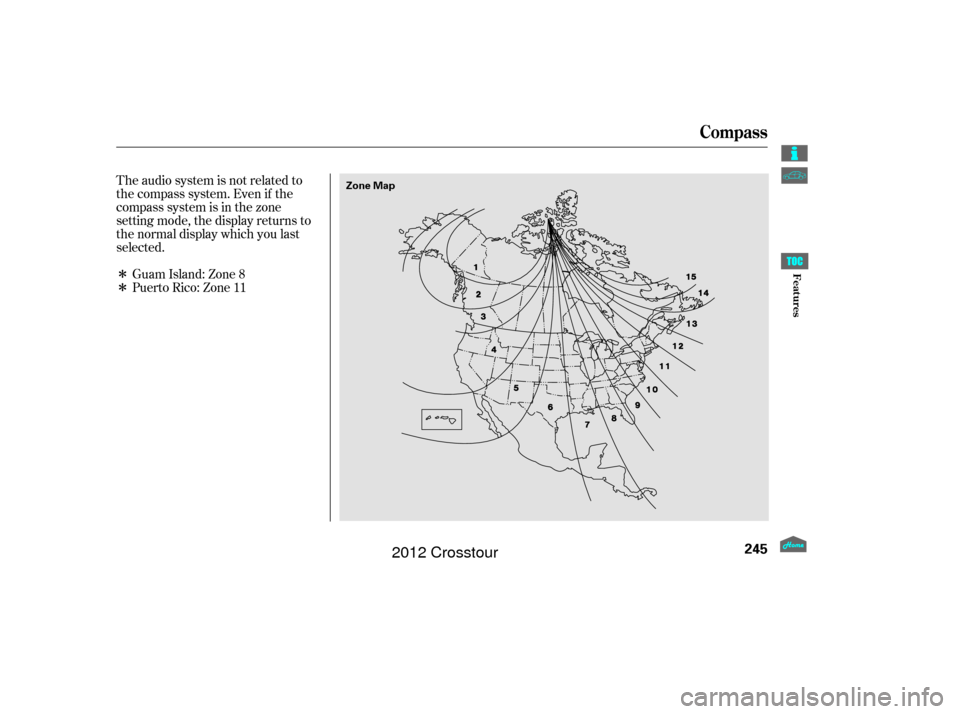
currently selected zone number. Find the zone f or your area on the
map (see page ). If the correct
zone is not shown, turn the
selector knob to cycle the zone
lists up or down.
If necessary, press the RETURN
button to return to the previous
display. Pressing the MENU
button will cancel the compass
setting mode.
4.
5.
1.
2.
3.
248
Compass Zone Selection
Compass
244
ZONE NUMBER
Features
2012 Crosstour
Page 249 of 435
�Î
�ΠThe audio system is not related to
the compass system. Even if the
compasssystemisinthezone
setting mode, the display returns to
the normal display which you last
selected.Guam Island: Zone 8
Puerto Rico: Zone 11
Compass
245
Zone Map
Features
2012 Crosstour
Page 259 of 435
To hear general HFL inf ormation,
including help on pairing a phone
or setting up the system, say
‘‘Tutorial.’’
For help at any time, including a
list of available commands, say
‘‘Hands f ree help.’’A notif ication that there is an
incoming call, or HFL is in use, will
appear on the navigation screen
when the audio system is on.
When there is an incoming call, or
HFL is in use, ‘‘HANDSFREELINK’’
will appear on the display.
‘‘ ’’ indicator will be displayed on
the audio display when a phone is
linked.
On models with navigation system
Help Feat ures
Inf ormation Display
BluetoothHandsFreeL ink
255
U.S. model with navigation system is
shown.
BLUETOOTH INDICATOR
BLUETOOTH INDICATOR
On models without navigation system PHONE NUMBER
Features
2012 Crosstour
Page 268 of 435
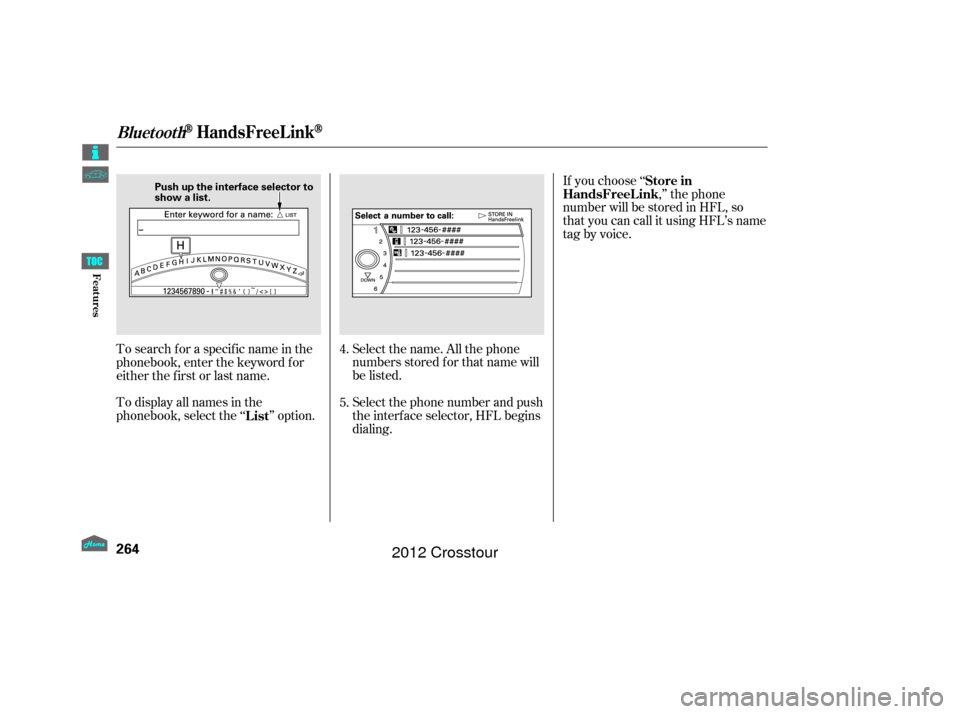
Select the name. All the phone
numbers stored f or that name will
be listed.
To search f or a specif ic name in the
phonebook, enter the keyword f or
either the f irst or last name.
To display all names in the
phonebook, select the ‘‘ ’’ option.
Select the phone number and push
the interf ace selector, HFL begins
dialing.If you choose ‘‘
,’’ the phone
number will be stored in HFL, so
that you can call it using HFL’s name
tag by voice.
4.
5.
List Store in
HandsFreeL ink
BluetoothHandsFreeL ink
264
Push up the interface selector to
show a list.
Features
2012 Crosstour
Page 269 of 435
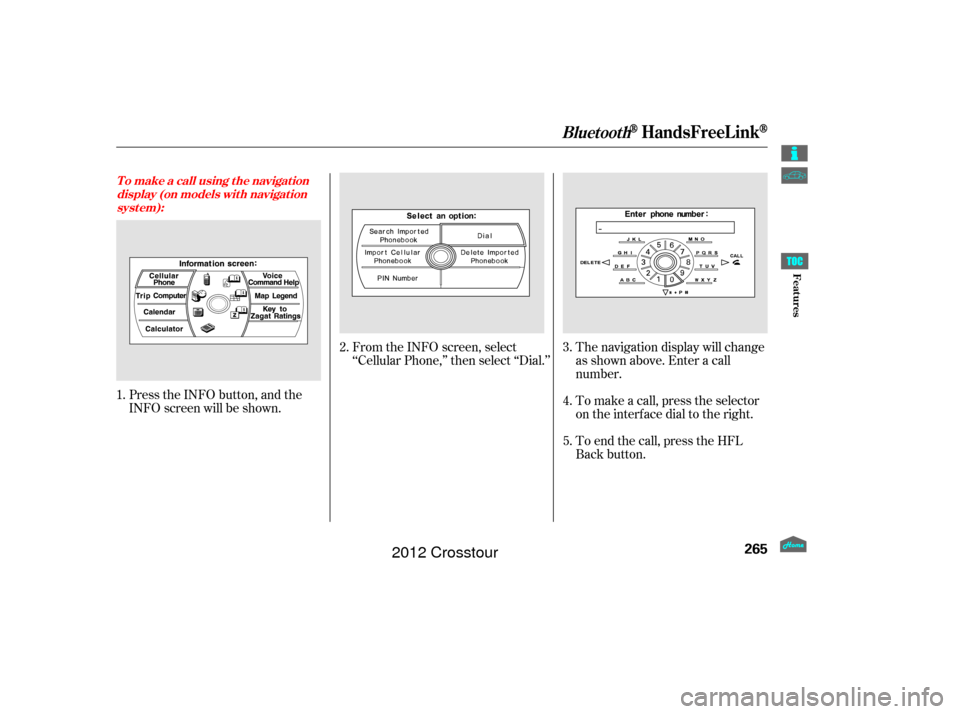
Press the INFO button, and the
INFO screen will be shown.From the INFO screen, select
‘‘Cellular Phone,’’ then select ‘‘Dial.’’
The navigation display will change
as shown above. Enter a call
number.
To make a call, press the selector
on the interface dial to the right.
To end the call, press the HFL
Back button.
1.
2.
3.
4.
5.
T o make a call using t he navigat ion display (on models wit h navigat ionsyst em):
BluetoothHandsFreeL ink
265
Features
2012 Crosstour
Page 274 of 435
(available on some phones)handsf reelink.honda.
com
On models with navigation system
www.handsfreelink.ca,The entire phonebook data of the
cell phone that is linked to HFL can
be imported to the navigation system.
Select ‘‘
,’’ and HFL will begin
importing the phonebook. Select
‘‘ ’’ af ter the import is completed. Once a phonebook has been
imported, you can search the phone
numbers by the person’s name.
Select ‘‘
,’’ and a list of imported
phonebooks will be displayed.
Select a phonebook f rom the list.
In the U.S., visit
or call (888) 528-7876.
For a list of cell phones that are
compatible with this f eature: If you select
f rom
the Inf ormation screen menu, you
will see f ive HFL options.
In Canada, visit
or call (888) 528-7876. Cellular Phonebook
Import Cellular
Phonebook
OK Search Imported
Phonebook
Cellular Phone
Import Cellular Phonebook:
Search Import ed Phonebook:
BluetoothHandsFreeL ink
270
IMPORTED DATE
IMPORTED
PHONEBOOK PIN ICON
Features
2012 Crosstour
Page 275 of 435
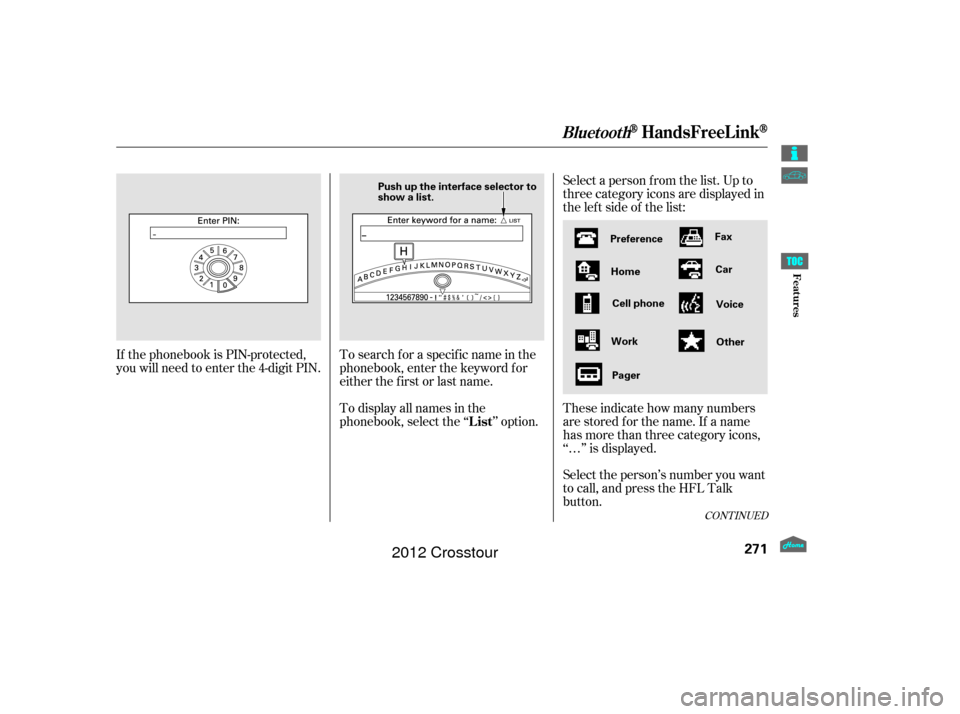
Select a person f rom the list. Up to
three category icons are displayed in
the lef t side of the list:
Select the person’s number you want
to call, and press the HFL Talk
button. These indicate how many numbers
are stored for the name. If a name
has more than three category icons,
‘‘…’’ is displayed.
If the phonebook is PIN-protected,
you will need to enter the 4-digit PIN.
To search f or a specif ic name in the
phonebook, enter the keyword f or
either the f irst or last name.
To display all names in the
phonebook, select the ‘‘ ’’ option.
CONT INUED
List
BluetoothHandsFreeL ink
271
Preference
Home
Work Pager Fax
Car
Voice
Other
Push up the interface selector to
show a list.
Cell phone
Features
2012 Crosstour
Page 276 of 435
Select ‘‘,’’ and a list of imported
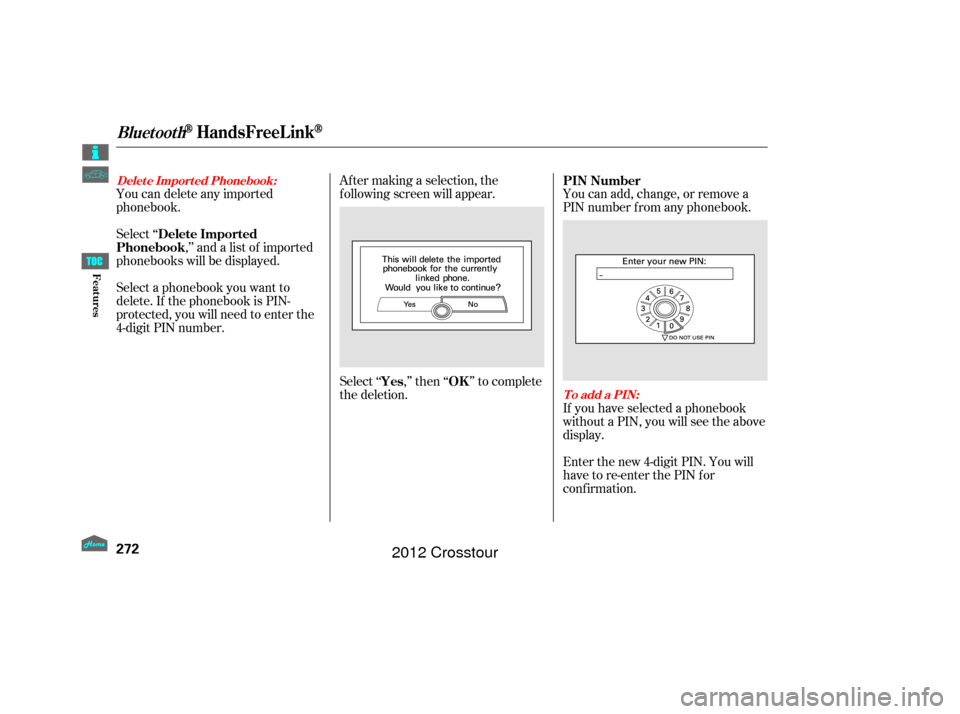
phonebooks will be displayed. Af ter making a selection, the
f ollowing screen will appear.
Select‘‘ ,’’then‘‘ ’’tocomplete
the deletion.You can add, change, or remove a
PIN number f rom any phonebook.
You can delete any imported
phonebook.
Select a phonebook you want to
delete. If the phonebook is PIN-
protected, you will need to enter the
4-digit PIN number.
If you have selected a phonebook
without a PIN, you will see the above
display.
Enter the new 4-digit PIN. You will
have to re-enter the PIN for
conf irmation.
Delete Imported
Phonebook
Yes OKPIN Number
Delet e Import ed Phonebook:
To add a PIN:
BluetoothHandsFreeL ink
272
Features
2012 Crosstour