Page 232 of 435

If you see an error message in the
center display while playing a USB
f lash memory device, f ind the
solution in the chart to the right. If
you cannot clear the error message,
take your vehicle to your dealer.Error Message
Solution
Cause
There is a problem with the USB adapter unit.
Appears when the overcurrent protection
feature of the system stops supplying power to
USB because an incompatible device is
connected. Disconnect the device. Then, turn
the audio system off, and turn it on again. Do
not reconnect the device that caused the error.
Appears when the files in the USB flash
memory device are DRM or an unsupported
format. This error message appears for about 3
seconds, then plays the next song.
Appears when the USB flash memory device is
emptyortherearenoMP3,WMA,orAACfiles
in the USB flash memory device. Save some
MP3, WMA, or AAC files in the USB flash
memory device.
Appears when an unsupported device is
connected. See page 222for the specification
information for the USB flash memory device.
If it appears when the supported device is
connected, reconnect the device.
USB ROM error
Abnormal power
source
Use of unsupported
files
No files in USB flash
memory device
Use of unsupported
USB f lash memory
device
USB Flash Memory Device Error Messages
(Models with navigation system)
228
USB ERROR
BAD USBDEVICE
PLEASE CHECK OWNERSMANUAL
UNPLAYABLE FILE
USB NO SONG
UNSUPPORTED
Features
2012 Crosstour
Page 233 of 435
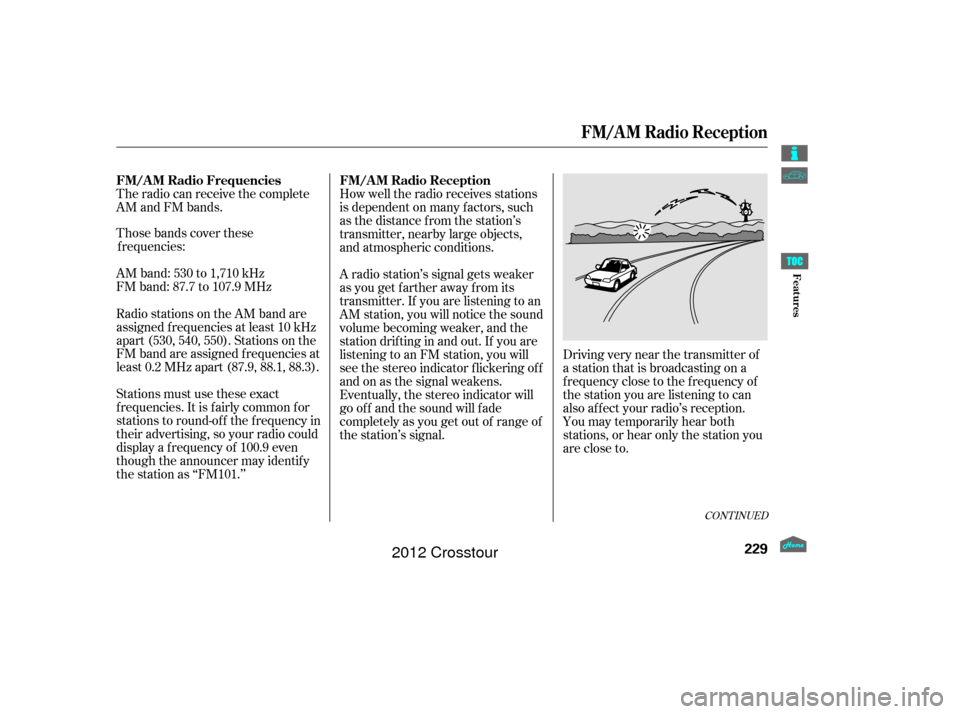
The radio can receive the complete
AM and FM bands.
Those bands cover thesefrequen cies:
AM band: 530 to 1,710 kHz
FM band: 87.7 to 107.9 MHz How well the radio receives stations
is dependent on many f actors, such
as the distance from the station’s
transmitter, nearby large objects,
and atmospheric conditions.
Driving very near the transmitter of
a station that is broadcasting on a
f requency close to the f requency of
the station you are listening to can
also af f ect your radio’s reception.
You may temporarily hear both
stations,orhearonlythestationyou
are close to.
A radio station’s signal gets weaker
as you get f arther away f rom its
transmitter. If you are listening to an
AM station, you will notice the sound
volume becoming weaker, and the
stationdriftinginandout.If youare
listening to an FM station, you will
see the stereo indicator f lickering of f
and on as the signal weakens.
Eventually, the stereo indicator will
go of f and the sound will f ade
completely as you get out of range of
the station’s signal.
Radio stations on the AM band are
assigned f requencies at least 10 kHz
apart (530, 540, 550). Stations on the
FM band are assigned f requencies at
least 0.2 MHz apart (87.9, 88.1, 88.3).
Stations must use these exact
f requencies. It is f airly common f or
stations to round-of f the f requency in
their advertising, so your radio could
display a f requency of 100.9 even
though the announcer may identif y
the station as ‘‘FM101.’’
CONT INUED
FM/A M Radio Frequencies FM/A M Radio Reception
FM/A M Radio Reception
229
Features
2012 Crosstour
Page 241 of 435

If your vehicle’s battery is
disconnected or goes dead, the audio
system disables itself . If this happens,
you will see ‘‘ENTER CODE’’ in the
f requency display next time you turn
on the system. Use the preset
buttons to enter the five-digit code.
ThecodeisontheAnti-theft
Identification Card included in your
owner’s manual kit. When it is
entered correctly, the radio will start
playing.
The Anti-thef t Identif ication Card
also lists your audio serial number. It
is best to store the card in a saf e
place at home. In addition, you
should write the audio system’s
serial number in this owner’s manual.
If you make a mistake entering the
code, do not start over; complete the
f ive-digit sequence, then enter the
correct code. You have ten tries to
enter the correct code. If you are
unsuccessful in ten attempts, youmust then leave the system on for
one hour bef ore trying again.
The system will retain your AM and
FM presets even if power is
disconnected.
We recommend that you register
the security code at Owner Link
(owners. honda.com.) If you lose the
Anti- theft Identification Card before
registering the code at Owner Link,
you must obtain the code from your
dealer or
. To do this, you will need the
audio system’s serial number. If you
do not have the serial number with
you,askyourdealerorgoto for
inf ormation on how to retrieve it. If you lose the Anti-thef t
Identif ication Card, you must obtain
thecodefromyourdealer.Todothis,
you will need the audio system’s
serial number. If you do not have the
serial number with you, ask your
dealer how to retrieve it.
You need to enter a separate code
f or the navigation system to
reactivate. The Anti-theft Card also
lists the navigation system’s security
code and serial number. Follow the
same procedure to retrieve the serial
number and obtain the code, and
read the navigation system manual
f or details.
https://radio-navicode.honda.
com/
https://
radio-navicode.honda.com/ Models with navigation system
U.S. Owners
Canadian Owners
Radio T hef t Protection
237
Features
2012 Crosstour
Page 242 of 435

To set the time, press the CLOCK
button until you hear a beep. The
displayed time begins to blink.
Change the hours by pressing the H
(hour) button until the numbers
advance to the desired time. Change
the minutes by pressing the M
(minute) button until the numbers
advance to the desired time.
Press the CLOCK button again to
enter the set time.
You can quickly set the time to the
nearest hour. If the displayed time is
bef ore the half hour, press and hold
the CLOCK button, then press the R
(reset) button to set the time back to
the previous hour. If the displayed
time is af ter the half hour, the same
procedure sets the time f orward to
the beginning of the next hour.The navigation system receives
signals f rom the global positioning
system (GPS), and the displayed
time is updated automatically by the
GPS. Ref er to the navigation system
manual f or how to adjust the time.
1:06 would RESET to 1:00.
1:52 would RESET to 2:00.
For example:
On models with navigation system
On models without navigation system
Setting the Clock
238
On models without navigation system
CLOCK BUTTON
U.S. model is shown. R (RESET)
BUTTON
H (HOUR) BUTTON M (MINUTE) BUTTON
Features
2012 Crosstour
Page 243 of 435
�Ú
Turn the selector knob to select
‘‘CLOCK ADJUST.’’
Press the selector knob (ENTER)
to enter your selection. The
display changes to the clock
adjusting display. Turn the selector knob to select
the item which you want to adjust.
Turning the selector knob will
change the selected item between
the clock display setting, hours,
minutes, and SET. The selected
item is indicated with in the
display.
You can also adjust the clock and
switch the clock display between
24-hours and 12-hours in the menu
mode.
To adjust the clock setting:
Press and release the MENU
button. The display shows you the
menu items.
You can adjust the clock setting
with the ignition switch in the
ACCESSORY (I) or ON (II)
position.
1.
2.
3.4.
CONT INUED
On models without navigation system
Setting the Clock
Adjusting the Clock
with MENU Button
239
Features
2012 Crosstour
Page 244 of 435
To set the time, turn the selector
knob and select the hours or the
minutes, then press the knob to
enter your selection. The display
changes to the setting display.
Turn the selector knob to count
the numbers up or down.
Press the selector knob (ENTER)
to enter your selection. The
display will return to the clock
adjusting display.While setting the clock, pressing
the RETURN button will go back
to the previous display.
Pressing the MENU button again
will cancel this setting mode.
Turn the selector knob to change
the setting between 12H and 24H.
Press the selector knob (ENTER)
to enter your selection. The
display will return to the clock
adjusting display. To enter the clock setting, turn
the selector knob to select ‘‘SET,’’
then press the knob. The display
will return to the menu item
display.
Press either the RETURN or
MENUbuttontogobacktothe
normal display.
5.
6.
7.
8.
9.10.
11.
Setting the Clock
240
MINUTE SETTING
Features
2012 Crosstour
Page 246 of 435

The compass may need to be
manually calibrated af ter exposure to
a strong magnetic field. If the
compassseemstobecontinually
showing the wrong direction and is
not self -calibrating, or the compass
display is blinking with the CAL
indicator on, do the f ollowing
procedure.Do this procedure in an open
area, away f rom buildings, power
lines, and other vehicles.
Press and hold the MENU button
f or about 5 seconds until you hear
a beep. The display shows you the
compass setting menu items. Turn the ignition switch to the ON
(II) position.
Compass operation can be af f ected
by driving near power lines or
stations, across bridges, through
tunnels, over railroad crossings, past
large vehicles, or driving near large
objects that can cause a magnetic
disturbance. It can also be af f ected
by accessories such as antennas and
roof racks that are mounted by
magnets.
When you turn the ignition switch to
the ON (II) position, the compass is
self-calibrating, then the compass
display is shown in the display.
1.
2.
On models without navigation systemCompass Calibration
Compass Operation
Compass
242
NOTE:
COMPASS COMPASS SETTING MENU ITEMS
U.S. model is shown.
Features
2012 Crosstour
Page 247 of 435
Turn the selector knob to select
‘‘CALIBRATION.’’Press the selector knob (ENTER)
to enter your selection. The
display shows you ‘‘PUSH CAL
START.’’The audio system is not related to
the compass system. Even if the
compasssystemiscalibrating,the
display returns to the normal display
which you last selected. When the calibration is successf ully
completed, the CAL indicator goes
of f and the compass display will stop
blinking and show an actual heading.Drive the vehicle slowly in two
complete circles. Press the selector knob (ENTER).
The compass display is blinking
and the CAL indicator is shown.
While setting the compass,
pressing the RETURN button will
go back to the previous display.
Pressing the MENU button will
cancel the compass setting mode. 5.
6.
4.
3.
Compass
243
Features
2012 Crosstour


