2012 GMC ACADIA door lock
[x] Cancel search: door lockPage 115 of 468
Black plate (1,1)GMC Acadia/Acadia Denali Owner Manual - 2012
Storage 4-1
Storage
Storage Compartments
Instrument Panel Storage . . . . . 4-1
Glove Box . . . . . . . . . . . . . . . . . . . . 4-1
Cupholders . . . . . . . . . . . . . . . . . . . 4-1
Armrest Storage . . . . . . . . . . . . . . 4-2
Center Console Storage . . . . . . 4-2
Floor Console Storage . . . . . . . . 4-3
Additional Storage Features
Cargo Cover . . . . . . . . . . . . . . . . . . 4-4
Cargo Tie-Downs . . . . . . . . . . . . . 4-4
Cargo ManagementSystem . . . . . . . . . . . . . . . . . . . . . . 4-4
Convenience Net . . . . . . . . . . . . . 4-5
Roof Rack System
Roof Rack System . . . . . . . . . . . . 4-5
Storage
Compartments
Instrument Panel Storage
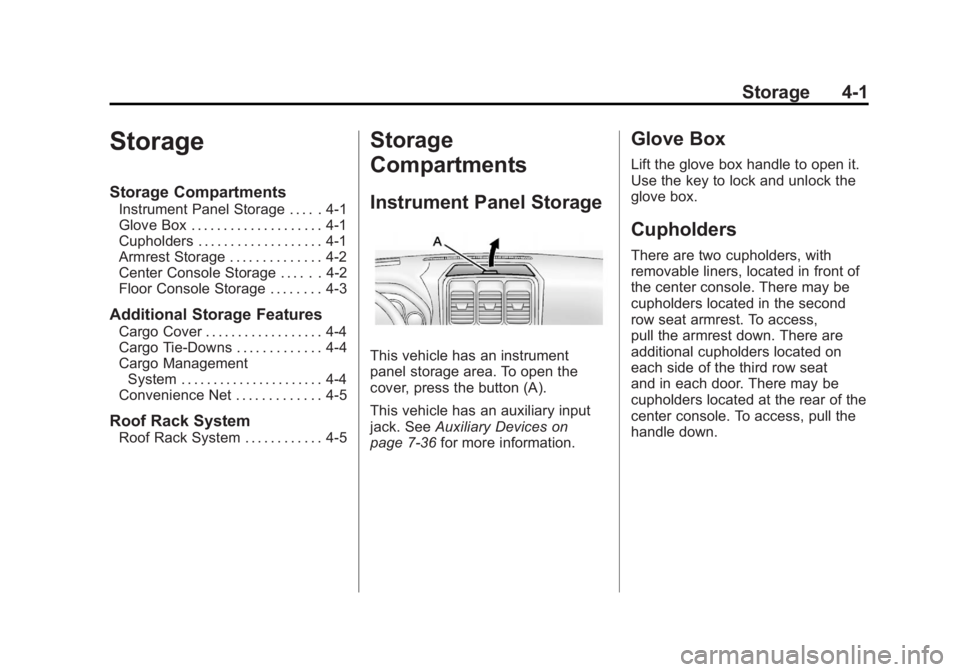
This vehicle has an instrument
panel storage area. To open the
cover, press the button (A).
This vehicle has an auxiliary input
jack. See Auxiliary Devices on
page 7‑36 for more information.
Glove Box
Lift the glove box handle to open it.
Use the key to lock and unlock the
glove box.
Cupholders
There are two cupholders, with
removable liners, located in front of
the center console. There may be
cupholders located in the second
row seat armrest. To access,
pull the armrest down. There are
additional cupholders located on
each side of the third row seat
and in each door. There may be
cupholders located at the rear of the
center console. To access, pull the
handle down.
Page 121 of 468

Black plate (1,1)GMC Acadia/Acadia Denali Owner Manual - 2012
Instruments and Controls 5-1
Instruments and
Controls
Controls
Steering Wheel Adjustment . . . 5-2
Steering Wheel Controls . . . . . . 5-2
Horn . . . . . . . . . . . . . . . . . . . . . . . . . . 5-5
Windshield Wiper/Washer . . . . . 5-5
Rear WindowWiper/Washer . . . . . . . . . . . . . . . 5-6
Compass . . . . . . . . . . . . . . . . . . . . . 5-6
Clock . . . . . . . . . . . . . . . . . . . . . . . . . 5-8
Power Outlets . . . . . . . . . . . . . . . . . 5-9
Warning Lights, Gauges, and
Indicators
Warning Lights, Gauges, and Indicators . . . . . . . . . . . . . . . . . . . 5-11
Instrument Cluster . . . . . . . . . . . 5-12
Speedometer . . . . . . . . . . . . . . . . 5-13
Odometer . . . . . . . . . . . . . . . . . . . . 5-13
Tachometer . . . . . . . . . . . . . . . . . . 5-13 Fuel Gauge . . . . . . . . . . . . . . . . . . 5-13
Engine Coolant Temperature
Gauge . . . . . . . . . . . . . . . . . . . . . . 5-14
Voltmeter Gauge . . . . . . . . . . . . . 5-15
Safety Belt Reminders . . . . . . . 5-15
Airbag Readiness Light . . . . . . 5-16
Passenger Airbag Status Indicator . . . . . . . . . . . . . . . . . . . . 5-17
Charging System Light . . . . . . 5-18
Malfunction Indicator Lamp . . . . . . . . . . . . . 5-18
Brake System Warning Light . . . . . . . . . . . . . . . . . . . . . . . 5-21
Antilock Brake System (ABS) Warning Light . . . . . . . . . . . . . . 5-22
Tow/Haul Mode Light . . . . . . . . 5-22
StabiliTrak
®Indicator Light . . . 5-22
Engine Coolant Temperature Warning Light . . . . . . . . . . . . . . 5-23
Tire Pressure Light . . . . . . . . . . 5-23
Engine Oil Pressure Light . . . . 5-24
Security Light . . . . . . . . . . . . . . . . 5-24
High-Beam On Light . . . . . . . . . 5-25
Front Fog Lamp Light . . . . . . . . 5-25
Cruise Control Light . . . . . . . . . 5-25
Information Displays
Driver Information Center (DIC) (With DIC Buttons) . . . 5-25
Driver Information Center (DIC) (Without DIC
Buttons) . . . . . . . . . . . . . . . . . . . . 5-30
Head-Up Display (HUD) . . . . . 5-33
Vehicle Messages
Vehicle Messages . . . . . . . . . . . 5-37
Battery Voltage and Charging Messages . . . . . . . . . . . . . . . . . . 5-37
Brake System Messages . . . . 5-38
Cruise Control Messages . . . . 5-38
Door Ajar Messages . . . . . . . . . 5-38
Engine Cooling System Messages . . . . . . . . . . . . . . . . . . 5-39
Engine Oil Messages . . . . . . . . 5-40
Engine Power Messages . . . . 5-40
Fuel System Messages . . . . . . 5-40
Key and Lock Messages . . . . . 5-41
Lamp Messages . . . . . . . . . . . . . 5-41
Object Detection System
Messages . . . . . . . . . . . . . . . . . . 5-41
Page 167 of 468

Black plate (47,1)GMC Acadia/Acadia Denali Owner Manual - 2012
Instruments and Controls 5-47
Then press the customization
button to scroll through the following
settings:
ENGLISH (default):All messages
will appear in English.
FRANCAIS: All messages will
appear in French.
ESPANOL: All messages will
appear in Spanish.
NO CHANGE: No change will be
made to this feature. The current
setting will remain.
To select a setting, press the set/
reset button while the desired
setting is displayed on the DIC.
You can also change the language
by pressing the trip odometer reset
stem. See “DISPLAY LANGUAGE” under Driver Information Center
(DIC) (Without DIC Buttons) earlier
in this section for more information.
AUTO DOOR LOCK
This feature allows you to select
when the doors will automatically
lock. See
Automatic Door Locks on
page 2‑9 for more information.
Press the customization button until
AUTO DOOR LOCK appears on the
DIC display. Press the set/reset
button once to access the settings
for this feature. Then press the
customization button to scroll
through the following settings:
SHIFT OUT OF PARK (default):
The doors will automatically lock
when the vehicle is shifted out of
P (Park).
AT VEHICLE SPEED: The doors
will automatically lock when the
vehicle speed is above 13 km/h
(8 mph) for three seconds. NO CHANGE:
No change will be
made to this feature. The current
setting will remain.
To select a setting, press the
set/reset button while the desired
setting is displayed on the DIC.
AUTO DOOR UNLOCK
This feature allows you to select
whether or not to turn off the
automatic door unlocking feature.
It also allows you to select which
doors and when the doors will
automatically unlock. See Automatic
Door Locks on page 2‑9 for more
information.
Press the customization button
until AUTO DOOR UNLOCK
appears on the DIC display.
Press the set/reset button once to
access the settings for this feature.
Page 168 of 468

Black plate (48,1)GMC Acadia/Acadia Denali Owner Manual - 2012
5-48 Instruments and Controls
Then press the customization button
to scroll through the following
settings:
OFF:None of the doors will
automatically unlock.
DRIVER AT KEY OUT: Only the
driver door will unlock when the key
is taken out of the ignition.
DRIVER IN PARK: Only the driver
door will unlock when the vehicle is
shifted into P (Park).
ALL AT KEY OUT: All of the doors
will unlock when the key is taken
out of the ignition.
ALL IN PARK (default): All of the
doors will unlock when the vehicle is
shifted into P (Park).
NO CHANGE: No change will be
made to this feature. The current
setting will remain.
To select a setting, press the
set/reset button while the desired
setting is displayed on the DIC. REMOTE DOOR LOCK
This feature allows you to select the
type of feedback you will receive
when locking the vehicle with the
Remote Keyless Entry (RKE)
transmitter. You will not receive
feedback when locking the vehicle
with the RKE transmitter if the doors
are open. See
Remote Keyless
Entry (RKE) System Operation on
page 2‑3 for more information.
Press the customization button until
REMOTE DOOR LOCK appears on
the DIC display. Press the set/reset
button once to access the settings
for this feature. Then press the
customization button to scroll
through the following settings:
OFF: There will be no feedback
when you press the lock button on
the RKE transmitter.
LIGHTS ONLY: The exterior lamps
will flash when you press the lock
button on the RKE transmitter. HORN ONLY:
The horn will sound
on the second press of the lock
button on the RKE transmitter.
HORN & LIGHTS (default):
The exterior lamps will flash when
you press the lock button on the
RKE transmitter, and the horn will
sound when the lock button is
pressed again within five seconds
of the previous command.
NO CHANGE: No change will be
made to this feature. The current
setting will remain.
To select a setting, press the
set/reset button while the desired
setting is displayed on the DIC.
REMOTE DOOR UNLOCK
This feature allows you to select the
type of feedback you will receive
when unlocking the vehicle with the
Remote Keyless Entry (RKE)
transmitter. You will not receive
feedback when unlocking the
vehicle with the RKE transmitter if
the doors are open. See Remote
Page 169 of 468

Black plate (49,1)GMC Acadia/Acadia Denali Owner Manual - 2012
Instruments and Controls 5-49
Keyless Entry (RKE) System
Operation on page 2‑3for more
information.
Press the customization button
until REMOTE DOOR UNLOCK
appears on the DIC display.
Press the set/reset button once to
access the settings for this feature.
Then press the customization button
to scroll through the following
settings:
LIGHTS OFF: The exterior lamps
will not flash when you press
the unlock button on the RKE
transmitter.
LIGHTS ON (default): The exterior
lamps will flash when you press
the unlock button on the RKE
transmitter.
NO CHANGE: No change will be
made to this feature. The current
setting will remain.
To select a setting, press the
set/reset button while the desired
setting is displayed on the DIC. DELAY DOOR LOCK
This feature allows you to select
whether or not the locking of the
vehicle's doors and liftgate will be
delayed. When locking the doors
and liftgate with the power door lock
switch and a door or the liftgate is
open, this feature will delay locking
the doors and liftgate until
five seconds after the last door is
closed. You will hear three chimes
to signal that the delayed locking
feature is in use. The key must be
out of the ignition for this feature to
work. You can temporarily override
delayed locking by pressing the
power door lock switch twice or the
lock button on the RKE transmitter
twice. See
Delayed Locking on
page 2‑8 for more information.
Press the customization button
until DELAY DOOR LOCK appears
on the DIC display. Press the
set/reset button once to access
the settings for this feature. Then press the customization button
to scroll through the following
settings:
OFF:
There will be no delayed
locking of the vehicle's doors.
ON (default): The doors will not
lock until five seconds after the last
door or the liftgate is closed.
NO CHANGE: No change will be
made to this feature. The current
setting will remain.
To select a setting, press the
set/reset button while the desired
setting is displayed on the DIC.
EXIT LIGHTING
This feature allows you to select
the amount of time you want the
exterior lamps to remain on
when it is dark enough outside.
This happens after the key is turned
from ON/RUN to LOCK/OFF.
Page 183 of 468

Black plate (5,1)GMC Acadia/Acadia Denali Owner Manual - 2012
Lighting 6-5
Fog Lamps
Use the fog lamps for better vision
in foggy or misty conditions.
The fog lamps button is on the
exterior lamps control to the left of
the steering column.
#(Fog Lamps):Press the exterior
lamps button to turn the fog lamps
on or off. A light comes on in the
instrument panel cluster when the
fog lamps are in use. The ignition
must be on for the fog lamps
to work.
When the headlamps are changed
to high beam, the fog lamps turn off.
The fog lamps come back on again
when the high-beam headlamps are
turned off.
Some localities have laws that
require the headlamps to be on
along with the fog lamps.
Interior Lighting
Instrument Panel
Illumination Control
The instrument panel brightness
knob is located on the instrument
panel to the left of the steering
column.
D(Instrument Panel
Brightness): Push the knob in all
the way until it extends out and
then turn the knob clockwise or
counterclockwise to brighten or dim
the lights. Push the knob back in
when finished.
Courtesy Lamps
The courtesy lamps automatically
come on when a door is opened.
The lamps can also be turned on
manually by fully turning the
instrument panel brightness control
clockwise.
The reading lamps, located on
the headliner above the rearview
mirror, can be turned on or off
independently of the automatic
courtesy lamps, when the doors
are closed.
Dome Lamps
The dome lamps are located in the
overhead console and above the
rear seat passengers.
The dome lamps come on when a
door is opened, unless the dome
lamp override button is pressed in.
The lamps can also be turned on
and off by turning the instrument
panel brightness control clockwise
to the farthest position.
Page 184 of 468

Black plate (6,1)GMC Acadia/Acadia Denali Owner Manual - 2012
6-6 Lighting
Dome Lamp Override
The dome lamp override button is
next to the exterior lamps control.
EDOME OFF (Dome Lamp
Override): Press the top of the
button in and the dome lamps
remain off when a door is opened.
An indicator light on the button
comes on to show that the dome
lamps are off. Press near the bottom
of the button so the dome lamps
come on when a door is opened.
Reading Lamps
Press the button near each lamp to
turn them on or off.
Lighting Features
Entry Lighting
For vehicles with courtesy lamps,
they come on and stay on for a set
time whenever
Kis pressed on
the Remote Keyless Entry (RKE)
transmitter.
If a door is opened, the lamps stay
on while it is open and then turn off
automatically about 20 seconds
after the door is closed. If
Kis
pressed and no door is opened,
the lamps turn off after about
20 seconds.
Entry lighting includes a feature
called theater dimming. With theater
dimming, the lamps do not turn off
at the end of the delay time.
Instead, they slowly dim and then
go out. The delay time is canceled if
the ignition key is turned to ON/RUN
or the power door lock switch is
pressed. The lamps will dim
right away. When the ignition is on, illuminated
entry is inactive, which means the
courtesy lamps will not come on
unless a door is opened.
Delayed Entry Lighting
Delayed entry lighting illuminates
the interior for a period of time after
all the doors have been closed.
The ignition must be off for delayed
entry lighting to work. Immediately
after all the doors have been closed,
the delayed entry lighting feature
continues to work until one of the
following occurs:
.The ignition is in ON/RUN.
.The doors are locked.
.An illumination period of about
25 seconds has elapsed.
If during the illumination period a
door is opened, the timed
illumination period is canceled and
the interior lamps remain on.
Page 185 of 468
Black plate (7,1)GMC Acadia/Acadia Denali Owner Manual - 2012
Lighting 6-7
Delayed Exit Lighting
Delayed exit lighting illuminates the
interior for a period of time after the
key is removed from the ignition.
The ignition must be off for delayed
exit lighting to work. When the key
is removed, interior illumination
activates and remains on until one
of the following occurs:
.The ignition is in ON/RUN.
.The power door locks are
activated.
.An illumination period of
20 seconds has elapsed.
If during the illumination period a
door is opened, the timed
illumination period will be canceled
and the interior lamps will remain on
because a door is open.
Parade Dimming
This feature automatically prohibits
the dimming of the instrument panel
displays in daylight while the
headlamps are on so that the
displays are still able to be seen.
Battery Load
Management
The vehicle has Electric Power
Management (EPM) that estimates
the battery's temperature and state
of charge. It then adjusts the voltage
for best performance and extended
life of the battery.
When the battery's state of charge
is low, the voltage is raised slightly
to quickly bring the charge back up.
When the state of charge is high,
the voltage is lowered slightly to
prevent overcharging. If the vehicle
has a voltmeter gauge or a voltage display on the Driver Information
Center (DIC), you may see the
voltage move up or down. This is
normal. If there is a problem, an
alert will be displayed.
The battery can be discharged at
idle if the electrical loads are very
high. This is true for all vehicles.
This is because the generator
(alternator) may not be spinning
fast enough at idle to produce all
of the power needed for very high
electrical loads.
A high electrical load occurs when
several of the following are on,
such as: headlamps, high beams,
fog lamps, rear window defogger,
climate control fan at high speed,
heated seats, engine cooling fans,
trailer loads, and loads plugged into
accessory power outlets.