Page 56 of 454
SERVICE POWER STEERING NOW— The power steering system
has detected a condition that requires service immediately.
BUCKLE UP TO UNMUTE AUDIO— Displayed when a MyKey�is in
use and Belt-Minder�is activated. Refer toMyKey�in theLocks and
Securitychapter for more information.
TRACTION CONTROL OFF (if equipped)— Displayed when the
traction control has been disabled by the driver. Refer to theDriving
chapter for more information.
CHECK 4X4 (if equipped)— Displayed when a 4X4 system fault is
present. For more information, refer toFour-wheel drive (4WD)
operationin theDrivingchapter.
4X4 SHIFT IN PROGRESS (if equipped)— Displayed when the 4X4
system is making a shift. For further information, refer toFour-wheel
drive (4WD) operationin theDrivingchapter.
FOR 4X4 LOW APPLY BRAKE (if equipped)— Displayed when
trying to select 4X4 LOW. For more information, refer toFour-wheel
drive (4WD) operationin theDrivingchapter.
FOR 4X4 LOW SHIFT TO N (if equipped)— Displayed when 4X4
LOW is selected and the vehicle is stopped. For more information, refer
toFour-wheel drive (4WD) operationin theDrivingchapter.
FOR 4X4 LOW SLOW TO 3 MPH (if equipped)— Displayed when
4X4 LOW is selected while the vehicle is moving. For more information,
refer toFour-wheel drive (4WD) operationin theDrivingchapter.
TO EXIT 4X4 LOW APPLY BRAKE (if equipped)— Displayed when
2WD is selected from 4X4 LOW mode. For more information, refer to
Four-wheel drive (4WD) operationin theDrivingchapter.
TO EXIT 4X4 LOW SHIFT TO N (if equipped)— Displayed when
2WD is selected while the vehicle has been stopped in 4X4 LOW. For
more information, refer toFour-wheel drive (4WD) operationin the
Drivingchapter.
TO EXIT 4X4 LOW SLOW TO 3 MPH (if equipped)— Displayed
when 2WD is selected while the vehicle is operating in 4X4 LOW. For
more information, refer toFour-wheel drive (4WD) operationin the
Drivingchapter.
TO ENGAGE LOCKING DIFFERENTIAL RELEASE
ACCELERATOR PEDAL (if equipped)— Displayed when the
electronic locking differential requests that the accelerator pedal be
released in order to engage. SeeElectronic locking differentialin the
Drivingchapter for more information.
Instrument Cluster
56
2012 F-250/350/450/550(f23)
Owners Guide, 1st Printing
USA(fus)
Page 59 of 454

VEHICLE NEAR TOP SPEED— Displayed when a MyKey�is in use
and the MyKey speed limit is on and the vehicle speed is approaching
80 mph (130 km/h). Refer toMyKey�in theLocks and Security
chapter for more information.
CHECK REAR PARK AID (if equipped)— Displayed when the
transmission is in R (Reverse) and the park aid is disabled.
REAR PARK AID OFF (if equipped)— Displayed when the rear park
aid is disabled by the driver.
REAR PARK AID ON (if equipped)— Displayed when the rear park
aid is enabled.
TO STOP ALARM, START VEHICLE (if equipped)— Displayed
when the perimeter alarm system is armed and the vehicle is entered
using the key on the driver’s side door. In order to prevent the perimeter
alarm system from triggering, the ignition must be turned to start or on
before the 12 second chime expires. SeePerimeter alarm systemin the
Locks and securitychapter.
TRAILER BRAKE GAIN: XX.X [OUTPUT] (if equipped)— Displays
the current gain setting for the trailer brake. Refer toTrailer towingin
theTires, Wheels and Loadingchapter for more information.
TRAILER BRAKE GAIN: XX.X NO TRAILER (if equipped)—
Displays the current gain setting for the trailer brake when a trailer is
not connected. Refer toTrailer towingin theTires, Wheels and
Loadingchapter for more information.
TRAILER BRAKE MODULE FAULT (if equipped)— Displayed and
accompanied by a single chime, in response to faults sensed by the TBC.
Refer toTrailer towingin theTires, Wheels and Loadingchapter for
more information.
TRAILER CONNECTED (if equipped)— Displayed when a correct
trailer connection (a trailer with electric trailer brakes) is sensed during
a given ignition cycle. Refer toTrailer towingin theTires, Wheels and
Loadingchapter for more information.
TRAILER DISCONNECTED (if equipped)— Displayed when a
trailer connection becomes disconnected, either intentionally or
unintentionally, and has been sensed during a given ignition cycle. Refer
toTrailer towingin theTires, Wheels and Loadingchapter for more
information.
Instrument Cluster
59
2012 F-250/350/450/550(f23)
Owners Guide, 1st Printing
USA(fus)
Page 60 of 454
TRAILER SWAY REDUCE SPEED (if equipped)— Displayed when
the trailer sway control has detected trailer sway. For more information,
refer to theDrivingchapter for more information.
WIRING FAULT ON TRAILER (if equipped)— Displayed if there
are certain faults in the vehicle wiring and trailer wiring/brake system.
Refer toTrailer towingin theTires, Wheels and Loadingchapter for
more information.
Instrument Cluster
60
2012 F-250/350/450/550(f23)
Owners Guide, 1st Printing
USA(fus)
Page 91 of 454
Daytime running lamps (DRL) (if equipped)
Turns the headlamps on with a reduced output.
To activate:
•the ignition must be in the on position,
•the headlamp control is in the off or parking lamp position and
•the parking brake must be disengaged.
•the transmission is not in P (Park)
WARNING:Always remember to turn on your headlamps at
dusk or during inclement weather. The Daytime Running Lamp
(DRL) system does not activate the tail lamps and generally may not
provide adequate lighting during these conditions. Failure to activate
your headlamps under these conditions may result in a collision.
PANEL DIMMER CONTROL
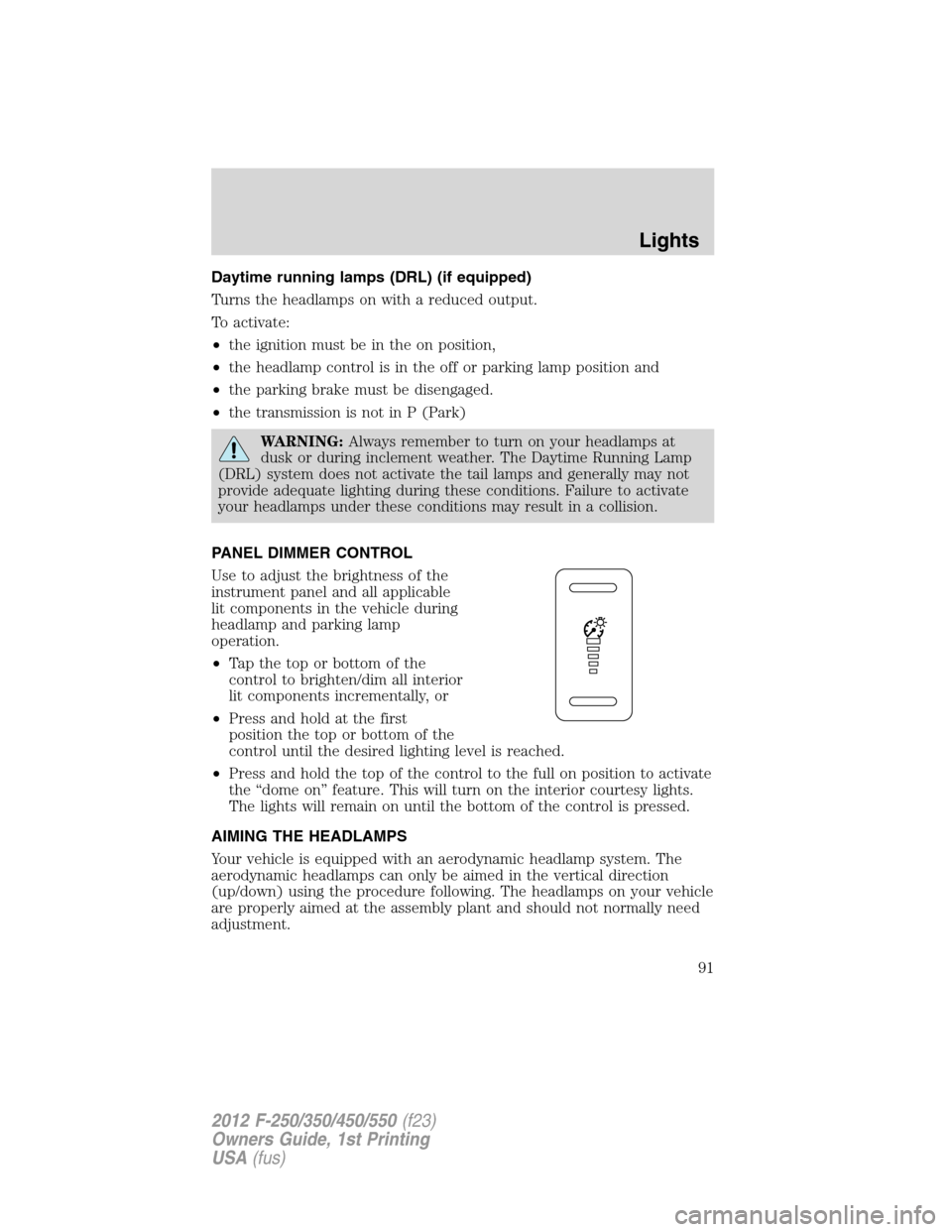
Use to adjust the brightness of the
instrument panel and all applicable
lit components in the vehicle during
headlamp and parking lamp
operation.
•Tapthetoporbottomofthe
control to brighten/dim all interior
lit components incrementally, or
•Press and hold at the first
position the top or bottom of the
control until the desired lighting level is reached.
•Press and hold the top of the control to the full on position to activate
the “dome on” feature. This will turn on the interior courtesy lights.
The lights will remain on until the bottom of the control is pressed.
AIMING THE HEADLAMPS
Your vehicle is equipped with an aerodynamic headlamp system. The
aerodynamic headlamps can only be aimed in the vertical direction
(up/down) using the procedure following. The headlamps on your vehicle
are properly aimed at the assembly plant and should not normally need
adjustment.
Lights
91
2012 F-250/350/450/550(f23)
Owners Guide, 1st Printing
USA(fus)
Page 95 of 454
Replacing exterior bulbs
Check the operation of all the bulbs frequently.
Function Number
of bulbsTrade number
Headlamps 2 H13/9008
Park/Turn lamp 2 3157NA
Sidemarker 2 W5W
Tail/stop/turn/sidemarker (pick-up only) 2 3157
Tail/stop/turn/sidemarker (chassis cabs
only; if equipped)2 3157
Back-up (pick-ups only) 2 921
Back-up (chassis cabs only) 2 3157
High-mount brake lamp 1 922
Fog lamp 2 9145
License plate lamp 2 194
Cargo lamp 2 906
Map lamp 2 12V6W
Dome/reading lamps 3 578
Interior visor lamp (if equipped) 4 194
Mirror turn signal 2 2825
Mirror clearance lamp 2 2825
*Front clearance lamps (2) and front
identification lamps (3)5 194
*Rear fender clearance 4 LED**
*Rear identification 3 193**
To replace all instrument panel lights - see your authorized dealer
* Dual rear wheels, or if equipped.
** See your authorized dealer to replace the lamp assembly.
Replacing headlamps, park lamps, turn lamps
1. Make sure that the exterior lamps are off, then open the hood.
Lights
95
2012 F-250/350/450/550(f23)
Owners Guide, 1st Printing
USA(fus)
Page 97 of 454
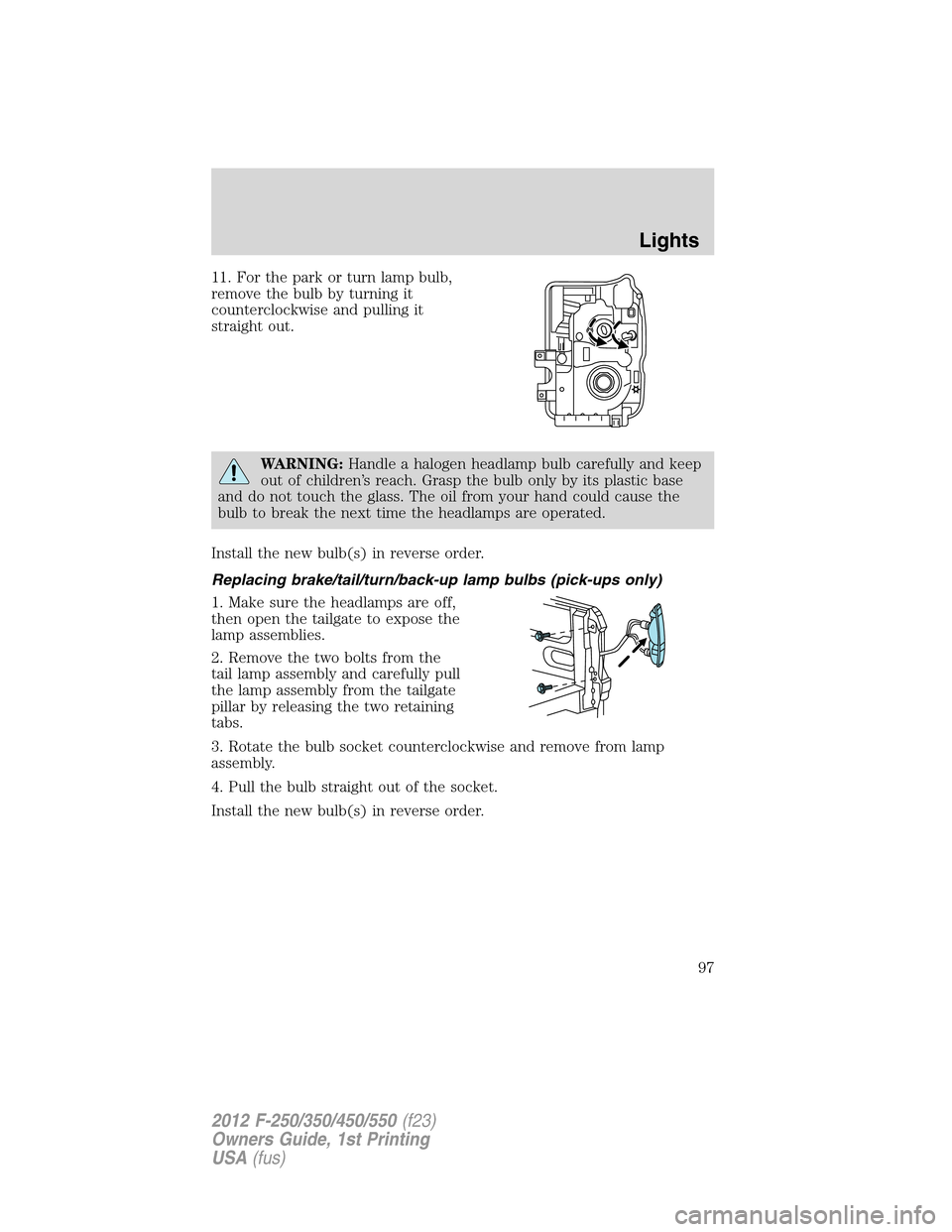
11. For the park or turn lamp bulb,
remove the bulb by turning it
counterclockwise and pulling it
straight out.
WARNING:Handle a halogen headlamp bulb carefully and keep
out of children’s reach. Grasp the bulb only by its plastic base
and do not touch the glass. The oil from your hand could cause the
bulb to break the next time the headlamps are operated.
Install the new bulb(s) in reverse order.
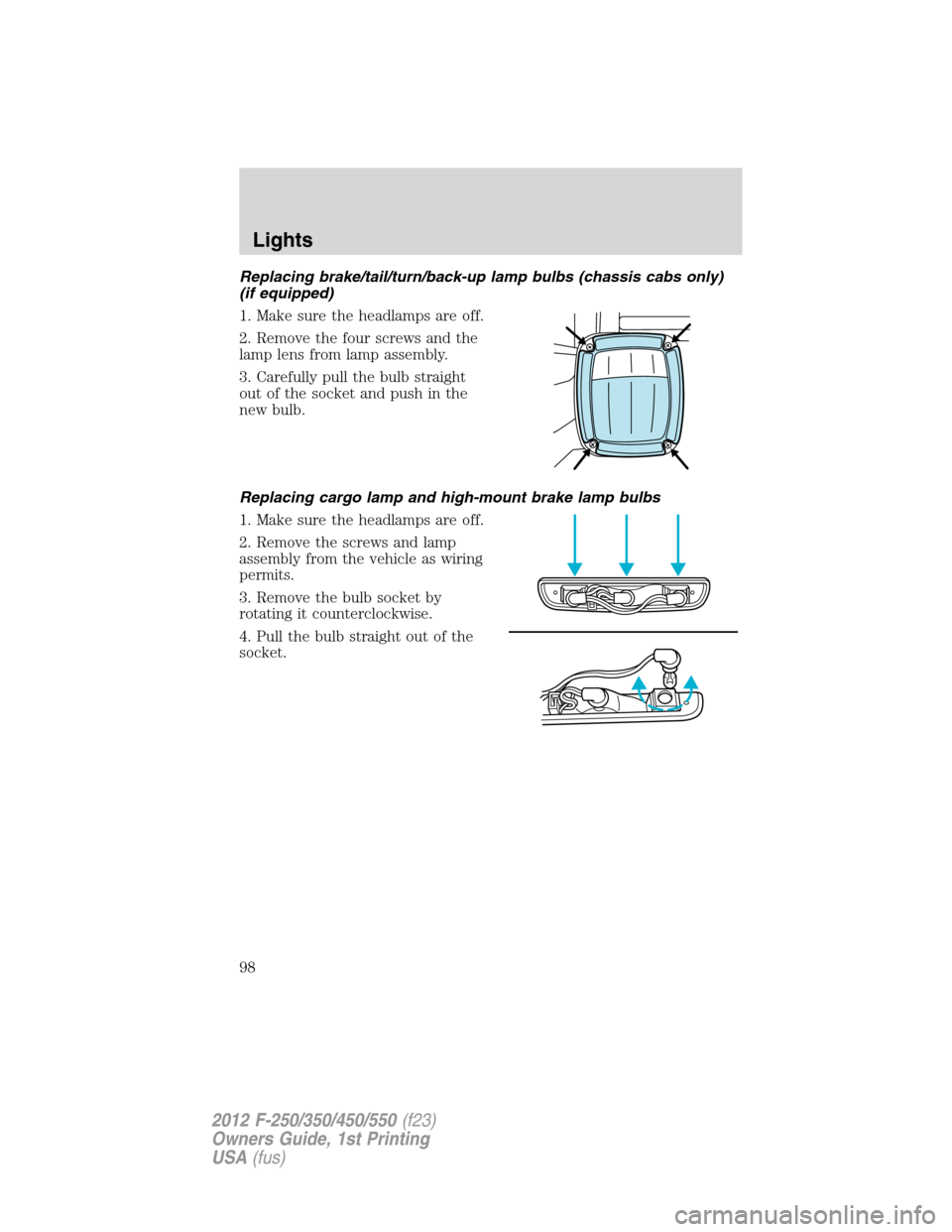
Replacing brake/tail/turn/back-up lamp bulbs (pick-ups only)
1. Make sure the headlamps are off,
then open the tailgate to expose the
lamp assemblies.
2. Remove the two bolts from the
tail lamp assembly and carefully pull
the lamp assembly from the tailgate
pillar by releasing the two retaining
tabs.
3. Rotate the bulb socket counterclockwise and remove from lamp
assembly.
4. Pull the bulb straight out of the socket.
Install the new bulb(s) in reverse order.
Lights
97
2012 F-250/350/450/550(f23)
Owners Guide, 1st Printing
USA(fus)
Page 98 of 454
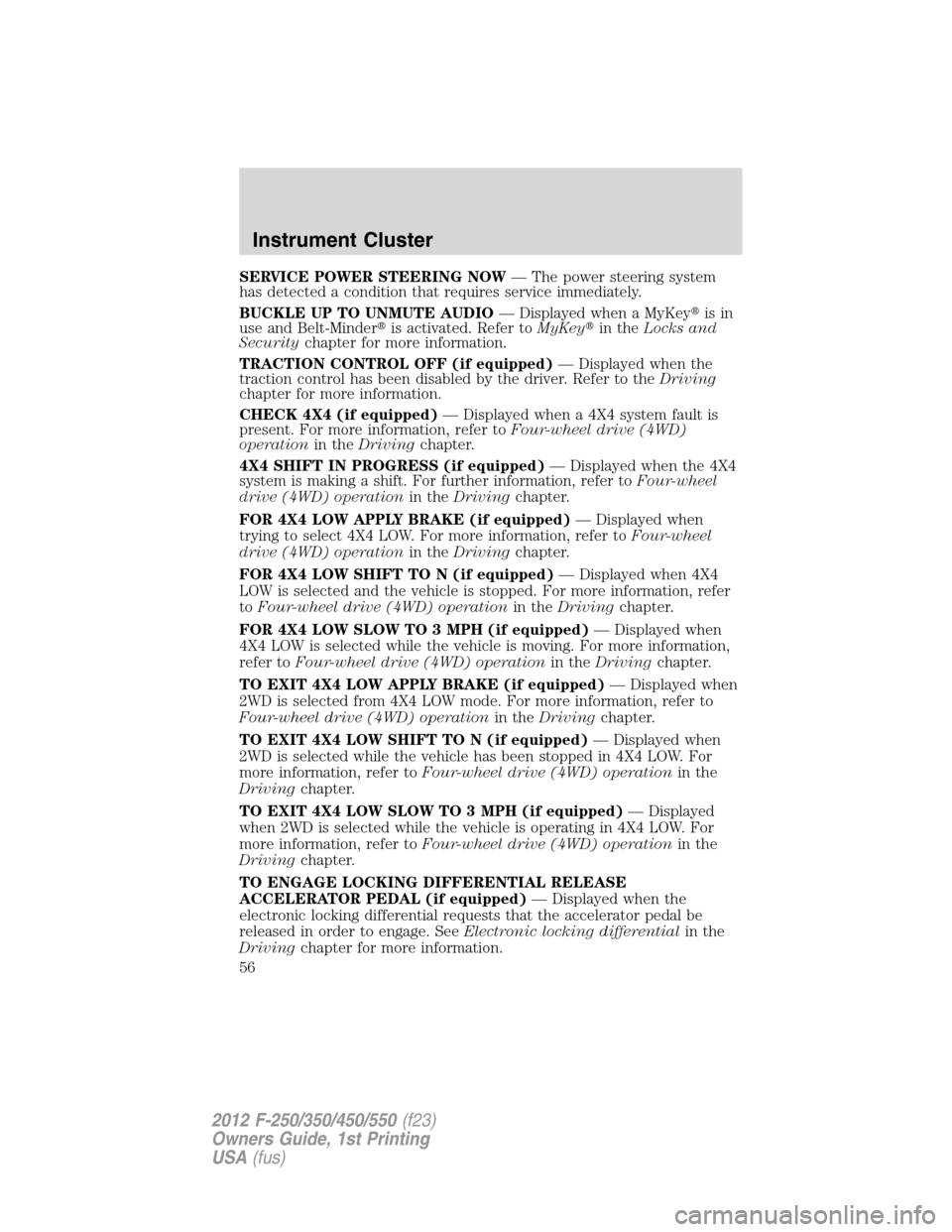
Replacing brake/tail/turn/back-up lamp bulbs (chassis cabs only)
(if equipped)
1. Make sure the headlamps are off.
2. Remove the four screws and the
lamp lens from lamp assembly.
3. Carefully pull the bulb straight
out of the socket and push in the
new bulb.
Replacing cargo lamp and high-mount brake lamp bulbs
1. Make sure the headlamps are off.
2. Remove the screws and lamp
assembly from the vehicle as wiring
permits.
3. Remove the bulb socket by
rotating it counterclockwise.
4. Pull the bulb straight out of the
socket.
Lights
98
2012 F-250/350/450/550(f23)
Owners Guide, 1st Printing
USA(fus)
Page 113 of 454
POWER ADJUSTABLE FOOT PEDALS (IF EQUIPPED)
The accelerator and brake pedal
should only be adjusted when the
vehicle is stopped and the gearshift
lever is in the P (Park) position.
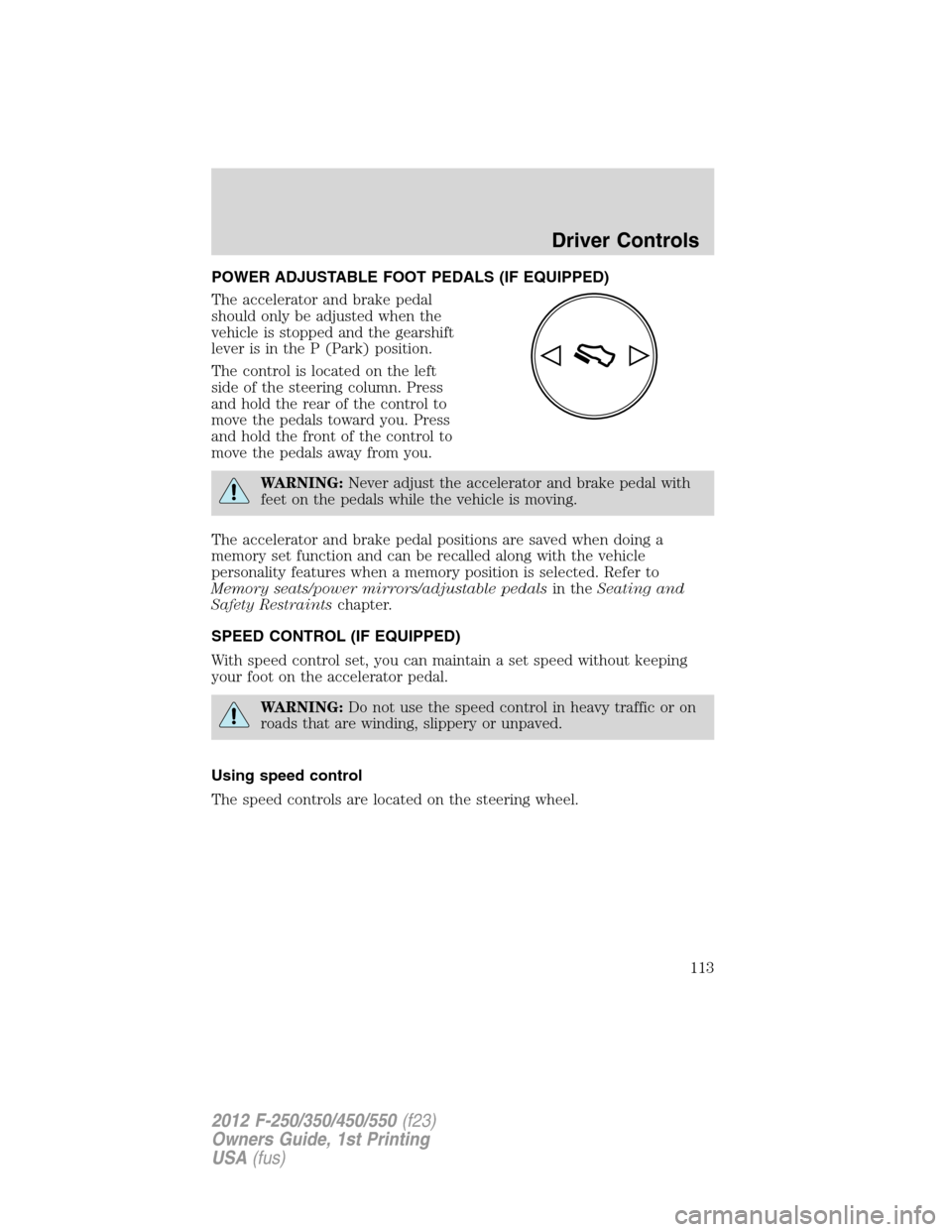
The control is located on the left
side of the steering column. Press
and hold the rear of the control to
move the pedals toward you. Press
and hold the front of the control to
move the pedals away from you.
WARNING:Never adjust the accelerator and brake pedal with
feet on the pedals while the vehicle is moving.
The accelerator and brake pedal positions are saved when doing a
memory set function and can be recalled along with the vehicle
personality features when a memory position is selected. Refer to
Memory seats/power mirrors/adjustable pedalsin theSeating and
Safety Restraintschapter.
SPEED CONTROL (IF EQUIPPED)
With speed control set, you can maintain a set speed without keeping
your foot on the accelerator pedal.
WARNING:Do not use the speed control in heavy traffic or on
roads that are winding, slippery or unpaved.
Using speed control
The speed controls are located on the steering wheel.
Driver Controls
113
2012 F-250/350/450/550(f23)
Owners Guide, 1st Printing
USA(fus)