Page 330 of 406
•Do not spray a hot engine with cold water to avoid cracking the
engine block or other engine components.
•Spray Motorcraft�Engine Shampoo and Degreaser (ZC-20) on all
parts that require cleaning and pressure rinse clean. In Canada, use
Motorcraft�Engine Shampoo (CXC-66-A).
•Never wash or rinse the engine while it is hot or running; water in the
running engine may cause internal damage.
•Never wash or rinse any ignition coil, spark plug wire or spark plug
well, or the area in and around these locations.
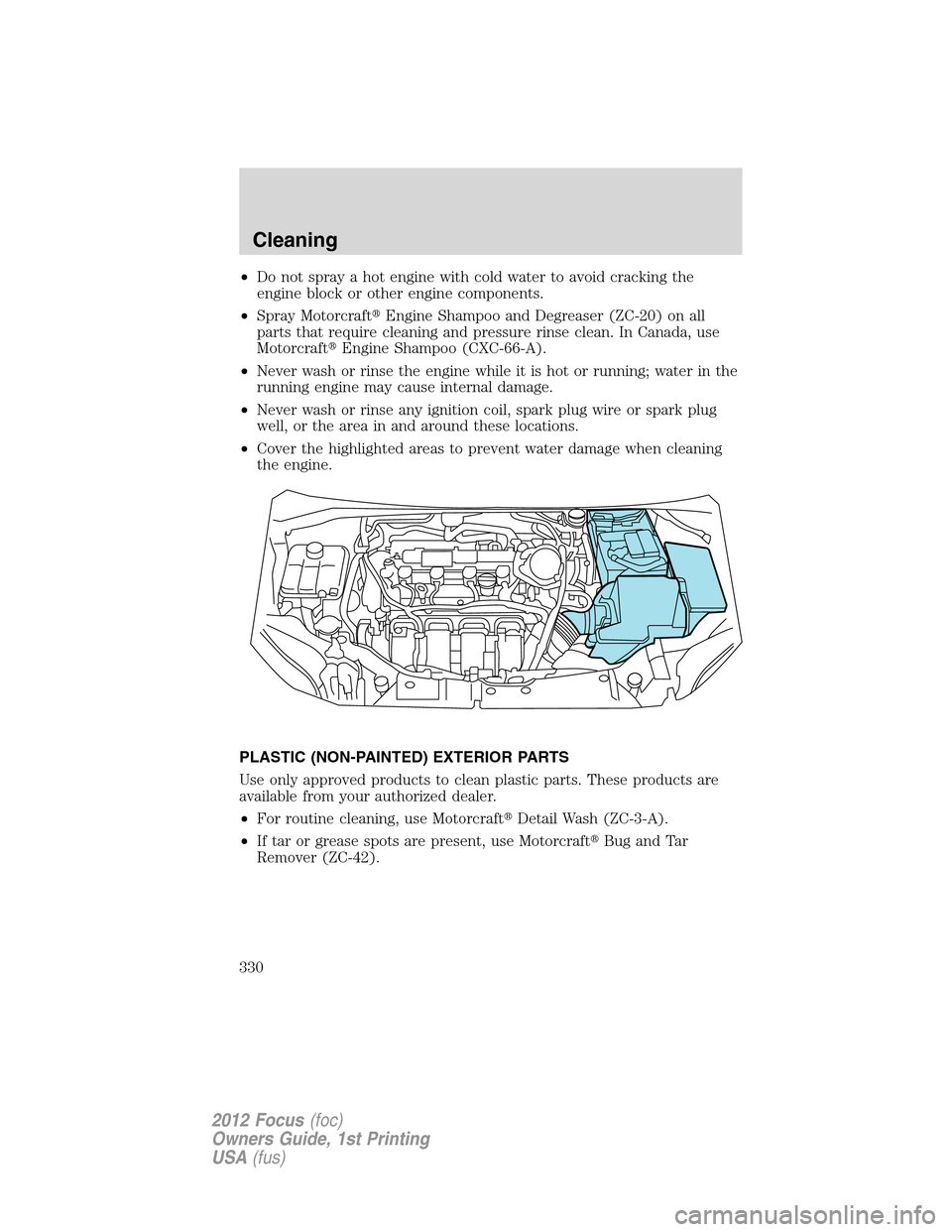
•Cover the highlighted areas to prevent water damage when cleaning
the engine.
PLASTIC (NON-PAINTED) EXTERIOR PARTS
Use only approved products to clean plastic parts. These products are
available from your authorized dealer.
•For routine cleaning, use Motorcraft�Detail Wash (ZC-3-A).
•If tar or grease spots are present, use Motorcraft�Bug and Tar
Remover (ZC-42).
Cleaning
330
2012 Focus(foc)
Owners Guide, 1st Printing
USA(fus)
Page 332 of 406
•Be certain to wash or wipe your hands clean if you have been in
contact with certain products such as insect repellent and suntan
lotion in order to avoid possible damage to the interior painted
surfaces.
•Do not use household or glass cleaners as these may damage the
finish of the instrument panel, interior trim and cluster lens.
•Do not allow air fresheners and hand sanitizers to spill on interior
surfaces. If a spill occurs,wipe off immediately.Damage may not be
covered by your warranty.
WARNING:Do not use chemical solvents or strong detergents
when cleaning the steering wheel or instrument panel to avoid
contamination of the airbag system.
If a staining liquid like coffee/juice has been spilled on the instrument
panel or on interior trim surfaces, clean as follows:
1. Wipe up spilled liquid using a clean, white, cotton cloth.
2. Wipe the surface with a damp, clean, white cotton cloth. For more
thorough cleaning, use a mild soap and water solution. If the spot cannot
be completely cleaned by this method, the area may be cleaned using a
commercially available cleaning product designed for automotive
interiors.
3. If necessary, apply more soap and water solution or cleaning product
to a clean, white, cotton cloth and press the cloth onto the soiled
area–allow this to set at room temperature for 30 minutes.
4. Remove the soaked cloth, and if it is not soiled badly, use this cloth to
clean the area by using a rubbing motion for 60 seconds.
5. Following this, wipe area dry with a clean, white, cotton cloth.
INTERIOR
For fabric, carpets, cloth seats, safety belts and seats equipped with side
airbags:
•Remove dust and loose dirt with a vacuum cleaner.
•Remove light stains and soil with Motorcraft�Professional Strength
Carpet & Upholstery Cleaner (ZC-54).
•If grease or tar is present on the material, spot-clean the area first
with Motorcraft�Spot and Stain Remover (ZC-14). In Canada, use
Motorcraft�Multi-Purpose Cleaner (CXC-101).
Cleaning
332
2012 Focus(foc)
Owners Guide, 1st Printing
USA(fus)
Page 333 of 406
•If a ring forms on the fabric after spot cleaning, clean the entire area
immediately (but do not oversaturate) or the ring will set.
•Do not use household cleaning products or glass cleaners, which can
stain and discolor the fabric and affect the flame retardant abilities of
the seat materials.
WARNING:Do not use cleaning solvents, bleach or dye on the
vehicle’s safety belts, as these actions may weaken the belt
webbing.
WARNING:On vehicles equipped with seat-mounted airbags, do
not use chemical solvents or strong detergents. Such products
could contaminate the side-airbag system and affect performance of
the side airbag in a collision.
LEATHER SEATS (IF EQUIPPED)
•Remove dust and loose dirt with a vacuum cleaner.
•Clean spills and stains as quickly as possible.
•For routine cleaning, wipe the surface with a soft, damp cloth. For
more thorough cleaning, wipe the surface with a mild soap and water
solution. In Canada, use Motorcraft�Vinyl Cleaner (CXC-93). Dry the
area with a soft cloth.
•If the leather cannot be completely cleaned using a mild soap and
water solution, the leather may be cleaned using a commercially
available leather cleaning product designed for automotive interiors.
•To check for compatibility, first test any cleaner or stain remover on
an inconspicuous part of the leather.
•Do not use household cleaning products, alcohol solutions, solvents or
cleaners intended for rubber, vinyl and plastics, or oil/petroleum-based
leather conditioners. These products may cause premature wearing or
damage to the leather.
UNDERBODY
Flush the complete underside of your vehicle frequently. Keep body and
door drain holes free from packed dirt.
Cleaning
333
2012 Focus(foc)
Owners Guide, 1st Printing
USA(fus)
Page 337 of 406
IDENTIFYING COMPONENTS IN THE ENGINE COMPARTMENT
(Shown without engine cover, if equipped)
1. Engine coolant reservoir
2. Brake/Clutch fluid reservoir
3. Battery
4. Power distribution box
5. Air filter assembly
6. Engine oil filler cap
7. Engine oil dipstick
8. Windshield washer fluid reservoir
1234
6587
Maintenance and Specifications
337
2012 Focus(foc)
Owners Guide, 1st Printing
USA(fus)
Page 340 of 406

Changing the rear window wiper blade (if equipped)
To replace the rear wiper blade:
1. Press the wiper blade against the
glass with one hand and hold it.
2. Pull the wiper arm away from the
wiper blade to separate.
3. To attach the new wiper to the
wiper arm, align the slot (1) and
cross pin (2) and firmly press the
wiper arm into the wiper blade until
a click is heard.
If you find this procedure too difficult, please see your dealer.
ENGINE OIL
Checking the engine oil
Refer to thescheduled maintenance informationfor the appropriate
intervals for checking the engine oil.
1. Make sure the vehicle is on level ground.
2. Turn the engine off and wait 15 minutes for the oil to drain into the
oil pan.
3. Set the parking brake and ensure the gearshift is securely latched in P
(automatic transmission) or 1st (manual transmission).
4. Open the hood. Protect yourself from engine heat.
5. Locate and carefully remove the engine oil level dipstick.
6. Wipe the dipstick clean. Insert the dipstick fully, then remove it again.
1
2
Maintenance and Specifications
340
2012 Focus(foc)
Owners Guide, 1st Printing
USA(fus)
Page 341 of 406

7. Put the dipstick back in and ensure it is fully seated.
•If the oil level iswithin this
range,the oil level is acceptable.
DO NOT ADD OIL.
•If the oil level isbelow this
mark,engineoil must be added
to raise the level within the
normal operating range.
•If required, add engine oil to the engine. Refer toAdding engine oil
in this chapter.
•Do not overfill the engine
with oil. Oil levels above this
mark may cause engine
damage.If the engine is
overfilled, some oil must be
removed from the engine by an
authorized dealer.
7. Put the dipstick back in and ensure it is fully seated.
Adding engine oil
1. Check the engine oil. For instructions, refer toChecking the engine
oilin this chapter.
2. If the engine oil level is not within the normal range, add only certified
engine oil of the recommended viscosity. Remove the engine oil filler cap
and use a funnel to pour the engine oil into the opening.
3. Recheck the engine oil level. Make sure the oil level is not above the
MAX mark on the engine oil level dipstick.
4. Install the dipstick and ensure it is fully seated.
5. Fully install the engine oil filler cap by turning the filler cap clockwise
tightly until it is snug.
To avoid possible oil loss, DO NOT operate the vehicle with the
engine oil level dipstick and/or the engine oil filler cap removed.
Maintenance and Specifications
341
2012 Focus(foc)
Owners Guide, 1st Printing
USA(fus)
Page 342 of 406

Engine oil and filter recommendations
Look for this certification
trademark.
Use SAE 5W-20 engine oil
Only use oils certified for gasoline engines by the American Petroleum
Institute (API). An oil with this trademark symbol conforms to the
current engine and emission system protection standards and fuel
economy requirements of the International Lubricant Standardization and
Approval Committee (ILSAC), comprised of U.S. and Japanese
automobile manufacturers.
To protect your engine and engine’s warranty, use Motorcraft�SAE
5W-20 or an equivalent SAE 5W-20 oil meeting Ford specification
WSS-M2C945-A.SAE 5W-20 oil provides optimum fuel economy and
durability performance meeting all requirements for your
vehicle’s engine.Refer toMaintenance product specifications and
capacitieslater in this chapter for more information.
Do not use supplemental engine oil additives, cleaners or other engine
treatments. They are unnecessary and could lead to engine damage that
is not covered by Ford warranty.
Change your engine oil and filter according to the appropriate schedule
listed in thescheduled maintenance information.
Ford production and Motorcraft�replacement oil filters are designed for
added engine protection and long life. If a replacement oil filter is used
that does not meet Ford material and design specifications, start-up
engine noises or knock may be experienced.
It is recommended you use the appropriate Motorcraft�oil filter or
another with equivalent performance for your engine application.
Resetting the oil life monitoring system
1. Turn the ignition key to the on position. Do not start the engine.
For vehicles with push-button start, press and hold the START/STOP
button for two seconds without pressing the brake pedal. Do not attempt
to start the engine.
Maintenance and Specifications
342
2012 Focus(foc)
Owners Guide, 1st Printing
USA(fus)
Page 343 of 406
2. Press both the accelerator and brake pedals at the same time.
3. Keep both pedals fully pressed.
4. After three seconds, theService: Oil reset in prog.message will be
displayed.
5. After 25 seconds, theService: Oil reset completemessage will be
displayed.
6. Release both the accelerator and brake pedals.
7. TheService: Oil reset completemessage will no longer be
displayed.
8. Rotate the key to the off position.
For vehicles with push-button start, press the START/STOP button to
turn the vehicle off completely.
BATTERY
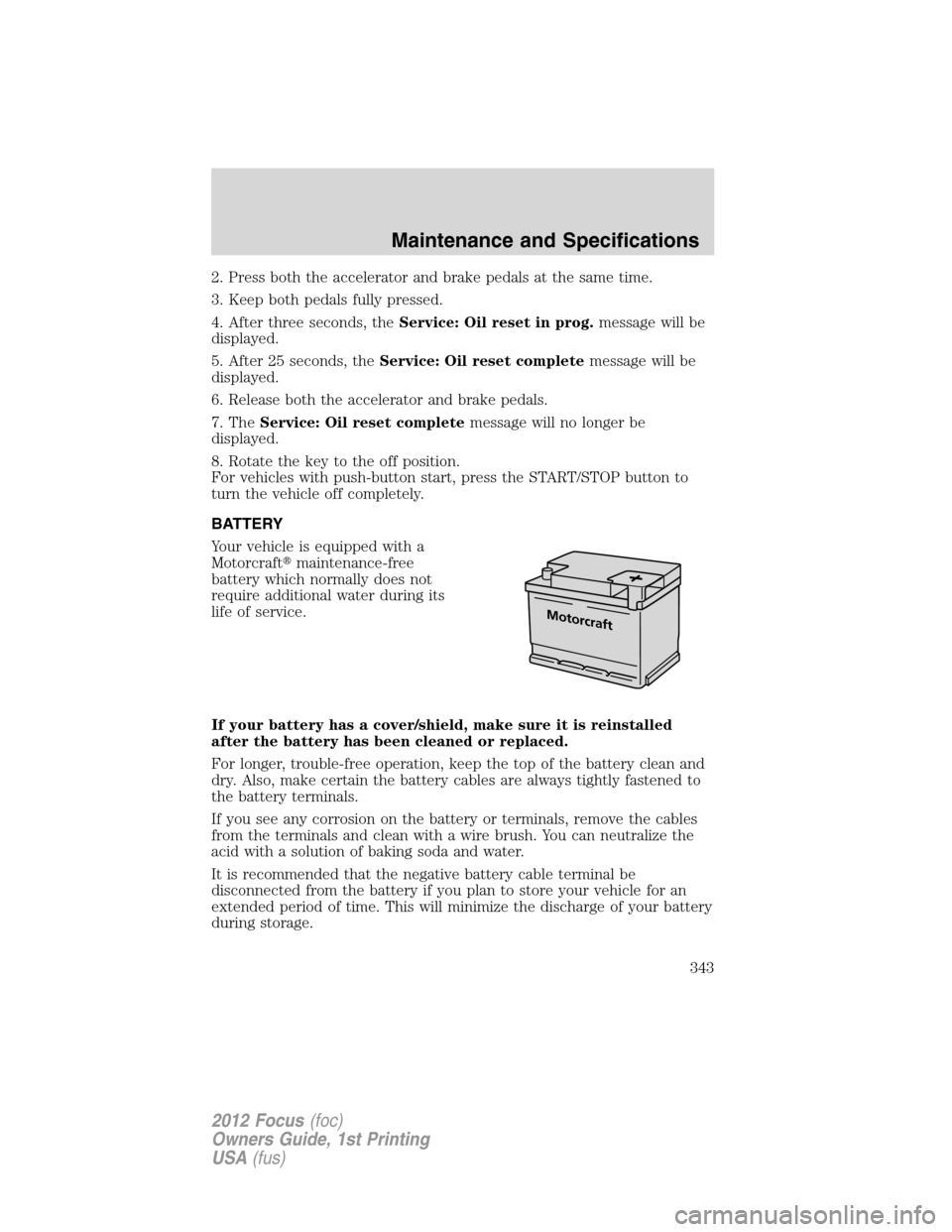
Your vehicle is equipped with a
Motorcraft�maintenance-free
battery which normally does not
require additional water during its
life of service.
If your battery has a cover/shield, make sure it is reinstalled
after the battery has been cleaned or replaced.
For longer, trouble-free operation, keep the top of the battery clean and
dry. Also, make certain the battery cables are always tightly fastened to
the battery terminals.
If you see any corrosion on the battery or terminals, remove the cables
from the terminals and clean with a wire brush. You can neutralize the
acid with a solution of baking soda and water.
It is recommended that the negative battery cable terminal be
disconnected from the battery if you plan to store your vehicle for an
extended period of time. This will minimize the discharge of your battery
during storage.
Maintenance and Specifications
343
2012 Focus(foc)
Owners Guide, 1st Printing
USA(fus)