Page 40 of 406
Stereo icon:If this icon appears in
your display, it means your system
is in stereo mode.
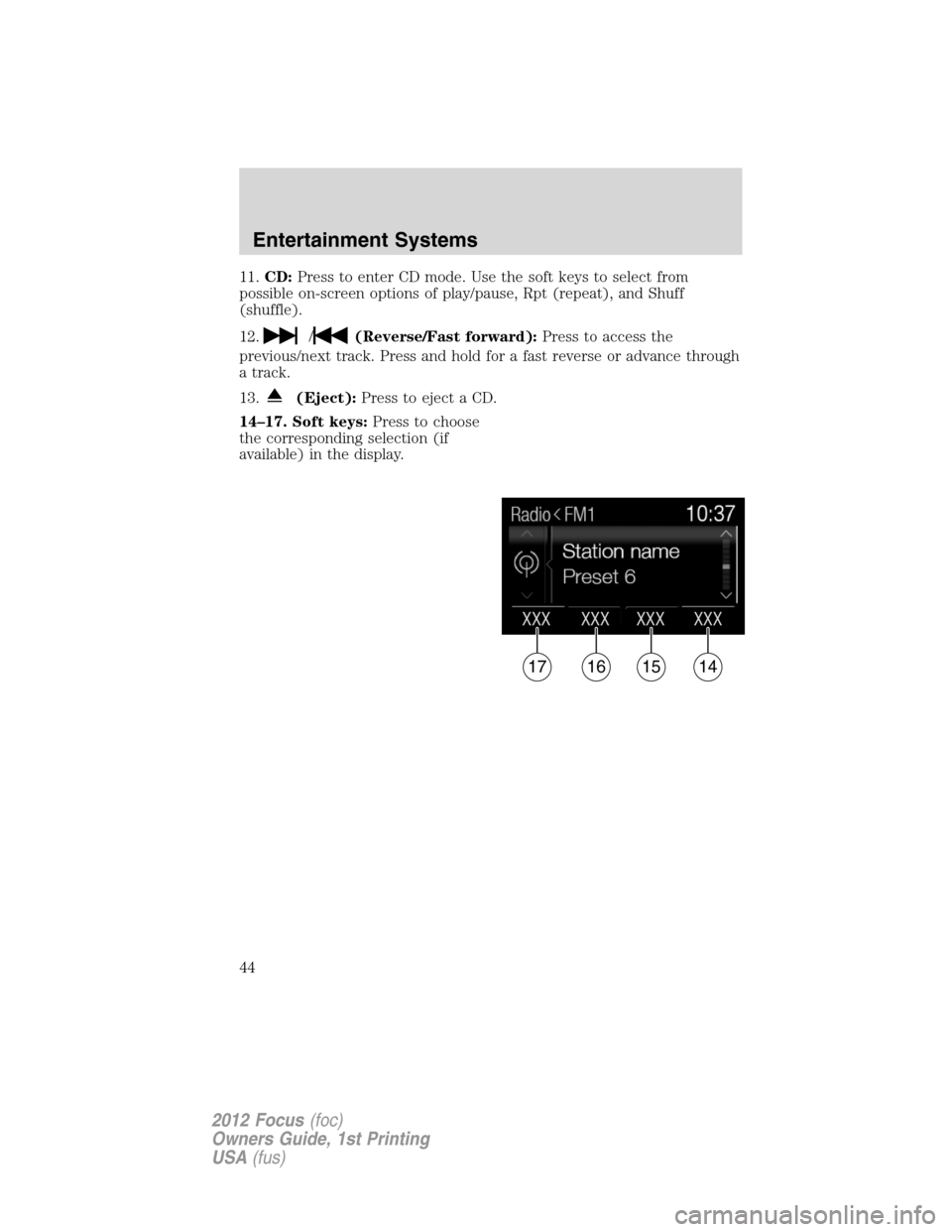
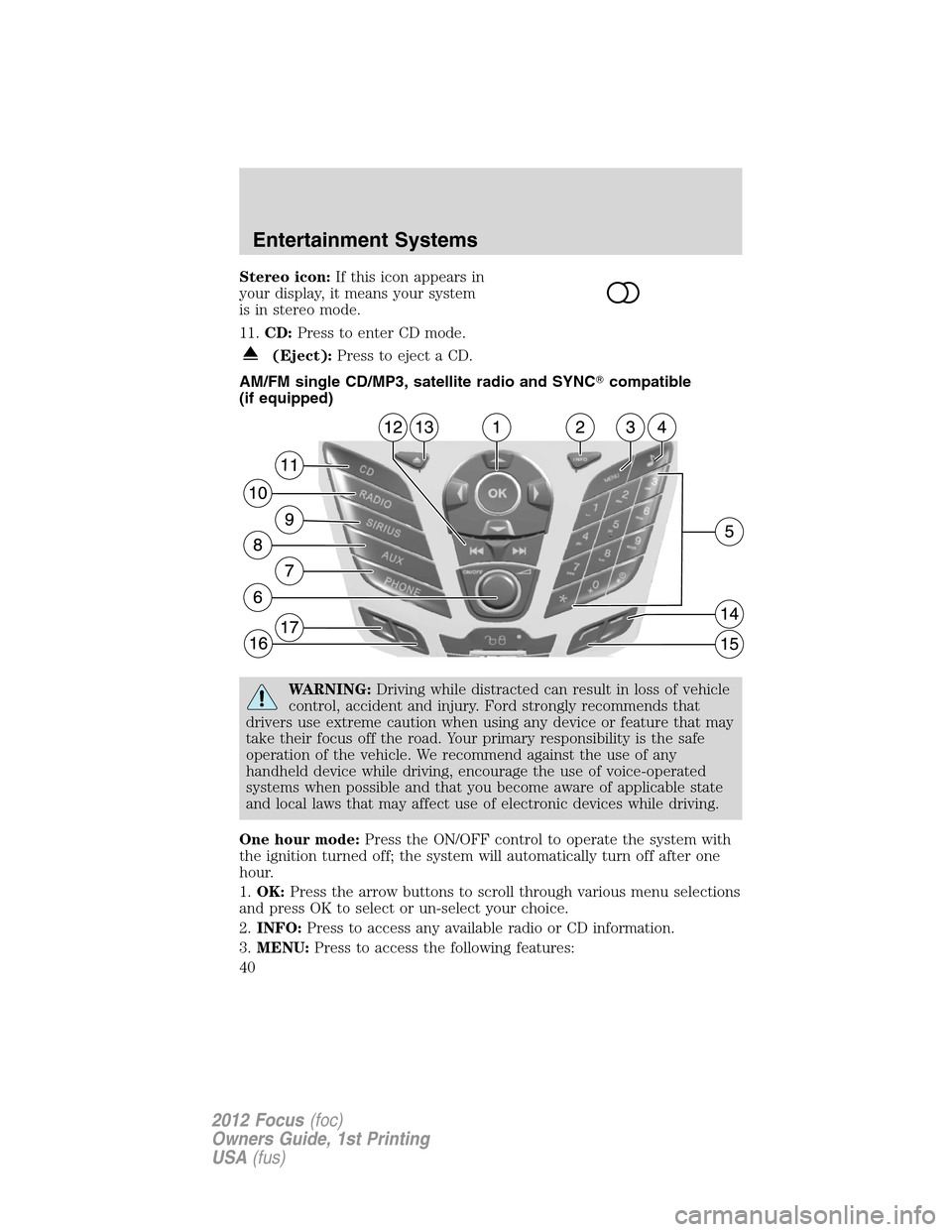
11.CD:Press to enter CD mode.
(Eject):Press to eject a CD.
AM/FM single CD/MP3, satellite radio and SYNC�compatible
(if equipped)
WARNING:Driving while distracted can result in loss of vehicle
control, accident and injury. Ford strongly recommends that
drivers use extreme caution when using any device or feature that may
take their focus off the road. Your primary responsibility is the safe
operation of the vehicle. We recommend against the use of any
handheld device while driving, encourage the use of voice-operated
systems when possible and that you become aware of applicable state
and local laws that may affect use of electronic devices while driving.
One hour mode:Press the ON/OFF control to operate the system with
the ignition turned off; the system will automatically turn off after one
hour.
1.OK:Press the arrow buttons to scroll through various menu selections
and press OK to select or un-select your choice.
2.INFO:Press to access any available radio or CD information.
3.MENU:Press to access the following features:
Entertainment Systems
40
2012 Focus(foc)
Owners Guide, 1st Printing
USA(fus)
Page 44 of 406
11.CD:Press to enter CD mode. Use the soft keys to select from
possible on-screen options of play/pause, Rpt (repeat), and Shuff
(shuffle).
12.
/(Reverse/Fast forward):Press to access the
previous/next track. Press and hold for a fast reverse or advance through
a track.
13.
(Eject):Press to eject a CD.
14–17. Soft keys:Press to choose
the corresponding selection (if
available) in the display.
XXX XXX XXX XXX
17161514
Entertainment Systems
44
2012 Focus(foc)
Owners Guide, 1st Printing
USA(fus)
Page 45 of 406

AM/FM single CD/MP3 SYNC�compatible system (if equipped)
WARNING:Driving while distracted can result in loss of vehicle
control, accident and injury. Ford strongly recommends that
drivers use extreme caution when using any device or feature that may
take their focus off the road. Your primary responsibility is the safe
operation of the vehicle. We recommend against the use of any
handheld device while driving, encourage the use of voice-operated
systems when possible and that you become aware of applicable state
and local laws that may affect use of electronic devices while driving.
One hour mode:Press the ON/OFF control to operate the system with
the ignition turned off; the system will automatically turn off after one
hour.
1.OK:Press the arrow buttons to scroll through various menu selections
and press OK to select or un-select your choice.
2.Clock:Press to set the clock. Press
/to select the hour or
minutes. Press
/to increase/decrease the time.
3.INFO:Press to access any available radio or CD information.
4.Sound menu:Press access Treble, Bass, Fade (if equipped) and
Balance menu options. Use
/to cycle through the various options.
When the desired option is chosen, press
/to increase or
decrease the levels. Press OK to set or MENU to exit.
Entertainment Systems
45
2012 Focus(foc)
Owners Guide, 1st Printing
USA(fus)
Page 48 of 406
To use, press the AST soft key at the bottom of the screen. The display
will read ‘Hold to start autostore’. Continue holding the button until
‘Autostoring’ appears in the display. When the search is complete, the
sound will return and the 10 strongest stations will be stored in the
memory presets (and overwrite any stations previously stored in the AST
band). You can also manually store stations in the AST band. When the
AST band is active, simply tune to the desired station and press and hold
a memory preset. The new station will be saved and will override the
previously saved station.
11.CD:Press to enter CD mode. Use the soft keys to select from
possible on-screen options of play/pause, Rpt (repeat), and Shuff
(shuffle).
12.
/(Reverse/Fast forward):Press to access the
previous/next track. Press and hold for a fast reverse or advance through
a track.
13.
(Eject):Press to eject a CD.
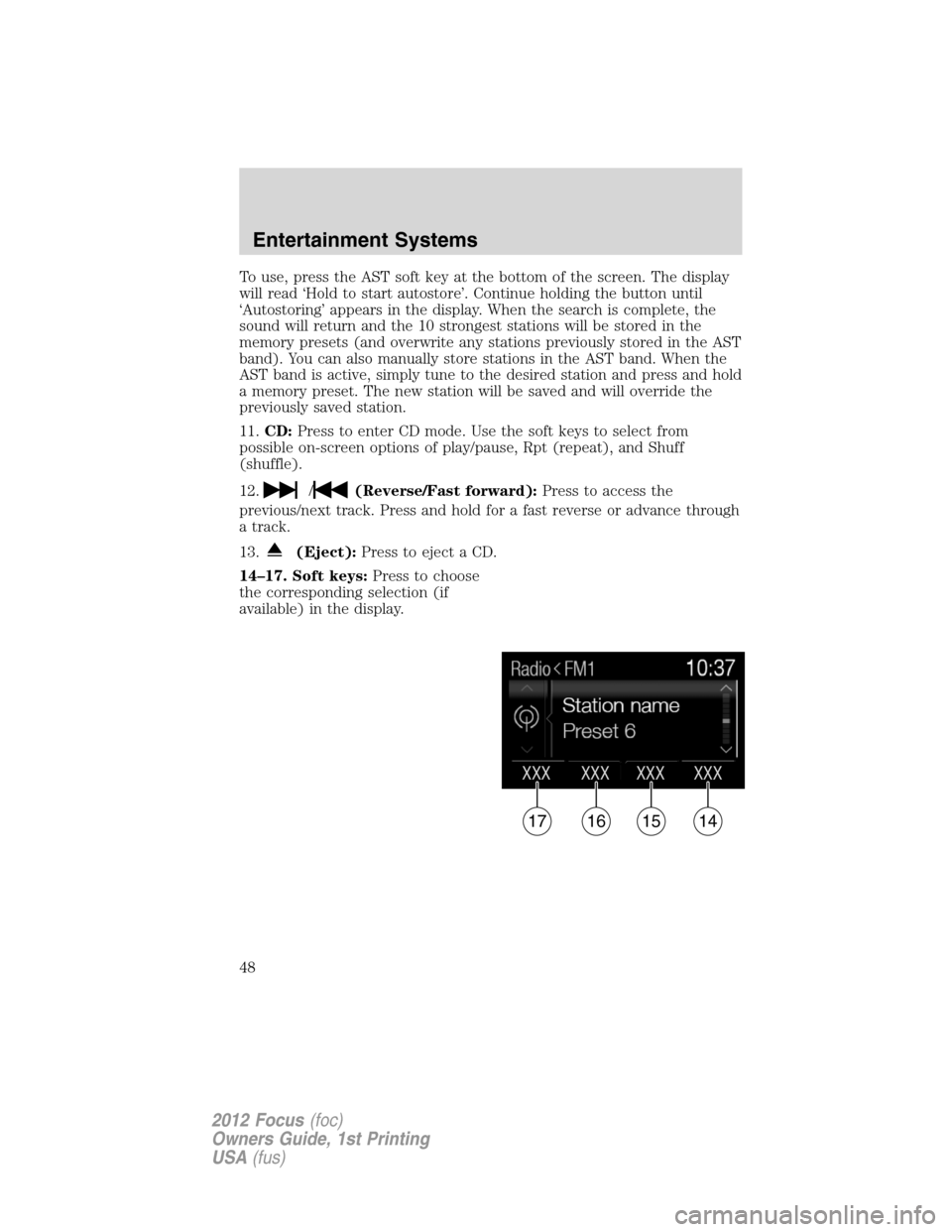
14–17. Soft keys:Press to choose
the corresponding selection (if
available) in the display.
XXX XXX XXX XXX
17161514
Entertainment Systems
48
2012 Focus(foc)
Owners Guide, 1st Printing
USA(fus)
Page 49 of 406
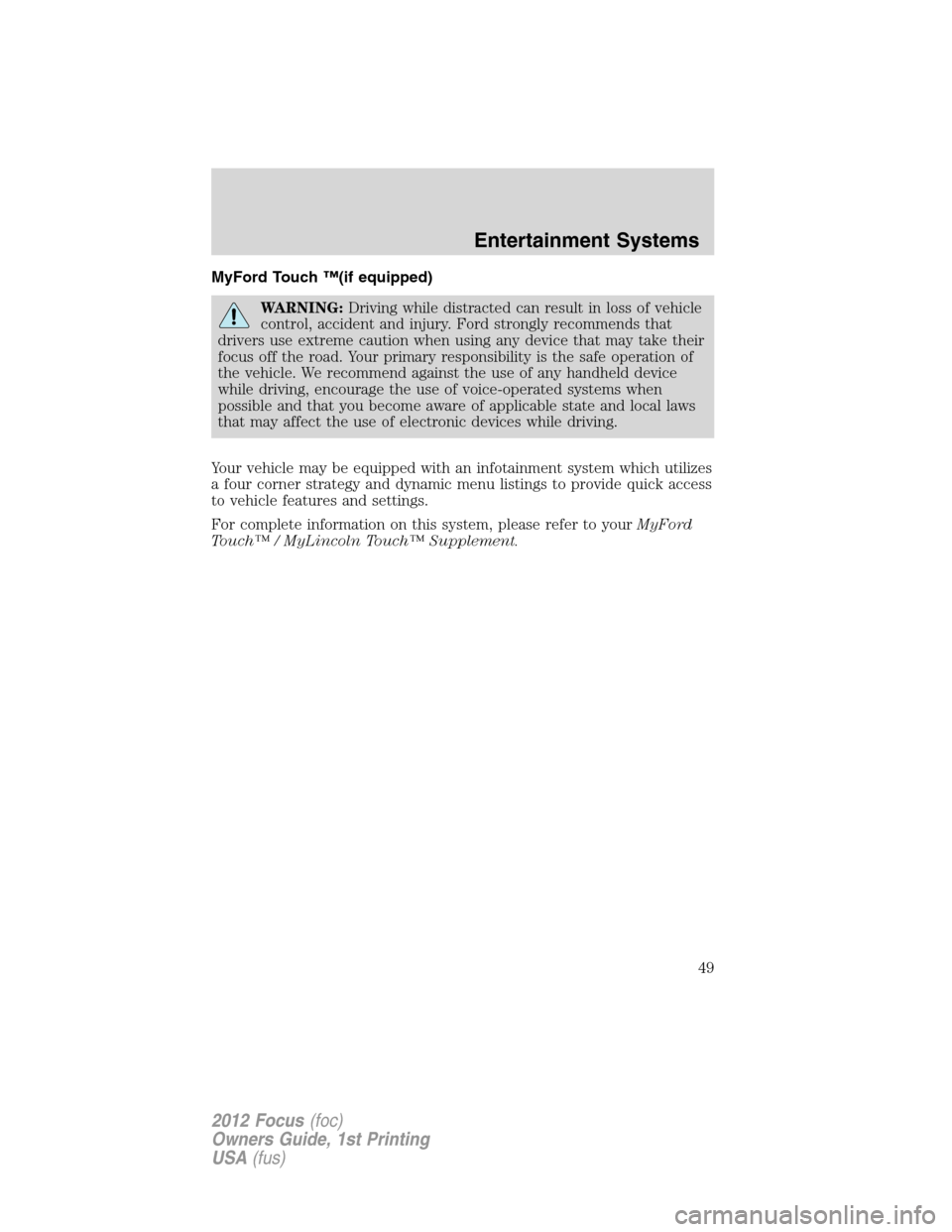
MyFord Touch ™(if equipped)
WARNING:Driving while distracted can result in loss of vehicle
control, accident and injury. Ford strongly recommends that
drivers use extreme caution when using any device that may take their
focus off the road. Your primary responsibility is the safe operation of
the vehicle. We recommend against the use of any handheld device
while driving, encourage the use of voice-operated systems when
possible and that you become aware of applicable state and local laws
that may affect the use of electronic devices while driving.
Your vehicle may be equipped with an infotainment system which utilizes
a four corner strategy and dynamic menu listings to provide quick access
to vehicle features and settings.
For complete information on this system, please refer to yourMyFord
Touch™ / MyLincoln Touch™ Supplement.
Entertainment Systems
49
2012 Focus(foc)
Owners Guide, 1st Printing
USA(fus)
Page 50 of 406
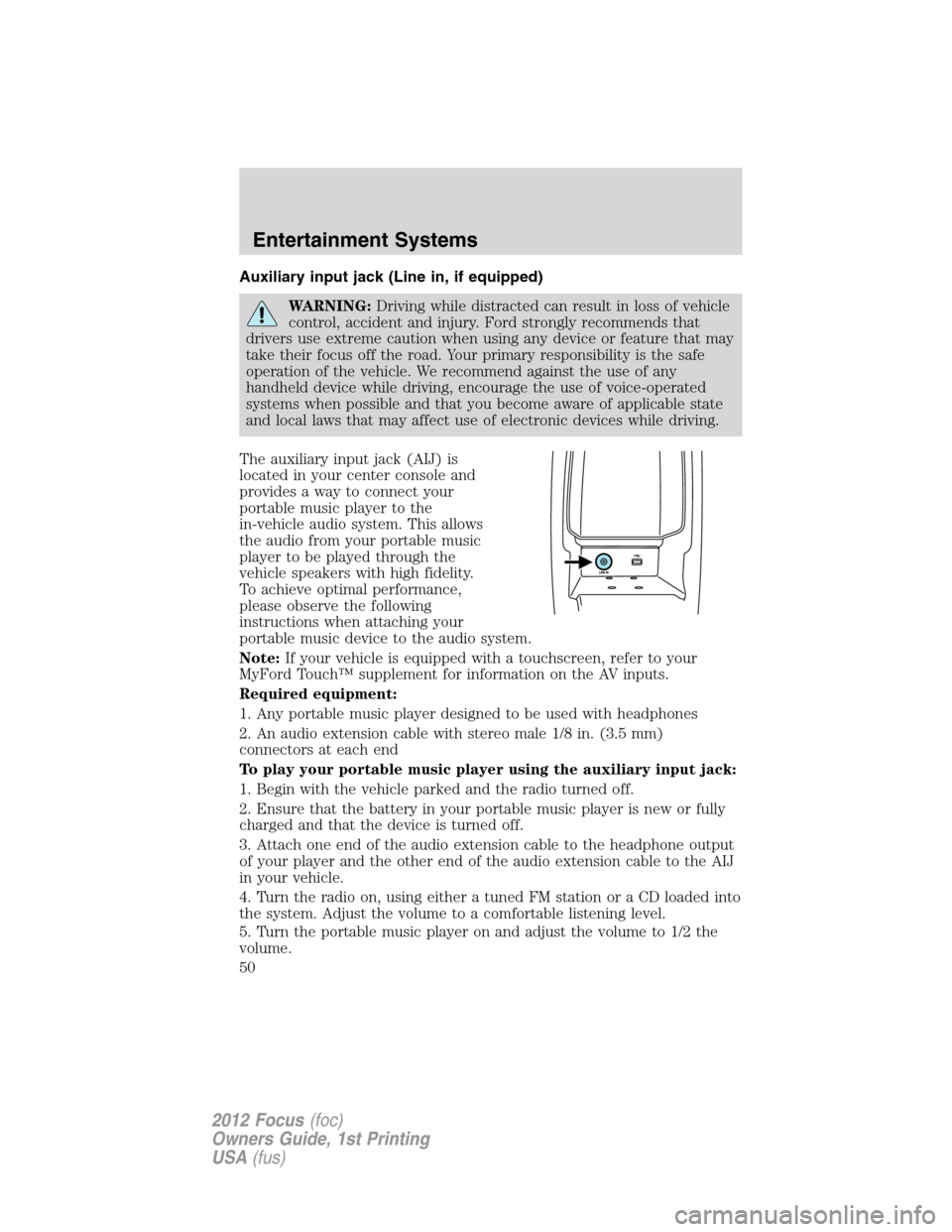
Auxiliary input jack (Line in, if equipped)
WARNING:Driving while distracted can result in loss of vehicle
control, accident and injury. Ford strongly recommends that
drivers use extreme caution when using any device or feature that may
take their focus off the road. Your primary responsibility is the safe
operation of the vehicle. We recommend against the use of any
handheld device while driving, encourage the use of voice-operated
systems when possible and that you become aware of applicable state
and local laws that may affect use of electronic devices while driving.
The auxiliary input jack (AIJ) is
located in your center console and
provides a way to connect your
portable music player to the
in-vehicle audio system. This allows
the audio from your portable music
player to be played through the
vehicle speakers with high fidelity.
To achieve optimal performance,
please observe the following
instructions when attaching your
portable music device to the audio system.
Note:If your vehicle is equipped with a touchscreen, refer to your
MyFord Touch™ supplement for information on the AV inputs.
Required equipment:
1. Any portable music player designed to be used with headphones
2. An audio extension cable with stereo male 1/8 in. (3.5 mm)
connectors at each end
To play your portable music player using the auxiliary input jack:
1. Begin with the vehicle parked and the radio turned off.
2. Ensure that the battery in your portable music player is new or fully
charged and that the device is turned off.
3. Attach one end of the audio extension cable to the headphone output
of your player and the other end of the audio extension cable to the AIJ
in your vehicle.
4. Turn the radio on, using either a tuned FM station or a CD loaded into
the system. Adjust the volume to a comfortable listening level.
5. Turn the portable music player on and adjust the volume to 1/2 the
volume.
Entertainment Systems
50
2012 Focus(foc)
Owners Guide, 1st Printing
USA(fus)
Page 51 of 406
6. Press AUX on the vehicle radio repeatedly until LINE, LINE IN or
SYNC LINE IN appears in the display.
You should hear audio from your portable music player although it may
be low.
7. Adjust the sound on your portable music player until it reaches the
level of the FM station or CD by switching back and forth between the
AUX and FM or CD controls.
WARNING:For safety reasons, do not connect or adjust the
settings on your portable music player while the vehicle is
moving.
WARNING:Store the portable music player in a secure location,
such as the center console or the glove box, when the vehicle is
in motion. Hard objects may become projectiles in a collision or sudden
stop, which may increase the risk of serious injury. The audio
extension cable must be long enough to allow the portable music
player to be safely stored while the vehicle is in motion.
USB port (if equipped)
WARNING:Driving while distracted can result in loss of vehicle
control, accident and injury. Ford strongly recommends that
drivers use extreme caution when using any device or feature that may
take their focus off the road. Your primary responsibility is the safe
operation of the vehicle. We recommend against the use of any
handheld device while driving, encourage the use of voice-operated
systems when possible and that you become aware of applicable state
and local laws that may affect use of electronic devices while driving.
Entertainment Systems
51
2012 Focus(foc)
Owners Guide, 1st Printing
USA(fus)
Page 55 of 406
SIRIUS�satellite radio service:SIRIUS�satellite radio is a
subscription based satellite radio service that broadcasts music, sports,
news and entertainment programming. A service fee is required in order
to receive SIRIUS�service. Vehicles that are equipped with a factory
installed SIRIUS�satellite radio system include hardware and a limited
subscription term, which begins on the date of sale or lease of the
vehicle.
For information on extended subscription terms, the online media player
and other SIRIUS�features, please contact SIRIUS�at 1–888–539–7474.
Note:SIRIUS�reserves the unrestricted right to change, rearrange, add
or delete programming including canceling, moving or adding particular
channels, and its prices, at any time, with or without notice to you. Ford
Motor Company shall not be responsible for any such programming
changes.
Satellite radio electronic serial number (ESN):This 12–digit
Satellite Serial Number is needed to activate, modify or track your
satellite radio account. You will need this number when communicating
with SIRIUS�. While in satellite radio mode, you can view this number on
the radio display by pressing MENU > SIRIUS > Show ESN.
Radio Display Condition Action Required
ACQUIRING Radio requires more
than two seconds to
produce audio for the
selected channel.No action required.
This message should
disappear shortly.
SAT FAULT Internal module or
system failure
present.If this message does
not clear within a short
period of time, or with
an ignition key cycle,
your receiver may have
a fault. See your
authorized dealer for
service.
Entertainment Systems
55
2012 Focus(foc)
Owners Guide, 1st Printing
USA(fus)