Page 24 of 102
*Note:If you have said “Tune” you may say any of the following
commands:
•<0–233>•
•SAT•SAT 1
•SAT 2•SAT 3
•Preset <#>•SAT 1 Preset <#>
•SAT 2 Preset <#>•SAT 3 Preset <#>
**Late availability (if equipped):If you have said, “ Sports Game”,
you may say any of the following commands:
•Tune to the game•Tune to the
name> game
•Tune to the game•Tune to the
game
Satellite radio (if activated)
SIRIUS�satellite radio service:
SIRIUS�satellite radio is a
subscription based satellite radio
service that broadcasts a variety of
music, sports, news, weather, traffic
and entertainment programming.
Your factory installed SIRIUS�
satellite radio system includes: hardware and a limited subscription term
which begins on the date of sale or lease of the vehicle. Refer to your
authorized dealer for availability.
For more information on extended subscription terms (a service fee is
required), the online media player and a complete list of SIRIUS�
satellite radio channels, and other features, please visit www.sirius.com in
the United States, www.sirius-canada.ca in Canada, or call SIRIUS�at
1–888–539–7474.
Satellite radio reception factors
•Antenna obstructions: For optimal reception performance, keep the
antenna clear of snow and ice build-up and keep luggage and other
material as far away from the antenna as possible.
•Terrain: Hills, mountains, tall buildings, bridges, tunnels, freeway
overpasses, parking garages, dense tree foliage and thunderstorms can
interfere with your reception.
Media features
24
2012 HMI-1 Gen 2(fd1)
Supplement, 1st Printing
USA(fus)
Page 25 of 102
•Station overload: When you pass a ground based broadcast repeating
tower, a stronger signal may overtake a weaker one and result in an
audio mute.
You will hear an audio mute when there is a satellite radio signal
interference. Your display may show ACQUIRING...toindicatethe
interference.
Satellite radio electronic serial number (ESN):You will need your
ESN to activate, modify or track your satellite radio account. The ESN is
found on the System Information Screen (SR ESN:XXXXXXXXXXXX).
To access your ESN, press the bottom left corner of the
touchscreen, then SIRIUS > Options > ESN.
Note:SIRIUS�reserves the unrestricted right to change, rearrange, add
or delete programming including canceling, moving or adding particular
channels, and its prices, at any time, with or without notice to you. Ford
Motor Company shall not be responsible for any such programming
changes.
Troubleshooting tips
Radio Display Condition Possible action
Acquiring Radio requires more
than two seconds to
produce audio for the
selected channel.No action required.
This message should
disappear shortly.
Sat Fault / SIRIUS�
system failureInternal module or
system failure
present.If this message does
not clear shortly, or
with an ignition key
cycle, your receiver
may have a fault. See
your authorized dealer
for service.
Invalid Channel Channel no longer
available.Tune to another
channel or choose
another preset.
Unsubscribed Channel Subscription not
available for this
channel.Contact SIRIUS�at
1–888–539–7474 to
subscribe to the
channel, or tune to
another channel.
Media features
25
2012 HMI-1 Gen 2(fd1)
Supplement, 1st Printing
USA(fus)
Page 59 of 102
Note:If you are locked out and need to reset the PIN, you can enter
3681 and the system will unlock.
Changing your door keypad code (if equipped)
To change the keypad code for your keyless entry keypad system:
1. Press Menu > Vehicle > Edit door keypad code.
2. Enter your current factory code and, when prompted, enter the new
code you would like.
Active Park Assist (if equipped)
When activated, your system will display directions for you regarding the
active park assist process.
For complete information on this system, please refer toActive Park
Assistin theDrivingchapter of your Owner’s Guide.
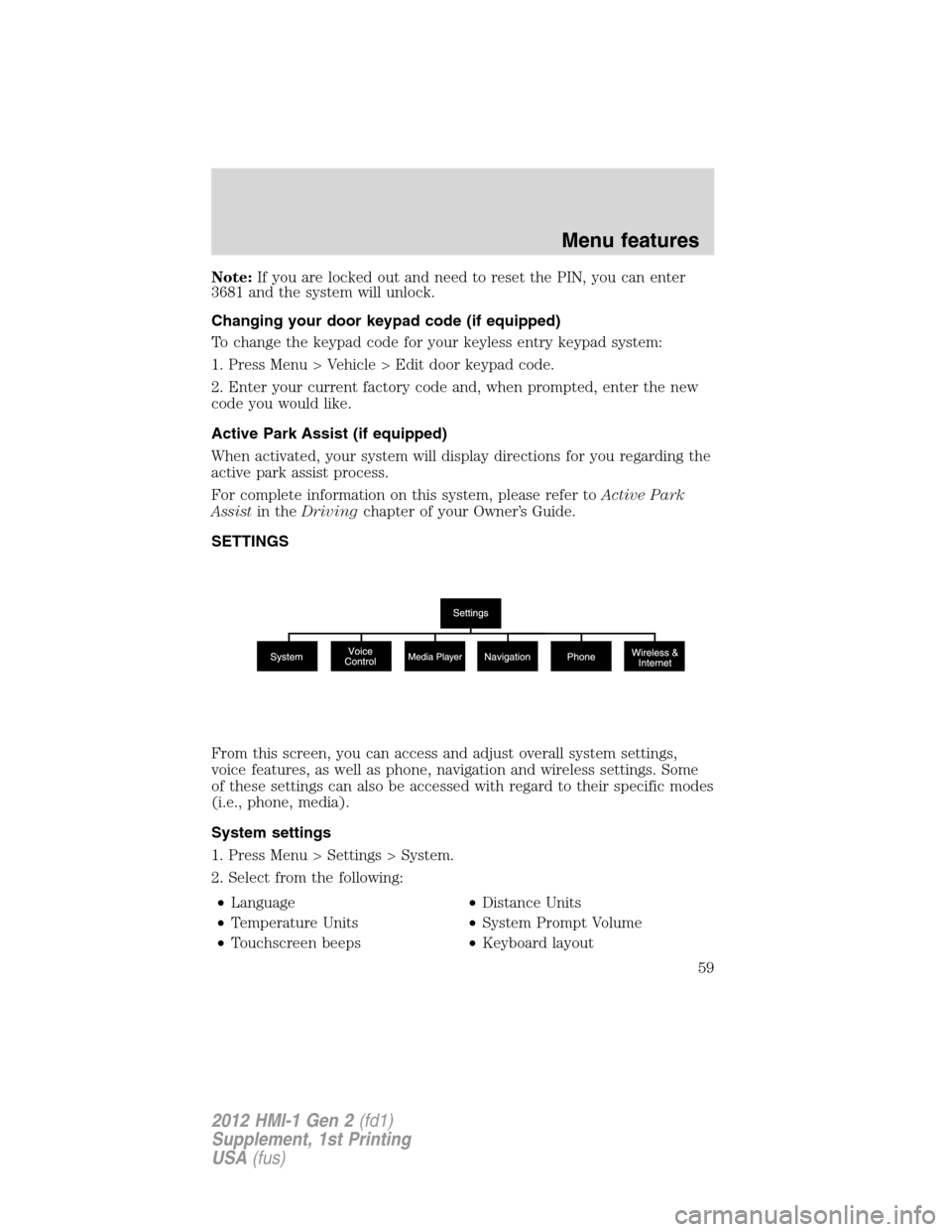
SETTINGS
From this screen, you can access and adjust overall system settings,
voice features, as well as phone, navigation and wireless settings. Some
of these settings can also be accessed with regard to their specific modes
(i.e., phone, media).
System settings
1. Press Menu > Settings > System.
2. Select from the following:
•Language•Distance Units
•Temperature Units•System Prompt Volume
•Touchscreen beeps•Keyboard layout
Menu features
59
2012 HMI-1 Gen 2(fd1)
Supplement, 1st Printing
USA(fus)