Page 48 of 380
INTRODUCTION
WARNING:Driving while distracted can result in loss of vehicle
control, accident and injury. Ford strongly recommends that
drivers use extreme caution when using any device or feature that may
take their focus off the road. Your primary responsibility is the safe
operation of the vehicle. We recommend against the use of any
handheld device while driving, encourage the use of voice-operated
systems when possible and that you become aware of applicable state
and local laws that may affect use of electronic devices while driving.
Note: Some features are not available while the vehicle is moving.
This system uses a four-corner strategy to provide quick access to
vehicle features and settings. The comprehensive touchscreen provides
easy interaction with your cellular phone, multimedia, climate control
and navigation system. The corners display any active modes within
those menus, such as your phone being connected or the climate
temperature. MENU
Press to select any of the following:
• Clock
• Display
• Sound
• Vehicle
• Settings
• Help
INFORMATION
Press to select any of the following:
• SYNC Services
• SIRIUS Travel Link
• Notifications
• Calendar
• SYNC Apps
If the icon is yellow, refer to Notificationsin theInformation section of
this chapter.
48 MyFord Touch�
2012 Focus Electric Vehicle (fob)
Owners Guide gf, 1st Printing
USA (fus)
Page 101 of 380
MENU
Under the menu setting, you can set your clock, access and make
adjustments to the display, sound and vehicle settings as well as access
settings for specific modes or the help feature.
Setting the Clock
Note:The date is set by your vehicle’s GPS; you cannot manually set the
date.
Note: If the battery has been disconnected, the vehicle needs to acquire
a GPS signal to update the clock. Once your vehicle acquires the signal,
it may take a few minutes for the update to display the correct time.
1. Press the Menu icon > Clock.
2. Press + and to adjust the time.
From this screen, you can also make other adjustments such as 12– or
24–hour mode, activate GPS time synchronization and have the system
automatically update new time zones.
Once you update any settings they will be automatically saved.
Display Settings
To access and make adjustments to the touchscreen display, using the
touchscreen:
Press the Menu icon > Display, then choose any of the following:
• Brightness
• Auto Dim On/Off
• Mode: Auto, Day or Night
• Edit Wallpaper
To access and make adjustments to the touchscreen display
using voice commands, press the voice button on your steering
wheel controls and when prompted, say “Display Settings”.
Uploading Photos for Your Home Screen Wallpaper
Your system allows you to upload and view up to 32 photos.
To access:
Note: You cannot load photos directly from your camera. You must
access the photos from either your USB mass storage device or from an
SD card.
To upload photos, press the Menu icon > Display > Edit Wallpaper, then
follow the system prompts to upload your photographs.
MyFord Touch� 101
2012 Focus Electric Vehicle(fob)
Owners Guide gf, 1st Printing
USA (fus)
Page 111 of 380
•Touch the cooled seat icon to control the cooled seat (if equipped).
Refer to the Seats chapter.
• Touch and hold MyTemp to select a temperature you would like the
vehicle to remember and maintain for you.
• Touch the heated steering wheel icon (if equipped) to warm the
steering wheel.
Note: If your vehicle is equipped with a wood-trimmed steering wheel,
it does not heat between the 10 o’clock and 2 o’clock positions.
Climate Control Voice Commands The following voice commands are available at the main menu
level of a voice session. For example, press the voice button
and after the prompt, “Say a command”; say any of the
following commands:
Climate control voice commands
“Climate automatic”
“Climate my temperature” “Climate off”“Climate on”
“Climate temperature <15.5–29.5> degrees” “Climate temperature <60–85> degrees” “Help”
There are additional climate control commands but in order to access
them, you have to say “Climate” first, then when the system is ready to
listen, you may say any of the following commands:
Additional climate control voice commands
“Automatic” “Panel floor on”
“A/C off” “Panel on”
“A/C on” “Rear defrost off”
“Defrost off” “Rear defrost on”
“Defrost on” “Recirc off”
“Dual off” “Recirc on”
“Fan decrease” “Temperature”
*
“Fan increase”“Temperature <15.5–29.5>
degrees”
MyFord Touch� 111
2012 Focus Electric Vehicle(fob)
Owners Guide gf, 1st Printing
USA (fus)
Page 131 of 380
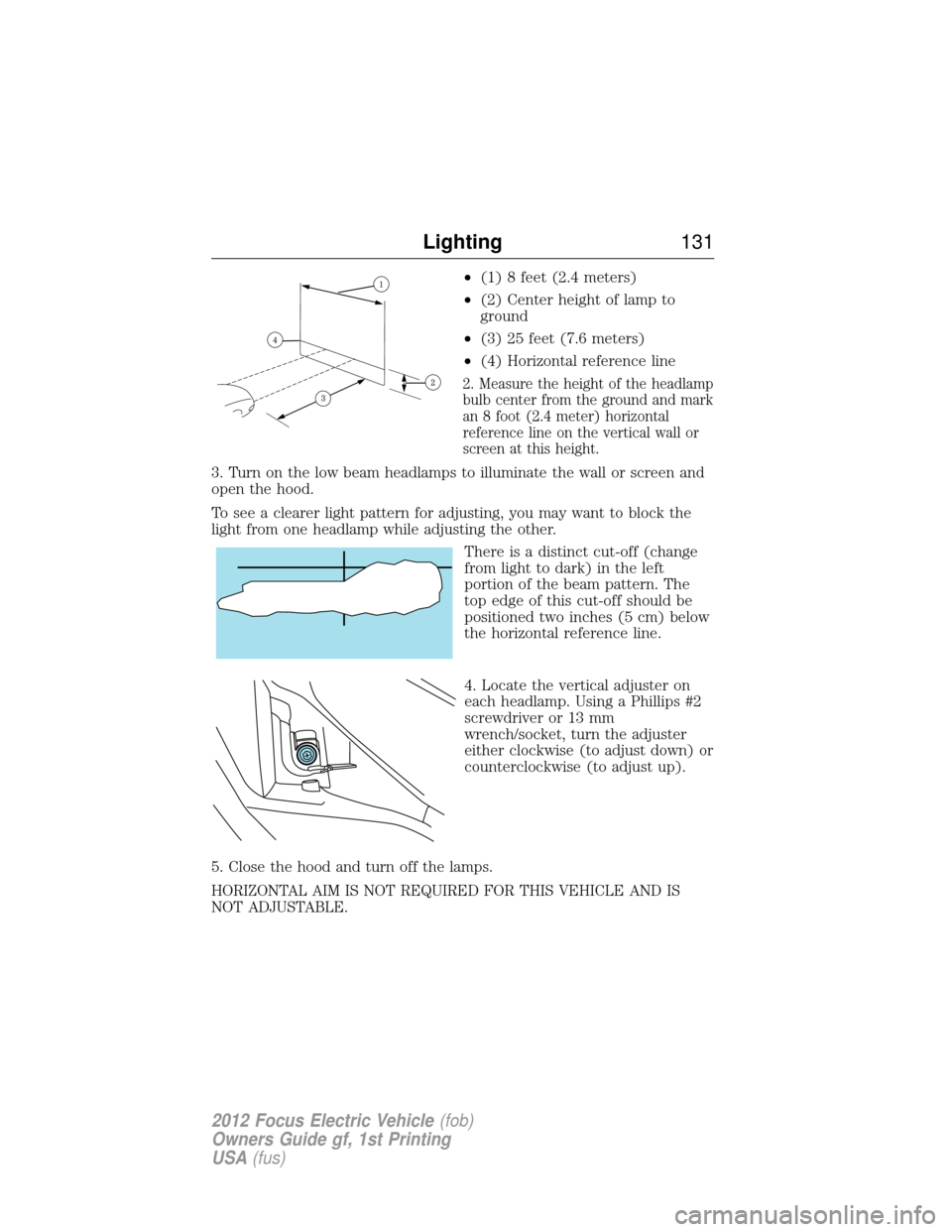
•(1) 8 feet (2.4 meters)
• (2) Center height of lamp to
ground
• (3) 25 feet (7.6 meters)
• (4) Horizontal reference line
2. Measure the height of the headlamp
bulb center from the ground and mark
an 8 foot (2.4 meter) horizontal
reference line on the vertical wall or
screen at this height.
3. Turn on the low beam headlamps to illuminate the wall or screen and
open the hood.
To see a clearer light pattern for adjusting, you may want to block the
light from one headlamp while adjusting the other.
There is a distinct cut-off (change
from light to dark) in the left
portion of the beam pattern. The
top edge of this cut-off should be
positioned two inches (5 cm) below
the horizontal reference line.
4. Locate the vertical adjuster on
each headlamp. Using a Phillips #2
screwdriver or 13 mm
wrench/socket, turn the adjuster
either clockwise (to adjust down) or
counterclockwise (to adjust up).
5. Close the hood and turn off the lamps.
HORIZONTAL AIM IS NOT REQUIRED FOR THIS VEHICLE AND IS
NOT ADJUSTABLE.
Lighting 131
2012 Focus Electric Vehicle (fob)
Owners Guide gf, 1st Printing
USA (fus)
Page 136 of 380
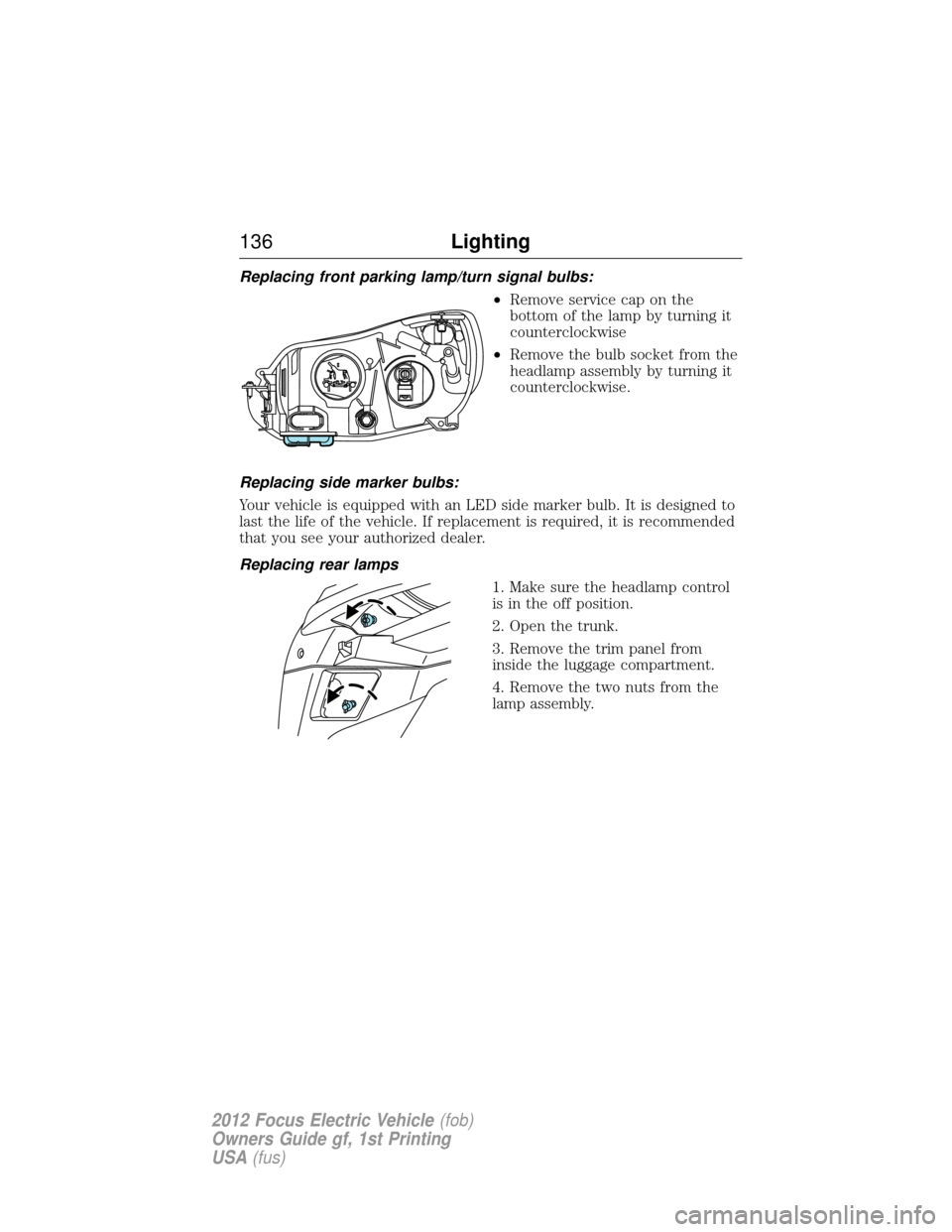
Replacing front parking lamp/turn signal bulbs:•Remove service cap on the
bottom of the lamp by turning it
counterclockwise
• Remove the bulb socket from the
headlamp assembly by turning it
counterclockwise.
Replacing side marker bulbs:
Your vehicle is equipped with an LED side marker bulb. It is designed to
last the life of the vehicle. If replacement is required, it is recommended
that you see your authorized dealer.
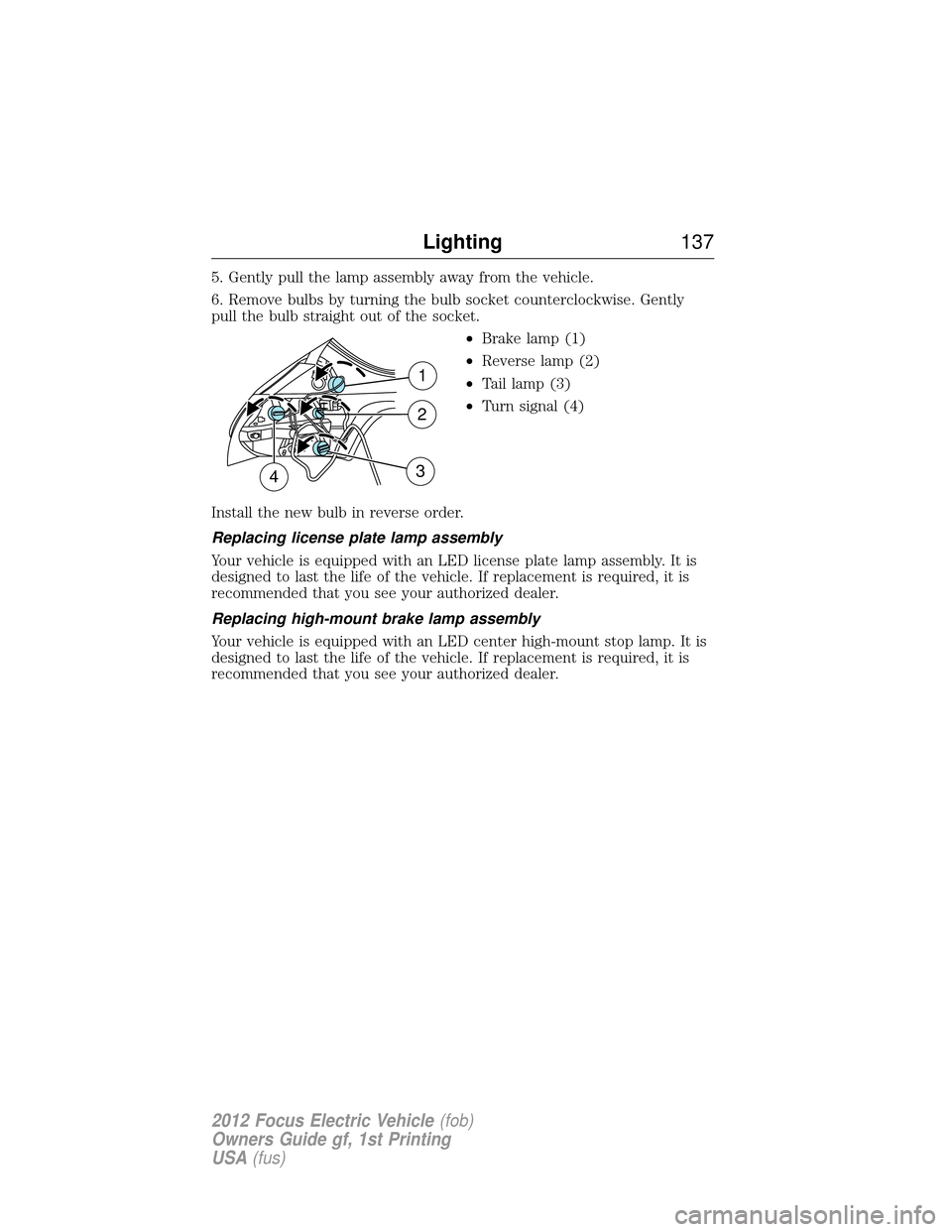
Replacing rear lamps 1. Make sure the headlamp control
is in the off position.
2. Open the trunk.
3. Remove the trim panel from
inside the luggage compartment.
4. Remove the two nuts from the
lamp assembly.
136Lighting
2012 Focus Electric Vehicle (fob)
Owners Guide gf, 1st Printing
USA (fus)
Page 137 of 380
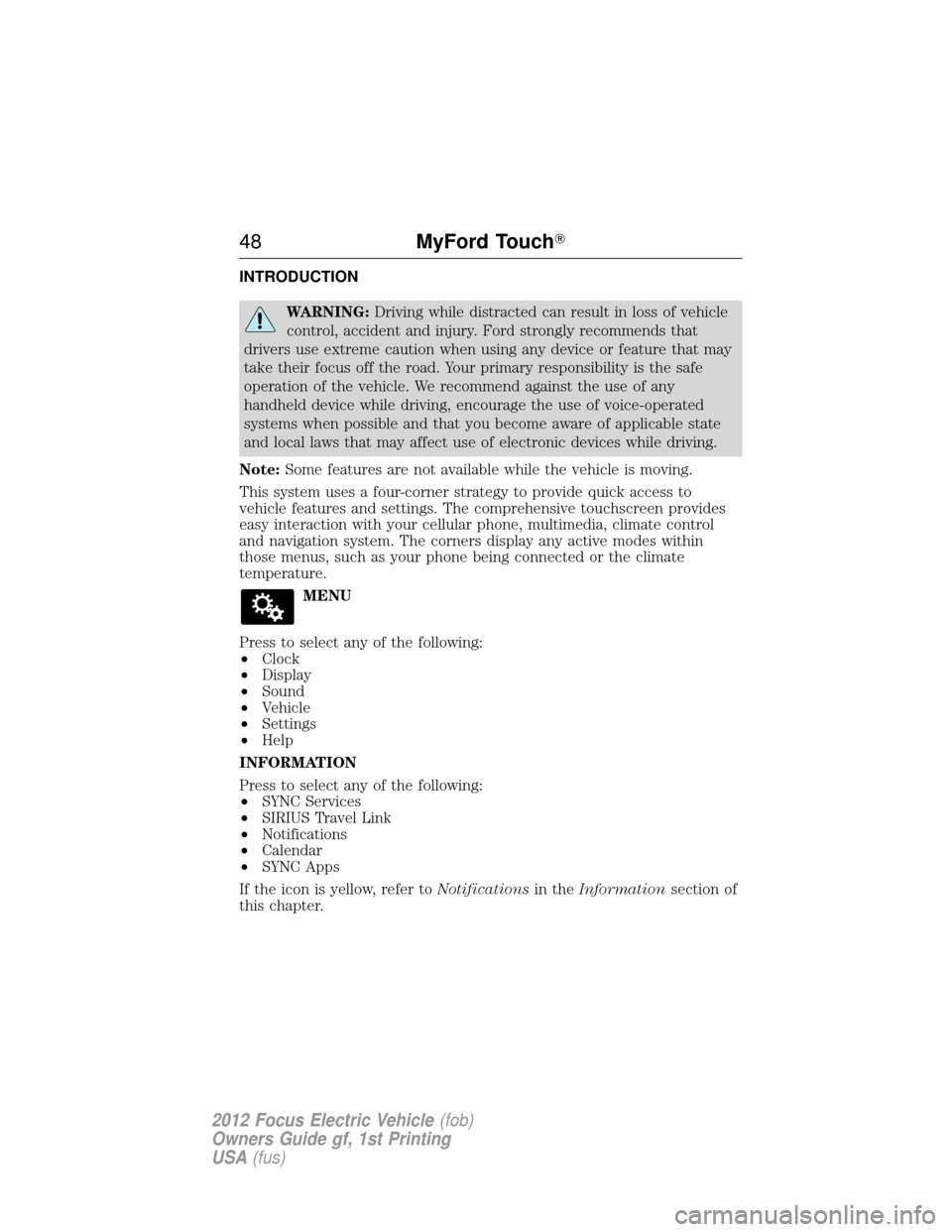
5. Gently pull the lamp assembly away from the vehicle.
6. Remove bulbs by turning the bulb socket counterclockwise. Gently
pull the bulb straight out of the socket.•Brake lamp (1)
• Reverse lamp (2)
• Tail lamp (3)
• Turn signal (4)
Install the new bulb in reverse order.
Replacing license plate lamp assembly
Your vehicle is equipped with an LED license plate lamp assembly. It is
designed to last the life of the vehicle. If replacement is required, it is
recommended that you see your authorized dealer.
Replacing high-mount brake lamp assembly
Your vehicle is equipped with an LED center high-mount stop lamp. It is
designed to last the life of the vehicle. If replacement is required, it is
recommended that you see your authorized dealer.
1
2
43
Lighting 137
2012 Focus Electric Vehicle (fob)
Owners Guide gf, 1st Printing
USA (fus)
Page 161 of 380
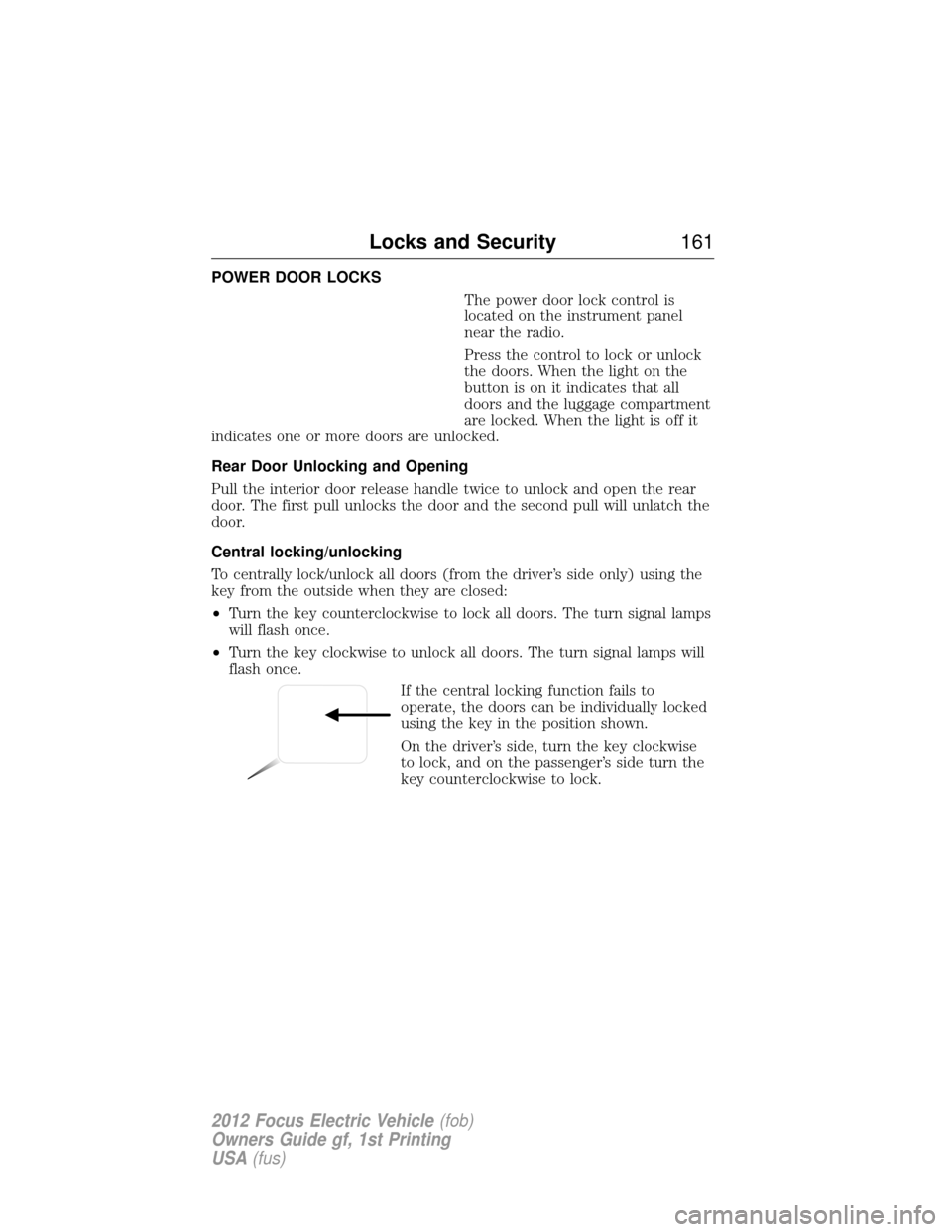
POWER DOOR LOCKSThe power door lock control is
located on the instrument panel
near the radio.
Press the control to lock or unlock
the doors. When the light on the
button is on it indicates that all
doors and the luggage compartment
are locked. When the light is off it
indicates one or more doors are unlocked.
Rear Door Unlocking and Opening
Pull the interior door release handle twice to unlock and open the rear
door. The first pull unlocks the door and the second pull will unlatch the
door.
Central locking/unlocking
To centrally lock/unlock all doors (from the driver’s side only) using the
key from the outside when they are closed:
• Turn the key counterclockwise to lock all doors. The turn signal lamps
will flash once.
• Turn the key clockwise to unlock all doors. The turn signal lamps will
flash once.
If the central locking function fails to
operate, the doors can be individually locked
using the key in the position shown.
On the driver’s side, turn the key clockwise
to lock, and on the passenger’s side turn the
key counterclockwise to lock.
Locks and Security 161
2012 Focus Electric Vehicle(fob)
Owners Guide gf, 1st Printing
USA (fus)
Page 163 of 380
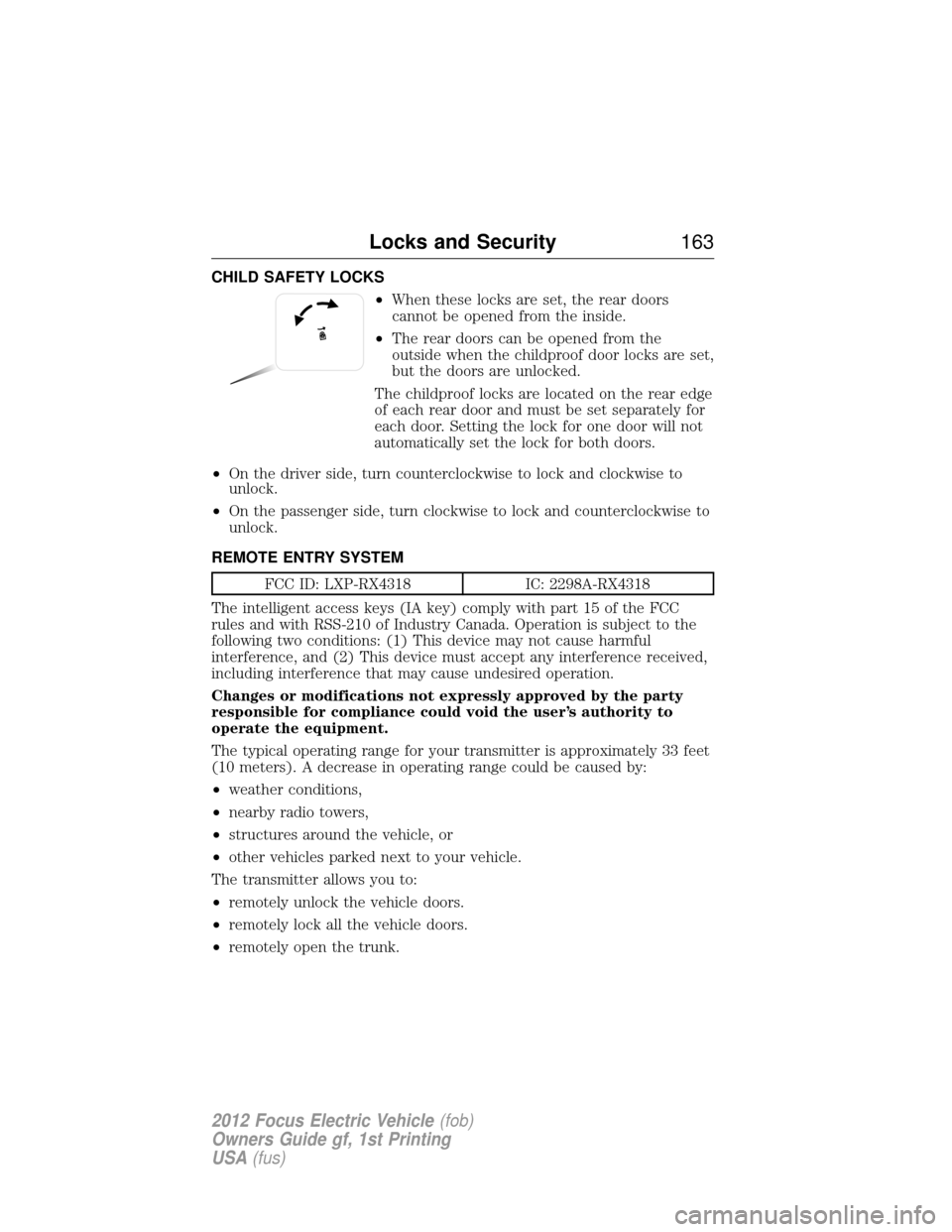
CHILD SAFETY LOCKS•When these locks are set, the rear doors
cannot be opened from the inside.
• The rear doors can be opened from the
outside when the childproof door locks are set,
but the doors are unlocked.
The childproof locks are located on the rear edge
of each rear door and must be set separately for
each door. Setting the lock for one door will not
automatically set the lock for both doors.
• On the driver side, turn counterclockwise to lock and clockwise to
unlock.
• On the passenger side, turn clockwise to lock and counterclockwise to
unlock.
REMOTE ENTRY SYSTEM
FCC ID: LXP-RX4318 IC: 2298A-RX4318
The intelligent access keys (IA key) comply with part 15 of the FCC
rules and with RSS-210 of Industry Canada. Operation is subject to the
following two conditions: (1) This device may not cause harmful
interference, and (2) This device must accept any interference received,
including interference that may cause undesired operation.
Changes or modifications not expressly approved by the party
responsible for compliance could void the user’s authority to
operate the equipment.
The typical operating range for your transmitter is approximately 33 feet
(10 meters). A decrease in operating range could be caused by:
• weather conditions,
• nearby radio towers,
• structures around the vehicle, or
• other vehicles parked next to your vehicle.
The transmitter allows you to:
• remotely unlock the vehicle doors.
• remotely lock all the vehicle doors.
• remotely open the trunk.
Locks and Security 163
2012 Focus Electric Vehicle(fob)
Owners Guide gf, 1st Printing
USA (fus)