2012 FORD F150 automatic transmission
[x] Cancel search: automatic transmissionPage 299 of 462
AUTOMATIC TRANSMISSION OPERATION
Understanding the shift positions of the 6-speed automatic
transmission
This vehicle is equipped with an adaptive transmission shift strategy. The
adaptive transmission shift strategy offers the optimal transmission
operation and shift quality. When the engine is turned off, the shift data
which includes the adaptive information will be stored automatically in
the powertrain control module (PCM). If the battery is disconnected for
any reason, the stored information from the last time the key was turned
to off will be read. This way, no information will be lost with any battery
removal or battery disconnect.
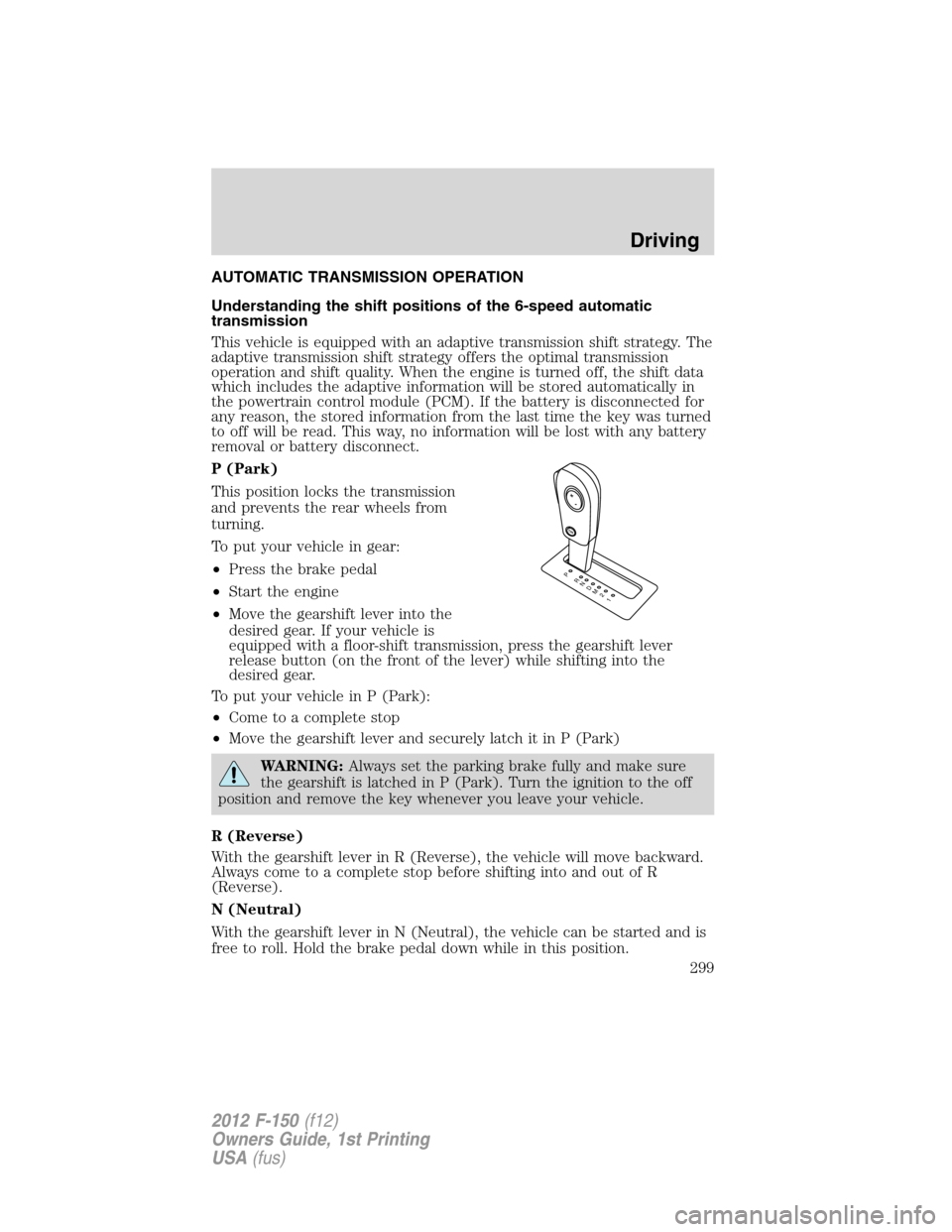
P (Park)
This position locks the transmission
and prevents the rear wheels from
turning.
To put your vehicle in gear:
•Press the brake pedal
•Start the engine
•Move the gearshift lever into the
desired gear. If your vehicle is
equipped with a floor-shift transmission, press the gearshift lever
release button (on the front of the lever) while shifting into the
desired gear.
To put your vehicle in P (Park):
•Come to a complete stop
•Move the gearshift lever and securely latch it in P (Park)
WARNING:Always set the parking brake fully and make sure
the gearshift is latched in P (Park). Turn the ignition to the off
position and remove the key whenever you leave your vehicle.
R (Reverse)
With the gearshift lever in R (Reverse), the vehicle will move backward.
Always come to a complete stop before shifting into and out of R
(Reverse).
N (Neutral)
With the gearshift lever in N (Neutral), the vehicle can be started and is
free to roll. Hold the brake pedal down while in this position.
T/H
PR
N
D
M
2
1
+
-
Driving
299
2012 F-150(f12)
Owners Guide, 1st Printing
USA(fus)
Page 301 of 462
To deactivate the tow/haul feature and return to normal driving mode,
press the button on the end of the gearshift lever. The TOW HAUL light
will no longer be illuminated. Tow/haul will also deactivate when the
vehicle is powered down.
WARNING:Do not use the tow/haul feature when driving in icy
or slippery conditions as the increased engine braking can cause
the rear wheels to slide and the vehicle to swing around with the
possible loss of vehicle control.
3 (Third) (column-shift only) (For vehicles without SST)
Transmission operates in third gear only.
Used for improved traction on slippery roads.
2 (Second)
Transmission operates in 2nd gear only.
Use 2 (Second) to start-up on slippery roads.
1 (First)
•Transmission operates in 1st gear only.
•Provides maximum engine braking.
•Allows upshifts by moving gearshift lever.
•Will not downshift into 1 (First) at high speeds; allows for 1 (First)
when vehicle reaches slower speeds.
Forced downshifts
•Allowed in D (Drive) only.
•Press the accelerator to the floor.
•Allows transmission to select an appropriate gear.
Understanding your SelectShift Automatic™ transmission (SST)
gearshift lever (if equipped)
This vehicle may be equipped with a SelectShift Automatic™
transmission (SST) gearshift lever. The SST is an automatic transmission
with the ability for the driver to change gears up or down (without a
clutch) as desired. The SST feature has two modes: PRS and M mode.
Driving
301
2012 F-150(f12)
Owners Guide, 1st Printing
USA(fus)
Page 302 of 462
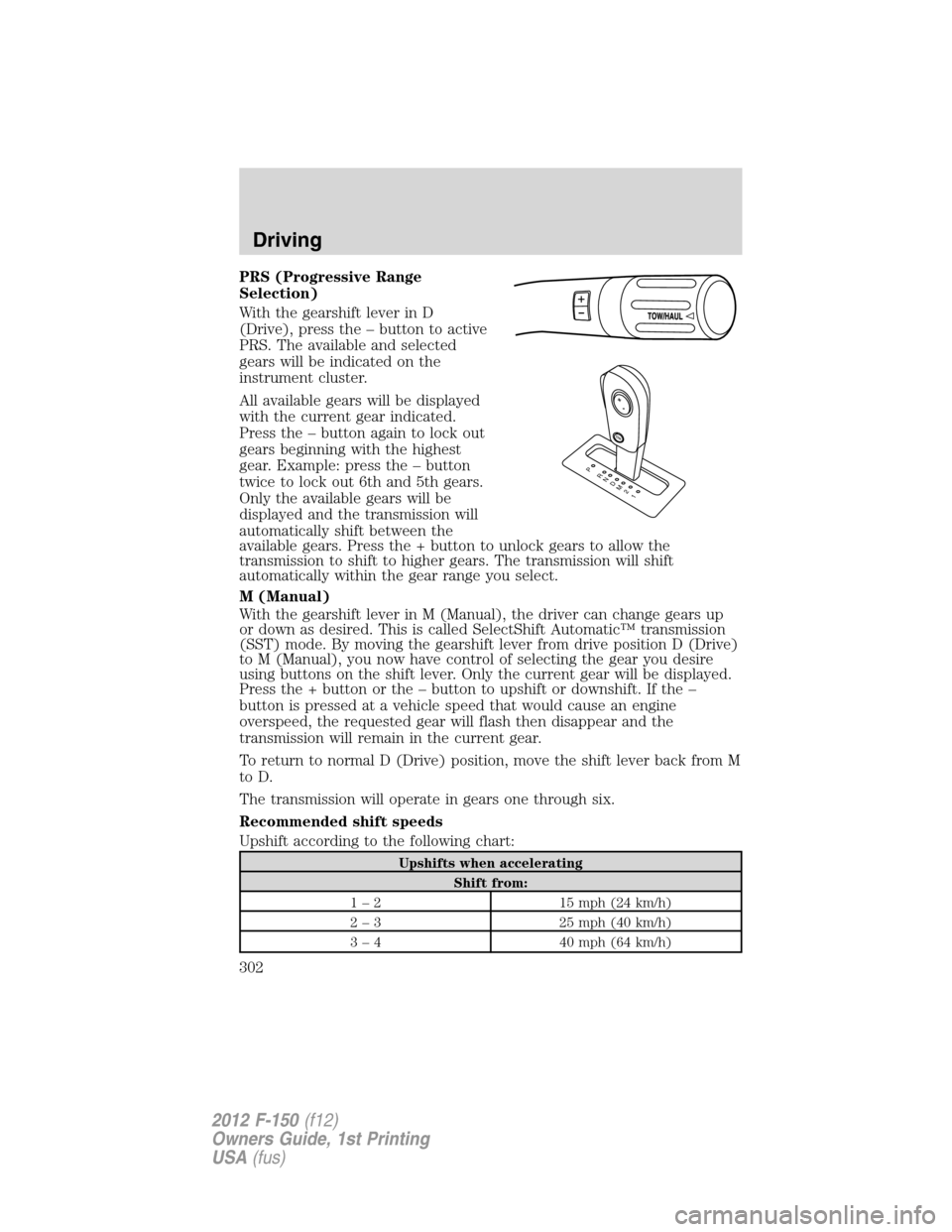
PRS (Progressive Range
Selection)
With the gearshift lever in D
(Drive), press the – button to active
PRS. The available and selected
gears will be indicated on the
instrument cluster.
All available gears will be displayed
with the current gear indicated.
Press the – button again to lock out
gears beginning with the highest
gear. Example: press the – button
twice to lock out 6th and 5th gears.
Only the available gears will be
displayed and the transmission will
automatically shift between the
available gears. Press the + button to unlock gears to allow the
transmission to shift to higher gears. The transmission will shift
automatically within the gear range you select.
M (Manual)
With the gearshift lever in M (Manual), the driver can change gears up
or down as desired. This is called SelectShift Automatic™ transmission
(SST) mode. By moving the gearshift lever from drive position D (Drive)
to M (Manual), you now have control of selecting the gear you desire
using buttons on the shift lever. Only the current gear will be displayed.
Press the + button or the – button to upshift or downshift. If the –
button is pressed at a vehicle speed that would cause an engine
overspeed, the requested gear will flash then disappear and the
transmission will remain in the current gear.
To return to normal D (Drive) position, move the shift lever back from M
to D.
The transmission will operate in gears one through six.
Recommended shift speeds
Upshift according to the following chart:
Upshifts when accelerating
Shift from:
1 – 2 15 mph (24 km/h)
2 – 3 25 mph (40 km/h)
3 – 4 40 mph (64 km/h)
T/H
PR
N
D
M
2
1
+
-
Driving
302
2012 F-150(f12)
Owners Guide, 1st Printing
USA(fus)
Page 303 of 462
Upshifts when accelerating
Shift from:
4 – 5 45 mph (72 km/h)
5 – 6 50 mph (80 km/h)
In order to prevent the engine from running at too low an RPM, which
may cause it to stall, the SST will still automatically make some
downshifts if it has determined that you have not downshifted in time.
Although the SST will make some downshifts for you, it will still allow
you to downshift at any time as long as the SST determines that the
engine will not be damaged from over-revving.
The SST will not automatically upshift, even if the engine is approaching
the RPM limit. It must be shifted manually by pressing the + button.
Engine damage may occur if excessive engine revving is held
without shifting.
Hill start assist
WARNING:The hill start assist feature does not replace the
parking brake. When you leave the vehicle, always apply the
parking brake and shift the transmission into P (Park).
WARNING:You must remain in the vehicle once you have
activated the hill start assist feature.
WARNING:If the engine is revved excessively, or if a
malfunction is detected when the hill start assist feature is
active, the hill start assist feature will be deactivated.
Hill start assist keeps your vehicle stationary long enough to move your foot
from the brake to the accelerator pedal when your vehicle is on a slope.
Activating hill start assist
1. Press the brake pedal to bring the vehicle to a complete standstill.
Keep the brake pedal pressed.
2. If the sensors detect that the vehicle is on a slope, the hill start assist
feature will be activated automatically.
3. When you remove your foot from the brake pedal, the vehicle will
remain on the slope without rolling away for approximately two or three
seconds. This hold time will automatically be extended if you are in the
process of driving off.
Driving
303
2012 F-150(f12)
Owners Guide, 1st Printing
USA(fus)
Page 304 of 462
4. Drive off in the normal manner. The brakes will be released automatically.
If your vehicle gets stuck in mud or snow
Note:Do not rock the vehicle if the engine is not at normal operating
temperature or damage to the transmission may occur.
Note:Do not rock the vehicle for more than a minute or damage to the
transmission and tires may occur, or the engine may overheat.
If your vehicle gets stuck in mud or snow, it may be rocked out by
shifting between forward and reverse gears, stopping between shifts in a
steady pattern. Press lightly on the accelerator in each gear.
REVERSE SENSING SYSTEM (IF EQUIPPED)
The Reverse Sensing System (RSS) sounds a tone to warn the driver of
obstacles near the rear bumper when R (Reverse) is selected and the
vehicle is moving at speeds less than 3 mph (5 km/h). The system is not
effective at speeds above 3 mph (5 km/h) and may not detect certain
angular or moving objects.
WARNING:To help avoid personal injury, please read and
understand the limitations of the reverse sensing system as
contained in this section. Reverse sensing is only an aid for some
(generally large and fixed) objects when moving in reverse on a flat
surface at “parking speeds”. Inclement weather may also affect the
function of the RSS; this may include reduced performance or a false
activation.
WARNING:To help avoid personal injury, always use caution
when in reverse and when using the RSS.
WARNING:This system is not designed to prevent contact with
small or moving objects. The system is designed to provide a
warning to assist the driver in detecting large stationary objects to
avoid damaging the vehicle. The system may not detect smaller
objects, particularly those close to the ground.
WARNING:Certain add-on devices such as large trailer hitches,
bike or surfboard racks and any device that may block the
normal detection zone of the RSS system may create false beeps.
Driving
304
2012 F-150(f12)
Owners Guide, 1st Printing
USA(fus)
Page 316 of 462

Shifting between 4A (Two-speed automatic 4WD) and 4H (4X4 HIGH)
Move the control from 4A to 4H at a stop or while driving at any speed.
The message center will display4X4 AUTOif 4A has been selected and
4X4 HIGHif 4H has been selected.
Note:4x4 High mode is not intended for use on dry pavement.
Shifting to/from 4L (4X4 LOW)
1. Bring the vehicle to a rolling speed of 3 mph (5 km/h) or less.
2. Place the gearshift in N (Neutral).
3. Move the 4WD control to the desired position.
The message center will display4X4 SHIFT IN PROGRESSduring the
shift. The message center will then display the system mode selected.
If any of the above shift conditions are not met, the shift will not occur
and the message center will display information guiding the driver
through the proper range of shifting procedures.
IfSHIFT DELAYED PULL FORWARDis displayed in the message
center, transfer case gear tooth blockage is present. To alleviate this
condition, place the transmission in a forward gear, move the vehicle
forward approximately 5 feet (2 meters), and shift the transmission back
to neutral to allow the transfer case to complete the range shift.
Note:Some noise may be heard as the system shifts or engages; this is
normal.
Note:4x4 low mode is not intended for use on dry pavement
Electronic locking differential (ELD) (if equipped)
The electronic locking differential (ELD) is a device housed in the rear
axle which allows both rear wheels to turn at the same speed. The ELD
can provide additional traction should the vehicle become stuck. The
ELD is electronically activated by the driver and can be shifted on the fly
within the ELD operating speed range. It is intended for use in mud,
rocks, sand, or any off-road condition where maximum traction is
needed. It is not intended for use on dry pavement.
The ELD is affected by the following conditions:
•The ELD will not engage if the vehicle speed is above 20 mph
(30 km/h) in 4x2, 4x4 Auto, or 4x4 High modes.
•The ELD will not engage if the vehicle speed is above or 56 mph
(90 km/h) in 4X4 Low.
Driving
316
2012 F-150(f12)
Owners Guide, 1st Printing
USA(fus)
Page 318 of 462

Activating the electronic locking differential (ELD)
The ELD can be turned on by
pulling the 4WD control knob
toward you (4x4 vehicles) or by
turning the ELD control knob from
OFF to ON (4x2 vehicles).
Once the indicator light is displayed
in the message center, both rear
wheel axle shafts will be locked
together providing added traction.
If the indicator does not come on, or the indicator turns off while
driving, one of the following has occurred:
•The vehicle speed is too high.
•The left and right rear wheel speed difference is too high during an
engagement attempt.
•The system has malfunctioned and will be accompanied by aCHECK
LOCKING DIFFERENTIALmessage in the message center.
Note:If the ELD has difficulty disengaging, release the accelerator pedal
and turn the steering wheel in the opposite direction while rolling.
Basic operating principles
Do not use 4WD on dry, hard surfaced roads. Doing so will produce
excessive noise and vibration and increase tire wear. 4WD modes are
only intended for consistently slippery or loose surfaces.
Parking
On 4WD vehicles, when the transfer case is in the N (Neutral) position
for recreational towing purposes, the engine and transmission are
disconnected from the rest of the driveline. Therefore, the vehicle is free
to roll even if the automatic transmission is in P (Park) or the manual
transmission is in gear. Do not leave the vehicle unattended with the
transfer case in the N (Neutral) position. Always set the parking brake
fully and turn off the ignition when leaving the vehicle. Refer to
Recreational towingfor more information.
Driving
318
2012 F-150(f12)
Owners Guide, 1st Printing
USA(fus)
Page 321 of 462

Emergency maneuvers
•In an unavoidable emergency situation where a sudden sharp turn
must be made, remember to avoid “over-driving” your vehicle, i.e.,
turn the steering wheel only as rapidly and as far as required to avoid
the emergency. Excessive steering will result in less vehicle control,
not more. Additionally, smooth variations of the accelerator and/or
brake pedal pressure should be utilized if changes in vehicle speed are
called for. Avoid abrupt steering, acceleration or braking which could
result in an increased risk of loss of vehicle control, vehicle rollover
and/or personal injury. Use all available road surface to return the
vehicle to a safe direction of travel.
•In the event of an emergency stop, avoid skidding the tires and do not
attempt any sharp steering wheel movements.
•If the vehicle goes from one type of surface to another (i.e., from
concrete to gravel) there will be a change in the way the vehicle
responds to a maneuver (steering, acceleration or braking). Again,
avoid these abrupt inputs.
Parking
On some 4WD vehicles, when the transfer case is in the N (Neutral)
position, the engine and transmission are disconnected from the rest of
the driveline. Therefore, the vehicle is free to roll even if the automatic
transmission is in P (Park) or the manual transmission is in gear. Do not
leave the vehicle unattended with the transfer case in the N (Neutral)
position. Always set the parking brake fully and turn off the ignition
when leaving the vehicle.
WARNING:Always set the parking brake fully and make sure
the gearshift is latched in P (Park). Turn the ignition to the off
position and remove the key whenever you leave your vehicle.
WARNING:If the parking brake is fully released, but the brake
warning lamp remains illuminated, the brakes may not be
working properly. See your authorized dealer.
4WD systems
4WD (when you select a 4WD mode) uses all four wheels to power the
vehicle. This increases traction, enabling you to drive over terrain and
road conditions that a conventional two-wheel drive vehicle cannot.
Power is supplied to all four wheels through a transfer case. On 4WD
vehicles, the transfer case allows you to select 4WD when necessary.
Driving
321
2012 F-150(f12)
Owners Guide, 1st Printing
USA(fus)