2012 FORD EDGE instrument panel
[x] Cancel search: instrument panelPage 69 of 396

HEADLAMP CONTROL
Turns the lamps off.
Turns on the parking
lamps, instrument panel lamps,
license plate lamps and tail lamps.
Turns the headlamps on.
Autolamp control (if equipped)
The autolamp system provides light
sensitive automatic on-off control of
the exterior lights normally
controlled by the headlamp control.
•To turn autolamps on, rotate the
control to
.
•To turn autolamps off, rotate the
control from the autolamp
position.
The autolamp system also keeps the
lights on for a predetermined amount of time after the ignition switch is
turned to off. You can change the amount of time the lamps stay on by
using the programming procedure that follows:
Note:If the vehicle is equipped with autolamps, it will have the
headlamps on with windshield wipers feature.If the windshield
wipers are turned on, the exterior lamps will turn on with the headlamp
control in the autolamp position.
Autolamp delay system (if equipped)
If your vehicle is equipped with autolamps, you can set the delay time to
keep the headlights on for up to three minutes after the key is turned
off. The delay time is set to 20 seconds at the factory, but the delay time
may be changed by following the steps below (Steps 1 through 6 must
be done within 10 seconds):
1. Turn the vehicle off.
2. Rotate the headlamp control to the autolamp position.
A
A
Lights
69
2012 Edge(edg)
Owners Guide, 1st Printing
USA(fus)
Page 71 of 396

PANEL DIMMER CONTROL
Use to adjust the brightness of the
instrument panel and all applicable
lit components in the vehicle during
headlamp and parking lamp
operation.
•Tapthetoporbottomofthe
control to brighten/dim all interior
lit components incrementally, or
•Press and hold the top or bottom
of the control until the desired lighting level is reached.
Note:In the uplevel message center only, a message will pop up that will
show incrementally where the dimmer is in relation to the dimming
steps. These steps will also vary for daytime and night time dimming.
Note:If the battery is disconnected, discharged, or a new battery is
installed, the dimmer control requires re-calibration. Press the dimmer
control from the full dim position to the full on position to reset. This
will ensure that your displays are visible under all lighting conditions.
Dome lamp control
Use to manually turn the dome lamp
on.
•Press the control. This will turn
on the interior courtesy lights.
The lights will remain on until the
control is pressed again.
AIMING THE HEADLAMPS
The headlamps on your vehicle are properly aimed at the assembly plant.
If your vehicle has been in an accident the alignment of your headlamps
should be checked by your authorized dealer.
Lights
71
2012 Edge(edg)
Owners Guide, 1st Printing
USA(fus)
Page 74 of 396
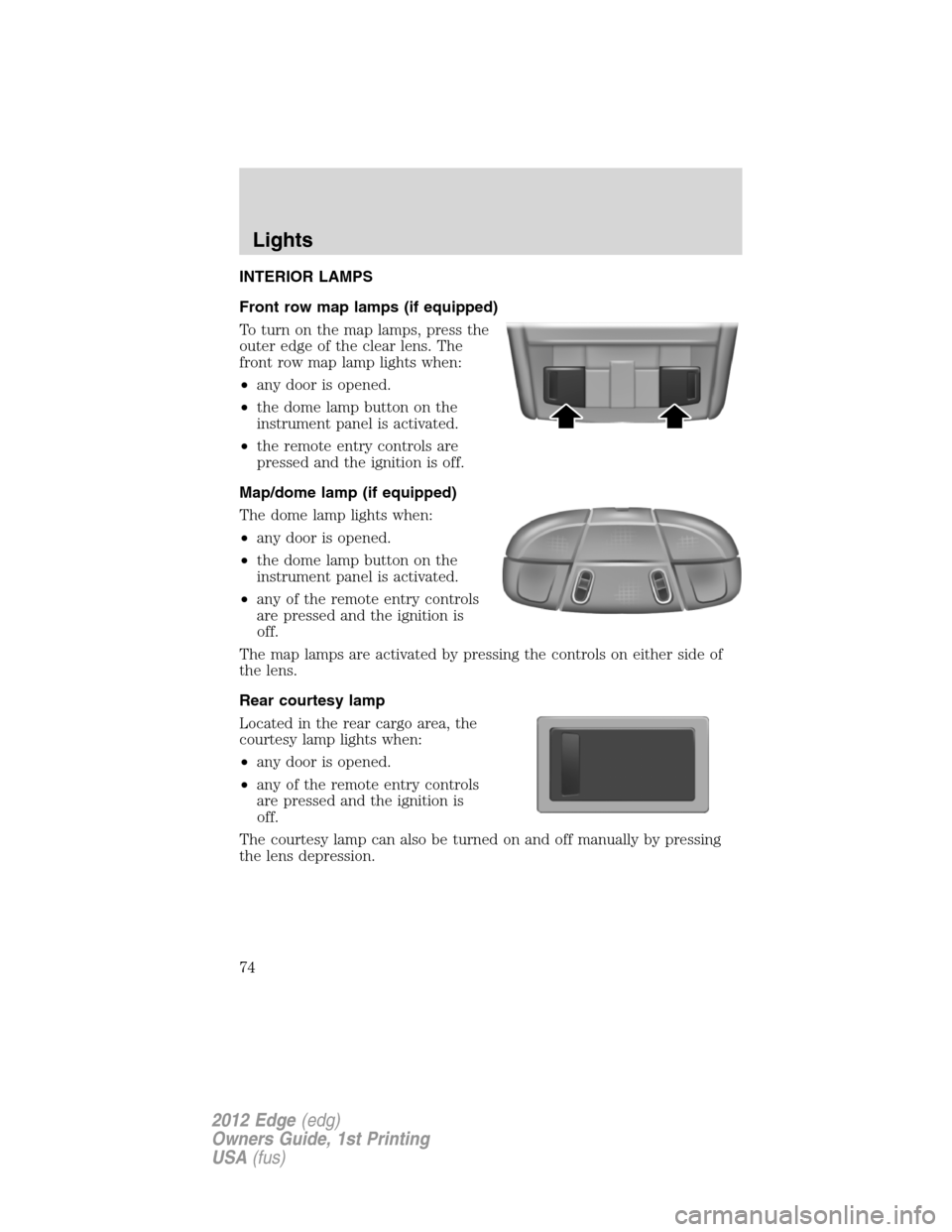
INTERIOR LAMPS
Front row map lamps (if equipped)
To turn on the map lamps, press the
outer edge of the clear lens. The
front row map lamp lights when:
•any door is opened.
•the dome lamp button on the
instrument panel is activated.
•the remote entry controls are
pressed and the ignition is off.
Map/dome lamp (if equipped)
The dome lamp lights when:
•any door is opened.
•the dome lamp button on the
instrument panel is activated.
•any of the remote entry controls
are pressed and the ignition is
off.
The map lamps are activated by pressing the controls on either side of
the lens.
Rear courtesy lamp
Located in the rear cargo area, the
courtesy lamp lights when:
•any door is opened.
•any of the remote entry controls
are pressed and the ignition is
off.
The courtesy lamp can also be turned on and off manually by pressing
the lens depression.
Lights
74
2012 Edge(edg)
Owners Guide, 1st Printing
USA(fus)
Page 76 of 396

Function Number of bulbsTrade
number
Rear turn lamp 23757NAK
(amber)
Stop/tail/sidemarker lamp 43157K LCP
or 3157K
Backup lamp 2 921
License plate lamp 2 168
* High-mount brake lamp N/A LED
Map lamp 2 W5W
Second row dome/reading lamp 3 578
Rear courtesy lamp 1 578
Visor vanity lamp 2 37
All replacement bulbs are clear in color except where noted.
To replace all instrument panel lights - see your authorized dealer.
* To replace these lamps - see your authorized dealer.
Replacing exterior bulbs
Check the operation of all the bulbs frequently.
Replacing headlamp bulbs
Check the operation of all bulbs frequently.
1. Make sure that the headlamp control is in the off position.
2. Open the hood.
3. Remove the bulb cover.
Lights
76
2012 Edge(edg)
Owners Guide, 1st Printing
USA(fus)
Page 84 of 396

CENTER CONSOLE
Your vehicle may be equipped with a variety of console features. These
include:
1. Cupholders
2. Two pen/pencil holders, travel
tissue pack holder, and business
card/paper holder.
3. Rear power point
4. Utility compartment with in-bin
power point, media hub, removable
coin holder tray (two grooves on
tray slide onto tracks in main bin)
and intelligent access key slot.
WARNING:Use only soft cups in the cupholder. Hard objects
can injure you in a collision.
AUXILIARY POWER POINT (12V DC)
Power outlets are designed for accessory plugs only. Do not insert
any other object in the power outlet as this will damage the
outlet and blow the fuse. Do not hang any type of accessory or
accessory bracket from the plug. Improper use of the power
outlet can cause damage not covered by your warranty.
Auxiliary power points can be found in the following locations:
•On the passenger side of the center console near the instrument panel
•In the center console storage compartment
•On the rear side of the center console, accessible from the rear seats
•On the left rear quarter panel, accessible from the liftgate or behind
the rear seat
Do not use the power point for operating the cigarette lighter element (if
equipped).
Note:Do not plug optional electrical accessories into the cigarette
lighter socket (if equipped). Improper use of the lighter can cause
damage not covered by your warranty, and can result in fire or serious
injury.
1
2
3
4
Driver Controls
84
2012 Edge(edg)
Owners Guide, 1st Printing
USA(fus)
Page 106 of 396

WARNING (Continued)
•Failure to properly follow floor mat installation or attachment
instructions can potentially cause interference with pedal operation
causing loss of control of vehicle.
•To install floor mats, position the floor mat so that the eyelet is over
the retention post and press down to lock in.
•To remove the floor mat, reverse the installation procedure.
MANUAL LIFTGATE (IF EQUIPPED)
The liftgate area is only intended for cargo, not passengers.
To open the liftgate, press the
button located in the top of the
liftgate pull cup handle to unlatch
the liftgate, then pull on the outside
handle.
•Exercise care when opening or
closing the liftgate in a garage or
other enclosed area. The liftgate
could be damaged against a
garage door, low ceiling or wall.
•Do not hang anything (bike rack, etc.) from the spoiler/glass or
liftgate. Doing so could cause serious damage to the liftgate and its
components.
•Do not leave the liftgate open while driving. Doing so could cause
serious damage to the liftgate and its components as well as allowing
carbon monoxide to enter the vehicle.
WARNING:Make sure that the liftgate is closed to prevent
exhaust fumes from being drawn into the vehicle. This will also
prevent passengers and cargo from falling out. If you must drive with
the liftgate door open, keep the vehicle well ventilated so outside air
comes into the vehicle.
Liftgate ajar signal
If the liftgate is not fully latched, you will receive a “LIFTGATE AJAR”
message on the instrument panel. If you see this message, check the
liftgate door to ensure it is fully latched.
Note:In the event of a power failure, the latch can be accessed and
released from the inside using the access panel on the liftgate trim.
Driver Controls
106
2012 Edge(edg)
Owners Guide, 1st Printing
USA(fus)
Page 107 of 396

POWER LIFTGATE (IF EQUIPPED)
You can power open or close the liftgate with the following controls:
•Instrument panel control button
•Transmitter button
•Outside liftgate control button
•Control button in the rear cargo area
Opening and closing the power liftgate:
WARNING:Make sure all persons are clear of the power liftgate
area before using the power liftgate control.
WARNING:Keep keys out of reach of children. Do not allow
children to play near an open or moving power liftgate.
The liftgate will only operate with the vehicle in P (Park).
When the liftgate is being power closed, a chime will sound three times
as the liftgate begins to power close. A single chime indicates a problem
with the close request, caused by:
•the ignition is in on and the transmission is not in P (Park);
•or the battery voltage is below the minimum operating voltage;
•or the vehicle speed is at or above 3 mph (5 km/h).
If the liftgate reverses and starts to close after an open request, a fast
continuous chime indicates excessive load on the gate or a possible strut
failure. If any excessive load is removed and you still have a faster
chime, have the system serviced immediately by your authorized dealer.
Do not attempt to manually force the liftgate to travel faster than the
power system will permit. This will activate the obstacle detection
feature.
Note:Cycling the ignition prior to completely latching the liftgate could
result in damage to the liftgate and/or its power components. Make sure
the liftgate is fully latched before operating the vehicle.
Care should be exercised in starting the engine before the liftgate is fully
closed (latched). If the ignition is cycled during a liftgate power close
cycle and the liftgate is 6-10 inches (15–24 cm) from being latched, the
liftgate may reverse to the full open position. Verify that the gate is
closed before operating or moving the vehicle, especially in an enclosure,
Driver Controls
107
2012 Edge(edg)
Owners Guide, 1st Printing
USA(fus)
Page 108 of 396
like a garage or a parking structure. The liftgate or its components could
be damaged in an enclosure if the liftgate is open while the vehicle is
being operated.
When power operating the liftgate at temperatures below 32°F (0°C), the
liftgate may stop about 5 inches (12.7 cm) from the full open position.
The liftgate can be fully opened by pushing it upward to the maximum
open position.
The power liftgate feature can be enabled or disabled using the message
center controls. With the setting turned off, power operation is disabled
from the liftgate handle button and from the rear cargo area button. The
transmitter and instrument panel switch will still continue to operate the
liftgate regardless of the position state of the message center. Refer to
Message centerin theInstrument Clusterchapter.
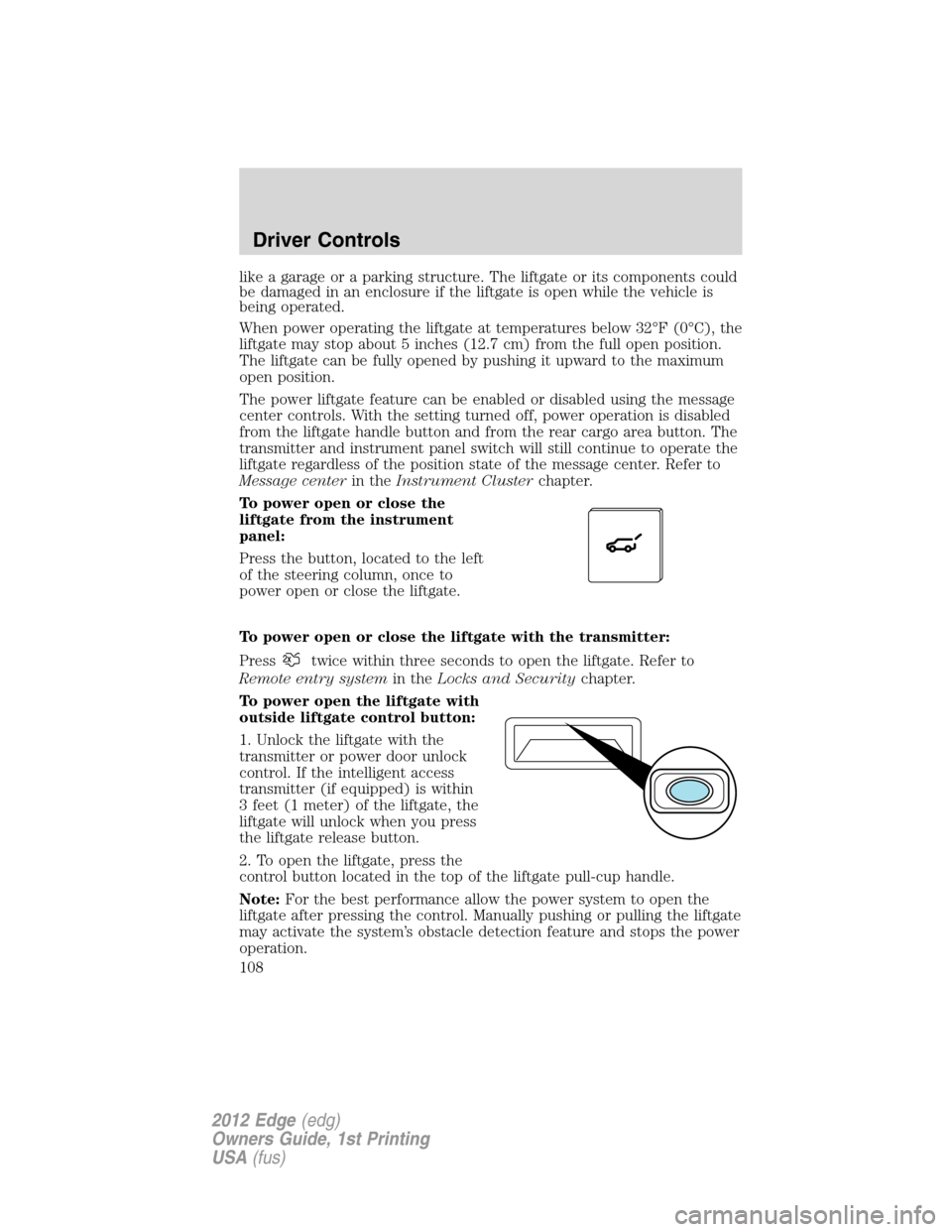
To power open or close the
liftgate from the instrument
panel:
Press the button, located to the left
of the steering column, once to
power open or close the liftgate.
To power open or close the liftgate with the transmitter:
Press
twice within three seconds to open the liftgate. Refer to
Remote entry systemin theLocks and Securitychapter.
To power open the liftgate with
outside liftgate control button:
1. Unlock the liftgate with the
transmitter or power door unlock
control. If the intelligent access
transmitter (if equipped) is within
3 feet (1 meter) of the liftgate, the
liftgate will unlock when you press
the liftgate release button.
2. To open the liftgate, press the
control button located in the top of the liftgate pull-cup handle.
Note:For the best performance allow the power system to open the
liftgate after pressing the control. Manually pushing or pulling the liftgate
may activate the system’s obstacle detection feature and stops the power
operation.
Driver Controls
108
2012 Edge(edg)
Owners Guide, 1st Printing
USA(fus)