2012 FORD B MAX lock
[x] Cancel search: lockPage 22 of 256
Downloaded from www.Manualslib.com manuals search engine FASTENING THE SEAT BELTS
WARNINGS
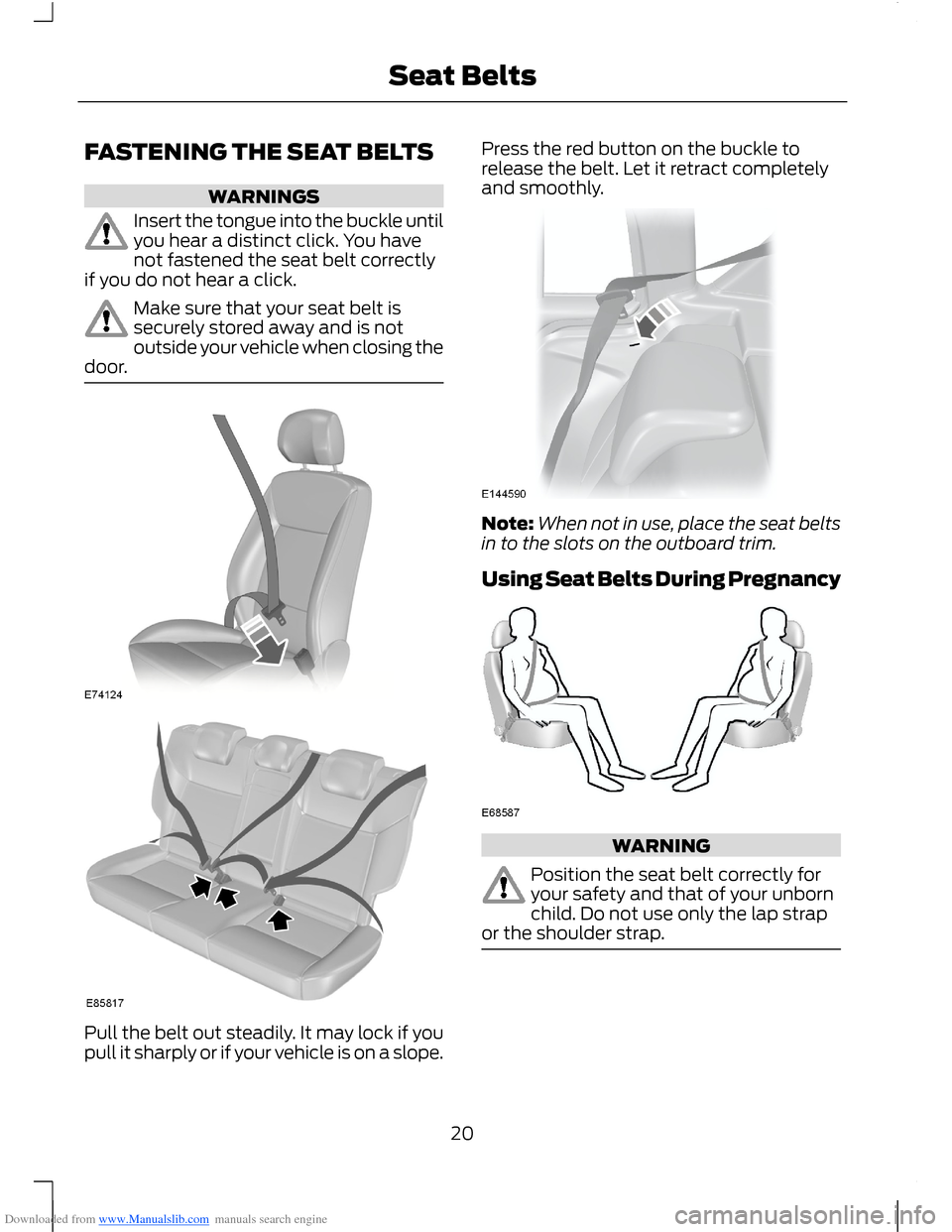
Insert the tongue into the buckle untilyou hear a distinct click. You havenot fastened the seat belt correctlyif you do not hear a click.
Make sure that your seat belt issecurely stored away and is notoutside your vehicle when closing thedoor.
Pull the belt out steadily. It may lock if youpull it sharply or if your vehicle is on a slope.
Press the red button on the buckle torelease the belt. Let it retract completelyand smoothly.
Note:When not in use, place the seat beltsin to the slots on the outboard trim.
Using Seat Belts During Pregnancy
WARNING
Position the seat belt correctly foryour safety and that of your unbornchild. Do not use only the lap strapor the shoulder strap.
20Seat Belts
Page 27 of 256

Downloaded from www.Manualslib.com manuals search engine GENERAL INFORMATION ON
RADIO FREQUENCIES
Note:Changes or modifications notexpressly approved by the party responsiblefor compliance could void the user’sauthority to operate the equipment.
The typical operating range for yourtransmitter is approximately 33 feet (10metres). A decrease in operating rangecould be caused by:
•weather conditions
•nearby radio towers
•structures around your vehicle
•other vehicles parked next to yourvehicle.
The radio frequency used by your remotecontrol can also be used by other shortdistance radio transmissions (e.g. amateurradios, medical equipment, wirelessheadphones, remote controls and alarmsystems). If the frequencies are jammed,you will not be able to use your remotecontrol. You can lock and unlock the doorswith the key.
Note:Make sure your vehicle is lockedbefore leaving it unattended.
Note:If you are in range, the remote controlwill operate if you press any buttonunintentionally.
REMOTE CONTROL
You can program a maximum of eightremote controls to your vehicle. Thisincludes any that were supplied with yourvehicle. The remote controls must remaininside your vehicle during the programmingprocedure. Fasten the front seat belts andclose all doors to make sure thatconflicting chimes do not sound duringprogramming.
Programming a New RemoteControl
1.Turn the ignition key from position 0 toposition II four times within sixseconds.
2.Turn the ignition to position 0. A tonesounds to indicate that it is nowpossible to program a remote control.
3.Press any button on a new remotecontrol within 10 seconds. A tone willsound as confirmation.
4.Repeat step three within 10 secondsfor each new remote control. Do notremove the key from the ignition whenpressing the button on the remotecontrol.
5.Switch the ignition back on (positionII) or wait for 10 seconds withoutprogramming another remote controlto end the key programming. Only theremote controls which you have justprogrammed are now able to lock andunlock your vehicle.
Reprogramming the UnlockingFunction
Note:When you press the unlock buttoneither all the doors are unlocked or only thedriver’s door and the tailgate are unlocked.Pressing the unlock button again unlocksall the doors.
Press and hold the unlock and lock buttonson the remote control simultaneously forat least four seconds with the ignition off.The direction indicators will flash twice toconfirm the change.
To return to the original unlocking function,repeat the process.
25Keys and Remote Controls
Page 31 of 256
Downloaded from www.Manualslib.com manuals search engine LOCKING AND UNLOCKING
Power Door Locks
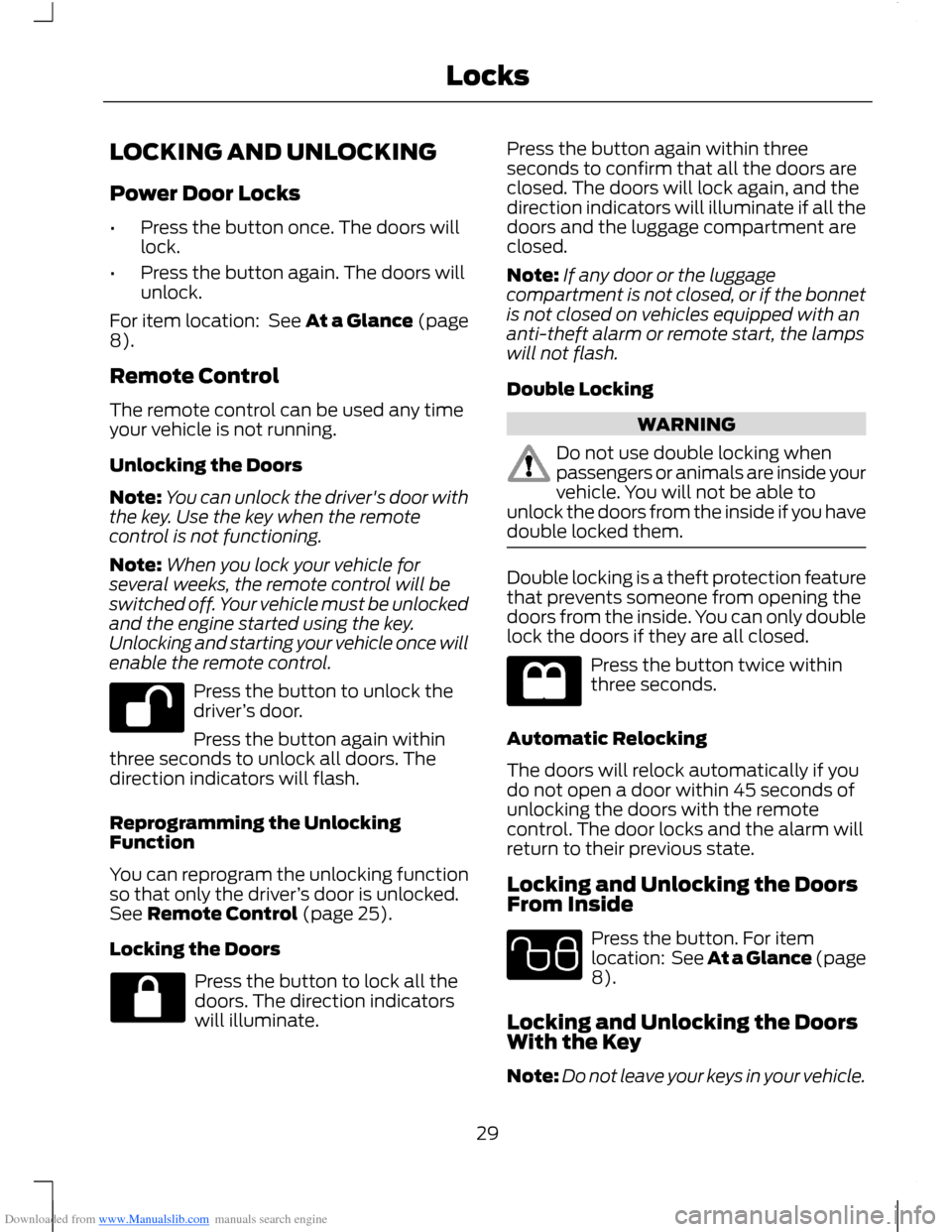
•Press the button once. The doors willlock.
•Press the button again. The doors willunlock.
For item location: See At a Glance (page8).
Remote Control
The remote control can be used any timeyour vehicle is not running.
Unlocking the Doors
Note:You can unlock the driver's door withthe key. Use the key when the remotecontrol is not functioning.
Note:When you lock your vehicle forseveral weeks, the remote control will beswitched off. Your vehicle must be unlockedand the engine started using the key.Unlocking and starting your vehicle once willenable the remote control.
Press the button to unlock thedriver’s door.
Press the button again withinthree seconds to unlock all doors. Thedirection indicators will flash.
Reprogramming the UnlockingFunction
You can reprogram the unlocking functionso that only the driver’s door is unlocked.See Remote Control (page 25).
Locking the Doors
Press the button to lock all thedoors. The direction indicatorswill illuminate.
Press the button again within threeseconds to confirm that all the doors areclosed. The doors will lock again, and thedirection indicators will illuminate if all thedoors and the luggage compartment areclosed.
Note:If any door or the luggagecompartment is not closed, or if the bonnetis not closed on vehicles equipped with ananti-theft alarm or remote start, the lampswill not flash.
Double Locking
WARNING
Do not use double locking whenpassengers or animals are inside yourvehicle. You will not be able tounlock the doors from the inside if you havedouble locked them.
Double locking is a theft protection featurethat prevents someone from opening thedoors from the inside. You can only doublelock the doors if they are all closed.
Press the button twice withinthree seconds.
Automatic Relocking
The doors will relock automatically if youdo not open a door within 45 seconds ofunlocking the doors with the remotecontrol. The door locks and the alarm willreturn to their previous state.
Locking and Unlocking the DoorsFrom Inside
Press the button. For itemlocation: See At a Glance (page8).
Locking and Unlocking the DoorsWith the Key
Note:Do not leave your keys in your vehicle.
29Locks
Page 32 of 256

Downloaded from www.Manualslib.com manuals search engine Locking With the Key
Turn the top of the key toward the front ofyour vehicle.
Double Locking With the Key
Turn the key to the lock position twicewithin three seconds.
Unlocking With the Key
Note:If the child safety locks are on andyou pull the interior handle, you will onlyturn off the emergency locking, not the childsafety lock. You can only open the doorsusing the external door handle.
Note:If the doors have been unlocked usingthis method, the doors must be lockedindividually until the central locking functionhas been repaired.
Unlock the driver's door using the key. Youcan unlock all other doors individually bypulling the interior door handles.
Note:When the central locking functionfails to operate, lock the doors individuallyusing the key in the position shown.
Push to lock.
SLIDING DOOR
When the rear doors are fully open, makesure that you do not step on the cable ormechanism at the base of the dooraperture.
30Locks
Page 33 of 256

Downloaded from www.Manualslib.com manuals search engine MANUAL LIFTGATE
WARNINGS
It is extremely dangerous to ride inthe cargo area, inside or outside ofyour vehicle. In a collision, peopleriding in these areas are more likely to beseriously injured or killed. Do not allowpeople to ride in any area of your vehiclethat does not have seats and seat belts.Make sure everyone in your vehicle is in aseat and using a seat belt correctly.
Make sure that the liftgate is closedto prevent exhaust fumes from beingdrawn into your vehicle. This will alsoprevent passengers and cargo from fallingout. If you must drive with the liftgate dooropen, keep your vehicle well ventilated sooutside air does not enter your vehicle.
Note:Be careful when opening or closingthe liftgate in a garage or other enclosedarea to avoid damaging the liftgate.
Note:Do not hang anything (bike rack, etc.)from the spoiler, glass or liftgate. This coulddamage the liftgate and its components.
Note:Do not leave the liftgate open whiledriving. This could damage the liftgate andits components.
Opening and Closing the Liftgate
To Open the Liftgate
Press the button located in the top of theliftgate pull cup handle to unlatch theliftgate, then pull on the outside handle.
Opening With the Remote Control
Press the button twice withinthree seconds.
To Close the Liftgate
A recessed grip is located inside the liftgateto help with closing.
31Locks
Page 34 of 256

Downloaded from www.Manualslib.com manuals search engine KEYLESS ENTRY
General Information
WARNING
The system may not function if thekey is close to metal objects orelectronic devices such as mobilephones.
The system will not function if:
•Your vehicle battery has no charge.
•The passive key frequencies arejammed.
•The passive key battery is flat.
Note:If the system does not function, youwill need to use the key blade to lock andunlock your vehicle.
The system allows you to operate yourvehicle without the use of a key or remotecontrol.
Passive locking and unlocking requires avalid passive key to be located within oneof the three external detection ranges.These are located approximately five feet(one and a half metres) from the frontdoor handles and the liftgate.
Passive Key
Your vehicle can be locked and unlockedwith the passive key. You can use thepassive key as a remote control. SeeLocking and Unlocking (page 29).
Locking Your Vehicle
WARNING
Your vehicle does not lock itselfautomatically. If you do not press alocking button your vehicle willremain unlocked.
Locking buttons are located on each of thefront doors.
For central locking and to arm the alarm,press a locking button once.
For double locking and to arm the alarm,press a locking button twice within threeseconds.
Note:Your vehicle will remain locked forapproximately three seconds. When thedelay period is over, you can open the doorsagain, provided the passive key is within therespective detection range.
Two short flashes of the directionindicators confirms that all the doors andthe liftgate have been locked and that thealarm has been armed.
Liftgate
Note:The liftgate cannot be closed andwill pop back up if the passive key is locatedinside the luggage compartment with thedoors locked.
32Locks
Page 35 of 256

Downloaded from www.Manualslib.com manuals search engine Note:If a second valid passive key islocated within the liftgate detection range,the liftgate can be closed.
Unlocking Your Vehicle
Note:When your vehicle remains lockedfor longer than three days, the system willenter an energy-saving mode. This is toprevent your vehicle battery running out ofcharge. When your vehicle is unlocked whilein this mode, the reaction time of the systemmay be a little longer than normal. To exitthe energy-saving mode, unlock yourvehicle.
Press a locking button once.
Note:A valid passive key must be locatedwithin the detection range of that door.
One long flash of the direction indicatorsconfirms that all the doors and the liftgatehave been unlocked and that the alarmhas been disarmed.
Unlocking Only the Driver's Door
If the unlocking function is reprogrammedso that only the driver’s door and theliftgate are unlocked. See RemoteControl (page 25). Note the following:
If the driver’s door is the first door which isopened, the other doors will remain locked.All the other doors can be unlocked frominside your vehicle by pressing the unlockbutton on the instrument panel. For itemlocation: See At a Glance (page 8).Doors can be unlocked individually bypulling the interior door handles on thosedoors.
If the front passenger's door is the firstdoor which is opened, all the doors and theliftgate will be unlocked.
Disabled Keys
Any keys left inside your vehicle interiorwhen it is locked will be disabled.
You cannot use a disabled key to switchthe ignition on or start the engine.
You must enable all passive keys again inorder to use them.
To enable all your passive keys, unlock yourvehicle using a passive key or the remotecontrol unlocking function.
All passive keys will then be enabled if youswitch the ignition on or you start yourvehicle with a valid key.
33Locks
Page 36 of 256

Downloaded from www.Manualslib.com manuals search engine Locking and Unlocking the DoorsWith the Key Blade
1.Carefully remove the cover.
2.Remove the key blade and insert it intothe lock.
Note:Only the driver's door handle has alock cylinder.
34Locks