Page 30 of 514
How To Use Remote Start
All of the following conditions must be met before the
engine will remote start:
•Shift lever in PARK
•Doors closed
•Hood closed
•Trunk closed
•Hazard switch off
•Brake switch inactive (brake pedal not pressed)
•Ignition key removed from ignition switch
•Battery at an acceptable charge level, and
•RKE PANIC button not pressed
•System not disabled from previous remote start event
•Vehicle theft alarm not active
WARNING!
•Do not start or run an engine in a closed garage or
confined area. Exhaust gas contains Carbon Mon-
oxide (CO) which is odorless and colorless. Car-
bon Monoxide is poisonous and can cause serious
injury or death when inhaled.
•Keep Remote Keyless Entry (RKE) transmitters
away from children. Operation of the Remote Start
System, windows, door locks or other controls
could cause serious injury or death.
Remote Start Abort Message On Electronic Vehicle
Information Center (EVIC) — If Equipped
The following messages will display in the EVIC if the
vehicle fails to remote start or exits remote start prema-
turely:
•Remote Start Aborted — Door Ajar
•Remote Start Aborted — Hood Ajar
28 THINGS TO KNOW BEFORE STARTING YOUR VEHICLE
Page 32 of 514
To Exit Remote Start Mode Without Driving The
Vehicle
Press and release the REMOTE START button one time or
allow the engine to run for the entire 15 minute cycle.
NOTE:To avoid unintentional shut downs, the system
will disable the one-time press of the Remote Start button
for two seconds after receiving a valid remote start
request.
To Exit Remote Start Mode And Drive The Vehicle
Before the end of the 15 minute cycle, press and release
the UNLOCK button on the RKE transmitter to unlock
the doors and disarm the Vehicle Security Alarm (if
equipped). Then insert the key into the ignition switch
and turn the switch to the ON/RUN position.
NOTE: The ignition switch must be in the ON/RUN
position in order to drive the vehicle.
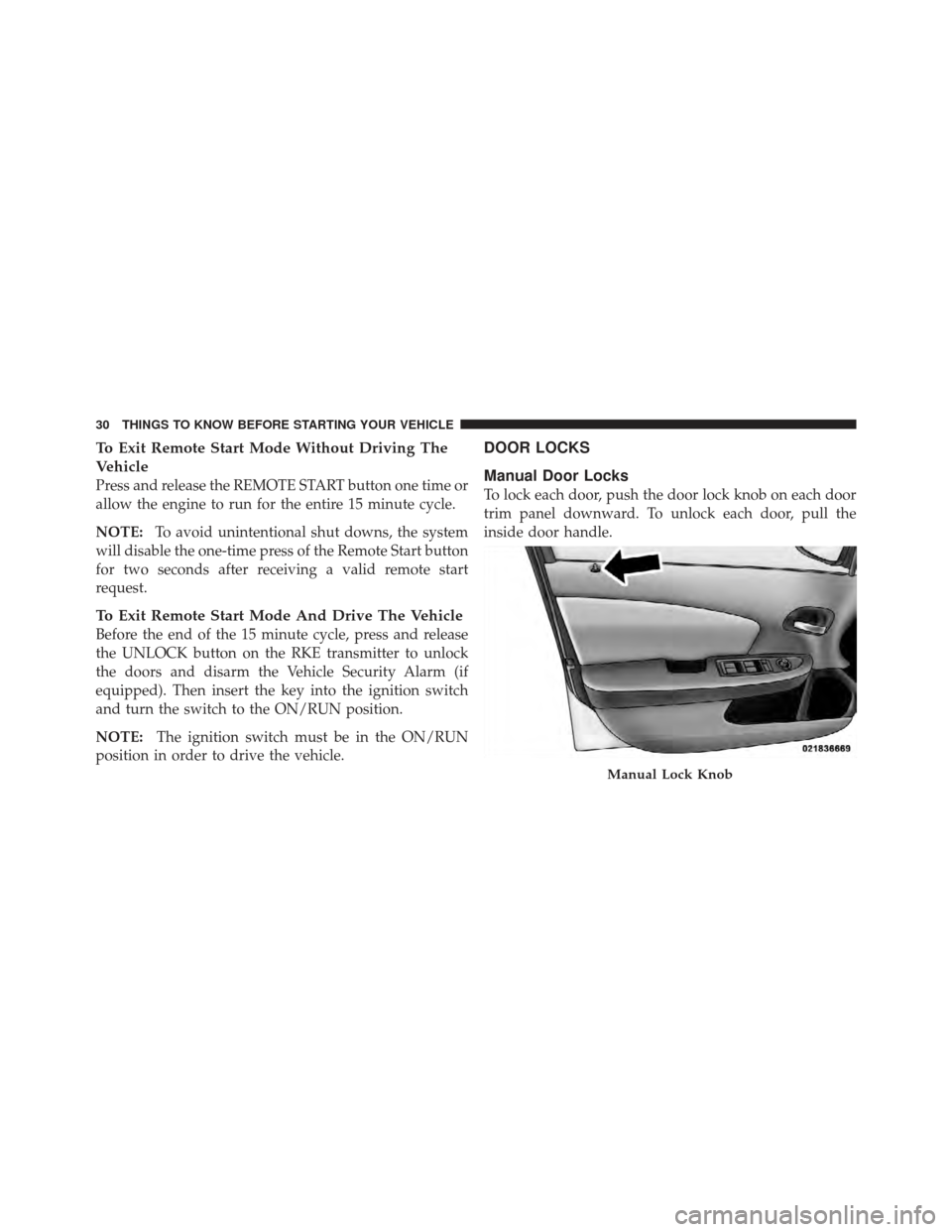
DOOR LOCKS
Manual Door Locks
To lock each door, push the door lock knob on each door
trim panel downward. To unlock each door, pull the
inside door handle.
Manual Lock Knob
30 THINGS TO KNOW BEFORE STARTING YOUR VEHICLE
Page 63 of 514
WARNING!
•No objects should be placed over or near the air
bag on the instrument panel, because any such
objects could cause harm if the vehicle is in a
collision severe enough to cause the air bag to
inflate.
•Do not put anything on or around the air bag
covers or attempt to open them manually. You may
damage the air bags and you could be injured
because the air bags may no longer be functional.
The protective covers for the air bag cushions are
designed to open only when the air bags are
inflating.
•Do not drill, cut or tamper with the knee bolster in
any way.
•Do not mount any accessories to the knee bolster
such as alarm lights, stereos, citizen band radios, etc.
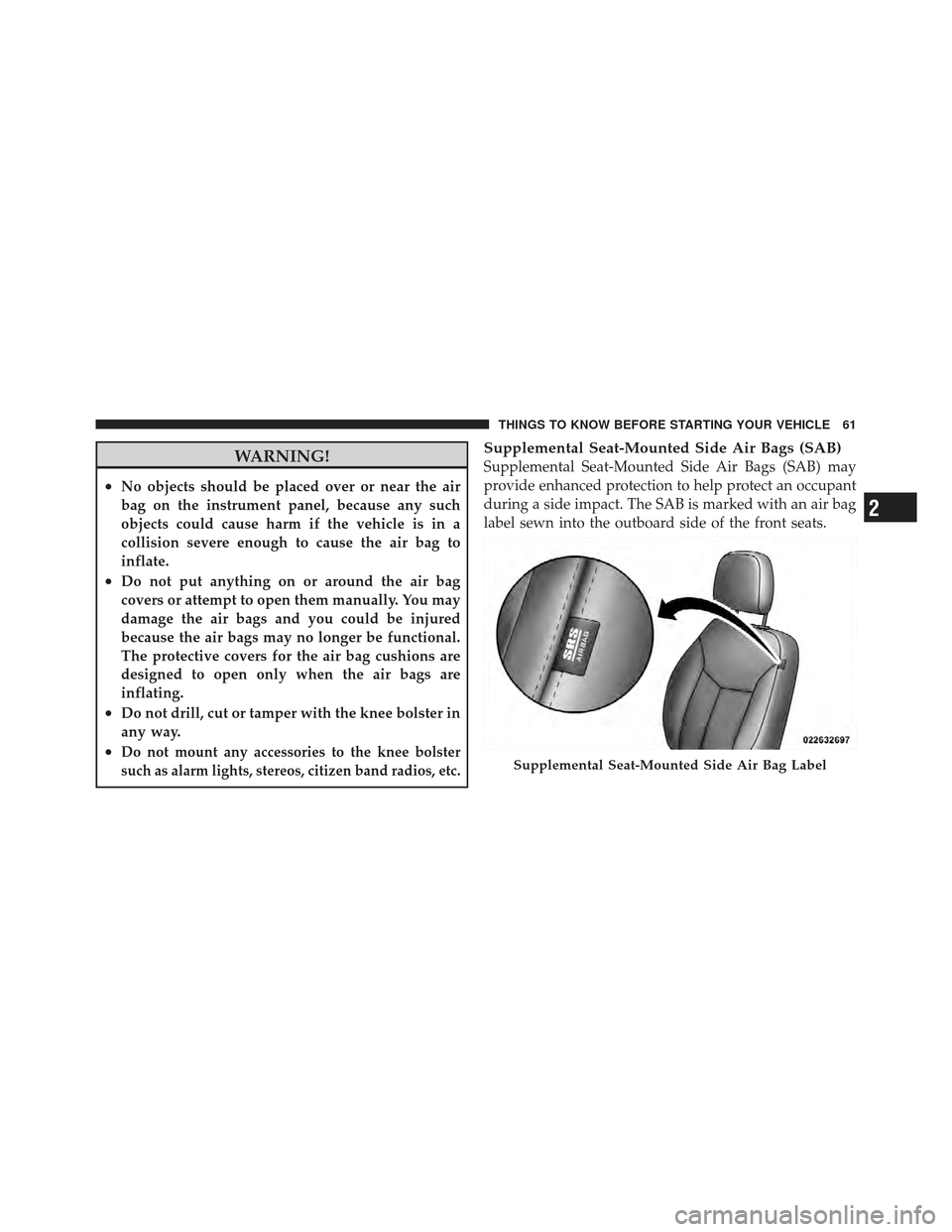
Supplemental Seat-Mounted Side Air Bags (SAB)
Supplemental Seat-Mounted Side Air Bags (SAB) may
provide enhanced protection to help protect an occupant
during a side impact. The SAB is marked with an air bag
label sewn into the outboard side of the front seats.
Supplemental Seat-Mounted Side Air Bag Label
2
THINGS TO KNOW BEFORE STARTING YOUR VEHICLE 61
Page 167 of 514
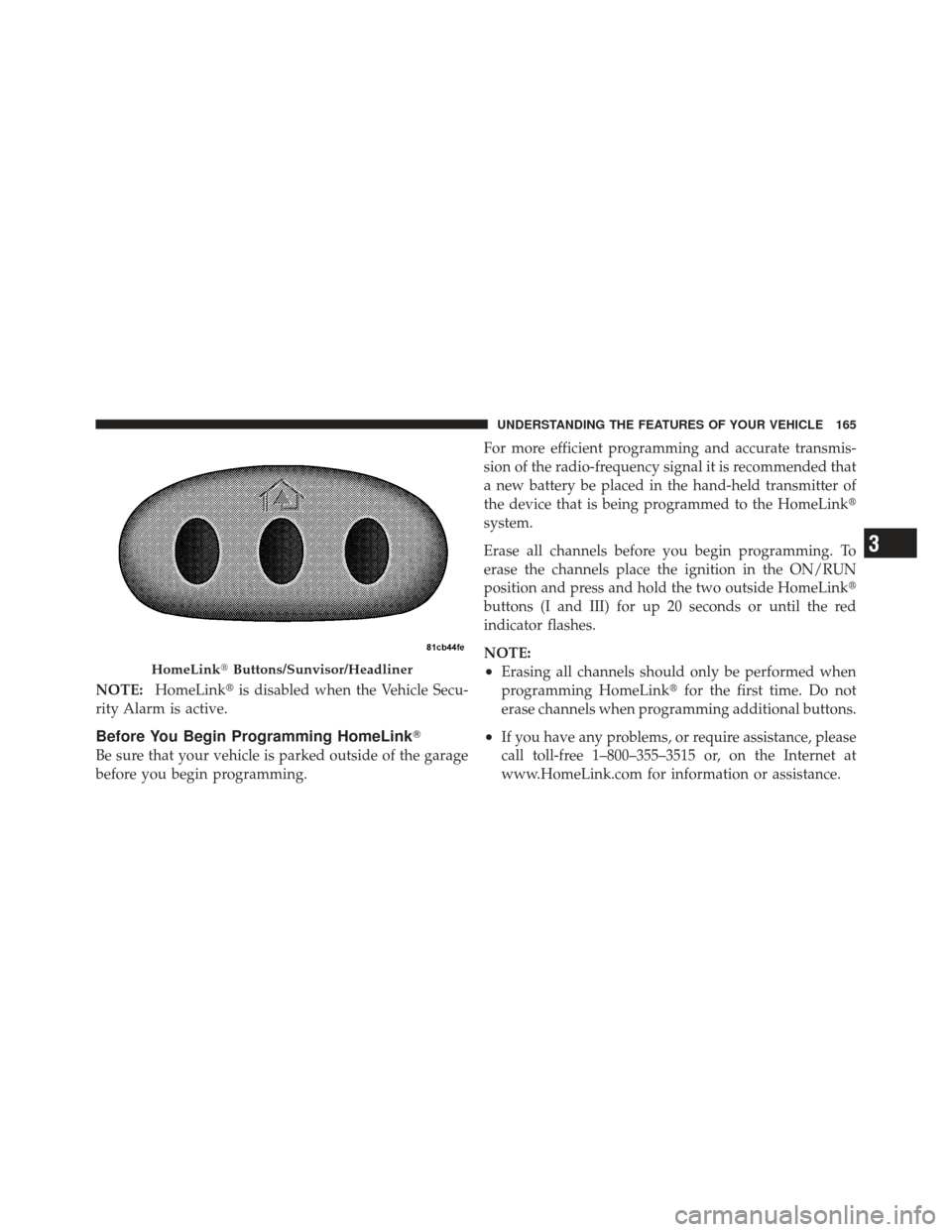
NOTE:HomeLink� is disabled when the Vehicle Secu-
rity Alarm is active.
Before You Begin Programming HomeLink �
Be sure that your vehicle is parked outside of the garage
before you begin programming. For more efficient programming and accurate transmis-
sion of the radio-frequency signal it is recommended that
a new battery be placed in the hand-held transmitter of
the device that is being programmed to the HomeLink
�
system.
Erase all channels before you begin programming. To
erase the channels place the ignition in the ON/RUN
position and press and hold the two outside HomeLink �
buttons (I and III) for up 20 seconds or until the red
indicator flashes.
NOTE:
•Erasing all channels should only be performed when
programming HomeLink� for the first time. Do not
erase channels when programming additional buttons.
•If you have any problems, or require assistance, please
call toll-free 1–800–355–3515 or, on the Internet at
www.HomeLink.com for information or assistance.
HomeLink� Buttons/Sunvisor/Headliner
3
UNDERSTANDING THE FEATURES OF YOUR VEHICLE 165
Page 173 of 514
Security
It is advised to erase all channels before you sell or turn
in your vehicle.
To do this, press and hold the two outside buttons for
20 seconds until the red indicator flashes. Note that all
channels will be erased. Individual channels cannot be
erased.
The HomeLink�Universal Transceiver is disabled when
the Vehicle Security Alarm is active.
Troubleshooting Tips
If you are having trouble programming HomeLink�, here
are some of the most common solutions:
•Replace the battery in the original hand-held transmit-
ter.
•Press the LEARN button on the Garage Door Opener
to complete the training for a Rolling Code.
•Did you unplug the device for programming and
remember to plug it back in?
If you have any problems, or require assistance, please
call toll-free 1–800–355–3515 or, on the Internet at
www.HomeLink.com for information or assistance.
3
UNDERSTANDING THE FEATURES OF YOUR VEHICLE 171
Page 206 of 514

18. Park/Headlight ON Indicator — If EquippedThis indicator will illuminate when the park
lights or headlights are turned on.
19. Electronic Stability Control (ESC) OFF Indicator
Light — If Equipped This light indicates the Electronic Stability Con-
trol system (ESC) has been turned off by the
driver.
20. Turn Signal Indicators The arrows will flash in unison with the exterior
turn signal, when using the turn signal lever. A
chime will sound if the vehicle is driven more than 1 mile
(1.6 km) with either turn signal on.
NOTE: If either indicator flashes at a rapid rate, check
for a defective outside light bulb. 21. Vehicle Security Light — If Equipped
This light will flash rapidly for approximately
16 seconds when the alarm system is arming.
The light will begin to flash slowly indicating
that the system is armed. The light will stop
flashing when the vehicle is disarmed.
22. Electronic Stability Control (ESC) Activation/
Malfunction Indicator Light — If Equipped The “ESC Activation/Malfunction Indicator
Light” in the instrument cluster will come on
when the ignition switch is turned to the
ON/RUN position. It should go out with the
engine running. If the “ESC Activation/Malfunction In-
dicator Light” comes on continuously with the engine
running, a malfunction has been detected in the ESC
system. If this light remains on after several ignition
cycles, and the vehicle has been driven several miles
204 UNDERSTANDING YOUR INSTRUMENT PANEL
Page 494 of 514

About Your Brakes....................... 326
ABS (Anti-Lock Brake System) .............. 328
Adding Engine Coolant (Antifreeze) .......... 437
Adding Fuel ........................... 373
Adding Washer Fluid ..................... 433
Additives, Fuel ......................... 367
Air Cleaner, Engine (Engine Air Cleaner Filter) . . . 427
Air Conditioner Maintenance ............... 429
Air Conditioning ........................ 279
Air Conditioning Controls ................. 279
Air Conditioning Filter .................290,430
Air Conditioning Refrigerant .............429,430
Air Conditioning System .............279,283,429
Air Conditioning, Operating Tips ............ 291
Air Pressure, Tires ....................... 346
Airbag .............................. 58,67
Airbag Deployment ....................... 68
Airbag Light ................... 65,66,71,87,197
Airbag Maintenance ....................... 70 Airbag, Side
...................... 61,64,66,67
Airbag, Window (Side Curtain) ...........62,64,67
Alarm System (Security Alarm) ............19,204
Alterations/Modifications, Vehicle ............. 7
Antenna, Satellite Radio ................240,266
Anti-Lock Brake System (ABS) .............. 328
Anti-Lock Warning Light .................. 328
Anti-Theft Security Alarm (Theft Alarm) ........ 19
Antifreeze (Engine Coolant) ..............437,463
Disposal ........................... 439
Appearance Care ........................ 446
Ashtray ............................... 180
Assistance Towing ....................... 113
Auto Down Power Windows ................ 36
Auto Unlock, Doors ....................... 32
Auto Up Power Windows .................. 37
Automatic Dimming Mirror ................. 95
Automatic Door Locks ..................... 32
Automatic Oil Change Indicator ..........202,215
492 INDEX
Page 503 of 514
Lights.............................. 89,150
Airbag .................... 65,66,71,87,197
Back-Up ........................... 461
Brake Assist Warning .................. 335
Brake Warning ...................... 199
Bulb Replacement .................... 459
Daytime Running .................... 154
Electronic Stability Program (ESP) Indicator . . 335
Engine Temperature Warning ............ 198
Exterior ............................ 89
Fog ......................... 153,205,461
Headlight Switch ..................... 150
Headlights ......................... 150
Headlights On With Wipers ............. 159
High Beam Indicator .................. 209
Illuminated Entry ..................... 21
Instrument Cluster ................... 150
Interior ............................ 155
License ............................ 462 Lights On Reminder
.................. 154
Low Fuel .......................... 197
Malfunction Indicator (Check Engine) ...... 207
Map Reading ....................... 155
Oil Pressure ........................ 198
Passing ............................ 153
Seat Belt Reminder ................... 197
Security Alarm (Theft Alarm) ............. 19
Theft Alarm (Security Alarm) ............ 204
Tire Pressure Monitoring (TPMS) .......205,356
Traction Control ..................... 335
Turn Signal ................. 89,152,204,461
Voltage ............................ 197
Warning (Instrument Cluster Description) . . . 196
Loading Vehicle ...................... 376,377
Capacities .......................... 377
Tires .............................. 341
Locks Auto Unlock ......................... 32
10
INDEX 501