Page 319 of 557
•Auto Dim High Beams “SmartBeam™” — If
Equipped
When this feature is selected, the high beam headlights
will deactivate automatically under certain conditions. To
make your selection, touch the Auto High Beams soft-
key, until a check-mark appears next to setting, showing
that setting has been selected. Touch the back arrow
soft-key to return to the previous menu. Refer to “Lights/
SmartBeam™ — If Equipped” in “Understanding The
Features Of Your Vehicle” for further information.
•Daytime Running Lights
When this feature is selected, the headlights will turn on
whenever the engine is running. To make your selection,
touch the Daytime Running Lights soft-key, until a
check-mark appears next to setting, showing that setting
has been selected. Touch the back arrow soft-key to
return to the previous menu.
•Steering Directed Lights
When this feature is selected, the headlights turn relative
to a change in direction of the steering wheel. To make
your selection, touch the Steering Directed Lights soft-
key, until a check-mark appears next to setting, showing
that setting has been selected. Touch the back arrow
soft-key to return to the previous menu.
•Flash Headlights With Lock
When this feature is selected, the headlights will flash
when the doors are locked or unlocked with the Remote
Keyless Entry (RKE) transmitter. This feature may be
selected with or without the sound horn on lock feature
selected. To make your selection, touch the Flash Head-
lights with Lock soft-key, until a check-mark appears
next to setting, showing that setting has been selected.
Touch the back arrow soft-key to return to the previous
menu.4
UNDERSTANDING YOUR INSTRUMENT PANEL 317
Page 322 of 557
NOTE:The seat will return to the memorized seat
location (if Recall Memory with Remote Key Unlock is set
to ON) when the Remote Keyless Entry (RKE) transmitter
is used to unlock the door. Refer to “Driver Memory
Seat” in “Understanding The Features Of Your Vehicle”
for further information.
Auto-On Comfort & Remote Start
After pressing the Auto-On Comfort & Remote Start
soft-key the following settings will be available.
•Horn With Remote Start
When this feature is selected, the horn will sound when
the remote start is activated. To make your selection,
touch the Sound Horn With Remote Start soft-key, until a
check-mark appears next to setting, showing that setting
has been selected. Touch the back arrow soft-key to
return to the previous menu.
•Auto-On Driver Heated/Ventilated Seat & Steering
Wheel With Vehicle Start — If Equipped
When this feature is selected the driver’s heated seat and
heated steering wheel will automatically turn on when
temperatures are below 40° F (4.4° C). When tempera-
tures are above 80° F (26.7° C) the driver vented seat will
turn on. To make your selection, touch the Auto Heated
Seats soft-key, until a check-mark appears next to setting,
showing that setting has been selected. Touch the back
arrow soft-key to return to the previous menu.
Engine Off Options
After pressing the Engine Off Options soft-key the fol-
lowing settings will be available.
•Easy Exit Seat
This feature provides automatic driver seat positioning to
enhance driver mobility when entering and exiting the
vehicle. To make your selection, touch the Easy Exit Seats
soft-key, until a check-mark appears next to setting,
320 UNDERSTANDING YOUR INSTRUMENT PANEL
Page 328 of 557
The following describes each feature and its operation:
Timers
0-60 mph (0-100 km/h), 1/8 Mile, 1/4 Mile
When selected, this screen displays the time it takes for
the vehicle to go from 0 to 60 mph (0 to 100 km/h),
1/8 mile or 1/4 mile.
•The feature will be “ready” when the vehicle speed is
at 0 mph (0 km/h).
•Soft-keys allow access to the current, best and last
times recorded.
Braking Distance
When selected, this screen displays the vehicle’s braking
distance and the speed at which the brake pedal was
depressed.
•This feature will only function when applying the
brakes at speeds above 30 mph (48 km/h).
•The distance measurement will be aborted if the brake
pedal is released before the vehicle comes to a com-
plete stop.
G-Force
When selected, this screen displays all four G-Force
values (two lateral and two longitudinal) as well as
steering angle.
When a force greater than zero is measured, the display
will update the value as it climbs. As the G-Force falls,
the peak forces will continue to display.
Gauges 1
When selected, this screen displays the following values:
•Oil Temperature
Shows the actual oil temperature within the range of the
gauge.
•Oil Pressure
Shows the actual oil pressure.
326 UNDERSTANDING YOUR INSTRUMENT PANEL
Page 329 of 557
•Battery Voltage
Shows the actual battery voltage.
Gauges 2
When selected, this screen displays the following values:
•Coolant Temperature
Shows the actual coolant temperature within the range of
the gauge.
•Oil Temperature
Shows the actual oil temperature within the range of the
gauge.
•Transmission Temperature
Shows the actual transmission temperature within the
range of the gauge.
•Intake Air Temperature
Shows the actual intake air temperature within the range
of the gauge.
•Oil Pressure
Shows the actual oil pressure.
•Battery Voltage
Shows the actual battery voltage.
Engine
When selected, this screen displays miles per hour (mph),
horsepower (hp), torque (ft/lb), oil pressure (psi) and
gear selector values.
Handling
When selected, this screen displays peak g-force, instan-
taneous g-force, steering and yaw angles.
Options
When selected, this screen allows you to choose a stan-
dard or custom display for your SRT home page.
4
UNDERSTANDING YOUR INSTRUMENT PANEL 327
Page 332 of 557
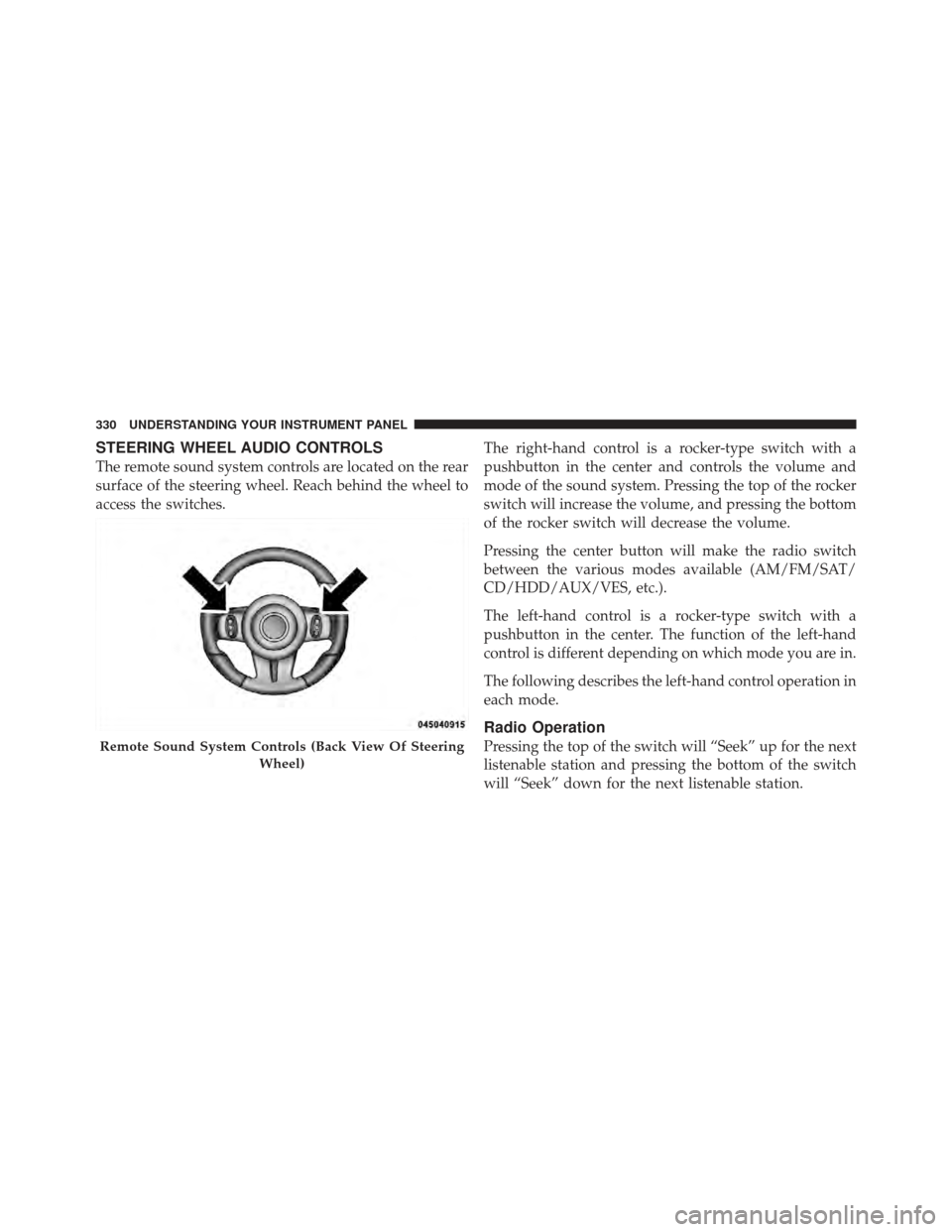
STEERING WHEEL AUDIO CONTROLS
The remote sound system controls are located on the rear
surface of the steering wheel. Reach behind the wheel to
access the switches.The right-hand control is a rocker-type switch with a
pushbutton in the center and controls the volume and
mode of the sound system. Pressing the top of the rocker
switch will increase the volume, and pressing the bottom
of the rocker switch will decrease the volume.
Pressing the center button will make the radio switch
between the various modes available (AM/FM/SAT/
CD/HDD/AUX/VES, etc.).
The left-hand control is a rocker-type switch with a
pushbutton in the center. The function of the left-hand
control is different depending on which mode you are in.
The following describes the left-hand control operation in
each mode.
Radio Operation
Pressing the top of the switch will “Seek” up for the next
listenable station and pressing the bottom of the switch
will “Seek” down for the next listenable station.Remote Sound System Controls (Back View Of Steering
Wheel)
330 UNDERSTANDING YOUR INSTRUMENT PANEL
Page 347 of 557
STARTING AND OPERATING
CONTENTS
�Starting Procedures .................... 349
▫ Automatic Transmission ............... 349
▫ Keyless Enter-N-Go ................... 350
▫ Normal Starting ..................... 350
▫ Extreme Cold Weather
(Below –20°F Or �29°C)............... 352
▫ If Engine Fails To Start ................ 352
▫ After Starting ....................... 353
� Engine Block Heater — If Equipped ........ 353�
Automatic Transmission ................. 354
▫ Key Ignition Park Interlock ............. 355
▫ Brake/Transmission Shift Interlock System . . 355
▫ Five-Speed Automatic Transmission ....... 355
▫ Gear Ranges ........................ 356
� AutoStick� .......................... 362
▫ Steering Wheel Mounted Paddle Shifters Or
Console Mounted Shifter ............... 362
� Sport Mode .......................... 364
5
Page 348 of 557
�Driving On Slippery Surfaces ............. 366
▫ Acceleration ........................ 366
▫ Traction ........................... 366
� Driving Through Water ................. 367
▫ Flowing/Rising Water ................. 367
▫ Shallow Standing Water ............... 367
� Power Steering ....................... 369
▫ Power Steering Fluid Check ............. 370
� Parking Brake ........................ 371
� Brake System ........................ 373
▫ Anti-Lock Brake System ............... 374
� Electronic Brake Control System ........... 376
▫ Anti-Lock Brake System (ABS) ........... 377▫
Traction Control System (TCS) ........... 377
▫ Brake Assist System (BAS) .............. 377
▫ Electronic Stability Control (ESC) ......... 378
▫ Hill Start Assist (HSA) ................ 382
▫ Ready Alert Braking .................. 383
▫ Rain Brake Support ................... 383
▫ ESC Activation/Malfunction Indicator Light
And ESC Off Indicator Light ............ 384
▫ Synchronizing ESC ................... 385
� Tire Safety Information ................. 385
▫ Tire Markings ....................... 385
▫ Tire Identification Number (TIN) ......... 389
▫ Tire Terminology And Definitions ......... 390
346 STARTING AND OPERATING
Page 364 of 557
NOTE:Even if the transmission can be reset, we recom-
mend that you visit your authorized dealer at your
earliest possible convenience. Your authorized dealer has
diagnostic equipment to determine if the problem could
recur.
If the transmission cannot be reset, authorized dealer
service is required.
Overdrive Operation
The automatic transmission includes an electronically
controlled Overdrive (fifth gear). The transmission will
automatically shift into the Overdrive gear if the follow-
ing conditions are present:
•the shift lever is in the DRIVE position,
•vehicle speed is sufficiently high, and
•the driver is not heavily pressing the accelerator
AUTOSTICK�
Steering Wheel Mounted Paddle Shifters Or
Console Mounted Shifter
AutoStick� is a driver-interactive transmission feature that
offers manual gear shifting to provide you with more
control of the vehicle. AutoStick� allows you to maximize
engine braking, and improve overall vehicle performance.
This system can also provide you with more control during
passing, city driving, cold slippery conditions, mountain
driving, trailer towing, and many other situations.
Operation
When the shift lever is in the DRIVE position, the
transmission will operate automatically, shifting between
the five available gears. To engage AutoStick�, simply
move the shift lever to the right or left (+/-) while in the
DRIVE position, or press one of the steering wheel
mounted shift paddles (+/-). When AutoStick �is active,
362 STARTING AND OPERATING