Page 230 of 557

To Cancel
The system will disable normal Cruise Control without
erasing the memory if:
•You softly tap or depress the brake pedal.
•You press the CANCEL button.
•The Electronic Stability Control/Traction Control Sys-
tem (ESC/TCS) activates.
To Resume
Press the RES+button and then remove your foot from
the accelerator pedal. The EVIC will display the last set
speed.
To Turn Off
The system will turn off and erase the set speed in
memory if:
•You push and release the ON/OFF button.
•You turn off the ignition.
•You switch off ESC. If the Cruise Control system is turned off and reactivated,
the system will return to the last driver setting (ACC or
Normal Cruise Control).
Forward Collision Warning — If Equipped
Forward Collision Warning (FCW) warns the driver of a
potential collision with the vehicle in front of you and
prompts the driver to take action in order to avoid the
collision.
FCW monitors the information from the forward looking
sensor as well as the Electronic Brake Controller (EBC),
wheel speed sensors, i.e., to calculate a probable rear-end
collision. When the system determines that a rear-end
collision is probable a warning message (both audible
and visual) will be displayed on the EVIC. When the
system determines a collision with the vehicle in front of
you is no longer probable, the warning message will be
deactivated.
228 UNDERSTANDING THE FEATURES OF YOUR VEHICLE
Page 279 of 557
UNDERSTANDING YOUR INSTRUMENT PANEL
CONTENTS
�Instrument Panel Features ............... 279
� Instrument Cluster .................... 280
� Instrument Cluster Descriptions ........... 281
� Electronic Vehicle Information Center (EVIC) . . 292
▫ Electronic Vehicle Information Center (EVIC)
Displays ........................... 294
▫ EVIC White Telltales .................. 295
▫ EVIC Amber Telltales ................. 296
▫ EVIC Red Telltales ................... 297 ▫
Oil Change Required .................. 300
▫ Fuel Economy ...................... 300
▫ Cruise Control ...................... 303
▫ Vehicle Speed ....................... 303
▫ Trip Info .......................... 304
▫ TirePSI ........................... 305
▫ SRT .............................. 305
▫ Vehicle Info
(Customer Information Features) ......... 308
4
Page 294 of 557
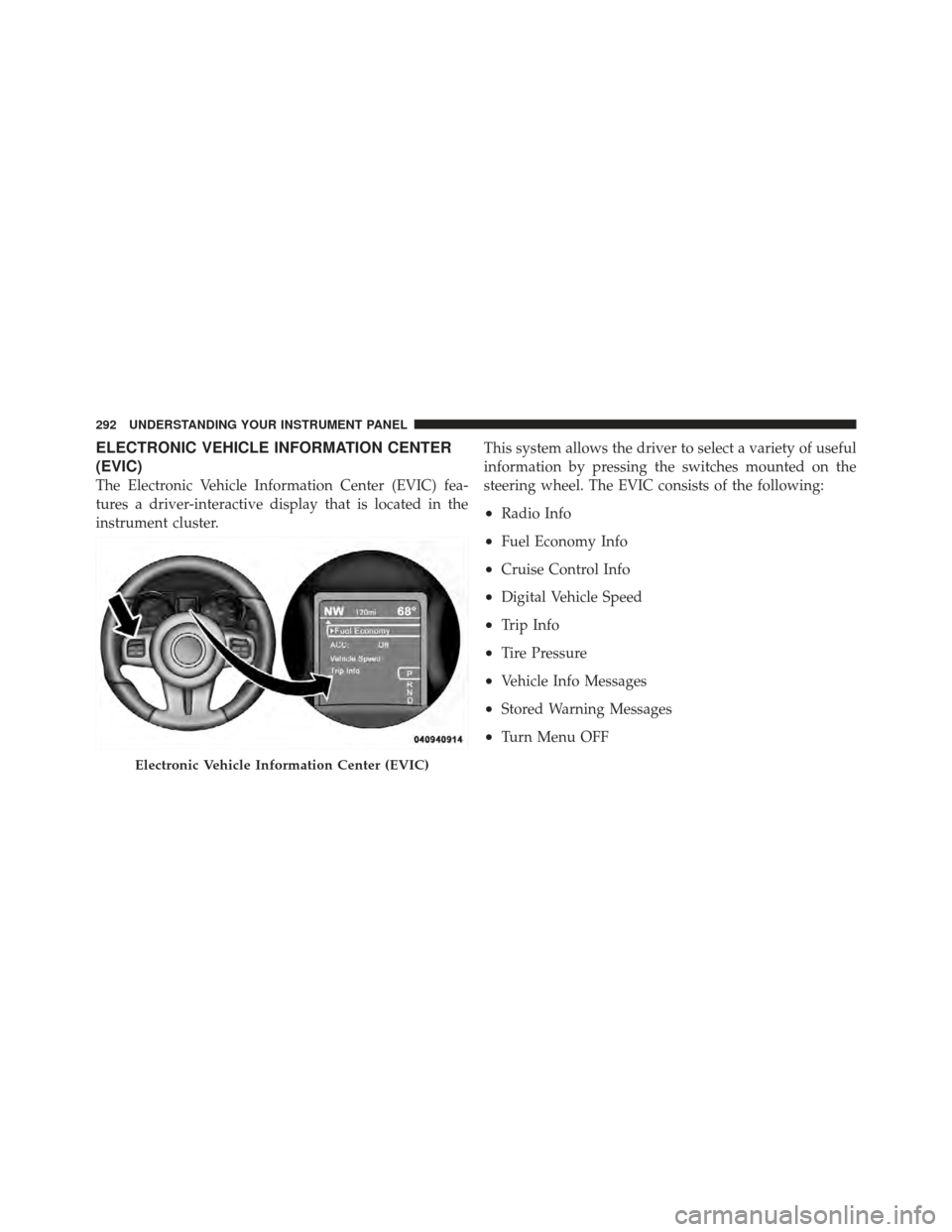
ELECTRONIC VEHICLE INFORMATION CENTER
(EVIC)
The Electronic Vehicle Information Center (EVIC) fea-
tures a driver-interactive display that is located in the
instrument cluster.This system allows the driver to select a variety of useful
information by pressing the switches mounted on the
steering wheel. The EVIC consists of the following:
•Radio Info
•Fuel Economy Info
•Cruise Control Info
•Digital Vehicle Speed
•Trip Info
•Tire Pressure
•Vehicle Info Messages
•Stored Warning Messages
•Turn Menu OFF
Electronic Vehicle Information Center (EVIC)
292 UNDERSTANDING YOUR INSTRUMENT PANEL
Page 298 of 557

•Electronic Speed Control SETThis telltale will illuminate when the electronic
speed control is SET. For further information,
refer to “Electronic Speed Control” in “Under-
standing The Features Of Your Vehicle.”
•Adaptive Cruise Control (ACC) ONThis telltale will illuminate when the ACC is
ON. For further information, refer to “Adap-
tive Cruise Control (ACC)” in “Understanding
The Features Of Your Vehicle.”
•Adaptive Cruise Control (ACC) SETThis telltale will illuminate when the ACC is
SET. For further information, refer to “Adap-
tive Cruise Control (ACC)” in “Understanding
The Features Of Your Vehicle.”
EVIC Amber Telltales
This area will show reconfigurable amber caution tell-
tales. These telltales include:
•Forward Collision Warning (FCW) OFFThis telltale informs the driver that the For-
ward Collision Warning feature is Off. The
telltale is On when the front radar sensor is
blocked and requires cleaning, the ACC/FCW
sensors require service, or the ACC/FCW system is
unavailable because of a system error. For further infor-
mation, refer to “Adaptive Cruise Control (ACC)” in
“Understanding The Features Of Your Vehicle.”
•Low Fuel Telltale When the fuel level reaches approximately 3.0 gal
(11.0 L) this light will turn on, and remain on until
fuel is added.
296 UNDERSTANDING YOUR INSTRUMENT PANEL
Page 299 of 557

•Windshield Washer Fluid Low IndicatorThis telltale will turn on to indicate the wind-
shield washer fluid is low.
•Adaptive Cruise Control (ACC) MalfunctionThis light will turn on when a ACC is not
operating and needs service. For further infor-
mation, refer to “Adaptive Cruise Control
(ACC)” in “Understanding The Features Of
Your Vehicle.”
EVIC Red Telltales
This area will show reconfigurable red telltales. These
telltales include:
•Door Ajar
This telltale turns on when one or more doors
are ajar. The telltale will show which doors are
ajar.
•Trunk AjarThis light will turn on to indicate that the trunk
lid is ajar.
•Oil Pressure Warning TelltaleThis telltale indicates low engine oil pressure. If
the light turns on while driving, stop the vehicle
and shut off the engine as soon as possible. A chime will
sound when this light turns on.
Do not operate the vehicle until the cause is corrected.
This light does not show how much oil is in the engine.
The engine oil level must be checked under the hood.
•Charging System Telltale This telltale shows the status of the electrical
charging system. If the telltale stays on or comes
on while driving, turn off some of the vehicle’s non-
essential electrical devices or increase engine speed (if at
4
UNDERSTANDING YOUR INSTRUMENT PANEL 297
Page 305 of 557
Cruise Control
Press and release the UP or DOWN button until�ACC�(if
equipped with Adaptive Cruise Control) or �Cruise�is
highlighted in the EVIC. Status of the ACC or Cruise is
displayed in the menu line also. Press and release the
SELECT (right arrow) button to display the following
information:
•If equipped with ACC, one of several messages will be
displayed giving a dynamic update of the status of the
feature as the driver changes feature status or follow-
ing conditions change. If ACC is active and a warning
or other feature is in the EVIC main display, the ACC
status will be displayed in place of the EVIC odometer
line.
•For vehicles with Cruise, one of several messages will
be displayed giving a dynamic update of the status of
the feature as the driver changes feature status or conditions change. If Cruise is active and a warning or
other feature is in the EVIC main display, the Cruise
status will be displayed in place of the EVIC odometer
line.
Press and release the BACK button to return to the main
menu.
Vehicle Speed
Press and release the UP or DOWN button until �Vehicle
Speed� is highlighted in the EVIC. Press the SELECT
button to view a digital display of the current speed in
mph or km/h. Pressing the SELECT button a second time
will toggle the unit of measure between mph or km/h.
Press the BACK button to return to the main menu.
NOTE: Changing the unit of measure in the Vehicle
Speed menu will not change the unit of measure in the
EVIC.4
UNDERSTANDING YOUR INSTRUMENT PANEL 303
Page 496 of 557
Cavity Car-tridgeFuse Mini-
Fuse Description
43 — 25 Amp NaturalRear Heated Seats/
Steering Wheel
44 — 10 Amp RedPark Assist/Blind
Spot/Camera
45 — 15 Amp BlueCluster/Rearview
Mirror/Compass
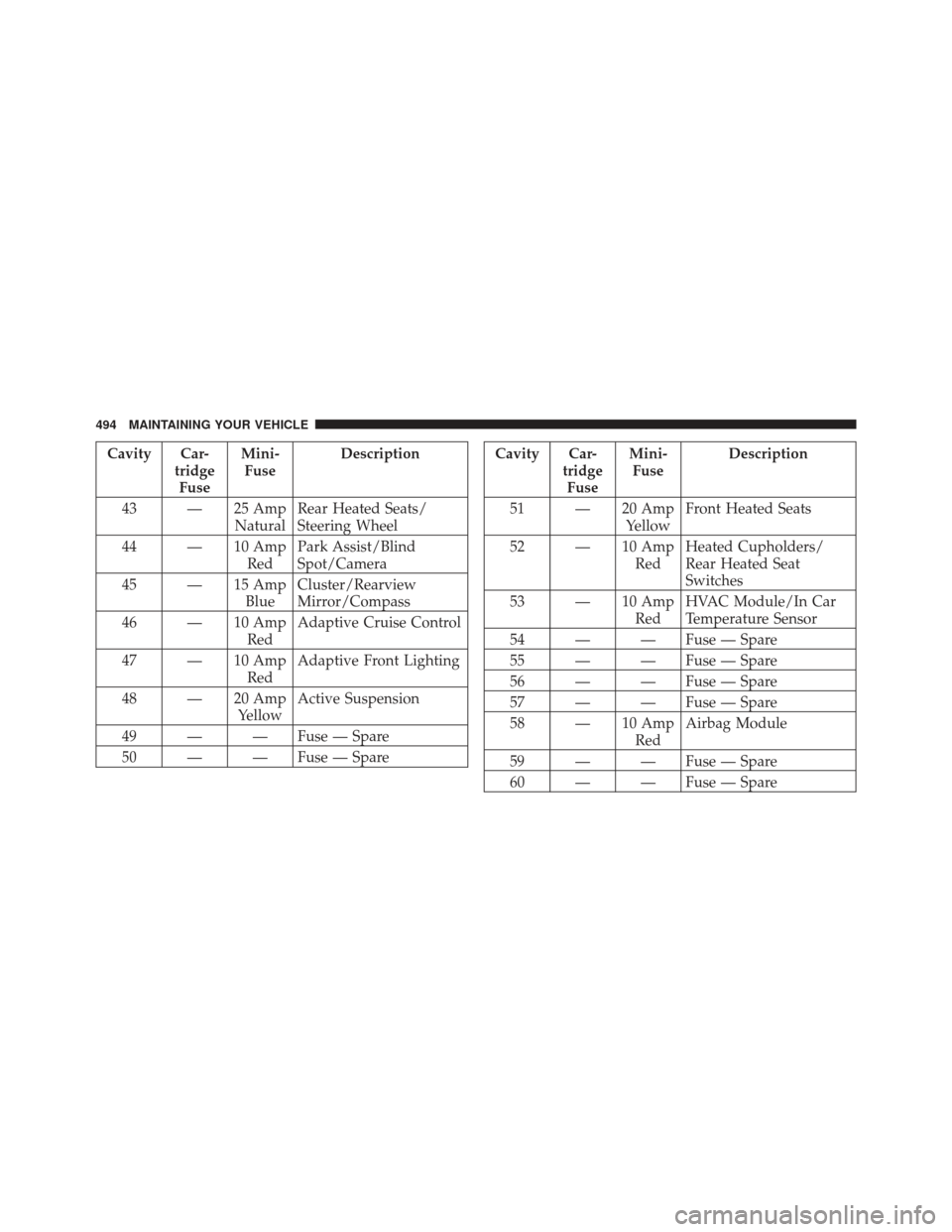
46 — 10 Amp RedAdaptive Cruise Control
47 — 10 Amp RedAdaptive Front Lighting
48 — 20 Amp YellowActive Suspension
49 — — Fuse — Spare
50 — — Fuse — SpareCavity Car- tridgeFuse Mini-
Fuse Description
51 — 20 Amp YellowFront Heated Seats
52 — 10 Amp RedHeated Cupholders/
Rear Heated Seat
Switches
53 — 10 Amp RedHVAC Module/In Car
Temperature Sensor
54 — — Fuse — Spare
55 — — Fuse — Spare
56 — — Fuse — Spare
57 — — Fuse — Spare
58 — 10 Amp RedAirbag Module
59 — — Fuse — Spare
60 — — Fuse — Spare
494 MAINTAINING YOUR VEHICLE
Page 536 of 557
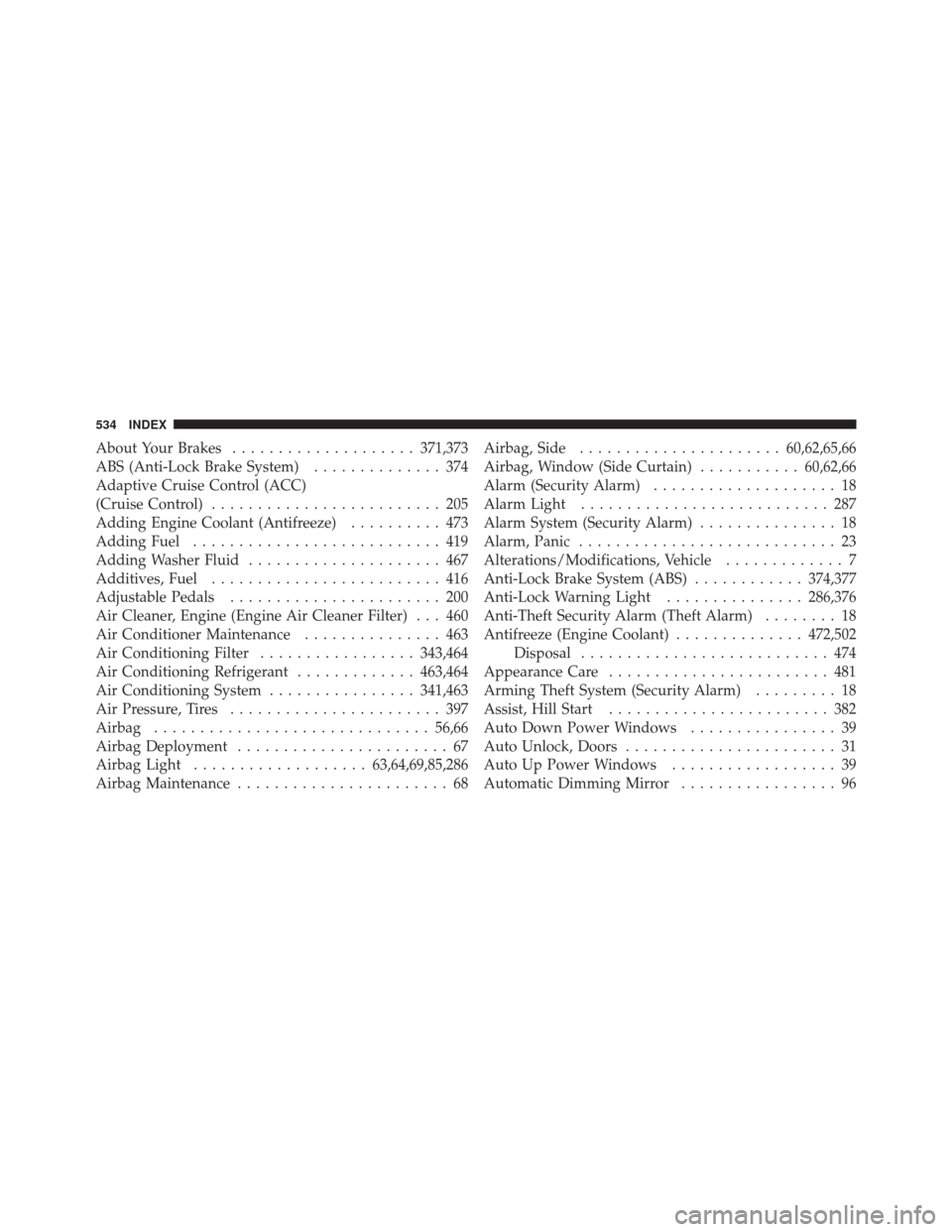
About Your Brakes.................... 371,373
ABS (Anti-Lock Brake System) .............. 374
Adaptive Cruise Control (ACC)
(Cruise Control) ......................... 205
Adding Engine Coolant (Antifreeze) .......... 473
Adding Fuel ........................... 419
Adding Washer Fluid ..................... 467
Additives, Fuel ......................... 416
Adjustable Pedals ....................... 200
Air Cleaner, Engine (Engine Air Cleaner Filter) . . . 460
Air Conditioner Maintenance ............... 463
Air Conditioning Filter .................343,464
Air Conditioning Refrigerant .............463,464
Air Conditioning System ................341,463
Air Pressure, Tires ....................... 397
Airbag .............................. 56,66
Airbag Deployment ....................... 67
Airbag Light ................... 63,64,69,85,286
Airbag Maintenance ....................... 68 Airbag, Side
...................... 60,62,65,66
Airbag, Window (Side Curtain) ...........60,62,66
Alarm (Security Alarm) .................... 18
Alarm Light ........................... 287
Alarm System (Security Alarm) ............... 18
Alarm, Panic ............................ 23
Alterations/Modifications, Vehicle ............. 7
Anti-Lock Brake System (ABS) ............374,377
Anti-Lock Warning Light ...............286,376
Anti-Theft Security Alarm (Theft Alarm) ........ 18
Antifreeze (Engine Coolant) ..............472,502
Disposal ........................... 474
Appearance Care ........................ 481
Arming Theft System (Security Alarm) ......... 18
Assist, Hill Start ........................ 382
Auto Down Power Windows ................ 39
Auto Unlock, Doors ....................... 31
Auto Up Power Windows .................. 39
Automatic Dimming Mirror ................. 96
534 INDEX