Page 193 of 576
To unlock the steering column, pull the control handle
down. To tilt the steering column, move the steering
wheel upward or downward as desired. To lengthen or
shorten the steering column, pull the steering wheel
outward or push it inward as desired. To lock the steering
column in position, push the control handle up until fully
engaged.
WARNING!
Do not adjust the steering column while driving.
Adjusting the steering column while driving or driv-
ing with the steering column unlocked, could cause
the driver to lose control of the vehicle. Be sure the
steering column is locked before driving your ve-
hicle. Failure to follow this warning may result in
serious injury or death.
POWER TILT/TELESCOPING STEERING COLUMN
— IF EQUIPPED
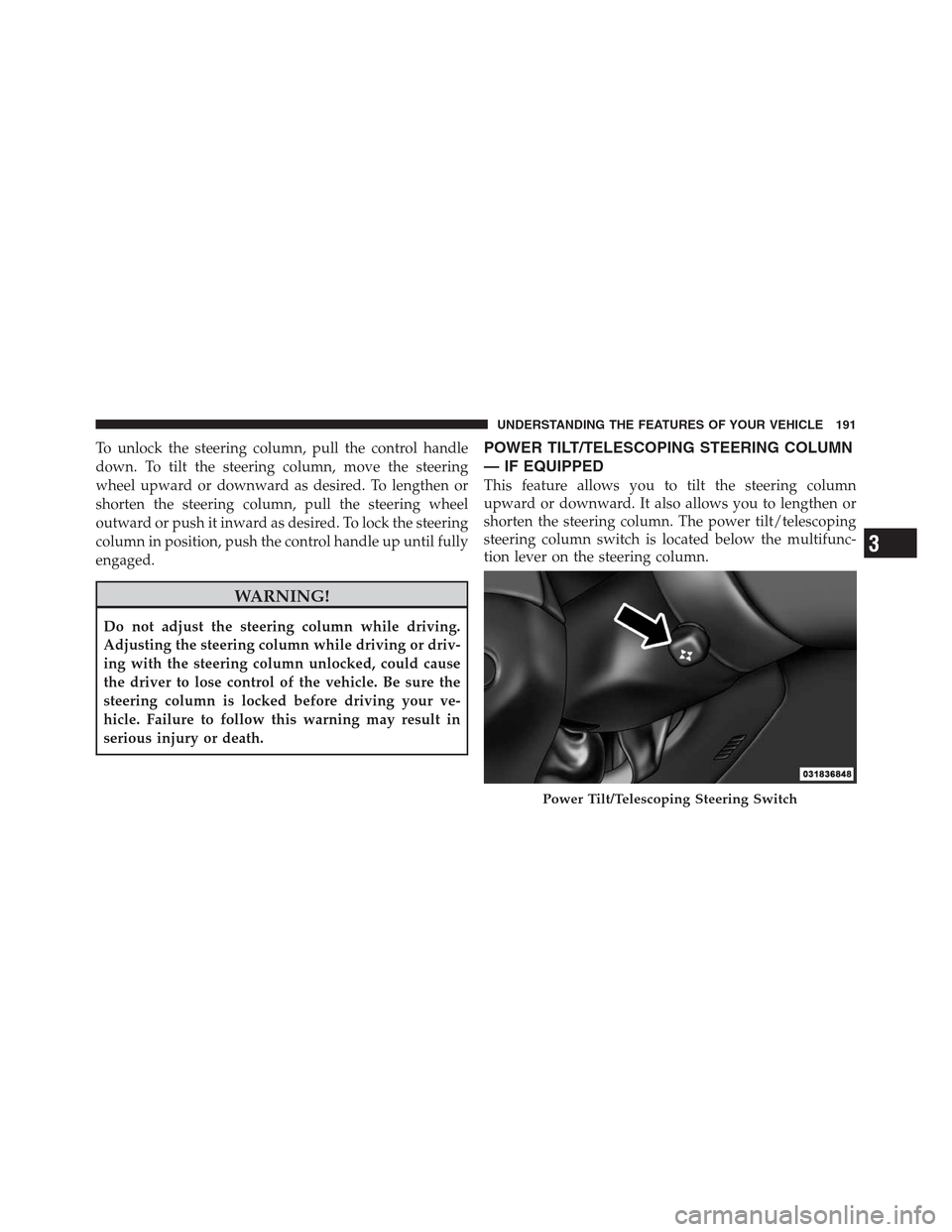
This feature allows you to tilt the steering column
upward or downward. It also allows you to lengthen or
shorten the steering column. The power tilt/telescoping
steering column switch is located below the multifunc-
tion lever on the steering column.
Power Tilt/Telescoping Steering Switch
3
UNDERSTANDING THE FEATURES OF YOUR VEHICLE 191
Page 194 of 576

To tilt the steering column, move the switch up or down
as desired. To lengthen or shorten the steering column,
pull the switch toward you or push the switch away from
you as desired.
NOTE:
For vehicles equipped with Driver Memory Seat,
you can use your Remote Keyless Entry (RKE) transmitter or
the memory switch on the driver’s door trim panel to return
the tilt/telescopic steering column to pre-programmed po-
sitions. Refer to “Driver Memory Seat” in this section.
WARNING!
Do not adjust the steering column while driving.
Adjusting the steering column while driving or driv-
ing with the steering column unlocked, could cause
the driver to lose control of the vehicle. Be sure the
steering column is locked before driving your ve-
hicle. Failure to follow this warning may result in
serious injury or death.
HEATED STEERING WHEEL — IF EQUIPPED
The steering wheel contains a heating element that helps
warm your hands in cold weather. The heated steering
wheel has only one temperature setting. Once the heated
steering wheel has been turned on it will operate for
approximately 58 to 70 minutes before automatically
shutting off. The heated steering wheel can shut off early
or may not turn on when the steering wheel is already
warm.
The heated steering wheel can be turned on and off using
the Uconnect Touch™ System.
192 UNDERSTANDING THE FEATURES OF YOUR VEHICLE
Page 197 of 576

The switch is located on the front side of the driver’s seat
cushion side shield.
Press the switch forward to move the pedals forward
(toward the front of the vehicle).
Press the switch rearward to move the pedals rearward
(toward the driver).•The pedals can be adjusted with the ignition OFF.
•The pedalscannotbe adjusted when the vehicle is in
REVERSE or when the Electronic Speed Control Sys-
tem is on. The following messages will be displayed
on vehicles equipped with the Electronic Vehicle In-
formation System (EVIC) if the pedals are attempted to
be adjusted when the system is locked out (“Adjust-
able Pedal Disabled — Cruise Control Engaged” or
“Adjustable Pedal Disabled — Vehicle In Reverse”.
NOTE:For vehicles equipped with Driver Memory
Seat, you can use your Remote Keyless Entry (RKE)
transmitter or the memory switch on the driver’s door
trim panel to return the adjustable pedals to pre-
programmed positions. Refer to “Driver Memory Seat”
in “Understanding The Features Of Your Vehicle” for
further information.
Adjustable Pedals Switch
3
UNDERSTANDING THE FEATURES OF YOUR VEHICLE 195
Page 208 of 576
To Cancel
The system will disable ACC without erasing the
memory if:
•You softly tap the brake pedal.
•You depress the brake pedal.
•You press the CANCEL switch.
•An Anti-Lock Brake System (ABS) event occurs.
•If the transmission is shifted into NEUTRAL.
•The Electronic Stability Control/Traction Control Sys-
tem (ESC/TCS) activates.
NOTE:If ACC is resumed or set with the ESC/TCS off,
ESC will automatically be re-engaged.
To Turn Off
The system will turn off and erase the set speed in
memory if:
•You push and release the ON/OFF button.
•You turn OFF the ignition.
Adaptive Cruise Control (ACC) Cancelled
206 UNDERSTANDING THE FEATURES OF YOUR VEHICLE
Page 217 of 576

When the condition that deactivated the system is no
longer present, the system will return to the “Adaptive
Cruise Control Off” state and will resume function by
simply reactivating it.
NOTE:Installing a vehicle front-end protector or an
aftermarket grille or modifying the grille is not recom-
mended. Doing so may block the sensor and inhibit ACC
operation.
ACC Unavailable Warning
If the system turns off, and the EVIC displays “Adaptive
Cruise Control (ACC) Unavailable”, there may be a
temporary malfunction that limits ACC functionality.
Although the vehicle is still drivable under normal
conditions, ACC will be temporarily unavailable. If this
occurs, try activating ACC again later, following a key
cycle. If the problem persists, see your authorized dealer.
Service ACC Warning
If the system turns off, and the EVIC displays “ACC/
FCW Unavailable Service Radar Sensor”, it indicates
there is an internal system fault. Although the vehicle is
still drivable under normal conditions, have the system
checked by an authorized dealer.
Adaptive Cruise Control (ACC) Unavailable Warning
3
UNDERSTANDING THE FEATURES OF YOUR VEHICLE 215
Page 233 of 576

Front Park Assist Audible Alerts
ParkSense�will turn off the Front Park Assist audible
alert (chime) after approximately 3 seconds when an
obstacle has been detected, the vehicle is stationary, and
brake pedal is applied.
Enabling And Disabling ParkSense�
ParkSense�can be enabled and disabled using the
Uconnect Touch™ System. The available choices are: Off,
Sound Only, or Sound and Display. Refer to “Uconnect
Touch™ Settings” in “Understanding Your Instrument
Panel” for further information.
When the ParkSense�soft-key is pressed to disable the
system, the EVIC will display the “PARK ASSIST SYS-
TEM OFF” message for approximately five seconds.
Refer to “Electronic Vehicle Information Center (EVIC)”
in “Understanding Your Instrument Panel” for further
information. When the shift lever is moved to REVERSE
or to DRIVE (at or below 7 mph [11 km/h]) and thesystem is disabled, the EVIC will display the “PARK
ASSIST SYSTEM OFF” message for approximately five
seconds in REVERSE or for 5 seconds when the vehicle is
in DRIVE.
Service The ParkSense�Park Assist System
When the ParkSense�Park Assist System is malfunction-
ing, the instrument cluster will actuate a single chime,
once per ignition cycle. The instrument cluster will
display the “CLEAN PARK ASSIST” message when any
of the rear or front sensor(s) are blocked by snow, mud, or
ice and the vehicle is shifted into REVERSE or DRIVE.
The instrument cluster will display the “SERVICE PARK
ASSIST” message when any of the rear or front sensors
are damaged and require service. When the shift lever is
moved to REVERSE or DRIVE and the system has
detected a faulted condition, the EVIC will display the
“CLEAN PARK ASSIST”, “SERVICE PARK ASSIST” or
the “SERVICE PARK ASSIST SYSTEM” message for as
long as the vehicle is in REVERSE or DRIVE (at speeds3
UNDERSTANDING THE FEATURES OF YOUR VEHICLE 231
Page 239 of 576
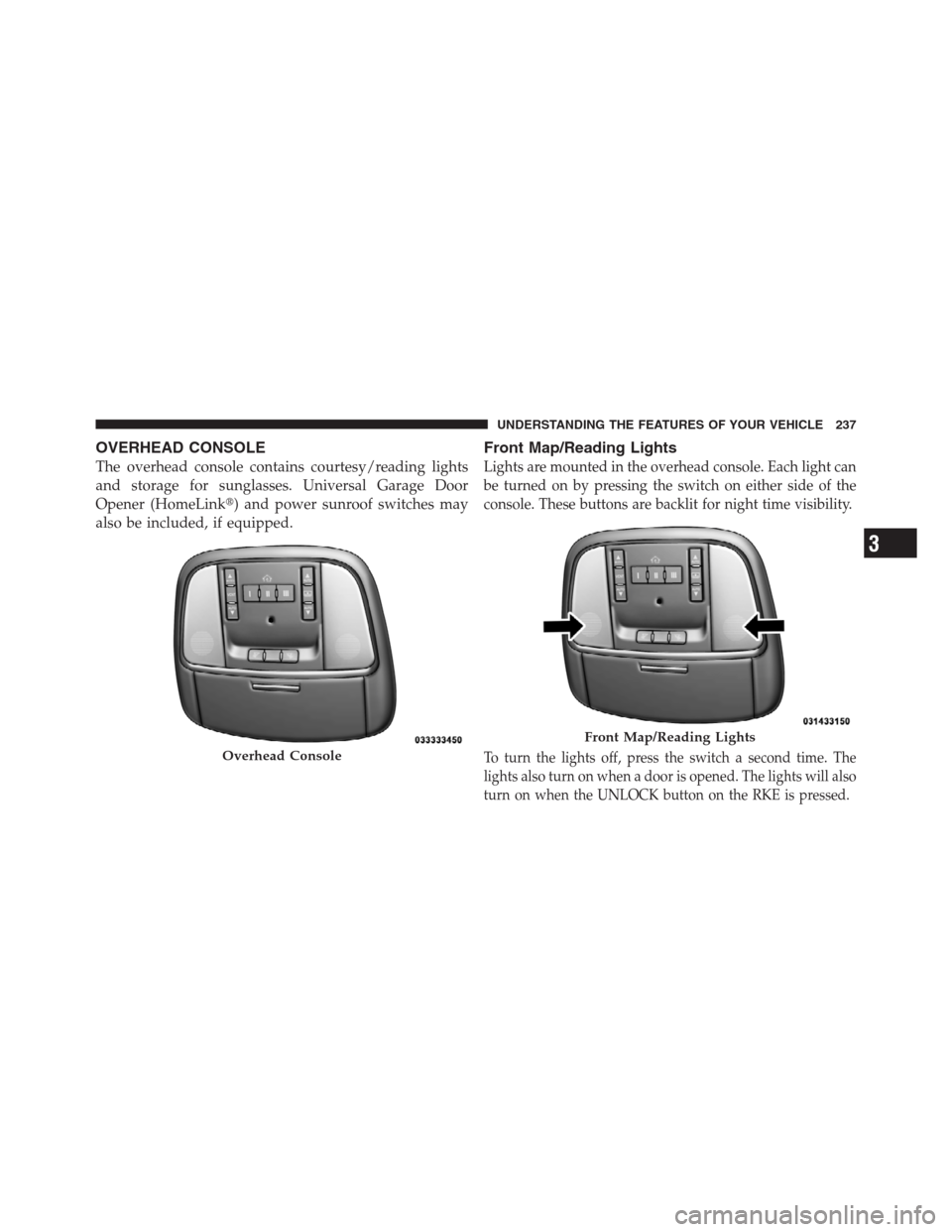
OVERHEAD CONSOLE
The overhead console contains courtesy/reading lights
and storage for sunglasses. Universal Garage Door
Opener (HomeLink�) and power sunroof switches may
also be included, if equipped.
Front Map/Reading Lights
Lights are mounted in the overhead console. Each light can
be turned on by pressing the switch on either side of the
console. These buttons are backlit for night time visibility.
To turn the lights off, press the switch a second time. The
lights also turn on when a door is opened. The lights will also
turn on when the UNLOCK button on the RKE is pressed.Overhead Console
Front Map/Reading Lights
3
UNDERSTANDING THE FEATURES OF YOUR VEHICLE 237
Page 247 of 576
If you unplugged the garage door opener/device for
programming, plug it back in at this time.
Reprogramming A Single HomeLink�Button
To reprogram a channel that has been previously trained,
follow these steps:
1. Turn the ignition switch to the ON/RUN position.
2. Press and hold the desired HomeLink�button until
the indicator light begins to flash after 20 seconds.Do not
release the button.
3.Without releasing the buttonproceed with
“Canadian/Gate Operator Programming” Step 2 and
follow all remaining steps.
Using HomeLink�
To operate, press and release the programmed
HomeLink�button. Activation will now occur for the
programmed device (i.e., garage door opener, gate opera-
tor, security system, entry door lock, home/office light-
ing, etc.,). The hand-held transmitter of the device may
also be used at any time.
Security
It is advised to erase all channels before you sell or turn
in your vehicle.
To do this, press and hold the two outside buttons for
20 seconds until the red indicator flashes. Note that all
channels will be erased. Individual channels cannot be
erased.
The HomeLink�Universal Transceiver is disabled when
the Vehicle Security Alarm is active.
3
UNDERSTANDING THE FEATURES OF YOUR VEHICLE 245