Page 41 of 378
Black plate (13,1)Chevrolet Orlando Owner Manual - 2012
Keys, Doors, and Windows 2-13
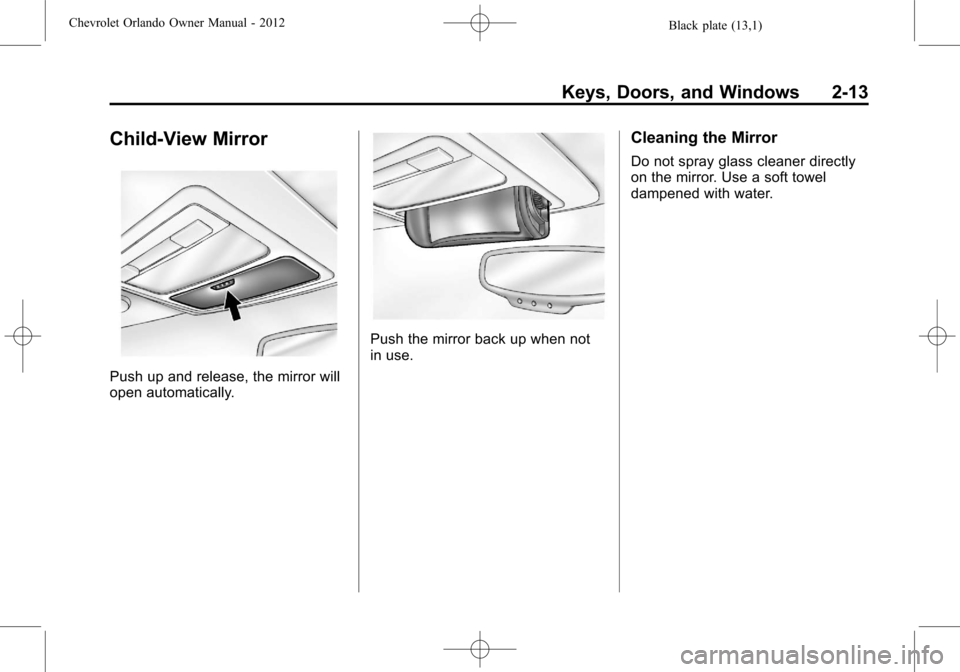
Child-View Mirror
Push up and release, the mirror will
open automatically.
Push the mirror back up when not
in use.
Cleaning the Mirror
Do not spray glass cleaner directly
on the mirror. Use a soft towel
dampened with water.
Page 42 of 378
Black plate (14,1)Chevrolet Orlando Owner Manual - 2012
2-14 Keys, Doors, and Windows
Windows
{WARNING
Leaving children, helpless adults,
or pets in a vehicle with the
windows closed is dangerous.
They can be overcome by the
extreme heat and suffer
permanent injuries or even death
from heat stroke. Never leave a
child, a helpless adult, or a pet
alone in a vehicle, especially with
the windows closed in warm or
hot weather.
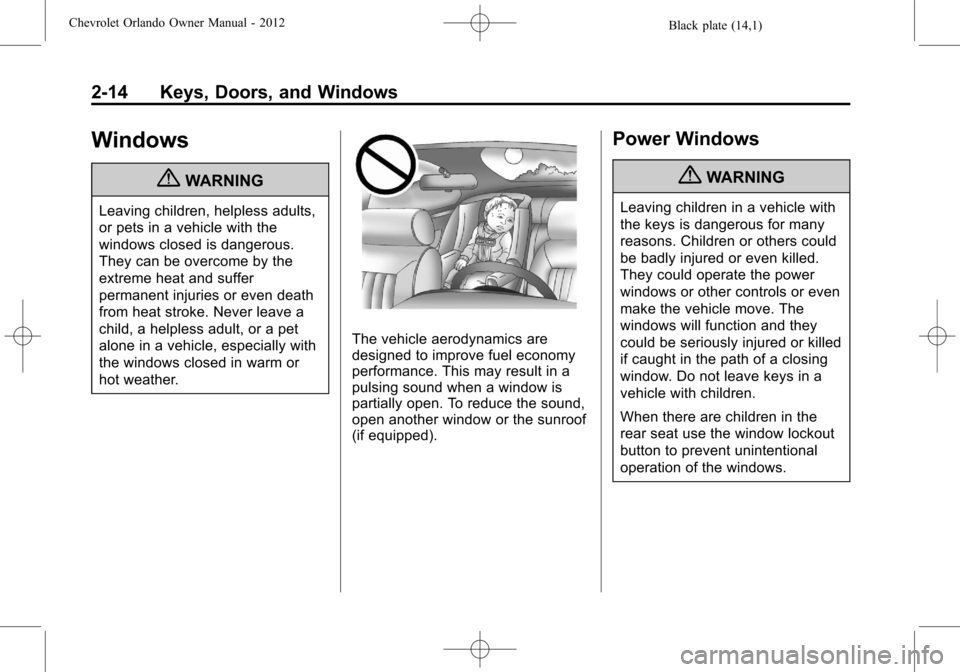
The vehicle aerodynamics are
designed to improve fuel economy
performance. This may result in a
pulsing sound when a window is
partially open. To reduce the sound,
open another window or the sunroof
(if equipped).
Power Windows
{WARNING
Leaving children in a vehicle with
the keys is dangerous for many
reasons. Children or others could
be badly injured or even killed.
They could operate the power
windows or other controls or even
make the vehicle move. The
windows will function and they
could be seriously injured or killed
if caught in the path of a closing
window. Do not leave keys in a
vehicle with children.
When there are children in the
rear seat use the window lockout
button to prevent unintentional
operation of the windows.
Page 43 of 378
Black plate (15,1)Chevrolet Orlando Owner Manual - 2012
Keys, Doors, and Windows 2-15
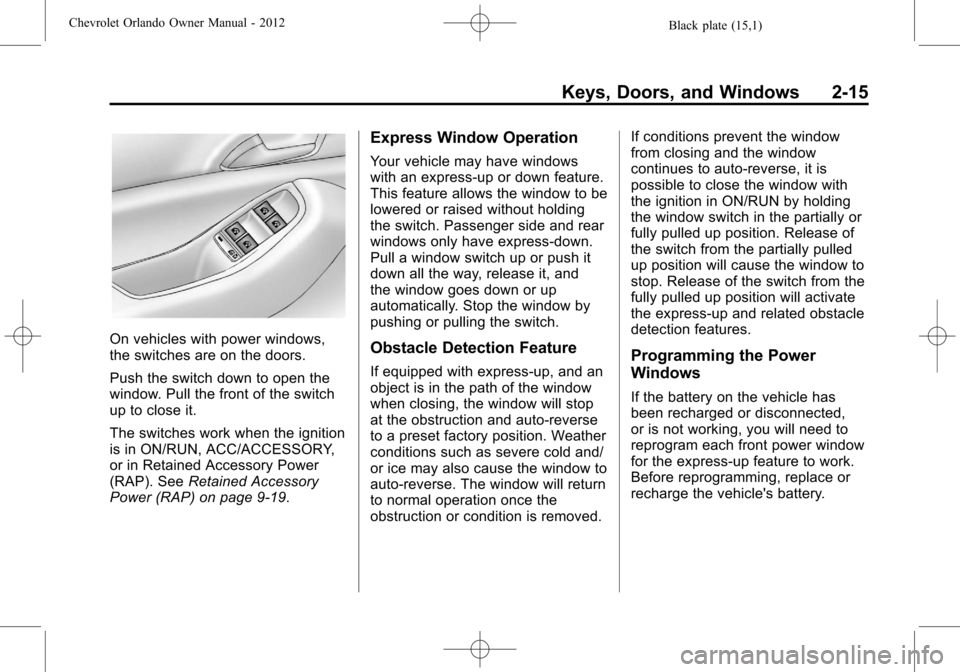
On vehicles with power windows,
the switches are on the doors.
Push the switch down to open the
window. Pull the front of the switch
up to close it.
The switches work when the ignition
is in ON/RUN, ACC/ACCESSORY,
or in Retained Accessory Power
(RAP). SeeRetained Accessory
Power (RAP) on page 9‑19.
Express Window Operation
Your vehicle may have windows
with an express-up or down feature.
This feature allows the window to be
lowered or raised without holding
the switch. Passenger side and rear
windows only have express-down.
Pull a window switch up or push it
down all the way, release it, and
the window goes down or up
automatically. Stop the window by
pushing or pulling the switch.
Obstacle Detection Feature
If equipped with express-up, and an
object is in the path of the window
when closing, the window will stop
at the obstruction and auto-reverse
to a preset factory position. Weather
conditions such as severe cold and/
or ice may also cause the window to
auto-reverse. The window will return
to normal operation once the
obstruction or condition is removed. If conditions prevent the window
from closing and the window
continues to auto-reverse, it is
possible to close the window with
the ignition in ON/RUN by holding
the window switch in the partially or
fully pulled up position. Release of
the switch from the partially pulled
up position will cause the window to
stop. Release of the switch from the
fully pulled up position will activate
the express-up and related obstacle
detection features.Programming the Power
Windows
If the battery on the vehicle has
been recharged or disconnected,
or is not working, you will need to
reprogram each front power window
for the express-up feature to work.
Before reprogramming, replace or
recharge the vehicle's battery.
Page 44 of 378
Black plate (16,1)Chevrolet Orlando Owner Manual - 2012
2-16 Keys, Doors, and Windows
To program each front window:
1. With the ignition in ACC/ACCESSORY or ON/RUN,
or when Retained Accessory
Power (RAP) is active, close
all doors.
2. Press and hold the power window switch until the window
is fully open.
3. Pull the power window switch up until the window is fully closed.
4. Continue holding the switch up for approximately two seconds
after the window is completely
closed.
The window is now reprogrammed.
Repeat the process for the other
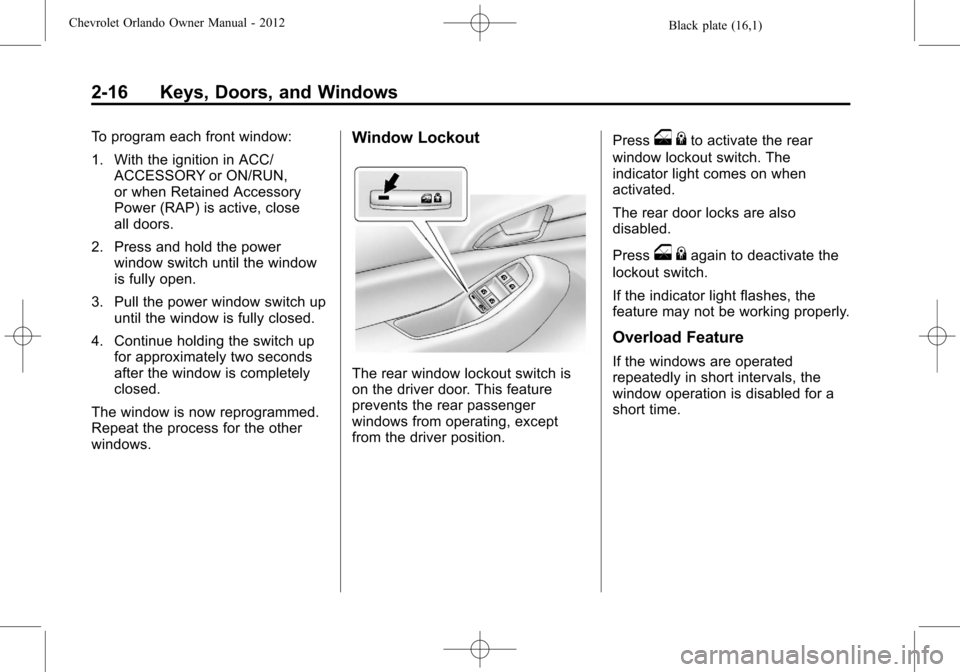
windows.Window Lockout
The rear window lockout switch is
on the driver door. This feature
prevents the rear passenger
windows from operating, except
from the driver position. Press
o
{to activate the rear
window lockout switch. The
indicator light comes on when
activated.
The rear door locks are also
disabled.
Press
o {again to deactivate the
lockout switch.
If the indicator light flashes, the
feature may not be working properly.
Overload Feature
If the windows are operated
repeatedly in short intervals, the
window operation is disabled for a
short time.
Page 45 of 378
Black plate (17,1)Chevrolet Orlando Owner Manual - 2012
Keys, Doors, and Windows 2-17
Sun Visors
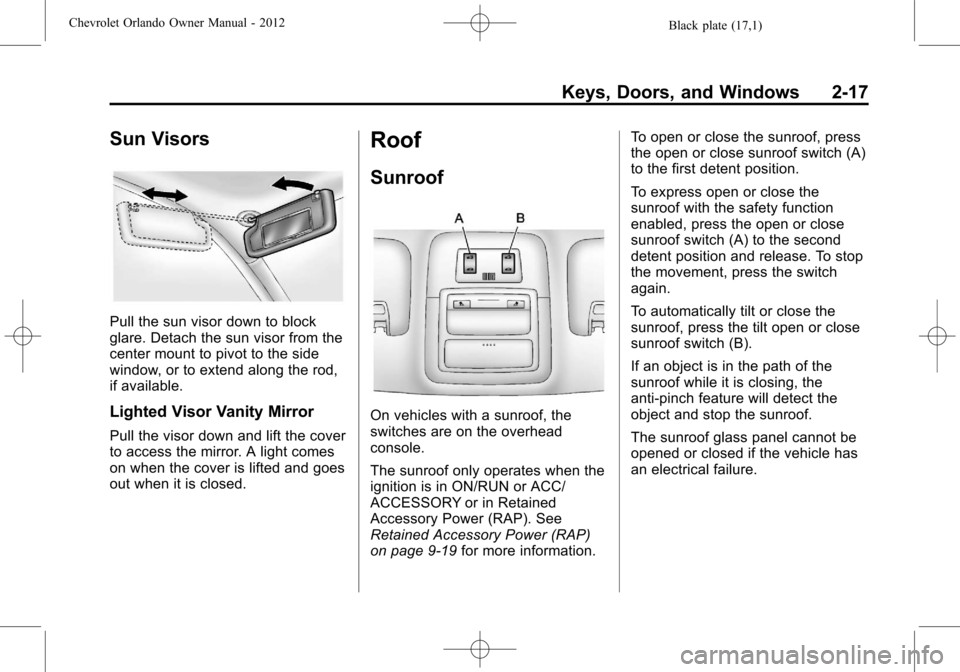
Pull the sun visor down to block
glare. Detach the sun visor from the
center mount to pivot to the side
window, or to extend along the rod,
if available.
Lighted Visor Vanity Mirror
Pull the visor down and lift the cover
to access the mirror. A light comes
on when the cover is lifted and goes
out when it is closed.
Roof
Sunroof
On vehicles with a sunroof, the
switches are on the overhead
console.
The sunroof only operates when the
ignition is in ON/RUN or ACC/
ACCESSORY or in Retained
Accessory Power (RAP). See
Retained Accessory Power (RAP)
on page 9‑19for more information. To open or close the sunroof, press
the open or close sunroof switch (A)
to the first detent position.
To express open or close the
sunroof with the safety function
enabled, press the open or close
sunroof switch (A) to the second
detent position and release. To stop
the movement, press the switch
again.
To automatically tilt or close the
sunroof, press the tilt open or close
sunroof switch (B).
If an object is in the path of the
sunroof while it is closing, the
anti-pinch feature will detect the
object and stop the sunroof.
The sunroof glass panel cannot be
opened or closed if the vehicle has
an electrical failure.
Page 46 of 378
Black plate (18,1)Chevrolet Orlando Owner Manual - 2012
2-18 Keys, Doors, and Windows
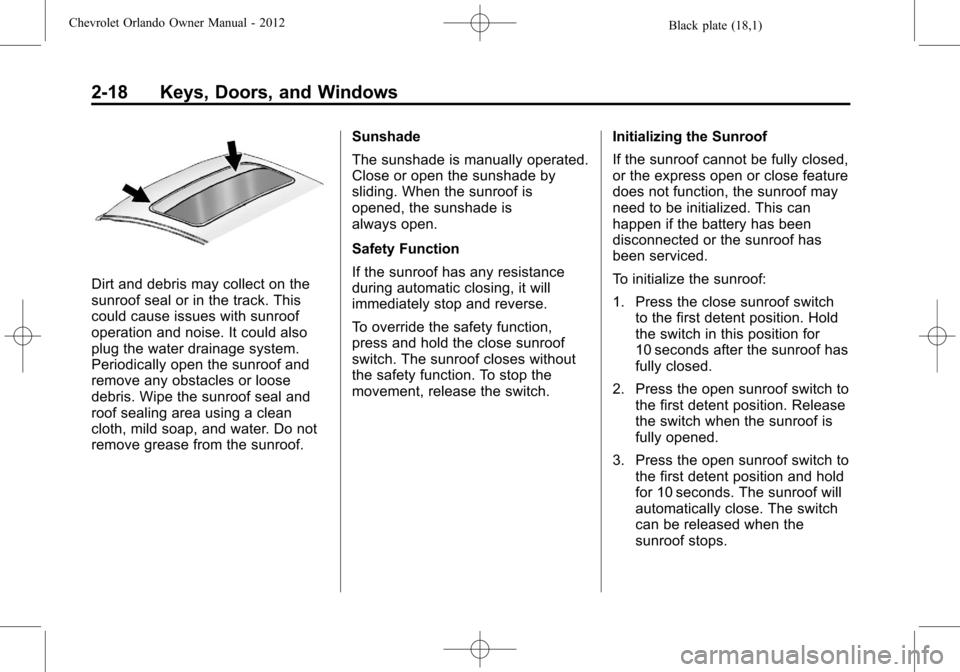
Dirt and debris may collect on the
sunroof seal or in the track. This
could cause issues with sunroof
operation and noise. It could also
plug the water drainage system.
Periodically open the sunroof and
remove any obstacles or loose
debris. Wipe the sunroof seal and
roof sealing area using a clean
cloth, mild soap, and water. Do not
remove grease from the sunroof.Sunshade
The sunshade is manually operated.
Close or open the sunshade by
sliding. When the sunroof is
opened, the sunshade is
always open.
Safety Function
If the sunroof has any resistance
during automatic closing, it will
immediately stop and reverse.
To override the safety function,
press and hold the close sunroof
switch. The sunroof closes without
the safety function. To stop the
movement, release the switch.
Initializing the Sunroof
If the sunroof cannot be fully closed,
or the express open or close feature
does not function, the sunroof may
need to be initialized. This can
happen if the battery has been
disconnected or the sunroof has
been serviced.
To initialize the sunroof:
1. Press the close sunroof switch
to the first detent position. Hold
the switch in this position for
10 seconds after the sunroof has
fully closed.
2. Press the open sunroof switch to the first detent position. Release
the switch when the sunroof is
fully opened.
3. Press the open sunroof switch to the first detent position and hold
for 10 seconds. The sunroof will
automatically close. The switch
can be released when the
sunroof stops.
Page 69 of 378
Black plate (23,1)Chevrolet Orlando Owner Manual - 2012
Seats and Restraints 3-23
7. Buckle and position the safetybelt as described previously in
this section. Make sure that the
shoulder belt crosses the
shoulder.
To remove and store the comfort
guide, squeeze the belt edges
together so that the safety belt
can be removed from the guide.
Un-hook the guide from the loop
on the seat. Store the guide in a
convenient place like the glove box
for the next time it is needed.
Safety Belt Use During
Pregnancy
Safety belts work for everyone,
including pregnant women. Like all
occupants, they are more likely to
be seriously injured if they do not
wear safety belts.
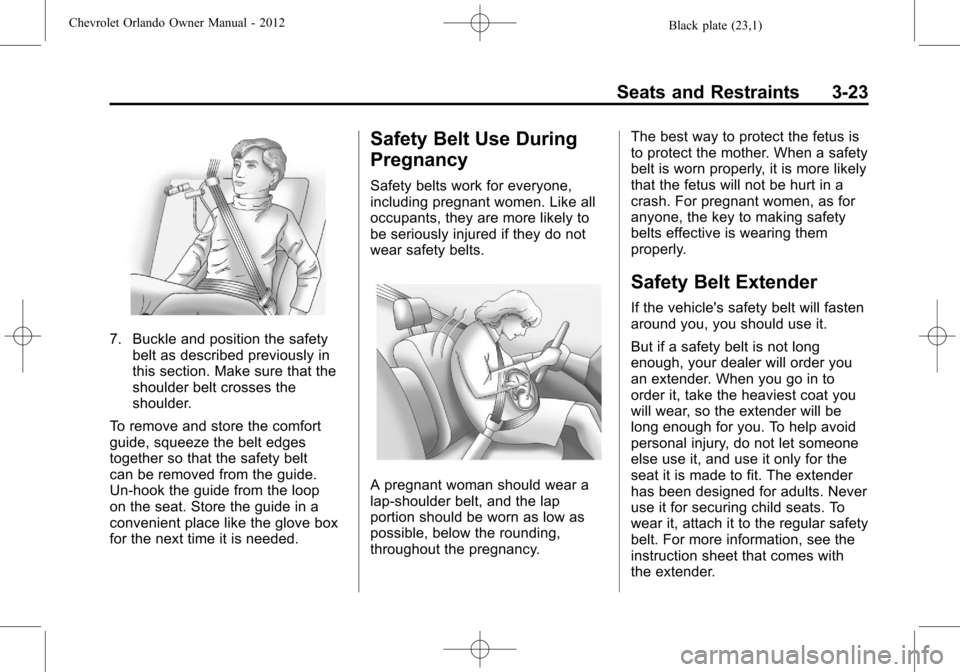
A pregnant woman should wear a
lap-shoulder belt, and the lap
portion should be worn as low as
possible, below the rounding,
throughout the pregnancy. The best way to protect the fetus is
to protect the mother. When a safety
belt is worn properly, it is more likely
that the fetus will not be hurt in a
crash. For pregnant women, as for
anyone, the key to making safety
belts effective is wearing them
properly.
Safety Belt Extender
If the vehicle's safety belt will fasten
around you, you should use it.
But if a safety belt is not long
enough, your dealer will order you
an extender. When you go in to
order it, take the heaviest coat you
will wear, so the extender will be
long enough for you. To help avoid
personal injury, do not let someone
else use it, and use it only for the
seat it is made to fit. The extender
has been designed for adults. Never
use it for securing child seats. To
wear it, attach it to the regular safety
belt. For more information, see the
instruction sheet that comes with
the extender.
Page 106 of 378

Black plate (2,1)Chevrolet Orlando Owner Manual - 2012
5-2 Instruments and Controls
Fuel System Messages . . . . . . 5-29
Key and Lock Messages . . . . . 5-29
Lamp Messages . . . . . . . . . . . . . 5-29
Object Detection SystemMessages . . . . . . . . . . . . . . . . . . 5-29
Ride Control System Messages . . . . . . . . . . . . . . . . . . 5-30
Airbag System Messages . . . . 5-30
Security Messages . . . . . . . . . . 5-30
Service Vehicle Messages . . . 5-30
Starting the Vehicle Messages . . . . . . . . . . . . . . . . . . 5-30
Tire Messages . . . . . . . . . . . . . . . 5-31
Transmission Messages . . . . . 5-31
Vehicle Reminder Messages . . . . . . . . . . . . . . . . . . 5-31
Vehicle Personalization
Vehicle Personalization . . . . . . 5-32
Controls
Steering Wheel
Adjustment
The vehicle may have a tilt or tilt
and telescoping steering wheel.
Tilt Steering Wheel
To adjust the steering wheel:
1. Pull the lever (A) down.
2. Move the steering wheel up
or down.
3. Push the lever (A) up to lock the steering wheel in place.
Tilt and Telescoping Steering
Wheel
To adjust the steering wheel:
1. Pull the lever (A) down.
2. Move the steering wheel up or down.
3. Pull or push the steering wheel closer or away from you.
4. Push the lever (A) up to lock the steering wheel in place.
Do not adjust the steering wheel
while driving.