2012 CHEVROLET MALIBU key
[x] Cancel search: keyPage 107 of 398
Black plate (1,1)Chevrolet Malibu Owner Manual - 2012
Instruments and Controls 5-1
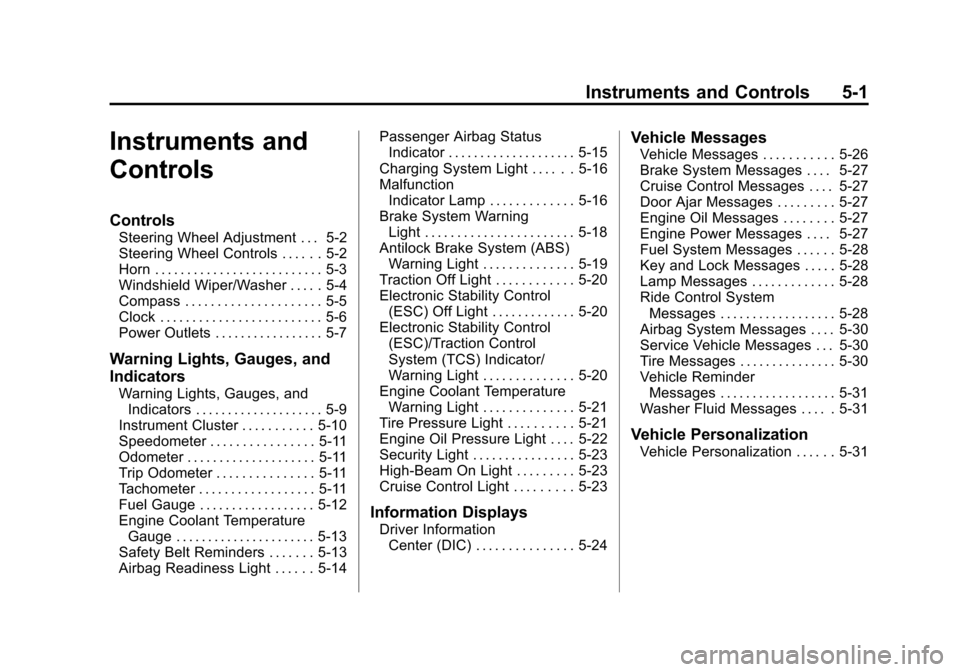
Instruments and
Controls
Controls
Steering Wheel Adjustment . . . 5-2
Steering Wheel Controls . . . . . . 5-2
Horn . . . . . . . . . . . . . . . . . . . . . . . . . . 5-3
Windshield Wiper/Washer . . . . . 5-4
Compass . . . . . . . . . . . . . . . . . . . . . 5-5
Clock . . . . . . . . . . . . . . . . . . . . . . . . . 5-6
Power Outlets . . . . . . . . . . . . . . . . . 5-7
Warning Lights, Gauges, and
Indicators
Warning Lights, Gauges, andIndicators . . . . . . . . . . . . . . . . . . . . 5-9
Instrument Cluster . . . . . . . . . . . 5-10
Speedometer . . . . . . . . . . . . . . . . 5-11
Odometer . . . . . . . . . . . . . . . . . . . . 5-11
Trip Odometer . . . . . . . . . . . . . . . 5-11
Tachometer . . . . . . . . . . . . . . . . . . 5-11
Fuel Gauge . . . . . . . . . . . . . . . . . . 5-12
Engine Coolant Temperature Gauge . . . . . . . . . . . . . . . . . . . . . . 5-13
Safety Belt Reminders . . . . . . . 5-13
Airbag Readiness Light . . . . . . 5-14 Passenger Airbag Status
Indicator . . . . . . . . . . . . . . . . . . . . 5-15
Charging System Light . . . . . . 5-16
Malfunction Indicator Lamp . . . . . . . . . . . . . 5-16
Brake System Warning Light . . . . . . . . . . . . . . . . . . . . . . . 5-18
Antilock Brake System (ABS) Warning Light . . . . . . . . . . . . . . 5-19
Traction Off Light . . . . . . . . . . . . 5-20
Electronic Stability Control (ESC) Off Light . . . . . . . . . . . . . 5-20
Electronic Stability Control (ESC)/Traction Control
System (TCS) Indicator/
Warning Light . . . . . . . . . . . . . . 5-20
Engine Coolant Temperature Warning Light . . . . . . . . . . . . . . 5-21
Tire Pressure Light . . . . . . . . . . 5-21
Engine Oil Pressure Light . . . . 5-22
Security Light . . . . . . . . . . . . . . . . 5-23
High-Beam On Light . . . . . . . . . 5-23
Cruise Control Light . . . . . . . . . 5-23
Information Displays
Driver Information Center (DIC) . . . . . . . . . . . . . . . 5-24
Vehicle Messages
Vehicle Messages . . . . . . . . . . . 5-26
Brake System Messages . . . . 5-27
Cruise Control Messages . . . . 5-27
Door Ajar Messages . . . . . . . . . 5-27
Engine Oil Messages . . . . . . . . 5-27
Engine Power Messages . . . . 5-27
Fuel System Messages . . . . . . 5-28
Key and Lock Messages . . . . . 5-28
Lamp Messages . . . . . . . . . . . . . 5-28
Ride Control SystemMessages . . . . . . . . . . . . . . . . . . 5-28
Airbag System Messages . . . . 5-30
Service Vehicle Messages . . . 5-30
Tire Messages . . . . . . . . . . . . . . . 5-30
Vehicle Reminder Messages . . . . . . . . . . . . . . . . . . 5-31
Washer Fluid Messages . . . . . 5-31
Vehicle Personalization
Vehicle Personalization . . . . . . 5-31
Page 112 of 398
Black plate (6,1)Chevrolet Malibu Owner Manual - 2012
5-6 Instruments and Controls
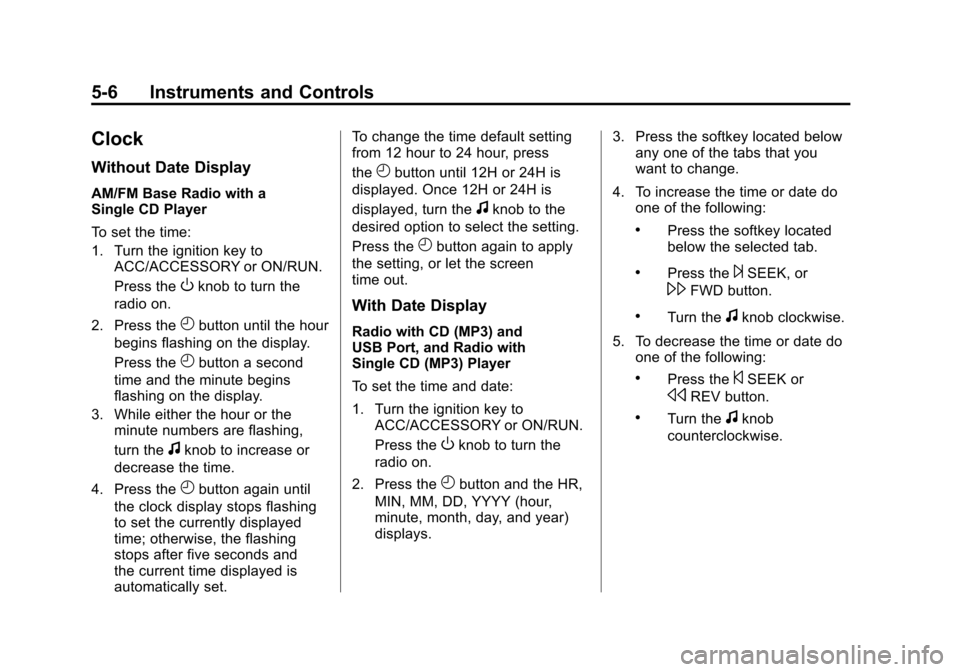
Clock
Without Date Display
AM/FM Base Radio with a
Single CD Player
To set the time:
1. Turn the ignition key toACC/ACCESSORY or ON/RUN.
Press the
Oknob to turn the
radio on.
2. Press the
Hbutton until the hour
begins flashing on the display.
Press the
Hbutton a second
time and the minute begins
flashing on the display.
3. While either the hour or the minute numbers are flashing,
turn the
fknob to increase or
decrease the time.
4. Press the
Hbutton again until
the clock display stops flashing
to set the currently displayed
time; otherwise, the flashing
stops after five seconds and
the current time displayed is
automatically set. To change the time default setting
from 12 hour to 24 hour, press
the
Hbutton until 12H or 24H is
displayed. Once 12H or 24H is
displayed, turn the
fknob to the
desired option to select the setting.
Press the
Hbutton again to apply
the setting, or let the screen
time out.
With Date Display
Radio with CD (MP3) and
USB Port, and Radio with
Single CD (MP3) Player
To set the time and date:
1. Turn the ignition key to ACC/ACCESSORY or ON/RUN.
Press the
Oknob to turn the
radio on.
2. Press the
Hbutton and the HR,
MIN, MM, DD, YYYY (hour,
minute, month, day, and year)
displays. 3. Press the softkey located below
any one of the tabs that you
want to change.
4. To increase the time or date do one of the following:
.Press the softkey located
below the selected tab.
.Press the¨SEEK, or
\FWD button.
.Turn thefknob clockwise.
5. To decrease the time or date do one of the following:
.Press the©SEEK or
sREV button.
.Turn thefknob
counterclockwise.
Page 113 of 398

Black plate (7,1)Chevrolet Malibu Owner Manual - 2012
Instruments and Controls 5-7
The date does not automatically
display. To see the date press
H
while the radio is on. The date
with display times out after a
few seconds and goes back to the
normal radio and time display.
To change the time default setting
from 12 hour to 24 hour or to
change the date default setting from
month/day/year to day/month/year:
1. Press the
Hbutton and then
the softkey located below the
forward arrow label. Once the
time 12H and 24H, and the date
MM/DD/YYYY (month, day,
and year) and DD/MM/YYYY
(day, month, and year) displays.
2. Press the softkey located below the desired option.
3. Press the
Hbutton again to
apply the selected default, or let
the screen time out.
Power Outlets
Accessory power outlets can be
used to plug in electrical equipment,
such as a cell phone or MP3 player.
There are two accessory power
outlets. One accessory power outlet
is located inside the storage bin
below the climate controls and the
other outlet is on the rear of the
center storage console.
Remove the cover to access
and replace when not in use.
The accessory power outlet is
operational at all times.
{WARNING
Power is always supplied to the
outlets. Do not leave electrical
equipment plugged in when the
vehicle is not in use because the
vehicle could catch fire and cause
injury or death. Notice:
Leaving electrical
equipment plugged in for an
extended period of time while
the vehicle is off will drain the
battery. Always unplug electrical
equipment when not in use and
do not plug in equipment that
exceeds the maximum 20 ampere
rating.
Certain electrical accessories
may not be compatible with the
accessory power outlet and could
overload vehicle or adapter fuses.
If a problem is experienced,
see your dealer.
When adding electrical equipment,
be sure to follow the proper
installation instructions included
with the equipment. See Add-On
Electrical Equipment on page 9‑48.
Notice: Hanging heavy
equipment from the power
outlet can cause damage not
covered by the vehicle warranty.
The power outlets are designed
for accessory power plugs only,
such as cell phone charge cords.
Page 122 of 398
Black plate (16,1)Chevrolet Malibu Owner Manual - 2012
5-16 Instruments and Controls
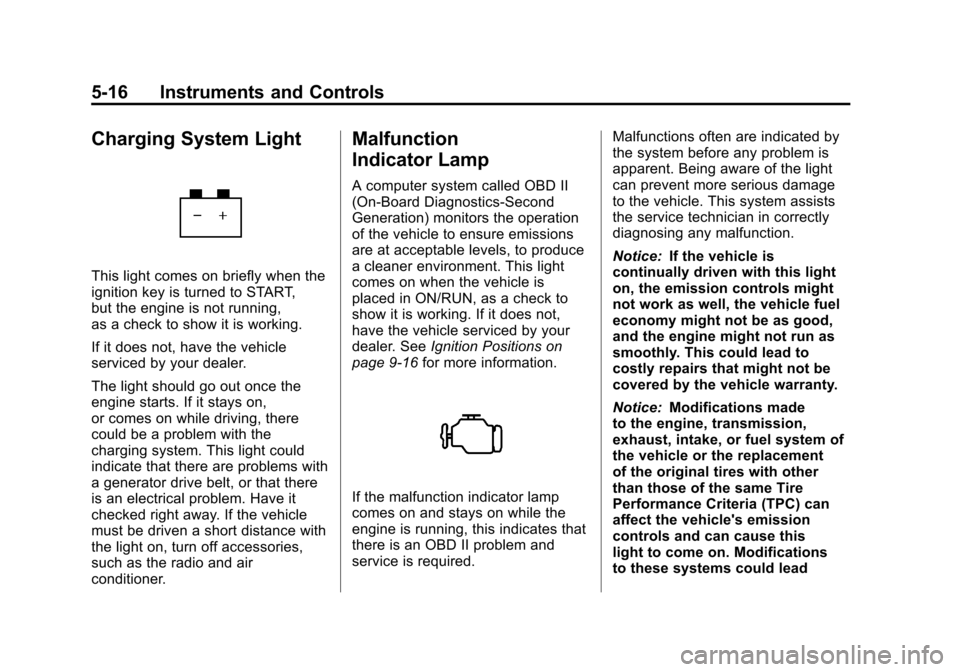
Charging System Light
This light comes on briefly when the
ignition key is turned to START,
but the engine is not running,
as a check to show it is working.
If it does not, have the vehicle
serviced by your dealer.
The light should go out once the
engine starts. If it stays on,
or comes on while driving, there
could be a problem with the
charging system. This light could
indicate that there are problems with
a generator drive belt, or that there
is an electrical problem. Have it
checked right away. If the vehicle
must be driven a short distance with
the light on, turn off accessories,
such as the radio and air
conditioner.
Malfunction
Indicator Lamp
A computer system called OBD II
(On-Board Diagnostics-Second
Generation) monitors the operation
of the vehicle to ensure emissions
are at acceptable levels, to produce
a cleaner environment. This light
comes on when the vehicle is
placed in ON/RUN, as a check to
show it is working. If it does not,
have the vehicle serviced by your
dealer. SeeIgnition Positions on
page 9‑16 for more information.
If the malfunction indicator lamp
comes on and stays on while the
engine is running, this indicates that
there is an OBD II problem and
service is required. Malfunctions often are indicated by
the system before any problem is
apparent. Being aware of the light
can prevent more serious damage
to the vehicle. This system assists
the service technician in correctly
diagnosing any malfunction.
Notice:
If the vehicle is
continually driven with this light
on, the emission controls might
not work as well, the vehicle fuel
economy might not be as good,
and the engine might not run as
smoothly. This could lead to
costly repairs that might not be
covered by the vehicle warranty.
Notice: Modifications made
to the engine, transmission,
exhaust, intake, or fuel system of
the vehicle or the replacement
of the original tires with other
than those of the same Tire
Performance Criteria (TPC) can
affect the vehicle's emission
controls and can cause this
light to come on. Modifications
to these systems could lead
Page 124 of 398
Black plate (18,1)Chevrolet Malibu Owner Manual - 2012
5-18 Instruments and Controls
Emissions Inspection and
Maintenance Programs
Some local governments may have
programs to inspect the on-vehicle
emission control equipment.
For the inspection, the emission
system test equipment is connected
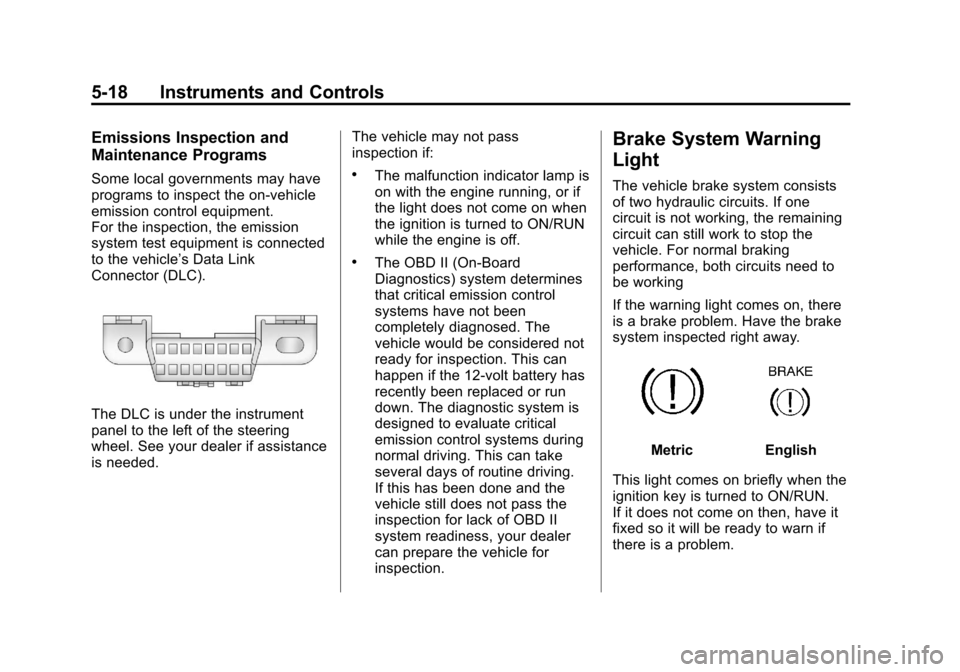
to the vehicle’s Data Link
Connector (DLC).
The DLC is under the instrument
panel to the left of the steering
wheel. See your dealer if assistance
is needed.The vehicle may not pass
inspection if:
.The malfunction indicator lamp is
on with the engine running, or if
the light does not come on when
the ignition is turned to ON/RUN
while the engine is off.
.The OBD II (On-Board
Diagnostics) system determines
that critical emission control
systems have not been
completely diagnosed. The
vehicle would be considered not
ready for inspection. This can
happen if the 12-volt battery has
recently been replaced or run
down. The diagnostic system is
designed to evaluate critical
emission control systems during
normal driving. This can take
several days of routine driving.
If this has been done and the
vehicle still does not pass the
inspection for lack of OBD II
system readiness, your dealer
can prepare the vehicle for
inspection.
Brake System Warning
Light
The vehicle brake system consists
of two hydraulic circuits. If one
circuit is not working, the remaining
circuit can still work to stop the
vehicle. For normal braking
performance, both circuits need to
be working
If the warning light comes on, there
is a brake problem. Have the brake
system inspected right away.
MetricEnglish
This light comes on briefly when the
ignition key is turned to ON/RUN.
If it does not come on then, have it
fixed so it will be ready to warn if
there is a problem.
Page 134 of 398
Black plate (28,1)Chevrolet Malibu Owner Manual - 2012
5-28 Instruments and Controls
Fuel System Messages
CHECK GAS CAP
This message displays if the fuel
cap has not been fully tightened.
Recheck the fuel cap to make sure
that it is on properly. A few driving
trips with the cap properly installed
should turn the message off.
LOW FUEL
This message displays when your
vehicle is low on fuel. Refill the fuel
tank as soon as possible. SeeFuel
Gauge on page 5‑12, Fuel on
page 9‑36, and Filling the Tank on
page 9‑40 for more information.
Key and Lock Messages
KEY FOB BATT (Battery) LOW
This message displays if the
Remote Keyless Entry (RKE)
transmitter battery is low. Replace
the battery in the transmitter.
See“Battery Replacement” under
Remote Keyless Entry (RKE)
System Operation on page 2‑3.
Lamp Messages
AUTO (Automatic)
LIGHTS OFF
This message displays if the
automatic headlamp system is
disabled with the headlamp switch.
See Automatic Headlamp System
on page 6‑3 for more information.
AUTO (Automatic) LIGHTS ON
This message displays if the
automatic headlamp system is
enabled with the headlamp switch.
SeeAutomatic Headlamp System
on page 6‑3 for more information.
Ride Control System
Messages
ESC (Electronic Stability
Control) ACTIVE
If your vehicle has Electronic
Stability Control (ESC), this
message displays and the ESC/TCS
light on the instrument panel cluster
flashes when ESC is assisting you with directional control of the
vehicle. You may feel or hear the
system working and see this
message displayed in the DIC.
Slippery road conditions may exist
when this message is displayed,
so adjust your driving accordingly.
This message may stay on for a
few seconds after ESC stops
assisting you with directional
control of the vehicle. This is normal
when the system is operating.
See
Electronic Stability Control
(ESC) on page 9‑32 andElectronic
Stability Control (ESC)/Traction
Control System (TCS) Indicator/
Warning Light on page 5‑20 for
more information.
ESC (Electronic Stability
Control) OFF
If your vehicle has Electronic
Stability Control (ESC), this
message displays and the ESC/TCS
light on the instrument panel cluster
comes on solid when ESC is turned
off. Adjust your driving accordingly.
Page 138 of 398
Black plate (32,1)Chevrolet Malibu Owner Manual - 2012
5-32 Instruments and Controls
Personalization Menu Modes
OIL LIFE RESET
When this feature is displayed, you
can reset the engine oil life system.
To reset the system, seeEngine
Oil Life System on page 10‑12.
See “OIL LIFE” underDriver
Information Center (DIC) on
page 5‑24 for more information.
UNITS
This feature allows you to select
the units of measurement in which
the DIC will display the vehicle
information. When UNITS appears
on the display, press and hold the
reset button for at least one second
to scroll through the available
settings:
ENGLISH (default in United
States): All information will be
displayed in English units.
METRIC (default in Canada):
All information will be displayed in
metric units. To select a setting and move on
to the next feature, press the
information button while the desired
setting is displayed on the DIC.
REMOTE START
If your vehicle has remote start, this
feature allows remote start to be
turned off or on. Remote start allows
you to start the engine from outside
of the vehicle using your Remote
Keyless Entry (RKE) transmitter.
When REMOTE START appears on
the display, press and hold the reset
button for at least one second to
scroll through the available settings:
OFF:
The remote start feature will
be disabled.
ON (default): The remote start
feature will be enabled.
See Remote Vehicle Start on
page 2‑5 for more information.
To select a setting and move on to
the next feature, press the
information button while the desired
setting is displayed on the DIC. LOCK HORN
This feature, which allows the
vehicle's horn to chirp every time
the lock button on the Remote
Keyless Entry (RKE) transmitter
is pressed, can be enabled or
disabled. When LOCK HORN
appears on the display, press and
hold the reset button for at least
one second to scroll through the
available settings:
OFF (default):
The horn will not
chirp on the first press of the lock
button on the RKE transmitter.
The horn will still chirp on the
second press.
ON: The horn will chirp on the first
press of the lock button on the RKE
transmitter.
See Remote Keyless Entry (RKE)
System Operation on page 2‑3 for
more information.
To select a setting and move on
to the next feature, press the
information button while the desired
setting is displayed on the DIC.
Page 139 of 398
Black plate (33,1)Chevrolet Malibu Owner Manual - 2012
Instruments and Controls 5-33
UNLOCK HORN
This feature, which allows the
vehicle's horn to chirp on the first
press of the unlock button on the
Remote Keyless Entry (RKE)
transmitter, can be enabled or
disabled. When UNLOCK HORN
appears on the display, press and
hold the reset button for at least
one second to scroll through the
available settings:
OFF (default):The horn will not
chirp when the unlock button on the
RKE transmitter is pressed.
ON: The horn will chirp on the first
press of the unlock button on the
RKE transmitter.
See Remote Keyless Entry (RKE)
System Operation on page 2‑3 for
more information.
To select a setting and move on
to the next feature, press the
information button while the desired
setting is displayed on the DIC. LIGHT FLASH
This feature, which allows the
vehicle's exterior hazard/turn signal
lighting to flash every time the lock,
unlock, or trunk release buttons on
the Remote Keyless Entry (RKE)
transmitter are pressed, can be
enabled or disabled. When LIGHT
FLASH appears on the display,
press and hold the reset button for
at least one second to scroll through
the available settings:
OFF:
The exterior hazard/turn
signal lighting will not flash when
the lock, unlock, or trunk release
buttons on the RKE transmitter are
pressed.
ON (default): The exterior hazard/
turn signal lighting will flash when
the lock, unlock, or trunk release
buttons on the RKE transmitter are
pressed.
See Remote Keyless Entry (RKE)
System Operation on page 2‑3 for
more information. To select a setting and move on
to the next feature, press the
information button while the desired
setting is displayed on the DIC.
DELAY LOCK
This feature, which delays the
actual locking of the vehicle, can be
enabled or disabled. When DELAY
LOCK appears on the display, press
and hold the reset button for at least
one second to scroll through the
available settings:
ON (default):
The doors will not
lock until five seconds after the last
door is closed. You can temporarily
override delayed locking by
pressing the power lock switch or
the lock button on the Remote
Keyless Entry (RKE) transmitter a
second time.
OFF: The doors will lock
immediately when pressing the
power lock switch or the lock button
on the RKE transmitter.