2012 CHEVROLET IMPALA display
[x] Cancel search: displayPage 177 of 374
Black plate (19,1)Chevrolet Impala Owner Manual - 2012
Infotainment System 7-19
.The disc is dirty, scratched, wet,
or upside down.
.The air is very humid. If so, wait
about an hour and try again.
.A problem occurred while
burning the disc.
.The label is caught in the CD
player.
If the disc is not playing correctly for
any other reason, try a known
good disc.
If any error occurs repeatedly or if
an error cannot be corrected,
contact your dealer. If the radio
displays an error message, write it
down and provide it to your dealer
when reporting the problem.
Auxiliary Devices
Using the Auxiliary Input Jack
The radio system has an auxiliary
input jack located on the lower
right side of the faceplate. This is
not an audio output; do not plug the
headphone set into the front
auxiliary input jack. However, an
external audio device such as an
iPod, laptop computer, MP3 player,
CD changer, or cassette tape player
can be connected to the auxiliary
input jack as another source for
audio listening.
Drivers are encouraged to set up
any auxiliary device while the
vehicle is in P (Park). See Defensive
Driving on page 9‑3 for more
information on driver distraction.
To use a portable audio player,
connect a 3.5 mm (1/8 in) cable to
the radio's front auxiliary input jack. While a device is connected, press
the radio CD/AUX button to begin
playing audio from the device over
the vehicle speakers.
O(Power/Volume):
Turn to
increase or decrease the volume of
the portable player. Additional
volume adjustments might need to
be made from the portable device.
BAND: Press to listen to the radio
while a portable audio device is
playing. The portable audio device
continues playing until it is stopped
or turned off.
CD/AUX (CD/Auxiliary): Press to
play a CD while a portable audio
device is playing. Press again and
the system begins playing audio
from the connected portable audio
player. If a portable audio player is
not connected, No Aux Input Device
Found may display.
Page 210 of 374
Black plate (18,1)Chevrolet Impala Owner Manual - 2012
9-18 Driving and Operating
B (ACC/ACCESSORY):This is the
position in which you can operate
the radio and windshield wipers
while the engine is off. To use ACC/
ACCESSORY, turn the key
clockwise.
C (ON/RUN): This position can be
used to operate the electrical
accessories and to display some
instrument panel cluster warning
and indicator lights. This position
can also be used for service and
diagnostics, and to verify the proper
operation of the malfunction
indicator lamp as may be required
for emission inspection purposes.
The switch stays in this position
when the engine is running.
If you leave the key in the ACC/
ACCESSORY or ON/RUN position
with the engine off, the battery could
be drained. You may not be able to
start the vehicle if the battery is
allowed to drain for an extended
period of time. D (START):
This is the position that
starts the engine. When the engine
starts, release the key. The ignition
switch returns to ON/RUN for
driving.
A warning chime will sound and the
Driver Information Center (DIC) will
display DRIVER DOOR OPEN
when the driver door is opened, the
ignition is in ACC/ACCESSORY or
LOCK/OFF, and the key is in the
ignition. See Door Ajar Messages
on page 5‑30 for more information.
Starting the Engine
Move the shift lever to P (Park) or
N (Neutral). The engine will not start
in any other position. To restart the
engine when the vehicle is already
moving, use N (Neutral) only. Notice:
Do not try to shift to
P (Park) if the vehicle is moving.
If you do, you could damage the
transmission. Shift to P (Park)
only when the vehicle is stopped.
Starting Procedure
1. With your foot off the accelerator pedal, turn the ignition to START.
When the engine starts, let go of
the key. The idle speed will slow
down as the engine warms. Do
not race the engine immediately
after starting it. Operate the
engine and transmission gently
to allow the oil to warm up and
lubricate all moving parts.
The vehicle has a
Computer-Controlled Cranking
System. This feature assists in
starting the engine and protects
components. If the ignition key is
turned to the START position,
and then released when the
engine begins cranking, the
engine will continue cranking for
a few seconds or until the
vehicle starts. If the engine does
Page 211 of 374

Black plate (19,1)Chevrolet Impala Owner Manual - 2012
Driving and Operating 9-19
not start and the key is held in
START, cranking will be stopped
after 15 seconds to prevent
cranking motor damage. To
prevent gear damage, this
system also prevents cranking if
the engine is already running.
Engine cranking can be stopped
by turning the ignition switch to
the ACC/ACCESSORY or
LOCK/OFF position.
When the Low Fuel warning
lamp is on and the FUEL LEVEL
LOW message is displayed in
the Driver Information Center
(DIC), the Computer‐Controlled
Cranking System is disabled to
prevent possible vehicle
component damage. When this
happens, hold the ignition switch
in the START position to
continue engine cranking.Notice:
Cranking the engine for
long periods of time, by returning
the key to the START position
immediately after cranking has
ended, can overheat and damage
the cranking motor, and drain the
battery. Wait at least 15 seconds
between each try, to let the
cranking motor cool down.
2. If the engine does not start after
5‐10 seconds, especially in very
cold weather (below −18°C or
0°F), it could be flooded with too
much gasoline. Try pushing the
accelerator pedal all the way to
the floor and holding it there as
you hold the key in START for
up to a maximum of 15 seconds.
Wait at least 15 seconds
between each try, to allow the
cranking motor to cool down.
When the engine starts, let go of
the key and accelerator. If the
vehicle starts briefly but then
stops again, repeat these steps. This clears the extra gasoline
from the engine. Do not race the
engine immediately after starting
it. Operate the engine and
transmission gently until the oil
warms up and lubricates all
moving parts.
Notice: The engine is designed to
work with the electronics in the
vehicle. If you add electrical parts
or accessories, you could change
the way the engine operates.
Before adding electrical
equipment, check with your
dealer. If you do not, the engine
might not perform properly. Any
resulting damage would not be
covered by the vehicle warranty.
Page 220 of 374
Black plate (28,1)Chevrolet Impala Owner Manual - 2012
9-28 Driving and Operating
Downshifting the transmission in
slippery road conditions could result
in skidding, see "Skidding" under
Loss of Control on page 9‑5.
L (Low):This position gives you
access to gear ranges. This
provides more engine braking but
lower fuel economy than D (Drive).
You can use it on very steep hills,
or in deep snow or mud. See the
following text on Manual Mode.Manual Mode
Electronic Range Select
(ERS) Mode
ERS mode allows you to choose the
top-gear limit of the transmission,
which can help control the vehicle's
speed while driving downhill or
towing a trailer. The vehicle has an
electronic shift position indicator
within the instrument cluster. When
using the ERS mode a number will
display next to the L, indicating the
current range that has been
selected. To use this feature:
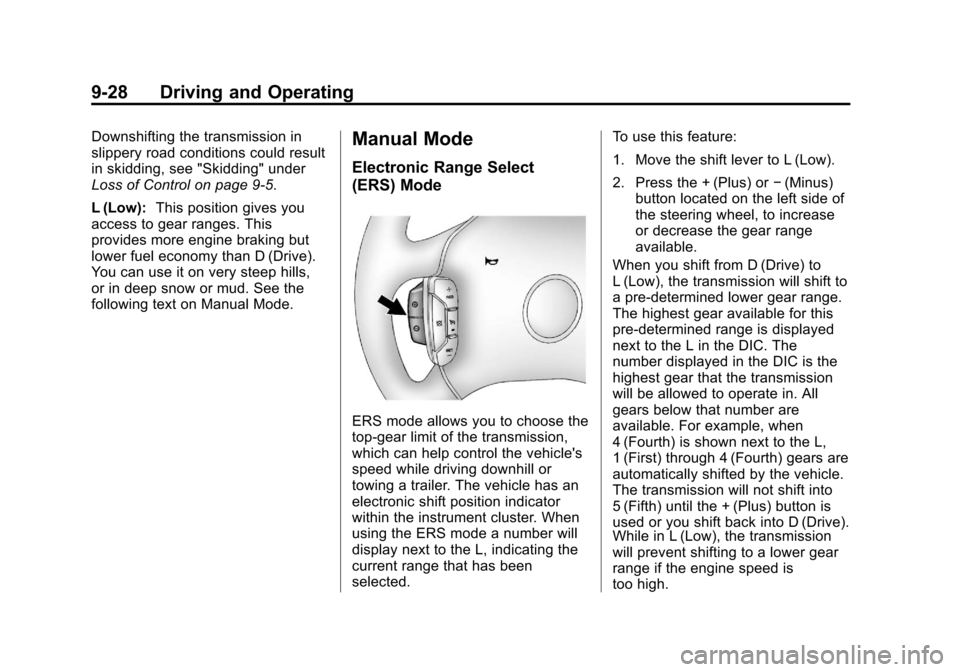
1. Move the shift lever to L (Low).
2. Press the + (Plus) or
−(Minus)
button located on the left side of
the steering wheel, to increase
or decrease the gear range
available.
When you shift from D (Drive) to
L (Low), the transmission will shift to
a pre-determined lower gear range.
The highest gear available for this
pre-determined range is displayed
next to the L in the DIC. The
number displayed in the DIC is the
highest gear that the transmission
will be allowed to operate in. All
gears below that number are
available. For example, when
4 (Fourth) is shown next to the L,
1 (First) through 4 (Fourth) gears are
automatically shifted by the vehicle.
The transmission will not shift into
5 (Fifth) until the + (Plus) button is
used or you shift back into D (Drive).
While in L (Low), the transmission
will prevent shifting to a lower gear
range if the engine speed is
too high.
Page 224 of 374
Black plate (32,1)Chevrolet Impala Owner Manual - 2012
9-32 Driving and Operating
Electronic Stability
Control (ESC)
Your vehicle may have an Electronic
Stability Control (ESC) system
which combines antilock brake,
traction, and stability control
systems and helps the driver
maintain directional control of the
vehicle in most driving conditions.
When you first start your vehicle
and begin to drive away, the system
performs several diagnostic checks
to ensure there are no problems.
You may hear or feel the system
working. This is normal and does
not mean there is a problem with
your vehicle. The system should
initialize before the vehicle reaches
32 km/h (20 mph).If the system fails to turn on or
activate due to a fault, the ESC/TCS
light will be on solid, and the
SERVICE STABILITRAK message
will be displayed. If the system fails
to turn on or activate due to it not
initializing, the DIC will display
STABILITRAK INITIALIZING.
For more information, see
Ride
Control System Messages on
page 5‑33.
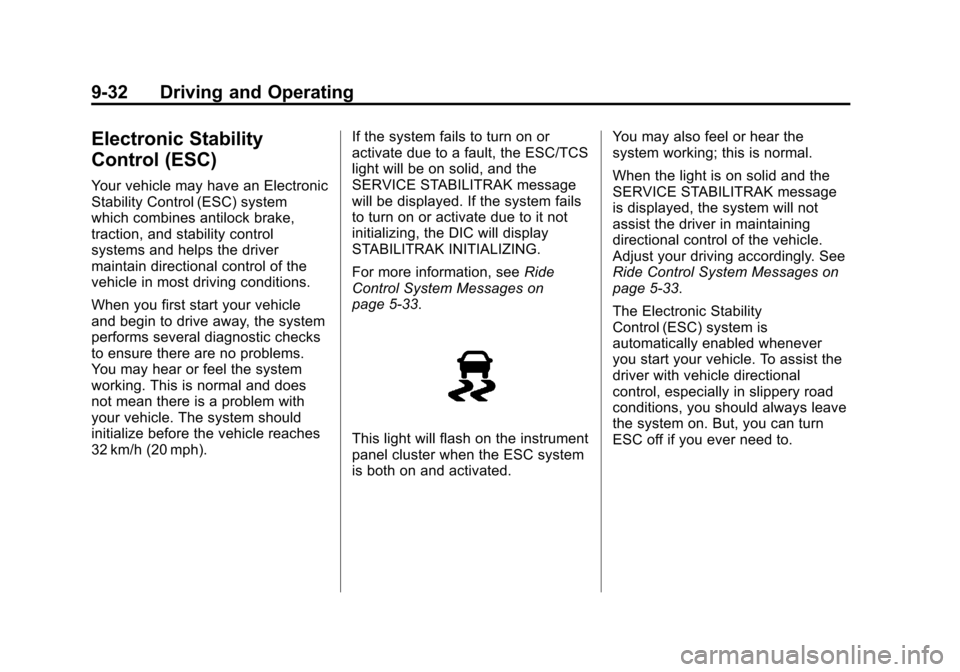
This light will flash on the instrument
panel cluster when the ESC system
is both on and activated. You may also feel or hear the
system working; this is normal.
When the light is on solid and the
SERVICE STABILITRAK message
is displayed, the system will not
assist the driver in maintaining
directional control of the vehicle.
Adjust your driving accordingly. See
Ride Control System Messages on
page 5‑33.
The Electronic Stability
Control (ESC) system is
automatically enabled whenever
you start your vehicle. To assist the
driver with vehicle directional
control, especially in slippery road
conditions, you should always leave
the system on. But, you can turn
ESC off if you ever need to.
Page 233 of 374
Black plate (41,1)Chevrolet Impala Owner Manual - 2012
Driving and Operating 9-41
{WARNING
Fuel can spray out on you if you
open the fuel cap too quickly.
If you spill fuel and then
something ignites it, you could be
badly burned. This spray can
happen if the tank is nearly full,
and is more likely in hot weather.
Open the fuel cap slowly and wait
for any hiss noise to stop. Then
unscrew the cap all the way.
Be careful not to spill fuel. Do not
top off or overfill the tank and wait a
few seconds after you have finished
pumping before removing the
nozzle. Clean fuel from painted
surfaces as soon as possible. See
Exterior Care on page 10‑69. When replacing the fuel cap, turn it
clockwise until it clicks. Make sure
the cap is fully installed. The
diagnostic system can determine if
the fuel cap has been left off or
improperly installed. This would
allow fuel to evaporate into the
atmosphere. See
Malfunction
Indicator Lamp on page 5‑16.
The TIGHTEN GAS CAP message
displays on the Driver Information
Center (DIC) if the fuel cap is not
properly installed. See Fuel System
Messages on page 5‑32 for more
information.
{WARNING
If a fire starts while you are
refueling, do not remove the
nozzle. Shut off the flow of fuel by
shutting off the pump or by
notifying the station attendant.
Leave the area immediately.
Notice: If a new fuel cap is
needed, be sure to get the right
type of cap from your dealer. The
wrong type of fuel cap might not
fit properly, might cause the
malfunction indicator lamp to
light, and could damage the fuel
tank and emissions system. See
Malfunction Indicator Lamp on
page 5‑16.
Page 251 of 374
Black plate (9,1)Chevrolet Impala Owner Manual - 2012
Vehicle Care 10-9
Selecting the Right Engine Oil
Selecting the right engine oil
depends on both the proper oil
specification and viscosity grade.
SeeRecommended Fluids and
Lubricants on page 11‑11.
Specification
Use and ask for licensed engine oils
with the dexos1™ approved
certification mark. Engine oils
meeting the requirements for the
vehicle should have the dexos1
approved certification mark. This
certification mark indicates that the
oil has been approved to the dexos1
specification.
Notice: Failure to use the
recommended engine oil or
equivalent can result in engine
damage not covered by the
vehicle warranty. Check with your
dealer or service provider on
whether the oil is approved to the
dexos1 specification.
Viscosity Grade
SAE 5W‐30 is the best viscosity
grade for the vehicle. Do not use
other viscosity grade oils such as
SAE 10W‐30, 10W‐40, or 20W‐50.
If in an area of extreme cold, where
the temperature falls below −20°F
(−29°C), an SAE 0W‐30 oil should
be used. An oil of this viscosity
grade will provide easier cold starting for the engine at extremely
low temperatures. When selecting
an oil of the appropriate viscosity
grade, always select an oil that
meets the dexos1 specification or
equivalent. See
“Specification”for
more information.
Engine Oil Additives/Engine
Oil Flushes
Do not add anything to the oil. The
recommended oils with the dexos
specification and displaying the
dexos certification mark are all that
is needed for good performance and
engine protection.
Engine oil system flushes are not
recommended and could cause
engine damage not covered by the
vehicle warranty.
Page 253 of 374
Black plate (11,1)Chevrolet Impala Owner Manual - 2012
Vehicle Care 10-11
How to Reset the Engine Oil
Life System
Reset the system whenever the
engine oil is changed so that the
system can calculate the next
engine oil change. Always reset the
engine oil life to 100% after every oil
change. It will not reset itself. To
reset the system:
1. Display OIL LIFE REMAININGon the DIC.
2. Press and hold the SET/RESET button on the DIC for more than
five seconds. The oil life will
change to 100%.
If the CHANGE ENGINE OIL SOON
message comes back on when the
vehicle is started, the engine oil life
system has not reset. Repeat the
procedure.
Automatic Transmission
Fluid
How to Check Automatic
Transmission Fluid
It is not necessary to check
the transmission fluid level.
A transmission fluid leak is the only
reason for fluid loss. If a leak
occurs, take the vehicle to your
dealer service department and have
it repaired as soon as possible.
There is a special procedure for
checking and changing the
transmission fluid. Because this
procedure is difficult, you should
have this done at your dealer
service department. Contact your
dealer for additional information or
the procedure can be found in the
service manual. To purchase a
service manual, see Service
Publications Ordering Information
on page 13‑12 Change the fluid and filter at the
intervals listed in
Maintenance
Schedule on page 11‑3, and be
sure to use the fluid listed in
Recommended Fluids and
Lubricants on page 11‑11.
Engine Air Cleaner/Filter
The engine air cleaner/filter is
located in the engine compartment
on the driver side of the vehicle.
See Engine Compartment Overview
on page 10‑6 for more information
on location.
When to Inspect the Engine Air
Cleaner/Filter
Inspect the air cleaner/filter at the
scheduled maintenance intervals
and replace it at the first oil change
after each (80 000 km (50,000 mi)
interval. See Maintenance Schedule
on page 11‑3 for more information.
If driving in dusty/dirty conditions,
inspect the filter at each engine oil
change.