2012 CHEVROLET IMPALA display
[x] Cancel search: displayPage 106 of 374

Black plate (4,1)Chevrolet Impala Owner Manual - 2012
5-4 Instruments and Controls
Windshield Wiper/Washer
Turn the band with the wiper symbol
to control the windshield wipers.
8(Mist):Single wipe, turn to8,
then release. Several wipes, hold
the band on
8longer.
9(Off): Turns the windshield
wipers off.
6(Adjustable Interval Wipes):
Turn the band up for more frequent
wipes or down for less frequent
wipes.
6(Low Speed): Slow
wipes.
?(High Speed): Fast wipes.
Clear ice and snow from the wiper
blades before using them. If frozen
to the windshield, carefully loosen or
thaw them. Damaged wiper blades
should be replaced. See Wiper
Blade Replacement on page 10‑24.
Heavy snow or ice can overload the
wiper motor. A circuit breaker will
stop the motor until it cools down.
Windshield Washer
Push the paddleLat the top of the
lever to spray washer fluid on the
windshield. The wipers run for
several sweeps and then either stop
or return to the preset speed. The
ignition key must be in ACC/
ACCESSORY or ON/RUN for this to
work. See Washer Fluid on
page 10‑18.
{WARNING
In freezing weather, do not use
the washer until the windshield is
warmed. Otherwise the washer
fluid can form ice on the
windshield, blocking your vision.
When the vehicle is low on washer
fluid, the WASHER FLUID LOW
ADD FLUID displays in the Driver
Information Center (DIC) for
60 seconds. When the ignition is
turned off, this message displays
again for three seconds to remind
you that the fluid level is low.
Until the fluid reservoir is refilled,
every time the vehicle is started, the
WASHER FLUID LOW ADD FLUID
message displays in the Driver
Information Center (DIC) for
60 seconds. See Washer Fluid
Messages on page 5‑37.
Page 107 of 374
Black plate (5,1)Chevrolet Impala Owner Manual - 2012
Instruments and Controls 5-5
Compass
This vehicle may have a compass in
the Driver Information Center (DIC).
Compass Zone
Your dealer will set the correct zone
for your location.
Under certain circumstances, such
as during a long distance
cross-country trip or moving to a
new state or province, it will be
necessary to compensate for
compass variance by resetting the
zone through the DIC if the zone is
not set correctly.
Compass variance is the difference
between the earth's magnetic north
and true geographic north. If the
compass is not set to the zone
where you live, the compass may
give false readings. The compass
must be set to the variance zone in
which the vehicle is traveling.To adjust for compass variance, use
the following procedure:
Compass Variance (Zone)
Procedure
1. Do not set the compass zone
when the vehicle is moving. Only
set it when the vehicle is in
P (Park).
Press
Tuntil PRESSVTO
CHANGE COMPASS ZONE
displays.
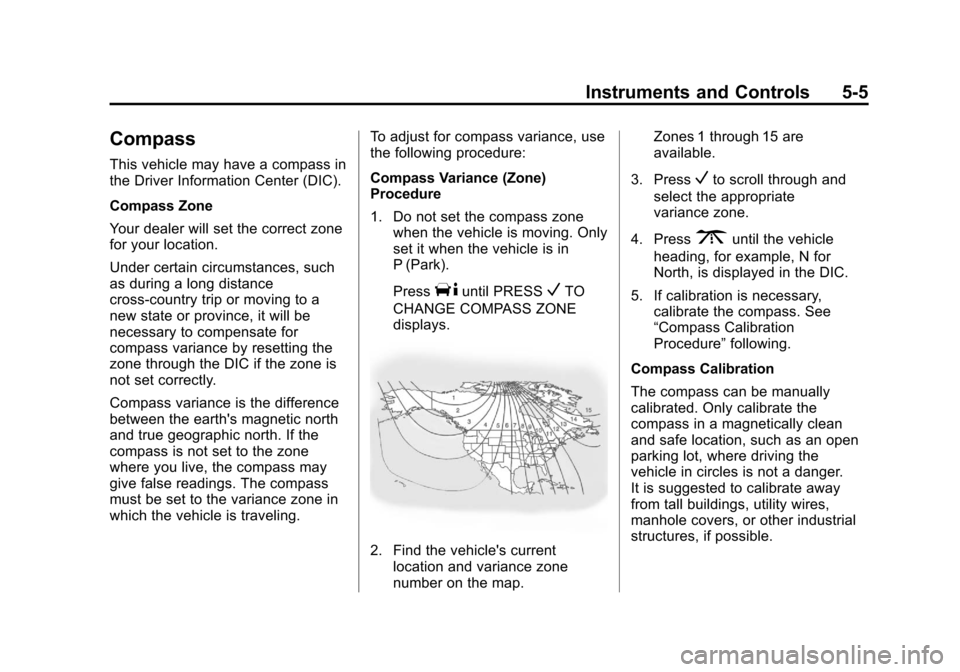
2. Find the vehicle's current location and variance zone
number on the map. Zones 1 through 15 are
available.
3. Press
Vto scroll through and
select the appropriate
variance zone.
4. Press
3until the vehicle
heading, for example, N for
North, is displayed in the DIC.
5. If calibration is necessary, calibrate the compass. See
“Compass Calibration
Procedure” following.
Compass Calibration
The compass can be manually
calibrated. Only calibrate the
compass in a magnetically clean
and safe location, such as an open
parking lot, where driving the
vehicle in circles is not a danger.
It is suggested to calibrate away
from tall buildings, utility wires,
manhole covers, or other industrial
structures, if possible.
Page 108 of 374
Black plate (6,1)Chevrolet Impala Owner Manual - 2012
5-6 Instruments and Controls
If CAL should ever appear in the
DIC display, the compass should be
calibrated.
If the DIC display does not show a
heading, for example, N for North,
or the heading does not change
after making turns, there may be a
strong magnetic field interfering with
the compass. Such interference
may be caused by a magnetic CB or
cell phone antenna mount, a
magnetic emergency light, magnetic
note pad holder, or any other
magnetic item. Turn off the vehicle,
move the magnetic item, then turn
on the vehicle and calibrate the
compass.
To calibrate the compass, use the
following procedure:
Compass Calibration Procedure
1. Before calibrating the compass,make sure the compass zone is
set to the variance zone in which
the vehicle is located. See
“Compass Variance (Zone)
Procedure” earlier in this
section. Do not operate any switches
such as window, sunroof,
climate controls, seats, etc.
during the calibration procedure.
2. Press
Tuntil PRESSVTO
CALIBRATE COMPASS
displays.
3. Press
Vto start the compass
calibration.
4. The DIC will display CALIBRATING: DRIVE IN
CIRCLES. Drive the vehicle in
tight circles at less than 8 km/h
(5 mph) to complete the
calibration. The DIC will display
CALIBRATION COMPLETE
for a few seconds when the
calibration is complete. The DIC
display will then return to
PRESS
VTO CALIBRATE
COMPASS.
Clock
Without Date Display
AM/FM Base Radio with a Single
CD Player
This radio has a
Hbutton for setting
the time.
To set the time:
1. Press the
Hbutton until the hour
begins flashing on the display.
Press
Ha second time and the
minutes begin flashing on the
display.
2. To increase or decrease the time, do one of the following
while the hours or minutes are
flashing:
.Turn thefknob.
.Press¨SEEK or©SEEK.
.Press\FWD orsREV.
Page 109 of 374
Black plate (7,1)Chevrolet Impala Owner Manual - 2012
Instruments and Controls 5-7
3. Press theHbutton again until
the clock display stops flashing
to set the currently displayed
time, or wait five seconds until
the flashing stops and the
current time displayed is
automatically set.
To change the time default setting
from 12 hour to 24 hour, press the
Hbutton until 12H or 24H is
displayed. Once 12H or 24H is
displayed, turn the
fknob to the
desired option to select the setting.
Press the
Hbutton again to apply
the setting, or let the screen
time out.
With Date Display
Single CD (MP3) Player
This radio has a
Hbutton for setting
the time. To set the time and date:
1. Turn the radio on.
2. Press the
Hbutton and the HR,
MIN, MM, DD, and YYYY (hour,
minute, month, day, and year)
display.
3. Press the pushbutton located under any one of the tabs to be
changed.
4. To increase the time or date, do one of the following:
.Press the pushbutton below
the selected tab.
.Turn thefknob clockwise.
.Press¨SEEK.
.Press\FWD. 5. To decrease the time or date, do
one of the following:
.Turn thefknob
counter‐clockwise.
.Press©SEEK.
.PresssREV.
The date does not automatically
display. To see the date press the
Hbutton while the radio is on. The
date with display times out after a
few seconds and goes back to the
normal radio and time display.
To change the time default setting
from 12 hour to 24 hour or to
change the date default setting from
month/day/year to day/month/year:
1. Press the
Hbutton and then the
pushbutton located under the
forward arrow tab. The time 12H
and 24H, and the date MM/DD/
YYYY (month, day, and year)
and DD/MM/YYYY (day, month,
and year) displays.
Page 113 of 374
Black plate (11,1)Chevrolet Impala Owner Manual - 2012
Instruments and Controls 5-11
Speedometer
The speedometer shows the vehicle
speed in both kilometers per hour
(km/h) and miles per hour (mph).
Odometer
The odometer shows how far the
vehicle has been driven in either
miles (used in the United States) or
in kilometers (used in Canada).
This vehicle has a tamper-resistant
odometer. If the odometer displays
ERROR, it probably has been
tampered with and the numbers
might not be accurate.
If the vehicle needs a new odometer
installed, it must be set to the
mileage total of the old odometer.
If that is not possible, then it will be
set at zero and a label must be put
on the driver door to show the old
mileage reading of the vehicle when
the new odometer was installed.
Tachometer
The tachometer displays the engine
speed in revolutions per
minute (rpm).
Notice:If the engine is operated
with the tachometer in the shaded
warning area, the vehicle could
be damaged, and the damages
would not be covered by the
vehicle warranty. Do not operate
the engine with the tachometer in
the shaded warning area.
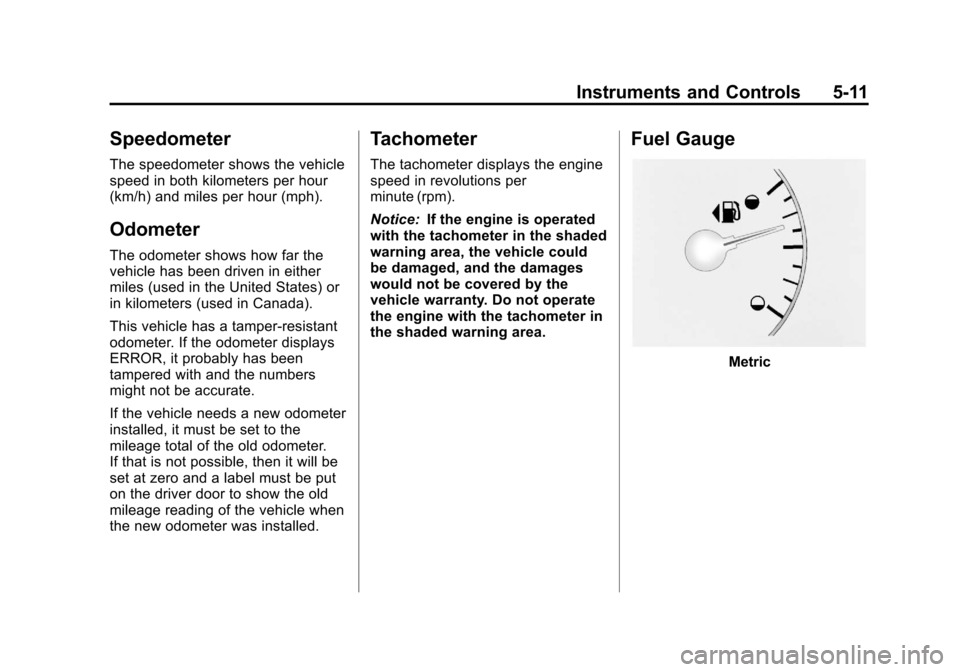
Fuel Gauge
Metric
Page 122 of 374
Black plate (20,1)Chevrolet Impala Owner Manual - 2012
5-20 Instruments and Controls
Antilock Brake System
(ABS) Warning Light
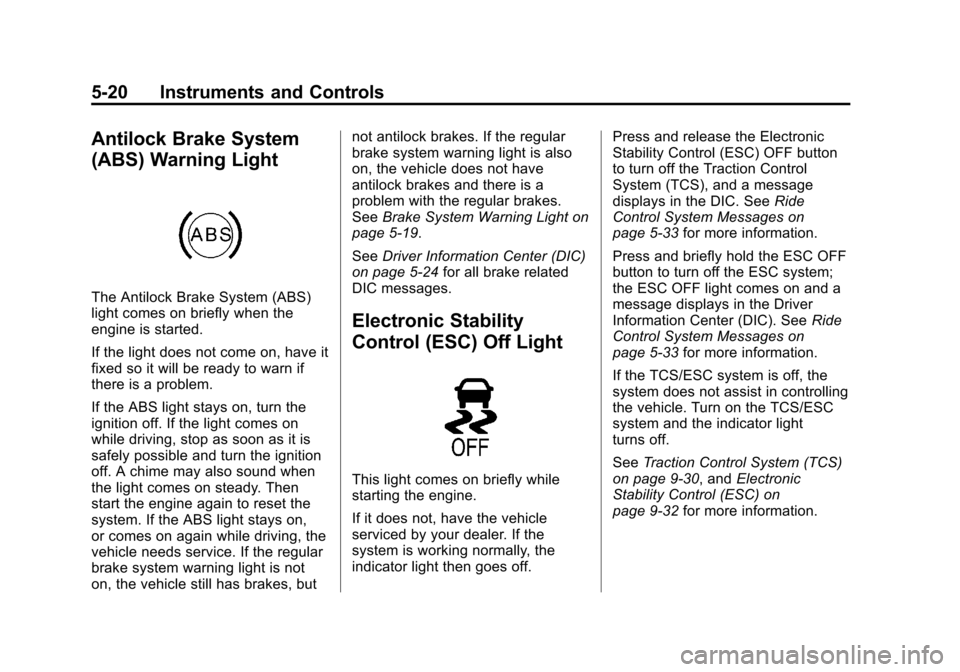
The Antilock Brake System (ABS)
light comes on briefly when the
engine is started.
If the light does not come on, have it
fixed so it will be ready to warn if
there is a problem.
If the ABS light stays on, turn the
ignition off. If the light comes on
while driving, stop as soon as it is
safely possible and turn the ignition
off. A chime may also sound when
the light comes on steady. Then
start the engine again to reset the
system. If the ABS light stays on,
or comes on again while driving, the
vehicle needs service. If the regular
brake system warning light is not
on, the vehicle still has brakes, butnot antilock brakes. If the regular
brake system warning light is also
on, the vehicle does not have
antilock brakes and there is a
problem with the regular brakes.
See
Brake System Warning Light on
page 5‑19.
See Driver Information Center (DIC)
on page 5‑24 for all brake related
DIC messages.
Electronic Stability
Control (ESC) Off Light
This light comes on briefly while
starting the engine.
If it does not, have the vehicle
serviced by your dealer. If the
system is working normally, the
indicator light then goes off. Press and release the Electronic
Stability Control (ESC) OFF button
to turn off the Traction Control
System (TCS), and a message
displays in the DIC. See
Ride
Control System Messages on
page 5‑33 for more information.
Press and briefly hold the ESC OFF
button to turn off the ESC system;
the ESC OFF light comes on and a
message displays in the Driver
Information Center (DIC). See Ride
Control System Messages on
page 5‑33 for more information.
If the TCS/ESC system is off, the
system does not assist in controlling
the vehicle. Turn on the TCS/ESC
system and the indicator light
turns off.
See Traction Control System (TCS)
on page 9‑30, and Electronic
Stability Control (ESC) on
page 9‑32 for more information.
Page 123 of 374
Black plate (21,1)Chevrolet Impala Owner Manual - 2012
Instruments and Controls 5-21
Electronic Stability
Control (ESC)/Traction
Control System (TCS)
Indicator/Warning Light
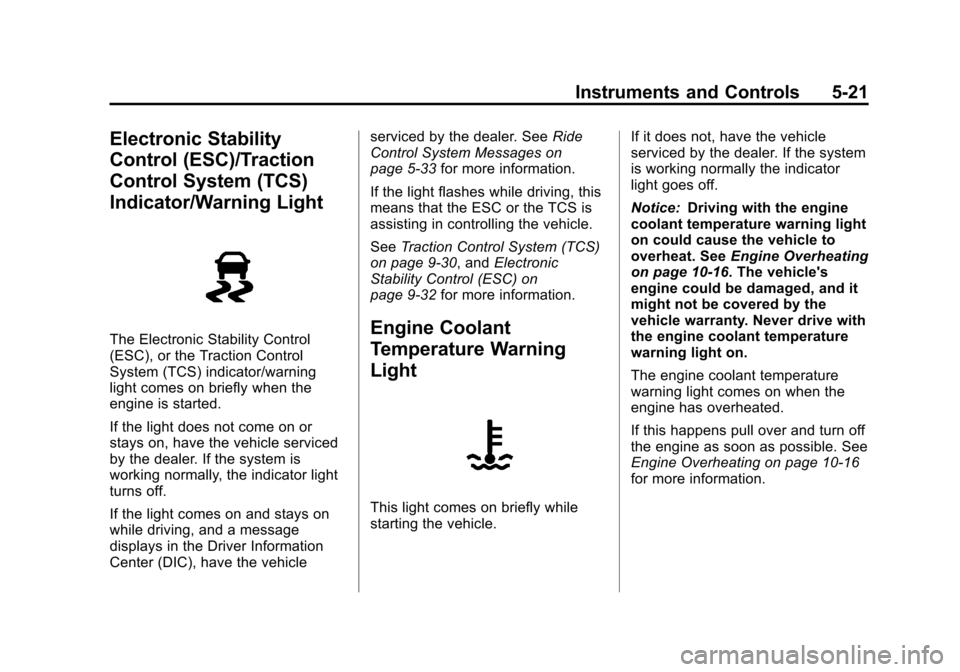
The Electronic Stability Control
(ESC), or the Traction Control
System (TCS) indicator/warning
light comes on briefly when the
engine is started.
If the light does not come on or
stays on, have the vehicle serviced
by the dealer. If the system is
working normally, the indicator light
turns off.
If the light comes on and stays on
while driving, and a message
displays in the Driver Information
Center (DIC), have the vehicleserviced by the dealer. See
Ride
Control System Messages on
page 5‑33 for more information.
If the light flashes while driving, this
means that the ESC or the TCS is
assisting in controlling the vehicle.
See Traction Control System (TCS)
on page 9‑30, and Electronic
Stability Control (ESC) on
page 9‑32 for more information.Engine Coolant
Temperature Warning
Light
This light comes on briefly while
starting the vehicle. If it does not, have the vehicle
serviced by the dealer. If the system
is working normally the indicator
light goes off.
Notice:
Driving with the engine
coolant temperature warning light
on could cause the vehicle to
overheat. See Engine Overheating
on page 10‑16. The vehicle's
engine could be damaged, and it
might not be covered by the
vehicle warranty. Never drive with
the engine coolant temperature
warning light on.
The engine coolant temperature
warning light comes on when the
engine has overheated.
If this happens pull over and turn off
the engine as soon as possible. See
Engine Overheating on page 10‑16
for more information.
Page 126 of 374

Black plate (24,1)Chevrolet Impala Owner Manual - 2012
5-24 Instruments and Controls
Front Fog Lamp Light
The fog lamp light comes on when
the fog lamps are in use.
The light goes out when the fog
lamps are turned off. SeeFog
Lamps on page 6‑5 for more
information.
Cruise Control Light
The cruise control light comes on
whenever the cruise control is set.
The light goes out when the cruise
control is turned off. See Cruise
Control on page 9‑34 for more
information.
Information Displays
Driver Information
Center (DIC)
Your vehicle has a Driver
Information Center (DIC).
All messages will appear in the
DIC display located below the
speedometer in the instrument
panel cluster. The DIC buttons are
located on the instrument panel, to
the right of the instrument panel
cluster.
The DIC comes on when the ignition
is on. After a short delay, the DIC
will display the information that was
last displayed before the engine
was turned off.
The DIC displays trip, fuel, and
vehicle system information, and
warning messages if a system
problem is detected. The bottom line
of the DIC shows the shift lever
position indicator. See Automatic
Transmission on page 9‑26 for more
information.