2012 CHEVROLET CORVETTE sport mode
[x] Cancel search: sport modePage 164 of 434

Black plate (54,1)Chevrolet Corvette Owner Manual - 2012
5-54 Instruments and Controls
If this message is displayed during
normal vehicle operation on flat
roads, the vehicle may need
service. See your dealer for an
inspection.
If driving in a performance or
competitive manner, the use of
(S) Sport Automatic Mode or
(S) Sport Manual Paddle Shift gear
selection is recommended. See
Automatic Transmission on
page 9‑27for more information.
To acknowledge the message, press
the RESET button. The message
reappears every 10 minutes until
this condition changes. If you do not
press the RESET button, the
message remains on the display
until the condition changes.
UPSHIFT NOW
See Manual Transmission on
page 9‑32.
Vehicle Reminder
Messages
ACCESSORY MODE ON
This message displays when the
vehicle is in accessory mode.
ICE POSSIBLE
This message displays when the
outside air temperature is cold
enough to create icy road
conditions. Adjust your driving
accordingly.
OPTIONS UNAVAILABLE
This message displays for a few
seconds if a RKE transmitter that is
not labeled 1 or 2 is used and you
try to personalize the features on
the vehicle by pressing the OPTION
button. The personalization system
will not recognize the transmitter
and the DIC will not display the
current driver number or the menus
used to set personalizations. The personalization features will
then be set to the default states.
See
Vehicle Personalization on
page 5‑55 for more information.
SET PARK BRAKE FOR SEAT
RECALL
If the vehicle has a manual
transmission, this message displays
if you try to recall the memory
positions when the ignition is on and
the parking brake is not set. If the
vehicle is on, you must set the
parking brake in order for the
memory positions to recall.
See“Memory Seat, Mirrors and
Steering Wheel” underPower Seat
Adjustment on page 3‑3 for more
information.
Washer Fluid Messages
CHECK WASHER FLUID
See Washer Fluid on page 10‑38.
Page 227 of 434
Black plate (7,1)Chevrolet Corvette Owner Manual - 2012
Driving and Operating 9-7
point greater than 279°C (534°F).
After conversion to the high
performance brake fluid,
follow the brake fluid service
recommendations outlined by the
fluid manufacturer. Do not use
silicone or DOT‐5 brake fluids.
Z06, ZR1, and Grand Sport Coupe
manual transmission Only: For
racing or competitive driving, it is
recommended that the loading of
the vehicle be limited to the driver
only, with no other cargo, and that
tires be inflated to 180 kPa (26 psi)
for a maximum speed of 230 km/h
(143 mph).
If the vehicle is a Z06, ZR1,
or Grand Sport Coupe manual
transmission model, it has
greaseable outer ends on both of
the rear toe‐links. Under normal
use, lubrication should be performed
as described in the maintenanceschedule. See
Maintenance
Schedule on page 11‑3 and
Recommended Fluids and
Lubricants on page 11‑12. If using
the vehicle for racing, lubrication
should be performed at the end of
each racing day. See your dealer
for lubrication and make sure any
needed repairs are made at once.
Proper procedures for performing
these services can be found in
the service manual. See Service
Publications Ordering Information
on page 13‑17.
If the vehicle is used for racing or
other competitive driving, the rear
axle fluid temperatures may be
higher than would occur in normal
driving. We recommend that the
rear axle fluid be drained and
refilled with new fluid after every
24 hours of racing or competitive
driving. See Recommended Fluids
and Lubricants on page 11‑12 for
what fluid to use.ZR1 and Z06 with Z07
Performance Package Brake
Burnish Procedure
Notice: These procedures are
specific to the ZR1 and Z06
Performance Package with
ceramic brake rotors.
These procedures should not be
run on other Corvette models as
damage may result.
Notice: The new vehicle break‐in
period should be completed
before performing the brake
burnish procedure or damage
may occur to the powertrain/
engine. See New Vehicle Break-In
on page 9‑18.
When performed as instructed,
these procedures will not damage
the brakes. During the burnishing
procedure, the brake pads will
smoke and produce an odor. The
braking force and pedal travel may
increase. After the procedure is
complete, the brake pads may
appear white at the rotor contact.
Page 238 of 434

Black plate (18,1)Chevrolet Corvette Owner Manual - 2012
9-18 Driving and Operating
Starting and
Operating
New Vehicle Break-In
Follow these recommended
guidelines during the first 2 414 km
(1,500 miles) of driving this vehicle.
Parts have a break-in period and
performance will be better in
the long run.
For the first 322 km (200 miles):
.To break in new tires, drive at
moderate speeds and avoid hard
cornering for the first 322 km
(200 miles).
.New brake linings also need a
break- in period. Avoid making
hard stops during the first
322 km (200 miles). This is
recommended every time brake
linings are replaced.For the first 80 km (500 miles):
.Avoid full throttle starts and
abrupt stops.
.Do not exceed 4,000 rpm.
.Avoid driving at any one
constant speed, fast or slow,
including the use of cruise
control.
.Avoid downshifting to brake or
slow the vehicle when the
engine speed will exceed
4000 rpm.
.Do not let the engine labor.
Never lug the engine in high
gear at low speeds. With a
manual transmission, shift to
the next lower gear. This rule
applies at all times, not just
during the break-in period.
For the first 2 414 km (1,500 miles):
.Do not participate in track
events, sport driving schools,
or similar activities during the
first 2 414 km (1,500 miles).
.Check engine oil with every
refueling and add if necessary.
Oil and fuel consumption may be
higher than normal during the
first 2 414 km (1,500 miles).
Front Air Dam
The vehicle is equipped with a front
air dam which has minimal ground
clearance.
Vehicles with the ZR1 package,
or Z06 vehicles with RPO CFZ, also
come with a splitter made from
carbon fiber.
Page 248 of 434

Black plate (28,1)Chevrolet Corvette Owner Manual - 2012
9-28 Driving and Operating
The vehicle has an automatic
transmission shift lock control
system. You have to fully apply the
brakes and then press the shift lever
button before you can shift from
P (Park) when the vehicle is
running. If you cannot shift out of
P (Park), ease pressure on the shift
lever and push the shift lever all the
way into P (Park) as you maintain
brake application. Then press the
shift lever button and move the shift
lever into another gear. SeeShifting
out of Park on page 9‑25.
R (Reverse): Use this gear to
back up.
Notice: Shifting to R (Reverse)
while the vehicle is moving
forward could damage the
transmission. The repairs would
not be covered by the vehicle
warranty. Shift to R (Reverse) only
after the vehicle is stopped.
To rock the vehicle back and forth to
get out of snow, ice, or sand without
damaging the transmission, see If
the Vehicle Is Stuck on page 9‑13. N (Neutral):
In this position, the
engine does not connect with the
wheels. To restart the engine when
the vehicle is already moving, use
N (Neutral) only. If the vehicle needs
towing, see Towing the Vehicle on
page 10‑86.
{WARNING
Shifting into a drive gear while the
engine is running at high speed is
dangerous. Unless your foot is
firmly on the brake pedal, the
vehicle could move very rapidly.
You could lose control and hit
people or objects. Do not shift
into a drive gear while the engine
is running at high speed.
Notice: Shifting out of P (Park) or
N (Neutral) with the engine
running at high speed may
damage the transmission. The
repairs would not be covered by
the vehicle warranty. Be sure the
engine is not running at high
speed when shifting the vehicle. D (Drive):
This position is for
normal driving. It provides the best
fuel economy. If you need more
power for passing, push the pedal
down to achieve the desired level of
acceleration.
Downshifting the transmission in
slippery road conditions could result
in skidding. See “Skidding”under
Loss of Control on page 9‑5.
S (Sport Mode): When in
S (Sport Mode), the transmission will
work as an automatic until you use
the Manual Paddle Shift Controls,
which activates driver manual gear
selection. See Manual Mode on
page 9‑29. While in S (Sport Mode),
the transmission will have more
noticeable upshifts for sportier
vehicle performance.
Page 249 of 434
Black plate (29,1)Chevrolet Corvette Owner Manual - 2012
Driving and Operating 9-29
Manual Mode
Manual Paddle Shift
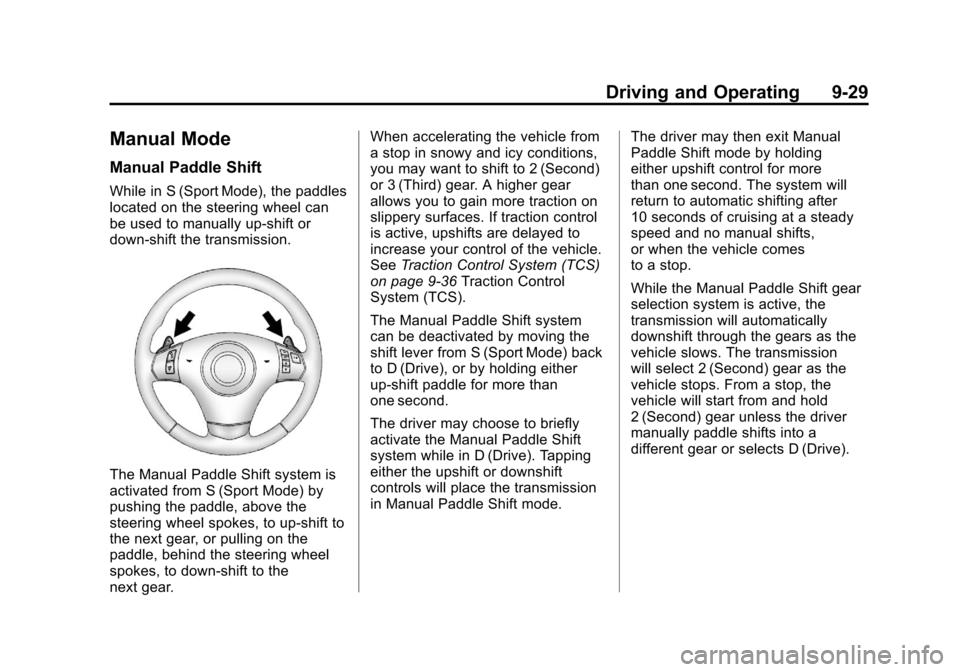
While in S (Sport Mode), the paddles
located on the steering wheel can
be used to manually up-shift or
down-shift the transmission.
The Manual Paddle Shift system is
activated from S (Sport Mode) by
pushing the paddle, above the
steering wheel spokes, to up-shift to
the next gear, or pulling on the
paddle, behind the steering wheel
spokes, to down-shift to the
next gear.When accelerating the vehicle from
a stop in snowy and icy conditions,
you may want to shift to 2 (Second)
or 3 (Third) gear. A higher gear
allows you to gain more traction on
slippery surfaces. If traction control
is active, upshifts are delayed to
increase your control of the vehicle.
See
Traction Control System (TCS)
on page 9‑36 Traction Control
System (TCS).
The Manual Paddle Shift system
can be deactivated by moving the
shift lever from S (Sport Mode) back
to D (Drive), or by holding either
up‐shift paddle for more than
one second.
The driver may choose to briefly
activate the Manual Paddle Shift
system while in D (Drive). Tapping
either the upshift or downshift
controls will place the transmission
in Manual Paddle Shift mode. The driver may then exit Manual
Paddle Shift mode by holding
either upshift control for more
than one second. The system will
return to automatic shifting after
10 seconds of cruising at a steady
speed and no manual shifts,
or when the vehicle comes
to a stop.
While the Manual Paddle Shift gear
selection system is active, the
transmission will automatically
downshift through the gears as the
vehicle slows. The transmission
will select 2 (Second) gear as the
vehicle stops. From a stop, the
vehicle will start from and hold
2 (Second) gear unless the driver
manually paddle shifts into a
different gear or selects D (Drive).
Page 250 of 434
Black plate (30,1)Chevrolet Corvette Owner Manual - 2012
9-30 Driving and Operating
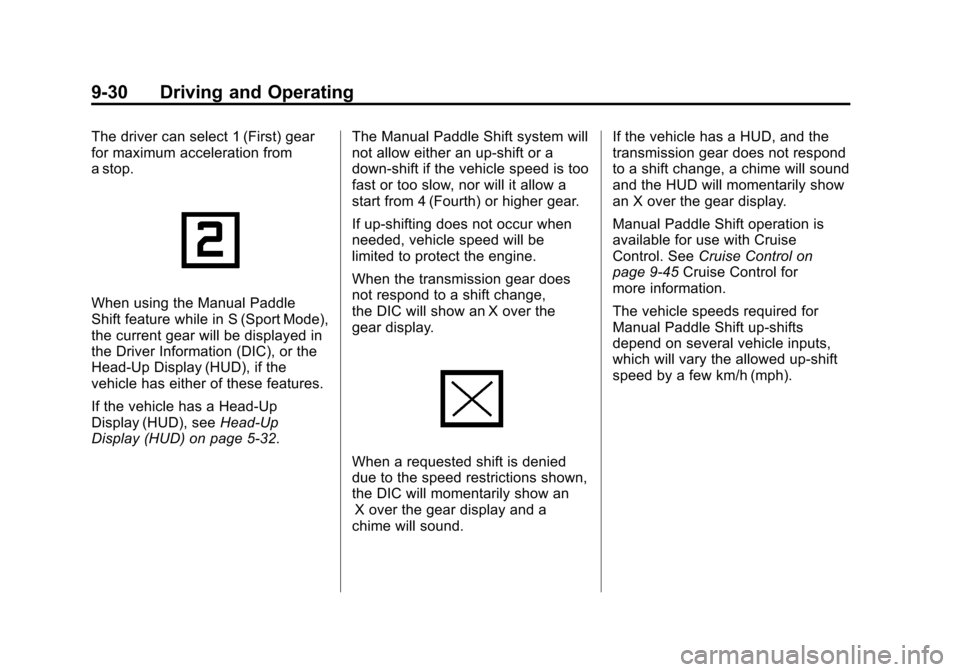
The driver can select 1 (First) gear
for maximum acceleration from
a stop.
When using the Manual Paddle
Shift feature while in S (Sport Mode),
the current gear will be displayed in
the Driver Information (DIC), or the
Head-Up Display (HUD), if the
vehicle has either of these features.
If the vehicle has a Head-Up
Display (HUD), seeHead-Up
Display (HUD) on page 5‑32. The Manual Paddle Shift system will
not allow either an up-shift or a
down-shift if the vehicle speed is too
fast or too slow, nor will it allow a
start from 4 (Fourth) or higher gear.
If up-shifting does not occur when
needed, vehicle speed will be
limited to protect the engine.
When the transmission gear does
not respond to a shift change,
the DIC will show an X over the
gear display.
When a requested shift is denied
due to the speed restrictions shown,
the DIC will momentarily show an
X over the gear display and a
chime will sound. If the vehicle has a HUD, and the
transmission gear does not respond
to a shift change, a chime will sound
and the HUD will momentarily show
an X over the gear display.
Manual Paddle Shift operation is
available for use with Cruise
Control. See
Cruise Control on
page 9‑45 Cruise Control for
more information.
The vehicle speeds required for
Manual Paddle Shift up-shifts
depend on several vehicle inputs,
which will vary the allowed up-shift
speed by a few km/h (mph).
Page 261 of 434
Black plate (41,1)Chevrolet Corvette Owner Manual - 2012
Driving and Operating 9-41
console. The driver scrolls up or
down through modes 1–5 by
rotating the knob to the right or left.
The following is a DIC display
description and the recommended
usage of each mode:
PERF TRAC 1–WET ACTIVE
HANDLING ON
.Intended for all driver skill levels
.Wet or damp conditions
only —not intended for use in
heavy rain or standing water
.Active Handling is on and engine
power is reduced based on
conditions
PERF TRAC 2 –DRY ACTIVE
HANDLING ON
.For use by less experienced
drivers or while learning a
new track
.Dry conditions only
.Active Handling is on and engine
power is slightly reduced
PERF TRAC 3 –SPORT
ACTIVE HANDLING ON
.For use by drivers who are
familiar with the track
.Dry conditions only
.Requires more driving skill than
mode 2
.Active Handling is on and more
engine power is available than
in mode 2
PERF TRAC 4 –SPORT
ACTIVE HANDLING OFF
.For use by drivers who are
familiar with the track
.Dry conditions only
.Requires more driving skill than
modes 2 or 3
.Active Handling is off and
available engine power is the
same as mode 3
PERF TRAC 5 –RACE ACTIVE
HANDLING OFF
.For use by experienced drivers
who are familiar with the track
.Dry conditions only
.Requires more driving skill than
in other modes
.Active Handling is off and engine
power is available for maximum
cornering speed
Press and release the ACTIVE
HANDLING button to turn off
Performance Traction Management
and return to the Active Handling
and Traction Control Systems. The
TRACTION SYSTEM AND ACTIVE
HANDLING-ON message displays
briefly in the DIC and a chime is
heard.
Page 263 of 434
Black plate (43,1)Chevrolet Corvette Owner Manual - 2012
Driving and Operating 9-43
Selective Ride Control
The vehicle may have a ride control
system called Magnetic Selective
Ride Control. The system provides
the following performance benefits:
.Reduced Impact Harshness
.Improved Road Isolation
.Improved High-Speed Stability
.Improved Handling Response
.Better Control of Body Ride
Motions
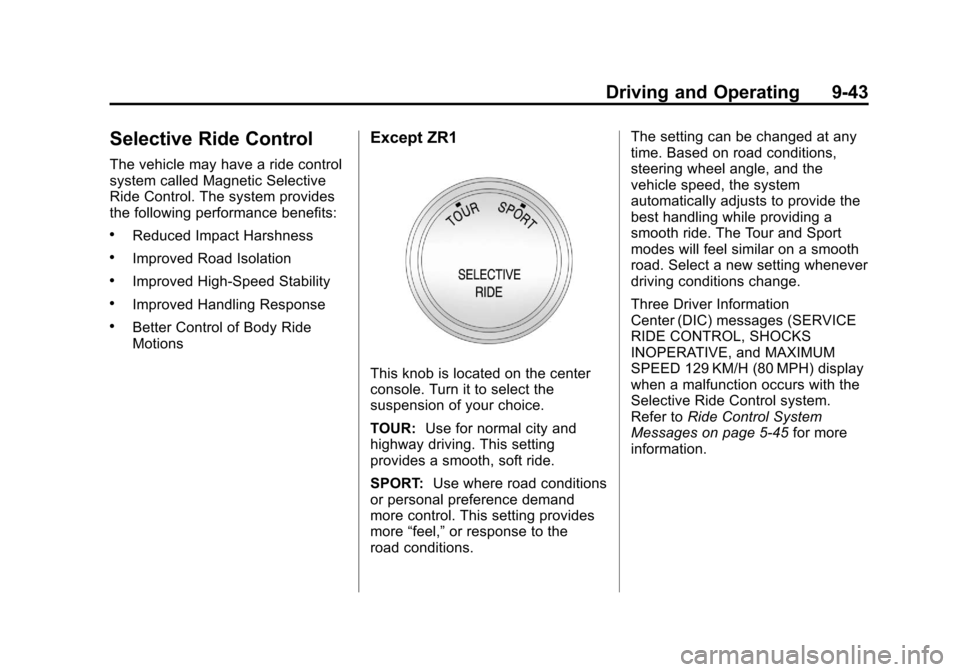
Except ZR1
This knob is located on the center
console. Turn it to select the
suspension of your choice.
TOUR:Use for normal city and
highway driving. This setting
provides a smooth, soft ride.
SPORT: Use where road conditions
or personal preference demand
more control. This setting provides
more “feel,” or response to the
road conditions. The setting can be changed at any
time. Based on road conditions,
steering wheel angle, and the
vehicle speed, the system
automatically adjusts to provide the
best handling while providing a
smooth ride. The Tour and Sport
modes will feel similar on a smooth
road. Select a new setting whenever
driving conditions change.
Three Driver Information
Center (DIC) messages (SERVICE
RIDE CONTROL, SHOCKS
INOPERATIVE, and MAXIMUM
SPEED 129 KM/H (80 MPH) display
when a malfunction occurs with the
Selective Ride Control system.
Refer to
Ride Control System
Messages on page 5‑45 for more
information.