2012 CHEVROLET CORVETTE roof
[x] Cancel search: roofPage 56 of 434

Black plate (24,1)Chevrolet Corvette Owner Manual - 2012
2-24 Keys, Doors, and Windows
Removable Roof Panel
Notice:If you use a glass
treatment and/or conditioner that
contains ethyl sulfate on the roof
panel, you could damage the
panel. The repairs would not be
covered by your warranty. Only
use a GM-approved glass cleaner
on the roof panel.
Special care is necessary when
cleaning, removing, and/or storing
the roof panel.
.Flush with water to remove dust
and dirt, then dry the panel.
.Clean a transparent roof panel
with GM Glass Cleaner. Leave
the cleaner on the panel for
one minute, then wipe the panel
with a soft, lint-free cloth. Do not
use glass cleaner on a painted
roof panel.
.Do not use abrasive cleaning
materials on either type of panel.
If water drops are frequently allowed
to dry on the roof panel, impurities
in the water will adhere to the top. These impurities may etch or mar
the finish. When the panel gets wet,
dry it off.
Convertible Top
After a power reconnect such as
battery replacement, the power
windows need to be initialized for
the convertible top to work. See
“Power Window Initialize”
inPower
Windows on page 2‑18.
Manual Operation
For care and cleaning of the
convertible top, see “Cleaning the
Convertible Top” in this section.
High pressure car washes may
cause water to enter the vehicle.
If the vehicle has this feature, the
following procedures explain the
proper operation of the manual
convertible top. The parts of the manual convertible
top that are used when lowering and
raising it are:
A. Front Edge of the
Convertible Top
B. Rear Edge of the Convertible Top
C. Tonneau Cover
Notice: Leaving the convertible
top down and exposing the
interior of the vehicle to outdoor
conditions may cause damage.
Always close the convertible top
if leaving the vehicle outdoors.
Page 109 of 434
Black plate (3,1)Chevrolet Corvette Owner Manual - 2012
Storage 4-3
Center Console Storage
To use this storage area, pull the
cover up on the driver side front
edge of the console and swing it to
the passenger side.
Some vehicles might also have
input jacks for auxiliary audio
devices. SeeAuxiliary Devices on
page 7‑17.
Additional Storage
Features
Cargo Cover
For vehicles with this feature, the
security shade can provide hidden
storage in the rear area of the
vehicle. The shade is also helpful in
blocking the glare from the
removable roof when it is stored in
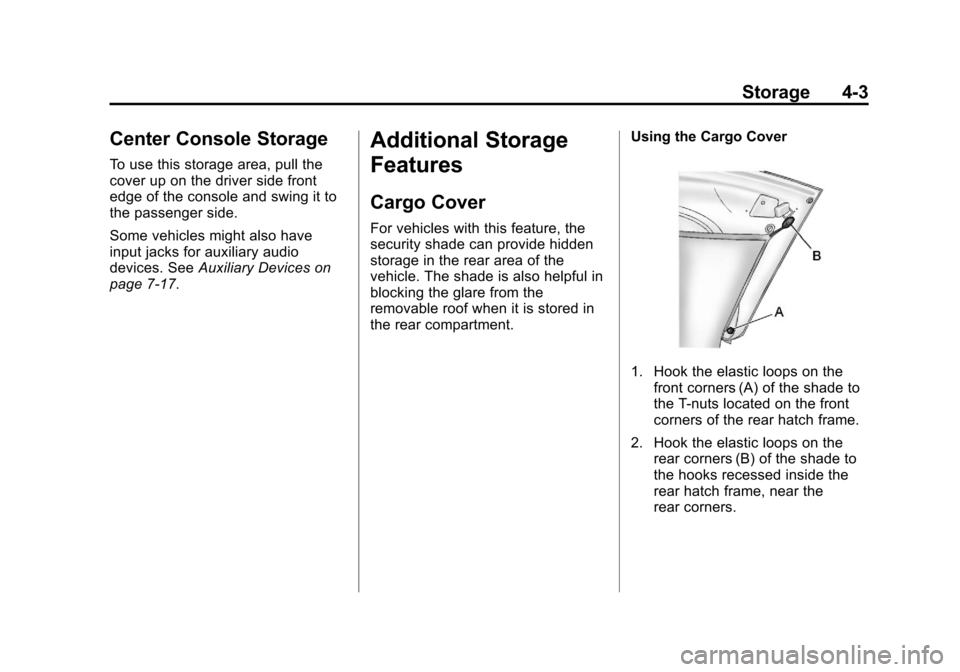
the rear compartment. Using the Cargo Cover
1. Hook the elastic loops on the
front corners (A) of the shade to
the T-nuts located on the front
corners of the rear hatch frame.
2. Hook the elastic loops on the rear corners (B) of the shade to
the hooks recessed inside the
rear hatch frame, near the
rear corners.
Page 197 of 434
Black plate (11,1)Chevrolet Corvette Owner Manual - 2012
Infotainment System 7-11
FM Stereo
FM signals only reach about
16 to 65 km (10 to 40 mi). Although
the radio has a built-in electronic
circuit that automatically works to
reduce interference, some static
can occur, especially around tall
buildings or hills, causing the
sound to fade in and out.
XM™Satellite Radio Service
XM Satellite Radio Service gives
digital radio reception from coast to
coast in the 48 contiguous United
States, and in Canada. Just as
with FM, tall buildings or hills can
interfere with satellite radio signals,
causing the sound to fade in and
out. In addition, traveling or standing
under heavy foliage, bridges,
garages, or tunnels may cause loss
of the XM signal for a period of time.
Cellular Phone Usage
Cellular phone usage may cause
interference with the vehicle's radio.
This interference may occur when
making or receiving phone calls,
charging the phone's battery,
or simply having the phone on.
This interference causes an
increased level of static while
listening to the radio. If static is
received while listening to the
radio, unplug the cellular phone and
turn it off.
Diversity Antenna System
The AM-FM antenna is a hidden
self‐tuning system. It optimizes the
AM and FM signals relative to the
vehicle's position and radio station
source. No maintenance or
adjustments are needed.
Satellite Radio Antenna
For vehicles with XM Satellite Radio
Service, the antenna is located on
the roof or on the trunk lid of the
vehicle. Keep the antenna clear of
obstructions for clear radio
reception.
Page 214 of 434

Black plate (2,1)Chevrolet Corvette Owner Manual - 2012
8-2 Climate Controls
When the vehicle is first started,
the display shows the driver's
temperature setting, the outside
temperature, the fan speed, and the
air delivery, for about 10 seconds.
The outside temperature is shown in
the center of the display. The digital
display will show the readings in
Fahrenheit or Celsius. See
“Personal Options”underVehicle
Personalization on page 5‑55 for
information on changing your
display.
Automatic Operation
AUTO (Automatic): Press the
AUTO button to place the entire
system in the automatic mode.
When automatic operation is active,
the system automatically controls
the inside temperature, the air
delivery mode, and the fan speed.
After a 10 second display of the
current settings, the word AUTO,
the driver's temperature setting and
the outside temperature will be
shown. The system operates to
reach the set temperature as quickly as possible. The AUTO control
system works best with the windows
up and the removable roof installed
or the convertible top up.
1. Press the AUTO button.
2. Adjust the temperature to a
comfortable setting between
16°C (60°F) and 32°C (90°F).
Choosing the coldest or warmest
temperature setting will not
cause the system to heat or cool
any faster. A setting of 23°C
(73°F) is suggested.
In cold weather, the system will
start at reduced fan speeds to
avoid blowing cold air into your
vehicle until warmer air is
available. The system starts out
blowing air at the floor but may
change modes automatically as
the vehicle warms up to maintain
the chosen temperature setting.
The length of time needed for
warm up depends on the outside
temperature and the length of
time that has elapsed since the
vehicle was last driven. 3. Wait for the system to regulate.
This may take from 10 to
30 minutes. Then adjust the
temperature, if necessary.
Do not cover the solar sensor
located in the center of the
instrument panel, near the
windshield. For more information on
the solar sensor, see “Sensors”later
in this section.
Manual Operation
Driver Power/Temperature: Press
the driver temperature knob to turn
the climate control system off. This
is the only setting that completely
shuts off the fan. The digital display
shows only the outside temperature.
The driver and the passenger set
temperature and the air intake mode
can still be adjusted when the
climate control is off.
Passenger Power/Temperature:
Press the passenger temperature
knob to turn the passenger's climate
control system on or off. Turn the
knob to increase or decrease the
temperature for the passenger.
Page 430 of 434

Black plate (8,1)Chevrolet Corvette Owner Manual - 2012
i-8 INDEX
O
Odometer . . . . . . . . . . . . . . . . . . . . . . 5-12
Off-RoadRecovery . . . . . . . . . . . . . . . . . . . . . . 9-5
Oil Engine . . . . . . . . . . . . . . . . . . . . . . 10-16
Engine Oil Life System . . . . . 10-22
Engine Oil PressureGauge . . . . . . . . . . . . . . . . . . . . . . 5-14
Messages . . . . . . . . . . . . . . . . . . . . 5-41
Older Children, Restraints . . . . . 3-28
One-to-Four Shift Light . . . . . . . . 5-23
Online Owner Center . . . . . . . . . . 13-6
OnStar
®
Additional Information . . . . . . . . 14-5
Connections . . . . . . . . . . . . . . . . . . 14-4
Diagnostics . . . . . . . . . . . . . . . . . . . 14-5
Emergency . . . . . . . . . . . . . . . . . . . 14-2
Navigation . . . . . . . . . . . . . . . . . . . . 14-2
Overview . . . . . . . . . . . . . . . . . . . . . 14-1
Security . . . . . . . . . . . . . . . . . . . . . . 14-2
OnStar
®System . . . . . . . . . . . . . . . 1-25
Operation, Infotainment System . . . . . . . . . . . . . . . . . . . . . . . . 7-2
Ordering
Service Publications . . . . . . . . 13-17 Outlets
Power . . . . . . . . . . . . . . . . . . . . . . . . . 5-6
Overheated Engine Protection
Operating Mode . . . . . . . . . . . . . 10-36
Overheating, Engine . . . . . . . . . . 10-34
Overview, OnStar
®. . . . . . . . . . . . 14-1
P
Panel, Roof . . . . . . . . . . . . . . . . . . . . 2-20
Park Shifting into . . . . . . . . . . . . . . . . . . . 9-23
Shifting out of . . . . . . . . . . . . . . . . . 9-25
Parking . . . . . . . . . . . . . . . . . . . . . . . . 9-25 Brake . . . . . . . . . . . . . . . . . . . . . . . . . 9-36
Brake and P (Park)Mechanism Check . . . . . . . . 10-46
Over Things That Burn . . . . . . . 9-25
Passenger Airbag Status Indicator . . . . . . . . . . . . . . . . . . . . . 5-18
Passenger Compartment Air Filter . . . . . . . . . . . . . . . . . . . . . . . . . . 8-6
Passenger Sensing System . . . 3-21
Perchlorate Materials
Requirements, California . . . . . 10-3 Personalization
Vehicle . . . . . . . . . . . . . . . . . . . . . . . 5-55
Phone Bluetooth . . . . . . . . . . . . . . . . . . . . . 7-18
Power Door Locks . . . . . . . . . . . . . . . . . . . 2-10
Mirrors . . . . . . . . . . . . . . . . . . . . . . . . 2-16
Outlets . . . . . . . . . . . . . . . . . . . . . . . . 5-6
Protection, Battery . . . . . . . . . . . . . 6-6
Retained Accessory (RAP) . . . 9-23
Seat Adjustment . . . . . . . . . . . . . . . 3-3
Steering Fluid . . . . . . . . . . . . . . . 10-36
Windows . . . . . . . . . . . . . . . . . . . . . 2-18
Pregnancy, Using Safety Belts . . . . . . . . . . . . . . . . . . . . . . . . . 3-13
Privacy
Radio FrequencyIdentification (RFID) . . . . . . . 13-21
Program Courtesy Transportation . . . . 13-14
Proposition 65 Warning,
California . . . . . . . . . . . . . . . . . . . . . 10-3
Page 431 of 434

Black plate (9,1)Chevrolet Corvette Owner Manual - 2012
INDEX i-9
R
Racing or Other CompetitiveDriving . . . . . . . . . . . . . . . . . . . . . . . . 9-6
Radio Frequency Identification (RFID) . . . . . . . . 13-21
Statement . . . . . . . . . . . . . . . . . . 13-21
Radios
AM-FM Radio . . . . . . . . . . . . . . . . . . 7-5
Reception . . . . . . . . . . . . . . . . . . . . 7-10
Satellite . . . . . . . . . . . . . . . . . . . . . . . . 7-8
Reading Lamps . . . . . . . . . . . . . . . . . 6-6
Rear Axle . . . . . . . . . . . . . . . . . . . . . 10-44
Limited-Slip . . . . . . . . . . . . . . . . . . . 9-42
Rear Storage . . . . . . . . . . . . . . . . . . . 4-2
Rearview Mirror Automatic Dimming . . . . . . . . . . . 2-17
Reclining Seatbacks . . . . . . . . . . . . 3-3
Recommended Fuel . . . . . . . . . . . . . . . . . . . . . . . . . . 9-48
Recommended Fluids and
Lubricants . . . . . . . . . . . . . . . . . . . 11-12
Records Maintenance . . . . . . . . . . . . . . . . .11-15
Recreational Vehicle Towing . . . . . . . . . . . . . . . . . . . . . . 10-86 Reimbursement Program,
GM Mobility . . . . . . . . . . . . . . . . . . 13-8
Remote Keyless Entry (RKE) System . . . . . . . . . . . . . . . . . . . . . . . . 2-3
Replacement Bulbs . . . . . . . . . . . 10-50
Replacement Parts Airbags . . . . . . . . . . . . . . . . . . . . . . . 3-27
Maintenance . . . . . . . . . . . . . . . . .11-14
Replacing Airbag System . . . . . . 3-27
Replacing LATCH System Parts after a Crash . . . . . . . . . . . 3-39
Replacing Safety Belt System Parts after a Crash . . . 3-15
Reporting Safety Defects Canadian Government . . . . . . 13-19
General Motors . . . . . . . . . . . . . 13-19
U.S. Government . . . . . . . . . . . 13-18
Retained Accessory Power (RAP) . . . . . . . . . . . . . . . . . 9-23
Ride Control Systems Active Handling . . . . . . . . . . . . . . . 9-38
Limited Slip Rear Axle . . . . . . . . 9-42
Messages . . . . . . . . . . . . . . . . . . . . 5-45
Selective . . . . . . . . . . . . . . . . . . . . . 9-43
Roads
Driving, Wet . . . . . . . . . . . . . . . . . . . 9-9 Roadside Assistance
Program . . . . . . . . . . . . . . . 13-8, 13-10
Roof Panel . . . . . . . . . . . . . . . . . . . . 2-20
Rotation, Tires . . . . . . . . . . . . . . . . 10-72
Routing, Engine Drive Belt . . . . . 12-5
Run-Flat Tires . . . . . . . . . . . . . . . . 10-59
Running the Vehicle While Parked . . . . . . . . . . . . . . . . . . . . . . . 9-26
S
Safety Belts . . . . . . . . . . . . . . . . . . . . 3-8Care . . . . . . . . . . . . . . . . . . . . . . . . . . 3-14
Extender . . . . . . . . . . . . . . . . . . . . . . 3-14
How to Wear Safety BeltsProperly . . . . . . . . . . . . . . . . . . . . . 3-10
Lap-Shoulder Belt . . . . . . . . . . . . 3-11
Messages . . . . . . . . . . . . . . . . . . . . 5-49
Reminders . . . . . . . . . . . . . . . . . . . . 5-17
Replacing after a Crash . . . . . . 3-15
Use During Pregnancy . . . . . . . . 3-13
Safety Defects Reporting Canadian Government . . . . . . 13-19
General Motors . . . . . . . . . . . . . 13-19
U.S. Government . . . . . . . . . . . 13-18
Safety System Check . . . . . . . . . . 3-14
Satellite Radio . . . . . . . . . . . . . . . . . . 7-8