2012 CHEVROLET COLORADO instrument panel
[x] Cancel search: instrument panelPage 210 of 394
Black plate (36,1)Chevrolet Colorado Owner Manual - 2012
9-36 Driving and Operating
Drive Systems
Four-Wheel Drive
If the vehicle has four-wheel
drive, you can send the engine's
driving power to all four wheels
for extra traction. To get the best
performance out of four-wheel
drive, you must be familiar with its
operation. Read this section before
using four-wheel drive. You should
use two-wheel drive high for most
normal driving conditions.Notice:
Driving on clean, dry
pavement in four-wheel drive for
an extended period of time can
cause premature wear on the
vehicle's powertrain. Do not
drive on clean, dry pavement in
Four-Wheel Drive for extended
periods of time.
Notice: If the vehicle has
four-wheel drive and a different
size spare tire is installed, do
not drive in four-wheel drive until
the flat tire is repaired and/or
replaced. The vehicle could be
damaged and the repairs would
not be covered by the warranty.
Never use four-wheel drive when
a different size spare tire is
installed on the vehicle. Notice:
If the vehicle has
four-wheel drive and the compact
spare tire is installed on the
vehicle, do not drive in four-wheel
drive until you can have the flat
tire repaired and/or replaced. You
could damage the vehicle, and
the repair costs would not be
covered by your warranty. Never
use four-wheel drive when the
compact spare tire is installed on
the vehicle.
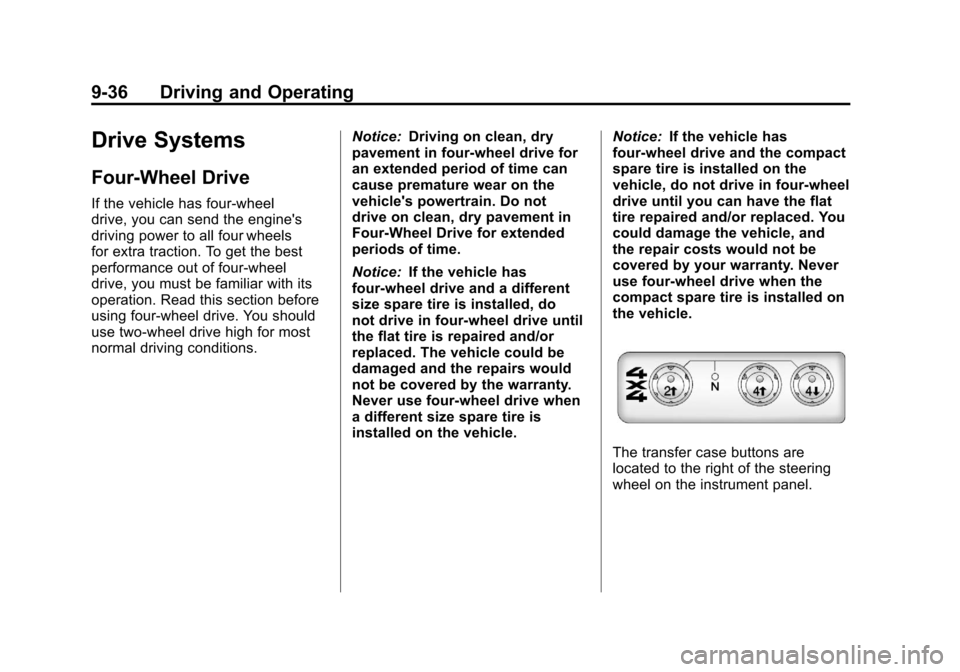
The transfer case buttons are
located to the right of the steering
wheel on the instrument panel.
Page 215 of 394

Black plate (41,1)Chevrolet Colorado Owner Manual - 2012
Driving and Operating 9-41
suddenly slows or stops. Always
leave enough room up ahead to
stop, even with ABS.
Using ABS
Do not pump the brakes. Just hold
the brake pedal down firmly and let
ABS work. You might hear the ABS
pump or motor operating and feel
the brake pedal pulsate, but this is
normal.
Braking in Emergencies
ABS allows the driver to steer and
brake at the same time. In many
emergencies, steering can help
more than even the very best
braking.
Parking Brake
The parking brake pedal is located
to the left of the brake pedal, near
the driver door.
To set the parking brake, hold the
brake pedal down, then push the
parking brake pedal down to its
fully-applied position.
A chime will activate and the
brake warning light, located on the
instrument panel, will flash when
the parking brake is applied and the
vehicle is moving at least 5 km/h
(3 mph) for at least three seconds.The chime will deactivate and the
light will turn off when the parking
brake is set and the vehicle is
moving below 5 km/h (3 mph). See
Brake System Warning Light on
page 5‑15.
To release the parking brake, hold
the regular brake pedal down.
Pull the bottom edge of the lever,
located above the parking brake
pedal, with the parking brake
symbol, directly rearward to release
the parking brake.
Page 217 of 394
Black plate (43,1)Chevrolet Colorado Owner Manual - 2012
Driving and Operating 9-43
Notice:If the wheel(s) of one axle
is allowed to spin excessively
while the StabiliTrak
®, ABS, brake
warning lights, and any relevant
DIC messages are displayed, the
transfer case could be damaged.
The repairs would not be covered
by the vehicle warranty. Reduce
engine power and do not spin
the wheel(s) excessively while
these lights and messages are
displayed.
TCS can operate on dry roads
under some conditions. When
this happens, the system may be
heard working or a reduction in
acceleration may be noticed. This
is normal and does not mean there
is a problem with the vehicle.
Examples of these conditions
include hard acceleration in a turn,
an abrupt upshift or downshift of the
transmission or driving on rough
roads. If cruise control is being used when
TCS begins to limit wheel spin,
the cruise control automatically
disengages. The cruise control
can be re-engaged when road
conditions allow. See
Cruise Control
on page 9‑46.
The message TRACTION FAULT
appears in the Driver Information
Center (DIC) when a TCS or
Antilock Brake System (ABS)
problem has been detected and the
vehicle needs service. When this
message is on, the system will not
limit wheel spin. Adjust your driving
accordingly. See Ride Control
System Messages on page 5‑25.
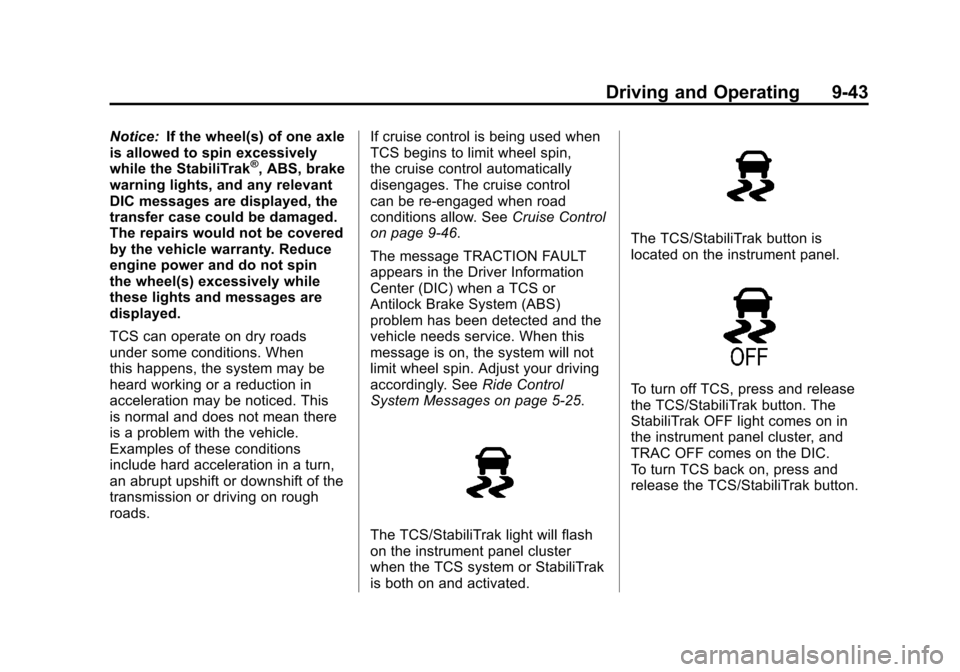
The TCS/StabiliTrak light will flash
on the instrument panel cluster
when the TCS system or StabiliTrak
is both on and activated.
The TCS/StabiliTrak button is
located on the instrument panel.
To turn off TCS, press and release
the TCS/StabiliTrak button. The
StabiliTrak OFF light comes on in
the instrument panel cluster, and
TRAC OFF comes on the DIC.
To turn TCS back on, press and
release the TCS/StabiliTrak button.
Page 219 of 394
Black plate (45,1)Chevrolet Colorado Owner Manual - 2012
Driving and Operating 9-45
This can cause the brake-traction
control to activate constantly. SeeIf
the Vehicle Is Stuck on page 9‑15.
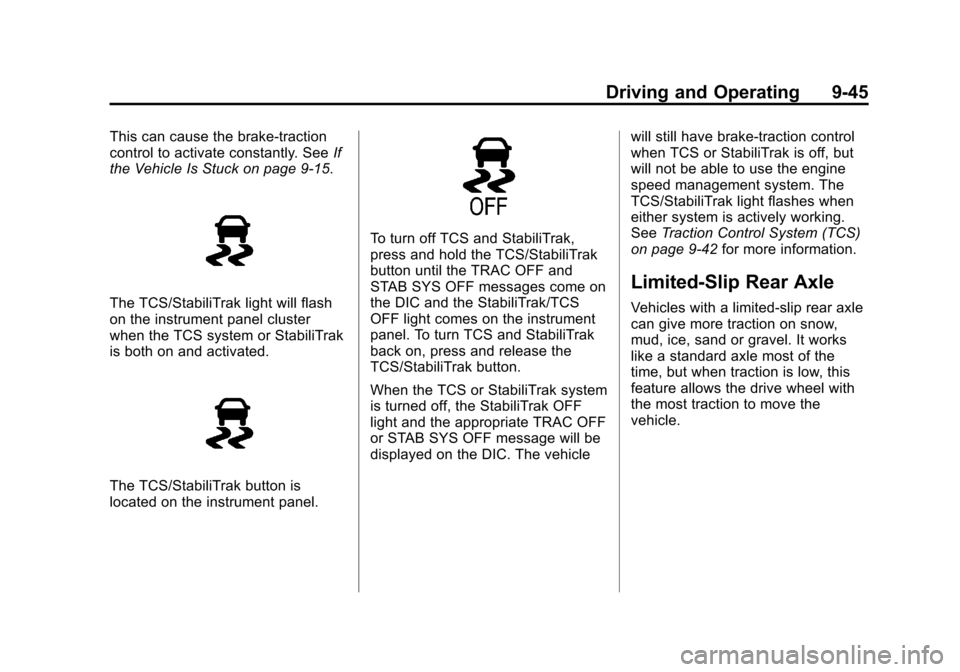
The TCS/StabiliTrak light will flash
on the instrument panel cluster
when the TCS system or StabiliTrak
is both on and activated.
The TCS/StabiliTrak button is
located on the instrument panel.
To turn off TCS and StabiliTrak,
press and hold the TCS/StabiliTrak
button until the TRAC OFF and
STAB SYS OFF messages come on
the DIC and the StabiliTrak/TCS
OFF light comes on the instrument
panel. To turn TCS and StabiliTrak
back on, press and release the
TCS/StabiliTrak button.
When the TCS or StabiliTrak system
is turned off, the StabiliTrak OFF
light and the appropriate TRAC OFF
or STAB SYS OFF message will be
displayed on the DIC. The vehicle will still have brake-traction control
when TCS or StabiliTrak is off, but
will not be able to use the engine
speed management system. The
TCS/StabiliTrak light flashes when
either system is actively working.
See
Traction Control System (TCS)
on page 9‑42 for more information.
Limited-Slip Rear Axle
Vehicles with a limited-slip rear axle
can give more traction on snow,
mud, ice, sand or gravel. It works
like a standard axle most of the
time, but when traction is low, this
feature allows the drive wheel with
the most traction to move the
vehicle.
Page 221 of 394

Black plate (47,1)Chevrolet Colorado Owner Manual - 2012
Driving and Operating 9-47
This light on the instrument panel
cluster comes on while the cruise
control is on.
Resuming a Set Speed
If the cruise control is set at a
desired speed and then the brakes
are applied, the cruise control is
disengaged without erasing the set
speed from memory.
Once the vehicle speed reaches
about 40 km/h (25 mph) or more,
move the cruise control lever briefly
from
RtoS. The vehicle returns to
the previous set speed and stays
there. If the lever is held at resume/
accelerate the vehicle keeps going
faster until the lever is released or
the brake is applied. Do not hold the
lever at resume/accelerate, unless
you want the vehicle to go faster.
Increasing Speed While Using
Cruise Control
If the cruise control system is
already activated,
.Use the accelerator pedal
to get to the higher speed.
Press
r Tat the end of the
lever, then release the button
and the accelerator pedal. If the
accelerator pedal is held longer
than 60 seconds, cruise control
will turn off.
.Move the cruise lever
from
RtoS. Hold it until
the desired speed is reached,
and then release the lever.
.To increase the vehicle speed in
small amounts, move the lever
briefly to
S.
Reducing Speed While Using
Cruise Control
If the cruise control system is
already activated,
.Press and holdr Tuntil the
lower speed desired is reached,
then release it.
.To slow down in small amounts,
briefly press
r T.
Passing Another Vehicle While
Using Cruise Control
Use the accelerator pedal to
increase the vehicle speed. When
you take your foot off the pedal,
the vehicle will slow down to the
previous set cruise control speed.
Page 226 of 394

Black plate (52,1)Chevrolet Colorado Owner Manual - 2012
9-52 Driving and Operating
When replacing the fuel cap, turn
it clockwise until it clicks. Make
sure the cap is fully installed. The
diagnostic system can determine
if the fuel cap has been left off or
improperly installed. This would
allow fuel to evaporate into the
atmosphere. If the fuel cap is not
properly installed, the FUEL CAP
message appears on the Driver
Information Center (DIC) and the
check engine light will be lit on the
instrument panel cluster. SeeFuel
System Messages on page 5‑24
and Malfunction Indicator Lamp on
page 5‑13 for more information.
{WARNING
If a fire starts while you are
refueling, do not remove the
nozzle. Shut off the flow of fuel
by shutting off the pump or by
notifying the station attendant.
Leave the area immediately. Notice:
If a new fuel cap is
needed, be sure to get the right
type of cap from your dealer. The
wrong type of fuel cap might not
fit properly, might cause the
malfunction indicator lamp to
light, and could damage the fuel
tank and emissions system. See
Malfunction Indicator Lamp on
page 5‑13.
Filling a Portable Fuel
Container
{WARNING
Never fill a portable fuel container
while it is in the vehicle. Static
electricity discharge from the
container can ignite the fuel
vapor. You can be badly burned
(Continued)
WARNING (Continued)
and the vehicle damaged if this
occurs. To help avoid injury to you
and others:
.Dispense fuel only into
approved containers.
.Do not fill a container while
it is inside a vehicle, in a
vehicle's trunk, pickup bed,
or on any surface other than
the ground.
.Bring the fill nozzle in
contact with the inside of the
fill opening before operating
the nozzle. Contact should be
maintained until the filling is
complete.
.Do not smoke while
pumping fuel.
.Do not use a cellular phone
while pumping fuel.
Page 228 of 394

Black plate (54,1)Chevrolet Colorado Owner Manual - 2012
9-54 Driving and Operating
Driving with a Trailer
{WARNING
When towing a trailer, exhaust
gases may collect at the rear
of the vehicle and enter if the
liftgate, trunk/hatch, or rear-most
window is open.
Engine exhaust contains Carbon
Monoxide (CO) which cannot be
seen or smelled. It can cause
unconsciousness and even death.
To maximize safety when towing
a trailer:
.Have the exhaust system
inspected for leaks and make
necessary repairs before
starting a trip.
.Never drive with the liftgate,
trunk/hatch, or rear-most
window open.(Continued)
WARNING (Continued)
.Fully open the air outlets
on or under the instrument
panel.
.Adjust the Climate Control
system to a setting that
brings in only outside air
and set the fan speed to the
highest setting. See Climate
Control System in the Index.
For more information about
Carbon Monoxide, see Engine
Exhaust on page 9‑30.
Towing a trailer requires a certain
amount of experience. Get to know
the rig before setting out for the
open road. Get acquainted with the
feel of handling and braking with
the added weight of the trailer. And
always keep in mind that the vehicle
you are driving is now longer and
not as responsive as the vehicle is
by itself. Before starting, check all trailer
hitch parts and attachments, safety
chains, electrical connectors, lamps,
tires and mirror adjustments. If the
trailer has electric brakes, start the
vehicle and trailer moving and then
apply the trailer brake controller by
hand to be sure the brakes are
working. This checks the electrical
connection at the same time.
During the trip, check occasionally
to be sure that the load is secure,
and that the lamps and any trailer
brakes are still working.
While towing a trailer or when
exposed to long periods of
sunshine, the floor of the truck bed
may become very warm. Avoid
putting items in the truck bed that
might be affected by high ambient
temperatures.
Page 229 of 394
Black plate (55,1)Chevrolet Colorado Owner Manual - 2012
Driving and Operating 9-55
Following Distance
Stay at least twice as far behind the
vehicle ahead as you would when
driving the vehicle without a trailer.
This can help to avoid situations
that require heavy braking and
sudden turns.
Passing
More passing distance is needed
when towing a trailer. Because the
rig is longer, it is necessary to go
much farther beyond the passed
vehicle before returning to the lane.
Backing Up
Hold the bottom of the steering
wheel with one hand. Then, to move
the trailer to the left, move that hand
to the left. To move the trailer to
the right, move your hand to the
right. Always back up slowly
and, if possible, have someone
guide you.
Making Turns
Notice:Making very sharp turns
while trailering could cause the
trailer to come in contact with
the vehicle. The vehicle could be
damaged. Avoid making very
sharp turns while trailering.
When turning with a trailer, make
wider turns than normal. Do this
so the trailer will not strike soft
shoulders, curbs, road signs, trees
or other objects. Avoid jerky or
sudden maneuvers. Signal well in
advance.
Turn Signals When Towing a
Trailer
The arrows on the instrument panel
flash whenever signaling a turn or
lane change. Properly hooked up,
the trailer lamps also flash, telling
other drivers the vehicle is turning,
changing lanes or stopping. When towing a trailer, the arrows on
the instrument panel flash for turns
even if the bulbs on the trailer are
burned out. For this reason you may
think other drivers are seeing the
signal when they are not. It is
important to check occasionally to
be sure the trailer bulbs are still
working.
Driving On Grades
Reduce speed and shift to a
lower gear
beforestarting down a
long or steep downgrade. If the
transmission is not shifted down,
the brakes might have to be used so
much that they would get hot and no
longer work well.
Vehicles with automatic
transmissions can tow in D (Drive),
but you may want to shift to a lower
gear selection if the transmission
shifts too often (e.g., under heavy
loads and/or hilly conditions). If the
vehicle has a manual transmission it
is better not to use the highest gear.