2012 CADILLAC ESCALADE EXT instrument panel
[x] Cancel search: instrument panelPage 85 of 494

Black plate (31,1)Cadillac Escalade EXT Owner Manual - 2012
Seats and Restraints 3-31
keep the airbag system from
working properly. Changing or
moving any parts of the front
seats, safety belts, the airbag
sensing and diagnostic module,
steering wheel, instrument
panel, roof-rail airbag modules,
ceiling headliner or pillar garnish
trim, overhead console, front
sensors, side impact sensors,
or airbag wiring can affect the
operation of the airbag system.
In addition, the vehicle may have
a passenger sensing system for
the right front passenger
position, which includes sensors
that are part of the passenger
seat. The passenger sensing
system may not operate properly
if the original seat trim is
replaced with non-GM covers,
upholstery or trim, or with GM
covers, upholstery or trim
designed for a different vehicle.
Any object, such as an
aftermarket seat heater or a
comfort enhancing pad or
device, installed under or on topof the seat fabric, could also
interfere with the operation of
the passenger sensing system.
This could either prevent proper
deployment of the passenger
airbag(s) or prevent the
passenger sensing system
from properly turning off the
passenger airbag(s). See
Passenger Sensing System on
page 3‑26.
If you have any questions, call
Customer Assistance. The
phone numbers and addresses
for Customer Assistance are in
Step Two of the Customer
Satisfaction Procedure in this
manual. See
Customer
Satisfaction Procedure (U.S. and
Canada) on page 13‑1 or
Customer Satisfaction
Procedure (Mexico) on
page 13‑3.
If the vehicle has rollover
roof-rail airbags, see Different
Size Tires and Wheels on
page 10‑59 for additional
important information. Q: Because I have a disability,
I have to get my vehicle
modified. How can I find out
whether this will affect my
airbag system?
A: If you have questions, call
Customer Assistance. The
phone numbers and addresses
for Customer Assistance are in
Step Two of the Customer
Satisfaction Procedure in this
manual. See Customer
Satisfaction Procedure (U.S. and
Canada) on page 13‑1 or
Customer Satisfaction
Procedure (Mexico) on
page 13‑3.
In addition, your dealer and the
service manual have information
about the location of the airbag
sensors, sensing and diagnostic
module and airbag wiring.
Page 107 of 494

Black plate (1,1)Cadillac Escalade EXT Owner Manual - 2012
Storage 4-1
Storage
Storage Compartments
Instrument Panel Storage . . . . . 4-1
Glove Box . . . . . . . . . . . . . . . . . . . . 4-1
Cupholders . . . . . . . . . . . . . . . . . . . 4-1
Armrest Storage . . . . . . . . . . . . . . 4-1
Center Console Storage . . . . . . 4-1
Top-Box Storage . . . . . . . . . . . . . . 4-2
Luggage/Load Locations
Cargo Area . . . . . . . . . . . . . . . . . . . 4-2
Additional Storage Features
Cargo Cover Panels . . . . . . . . . . 4-5
Cargo Tie-Downs . . . . . . . . . . . . 4-12
Roof Rack System
Roof Rack System . . . . . . . . . . . 4-12
Storage
Compartments
Instrument Panel Storage
For vehicles with a storage area
above the CD changer, open by
pressing the bottom edge of the
cover.
Glove Box
Lift up on the glove box lever to
open it.
Cupholders
Cupholders are located in the center
console for the front passengers
and on the back of the center
console for the rear passengers.
Press down and release the access
door to use the front cupholders.
Push the door back down to close it.
Pull down on the door located on
the back of the console to use the
rear cupholders.Push down and then back to
remove the front cupholder to
remove it for cleaning.
Armrest Storage
For vehicle with an armrest/storage
compartment located by the second
row seat, pull the loop at the top of
the armrest out to lower the armrest.
Push the button on the front of the
armrest and pull the top up to open
the compartment.
Center Console Storage
A console compartment is located
between the bucket seats.
The console has both an upper and
lower storage bin accessed by lifting
up on the latches located at the
front of the console lid.
The console may have an
accessory power outlet inside. See
Power Outlets on page 5‑7.
The rear of the console also has a
cupholder that swings down for the
rear seat passengers to use.
Page 127 of 494

Black plate (7,1)Cadillac Escalade EXT Owner Manual - 2012
Instruments and Controls 5-7
cell phone antenna mount, a
magnetic emergency light, magnetic
note pad holder, or any other
magnetic item. Turn off the vehicle,
move the magnetic item, then turn
on the vehicle and calibrate the
compass.
To calibrate the compass, use the
following procedure:
Compass Calibration Procedure
1. Before calibrating the compass,make sure the compass zone is
set to the variance zone in which
the vehicle is located. See
“Compass Variance (Zone)
Procedure” earlier in this
section.
Do not operate any switches
such as window, sunroof,
climate controls, seats, etc.
during the calibration procedure.
2. Press the vehicle information button until PRESS
VTO
CALIBRATE COMPASS
displays. 3. Press the set/reset button to
start the compass calibration.
4. The DIC will display CALIBRATING: DRIVE IN
CIRCLES. Drive the vehicle in
tight circles at less than 8 km/h
(5 mph) to complete the
calibration. The DIC will display
CALIBRATION COMPLETE for a
few seconds when the
calibration is complete. The DIC
display will then return to the
previous menu.
Clock
The analog clock is located on the
instrument panel above the radio.
The clock is not connected with any
other vehicle system and runs by
itself. To adjust the clock:
1. The adjustment button is locatedin the lower left corner of the
clock.
2. Push and hold the adjustment button to advance the clock
hands. Holding the button down will cause the clock to advance
faster. Release the button before
reaching the desired time.
3. Push and release the button to increase the time by one minute
increments until the desired time
is reached.
Power Outlets
Accessory power outlets can be
used to plug in electrical equipment,
such as a cell phone or MP3 player.
One accessory power outlet is
located inside the center floor
console. Lift up on the lower latch
located at the front of the console lid
to access the accessory power
outlet.
There may also be an accessory
power outlet located on the rear of
the center floor console above the
cupholder.
Remove the cover to access and
replace when not in use.
Page 131 of 494
Black plate (11,1)Cadillac Escalade EXT Owner Manual - 2012
Instruments and Controls 5-11
Speedometer
The speedometer shows the vehicle
speed in both kilometers per hour
(km/h) and miles per hour (mph).
Odometer
The odometer works together with
the Driver Information Center (DIC).
Press the Trip/Fuel button on the
instrument panel cluster to check
the odometer mileage while the
vehicle is not running. See
“Odometer”underDriver Information
Center (DIC) on page 5‑23 for more
information.
If the vehicle ever needs a new
odometer installed, the new one will
be set to the correct mileage total of
the old odometer.
Trip Odometer
The trip odometer can show how far
the vehicle has been driven since
the trip odometer was last set
to zero. For more information see
“Trip
Odometer” underDriver Information
Center (DIC) on page 5‑23.
Tachometer
The tachometer displays the
engine speed in revolutions per
minute (rpm).
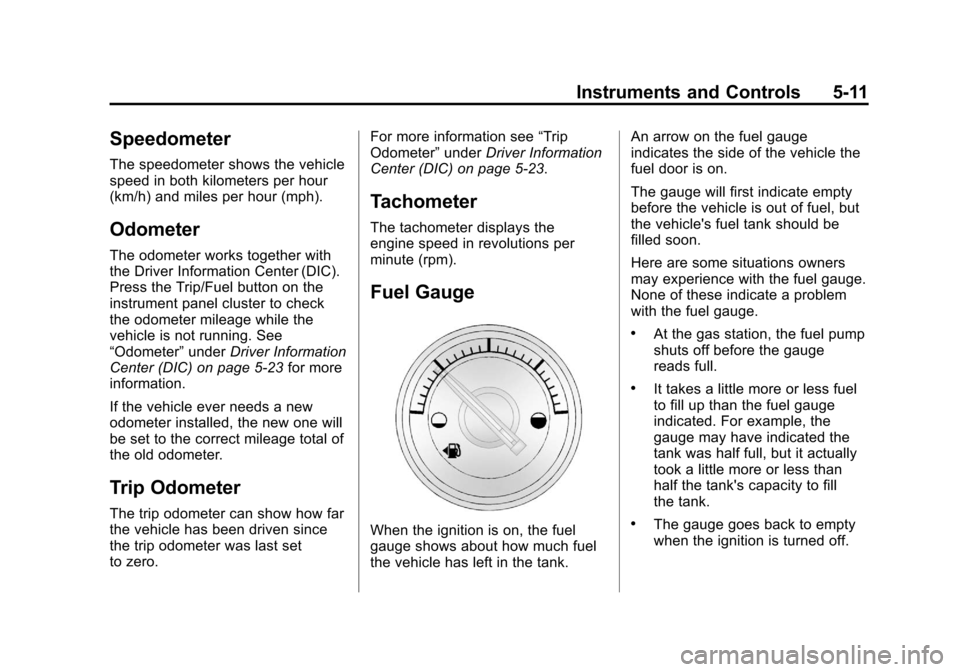
Fuel Gauge
When the ignition is on, the fuel
gauge shows about how much fuel
the vehicle has left in the tank. An arrow on the fuel gauge
indicates the side of the vehicle the
fuel door is on.
The gauge will first indicate empty
before the vehicle is out of fuel, but
the vehicle's fuel tank should be
filled soon.
Here are some situations owners
may experience with the fuel gauge.
None of these indicate a problem
with the fuel gauge.
.At the gas station, the fuel pump
shuts off before the gauge
reads full.
.It takes a little more or less fuel
to fill up than the fuel gauge
indicated. For example, the
gauge may have indicated the
tank was half full, but it actually
took a little more or less than
half the tank's capacity to fill
the tank.
.The gauge goes back to empty
when the ignition is turned off.
Page 132 of 494

Black plate (12,1)Cadillac Escalade EXT Owner Manual - 2012
5-12 Instruments and Controls
Engine Coolant
Temperature Gauge
This gauge shows the engine
coolant temperature.
If the indicator on the gauge
moves towards the shaded area on
the thermostat, it means that the
engine coolant has overheated.If the vehicle has been operating
under normal driving conditions, pull
off the road, stop the vehicle and
turn off the engine as soon as
possible.
See
Engine Overheating on
page 10‑20.
Safety Belt Reminders
Driver Safety Belt Reminder
Light
There is a driver safety belt
reminder light on the instrument
panel cluster.
When the vehicle is started, this
light flashes and a chime may come
on to remind the driver to fasten
their safety belt. Then the light stays
on solid until the belt is buckled. This cycle may continue several
times if the driver remains or
becomes unbuckled while the
vehicle is moving.
If the driver safety belt is buckled,
neither the light nor the chime
comes on.
Passenger Safety Belt
Reminder Light
When the vehicle is started, this
light flashes and a chime may come
on to remind front passengers to
fasten their safety belt. Then the
light stays on solid until the belt is
buckled.
For more information see
Passenger Airbag Status Indicator
on page 5‑14.
Page 137 of 494

Black plate (17,1)Cadillac Escalade EXT Owner Manual - 2012
Instruments and Controls 5-17
The following may correct an
emission system malfunction:
.Check that the fuel cap is fully
installed. SeeFilling the Tank on
page 9‑54. The diagnostic
system can determine if the fuel
cap has been left off or
improperly installed. A loose or
missing fuel cap allows fuel to
evaporate into the atmosphere.
A few driving trips with the cap
properly installed should turn the
light off.
.Check that good quality fuel is
used. Poor fuel quality causes
the engine not to run as
efficiently as designed and may
cause stalling after start-up,
stalling when the vehicle is
changed into gear, misfiring,
hesitation on acceleration,
or stumbling on acceleration.
These conditions might go away
once the engine is warmed up. If one or more of these conditions
occurs, change the fuel brand used.
It will require at least one full tank of
the proper fuel to turn the light off.
See
Recommended Fuel on
page 9‑51.
If none of the above have made the
light turn off, your dealer can check
the vehicle. The dealer has the
proper test equipment and
diagnostic tools to fix any
mechanical or electrical problems
that might have developed.Emissions Inspection and
Maintenance Programs
Some local governments may have
programs to inspect the on-vehicle
emission control equipment. For the
inspection, the emission system test
equipment is connected to the
vehicle’s Data Link
Connector (DLC).
The DLC is under the instrument
panel to the left of the steering
wheel. See your dealer if assistance
is needed.
The vehicle may not pass
inspection if:
.The malfunction indicator lamp is
on with the engine running, or if
the light does not come on when
the ignition is turned to ON/RUN
while the engine is off. See your
dealer for assistance in verifying
proper operation of the
malfunction indicator lamp.
Page 143 of 494
Black plate (23,1)Cadillac Escalade EXT Owner Manual - 2012
Instruments and Controls 5-23
Cruise Control Light
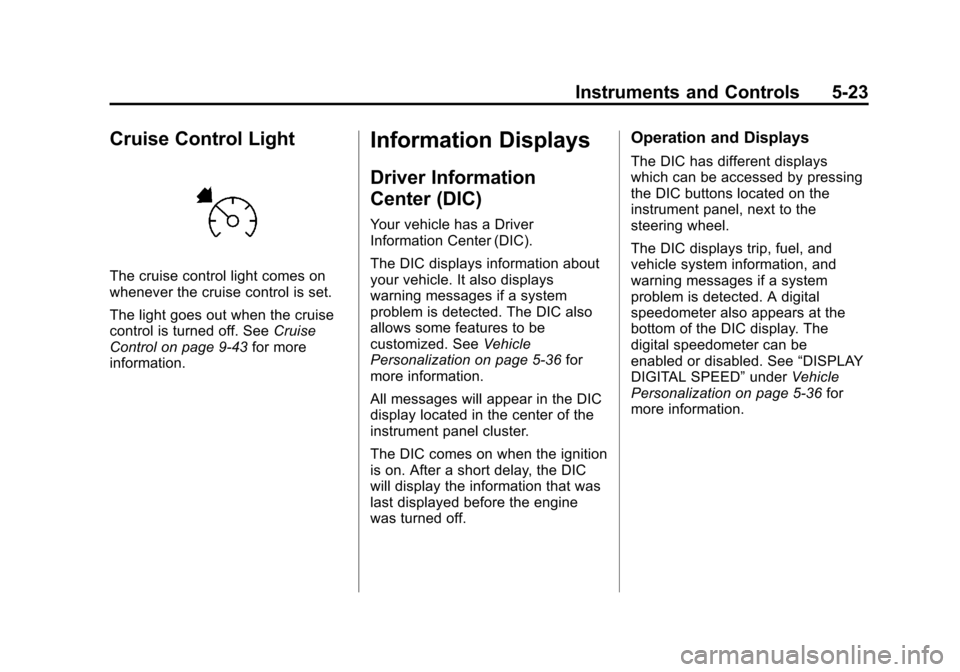
The cruise control light comes on
whenever the cruise control is set.
The light goes out when the cruise
control is turned off. SeeCruise
Control on page 9‑43 for more
information.
Information Displays
Driver Information
Center (DIC)
Your vehicle has a Driver
Information Center (DIC).
The DIC displays information about
your vehicle. It also displays
warning messages if a system
problem is detected. The DIC also
allows some features to be
customized. See Vehicle
Personalization on page 5‑36 for
more information.
All messages will appear in the DIC
display located in the center of the
instrument panel cluster.
The DIC comes on when the ignition
is on. After a short delay, the DIC
will display the information that was
last displayed before the engine
was turned off.
Operation and Displays
The DIC has different displays
which can be accessed by pressing
the DIC buttons located on the
instrument panel, next to the
steering wheel.
The DIC displays trip, fuel, and
vehicle system information, and
warning messages if a system
problem is detected. A digital
speedometer also appears at the
bottom of the DIC display. The
digital speedometer can be
enabled or disabled. See “DISPLAY
DIGITAL SPEED” underVehicle
Personalization on page 5‑36 for
more information.
Page 148 of 494

Black plate (28,1)Cadillac Escalade EXT Owner Manual - 2012
5-28 Instruments and Controls
Vehicle Messages
Messages displayed on the DIC
indicate the status of the vehicle or
some action may be needed to
correct a condition. Multiple
messages may appear one after
another.
The messages that do not require
immediate action can be
acknowledge and cleared by
pressing any DIC button.
The messages that require
immediate action cannot be cleared
until that action is performed.
All messages should be taken
seriously and clearing the message
does not correct the problem.
The following are the possible
messages and some information
about them.
Battery Voltage and
Charging Messages
BATTERY LOW START
VEHICLE
When the vehicle’s battery is
severely discharged, this message
will display and four chimes
will sound. Start the vehicle
immediately. If the vehicle is not
started and the battery continues to
discharge, the climate controls,
heated seats, and audio systems
will shut off and the vehicle may
require a jump start. These systems
will function again after the vehicle
is started.
SERVICE BATTERY
CHARGING SYSTEM
On some vehicles, this message
displays if there is a problem with
the battery charging system. Under
certain conditions, the charging
system light may also turn on in the
instrument panel cluster. See
Charging System Light on
page 5‑15. Driving with this problem could drain the battery.
Turn off all unnecessary
accessories. Have the electrical
system checked as soon as
possible. See your dealer.
Brake System Messages
SERVICE BRAKE SYSTEM
This message displays along with
the brake system warning light if
there is a problem with the brake
system. See
Brake System Warning
Light on page 5‑18. If this message
appears, stop as soon as possible
and turn off the vehicle. Restart the
vehicle and check for the message
on the DIC display. If the message
is still displayed or appears again
when you begin driving, the brake
system needs service as soon as
possible. See your dealer.
SERVICE BRAKES SOON
This message displays if there is a
problem with the brake system.
If this message appears, stop as
soon as possible and turn off the