2012 BUICK LACROSSE buttons
[x] Cancel search: buttonsPage 219 of 512
Black plate (39,1)Buick LaCrosse Owner Manual - 2012
Infotainment System 7-39
Album:Saves the album
associated with the currently playing
track in the indicated favorites
position.
Genre: Saves the genre associated
with the currently playing track in
the indicated favorites position.
Creating Playlists
To create a playlist using tracks
stored in MEM:
1. Select Playlist from the MEM
favorites.
2. Select the track to be stored in the playlist.
3. Press and hold one of the 1 to 6 buttons until the track can be
heard again to store the track.
4. Repeat Steps 1 through 3 to store additional tracks in the
playlist.Auxiliary Devices (Radio
with CD and
Touchscreen)
For vehicles equipped with the
MyLink or IntelliLink infotainment
system, see the separate MyLink/
IntelliLink Features and Functions
Guide for more information.
The optional AUX input allows
portable devices to connect to the
vehicle using the 3.5 mm (1/8 in)
input jack or the USB port.
Portable devices are controlled by
using the menu system described in
Overview (Radio with CD) on
page 7‑3 orOverview (Radio with
CD/DVD and MEM) on page 7‑5 or
Overview (Radio with CD and
Touchscreen) on page 7‑7 and
Operation on page 7‑13.
This jack is not an audio output. Do
not plug headphones into the
auxiliary input jack. Drivers are
encouraged to set up any auxiliary
device while the vehicle is in
P (Park). Possible auxiliary audio sources
include:
.Laptop computer
.MP3 player
.Tape player
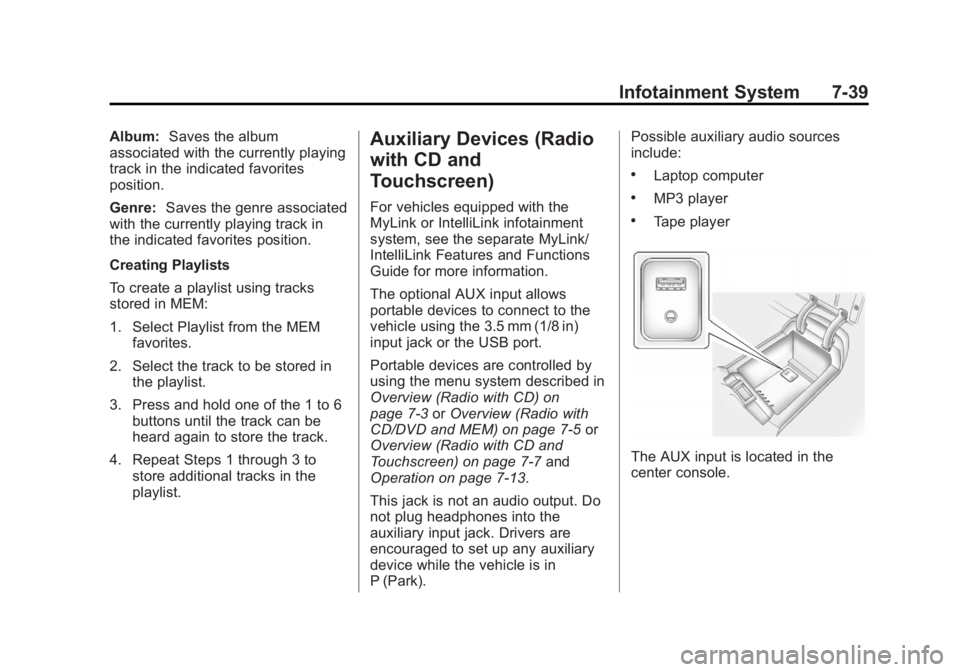
The AUX input is located in the
center console.
Page 220 of 512
Black plate (40,1)Buick LaCrosse Owner Manual - 2012
7-40 Infotainment System
3.5 mm Jack
Connect a 3.5 mm (1/8 in) cable to
the auxiliary input jack to use a
portable audio player.
Playback of an audio device that is
connected to the 3.5 mm jack can
only be controlled using the controls
on the device.
If an auxiliary device has already
been connected on vehicles with a
touchscreen, but a different source
is currently active, press the Now
Playing screen button on the Home
Page, then press Source repeatedly
to cycle through all of the available
audio source screens, until the AUX
source screen is selected.
Adjusting the Volume
Turn the VOL/
Oknob to adjust the
volume of the infotainment system
after the volume level has been set
on the portable audio device.
USB Port
For vehicles with a USB port, the
following devices may be connected
and controlled by the infotainment
system.
.iPods
.PlaysForSure Devices (PFDs)
.USB Drives
.Zunes™
.USB mass storage device
.Microsoft Transfer
Protocal (MTP)
Not all iPods, PFDs, USB Drives,
and Zunes are compatible with the
infotainment system.
Connecting and Controlling an
iPod®(Radio with CD and
Radio with CD/DVD/MEM)
Not all iPods can be controlled by
the infotainment system.
Connecting an iPod
Connect the iPod to the USB port.
Selecting a Track
Using the control buttons:
.Pressgorlto select the
previous or next track.
.Turn the TUNE knob to select a
track in the current submenu.
The track will start to play.
Page 225 of 512
Black plate (45,1)Buick LaCrosse Owner Manual - 2012
Infotainment System 7-45
USB Menu
Press any of the following buttons
on the USB Menu:
Shuffle Songs:Press to play the
tracks randomly. Press again to stop
shuffle.
Playlists: Press to view the
playlists stored on the USB. Select
a playlist to view the list of all songs
in that playlist. There might be a
delay before the list displays. Select
a song from the list to begin
playback.
Artists: Press to view the list of
artists stored on the USB. Select an
artist name to view a list of all
albums by the artist. There might be
a delay before the list displays. To
select a song, touch All Songs then
select a song or touch an album
then select a song from the list to
begin playback. Albums:
Press to view the albums
on the USB. Select the album to
view a list of all songs on the album.
There might be a delay before the
list displays. Select a song from the
list to begin playback.
Song Titles: Press to display a list
of all songs on the USB. Songs are
displayed as stored on the disc.
There might be a delay before the
list displays. To begin playback,
select a song from the list.
Genres: Press to view the genres
on the USB. Select a genre to view
a list of all songs of that genre.
Select a song from the list to begin
playback.
Folders: Press to open a folder list
to access the files within the folder
structure. File System and Naming
The song titles, artists, albums, and
genres are taken from the file's ID3
tag and are only displayed if present
in the tag. If a song title is not
present in the ID3 tag, the radio
displays the file name as the
track name.
Playing from an iPod®(Radio
with CD and Touchscreen)
This feature supports the following
iPod models:
.iPod nano (1st, 2nd, 3rd, and 4th
generation)
.iPod with video (5.0 and
5.5 generation). Video is not
shown; only audio is supported.
.iPod classic (6th generation)
.iPod touch (1st and 2nd
generation)
Page 226 of 512
Black plate (46,1)Buick LaCrosse Owner Manual - 2012
7-46 Infotainment System
There may be problems with
operation and function in the
following situations:
.When connecting an iPod on
which a more recent version of
the firmware is installed than is
supported by the infotainment
system.
.When connecting an iPod on
which firmware from other
providers is installed.
To connect and control an iPod,
connect one end of the standard
iPod USB cable to the iPod's dock
connector. Connect the other end to
the USB port in the center console.
iPod music information displays on
the radio’s display and begins
playing through the vehicle’s audio
system.
The iPod battery recharges
automatically while the vehicle is on.
When the vehicle is off while an
iPod is connected using the iPod USB cable, the iPod battery stops
charging and the iPod automatically
turns off.
If the iPod is an unsupported model,
it can still be listened to in the
vehicle by connecting to the
auxiliary input jack using a standard
3.5 mm (1/8 in) stereo cable.
Shuffle Songs:
Press to play the
tracks randomly. Press again to stop
shuffle.
Press any of the following buttons
on the iPod Menu:
Playlists:
1. Press to view the playlists stored on the iPod.
2. Select a playlist name to view a list of all songs in the playlist.
3. Select the desired song from the list to begin playback. Artists:
1. Press to view the artists stored
on the iPod.
2. Select an artist name to view a list of all songs by the artist.
3. Select the desired song from the list to begin playback.
Albums:
1. Press to view the albums stored on the iPod.
2. Select an album name to view a list of all songs on the album or
select All Songs to view all
songs by the artist.
3. Select the desired song from the list to begin playback.
Song Titles:
1. Press to view a list of all songs stored on the iPod.
2. Select the desired song from the list to begin playback.
Page 232 of 512
Black plate (52,1)Buick LaCrosse Owner Manual - 2012
7-52 Infotainment System
Remote Control
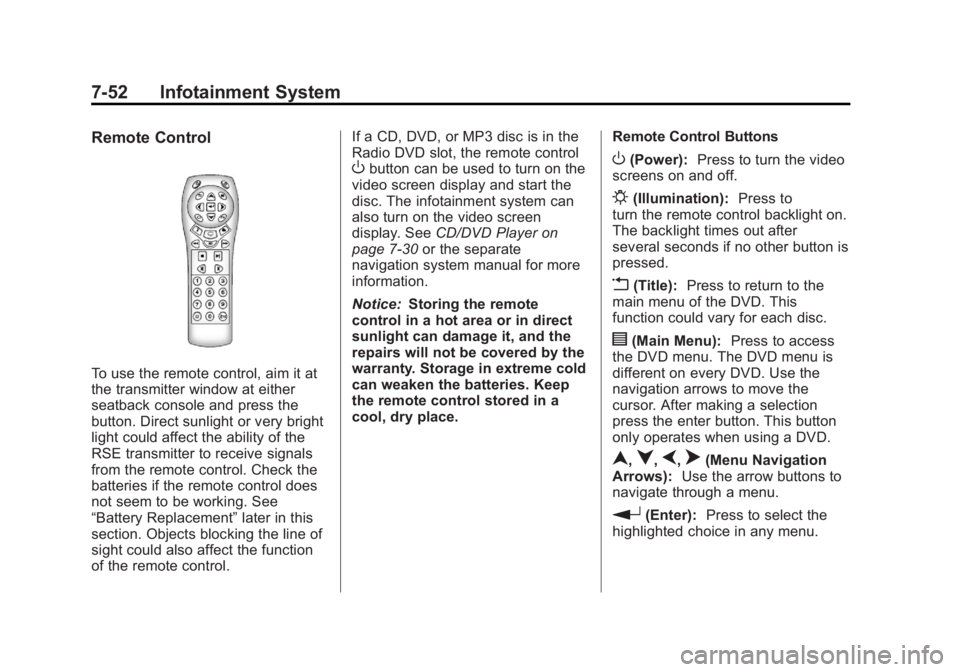
To use the remote control, aim it at
the transmitter window at either
seatback console and press the
button. Direct sunlight or very bright
light could affect the ability of the
RSE transmitter to receive signals
from the remote control. Check the
batteries if the remote control does
not seem to be working. See
“Battery Replacement”later in this
section. Objects blocking the line of
sight could also affect the function
of the remote control. If a CD, DVD, or MP3 disc is in the
Radio DVD slot, the remote control
Obutton can be used to turn on the
video screen display and start the
disc. The infotainment system can
also turn on the video screen
display. See CD/DVD Player on
page 7‑30 or the separate
navigation system manual for more
information.
Notice: Storing the remote
control in a hot area or in direct
sunlight can damage it, and the
repairs will not be covered by the
warranty. Storage in extreme cold
can weaken the batteries. Keep
the remote control stored in a
cool, dry place. Remote Control ButtonsO(Power):
Press to turn the video
screens on and off.
P(Illumination): Press to
turn the remote control backlight on.
The backlight times out after
several seconds if no other button is
pressed.
v(Title): Press to return to the
main menu of the DVD. This
function could vary for each disc.
y(Main Menu): Press to access
the DVD menu. The DVD menu is
different on every DVD. Use the
navigation arrows to move the
cursor. After making a selection
press the enter button. This button
only operates when using a DVD.
n,q,p,o(Menu Navigation
Arrows): Use the arrow buttons to
navigate through a menu.
r(Enter): Press to select the
highlighted choice in any menu.
Page 238 of 512

Black plate (58,1)Buick LaCrosse Owner Manual - 2012
7-58 Infotainment System
.See“Storing and Deleting Phone
Numbers” in this section for
more information.
{WARNING
When using a cell phone, it can
be distracting to look too long or
too often at the screen of the
phone or the infotainment
(navigation) system. Taking your
eyes off the road too long or too
often could cause a crash
resulting in injury or death. Focus
your attention on driving.
Vehicles with a Bluetooth system
can use a Bluetooth‐capable cell
phone with a Hands‐Free Profile to
make and receive phone calls. The
infotainment system and voice
recognition are used to control the
system. The system can be used
while in ON/RUN or ACC/
ACCESSORY. The range of the Bluetooth system can be up to 9.1 m
(30 ft). Not all phones support all
functions and not all phones work
with the Bluetooth system. See
www.gm.com/bluetooth for more
information about compatible
phones.
Bluetooth Controls
Use the buttons located on the
infotainment system and the
steering wheel to operate the
Bluetooth system.
Steering Wheel Controls
b/g(Push To Talk) :
Press to
answer incoming calls, confirm
system information, and start voice
recognition.
$/i(End Call): Press to end a
call, reject a call, or cancel an
operation. Infotainment System Controls
If equipped, the infotainment system
allows certain controls to be
selected on the infotainment display.
For information about how to
navigate the menu system using the
infotainment controls, see
Overview
(Radio with CD) on page 7‑3 or
Overview (Radio with CD/DVD and
MEM) on page 7‑5 orOverview
(Radio with CD and Touchscreen)
on page 7‑7 orAM-FM Radio (Radio
with CD/DVD/MEM) on page 7‑18 or
AM-FM Radio (Radio with CD and
Touchscreen) on page 7‑21.
5(Phone): Press to enter the
Phone main menu.
Voice Recognition
The voice recognition system uses
commands to control the system
and dial phone numbers.
Noise: The system may not
recognize voice commands if there
is too much background noise.
Page 249 of 512
Black plate (69,1)Buick LaCrosse Owner Manual - 2012
Infotainment System 7-69
Dual Tone Multi-Frequency
(DTMF) Tones
The Bluetooth system can send
numbers and the numbers stored as
name tags during a call. You can
use this feature when calling a
menu‐driven phone system.
Account numbers can also be
stored for use.
Sending a Number or Name Tag
During a Call
1. Press
b/g. The system
responds “Ready,”followed by
a tone.
2. Say “Dial.”
3. Say the number or name tag to send.
Clearing the System
Unless information is deleted out of
the in‐vehicle Bluetooth system, it
will be retained indefinitely. This
includes all saved name tags in the
phone book and phone pairing
information. For information on how
to delete this information, see the
previous sections on “Deleting a
Paired Phone” and“Deleting
Name Tags.”
Bluetooth (UHP
Mexico Only)
General Information
Vehicles with a Universal Hands‐
free Phone (UHP) system can use a
Bluetooth
®capable mobile phone
with a Hands-Free Profile to make
and receive phone calls. The
infotainment system and voice
control are used to control the
system. The system can be used
while the ignition is in ON/RUN or ACC/ACCESSORY. The range of
the UHP system can be up to 10 m
(33 ft). Not all phones support all
functions and not all phones work
with the UHP system.
Other Information
The Bluetooth word mark and logos
are owned by the Bluetooth®SIG,
Inc. and any use of such marks by
General Motors is under license.
Other trademarks and trade names
are those of their respective owners.
UHP Controls
Use the buttons located on the
infotainment system and the
steering wheel to operate the UHP
system.
Page 256 of 512
Black plate (76,1)Buick LaCrosse Owner Manual - 2012
7-76 Infotainment System
Adjusting the Volume for Voice
Output
Turn the volume knob of the
Infotainment system or press
the + / - buttons on the steering
wheel.
Canceling Dialogue
There are various possibilities of
deactivating the voice control and
cancelling the dialogue:
.Press the$/ibutton on the
steering wheel controls.
.Enter the command “Cancel.”
.Do not enter a command for
some time.
.The command is unrecognized
after three tries. Main Menu Commands
The UHP system has a set of main
menu commands that are available
when voice control is first started.
After the voice control is activated, a
short tone indicates that the voice
control system is waiting for a
command.
Available commands:
.“Dial”
.“Call”
.“Re-dial”
.“Save”
.“Delete”
.“Directory”
.“Pair”
.“Select device”
.“Voice feedback”
.“Help”
.“Cancel”Frequently Used Commands
Here is a list of frequently used
commands:
.“Help”: the dialogue is
terminated and all commands
available in the current context
are enumerated.
.“Cancel”: the voice control is
deactivated.
.“Yes”: a suitable action is
triggered depending on the
context.
.“No”: a suitable action is
triggered depending on the
context.
Voice Feedback
Each voice input is answered or
commented on by the infotainment
system by way of a voice output
that is adapted to the situation.
To switch the voice output on or off,
enter “Voice feedback” or press the
b/gbutton.