Page 254 of 650

�µ�µ�µ
The selected channel
number does not exist, or is not part
of your subscription, or this channel
has no artist or title inf ormation at
this time.
The selected
channel has no artist or title
inf ormation at this time.
There is a problem
with the XM antenna. Please consult
your dealer. The XM satellites are in orbit over
the equator; therefore, objects south
of the vehicle may cause satellite
reception interruptions. To help
compensate f or this, ground-based
repeaters are placed in major
metropolitan areas.
Satellite signals are more likely to be
blocked by tall buildings and
mountains the f arther north you
travel f rom the equator. Carrying
large items on a roof rack can also
block the signal.Depending on where you drive, you
may experience reception problems.
Interf erence can be caused by any of
these conditions:
Driving on the north side of an
east/west mountain road.
Driving in tunnels. Driving on the north side of a
large commercial truck on an
east/west road.
Driving on a road beside a vertical
wall, steep clif f , or hill to the south
of you.
Driving on the lower level of a
multi-tiered road.
Driving on a single lane road
alongside dense trees taller than
50 ft. (15 m) to the south of you.
Playing the XMRadio (Models without navigation system)
‘‘----’’
‘‘NO INFO’’
‘‘A NT ENNA ’’
250
11/01/14 18:37:28 31TK4630_255
Features
2012 TL
Page 307 of 650

�µ
�µ
�µ
�µ �µ
�µ
�µ
The encryption
code is being updated. Wait until the
encryption code is f ully updated.
Channels 0 and 1 should still work
normally. XM is loading the
audio or program inf ormation. The channel
currently selected is no longer
broadcasting. Once a channel is stored, press
and release the proper preset
button to tune to it.
Press the button or scroll
up again. The other XM band will
be shown. Store the next six
channels using steps 2 and 3. Repeat steps 2 and 3 to store the
f irst six channels. Pick the preset button you want
f or that channel. Press and hold
the preset button until you hear a
beep. You can also pick the
number with the interf ace dial.
Select your desired number and
press and hold ENTER on the
interf ace selector. In category mode, only channels
within that category can be
selected. In channel mode, all
channels can be selected. Use the tune, list, or scan f unction
to tune to a desired channel. The signal is
currently too weak. Move the vehicle
to an area away from tall buildings,
and with an unobstructed view of the
southern horizon. The selected channel
number does not exist, or is not part
of your subscription, or this channel
has no artist or title inf ormation at
this time.
There is
a problem with the XM antenna.
Please consult your dealer. The selected
channel has no artist or title
inf ormation at this time.
5. 3.
4. 2.
CONT INUED
‘‘UPDA T ING’’ ‘‘L OA DING’’ ‘‘OFF A IR’’ XM Radio Display Messages
‘‘NO SIGNA L ’’ ‘‘----’’
‘‘CHECK A NT ENNA ’’ ‘‘NO INFO’’
Playing the XMRadio (Models with navigation system)
Features
303
11/01/14 18:46:33 31TK4630_308
2012 TL
Page 401 of 650
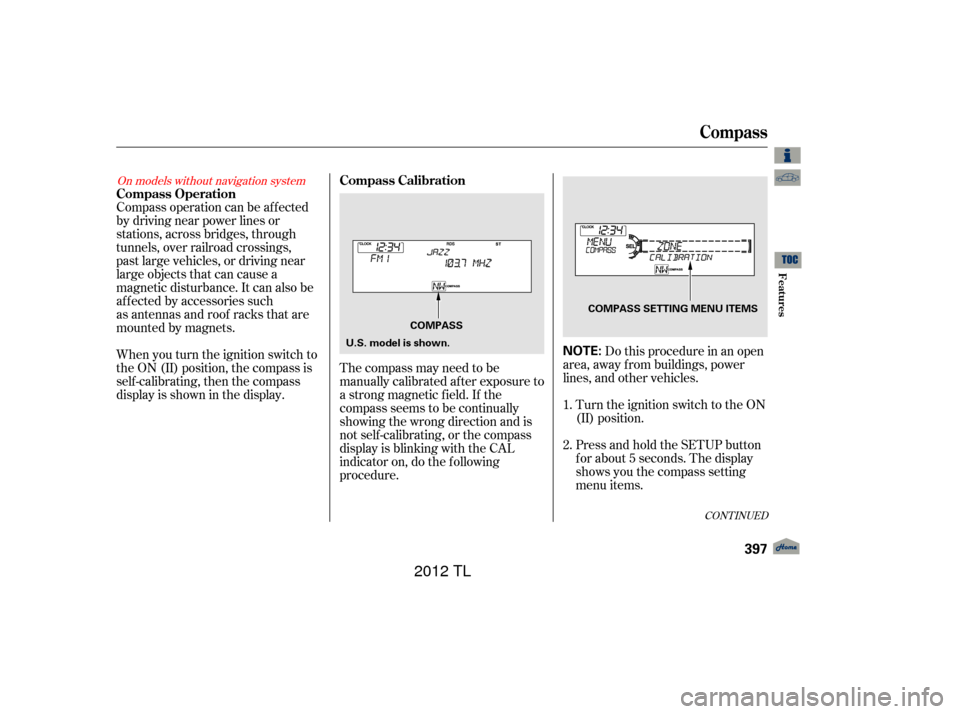
Compass operation can be affected
by driving near power lines or
stations, across bridges, through
tunnels, over railroad crossings,
past large vehicles, or driving near
large objects that can cause a
magnetic disturbance. It can also be
affected by accessories such
as antennas and roof racks that are
mounted by magnets.
When you turn the ignition switch to
the ON (II) position, the compass is
self-calibrating, then the compass
display is shown in the display.The compass may need to be
manually calibrated af ter exposure to
a strong magnetic field. If the
compassseemstobecontinually
showing the wrong direction and is
not self -calibrating, or the compass
display is blinking with the CAL
indicator on, do the f ollowing
procedure. Do this procedure in an open
area, away f rom buildings, power
lines, and other vehicles.
Turn the ignition switch to the ON
(II) position.
Press and hold the SETUP button
f or about 5 seconds. The display
shows you the compass setting
menu items.
1.
2.
On models without navigation system
CONT INUED
Compass Operation
Compass Calibration
Compass
Features
397
NOTE:U.S. model is shown.COMPASS
COMPASS SETTING MENU ITEMS
11/01/14 19:02:40 31TK4630_402
2012 TL