Page 129 of 316

04 Comfort and driving pleasure
Climate system
04
��
129
your Warranty and Service Records Informa-
tion booklet, or consult a trained and qualified
Volvo service technician for these intervals.
The filter should be replaced more often when
driving under dirty and dusty conditions. The
filter cannot be cleaned and therefore should
always be replaced with a new one.
NOTE
There are different types of cabin air filters.
Ensure that the correct type is installed.
Interior Air Quality System (IAQS)A multifilter helps reduce gases and particles
in the incoming air, thereby reducing the levels
of odors and contaminants entering the vehi-
cle. The air quality sensor detects increased
levels of contaminants in the outside air. When
the air quality sensor detects contaminated
outside air, the air intake closes and the air
inside the passenger compartment is recircu-
lated, i.e. no outside air enters the vehicle. The
filter also cleans recirculated passenger com-
partment air.
NOTE
Contact your Volvo retailer for IAQS air filter
replacement intervals.
Menu settingsThe default settings for three of the climate
system's functions can be changed in the
menu system, see page 124:
•Blower speed in automatic mode, see
page 131.
•Recirculation timer for passenger com-
partment air, see page 133.
•Automatic rear window defrosting, see
page 100.
The functions can also be returned to factory
settings in the menu system.
Air distribution
G017699
The incoming air is distributed from 20 different
vents in the passenger compartment.Air distribution is fully automatic in AUTO
mode.
If desired, air distribution can be controlled
manually, see page 134.
Air vents in the dashboard
G021367
Open
Closed
Horizontal airflow
Vertical airflow
Direct the outer air vents toward the side win-
dows to defrost.
Page 158 of 316
04 Comfort and driving pleasure
Stability system
04
158
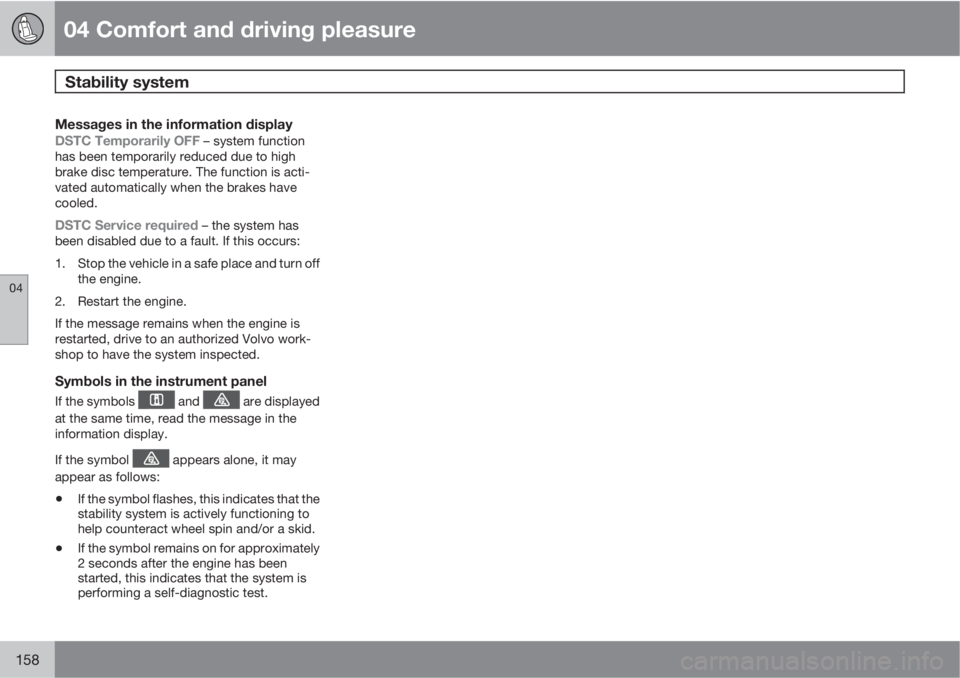
Messages in the information display
DSTC Temporarily OFF – system function
has been temporarily reduced due to high
brake disc temperature. The function is acti-
vated automatically when the brakes have
cooled.
DSTC Service required – the system has
been disabled due to a fault. If this occurs:
1. Stop the vehicle in a safe place and turn off
the engine.
2. Restart the engine.
If the message remains when the engine is
restarted, drive to an authorized Volvo work-
shop to have the system inspected.
Symbols in the instrument panel
If the symbols and are displayed
at the same time, read the message in the
information display.
If the symbol
appears alone, it may
appear as follows:
•If the symbol flashes, this indicates that the
stability system is actively functioning to
help counteract wheel spin and/or a skid.
•If the symbol remains on for approximately
2 seconds after the engine has been
started, this indicates that the system is
performing a self-diagnostic test.
Page 170 of 316
04 Comfort and driving pleasure
Adaptive Cruise Control (ACC)*
04
170* Option/accessory, for more information, see Introduction.
SymbolMessageDescription
Radar blocked See manualACC has been temporarily disconnected because the radar is obstructed in some way and cannot
detect other vehicles.
See page 166 for information on the radar sensor’s limitations.
Cruise control Service
requiredACC is not functioning.
Contact a trained and qualified Volvo service technician.
Page 173 of 316
04 Comfort and driving pleasure
Distance Alert*
04
* Option/accessory, for more information, see Introduction.173
SymbolMessageDescription
Radar blocked See manualDistance Alert has been temporarily disconnected because the radar is obstructed in some way and
cannot detect other vehicles. See page 166 for information on the radar sensor’s limitations.
Collision warn. Service
requiredDistance Alert or Collision Warning with Auto-brake is not functioning properly. Contact a trained and
qualified Volvo service technician.
Page 178 of 316

04 Comfort and driving pleasure
Collision warning with Auto-brake*
04
178* Option/accessory, for more information, see Introduction.
CauseAction
The surface of the windshield in front of the camera is dirty or covered
with ice or snow.Clean or clear the section of the windshield in front of the camera.
Fog, heavy rain or snow is interfering with the function of the camera.No action possible. Heavy precipitation may affect the function of the
camera.
The surface of the windshield is clean but the message remains in the
display.Wait a short time. It may take several minutes for the camera to register
visibility.
The surface between the inside of the windshield and the camera is dirty.Contact an authorized Volvo retailer or service technician to have this
surface cleaned.
Symbols and messages in the display
SymbolMessageDescription
Collis'n warning OFFCollision Warning is switched off. This message is displayed when the engine is started and will dis-
appear after approx. 5 seconds. It can also be erased by pressing the READ button.
Collision warn. Unavaila-
bleCollision Warning cannot be activated. This message is displayed when the driver attempts to activate
the function. It will disappear after approx. 5 seconds or can be erased by pressing the READ button.
Auto braking was acti-
vatedAuto-braking has been active. This message can be erased by pressing the READ button.
Windscreen Sensors
blockedThe camera is temporarily not functioning. This message is displayed if the camera is obstructed by
snow, ice, dirt, etc., on the windshield. Clean the area of the windshield in front of the camera, see
page 177 for more information on the camera’s limitations.
Page 179 of 316
04 Comfort and driving pleasure
Collision warning with Auto-brake*
04
* Option/accessory, for more information, see Introduction.179
SymbolMessageDescription
Radar blocked See man-
ualCollision Warning and Auto-brake are temporarily not functioning. The radar sensor is blocked, for
example by heavy rain or snow that has accumulated in front of the sensor, and cannot detect other
vehicles, see page 166 for more information on the radar sensor’s limitations.
Collision warn. Service
requiredCollision Warning and Auto-brake are partially or completely not functioning.
Contact a trained and qualified Volvo service technician if the message remains in the display.
Page 182 of 316
04 Comfort and driving pleasure
Driver Alert System*
04
182* Option/accessory, for more information, see Introduction.
SymbolMessageDescription
Driver alertThe function is analyzing the driver’s driving pattern. The number of bars varies from 1–5, where a low
number of bars indicates erratic driving. A high number of bars indicates stable driving.
Driver Alert Time for a
breakThe vehicle has been driven erratically. The driver receives an audible signal and a text message.
Windscreen Sensors
blockedThe camera is temporarily not functioning, due to snow, ice, or dirt on the windshield. Clean the area
of the windshield in front of the camera. See page 177 for information on the camera’s limitations.
Driver Alert Sys Service
requiredThe system is not functioning. Contact a trained and qualified Volvo service technician if the message
remains in the display.
Page 184 of 316

04 Comfort and driving pleasure
Driver Alert System*
04
184* Option/accessory, for more information, see Introduction.
Settings
Settings for Lane Departure Warning can be
made in the menu system under Car settings
Lane departure warning. See page
124 for more information on the menu system.
There are two alternatives:
On at start-up: This selection puts the func-
tion in standby mode each time the engine is
started. Otherwise, the system will be in the
mode that it was in when the engine was
switched off.
Increased sensitivity: This selection increa-
ses the function’s sensitivity. Warnings will be
given at an earlier stage and fewer limitations
apply. When this setting is being used, the sys-tem only needs to monitor lane marker lines on
one side of the vehicle to change status to
Lane Depart Warn Available.
Symbols and messages in the display
SymbolMessageDescription
Lane departure warning ON/Lane
departure warning OFFThe function is switched on or off. The text disappears after 5 seconds.
-Lane Depart Warn AvailableThe function is monitoring the road’s marker lines.
-Lane Depart Warn UnavailableSpeed is below 37 mph (60 km/h) or if the road lacks clear marker lines.
Windscreen Sensors blockedThe camera is temporarily not functioning, due to snow, ice, or dirt on the windshield. Clean
the area of the windshield in front of the camera. See page 177 for information on the camera’s
limitations.
Driver Alert Sys Service requiredThe system is not functioning. Contact a trained and qualified Volvo service technician if the
message remains in the display.


