2011 TOYOTA VERSO S engine
[x] Cancel search: enginePage 324 of 664
3245-2. Driving procedures
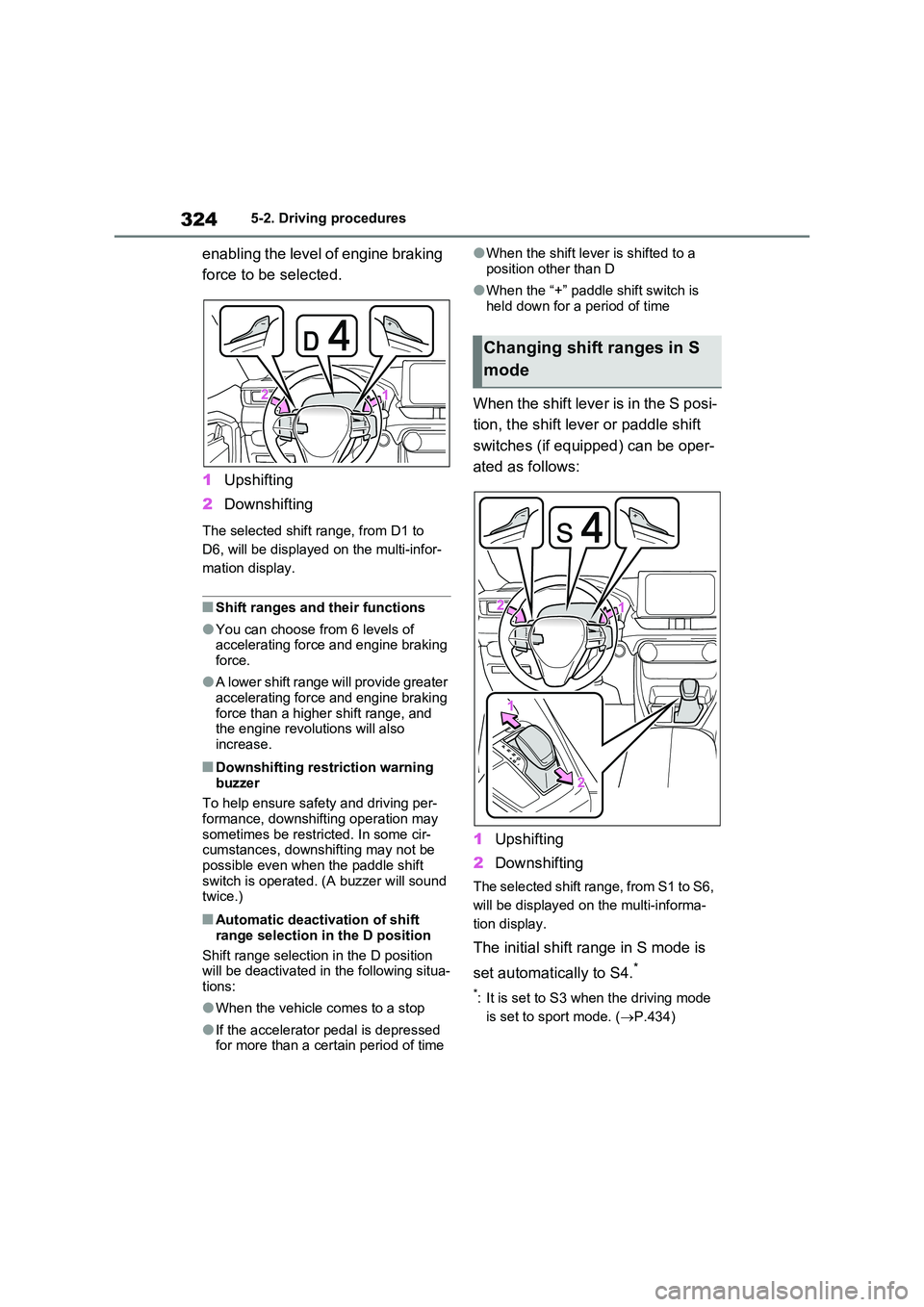
enabling the level of engine braking
force to be selected.
1 Upshifting
2 Downshifting
The selected shift range, from D1 to
D6, will be displayed on the multi-infor-
mation display.
■Shift ranges and their functions
●You can choose from 6 levels of accelerating force and engine braking force.
●A lower shift range will provide greater accelerating force and engine braking
force than a higher shift range, and the engine revolutions will also increase.
■Downshifting restriction warning
buzzer
To help ensure safety and driving per- formance, downshifting operation may
sometimes be restricted. In some cir- cumstances, downshifting may not be possible even when the paddle shift
switch is operated. (A buzzer will sound twice.)
■Automatic deactivation of shift
range selection in the D position
Shift range selection in the D position will be deactivated in the following situa-
tions:
●When the vehicle comes to a stop
●If the accelerator pedal is depressed for more than a certain period of time
●When the shift lever is shifted to a
position other than D
●When the “+” paddle shift switch is
held down for a period of time
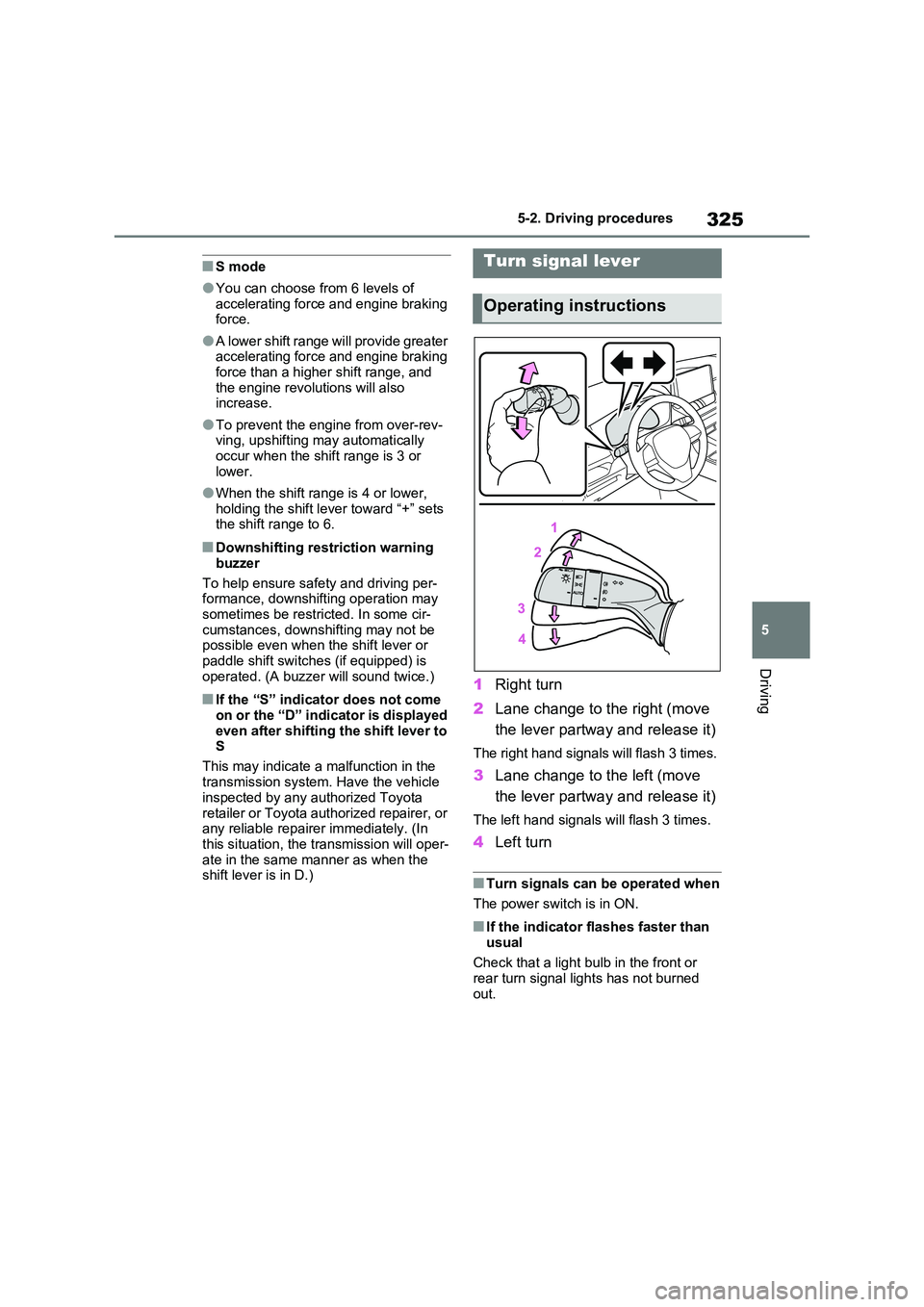
When the shift lever is in the S posi-
tion, the shift lever or paddle shift
switches (if equipped) can be oper-
ated as follows:
1 Upshifting
2 Downshifting
The selected shift range, from S1 to S6,
will be displayed on the multi-informa-
tion display.
The initial shift range in S mode is
set automatically to S4.*
*: It is set to S3 when the driving mode
is set to sport mode. ( P.434)
Changing shift ranges in S
mode
Page 325 of 664
325
5
5-2. Driving procedures
Driving
■S mode
●You can choose from 6 levels of accelerating force and engine braking force.
●A lower shift range will provide greater accelerating force and engine braking
force than a higher shift range, and the engine revolutions will also increase.
●To prevent the engine from over-rev-ving, upshifting may automatically
occur when the shift range is 3 or lower.
●When the shift range is 4 or lower, holding the shift lever toward “+” sets the shift range to 6.
■Downshifting restriction warning
buzzer
To help ensure safety and driving per- formance, downshifting operation may
sometimes be restricted. In some cir- cumstances, downshifting may not be possible even when the shift lever or
paddle shift switches (if equipped) is operated. (A buzzer will sound twice.)
■If the “S” indicator does not come on or the “D” indicator is displayed
even after shifting the shift lever to S
This may indicate a malfunction in the
transmission system. Have the vehicle inspected by any authorized Toyota
retailer or Toyota authorized repairer, or any reliable repairer immediately. (In this situation, the transmission will oper-
ate in the same manner as when the shift lever is in D.)
1 Right turn
2 Lane change to the right (move
the lever partway and release it)
The right hand signals will flash 3 times.
3 Lane change to the left (move
the lever partway and release it)
The left hand signals will flash 3 times.
4 Left turn
■Turn signals can be operated when
The power switch is in ON.
■If the indicator flashes faster than
usual
Check that a light bulb in the front or rear turn signal lights has not burned
out.
Turn signal lever
Operating instructions
Page 417 of 664

417
5 5-5. Using the driving support systems
Driving
■If “Parking Assist Unavailable” is
displayed on the multi-information
display (vehicles with PKSB)
Water may be continuously flowing over
the sensor surface, such as in a heavy
rain. When the system determines that it
is normal, the system will return to nor-
mal.
■Sensor detection information
●The sensor’s detection areas are lim-
ited to the areas around the vehicle’s
front and rear bumpers.
●The following situations may occur
during use.
• Depending on the shape of the object
and other factors, the detection dis-
tance may shorten, or detection may
be impossible.
• Detection may be impossible if static
objects draw too close to the sensor.
• There will be a short delay between
static object detection and display
(warning buzzer sounds). Even at low
speeds, there is a possibility that the
object will come within 25 cm (9.8 in.)
before the display is shown and the
warning buzzer sounds.
• It might be difficult to hear the buzzer
due to the volume of the audio system
or air flow noise of the air conditioning
system.
• It may be difficult to hear the sound of
this system due to the buzzers of
other systems.
■Conditions under which the func-
tion may not function correctly
Certain vehicle conditions and the sur-
rounding environment may affect the
ability of a sensor to correctly detect
objects. Particular instances where this
may occur are listed below.
●There is dirt, snow or ice on a sensor.
(Cleaning the sensors will resolve this
problem.)
●A sensor is frozen. (Thawing the area
will resolve this problem.)
In especially cold weather, if a sensor
is frozen the sensor display may be
displayed abnormally, or objects, such
as a wall, may not be detected.
●A sensor is covered in any way.
●When a sensor or the area around a
sensor is extremely hot or cold.
●On an extremely bumpy road, on an
incline, on gravel, or on grass.
●The vicinity of the vehicle is noisy due
to vehicle horns, motorcycle engines,
air brakes of large vehicles, or other
loud noises producing ultrasonic
waves.
●There is another vehicle equipped
with parking assist sensors in the
vicinity.
●A sensor is coated with a sheet of
spray or heavy rain.
●If a sensor is hit by a large amount of
water, such as when driving on a
flooded road.
●If the vehicle is significantly tilted.
●The vehicle is approaching a tall or
curved curb.
●If objects draw too close to the sensor.
■Objects which may not be properly
detected
The shape of the object may prevent the
sensor from detecting it. Pay particular
attention to the following objects:
●Wires, fences, ropes, etc.
●Cotton, snow and other materials that
absorb sound waves
●Sharply-angled objects
●Low objects
●Tall objects with upper sections pro-
jecting outwards in the direction of
your vehicle
Page 428 of 664
4285-5. Using the driving support systems
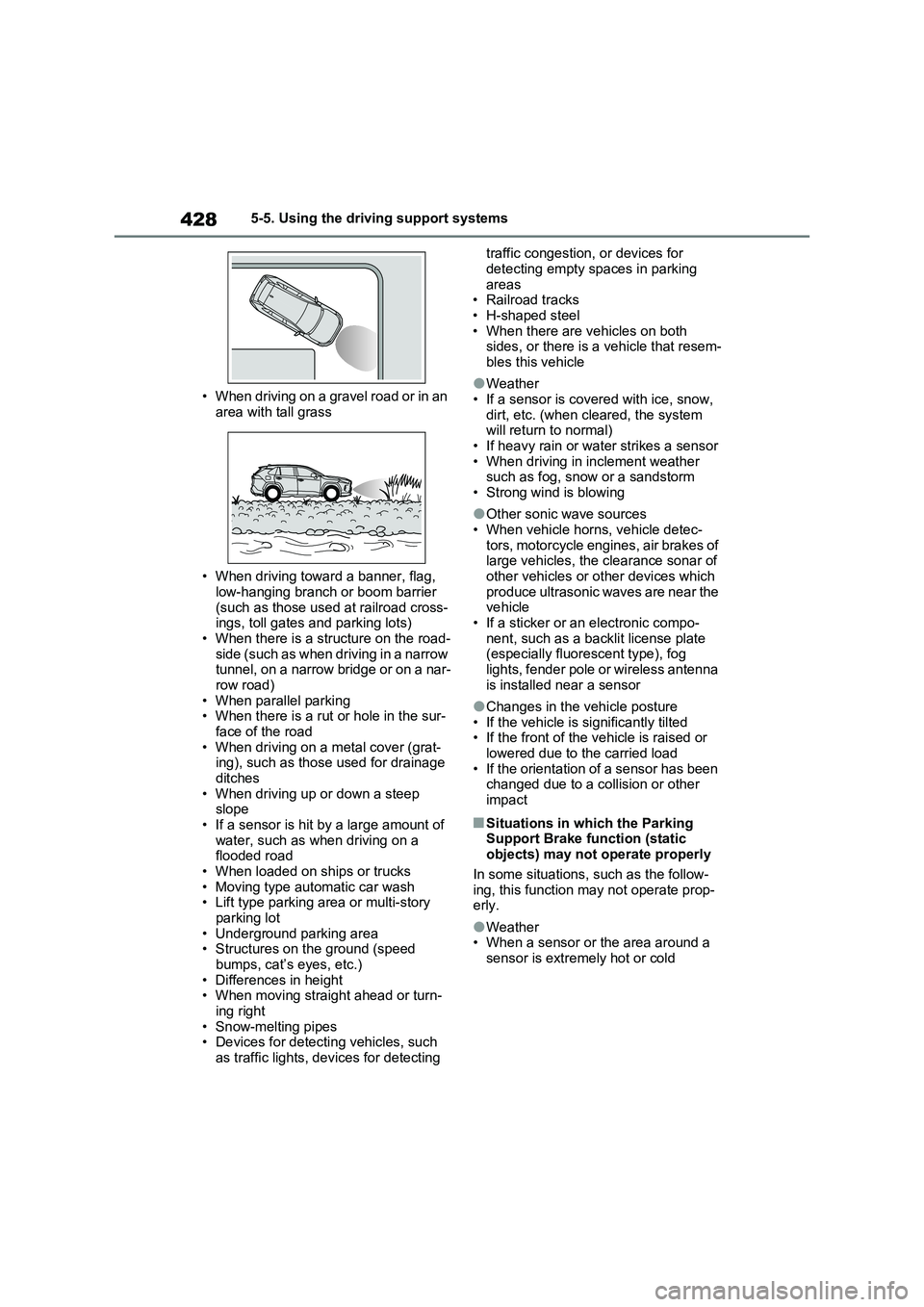
• When driving on a gravel road or in an
area with tall grass
• When driving toward a banner, flag,
low-hanging branch or boom barrier
(such as those used at railroad cross-
ings, toll gates and parking lots)
• When there is a structure on the road-
side (such as when driving in a narrow
tunnel, on a narrow bridge or on a nar-
row road)
• When parallel parking
• When there is a rut or hole in the sur-
face of the road
• When driving on a metal cover (grat-
ing), such as those used for drainage
ditches
• When driving up or down a steep
slope
• If a sensor is hit by a large amount of
water, such as when driving on a
flooded road
• When loaded on ships or trucks
• Moving type automatic car wash
• Lift type parking area or multi-story
parking lot
• Underground parking area
• Structures on the ground (speed
bumps, cat’s eyes, etc.)
• Differences in height
• When moving straight ahead or turn-
ing right
• Snow-melting pipes
• Devices for detecting vehicles, such
as traffic lights, devices for detecting traffic congestion, or devices for
detecting empty spaces in parking
areas
• Railroad tracks
• H-shaped steel
• When there are vehicles on both
sides, or there is a vehicle that resem-
bles this vehicle
●Weather
• If a sensor is covered with ice, snow,
dirt, etc. (when cleared, the system
will return to normal)
• If heavy rain or water strikes a sensor
• When driving in inclement weather
such as fog, snow or a sandstorm
• Strong wind is blowing
●Other sonic wave sources
• When vehicle horns, vehicle detec-
tors, motorcycle engines, air brakes of
large vehicles, the clearance sonar of
other vehicles or other devices which
produce ultrasonic waves are near the
vehicle
• If a sticker or an electronic compo-
nent, such as a backlit license plate
(especially fluorescent type), fog
lights, fender pole or wireless antenna
is installed near a sensor
●Changes in the vehicle posture
• If the vehicle is significantly tilted
• If the front of the vehicle is raised or
lowered due to the carried load
• If the orientation of a sensor has been
changed due to a collision or other
impact
■Situations in which the Parking
Support Brake function (static
objects) may not operate properly
In some situations, such as the follow-
ing, this function may not operate prop-
erly.
●Weather
• When a sensor or the area around a
sensor is extremely hot or cold
Page 429 of 664
429
5 5-5. Using the driving support systems
Driving
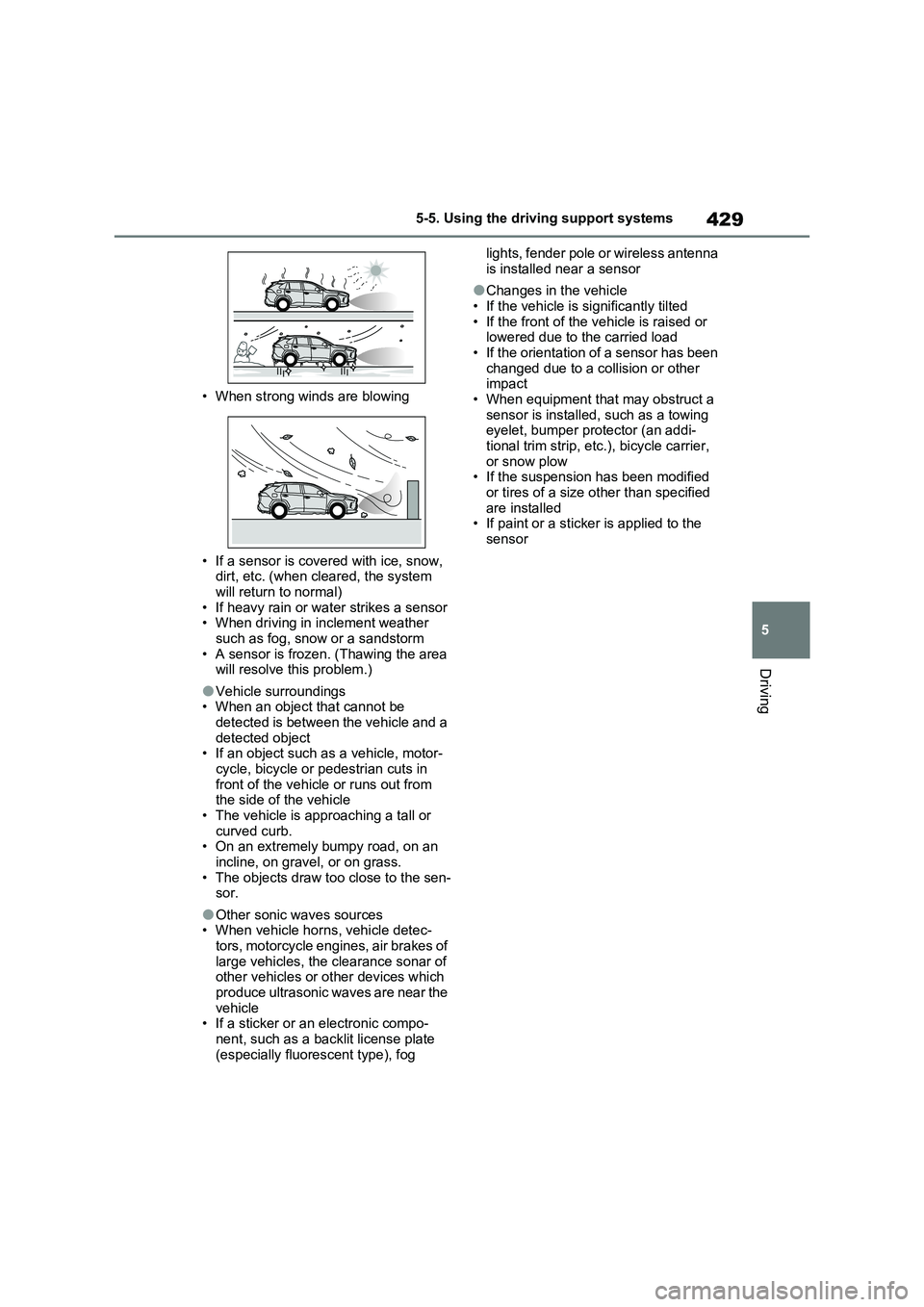
• When strong winds are blowing
• If a sensor is covered with ice, snow,
dirt, etc. (when cleared, the system
will return to normal)
• If heavy rain or water strikes a sensor
• When driving in inclement weather
such as fog, snow or a sandstorm
• A sensor is frozen. (Thawing the area
will resolve this problem.)
●Vehicle surroundings
• When an object that cannot be
detected is between the vehicle and a
detected object
• If an object such as a vehicle, motor-
cycle, bicycle or pedestrian cuts in
front of the vehicle or runs out from
the side of the vehicle
• The vehicle is approaching a tall or
curved curb.
• On an extremely bumpy road, on an
incline, on gravel, or on grass.
• The objects draw too close to the sen-
sor.
●Other sonic waves sources
• When vehicle horns, vehicle detec-
tors, motorcycle engines, air brakes of
large vehicles, the clearance sonar of
other vehicles or other devices which
produce ultrasonic waves are near the
vehicle
• If a sticker or an electronic compo-
nent, such as a backlit license plate
(especially fluorescent type), fog lights, fender pole or wireless antenna
is installed near a sensor
●Changes in the vehicle
• If the vehicle is significantly tilted
• If the front of the vehicle is raised or
lowered due to the carried load
• If the orientation of a sensor has been
changed due to a collision or other
impact
• When equipment that may obstruct a
sensor is installed, such as a towing
eyelet, bumper protector (an addi-
tional trim strip, etc.), bicycle carrier,
or snow plow
• If the suspension has been modified
or tires of a size other than specified
are installed
• If paint or a sticker is applied to the
sensor
Page 436 of 664
4365-5. Using the driving support systems
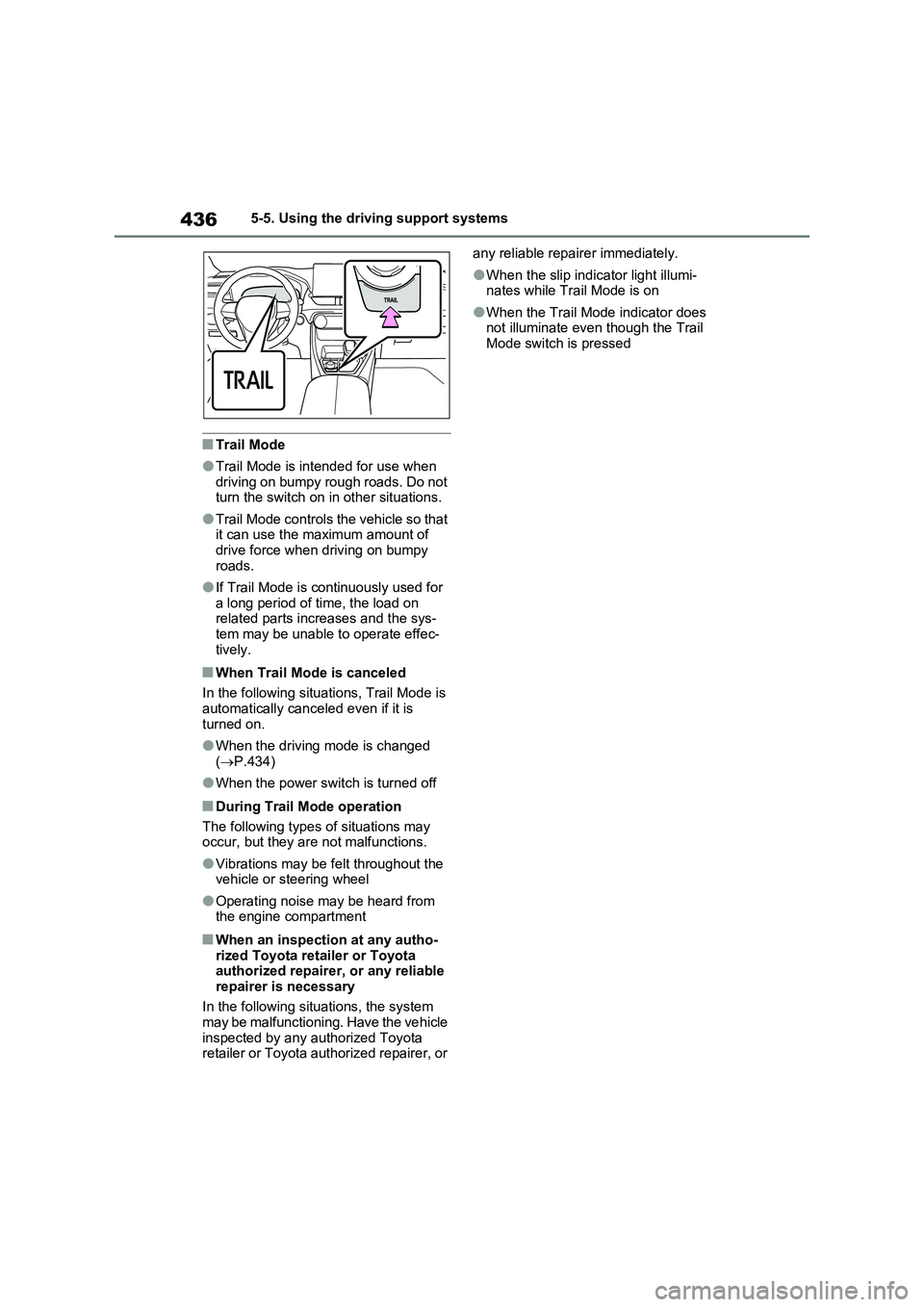
■Trail Mode
●Trail Mode is intended for use when
driving on bumpy rough roads. Do not
turn the switch on in other situations.
●Trail Mode controls the vehicle so that
it can use the maximum amount of
drive force when driving on bumpy
roads.
●If Trail Mode is continuously used for
a long period of time, the load on
related parts increases and the sys-
tem may be unable to operate effec-
tively.
■When Trail Mode is canceled
In the following situations, Trail Mode is
automatically canceled even if it is
turned on.
●When the driving mode is changed
(P.434)
●When the power switch is turned off
■During Trail Mode operation
The following types of situations may
occur, but they are not malfunctions.
●Vibrations may be felt throughout the
vehicle or steering wheel
●Operating noise may be heard from
the engine compartment
■When an inspection at any autho-
rized Toyota retailer or Toyota
authorized repairer, or any reliable
repairer is necessary
In the following situations, the system
may be malfunctioning. Have the vehicle
inspected by any authorized Toyota
retailer or Toyota authorized repairer, or any reliable repairer immediately.
●When the slip indicator light illumi-
nates while Trail Mode is on
●When the Trail Mode indicator does
not illuminate even though the Trail
Mode switch is pressed
Page 437 of 664
437
5
5-5. Using the driving support systems
Driving
■If “Exhaust Filter Full See Owner’s
Manual” is shown on the multi- information display
●The message may be displayed while high load driving with particulate mat-ter accumulating.
●Hybrid system output (engine speed) is restricted when a certain amount of
particulate matter accumulates, how- ever, it is possible to drive the vehicle unless the malfunction indicator lamp
comes on.
●Particulate matter can accumulate
more quickly if the vehicle is fre- quently driven short trips or at low speeds, or if the hybrid system is reg-
ularly started in an extremely cold environment. Excessive accumula-
tion of particulate matter can be pre- vented by periodically driving long distances continuously with intermit-
tent releasing of the accelerator pedal, such as when driving on highways and freeways.
■If the malfunction indicator lamp
comes on or “Hybrid System Mal- function Output Power Reduced Visit Your Dealer” is shown on the
multi-information display
The amount of accumulated particulate matter has exceeded a certain level.
Have the vehicle inspected by any authorized Toyota retailer or Toyota authorized repairer, or any reliable
repairer immediately.
GPF (Gasoline Particu-
late Filter) system
The GPF system collects par-
ticulate matter in the exhaust
gas by using an exhaust gas
filter. The system will operate
to regenerate the filter auto-
matically, depending on the
vehicle conditions.
NOTICE
■To prevent the GPF system from not operating properly
●Do not use fuel other than the spec-ified type
●Do not modify the exhaust pipes
Page 440 of 664
4405-5. Using the driving support systems
System), PCS will also be disabled
(only Pre-Collision warning is avail-
able). The PCS warning light will
come on and a message will be dis-
played on the multi-information dis-
play. (P.361)
■When the message is displayed on
the multi-information display show-
ing that TRC has been disabled
even if has not been pressed
TRC is temporary deactivated. If the
information continues to show, contact
any authorized Toyota retailer or Toyota
authorized repairer, or any reliable
repairer.
■Operating conditions of hill-start
assist control
When the following four conditions are
met, the hill-start assist control will oper-
ate:
●The shift lever is in a position other
than P or N (when starting off for-
ward/backward on an upward incline).
●The vehicle is stopped.
●The accelerator pedal is not
depressed.
●The parking brake is not engaged.
■Automatic system cancelation of
hill-start assist control
The hill-start assist control will turn off in
any of the following situations:
●The shift lever is shifted to P or N.
●The accelerator pedal is depressed.
●The parking brake is engaged.
●No more than 2 seconds have
elapsed after the brake pedal is
released.
■Sounds and vibrations caused by
the ABS, brake assist, VSC, Trailer
Sway Control, TRC and hill-start
assist control systems
●A sound may be heard from the
engine compartment when the brake
pedal is depressed repeatedly, when the hybrid system is started or just
after the vehicle begins to move. This
sound does not indicate that a mal-
function has occurred in any of these
systems.
●Any of the following conditions may
occur when the above systems are
operating. None of these indicates
that a malfunction has occurred.
• Vibrations may be felt through the
vehicle body and steering.
• A motor sound may be heard also
after the vehicle comes to a stop.
■ECB operating sound
ECB operating sound may be heard in
the following cases, but it does not indi-
cate that a malfunction has occurred.
●Operating sound heard from the
engine compartment when the brake
pedal is operated.
●Motor sound of the brake system
heard from the front part of the vehicle
when the driver’ door is opened.
●Operating sound heard from the
engine compartment when one or two
minutes passed after the stop of the
hybrid system.
■Active Cornering Assist operation
sounds and vibrations
When the Active Cornering Assist is
operated, operation sounds and vibra-
tions may be generated from the brake
system, but this is not a malfunction.
■EPS operation sound
When the steering wheel is operated, a
motor sound (whirring sound) may be
heard. This does not indicate a malfunc-
tion.
■Automatic reactivation of TRC,
Trailer Sway Control and VSC sys-
tems
After turning the TRC, Trailer Sway
Control and VSC systems off, the sys-
tems will be automatically re-enabled in
the following situations:
●When the power switch is turned off.
●If only the TRC system is turned off,