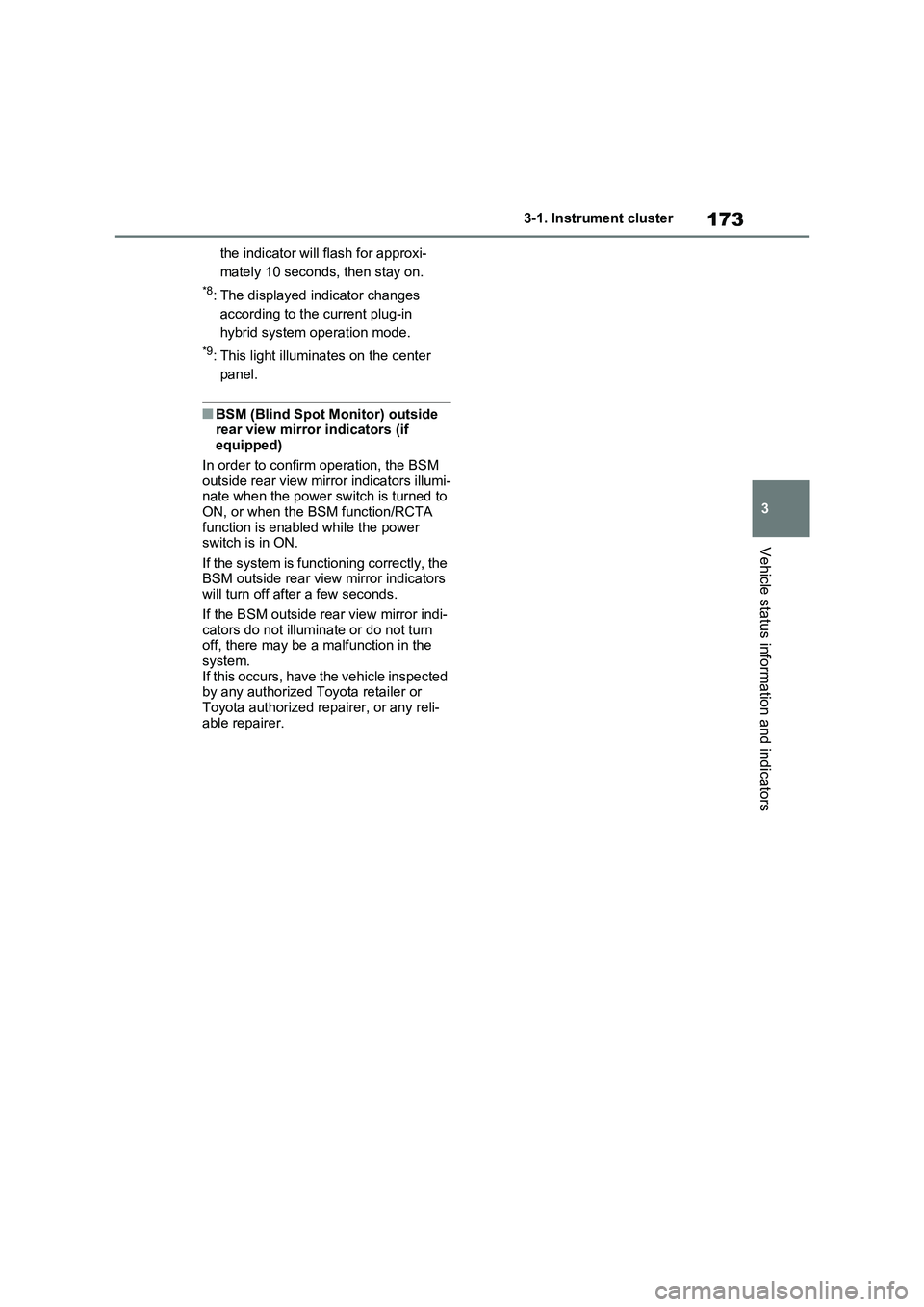
Page 172 of 664

1723-1. Instrument cluster
*1: This light illuminates on the multi-
information display with a message.
*2: Depending on the operating condi-
tion, the color and illuminating/flash-
ing state of the light change.
*3: The light comes on when the system
is turned off.
*4: Toyota parking assist-sensor OFF
indicator turns on when the power
switch is turned to ON while the
Toyota parking assist-sensor func-
tion is on. It will turn off after a few
seconds.
*5: These lights turn on when the power
switch is turned to ON to indicate
that a system check is being per-
formed. They will turn off after the
hybrid system is on, or after a few
seconds. There may be a malfunc-
tion in a system if the lights do not
turn on, or turn off. Have the vehicle
inspected by any authorized Toyota
retailer or Toyota authorized
repairer, or any reliable repairer.
*6: This light illuminates on the outside
rear view mirrors.
*7: When the outside temperature is
approximately 3°C (37°F) or lower,
(Flashes)
Slip indicator light*5
(P.439)
VSC OFF indicator
*3, 5
(P.439)
PCS warning light
*3, 5 (if
equipped) (P.357)
BSM outside rear view
mirror indicators
*5, 6 (if
equipped) (P.393)
BSM OFF indicator
*3, 5
(if equipped) (P.393)
RCTA OFF indicator
*3, 5
(if equipped) (P.393)
Brake hold standby indi-
cator
*5 (P.329)
Brake hold operated
indicator
*5 (P.329)
Security indicator
(P.76, 78)
“READY” indicator
(P.317)
Low outside tempera-
ture indicator
*7
(P.177)
EV indicator (P.90)
Parking brake indicator
(P.326)
EV drive mode indica-
tor
*8 (P.86)
AUTO EV/HV mode
indicator
*8 (P.86)
HV drive mode indica-
tor
*8 (P.86)
Hybrid battery charge
mode indicator
*8
(P.87)
Eco drive mode indica-
tor (P.434)
Sport mode indicator
(P.434)
Trail Mode indicator
(P.435)
“PASSENGER AIR BAG”
indicator
*5, 9 (if equipped)
(P.48)
Page 173 of 664
173
3 3-1. Instrument cluster
Vehicle status information and indicators
the indicator will flash for approxi-
mately 10 seconds, then stay on.
*8: The displayed indicator changes
according to the current plug-in
hybrid system operation mode.
*9: This light illuminates on the center
panel.
■BSM (Blind Spot Monitor) outside
rear view mirror indicators (if
equipped)
In order to confirm operation, the BSM
outside rear view mirror indicators illumi-
nate when the power switch is turned to
ON, or when the BSM function/RCTA
function is enabled while the power
switch is in ON.
If the system is functioning correctly, the
BSM outside rear view mirror indicators
will turn off after a few seconds.
If the BSM outside rear view mirror indi-
cators do not illuminate or do not turn
off, there may be a malfunction in the
system.
If this occurs, have the vehicle inspected
by any authorized Toyota retailer or
Toyota authorized repairer, or any reli-
able repairer.
Page 186 of 664
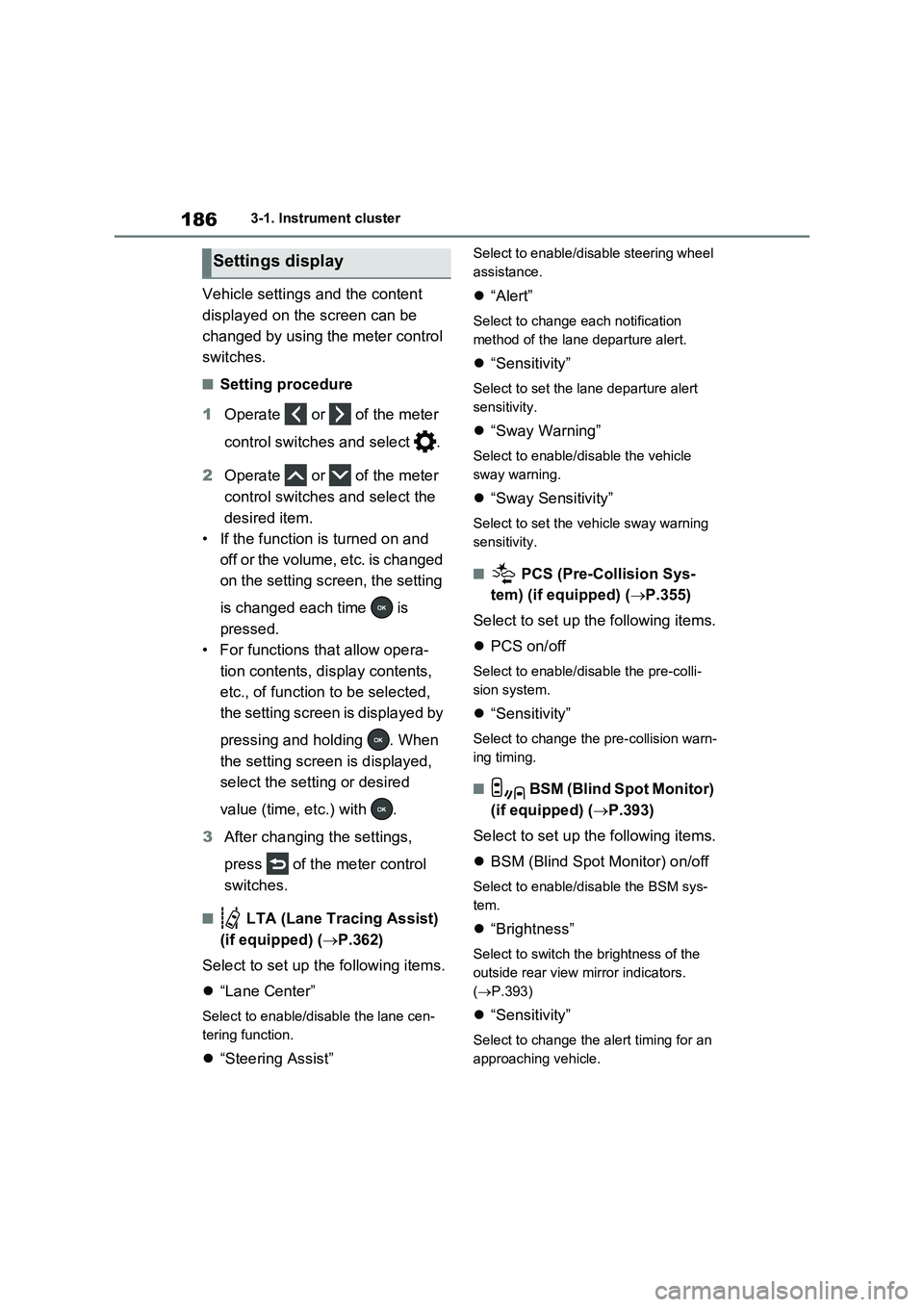
1863-1. Instrument cluster
Vehicle settings and the content
displayed on the screen can be
changed by using the meter control
switches.
■Setting procedure
1Operate or of the meter
control switches and select .
2Operate or of the meter
control switches and select the
desired item.
• If the function is turned on and
off or the volume, etc. is changed
on the setting screen, the setting
is changed each time is
pressed.
• For functions that allow opera-
tion contents, display contents,
etc., of function to be selected,
the setting screen is displayed by
pressing and holding . When
the setting screen is displayed,
select the setting or desired
value (time, etc.) with .
3After changing the settings,
press of the meter control
switches.
■ LTA (Lane Tracing Assist)
(if equipped) (P.362)
Select to set up the following items.
“Lane Center”
Select to enable/disable the lane cen-
tering function.
“Steering Assist”
Select to enable/disable steering wheel
assistance.
“Alert”
Select to change each notification
method of the lane departure alert.
“Sensitivity”
Select to set the lane departure alert
sensitivity.
“Sway Warning”
Select to enable/disable the vehicle
sway warning.
“Sway Sensitivity”
Select to set the vehicle sway warning
sensitivity.
■ PCS (Pre-Collision Sys-
tem) (if equipped) (P.355)
Select to set up the following items.
PCS on/off
Select to enable/disable the pre-colli-
sion system.
“Sensitivity”
Select to change the pre-collision warn-
ing timing.
■ BSM (Blind Spot Monitor)
(if equipped) (P.393)
Select to set up the following items.
BSM (Blind Spot Monitor) on/off
Select to enable/disable the BSM sys-
tem.
“Brightness”
Select to switch the brightness of the
outside rear view mirror indicators.
(P.393)
“Sensitivity”
Select to change the alert timing for an
approaching vehicle.
Settings display
Page 201 of 664
4
201
4
Before driving
Before driving
4-1. Key information
Keys.................................. 202
4-2. Opening, closing and locking
the doors
Side doors ........................ 205
Back door ......................... 210
Smart entry & start system 223
4-3. Adjusting the seats
Front seats........................ 270
Rear seats ........................ 271
Driving position memory ... 273
Head restraints ................. 276
4-4. Adjusting the steering wheel
and mirrors
Steering wheel .................. 278
Inside rear view mirror ...... 279
Digital Rear-view Mirror .... 280
Outside rear view mirrors . 289
4-5. Opening, closing the win-
dows and moon roof
Power windows................. 291
Panoramic moon roof ....... 294
Page 279 of 664

279
4
4-4. Adjusting the steering wheel and mirrors
Before driving
*: If equipped
The height of the rear view mirror
can be adjusted to suit your driving
posture.
Adjust the height of the rear view
mirror by moving it up and down.
Responding to the level of bright-
ness of the headlights of vehicles
behind, the reflected light is auto-
matically reduced.
Changing automatic anti-glare
function mode on/off
When the automatic anti-glare function
is in ON mode, the indicator illumi-
nates.
The function will set to ON mode each
time the power switch is turned to ON.
Pressing the button turns the function
to OFF mode. (The indicator also
turns off.)
■To prevent sensor error
To ensure that the sensors operate
properly, do not touch or cover them.
Inside rear view mirror*
The rear view mirror’s position
can be adjusted to enable suf-
ficient confirmation of the rear
view.
Adjusting the height of rear
view mirror
WARNING
■Caution while driving
Do not adjust the position of the mir- ror while driving.Doing so may lead to mishandling of
the vehicle and cause an accident, resulting in death or serious injury.
Anti-glare function
A
A
Page 287 of 664
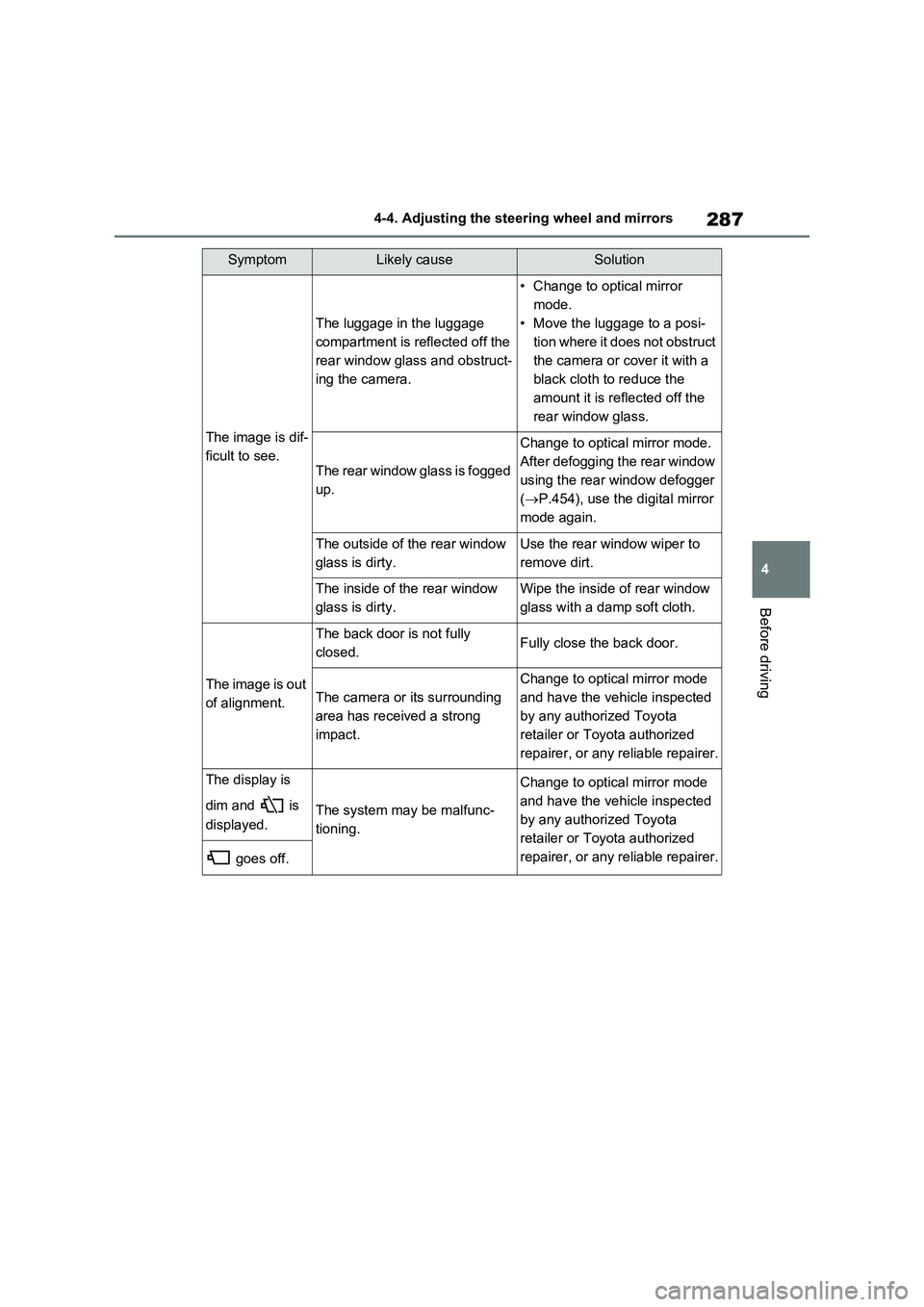
287
4 4-4. Adjusting the steering wheel and mirrors
Before driving
The image is dif-
ficult to see.
The luggage in the luggage
compartment is reflected off the
rear window glass and obstruct-
ing the camera.
• Change to optical mirror
mode.
• Move the luggage to a posi-
tion where it does not obstruct
the camera or cover it with a
black cloth to reduce the
amount it is reflected off the
rear window glass.
The rear window glass is fogged
up.
Change to optical mirror mode.
After defogging the rear window
using the rear window defogger
(P.454), use the digital mirror
mode again.
The outside of the rear window
glass is dirty.Use the rear window wiper to
remove dirt.
The inside of the rear window
glass is dirty.Wipe the inside of rear window
glass with a damp soft cloth.
The image is out
of alignment.
The back door is not fully
closed.Fully close the back door.
The camera or its surrounding
area has received a strong
impact.
Change to optical mirror mode
and have the vehicle inspected
by any authorized Toyota
retailer or Toyota authorized
repairer, or any reliable repairer.
The display is
dim and is
displayed.
The system may be malfunc-
tioning.
Change to optical mirror mode
and have the vehicle inspected
by any authorized Toyota
retailer or Toyota authorized
repairer, or any reliable repairer.
goes off.
SymptomLikely causeSolution
Page 289 of 664
289
4
4-4. Adjusting the steering wheel and mirrors
Before driving
■Defogging the mirrors
The outside rear view mirrors can be
cleared using the mirror defoggers. Turn on the rear window defogger to turn on the outside rear view mirror defoggers.
( P.454)
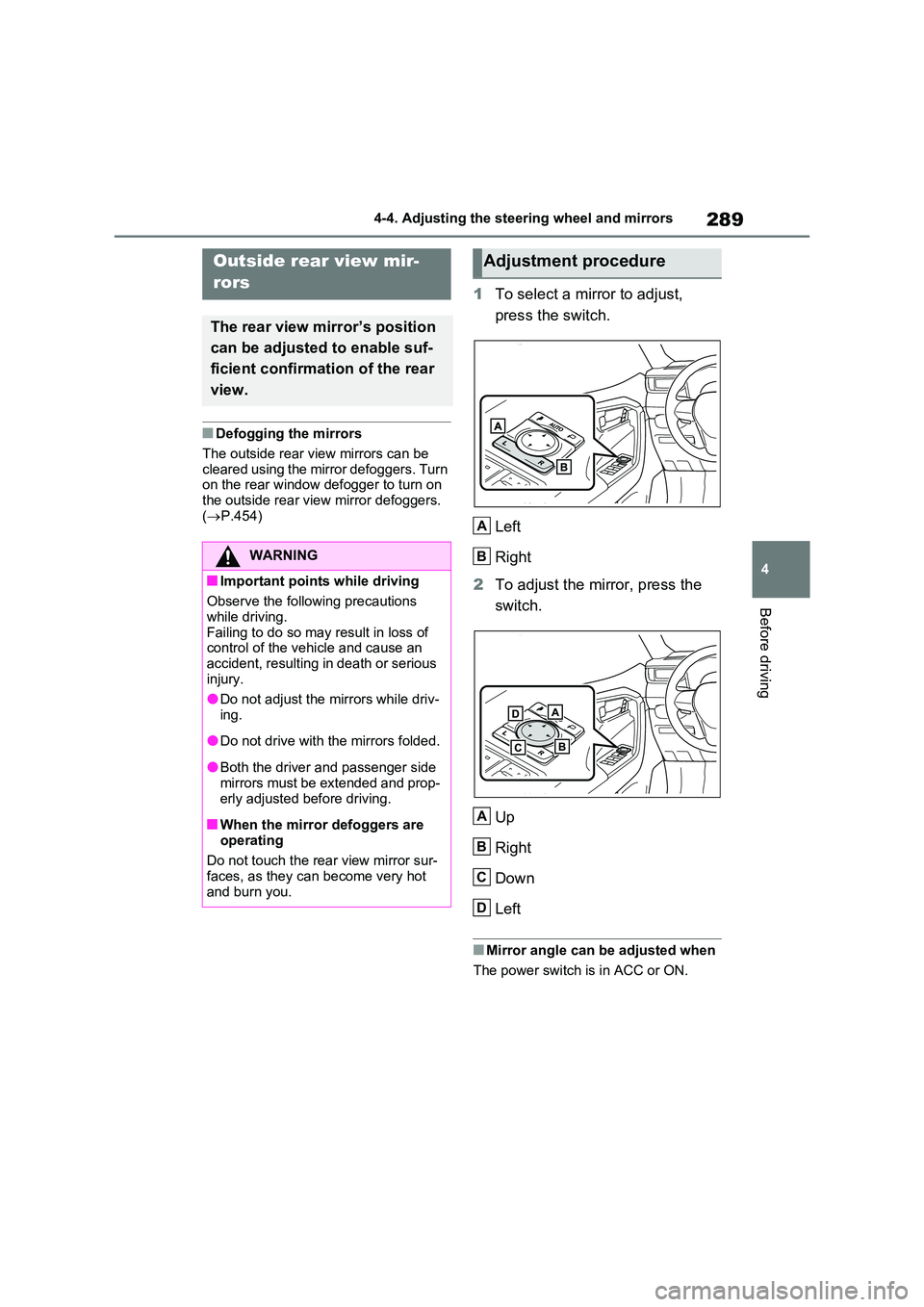
1To select a mirror to adjust,
press the switch.
Left
Right
2 To adjust the mirror, press the
switch.
Up
Right
Down
Left
■Mirror angle can be adjusted when
The power switch is in ACC or ON.
Outside rear view mir-
rors
The rear view mirror’s position
can be adjusted to enable suf-
ficient confirmation of the rear
view.
WARNING
■Important points while driving
Observe the following precautions
while driving. Failing to do so may result in loss of control of the vehicle and cause an
accident, resulting in death or serious injury.
●Do not adjust the mirrors while driv-
ing.
●Do not drive with the mirrors folded.
●Both the driver and passenger side mirrors must be extended and prop-
erly adjusted before driving.
■When the mirror defoggers are
operating
Do not touch the rear view mirror sur- faces, as they can become very hot
and burn you.
Adjustment procedure
A
B
A
B
C
D
Page 290 of 664
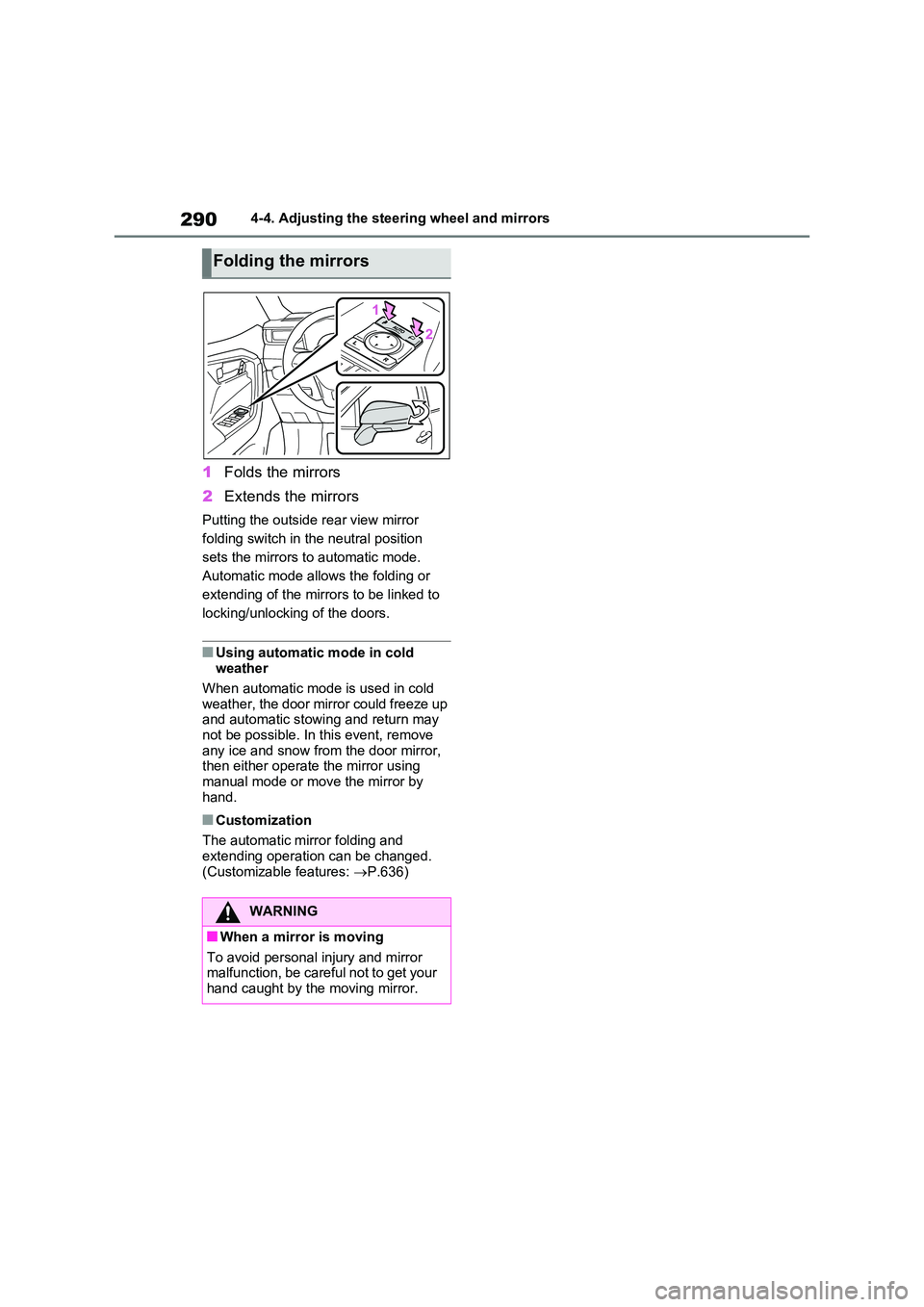
2904-4. Adjusting the steering wheel and mirrors
1Folds the mirrors
2 Extends the mirrors
Putting the outside rear view mirror
folding switch in the neutral position
sets the mirrors to automatic mode.
Automatic mode allows the folding or
extending of the mirrors to be linked to
locking/unlocking of the doors.
■Using automatic mode in cold weather
When automatic mode is used in cold
weather, the door mirror could freeze up and automatic stowing and return may not be possible. In this event, remove
any ice and snow from the door mirror, then either operate the mirror using manual mode or move the mirror by
hand.
■Customization
The automatic mirror folding and extending operation can be changed.
(Customizable features: P.636)
Folding the mirrors
WARNING
■When a mirror is moving
To avoid personal injury and mirror malfunction, be careful not to get your hand caught by the moving mirror.