2011 TOYOTA VERSO S Full cap
[x] Cancel search: Full capPage 143 of 664
143
2
2-2. Charging
Plug-in hybrid system
■When the outside temperature is low or high
The level shown on the SOC (State of Charge) gauge ( P.174) may drop slightly when the power switch is turned
to ON, even if charging has been com- pleted and the hybrid battery (traction battery) is fully charged. However, this
does not indicate a malfunction.
■When removing the charging con- nector
Unlock the doors using the smart entry
& start system or wireless remote con- trol to unlock the charging connector, check that the lock is released, and then
pull the charging connector towards you. ( P.121)
■If the charging connector cannot be unlocked
P.123
WARNING
■After charging
Remove the plug if it will not be used for a long time.
Dirt and dust may accumulate plug or
socket, which could cause a malfunc- tion or fire, possibly leading to death or serious injury.
NOTICE
■After charging
●Store the AC charging cable out of
reach from infants and children.
●After disconnecting the charging
connector from the AC charging inlet, make sure to put on the AC charging inlet cap and close the
charging port lid. If the AC charging inlet cap is not put on, water or for-eign objects may enter the AC
charging inlet, which could lead to vehicle damage.
●After removing the plug from the socket, keep it in a safe place free from moisture and dust. The AC
charging cable or plug may be dam- aged if the cable is stepped on or ridden over by the vehicle.
Page 299 of 664

5
299
5
Driving
Driving
5-1. Before driving
Driving the vehicle ............ 300
Cargo and luggage ........... 306
Trailer towing .................... 308
5-2. Driving procedures
Power (ignition) switch ...... 317
Hybrid transmission .......... 321
Turn signal lever ............... 325
Parking brake ................... 326
Brake Hold ........................ 329
5-3. Operating the lights and wip-
ers
Headlight switch ............... 332
AHB (Automatic High Beam)
....................................... 334
Fog light switch ................. 337
Windshield wipers and washer
....................................... 338
Rear window wiper and washer
....................................... 340
5-4. Refueling
Opening the fuel tank cap. 342
5-5. Using the driving support
systems
Toyota Safety Sense ........ 344
PCS (Pre-Collision System)
....................................... 355
LTA (Lane Tracing Assist) 362
RSA (Road Sign Assist) ... 372
Dynamic radar cruise control
with full-speed range ...... 376
Cruise control ................... 388
Speed limiter ..................... 391
BSM (Blind Spot Monitor) . 393
Toyota parking assist-sensor
........................................ 414
PKSB (Parking Support Brake)
........................................ 420
Parking Support Brake function
(static objects) ................ 424
Parking Support Brake function
(rear-crossing vehicles) .. 430
Driving mode select switch 434
Trail Mode ......................... 435
GPF (Gasoline Particulate Fil-
ter) system ...................... 437
Driving assist systems ...... 438
5-6. Driving tips
Winter driving tips ............. 445
Utility vehicle precautions . 448
Page 301 of 664
301
5 5-1. Before driving
Driving
■Driving in the rain
●Drive carefully when it is raining,
because visibility will be reduced, the
windows may become fogged-up, and
the road could be slippery.
●Drive carefully when it starts to rain,
as the road surface could be espe-
cially slippery.
●Refrain from high speeds when driv-
ing on an expressway in the rain,
because there may be a layer of water
between the tires and the road sur-
face, preventing the steering and
brakes from operating properly.
■ECO Accelerator Guidance
(P.182)
It is easier to drive in an Eco-friendly
manner by driving while referring to the
ECO Accelerator Guidance display.
Also, by using the ECO Accelerator
Guidance it is easier to increase the
“Eco Score” evaluation.
●When starting off: While staying within
the ECO Accelerator Guidance range,
gradually depress the accelerator
pedal and accelerate to the desired
speed. If excessive acceleration is
avoided, the “Start” score will
increase.
●When driving: After accelerating to the
desired speed, release the accelera-
tor pedal and drive at a stable speed
within the ECO Accelerator Guidance
range. By keeping the vehicle within
the ECO Accelerator Guidance range,
the “Cruise” score will increase.
●When stopping: When stopping the
vehicle, early releasing the accelera-
tor pedal will cause the “Stop” score to
increase.
■Restraining the hybrid system out-
put (Brake Override System)
●When the accelerator and brake ped-
als are depressed at the same time,
the hybrid system output may be
restrained.
●A warning message is displayed on
the multi-information display and head-up display (if equipped) while
the system is operating. (P.574)
■Restraining sudden start (Drive-
Start Control)
●When the following unusual operation
is performed, the hybrid system output
may be restrained.
• When the shift lever is shifted from R
to D, D to R, N to R, P to D
*, or P to R*
(D includes S) with the accelerator
pedal depressed, a warning message
appears on the multi-information dis-
play and head-up display (if
equipped). If a warning message is
shown on the multi-information dis-
play, read the message and follow the
instructions.
• When the accelerator pedal is
depressed too much while the vehicle
is in reverse.
*: Depending on the situation, the shift
lever may not be changed.
●While Drive-Start Control is being acti-
vated, your vehicle may have trouble
escaping from the mud or fresh snow.
In such case, deactivate TRC
(P.439) to cancel Drive-Start Con-
trol so that the vehicle may be able to
escape from the mud or fresh snow.
●Drive-Start Control does not work
when Trail Mode is turned on.
■Breaking in your new Toyota
To extend the life of the vehicle, observ-
ing the following precautions is recom-
mended:
●For the first 300 km (200 miles):
Avoid sudden stops.
●For the first 800 km (500 miles):
Do not tow a trailer.
●For the first 1000 km (600 miles):
• Do not drive at extremely high
speeds.
• Avoid sudden acceleration.
• Do not drive continuously in low
gears.
• Do not drive at a constant speed for
extended periods.
Page 309 of 664
309
5
5-1. Before driving
Driving
Check the allowable towing capac-
ity, GVM (Gross Vehicle Mass),
MPAC (Maximum Permissible Axle
Capacity), and permissible drawbar
load before towing. ( P.618)
Toyota recommends the use of the
Toyota hitch/bracket for your vehi-
cle. Other products of a suitable
nature and comparable quality may
also be used.
For vehicles where the towing
device blocks any of the lights or
license plate, the following shall be
observed:
Do not use towing device that
cannot be easily removed or
repositioned.
Towing devices must be
removed or repositioned when
not in use.
Please consult any authorized
Toyota retailer or Toyota authorized
repairer, or any reliable repairer
when installing trailer lights, as
incorrect installation may cause
damage to the vehicle’s lights.
Please take care to comply with
your state’s laws when installing
trailer lights.
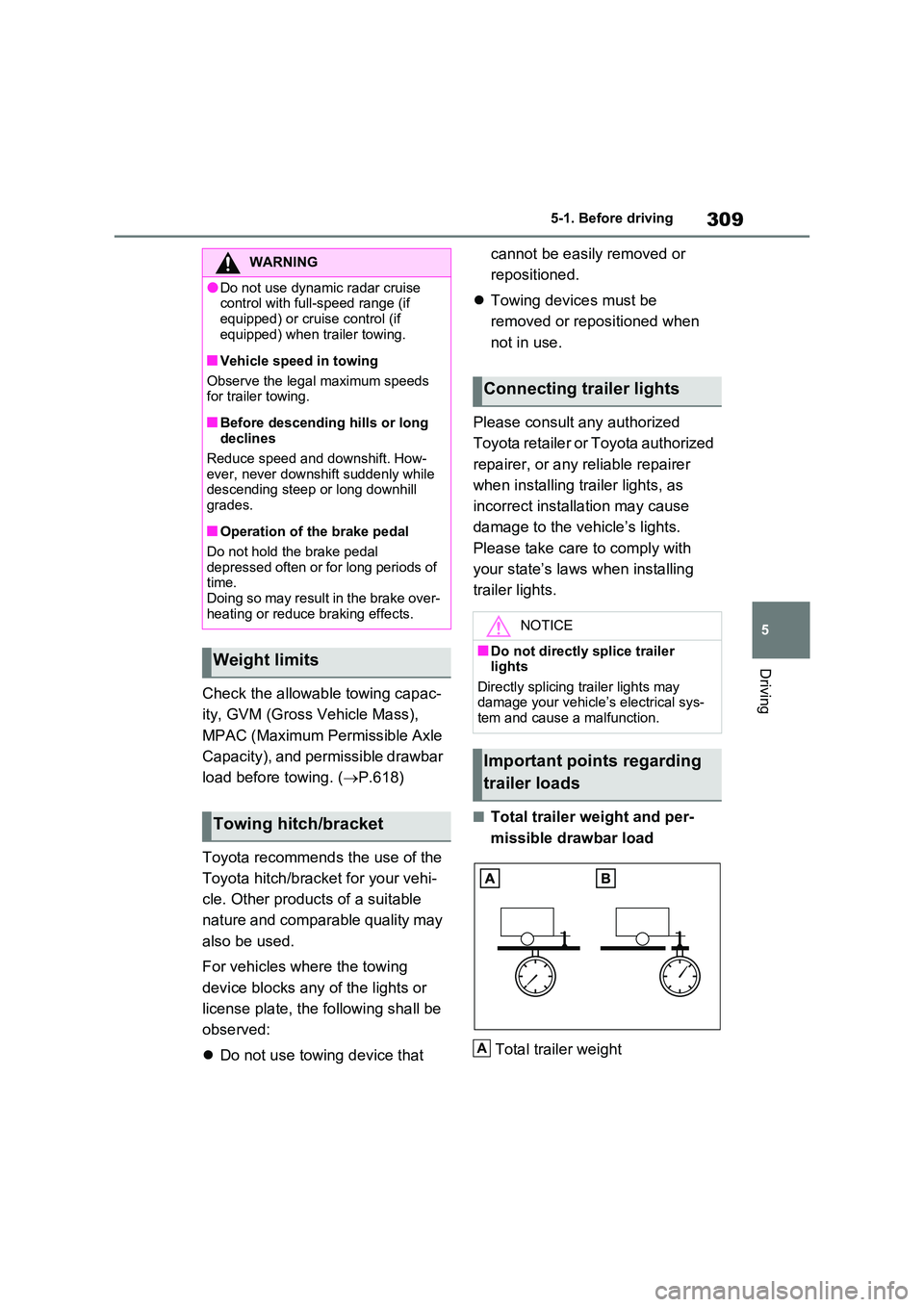
■Total trailer weight and per-
missible drawbar load
Total trailer weight
WARNING
●Do not use dynamic radar cruise control with full-speed range (if
equipped) or cruise control (if equipped) when trailer towing.
■Vehicle speed in towing
Observe the legal maximum speeds for trailer towing.
■Before descending hills or long declines
Reduce speed and downshift. How- ever, never downshift suddenly while descending steep or long downhill
grades.
■Operation of the brake pedal
Do not hold the brake pedal depressed often or for long periods of time.
Doing so may result in the brake over- heating or reduce braking effects.
Weight limits
Towing hitch/bracket
Connecting trailer lights
NOTICE
■Do not directly splice trailer lights
Directly splicing trailer lights may damage your vehicle’s electrical sys-tem and cause a malfunction.
Important points regarding
trailer loads
A
Page 342 of 664
3425-4. Refueling
5-4.Refuelin g
Close all the doors and windows,
and turn the power switch to
OFF.
Confirm the type of fuel.
■Fuel types
P.627
■Fuel tank opening for unleaded gasoline
To help prevent incorrect fueling, your vehicle has a fuel tank opening that only accommodates the special nozzle on
unleaded fuel pumps.
Opening the fuel tank
cap
Perform the following steps to
open the fuel tank cap:
Before refueling the vehicle
WARNING
■When refueling the vehicle
Observe the following precautions
while refueling the vehicle. Failure to do so may result in death or serious injury.
●After exiting the vehicle and before opening the fuel door, touch an unpainted metal surface to dis-
charge any static electricity. It is important to discharge static elec-tricity before refueling because
sparks resulting from static electric- ity can cause fuel vapors to ignite while refueling.
●Always hold the grips on the fuel tank cap and turn it slowly to remove it.
A whooshing sound may be heard when the fuel tank cap is loosened. Wait until the sound cannot be
heard before fully removing the cap. In hot weather, pressurized fuel may spray out of the filler neck
and cause injury.
●Do not allow anyone that has not
discharged static electricity from their body to come close to an open fuel tank.
●Do not inhale vaporized fuel.Fuel contains substances that are
harmful if inhaled.
●Do not smoke while refueling the
vehicle. Doing so may cause the fuel to ignite and cause a fire.
●Do not return to the vehicle or touch any person or object that is stati-
cally charged. This may cause static electricity to build up, result-ing in a possible ignition hazard.
■When refueling
Observe the following precautions to
prevent fuel overflowing from the fuel tank:
●Securely insert the fuel nozzle into
the fuel filler neck.
●Stop filling the tank after the fuel
nozzle automatically clicks off.
●Do not top off the fuel tank.
NOTICE
■Refueling
Do not spill fuel during refueling. Doing so may damage the vehicle,
such as causing the emission control system to operate abnormally or dam-aging fuel system components or the
vehicle’s painted surface.
Page 378 of 664

3785-5. Using the driving support systems
WARNING
■Cautions regarding the driving assist systems
Observe the following precautions, as there are limitations to the assistance provided by the system. Failure to do
so may cause an accident resulting in death or serious injury.
●Assisting the driver to measure fol-
lowing distance
The dynamic radar cruise control with
full-speed range is only intended to
help the driver in determining the fol-
lowing distance between the driver’s
own vehicle and a designated vehicle
traveling ahead. It is not a mechanism
that allows careless or inattentive
driving, and it is not a system that can
assist the driver in low-visibility condi-
tions.
It is still necessary for driver to pay
close attention to the vehicle’s sur-
roundings.
●Assisting the driver to judge proper following distance
The dynamic radar cruise control with
full-speed range determines whether
the following distance between the
driver’s own vehicle and a designated
vehicle traveling ahead is within a set
range. It is not capable of making any
other type of judgement. Therefore, it
is absolutely necessary for the driver
to remain vigilant and to determine
whether or not there is a possibility of
danger in any given situation.
●Assisting the driver to operate the vehicle
The dynamic radar cruise control with
full-speed range does not include
functions which will prevent or avoid
collisions with vehicles ahead of your
vehicle. Therefore, if there is ever any
possibility of danger, the driver must
take immediate and direct control of
the vehicle and act appropriately in
order to ensure the safety of all
involved.
■Situations unsuitable for dynamic radar cruise control
with full-speed range
Do not use dynamic radar cruise con- trol with full-speed range in any of the
following situations. Doing so may result in inappropriate speed control and could cause an accident resulting
in death or serious injury.
●Roads where there are pedestrians, cyclists, etc.
●In heavy traffic
●On roads with sharp bends
●On winding roads
●On slippery roads, such as those covered with rain, ice or snow
●On steep downhills, or where there are sudden changes between sharp
up and down gradients
Vehicle speed may exceed the set
speed when driving down a steep hill.
●At entrances to freeways and high- ways
●When weather conditions are bad enough that they may prevent the sensors from detecting correctly
(fog, snow, sandstorm, heavy rain, etc.)
Page 421 of 664

421
5
5-5. Using the driving support systems
Driving
The Parking Support Brake can be
enabled/disabled on the screen
of the multi-information display. All
of the Parking Support Brake func-
tions (static objects and rear-cross-
ing vehicles) are enabled/disabled
simultaneously. ( P.186)
When the Parking Support Brake is dis-
abled, the PKSB OFF indicator
( P.171) illuminates on the multi-infor-
mation display.
To re-enable the system, select on
the multi-information display, select
and turn it on.
If the system is disabled, it will remain
off even if the power switch is turned to
ON after the power switch has been
turned off.
WARNING
■Limitations of the Parking Sup- port Brake system
Do not overly rely on the system, as doing so may lead to an accident.
Always drive while checking the
safety of the surroundings of the vehi- cle.
Depending on the vehicle and road
conditions, weather, etc., the system may not operate.
The detection capabilities of sensors
and radars are limited. Always drive while checking the safety of the sur-roundings of the vehicle.
●The driver is solely responsible for safe driving. Always drive carefully,
taking care to observe your sur- roundings. The Parking Support Brake system is designed to pro-
vide support to lessen the severity of collisions. However, it may not operate in some situations.
●The Parking Support Brake system is not designed to stop the vehicle
completely. Additionally, even if the system has stopped the vehicle, it is necessary to depress the brake
pedal immediately as brake control will be canceled after approximately 2 seconds.
●Do not attempt to test the operation of the Parking Support Brake sys-
tem yourself such as intentionally driving to a vehicle or wall.Depending on the situations, the
system may not operate properly, possibly leading to an accident.
NOTICE
■If “PKSB Unavailable” is dis-played on the multi-information
display and the PKSB OFF indi- cator illuminates
If this message is displayed immedi-
ately after the power switch is changed to ON, operate the vehicle carefully, paying attention to your sur-
roundings. It may be necessary to drive the vehicle for a certain amount of time before the system returns to
normal. (If the system does not return to normal after driving for a while, clean the sensors and their surround-
ing area on the bumpers.)
Enabling/Disabling the Park-
ing Support Brake
Page 443 of 664
443
5
5-5. Using the driving support systems
Driving
WARNING
●When driving over roads with pot- holes or uneven surfaces
■TRC/VSC may not operate effec-tively when
Directional control and power may not be achievable while driving on slip-pery road surfaces, even if the
TRC/VSC system is operating. Drive the vehicle carefully in condi-tions where stability and power may
be lost.
■Active Cornering Assist does not
operate effectively when
●Do not overly rely on Active Corner- ing Assist. Active Cornering Assist
may not operate effectively when accelerating down slopes or driving on slippery road surfaces.
●When Active Cornering Assist fre-quently operates, Active Cornering
Assist may temporarily stop operat- ing to ensure proper operation of the brakes, TRC and VSC.
■Hill-start assist control does not operate effectively when
●Do not overly rely on hill-start assist control. Hill-start assist control may not operate effectively on steep
inclines and roads covered with ice.
●Unlike the parking brake, hill-start
assist control is not intended to hold the vehicle stationary for an extended period of time. Do not
attempt to use hill-start assist con- trol to hold the vehicle on an incline, as doing so may lead to an acci-
dent.
■When the TRC/ABS/VSC/Trailer
Sway Control is activated
The slip indicator light flashes. Always drive carefully. Reckless driving may
cause an accident. Exercise particular care when the indicator light flashes.
■When the TRC/VSC/Trailer Sway Control systems are turned off
Be especially careful and drive at a
speed appropriate to the road condi- tions. As these are the systems to help ensure vehicle stability and driv-
ing force, do not turn the TRC/VSC/Trailer Sway Control sys-tems off unless necessary.
Trailer Sway Control is part of the VSC system and will not operate if VSC is turned off or experiences a
malfunction.
■Replacing tires
Make sure that all tires are of the specified size, brand, tread pattern and total load capacity. In addition,
make sure that the tires are inflated to the recommended tire inflation pres-sure level.
The ABS, TRC and VSC/Trailer Sway Control systems will not function cor-rectly if different tires are installed on
the vehicle. Contact any authorized Toyota retailer or Toyota authorized repairer,
or any reliable repairer for further information when replacing tires or wheels.
■Handling of tires and the suspen-sion
Using tires with any kind of problem or modifying the suspension will affect the driving assist systems, and may
cause a system to malfunction.
■Trailer Sway Control precaution
The Trailer Sway Control system is not able to reduce trailer sway in all situations. Depending on many fac-
tors such as the conditions of the vehicle, trailer, road surface and driv-ing environment, the Trailer Sway
Control system may not be effective. Refer to your trailer owner’s manual for information on how to tow your
trailer properly.