Page 4 of 732

TABLE OF CONTENTSIndex
4
3-3. Using the Bluetooth® audio
system
Bluetooth
® audio system .... 365
Using the Bluetooth®
audio system .................... 368
Operating a Bluetooth
®
enabled portable player ... 373
Setting up a Bluetooth
®
enabled portable player ... 375
Bluetooth
® audio system
setup ................................ 380
3-4. Using the rear audio/video system
Rear seat entertainment system .............................. 381
Using the DVD player (DVD video)...................... 390
Using the DVD player (video CD) ........................ 399
Using the DVD player (audio CD/CD text) ........... 402
Using the DVD player (MP3 discs) ...................... 404
Using the video mode ........ 407
Changing the Setup Menu settings ............................. 409
3-5. Using the hands-free phone system (for cellular phone)
Hands-free phone system features ............................ 417
Using the hands-free phone system ................... 421
Making a phone call ........... 429
Setting a cellular phone...... 433
Security and system setup ................................ 437
Using the phone book ........ 440 3-6. Using the interior lights
Interior lights list.................. 446
• Personal/interior light main switch ....................... 447
• Personal/interior lights ...... 448
• Cargo lamp main switch ... 450
3-7. Using the storage features List of storage features ....... 451
• Glove boxes ..................... 453
• Console box ..................... 455
• Card holder ....................... 457
• Map holder ....................... 460
• Pen holder ........................ 463
• Tissue pocket ................... 465
• Overhead console ............ 467
• Front cup holders ............. 468
• Rear cup holders .............. 470
• Bottle holders ................... 471
• Auxiliary boxes ................. 473
• Storage box ...................... 475
3-8. Other interior features Sun visors ........................... 478
Vanity mirrors ..................... 479
Clock................................... 480
Outside temperature display .............................. 481
Power outlets (12V DC) ...... 483
Power outlets (115V AC) .... 488
Seat heaters ....................... 492
Seat heaters and ventilators ......................... 494
Armrest (CrewMax models only) .................................. 496
Seatback table .................... 497
Floor mat ............................ 498
Luggage compartment features ............................ 500
Garage door opener ........... 503
Page 14 of 732
14
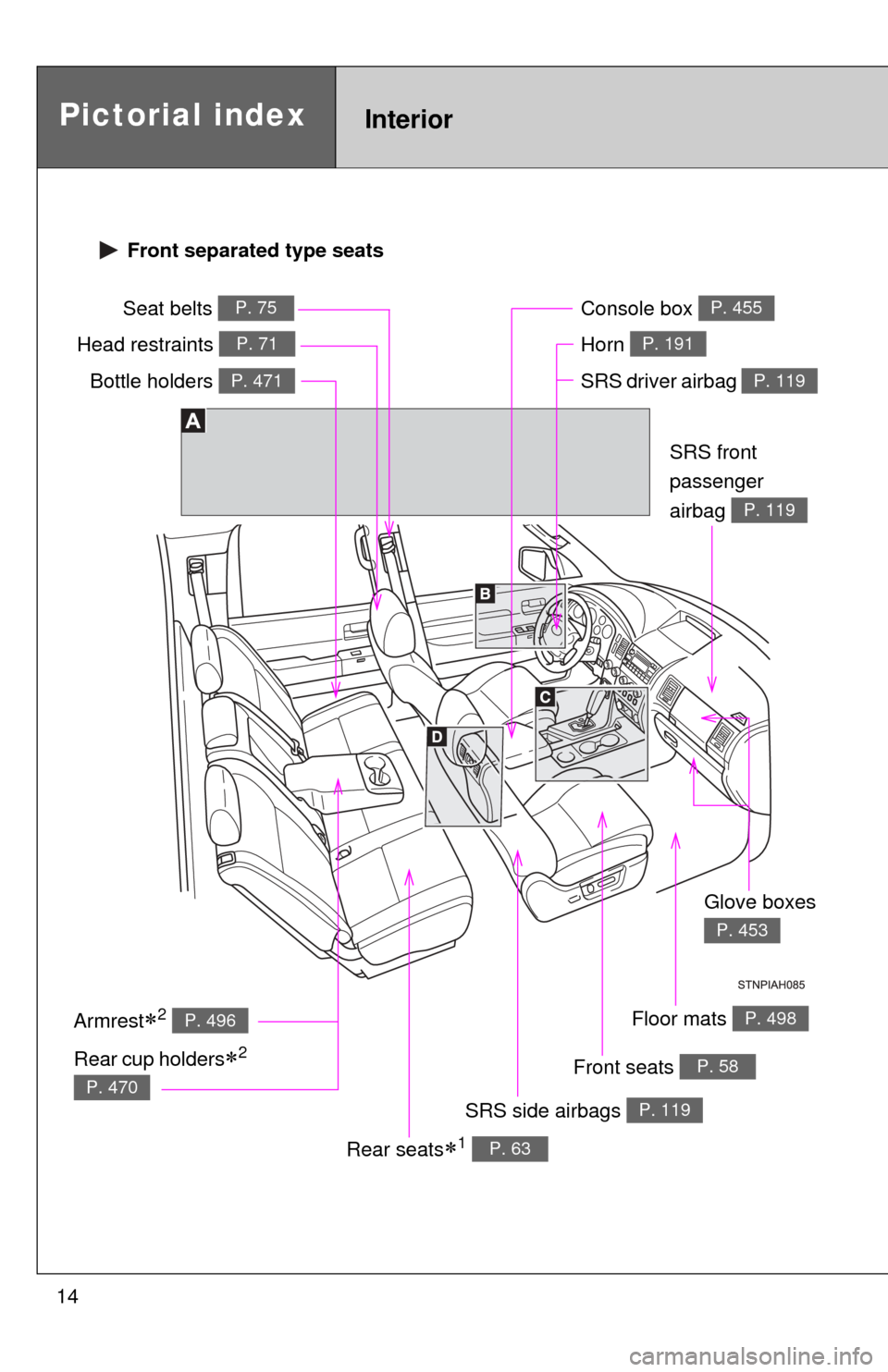
Pictorial indexInterior
Seat belts P. 75
SRS driver airbag P. 119
Head restraints P. 71
SRS side airbags P. 119
Floor mats P. 498
SRS front
passenger
airbag
P. 119
Armrest2 P. 496
Front seats P. 58
Console box P. 455
Rear seats1 P. 63
Glove boxes
P. 453
Front separated type seats
Rear cup holders2
P. 470
Bottle holders P. 471
Horn P. 191
Page 17 of 732
17
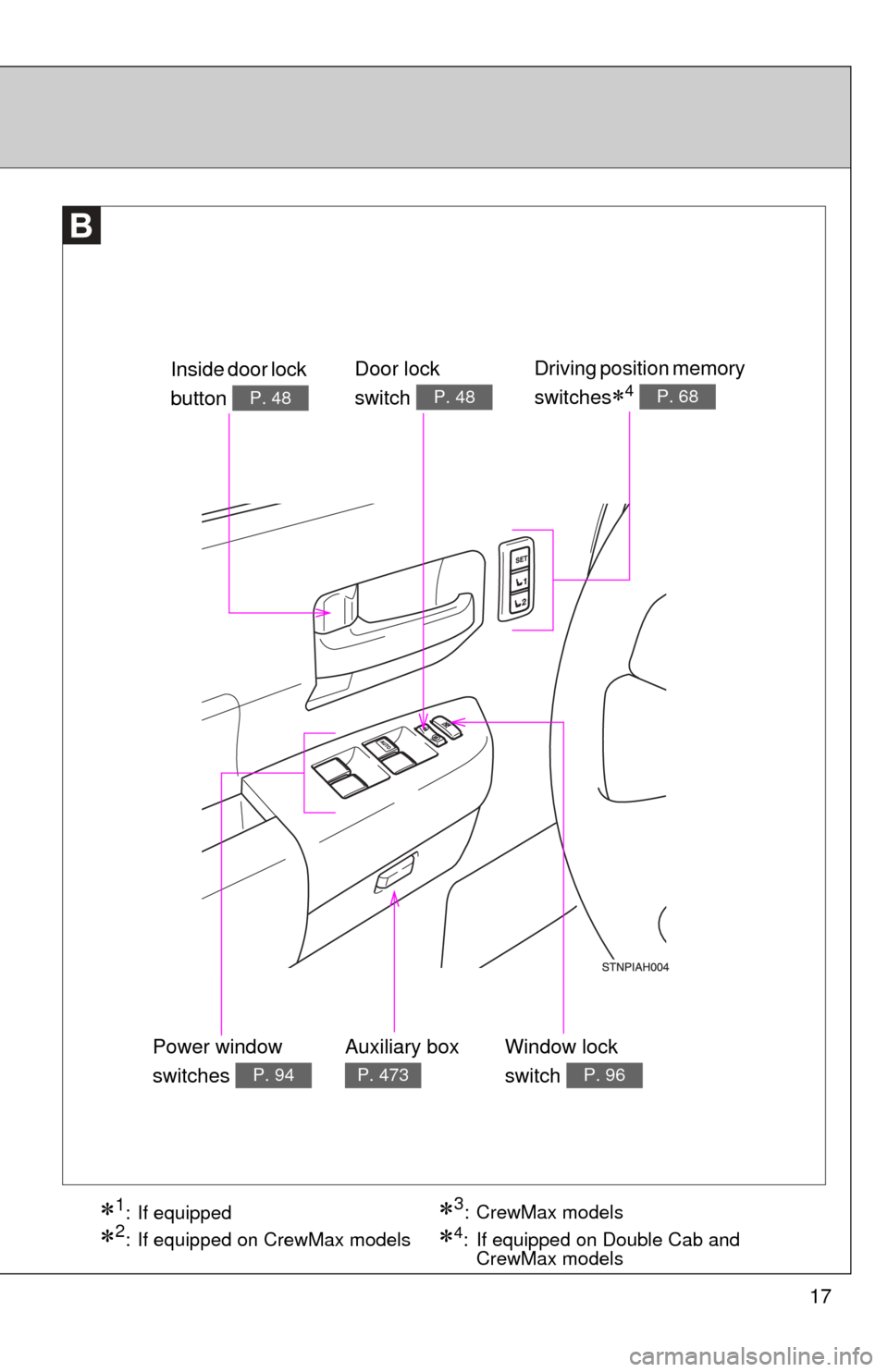
Door lock
switch
P. 48
Power window
switches
P. 94
Window lock
switch
P. 96
Inside door lock
button
P. 48
Driving position memory
switches
4 P. 68
Auxiliary box
P. 473
1: If equipped
2: If equipped on CrewMax models
3:CrewMax models
4: If equipped on Double Cab and CrewMax models
Page 20 of 732
20
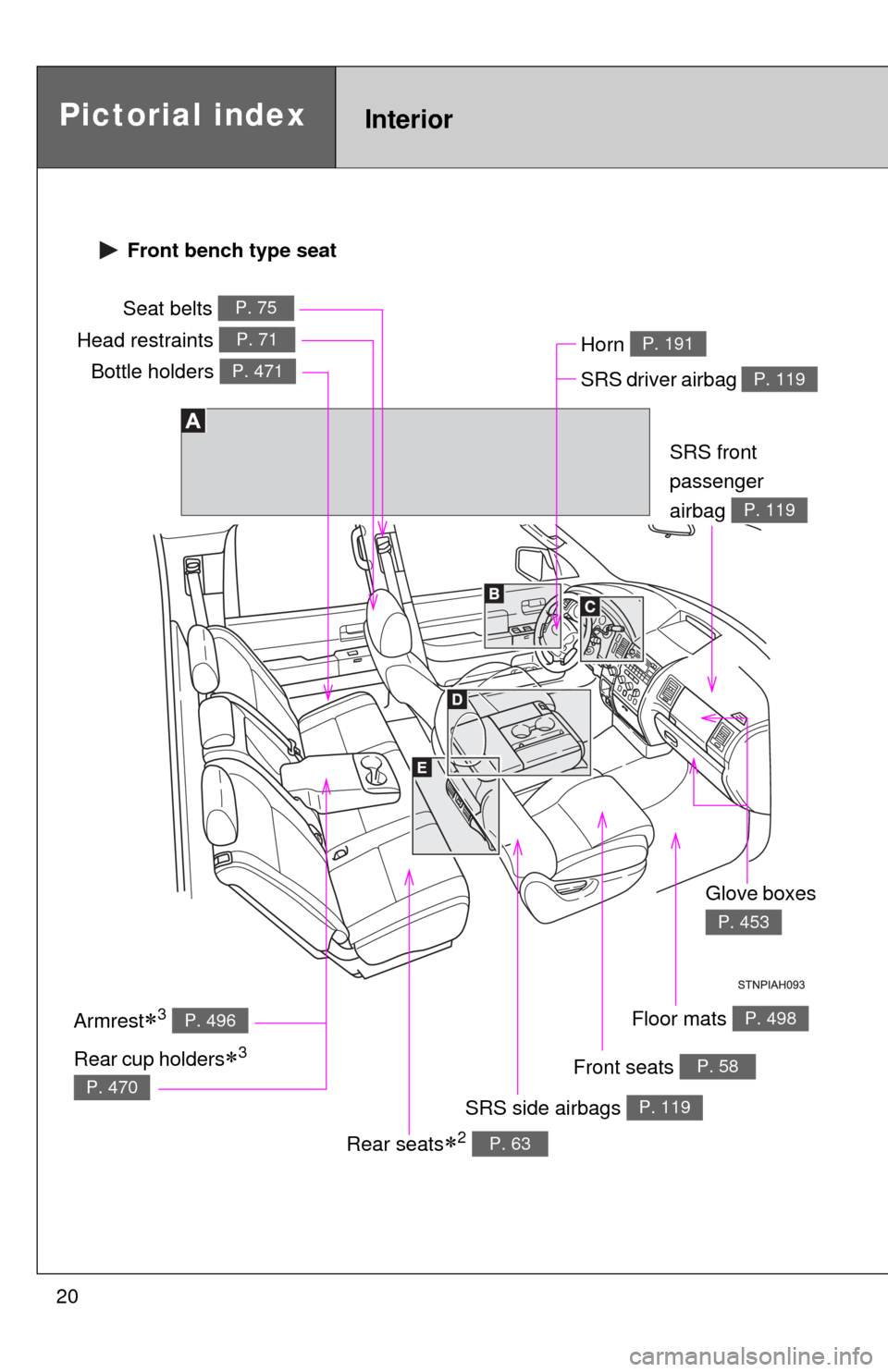
Pictorial indexInterior
Seat belts P. 75
SRS driver airbag P. 119
Head restraints P. 71
SRS side airbags P. 119
Floor mats P. 498
SRS front
passenger
airbag
P. 119
Armrest3 P. 496
Front seats P. 58
Rear seats2 P. 63
Glove boxes
P. 453
Front bench type seat
Rear cup holders3
P. 470
Bottle holders P. 471
Horn P. 191
Page 23 of 732
23
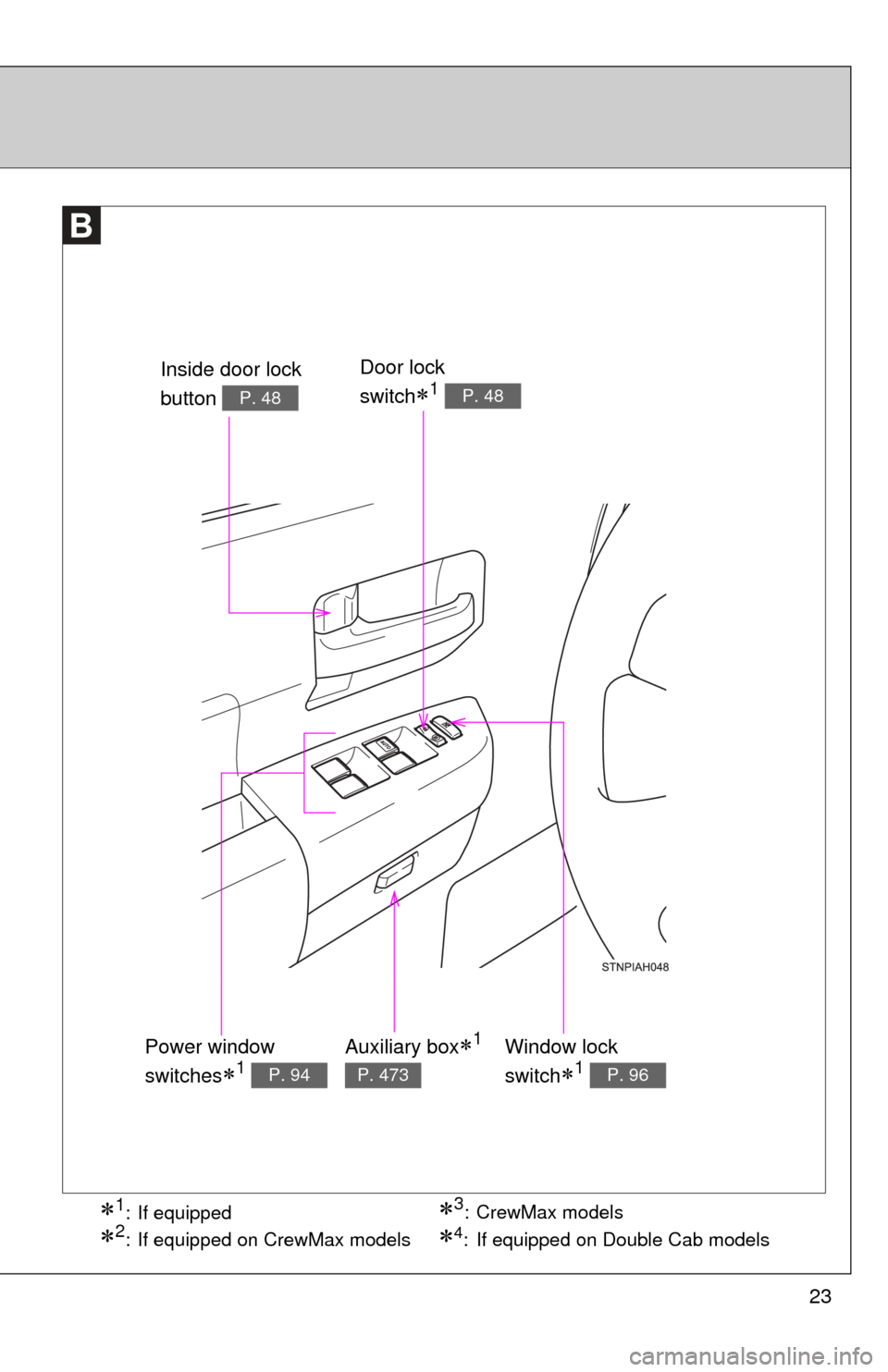
1: If equipped
2: If equipped on CrewMax models
3:CrewMax models
Door lock
switch
1 P. 48
Power window
switches
1 P. 94
Window lock
switch
1 P. 96
Inside door lock
button
P. 48
Auxiliary box1
P. 473
4: If equipped on Double Cab models
Page 25 of 732
25
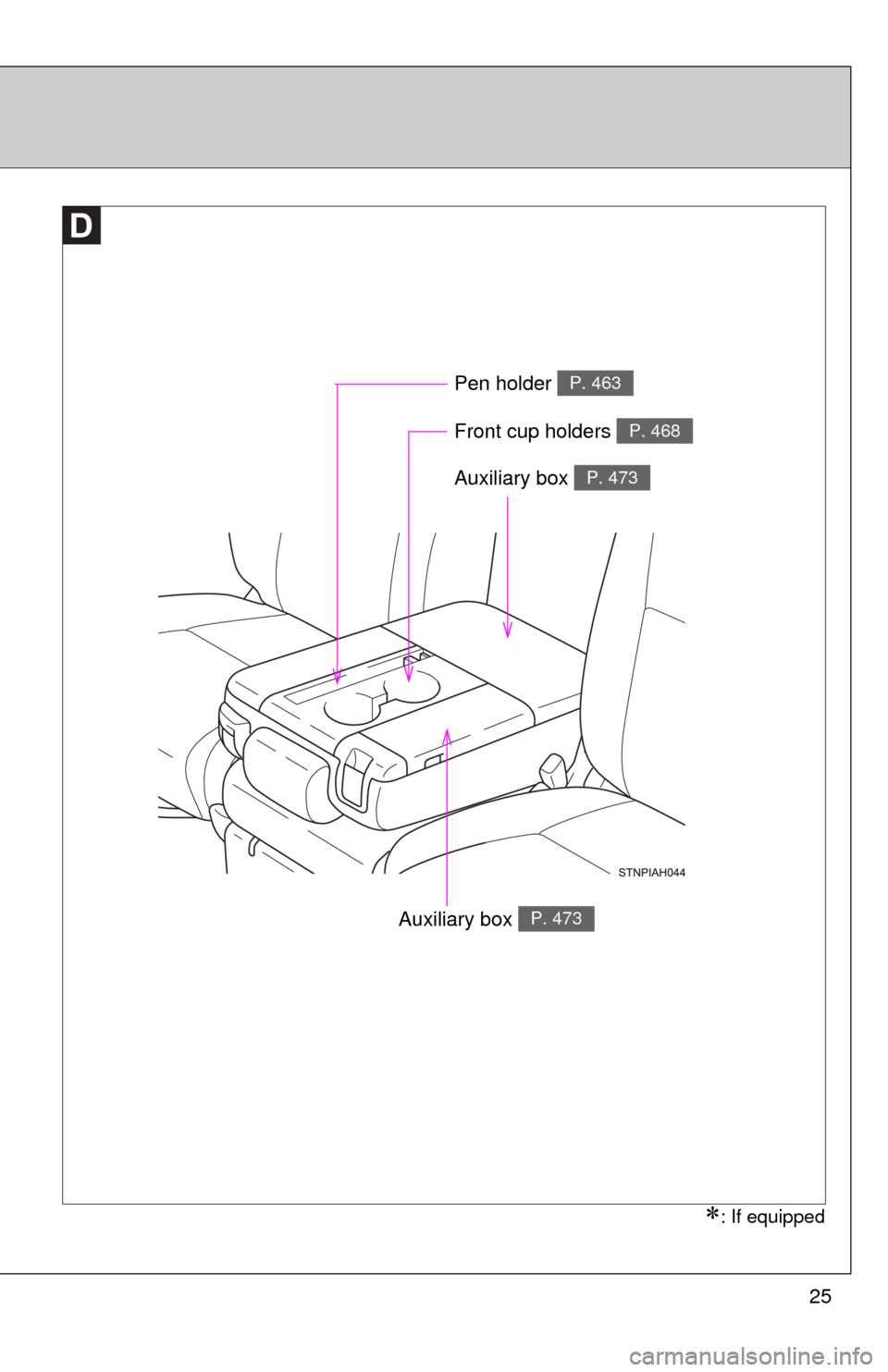
Auxiliary box P. 473
Front cup holders P. 468
Pen holder P. 463
: If equipped
Auxiliary box P. 473
Page 42 of 732
42
1-1. Key information
Keys
■When required to leave a key to the vehicle with a parking attendant
Lock the glove box as circumstances demand. ( P. 453)
■ Key number plate
Keep the plate in a safe place such as your wallet, not in the vehicle. In the
event that a key is lost, a new key can be made by your Toyota dealer using
the key number plate. ( P. 633)
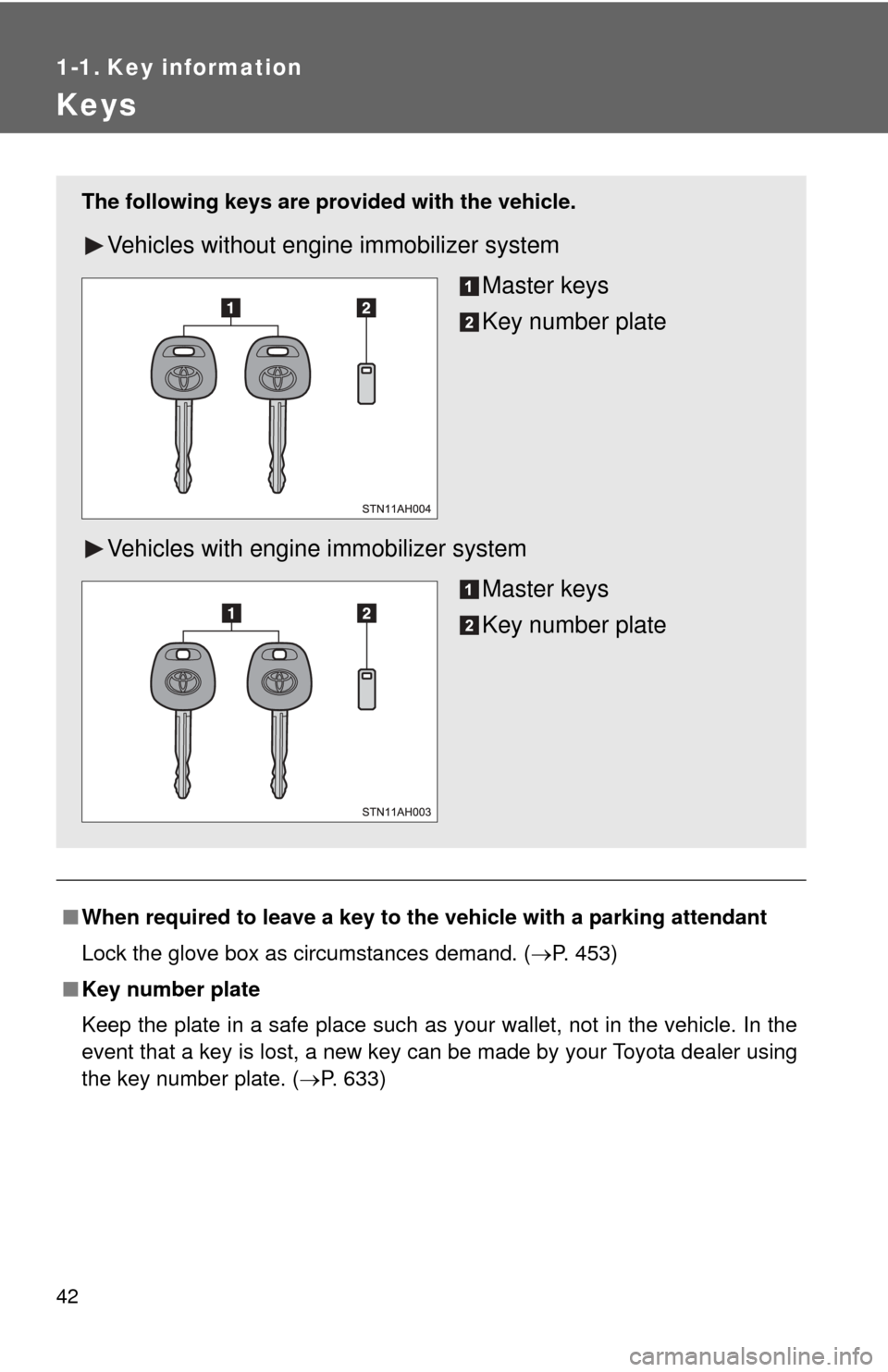
The following keys are provid ed with the vehicle.
Vehicles without engine immobilizer system
Master keys
Key number plate
Vehicles with engine immobilizer system Master keys
Key number plate
Page 53 of 732
53
1-2. Opening, closing and locking the doors
1
Before driving
Removing the tailgate
■ Before removing the tailgate (vehicles with rear view monitor
system)
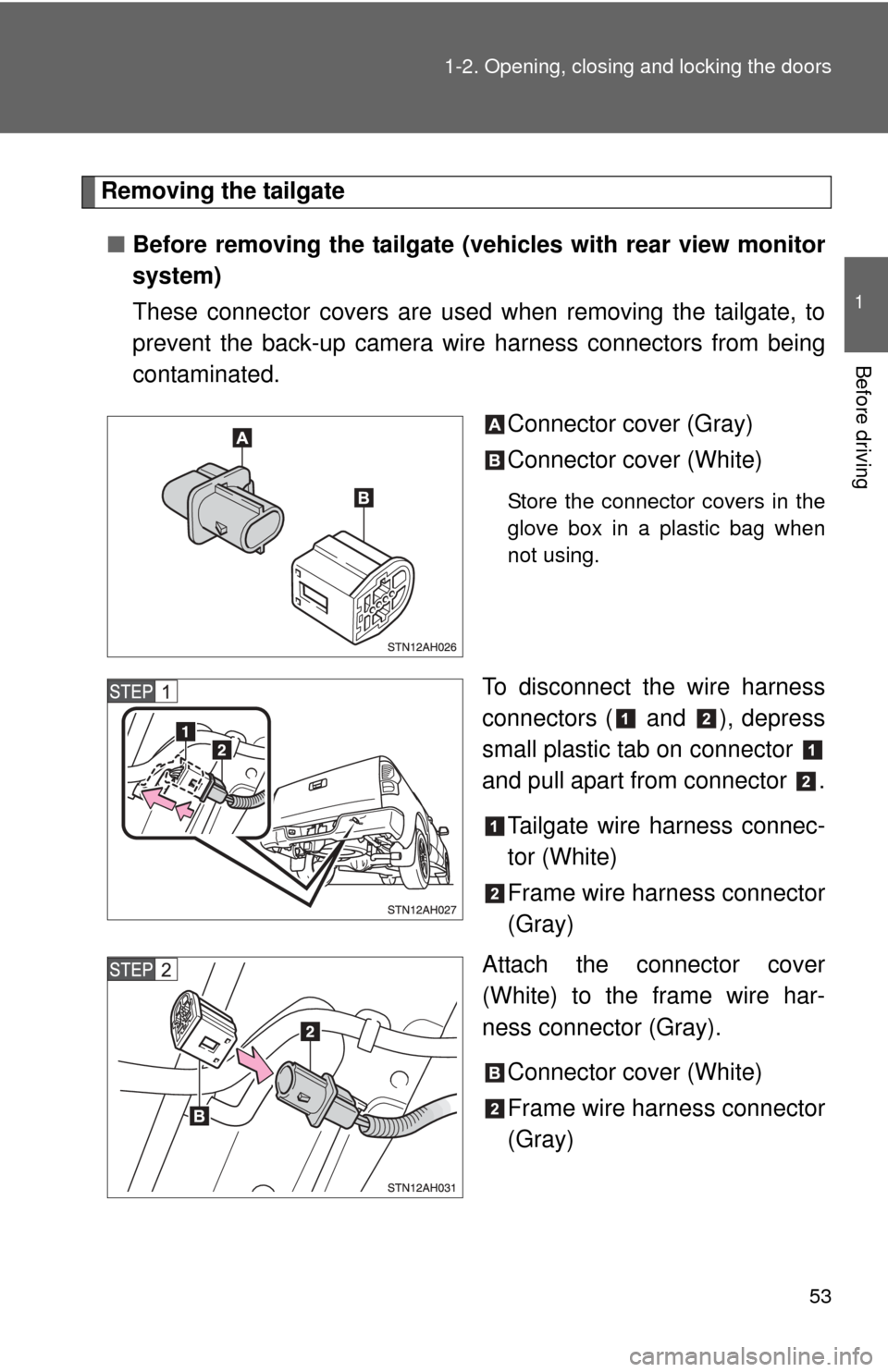
These connector covers are used when removing the tailgate, to
prevent the back-up camera wire harness connectors from being
contaminated.
Connector cover (Gray)
Connector cover (White)
Store the connector covers in the
glove box in a plastic bag when
not using.
To disconnect the wire harness
connectors ( and ), depress
small plastic tab on connector
and pull apart from connector .Tailgate wire harness connec-
tor (White)
Frame wire harness connector
(Gray)
Attach the connector cover
(White) to the frame wire har-
ness connector (Gray).
Connector cover (White)
Frame wire harness connector
(Gray)