Page 215 of 732
215
2-3. Operating the lights and wipers
2
When driving
■
Automatic light off system
●When the headlights come on: The headlights and tail lights automati-
cally turn off after 30 seconds when all doors are closed with the engine
switch turned to the ACC or LOCK position. (The lights turn off immedi-
ately if the button on the wireless remote control is pressed after all
doors are locked.)
● When only the tail lights come on: The tail lights turn off automatically
with the engine switch turned to the ACC or LOCK position and the
driver’s door is opened.
Vehicles with automatic light control system: If any of the doors is kept open,
the lights automatically turn off after 20 minutes.
To turn the lights on again, turn the engine switch to the ON position, or turn
the headlight switch off once and then back to the or position.
■ Customization
●That can be configured at Toyota dealer (vehicles without multi-informa-
tion display)
Settings (automatic light off system) can be changed. (Customizable
features P. 683)
● It is possible to change the settings (vehicles with multi-information dis-
play) (Feature customization P. 205)
NOTICE
■To prevent battery discharge
Do not leave the lights on longer than necessary when the engine is not run-
ning.
Page 219 of 732
219
2-3. Operating the lights and wipers
2
When driving
■
The windshield wiper and washer can be operated when
The engine switch must be in the ON position.
■ If no windshield washer fluid sprays
Check that the washer nozzles are not blocked and if there is washer fluid in
the windshield washer fluid reservoir.
NOTICE
■When the windshield is dry
Do not use the wipers, as they may damage the windshield.
■ When there is no washer fluid spray from the nozzle
Damage to the washer fluid pump may be caused if the lever is pulled
toward you and held continually.
■ When a windshield washer nozzle becomes blocked
Contact your Toyota dealer. Do not try to clear it with a pin or other object.
This may damage the nozzle.
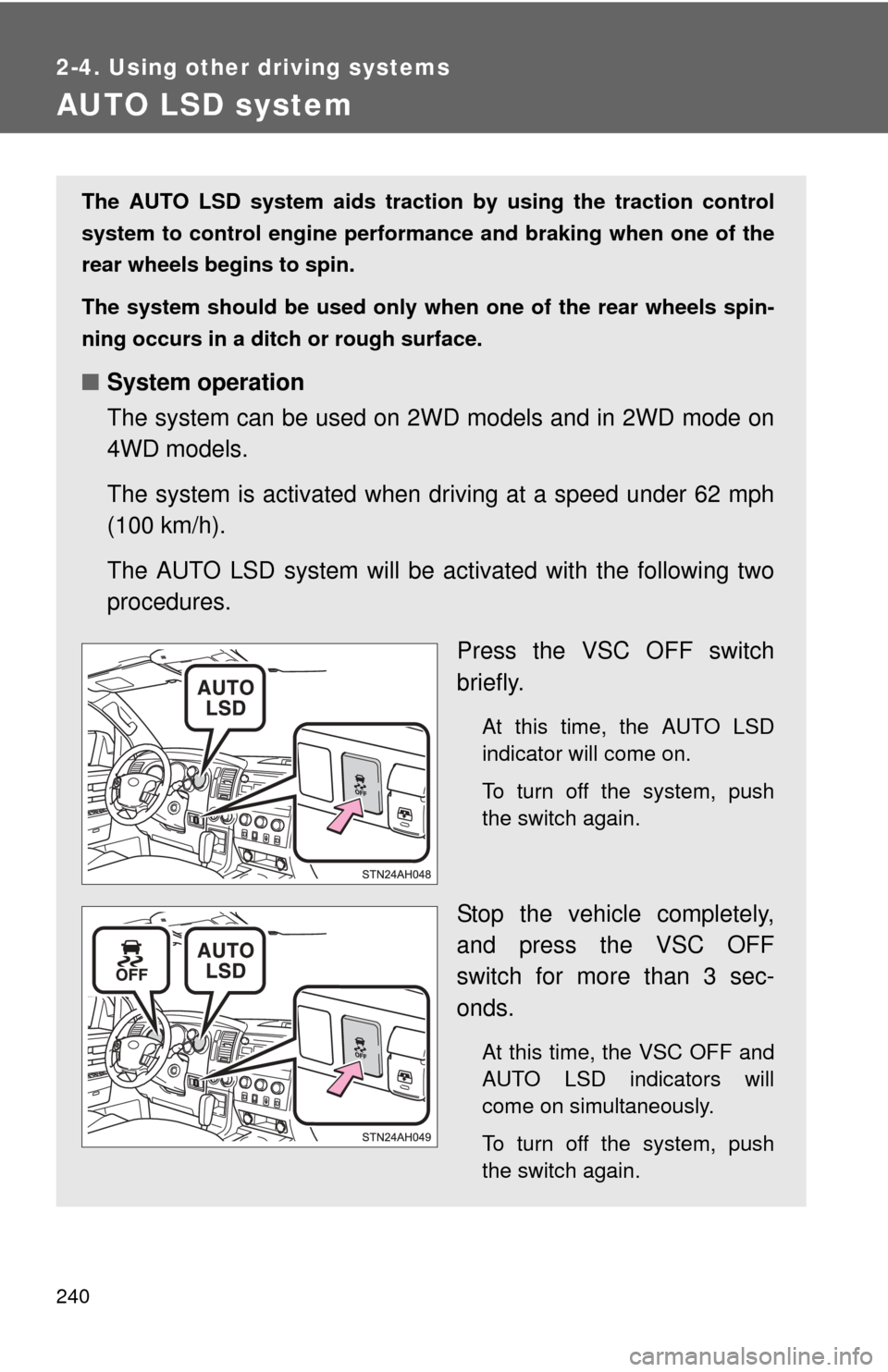
Washer/wiper dual opera-
tion
Wipers will automatically oper-
ate a couple of times after the
washer squirts.
Page 227 of 732

227
2-4. Using other
driving systems
2
When driving
■The Intuitive parking assist system can be operated when
●Front corner sensors:
• The engine switch is in the ON position.
• The shift lever is in R.
• The shift lever is not in P or R and vehicle speed is approximate 6 mph
(10 km/h) or less.
● Back and rear corner sensors:
• The engine switch is in the ON position.
• The shift lever is in R
■ Sensor detection information
●Certain vehicle conditions and the surrounding environment may affect
the ability of a sensor to correctly detect an obstacle. Particular instances
where this may occur are listed below.
• There is dirt, snow or ice on a sensor.
• A sensor is frozen.
• A sensor is covered in any way.
• The vehicle is leaning considerably to one side.
• On an extremely bumpy road, on an incline, on gravel, or on grass.
• The vicinity of the vehicle is noisy due to vehicle horns, motorcycle
engines, air brakes of large vehicles, or other loud noises producing
ultrasonic waves.
• There is another vehicle equipped with intuitive parking assist sensors in the vicinity.
• A sensor is coated with a sheet of spray or heavy rain.
• The vehicle is equipped with a fender pole or radio antenna.
• A bumper or sensor receives a strong impact.
• The vehicle is approaching a tall or right-angled curb.
• In harsh sunlight or intense cold weather.
• The area directly under the bumpers is not detected. Objects lower than the sensors or thin stakes etc. may be detected ini-
tially, but as they draw closer, they may cease to be detected.
• A towing hitch is mounted to the vehicle.
• A non-genuine Toyota suspension (lowered suspension etc.) is installed.
• When attaching a two-way radio antenna.
• When the bumper is damaged.
Page 231 of 732
231
2-4. Using other
driving systems
2
When driving
■The rear view monitor system can be operated when
The shift lever is in R and engine switch is ON.
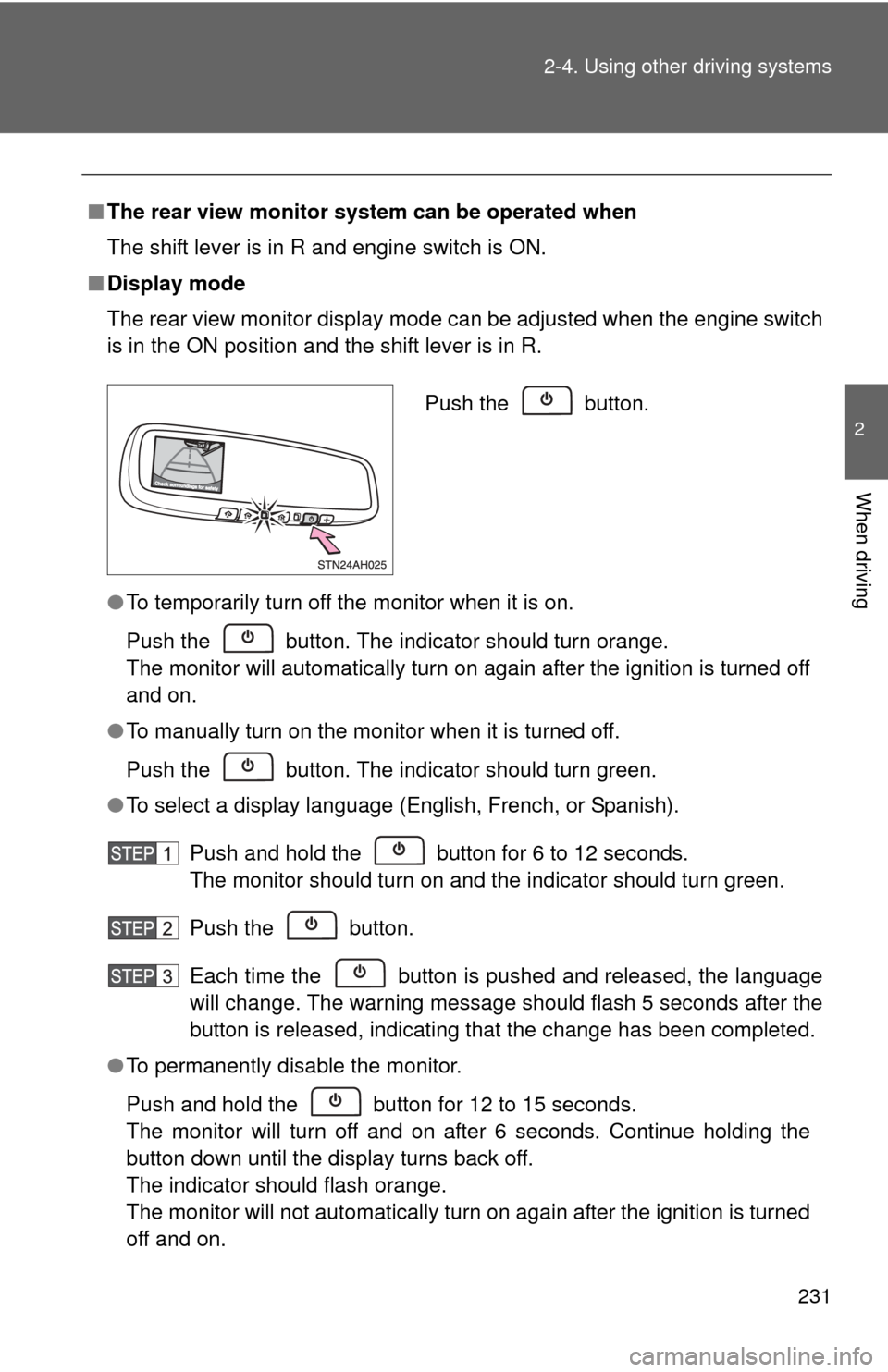
■ Display mode
The rear view monitor display mode can be adjusted when the engine switch
is in the ON position and the shift lever is in R.
●To temporarily turn off the monitor when it is on.
Push the button. The indicator should turn orange.
The monitor will automatically turn on again after the ignition is turned off
and on.
● To manually turn on the monitor when it is turned off.
Push the button. The indicator should turn green.
● To select a display language (English, French, or Spanish).
Push and hold the button for 6 to 12 seconds.
The monitor should turn on and the indicator should turn green.
Push the button.
Each time the button is pushed and released, the language
will change. The warning message should flash 5 seconds after the
button is released, indicating that the change has been completed.
● To permanently disable the monitor.
Push and hold the button for 12 to 15 seconds.
The monitor will turn off and on after 6 seconds. Continue holding the
button down until the display turns back off.
The indicator should flash orange.
The monitor will not automatically turn on again after the ignition is turned
off and on.
Push the button.
Page 238 of 732

238 2-4. Using other driving systems
■If the 4LO indicator light blinks
●If the 4LO indicator continues to blink when shifting between 4H and 4L,
stop the vehicle completely, move the shift lever to N and operate the
switch again.
● If the shift lever is moved before the 4LO indicator turns on/off, the trans-
fer mode may not be shifted completely. The transfer mode disengages
both the front and rear driveshafts from the powertrain and allows the
vehicle to move regardless of the shift position. (At this time, the indicator
blinks and the buzzer sounds.)
Therefore, the vehicle is free to roll even if the automatic transmission is in
P. You or someone else could be seriously injured. You must complete the
shifting of the transfer mode.
To complete the shifting, stop the vehicle completely, return the shift lever
to N, and confirm that the shift was completed (The indicator turns on/off).
● If the engine coolant temperature is too low, the transfer mode may not
be able to be shifted. When the engine is warmer, operate the switch
again.
If the 4LO indicator light continues to blink even after attempting the above,
there may be a malfunction in the engine, the brake system or the four-
wheel drive system. In this case, you may not be able to shift between 4H
and 4L. Have the vehicle inspected by your Toyota dealer immediately.
■ Shifting to 4L
VSC is automatically turned off.
■ Four-wheel drive usage frequency
You should drive in four-wheel drive for at least 10 miles (16 km) each
month.
This will assure that the front drive components are lubricated.
Page 240 of 732
240
2-4. Using other driving systems
AUTO LSD system
The AUTO LSD system aids traction by using the traction control
system to control engine performance and braking when one of the
rear wheels begins to spin.
The system should be used only wh en one of the rear wheels spin-
ning occurs in a ditch or rough surface.
■ System operation
The system can be used on 2W D models and in 2WD mode on
4WD models.
The system is activated when dr iving at a speed under 62 mph
(100 km/h).
The AUTO LSD system will be ac tivated with the following two
procedures.
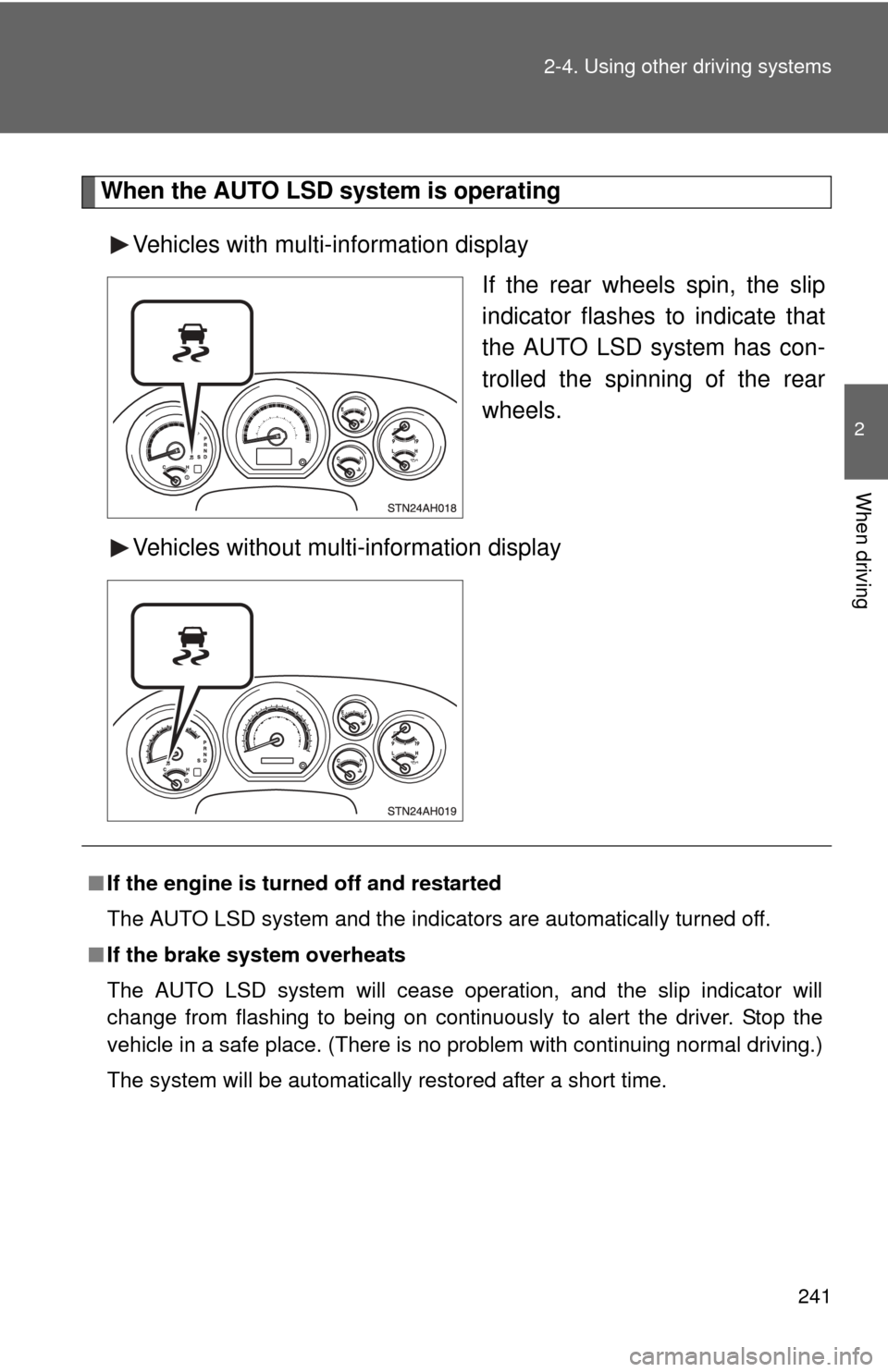
Press the VSC OFF switch
briefly.
At this time, the AUTO LSD
indicator will come on.
To turn off the system, push
the switch again.
Stop the vehicle completely,
and press the VSC OFF
switch for more than 3 sec-
onds.
At this time, the VSC OFF and
AUTO LSD indicators will
come on simultaneously.
To turn off the system, push
the switch again.
Page 241 of 732
241
2-4. Using other
driving systems
2
When driving
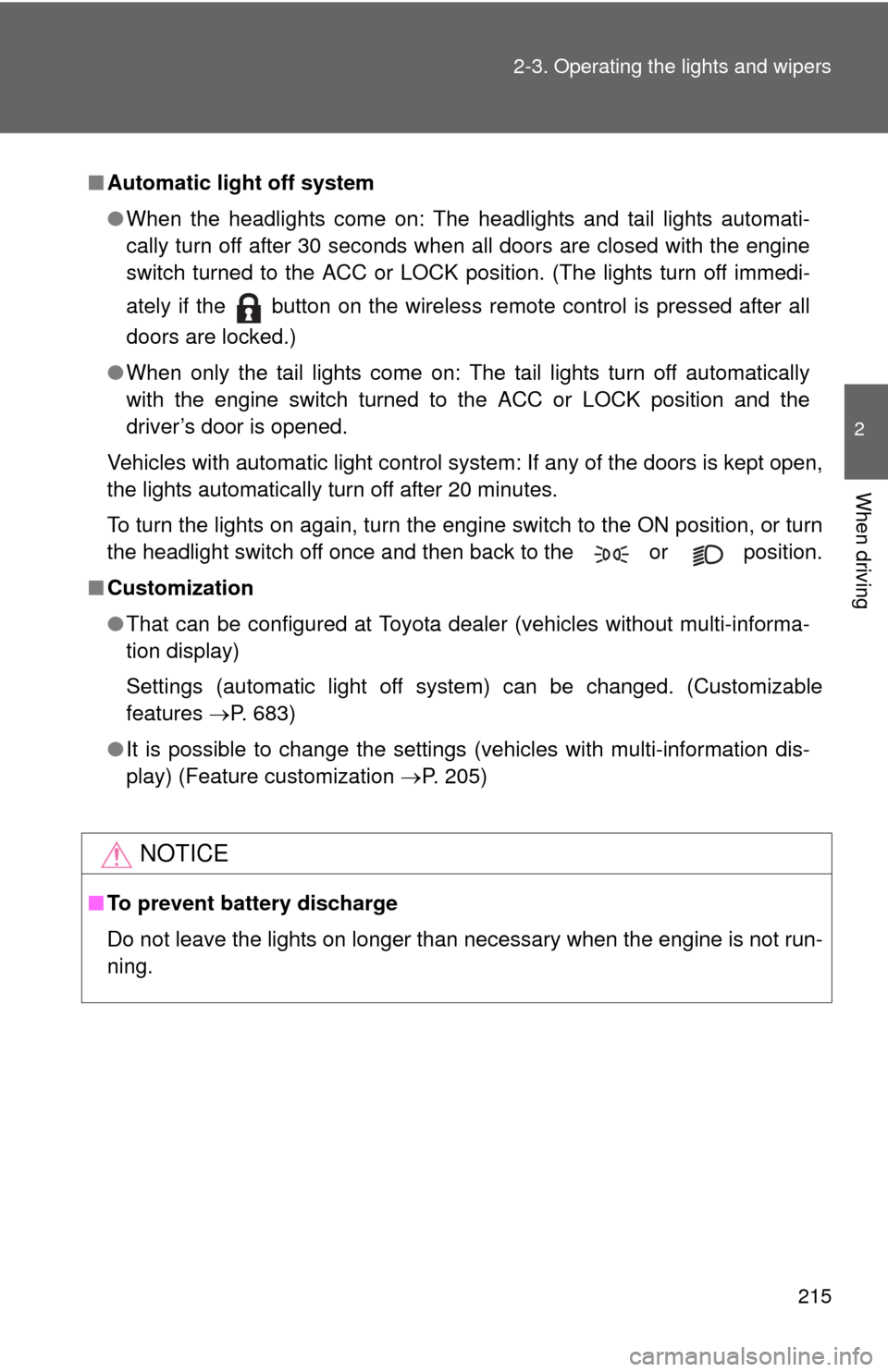
When the AUTO LSD system is operating
Vehicles with multi-information display If the rear wheels spin, the slip
indicator flashes to indicate that
the AUTO LSD system has con-
trolled the spinning of the rear
wheels.
Vehicles without multi-information display
■ If the engine is turned off and restarted
The AUTO LSD system and the indicators are automatically turned off.
■ If the brake system overheats
The AUTO LSD system will cease operation, and the slip indicator will
change from flashing to being on continuously to alert the driver. Stop the
vehicle in a safe place. (There is no problem with continuing normal driving.)
The system will be automatically restored after a short time.
Page 243 of 732
243
2-4. Using other driving systems
2
When driving
Driving assist systems
To help enhance driving safety and performance, the following sys-
tems operate automatically in res ponse to various driving situations.
Be aware, however, that these systems are supplementary and
should not be relied upon too heavi ly when operating the vehicle.
■ABS (Anti-lock Brake System)
Helps to prevent wheel lock when the brakes are applied suddenly, or if
the brakes are applied while driving on a slippery road surface.
■Brake Assist
Generates an increased level of braking force after the brake pedal is
depressed, when the system detects a panic stop situation.
■VSC (Vehicle Stability Control)
Helps the driver to control skidding when swerving suddenly or turning
on slippery road surfaces.
■Trailer Sway Control
Helps the driver to control trailer sway by selectively applying brake
pressure for individual wheels and reducing engine torque when trailer
sway is detected.
Trailer Sway Control is part of the VSC system and will not operate if
VSC is turned off or experiences a malfunction.
■ TRAC (Traction Control) for 2WD models and 2WD mode on
4WD models
Maintains drive power and prevents the rear wheels from spinning
when starting the vehicle or accelerating on slippery roads.
■A-TRAC (Active Traction Control) for 4WD mode on 4WD
models
Maintains drive power and prevents all wheels from spinning when
starting the vehicle or accelerating on slippery roads.