2011 TOYOTA LAND CRUISER glove box
[x] Cancel search: glove boxPage 4 of 608

TABLE OF CONTENTSIndex
4
L/C200_U (OM60F74U)
3-5. Using the interior lightsInterior lights list ................. 379
• Interior lights .................... 380
• Personal lights ................. 381
3-6. Using the storage features List of storage features....... 382
• Glove box ......................... 383
• Console box ..................... 384
• Overhead console ............ 385
• Cup holders...................... 386
• Bottle holders ................... 387
• Card holders .................... 389
• Auxiliary box..................... 389
3-7. Other interior features Cool box ............................. 390
Sun visors .......................... 392
Vanity mirror ....................... 393
Clock .................................. 394
Outside temperature display .............................. 395
Ashtrays ............................. 396
Cigarette lighter .................. 398
Power outlets ..................... 399
Seat heaters ....................... 401
Armrest............................... 403
Floor mats .......................... 404
Luggage compartment features ............................ 406
Garage door opener ........... 408
Safety Connect................... 415 4-1. Maintenance and care
Cleaning and protecting the vehicle exterior ........... 424
Cleaning and protecting the vehicle interior ............ 427
4-2. Maintenance Maintenance requirements .................... 430
General maintenance ......... 432
Emission inspection and maintenance (I/M)
programs .......................... 435
4-3. Do-it-yourself maintenance Do-it-yourself service precautions ....................... 436
Hood ................................... 439
Engine compartment .......... 440
Tires.................................... 455
Tire inflation pressure ......... 464
Wheels................................ 468
Air conditioning filter ........... 470
Electronic key battery ......... 473
Checking and replacing fuses ................................. 476
Light bulbs .......................... 489
4Maintenance and care
Page 8 of 608
8
L/C200_U (OM60F74U)
A
C
B
ITYPC033
Power window
switch
P. 86
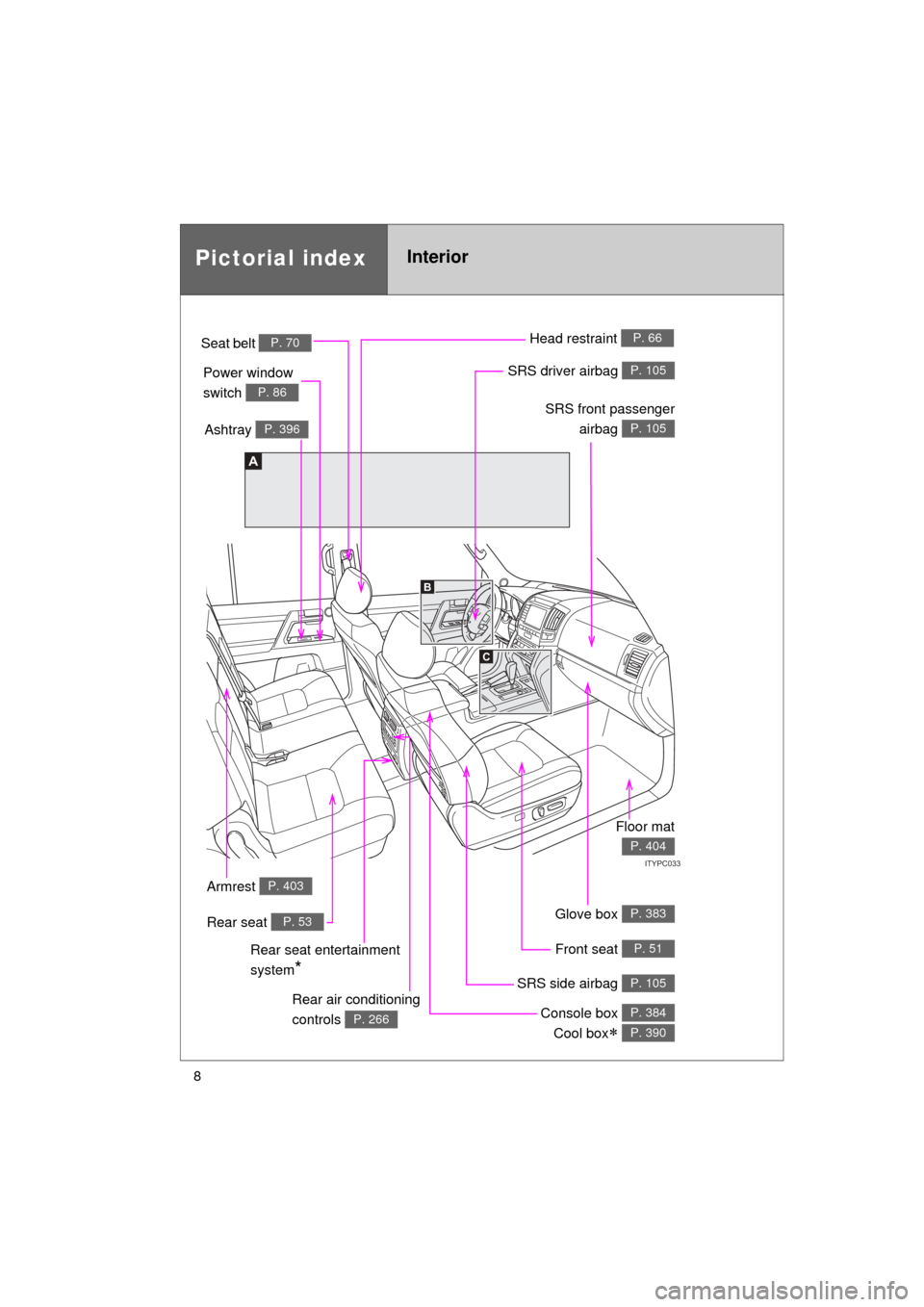
Pictorial indexInterior
Seat belt P. 70
SRS front passengerairbag
P. 105
SRS driver airbag P. 105
Head restraint P. 66
Front seat P. 51
SRS side airbag P. 105
Console box Cool box
P. 384
P. 390
Ashtray P. 396
Rear air conditioning
controls
P. 266
Armrest P. 403
Floor mat
P. 404
Rear seat entertainment
system
*
Glove box P. 383Rear seat P. 53
Page 12 of 608
12
L/C200_U (OM60F74U)
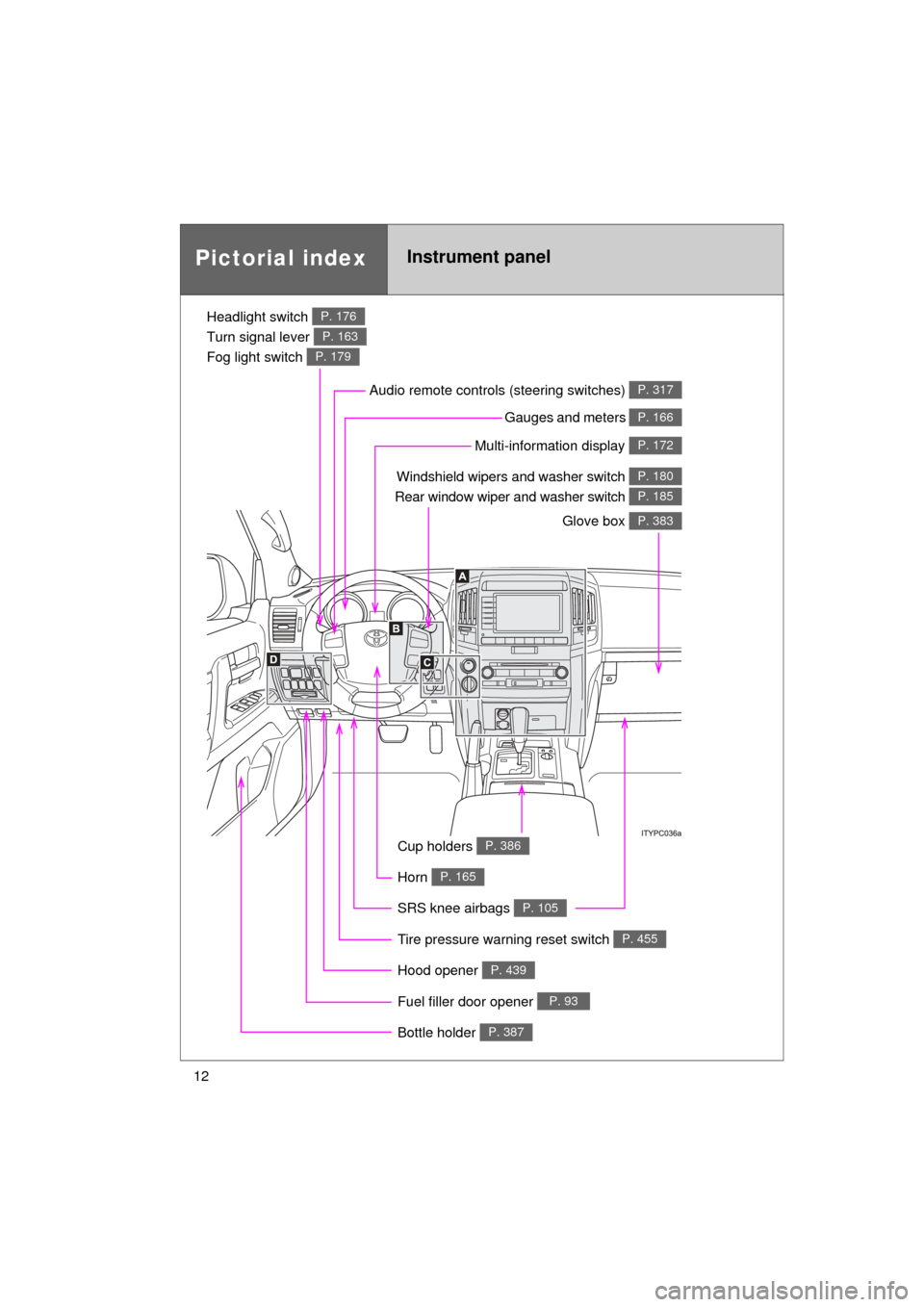
Pictorial indexInstrument panel
Headlight switch
Turn signal lever
Fog light switch P. 176
P. 163
P. 179
Windshield wipers and washer switch
Rear window wiper and washer switch P. 180
P. 185
Gauges and meters P. 166
Glove box P. 383
Fuel filler door opener P. 93
Hood opener P. 439
SRS knee airbags P. 105
Tire pressure warning reset switch P. 455
Cup holders P. 386
Multi-information display P. 172
Audio remote controls (steering switches) P. 317
Bottle holder P. 387
Horn P. 165
Page 25 of 608

25
1-1. Key information
1
Before driving
L/C200_U (OM60F74U)
■
When required to leave the vehicle’s key with a parking attendant
Lock the glove box as circumstances demand. (P. 383)
Remove the mechanical key for your own use and provide the attendant with
the electronic key only.
■ Key number plate
Keep the plate in a safe place such as your wallet, not in the vehicle. In the
event that a key is lost, a new key can be made at your Toyota dealer using
the key number plate. ( P. 543)
■ When riding in an aircraft
When bringing an electronic key onto an aircraft, make sure you do not
press any buttons on the electronic key while inside the aircraft cabin. If you
are carrying an electronic key in your bag etc., ensure that the buttons are
not likely to be pressed accidentally. Pressing a button may cause the elec-
tronic key to emit radio waves that could interfere with the operation of the
aircraft.
NOTICE
■ To prevent key damage
● Do not subject the keys to strong shocks, expose them to high tempera-
tures by placing them in direct sunlight, or get them wet.
● Do not expose the keys to electromagnetic materials or attach any mate-
rial that blocks electromagnetic waves to the key surface.
● Do not disassemble the electronic key.
Page 33 of 608

33
1-2. Opening, closing and locking the doors
1
Before driving
L/C200_U (OM60F74U)
■
Note for the smart key system
● Even when the electronic key is within the effective range (detection
areas), the system may not operate properly in the following cases.
• The electronic key is too close to the window or outside door handle,
near the ground, or in a high place when the doors are locked or
unlocked.
• The electronic key is near the ground or in a high place, or too close to the rear bumper center when the back door is locked or unlocked.
• The electronic key is on the instrument panel, floor or in the glove box when the engine is started or “ENGINE START STOP” switch modes
are changed.
● As long as the electronic key is within the effective range, the doors may
be locked or unlocked by anyone.
● Even if the electronic key is not inside the vehicle, it may be possible to
start the engine if the electronic key is near the window.
● The doors may unlock if a large amount of water splashes on the door
handle, such as in the rain or in a car wash. (The doors will automatically
be locked after approximately 60 seconds if the doors are not opened
and closed.)
● Gripping the door handle when wearing a glove may not unlock the door.
● If the wireless remote control is used to lock the doors when the elec-
tronic key is near the vehicle, there is a possibility that the door may not
be unlocked by the smart key system. (Use the wireless remote control to
unlock the doors.)
● A sudden approach to the effective range or door handle operation may
prevent the doors from being unlocked. In this case, return the door han-
dle to the original position and check that the doors unlock before pulling
the door handle.
■ When the vehicle is not dr iven for extended periods
To prevent theft of the vehicle, do not leave the electronic key within 6 ft. (2
m) of the vehicle.
■ Security feature
If a door is not opened within approximately 60 seconds after the vehicle is
unlocked, the security feature automatically locks the vehicle again.
Page 255 of 608
Interior features3
255
L/C200_U (OM60F74U)
3-3. Using the Bluetooth® audio
system
Bluetooth
® audio
system ........................... 321
Using the Bluetooth
® audio
system ........................... 324
Operating a Bluetooth
®
enabled portable
player ............................. 330
Setting up a Bluetooth
®
enabled portable
player ............................. 333
Bluetooth
® audio system
setup .............................. 340
3-4. Using the hands-free system (for cellular phone)
Hands-free system (for cellular phone) ......... 341
Using the hands-free system ........................... 345
Making a phone call ......... 353
Setting a cellular phone ... 358
Security and system setup .............................. 364
Using the phone book ...... 370
3-5. Using the interior lights Interior lights list ............... 379
• Interior lights .................. 380
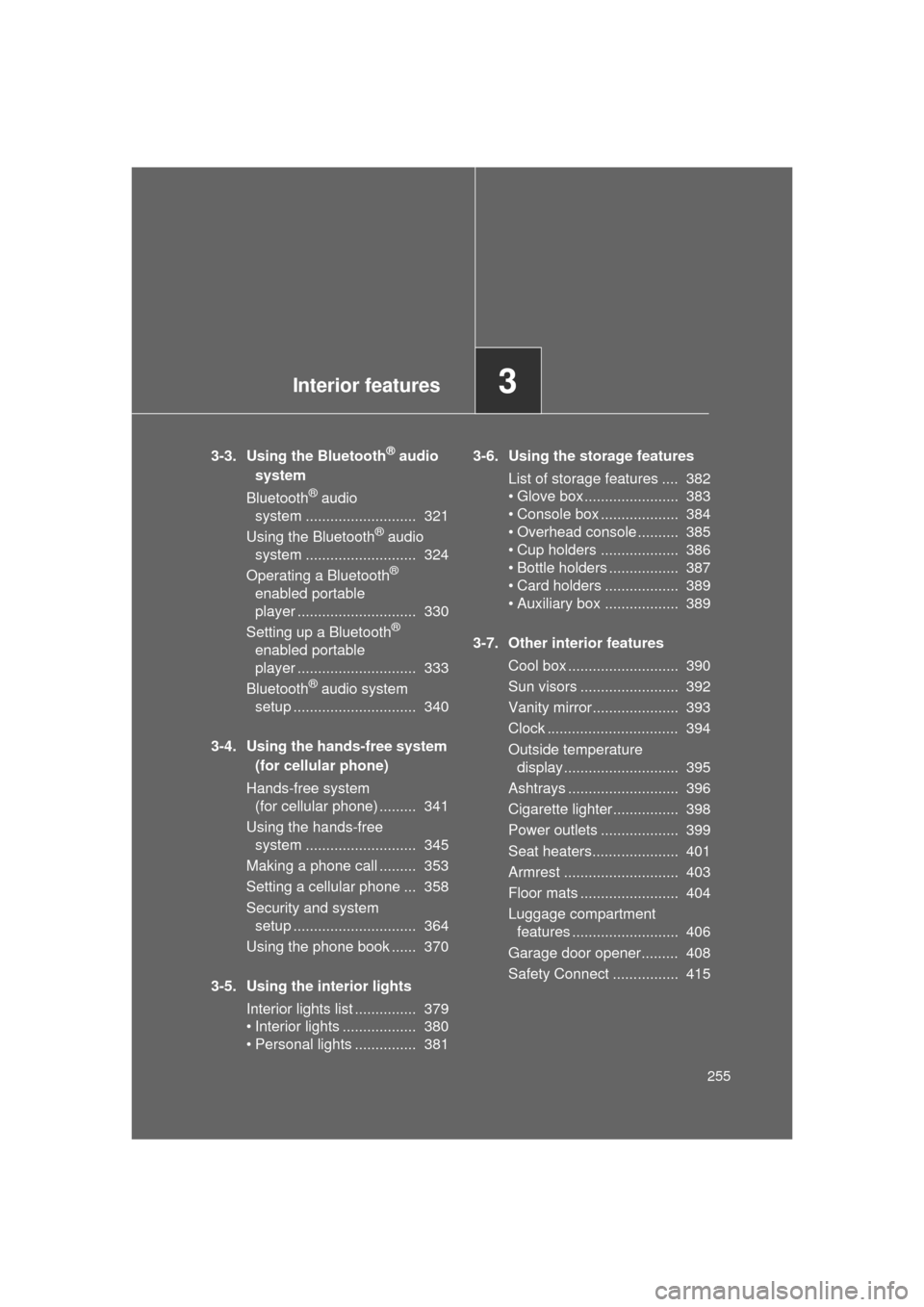
• Personal lights ............... 381 3-6. Using the storage features
List of storage features .... 382
• Glove box....................... 383
• Console box ................... 384
• Overhead console .......... 385
• Cup holders ................... 386
• Bottle holders ................. 387
• Card holders .................. 389
• Auxiliary box .................. 389
3-7. Other interior features Cool box ........................... 390
Sun visors ........................ 392
Vanity mirror..................... 393
Clock ................................ 394
Outside temperature display............................ 395
Ashtrays ........................... 396
Cigarette lighter................ 398
Power outlets ................... 399
Seat heaters..................... 401
Armrest ............................ 403
Floor mats ........................ 404
Luggage compartment features .......................... 406
Garage door opener......... 408
Safety Connect ................ 415
Page 321 of 608
321
3
Interior features
L/C200_U (OM60F74U)
3-3. Using the Bluetooth® audio system
Bluetooth® audio system
■Conditions under which th e system will not operate
● If using a portable player that does not support Bluetooth
®
●If the portable player is switched off
● If the portable player is not connected
● If the portable player’s battery is low
● If the portable player is behind the seat or in the glove box or console box
● If metal is covering or touching the portable player
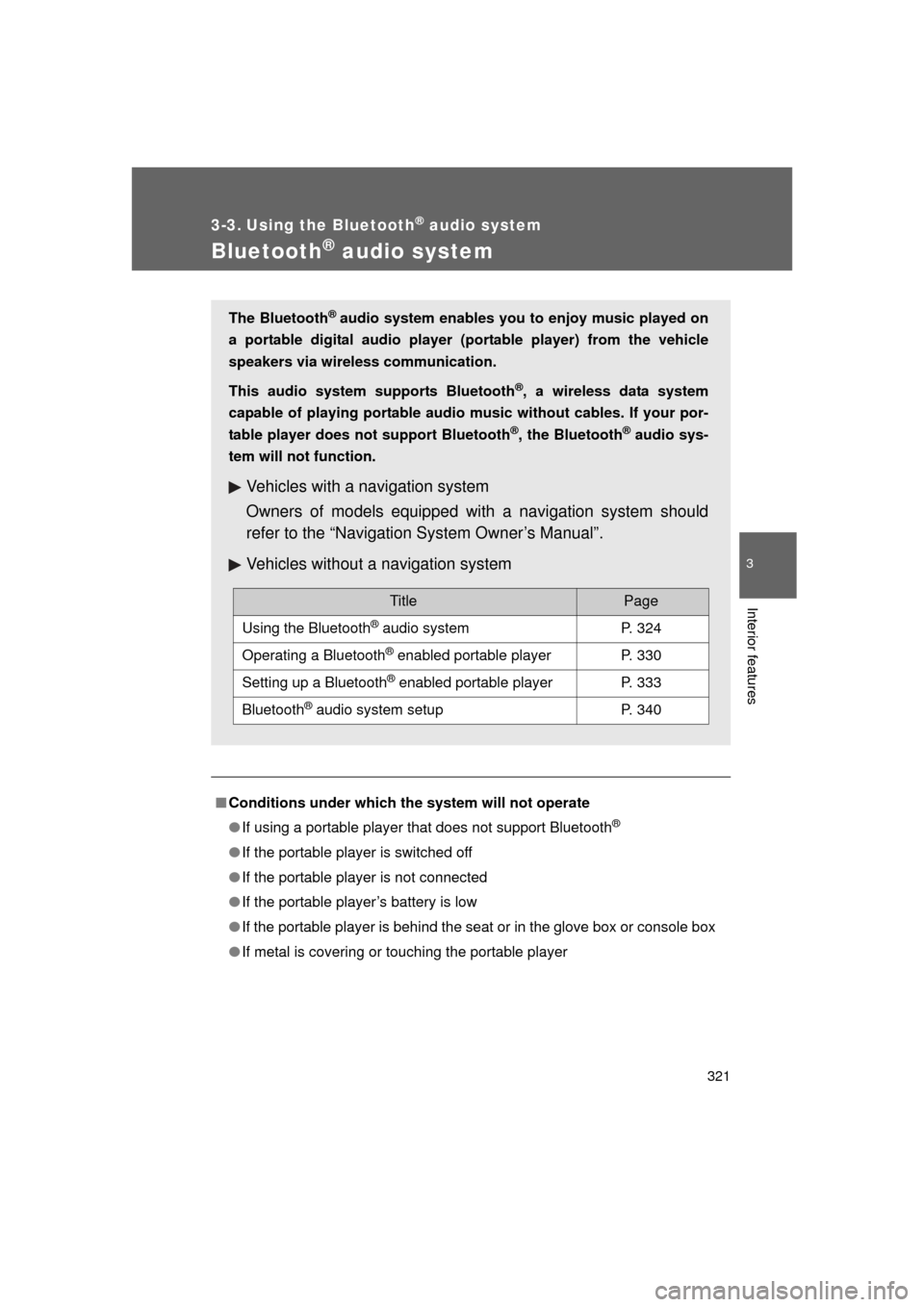
The Bluetooth® audio system enables you to enjoy music played on
a portable digital audio player (portable player) from the vehicle
speakers via wireless communication.
This audio system supports Bluetooth
®, a wireless data system
capable of playing portable audio music without cables. If your por-
table player does not support Bluetooth
®, the Bluetooth® audio sys-
tem will not function.
Vehicles with a navigation system
Owners of models equipped with a navigation system should
refer to the “Navigation System Owner’s Manual”.
Vehicles without a navigation system
TitlePage
Using the Bluetooth® audio systemP. 324
Operating a Bluetooth® enabled portable playerP. 330
Setting up a Bluetooth® enabled portable playerP. 333
Bluetooth® audio system setupP. 340
Page 342 of 608

342 3-4. Using the hands-free system (for cellular phone)
L/C200_U (OM60F74U)
■Conditions under which th e system will not operate
● If using a mobile phone that does not support Bluetooth
®
●If the mobile phone is switched off
● If you are outside service range
● If the mobile phone is not connected
● If the mobile phone’s battery is low
● If the mobile phone is behind the seat or in the glove box or console box
● If metal is covering or touching the phone
■ When using the hands-free system
● The audio system and voice guidance are muted when making a call.
● If both parties speak at the same time, it may be difficult to hear.
● If the incoming call volume is overly loud, an echo may be heard.
● Try to face toward the microphone as much as possible when speaking.
● In the following circumstances, it may be difficult to hear the other party:
• When driving on unpaved roads
• When driving at high speeds
• When a window is open
• When the air conditioning is blowing directly on the microphone
• When the air conditioning is set to high
■ When transferring ownership of the vehicle
Be sure to initialize the system to prevent the personal data from being
improperly accessed.