Page 6 of 608
6
L/C200_U (OM60F74U)
Pictorial indexExterior
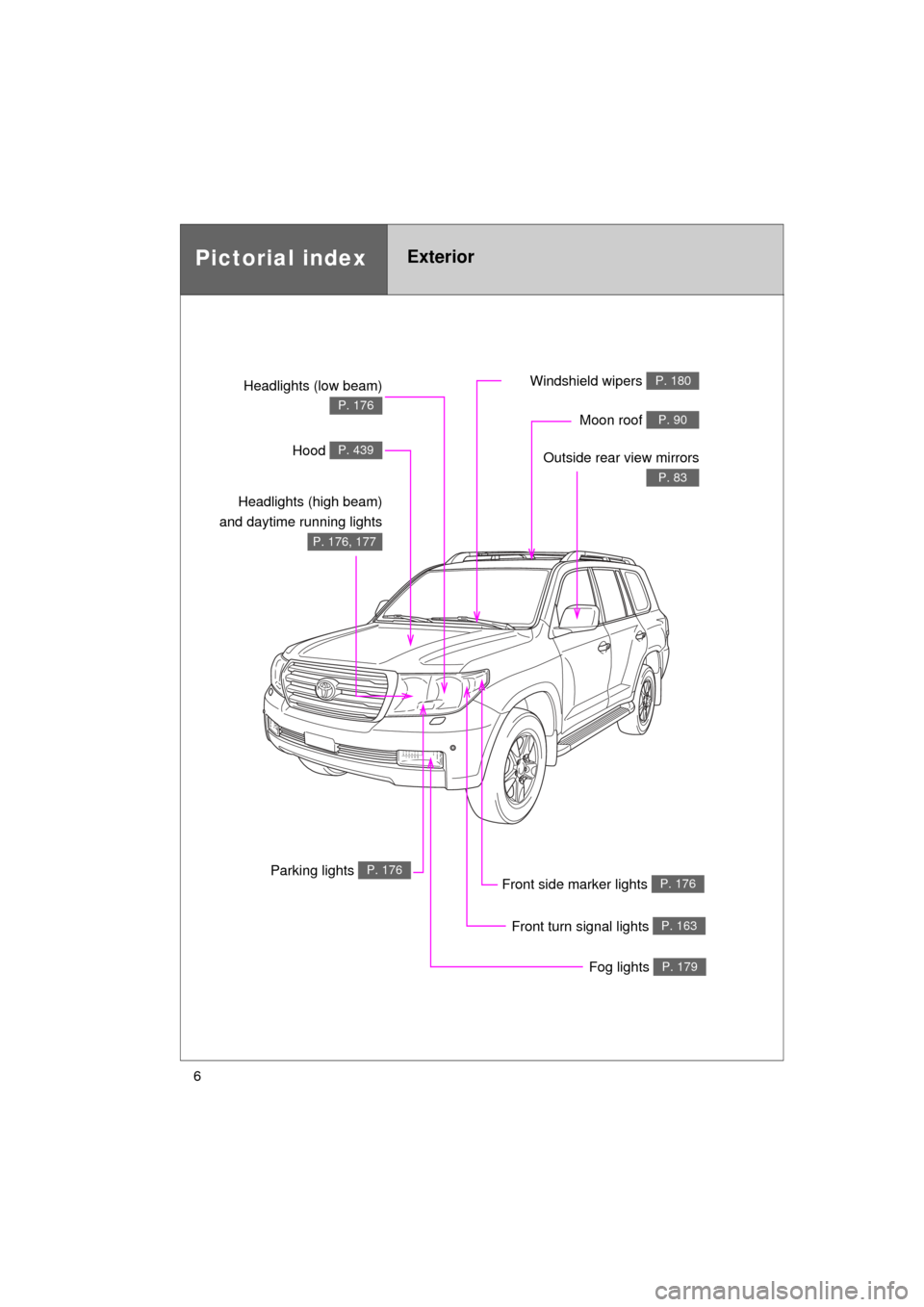
Fog lights P. 179
Front turn signal lights P. 163
Parking lights P. 176
Headlights (low beam)
P. 176
Hood P. 439
Windshield wipers P. 180
Moon roof P. 90
Outside rear view mirrors
P. 83
Headlights (high beam)
and daytime running lights
P. 176, 177
Front side marker lights P. 176
Page 81 of 608
81
1
1-3. Adjustable components (seats, mirrors, steering wheel)
Before driving
L/C200_U (OM60F74U)
Inside rear view mirror
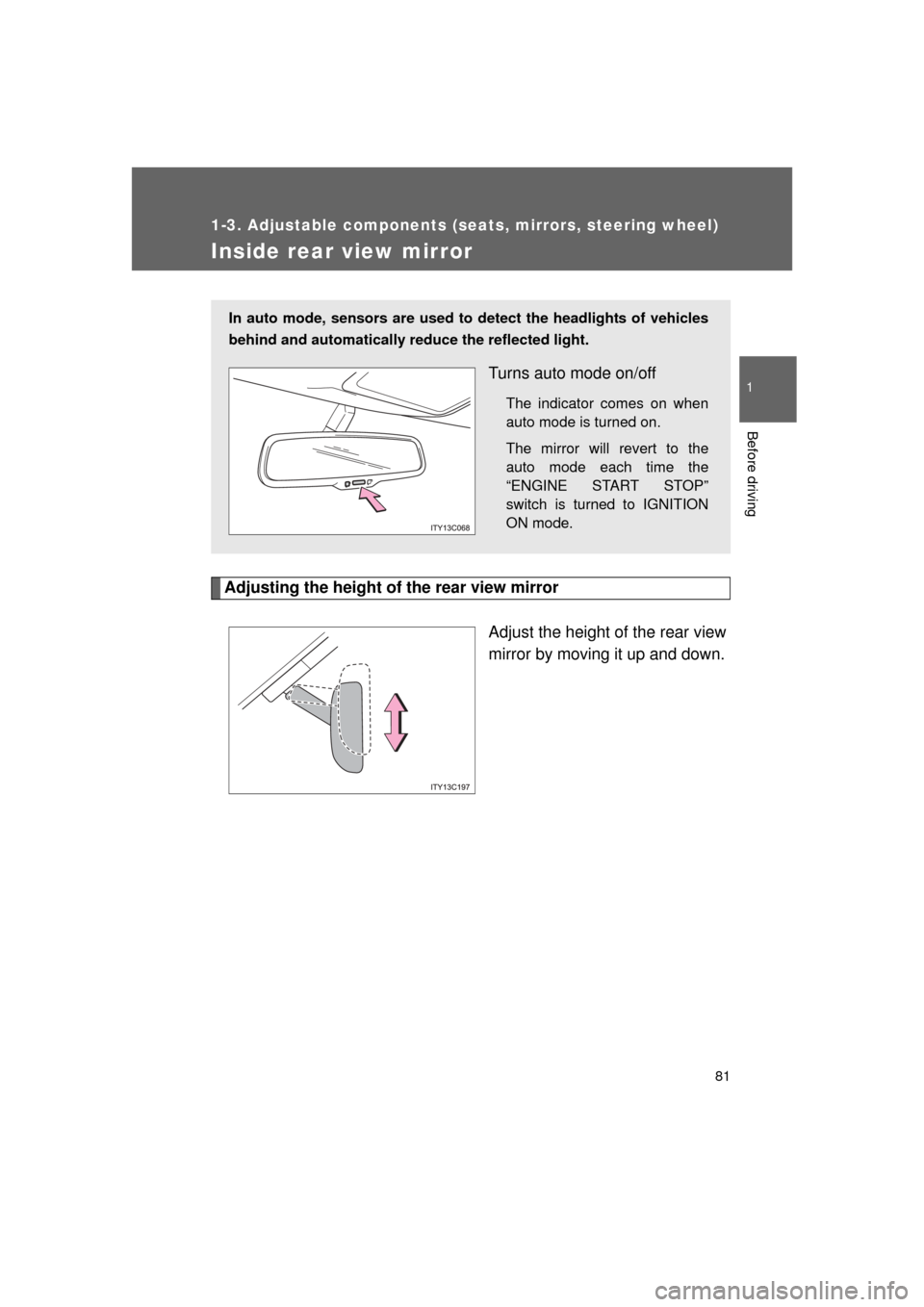
Adjusting the height of the rear view mirrorAdjust the height of the rear view
mirror by moving it up and down.
In auto mode, sensors are used to detect the headlights of vehicles
behind and automatically reduce the reflected light.
Turns auto mode on/off
The indicator comes on when
auto mode is turned on.
The mirror will revert to the
auto mode each time the
“ENGINE START STOP”
switch is turned to IGNITION
ON mode.
Page 102 of 608
102 1-6. Theft deterrent system
L/C200_U (OM60F74U)
■When the battery is disconnected
Be sure to cancel the alarm system.
If the battery is disconnected before canceling the alarm, the system may be
triggered when the battery is reconnected.
■ Alarm-operated door lock
● When the alarm is operating, the door s are locked automatically to pre-
vent intruders.
● Do not leave the key inside the vehicle when the alarm is operating, and
make sure the key is not inside the vehicle when recharging or replacing
the battery.
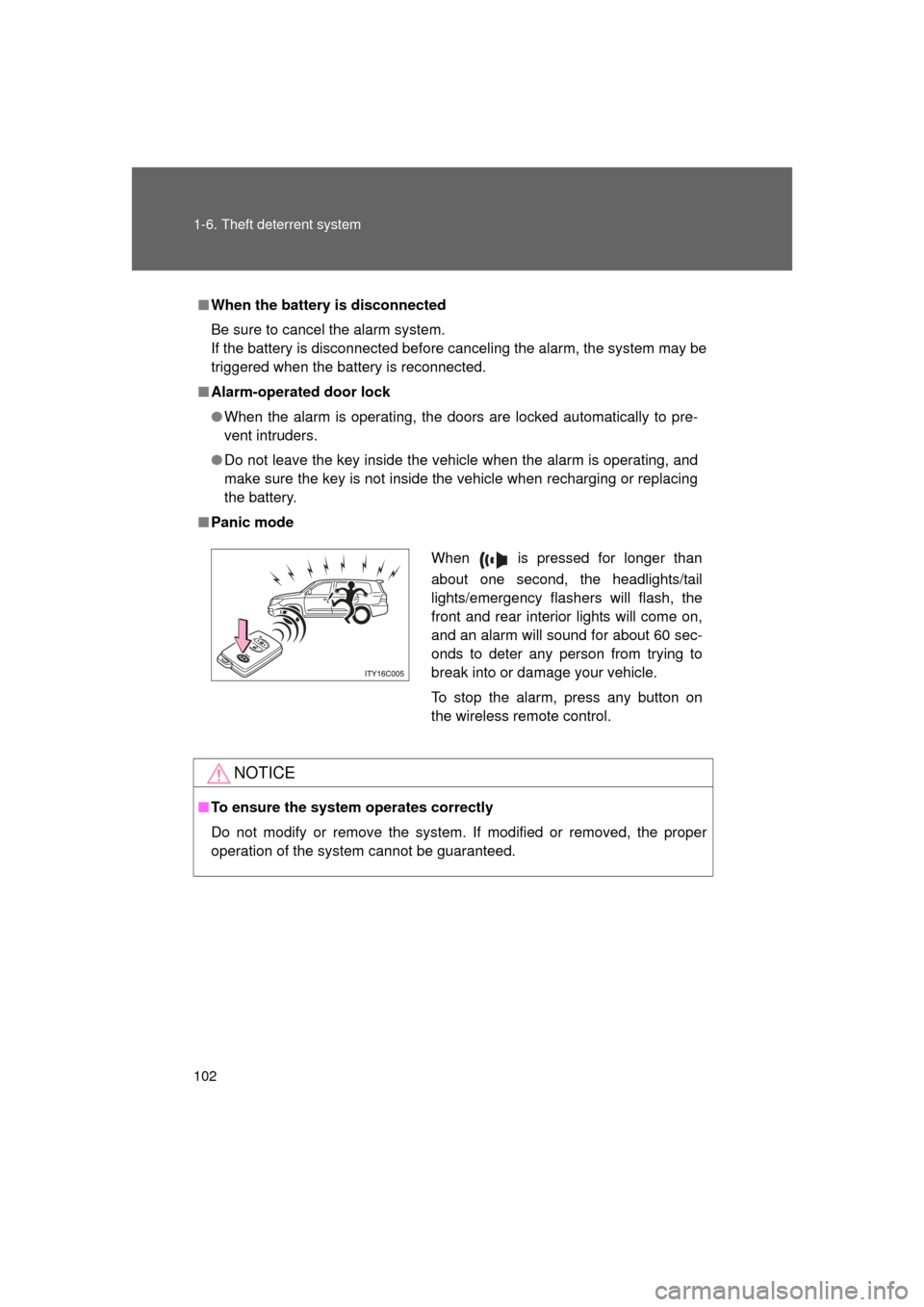
■ Panic mode
NOTICE
■To ensure the system operates correctly
Do not modify or remove the system. If modified or removed, the proper
operation of the system cannot be guaranteed.
When is pressed for longer than
about one second, the headlights/tail
lights/emergency flashers will flash, the
front and rear interior lights will come on,
and an alarm will sound for about 60 sec-
onds to deter any person from trying to
break into or damage your vehicle.
To stop the alarm, press any button on
the wireless remote control.
Page 176 of 608
176
L/C200_U (OM60F74U)
2-3. Operating the lights and wipers
Headlight switch
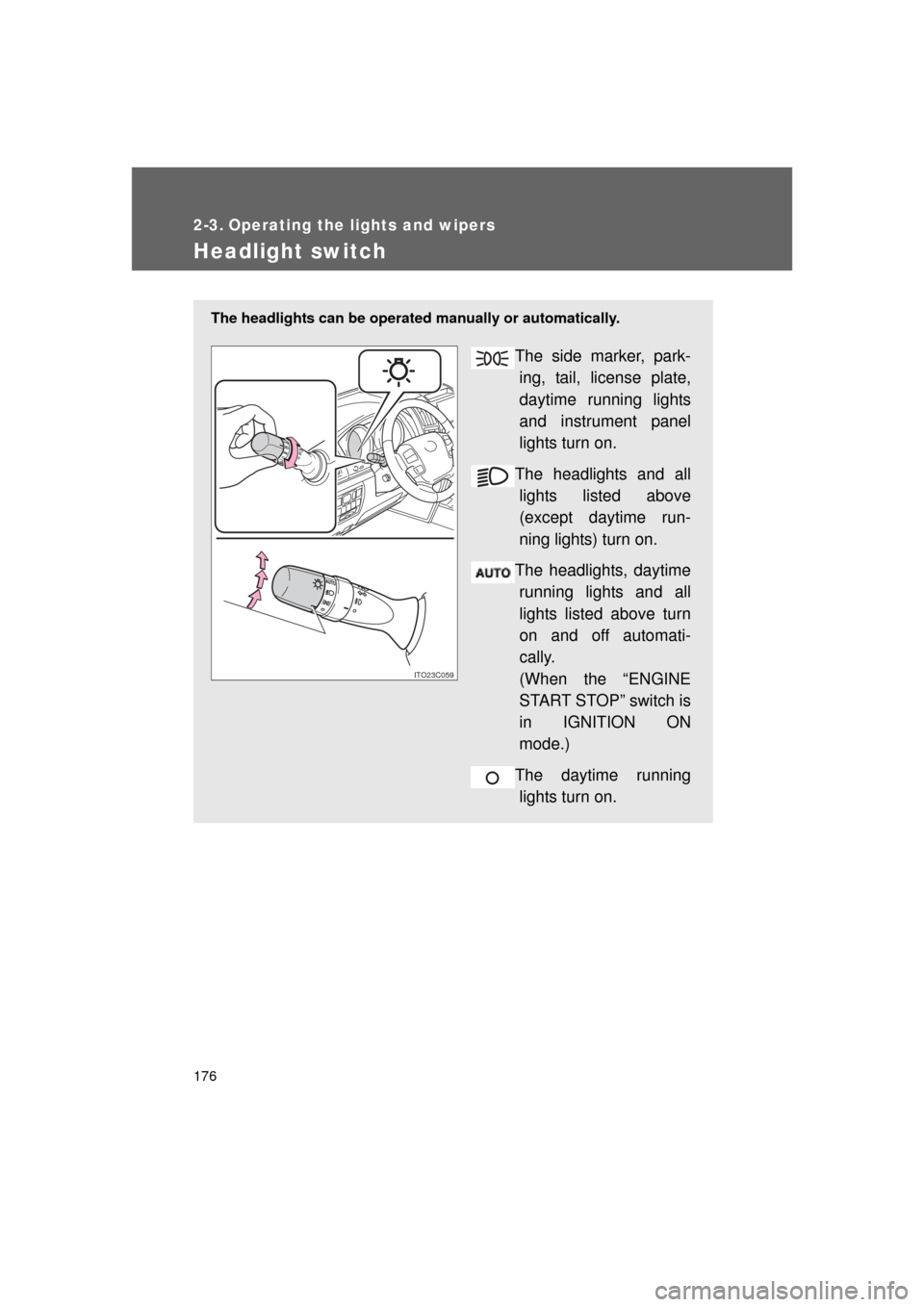
The headlights can be operated manually or automatically.
The side marker, park-
ing, tail, license plate,
daytime running lights
and instrument panel
lights turn on.
The headlights and all lights listed above
(except daytime run-
ning lights) turn on.
The headlights, daytime running lights and all
lights listed above turn
on and off automati-
cally.
(When the “ENGINE
START STOP” switch is
in IGNITION ON
mode.)
The daytime running lights turn on.
ITO23C059
Page 177 of 608
177
2-3. Operating the lights and wipers
2
When driving
L/C200_U (OM60F74U)
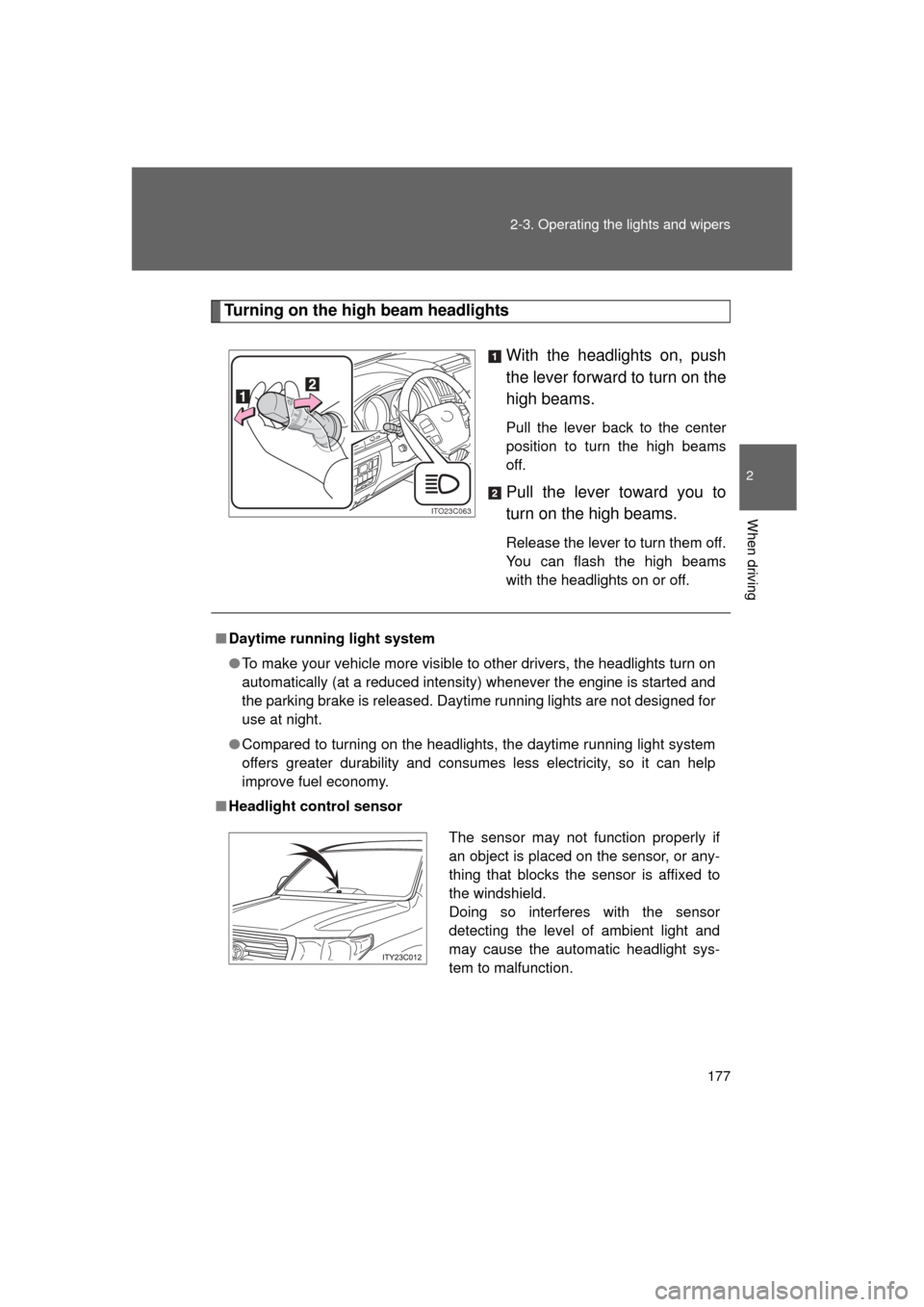
Turning on the high beam headlights
With the headlights on, push
the lever forward to turn on the
high beams.
Pull the lever back to the center
position to turn the high beams
off.
Pull the lever toward you to
turn on the high beams.
Release the lever to turn them off.
You can flash the high beams
with the headlights on or off.
ITO23C063
■Daytime running light system
● To make your vehicle more visible to other drivers, the headlights turn on
automatically (at a reduced intensity) whenever the engine is started and
the parking brake is released. Daytime running lights are not designed for
use at night.
● Compared to turning on the headlights, the daytime running light system
offers greater durability and consumes less electricity, so it can help
improve fuel economy.
■ Headlight control sensor
The sensor may not function properly if
an object is placed on the sensor, or any-
thing that blocks the sensor is affixed to
the windshield.
Doing so interferes with the sensor
detecting the level of ambient light and
may cause the automatic headlight sys-
tem to malfunction.
Page 178 of 608
178 2-3. Operating the lights and wipers
L/C200_U (OM60F74U)
■Automatic light off system
● When the headlights are on: The headlights and tail lights turn off 30 sec-
onds after a door is opened and closed if the “ENGINE START STOP”
switch has been switched to ACCESSORY or OFF mode.
● When only the tail lights are on: The tail lights turn off automatically if the
“ENGINE START STOP” switch is switched to ACCESSORY or OFF
mode and driver’s door is opened.
To turn the lights on again, turn the “ENGINE START STOP” switch to IGNI-
TION ON mode, or turn the light switch off once and then back to the
or
position.
■ Customization
Settings (e.g. light sensor sensitivity) can be changed.
(Customizable features P. 583)
NOTICE
■To prevent battery discharge
Do not leave the lights on longer than necessary when the engine is not run-
ning.
Page 179 of 608
179
2-3. Operating the lights and wipers
2
When driving
L/C200_U (OM60F74U)
Fog light switch
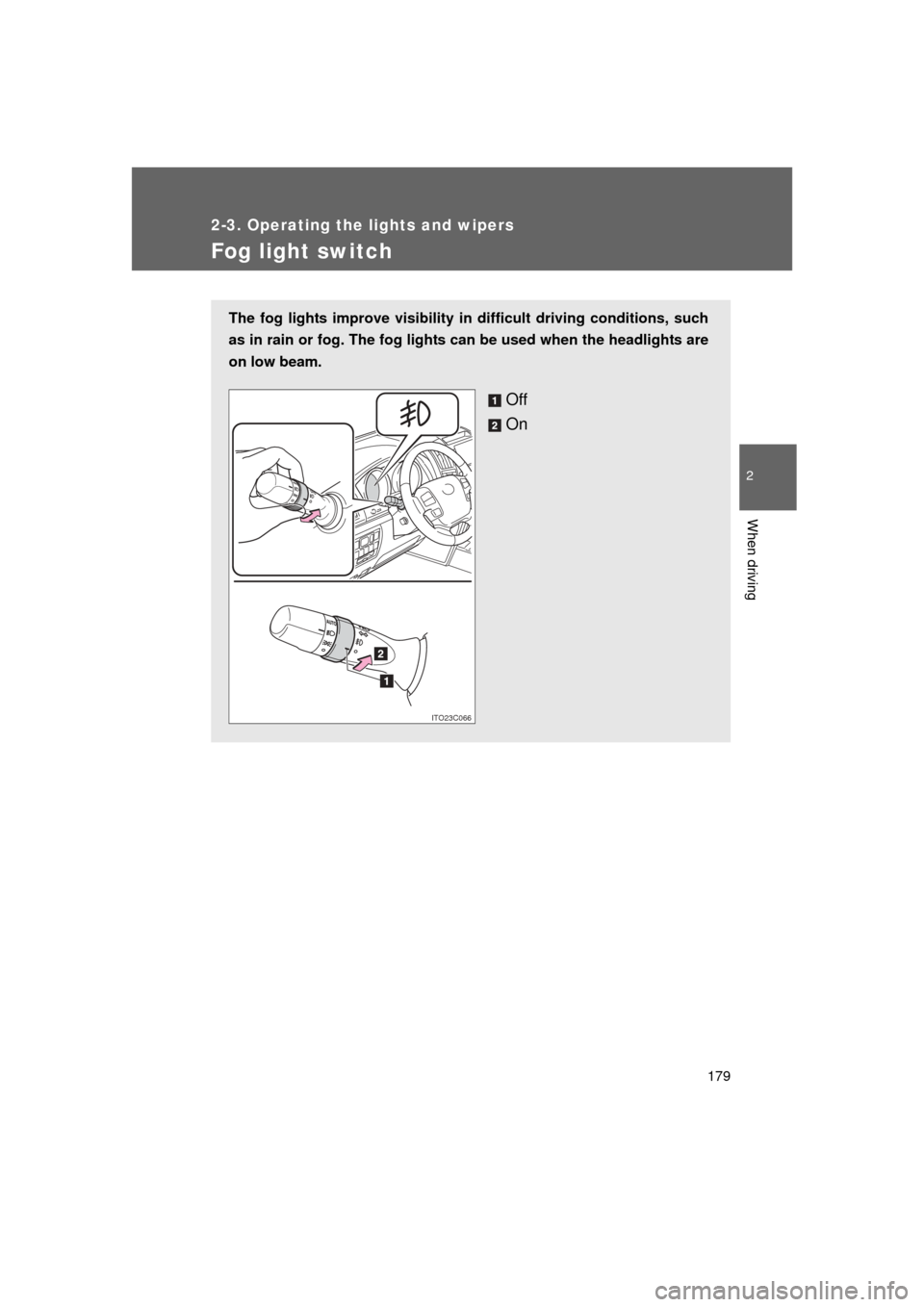
The fog lights improve visibility in difficult driving conditions, such
as in rain or fog. The fog lights can be used when the headlights are
on low beam.
Off
On
ITO23C066
Page 186 of 608
186
2-3. Operating the lights and wipers
L/C200_U (OM60F74U)
Headlight cleaner switch
: If equipped
■The headlight cleaner can be operated when
The “ENGINE START STOP” switch is in IGNITION ON mode and the head-
light switch is turned on.
NOTICE
■When the washer fluid tank is empty
Do not use this function when the washer fluid tank is empty. This may
cause the washer fluid pump to overheat.
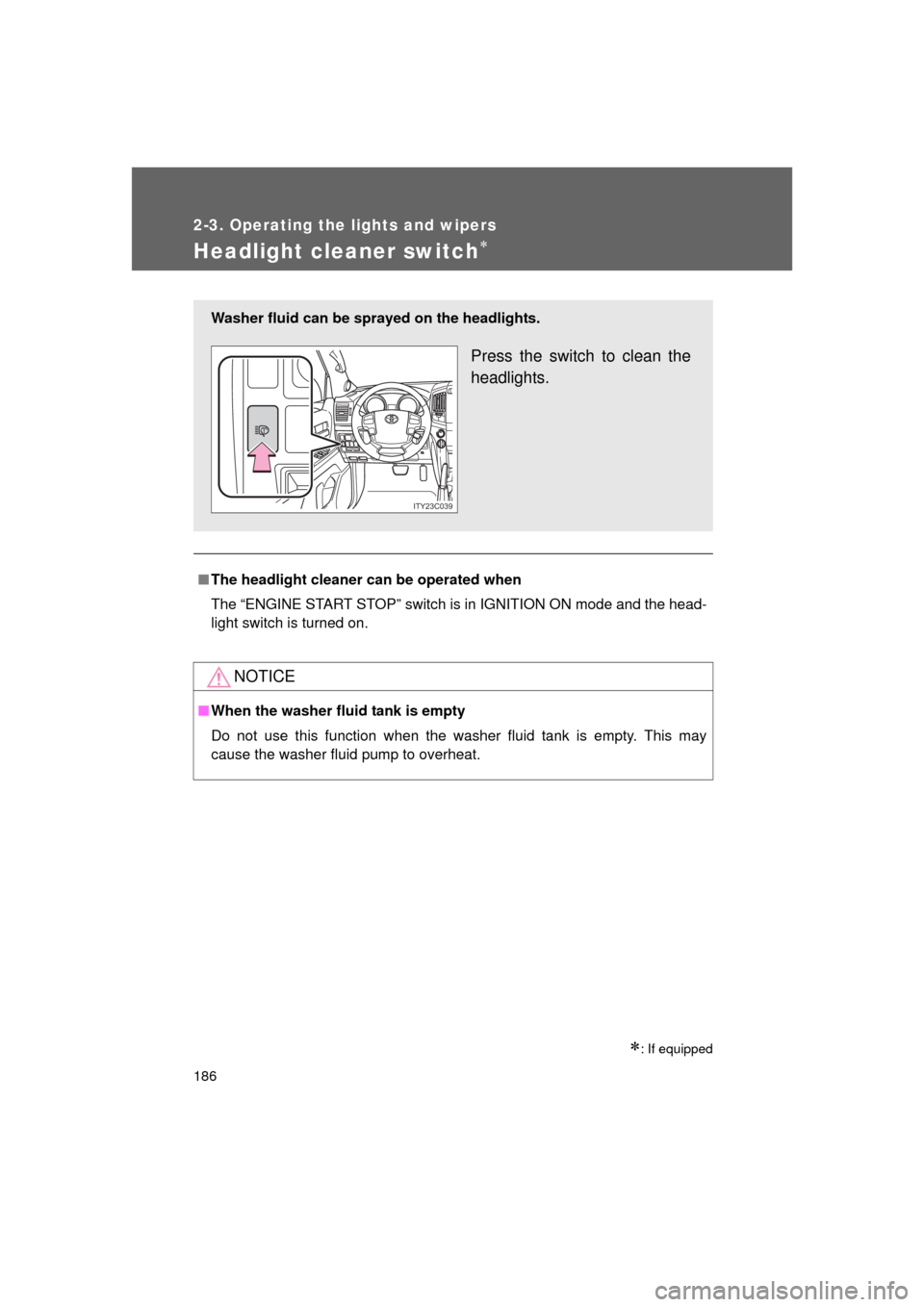
Washer fluid can be sprayed on the headlights.
Press the switch to clean the
headlights.
ITY23C039