Page 26 of 528
26
1-1. Key information
Keys
■Key number plate
Keep the plate in a safe place such as your wallet, not in the vehicle. In the
event that a key is lost, a new key can be made by your Toyota dealer using
the key number plate. ( P. 455)
■ When riding in an aircraft
When bringing a wireless remote control key onto an aircraft, make sure you
do not press any buttons on the wireless remote control key while inside the
aircraft cabin. If you are carrying a wireless remote control key in your bag
etc, ensure that the buttons are not likely to be pressed accidentally. Press-
ing a button may cause the wireless remote control key to emit radio waves
that could interfere with the operation of the aircraft.
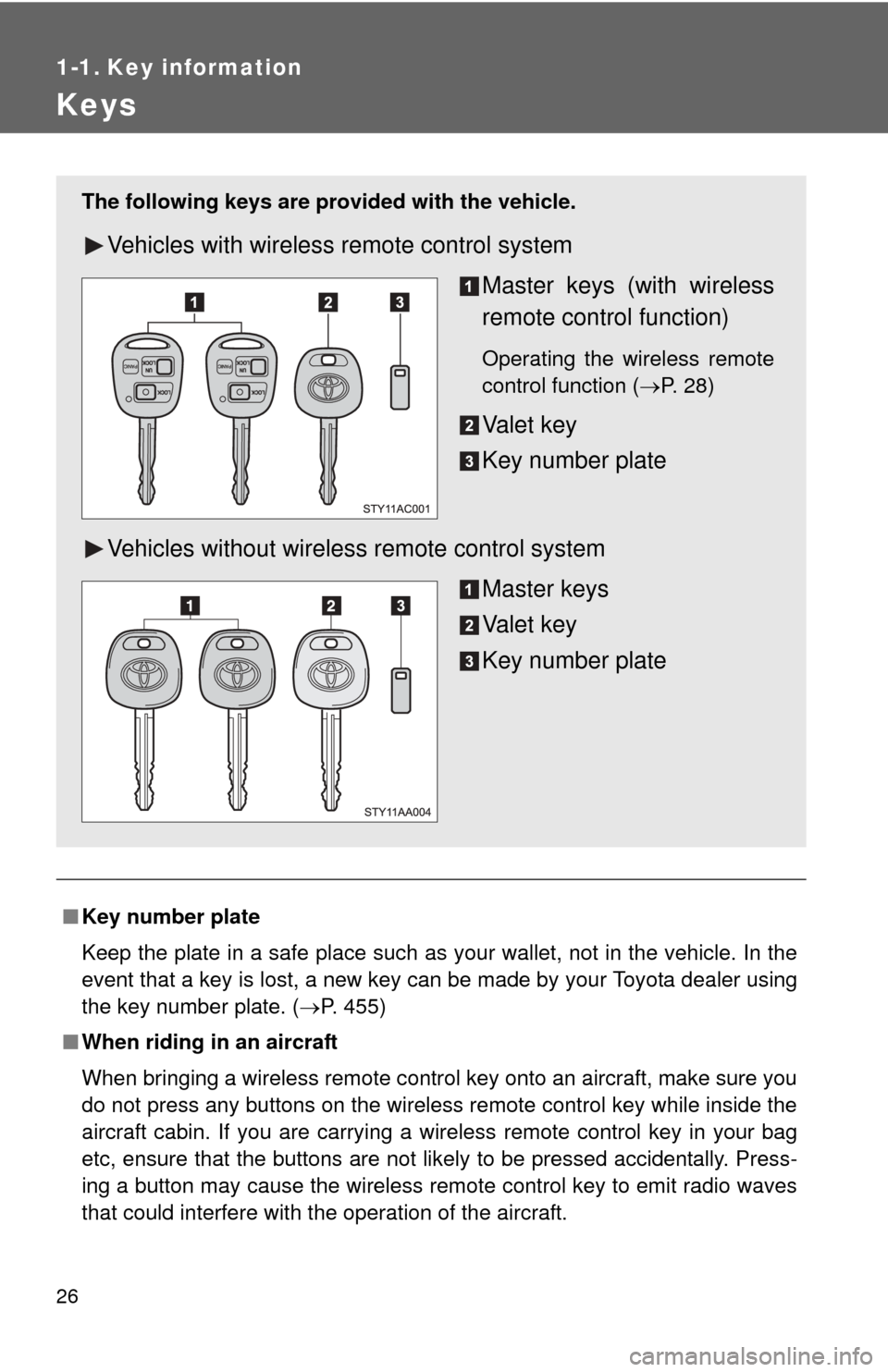
The following keys are provid ed with the vehicle.
Vehicles with wireless remote control system
Master keys (with wireless
remote control function)
Operating the wireless remote
control function (P. 28)
Va l e t k e y
Key number plate
Vehicles without wireless remote control system Master keys
Va l e t k e y
Key number plate
Page 33 of 528
33
1-2. Opening, closing and locking the doors
1
Before driving
■
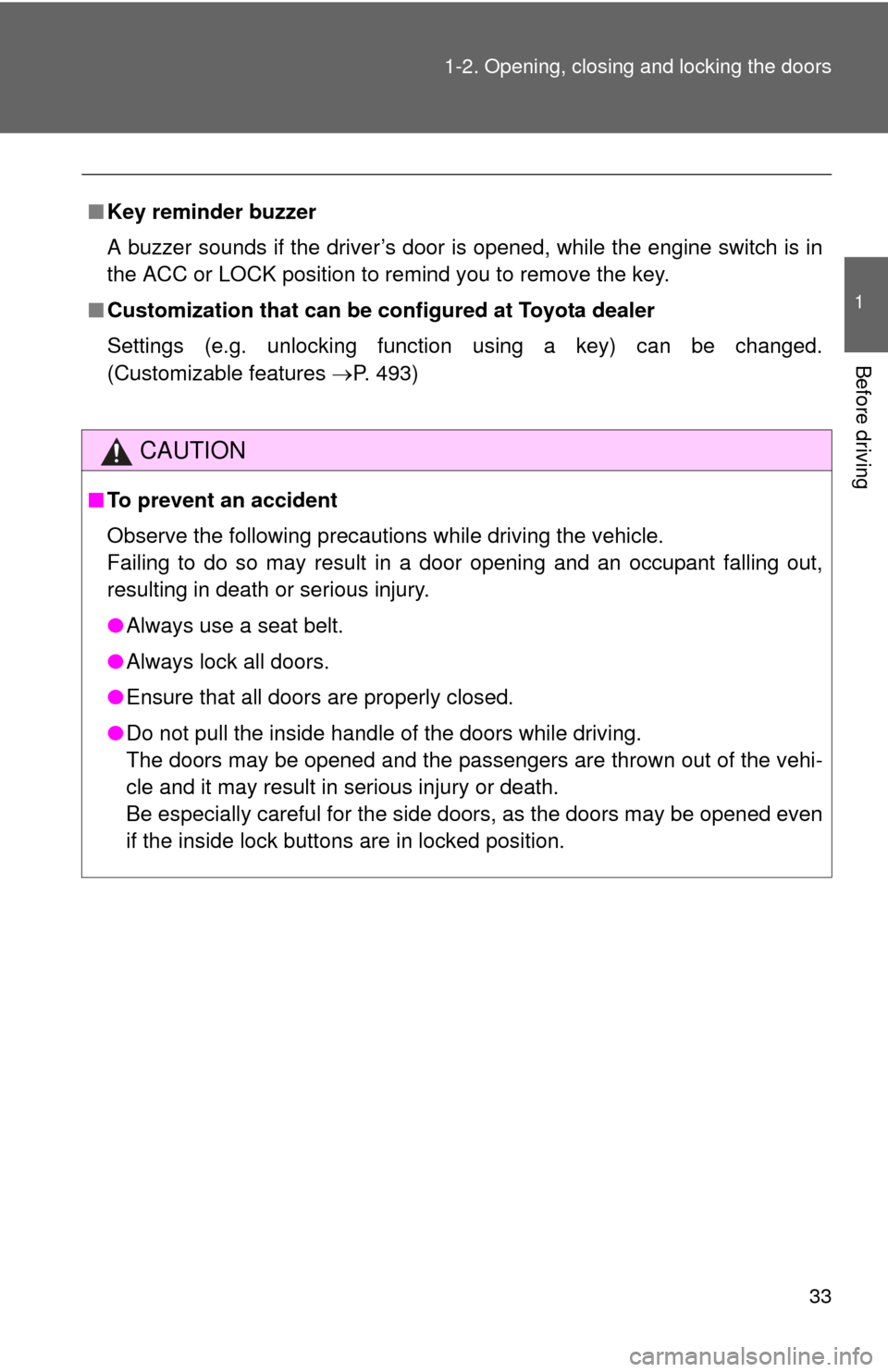
Key reminder buzzer
A buzzer sounds if the driver’s door is opened, while the engine switch is in
the ACC or LOCK position to remind you to remove the key.
■ Customization that can be co nfigured at Toyota dealer
Settings (e.g. unlocking function using a key) can be changed.
(Customizable features P. 493)
CAUTION
■To prevent an accident
Observe the following precautions while driving the vehicle.
Failing to do so may result in a door opening and an occupant falling out,
resulting in death or serious injury.
●Always use a seat belt.
● Always lock all doors.
● Ensure that all doors are properly closed.
● Do not pull the inside handle of the doors while driving.
The doors may be opened and the passengers are thrown out of the vehi-
cle and it may result in serious injury or death.
Be especially careful for the side doors, as the doors may be opened even
if the inside lock buttons are in locked position.
Page 225 of 528
225
3-2. Using the audio system
3
Interior features
Using the CD player
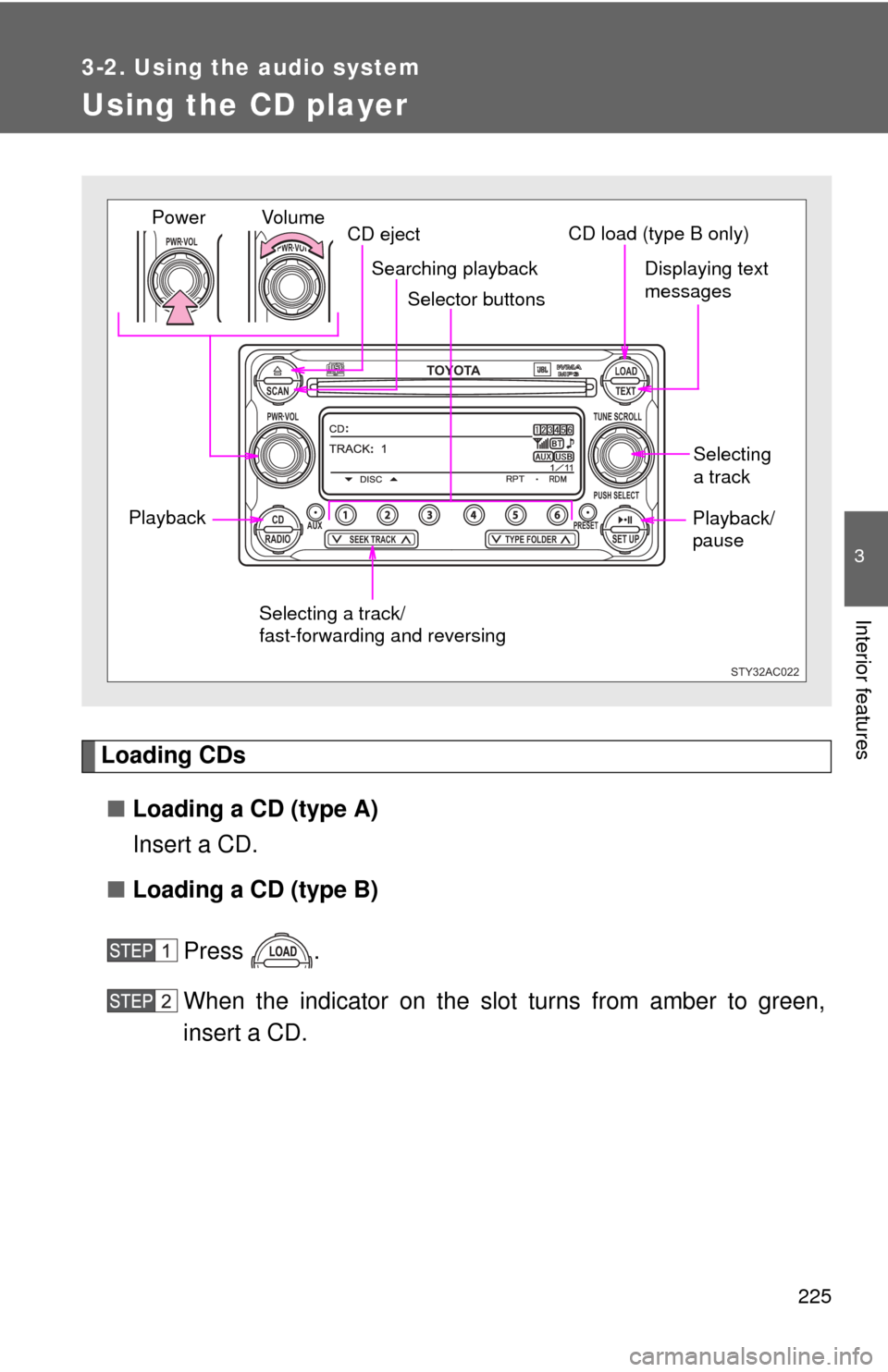
Loading CDs■ Loading a CD (type A)
Insert a CD.
■ Loading a CD (type B)
Press .
When the indicator on the slot turns from amber to green,
insert a CD.
TOYOTASCAN TEXT
LOAD
CDAUXPRESET
PUSH SELECT
SEEK TRACKTYPE FOLDER RADIOSET UP
PWR VOLTUNE SCROLL
PWR VOLPWR VOL
STY32AC022
Selector buttons
Playback CD eject
Displaying text
messages
Selecting
a track
Selecting a track/
fast-forwarding and reversing
Searching playback
Vol u m e
PowerCD load (type B only)
Playback/
pause
Page 233 of 528
233
3-2. Using the audio system
3
Interior features
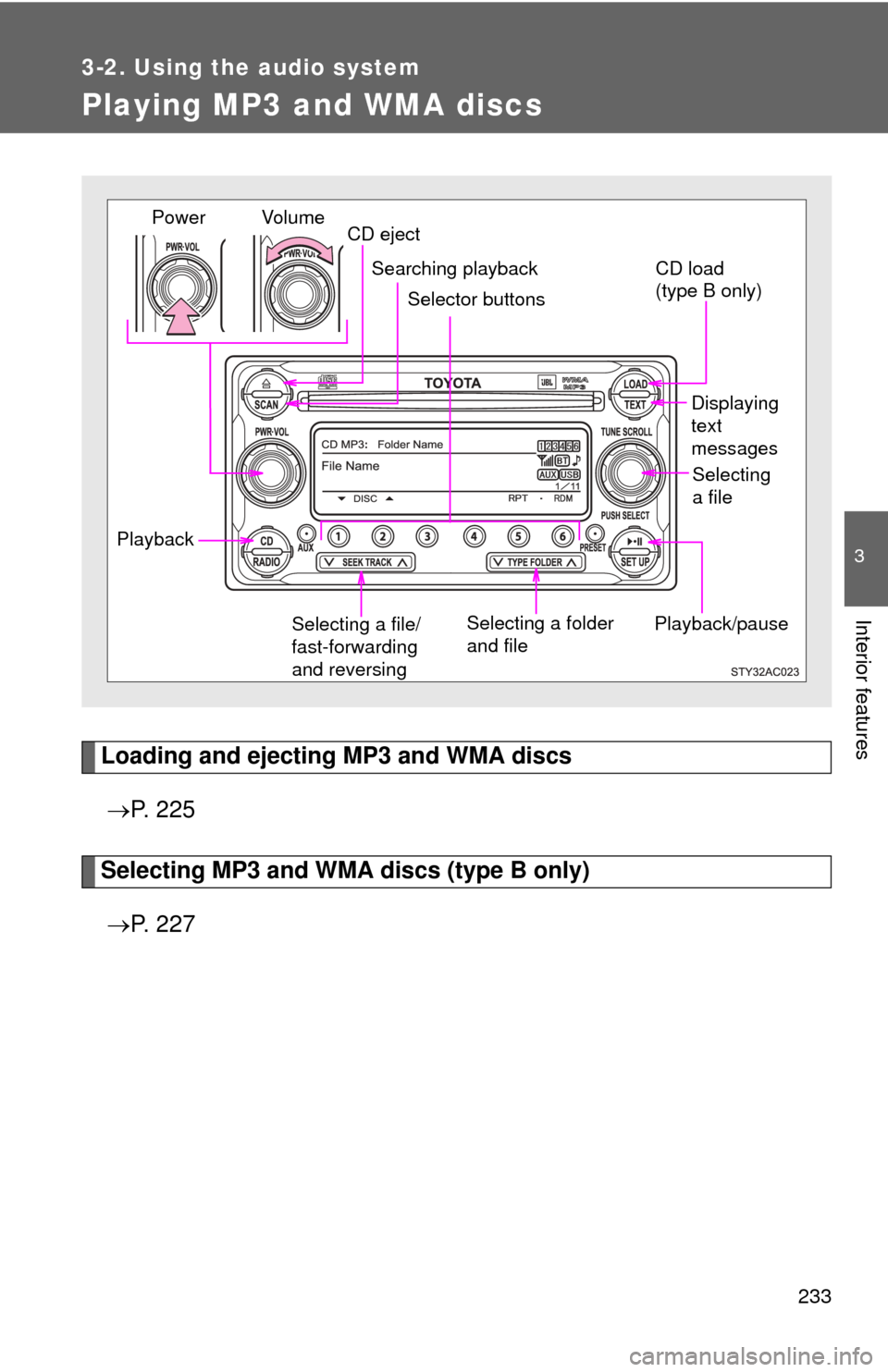
Playing MP3 and WMA discs
Loading and ejecting MP3 and WMA discs P. 2 2 5
Selecting MP3 and WMA discs (type B only)
P. 2 2 7
Playback/pause Displaying
text
messages
Selecting a file/
fast-forwarding
and reversing Selecting a folder
and file
Vol u m e
Power
CD eject
Searching playback
Selector buttons
Selecting
a file
CD load
(type B only)
Playback
Page 241 of 528
241
3-2. Using the audio system
3
Interior features
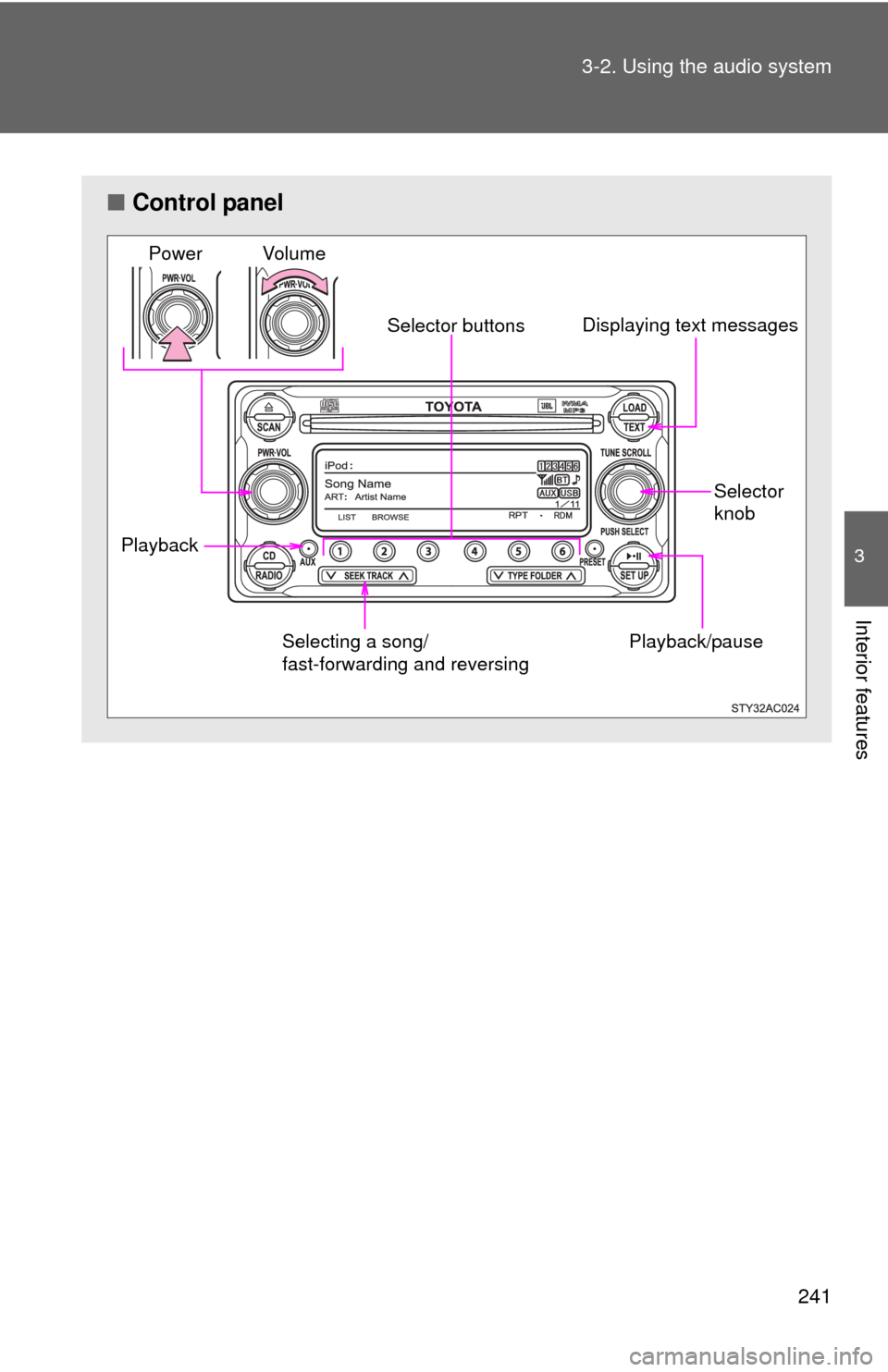
■
Control panel
Playback/pause
Displaying text messages
Selector
knob
Selector buttons
Selecting a song/
fast-forwarding and reversing
Playback Vo lu m e
Power
Page 248 of 528
248 3-2. Using the audio system
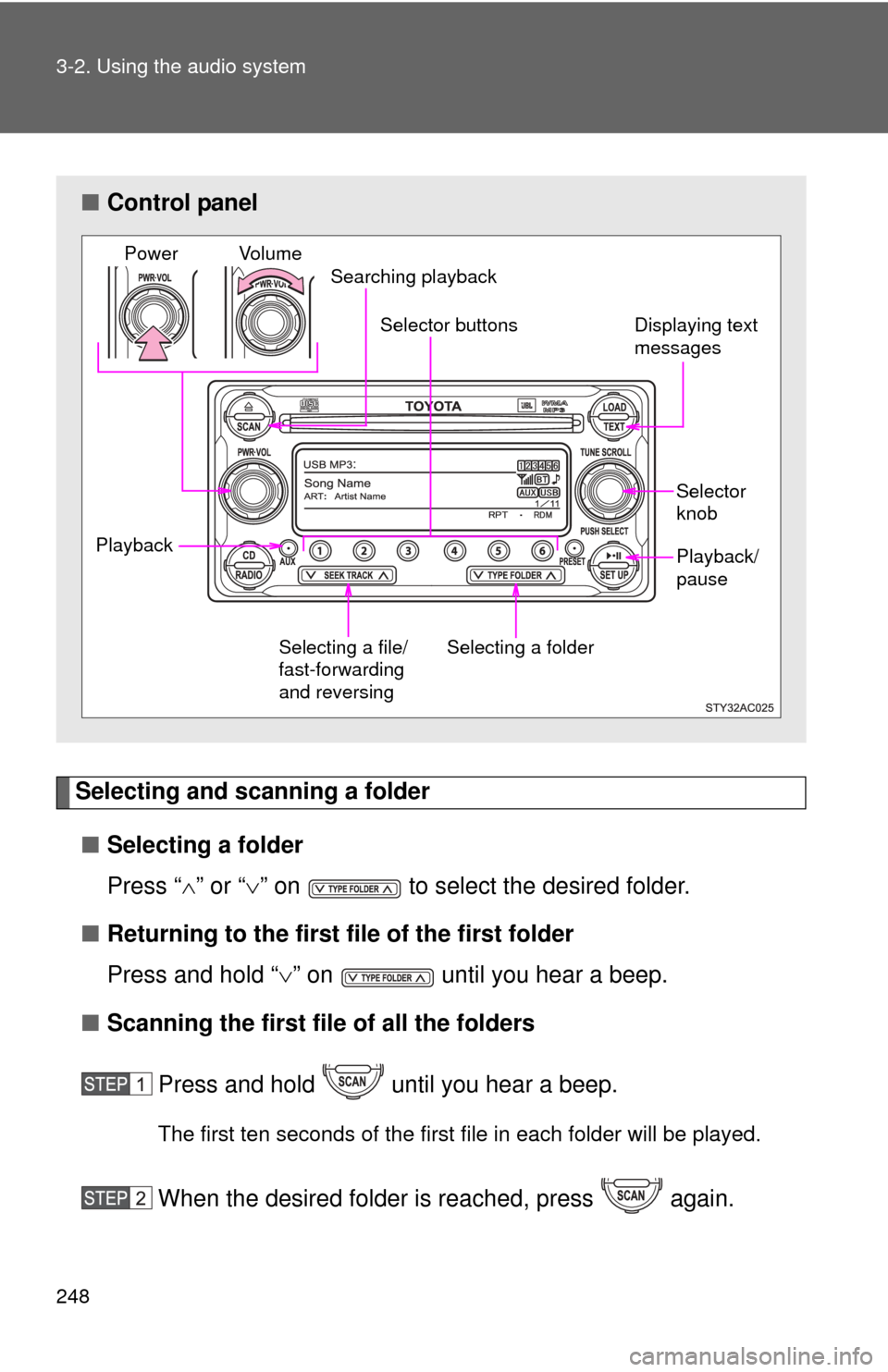
Selecting and scanning a folder■ Selecting a folder
Press “ ” or “ ” on to select the desired folder.
■ Returning to the first file of the first folder
Press and hold “ ” on until you hear a beep.
■ Scanning the first file of all the folders
Press and hold until you hear a beep.
The first ten seconds of the first file in each folder will be played.
When the desired folder is reached, press again.
■Control panel
Selecting a file/
fast-forwarding
and reversing Selector
knob
Playback/
pause
Displaying text
messages
Selector buttons
Selecting a folder
Vo l u m e
Power
Searching playback
Playback
Page 255 of 528
255
3-2. Using the audio system
3
Interior features
Optimal use of the audio system
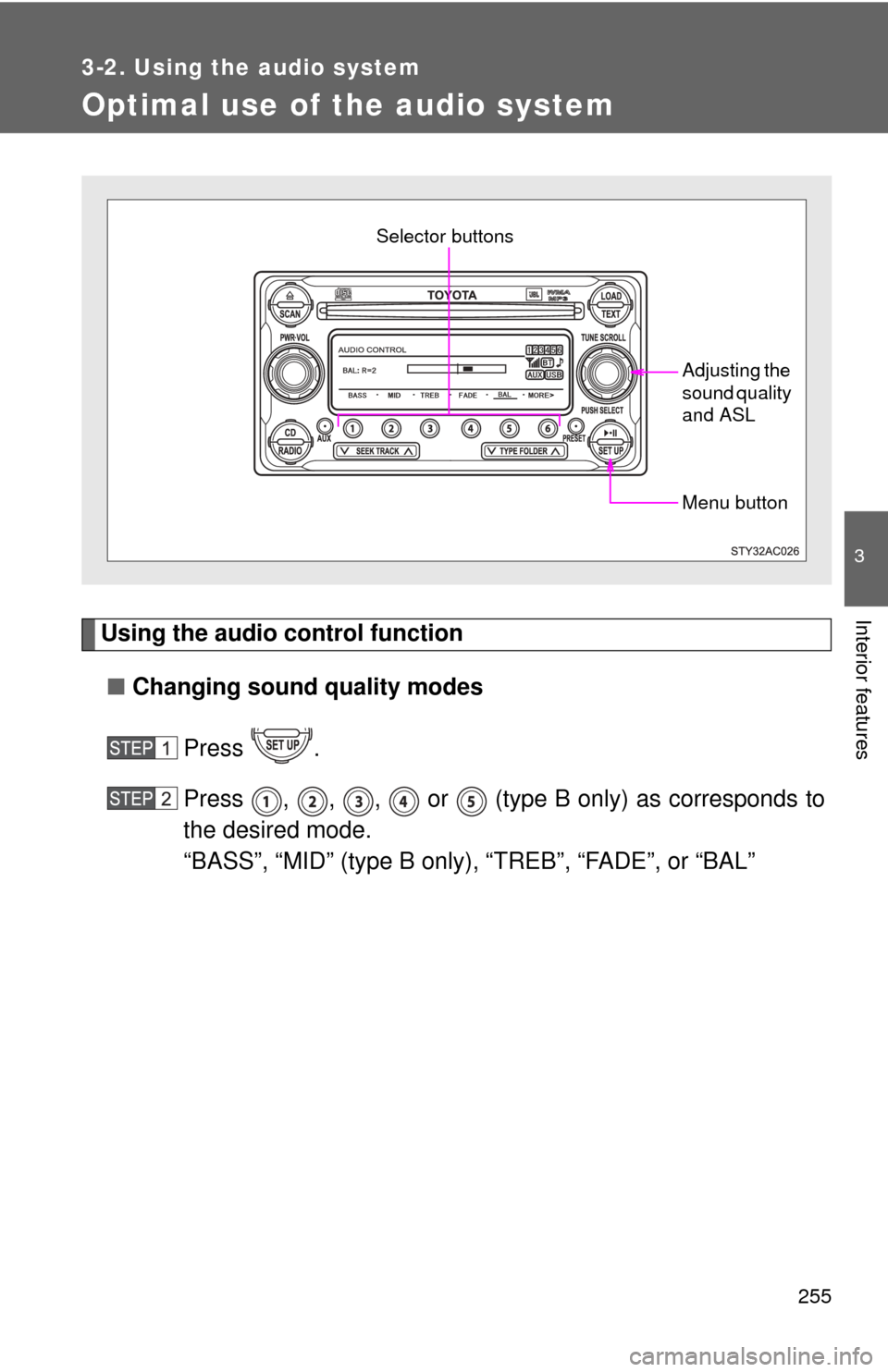
Using the audio control function■ Changing sound quality modes
Press .
Press , , , or (type B only) as corresponds to
the desired mode.
“BASS”, “MID” (type B only), “TREB”, “FADE”, or “BAL”
Menu button
Selector buttons
Adjusting the
sound quality
and ASL
Page 270 of 528
270
3-3. Using the Bluetooth® audio system
Operating a Bluetooth® enabled portable player
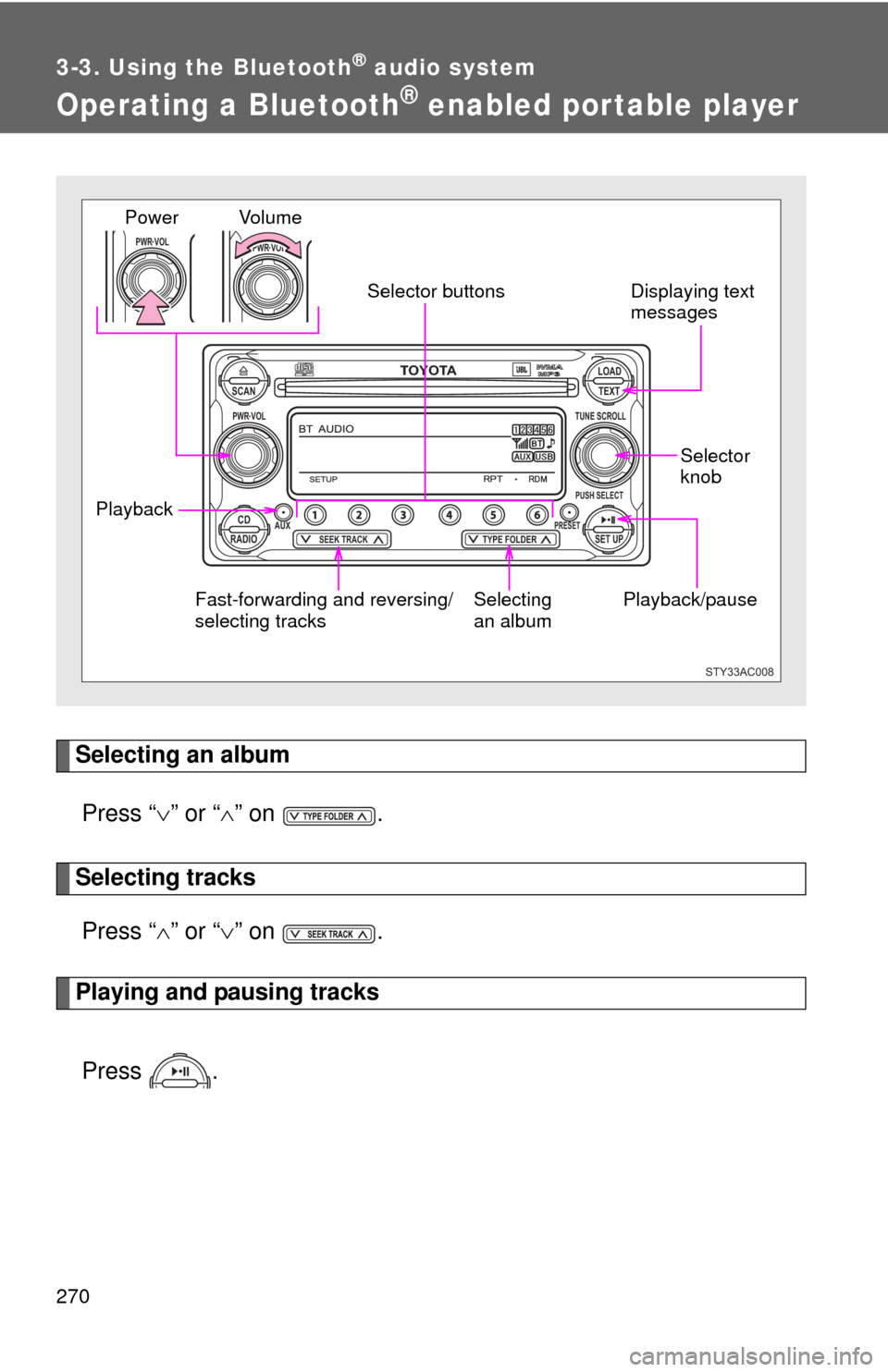
Selecting an albumPress “ ” or “ ” on .
Selecting tracks
Press “ ” or “ ” on .
Playing and pausing tracks
Press .
TOYOTASCAN TEXT
LOAD
CDAUXPRESET
PUSH SELECT
SEEK TRACKTYPE FOLDER RADIOSET UP
PWR VOLTUNE SCROLL
PWR VOLPWR VOL
STY33AC008
Playback/pause Displaying text
messages
Selector
knobSelecting
an album
Fast-forwarding and reversing/
selecting tracks Vo l u m e
Power
Selector buttons
Playback