Page 1 of 564
TABLE OF CONTENTS
1
AVALON_U (OM41428U)
1Before drivingAdjusting and operating features such as door locks,
mirrors, and steering column.
2When drivingDriving, stopping and safe-driving information.
3Interior
featuresAir conditioning and audio systems, as well as other
interior features for a comfortable driving experience.
4Maintenance
and careCleaning and protecting your vehicle, performing do-it-
yourself maintenance, and maintenance information.
5When trouble
arisesWhat to do if the vehicle needs to be towed, gets a flat
tire, or is involved in an accident.
6Vehicle
specificationsDetailed vehicle information.
7For ownersReporting safety defects for U.S. owners, and seat belt
and SRS airbag instructions for Canadian owners.
IndexAlphabetical listing of information contained in this
manual.
Page 4 of 564

TABLE OF CONTENTSIndex
4
AVALON_U (OM41428U)
3-1. Using the air conditioning
system and defogger
Automatic air conditioning
system .............................. 216
Using the steering wheel climate
control switches................ 224
Rear window and outside rear
view mirror defoggers....... 225
3-2. Using the audio system
Audio system type .............. 227
Using the radio ................... 231
Using the CD player ........... 239
Playing back MP3 and
WMA discs ....................... 247
Operating an iPod .............. 255
Operating a USB
memory ............................ 262
Optimal use of the audio
system .............................. 270
Using the AUX port ............ 273
Using the steering
switches ........................... 2743-3. Using the Bluetooth
® audio
system
Bluetooth
® audio
system .............................. 277
Using the Bluetooth
®
audio system .................... 280
Operating a Bluetooth
®
enabled portable
player ................................ 287
Setting up a Bluetooth
®
enabled portable
player ................................ 289
Bluetooth
® audio system
setup ................................. 295
3-4. Using the hands-free system
(for cellular phone)
Hands-free system
(for cellular phone) ........... 296
Using the hands-free
system .............................. 299
Making a phone call............ 308
Setting a cellular phone ...... 313
Security and system
setup ................................. 320
Using the phone book......... 325
3-5. Using the interior lights
Interior lights list.................. 334
3Interior features
Page 5 of 564

1
2
3
4
5
6
7
5
AVALON_U (OM41428U)
3-6. Using the storage features
List of storage features ....... 337
3-7. Other interior features
Sun visors ........................... 345
Vanity mirrors ...................... 346
Clock ................................... 347
Ashtrays .............................. 348
Power outlets ...................... 349
Seat heaters/ventilators ...... 351
Armrest ............................... 353
Rear sunshade.................... 354
Floor mats ........................... 356
Trunk features ..................... 358
Garage door opener............ 360
Compass ............................. 3684-1. Maintenance and care
Cleaning and protecting
the vehicle exterior ........... 374
Cleaning and protecting
the vehicle interior ............ 377
4-2. Maintenance
Maintenance
requirements .................... 380
General maintenance ......... 383
Emission inspection and
maintenance (I/M)
programs .......................... 386
4-3. Do-it-yourself maintenance
Do-it-yourself service
precautions....................... 387
Hood ................................... 391
Positioning a floor jack ....... 392
Engine compartment .......... 394
Tires ................................... 409
Tire inflation pressure ......... 418
Wheels ............................... 422
Air conditioning filter ........... 425
Key battery ......................... 428
Checking and replacing
fuses................................. 432
Headlight aim (with
discharge headlights) ....... 441
Light bulbs .......................... 443
4Maintenance and care
Page 16 of 564
16
AVALON_U (OM41428U)
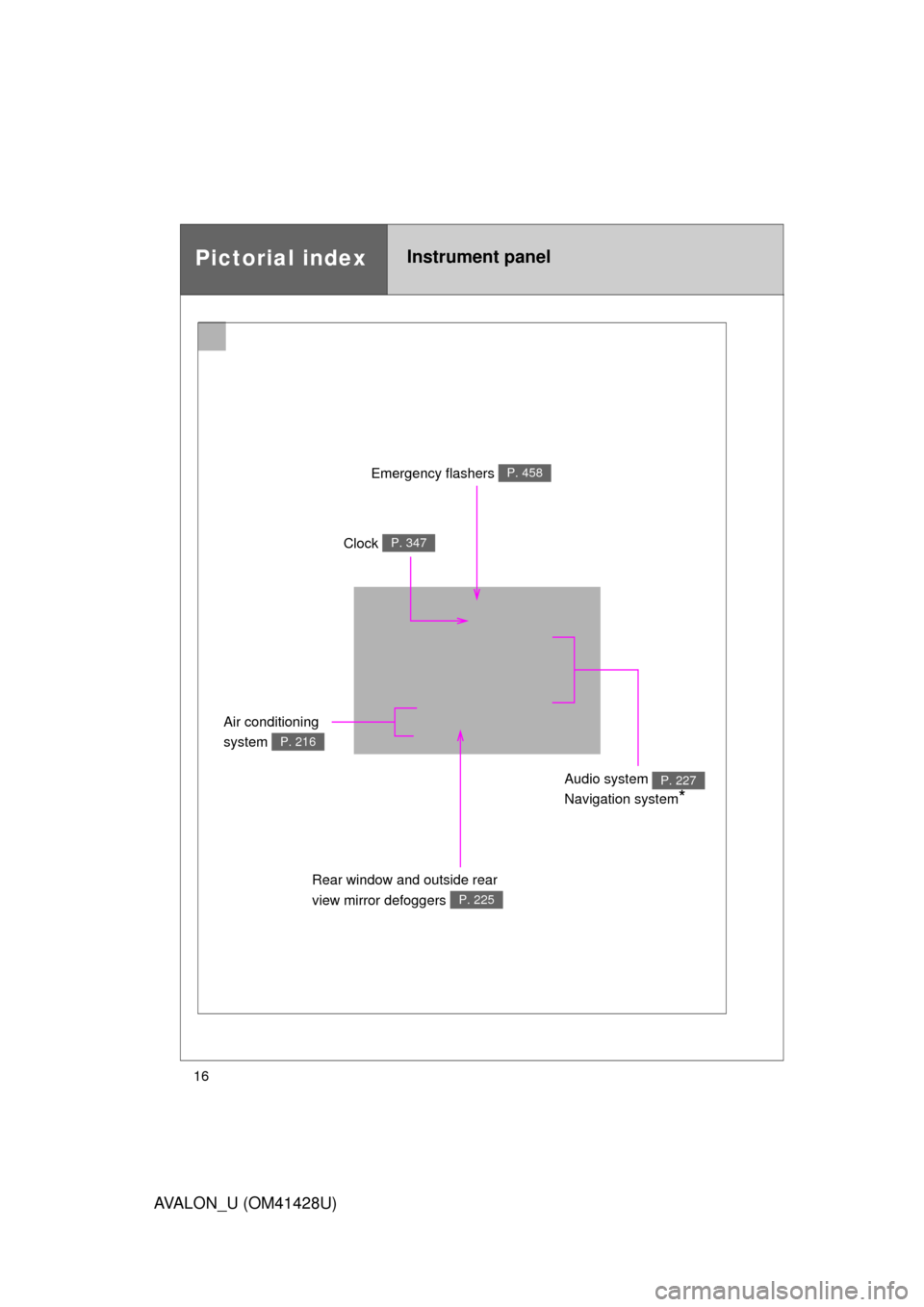
Pictorial indexInstrument panel
Emergency flashers P. 458
Clock P. 347
Air conditioning
system
P. 216
Audio system
Navigation system
*
P. 227
Rear window and outside rear
view mirror defoggers
P. 225
Page 30 of 564

30 1-2. Opening, closing and locking the doors and trunk
AVALON_U (OM41428U)
■Operation signals
A buzzer sounds and the emergency flashers flash to indicate that the doors
have been locked/unlocked. (Locked: Once; Unlocked: Twice)
■Conditions affecting operation
The smart key system uses weak radio waves. In the following situations,
the communication between the electronic key and the vehicle may be
affected, preventing the smart key system and wireless remote control from
operating properly. (Way of coping:
P. 493)
●When the electronic key battery is depleted
●Near a TV tower, electric power plant, gas station, radio station, large dis-
play, airport or other facility that generates strong radio waves or electri-
cal noise
●When carrying a portable radio, cellular phone, cordless phone or other
wireless communication devices
●When the electronic key has come into contact with, or is covered by a
metallic object
●When multiple electronic keys are in the vicinity
●When carrying or using the electronic key together with the following
devices that emit radio waves
• Another vehicle’s electronic key
• A wireless key that emits radio waves
• Personal computer
●If window tint with a metallic content or metallic objects are attached to
the rear window
Page 40 of 564

40 1-2. Opening, closing and locking the doors and trunk
AVALON_U (OM41428U)
■Security feature
P. 3 4
■When the key battery is fully depleted
P. 428
■Conditions affecting operation
Vehicles with smart key system
P. 3 0
Vehicles without smart key system
The wireless remote control function may not operate normally in the fol-
lowing situations.
●Near a TV tower, radio station, electric power plant, airport or other
facility that generates strong radio waves
●When carrying a portable radio, cellular phone or other wireless com-
munication device
●When multiple wireless keys are in the vicinity
●When the wireless key has come into contact with, or is covered by a
metallic object
●When a wireless key (that emits radio waves) is being used nearby
●When the wireless key has been left near an electrical appliance such
as a personal computer
■Customization that can be configured at Toyota dealer
Settings (e.g. 2-step unlocking function, trunk unlocking function) can be
changed. (Customizable features P. 532)
Page 104 of 564

104 1-7. Safety information
AVALON_U (OM41428U)
■Operating conditions (front airbags)
●The SRS front airbags will deploy in the event of an impact that exceeds
the set threshold level (the level of force corresponding to an approxi-
mately 12 - 18 mph [20 - 30 km/h] frontal collision with a fixed wall that
does not move or deform).
However, this threshold velocity will be considerably higher if the vehicle
strikes an object, such as a parked vehicle or sign pole, which can move or
deform on impact, or if the vehicle is involved in an underride collision (e.g.
a collision in which the front of the vehicle “underrides”, or goes under, the
bed of a truck, etc.).
●It is possible that in some collisions where the forward deceleration of the
vehicle is very close to the designed threshold level, the SRS front air-
bags and the seat belt pretensioners may not activate together.
●The SRS front passenger airbags will not activate, if there is no passen-
ger sitting in the front passenger seat. However, the front passenger air-
bag may deploy, if heavy luggage is put, even if the seat is unoccupied.
(P. 114)
■Operating conditions (side and curtain shield airbags)
●The SRS side airbags and curtain shield airbags will deploy in the even
of an impact that exceeds the set threshold level (the level of force corre-
sponding to the impact force produced by an approximately 3300 lb.
[1500 kg] vehicle colliding with the vehicle cabin from a direction perpen-
dicular to the vehicle orientation at an approximate speed of 12 - 18 mph
[20 - 30 km/h]).
●The SRS side airbags and curtain shield airbags are designed to inflate
when the passenger compartment is subjected to a severe impact the
side.
●The SRS side airbag on the passenger seat will not activate, if there is no
passenger sitting in the front passenger seat. However, the side airbag
on the passenger seat may deploy, if heavy luggage is put, even if the
seat is unoccupied. (P. 114)
Page 105 of 564
105 1-7. Safety information
1
Before driving
AVALON_U (OM41428U)
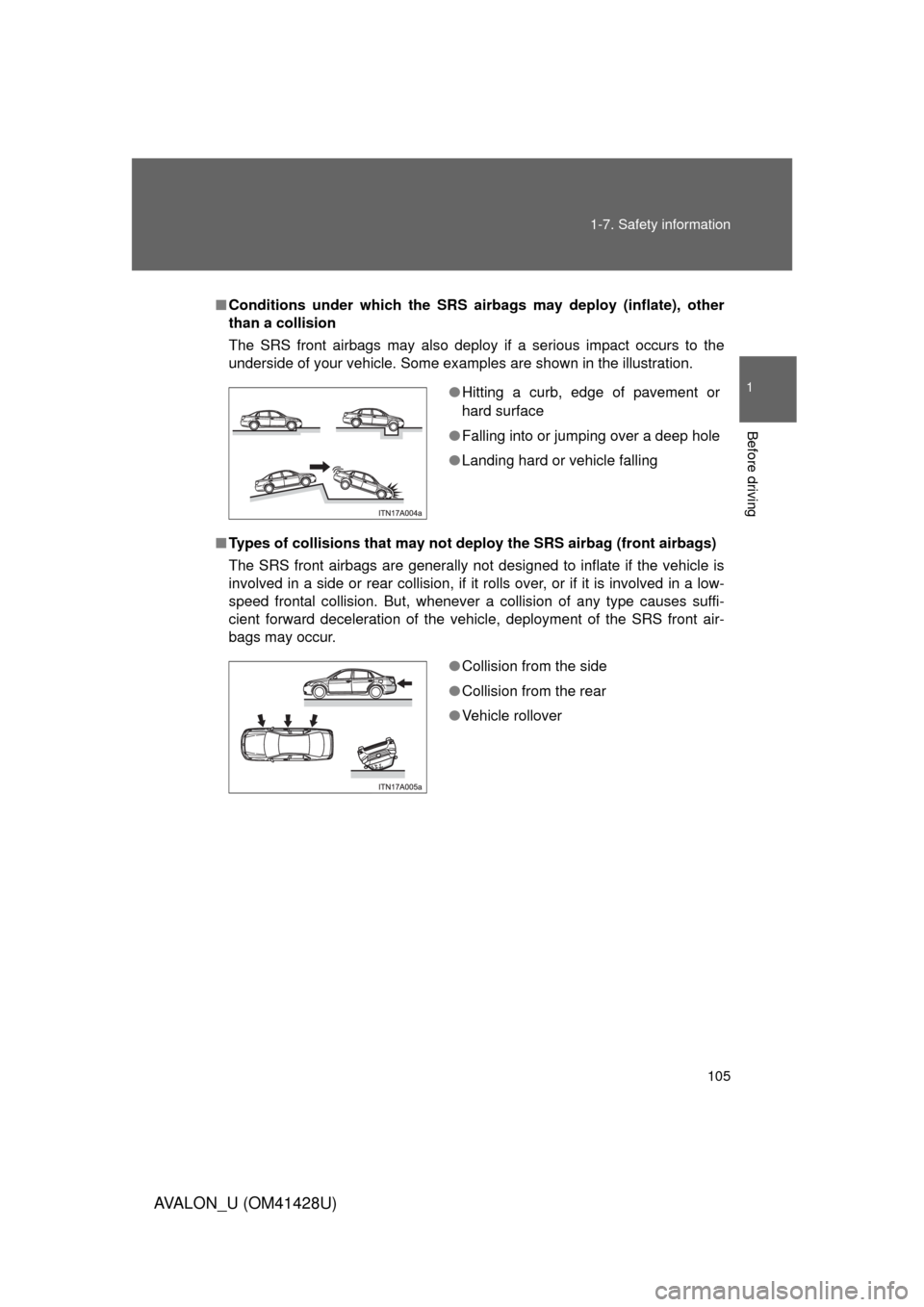
■Conditions under which the SRS airbags may deploy (inflate), other
than a collision
The SRS front airbags may also deploy if a serious impact occurs to the
underside of your vehicle. Some examples are shown in the illustration.
■Types of collisions that may not deploy the SRS airbag (front airbags)
The SRS front airbags are generally not designed to inflate if the vehicle is
involved in a side or rear collision, if it rolls over, or if it is involved in a low-
speed frontal collision. But, whenever a collision of any type causes suffi-
cient forward deceleration of the vehicle, deployment of the SRS front air-
bags may occur.
●Hitting a curb, edge of pavement or
hard surface
●Falling into or jumping over a deep hole
●Landing hard or vehicle falling
●Collision from the side
●Collision from the rear
●Vehicle rollover