Page 214 of 564
214
AVALON_U (OM41428U)
3-1. Using the air conditioning system and defogger
Automatic air conditioning system ........................... 216
Using the steering wheel climate control
switches ......................... 224
Rear window and outside rear view mirror defoggers .... 225
3-2. Using the audio system Audio system type............ 227
Using the radio ................. 231
Using the CD player ......... 239
Playing back MP3 and WMA discs ..................... 247
Operating an iPod ............ 255
Operating a USB memory .......................... 262
Optimal use of the audio system ........................... 270
Using the AUX port .......... 273
Using the steering switches ......................... 274
Interior features3
Page 224 of 564
224
3-1. Using the air conditioning system and defogger
AVALON_U (OM41428U)
Using the steering wheel climate control switches
Using the automatic mode
Press .
The air conditioning system will begin to operate. Air outlets and
fan speed are automatically adjusted according to the tempera-
ture setting.
Press “” to increase the temperature and “” to decrease the
temperature on .
The temperature for the driver and passenger seats can be set
separately.
Adjust the temperature settings
Press “
” to increase the temperature and “” to decrease the tem-
perature on .
Turning off the fan
Press .
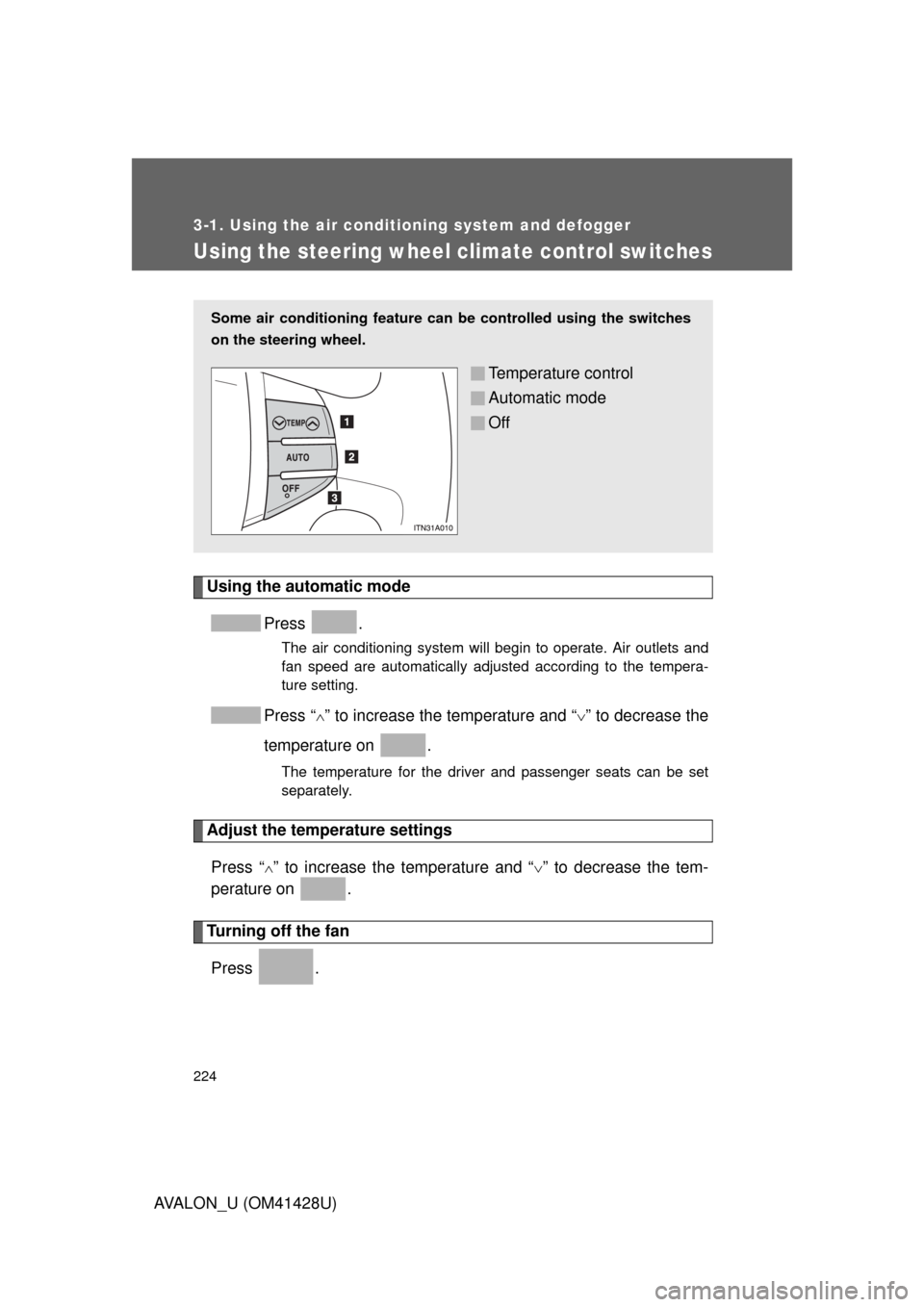
Some air conditioning feature can be controlled using the switches
on the steering wheel.
Temperature control
Automatic mode
Off
Page 228 of 564
228 3-2. Using the audio system
AVALON_U (OM41428U)
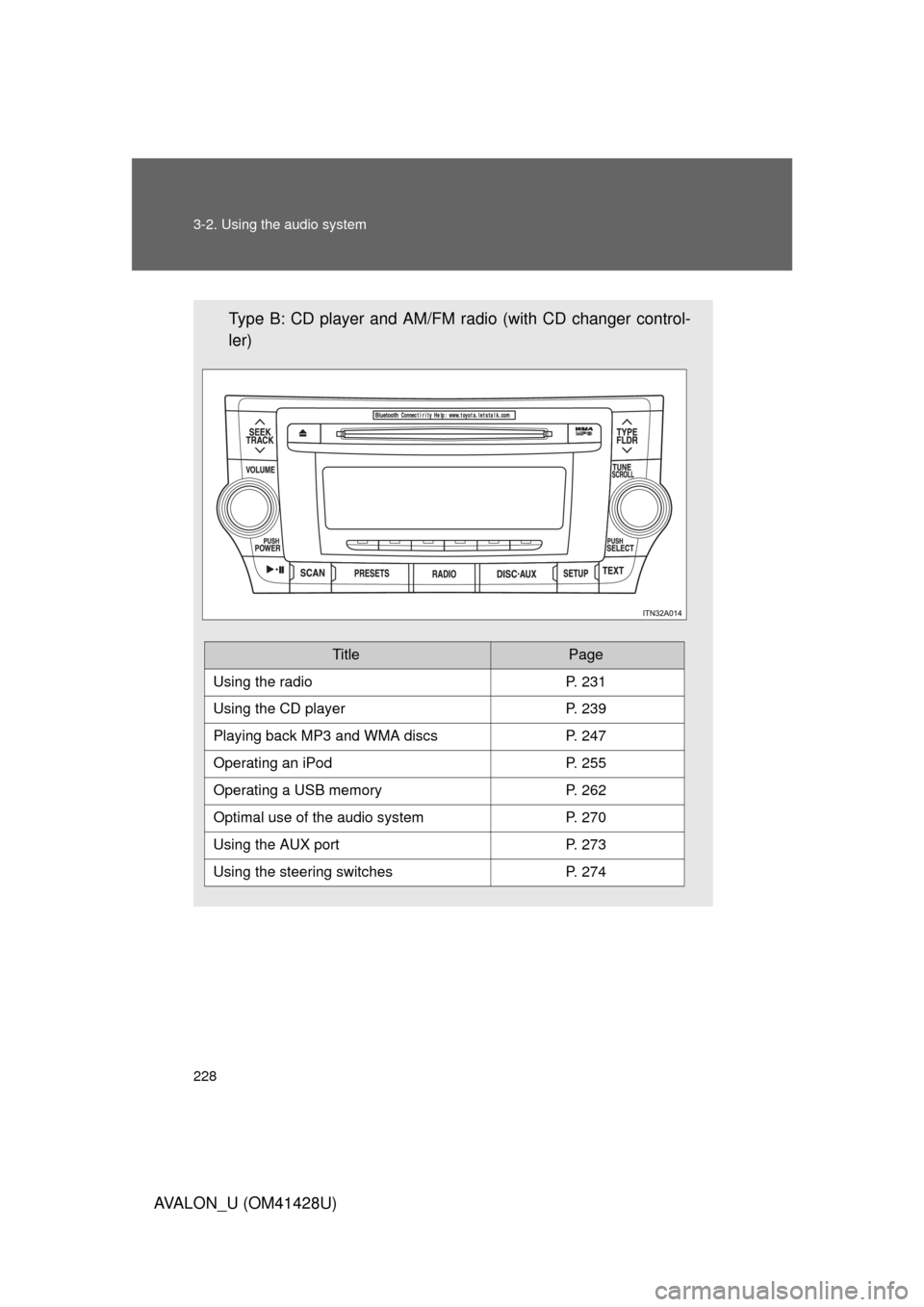
Type B: CD player and AM/FM radio (with CD changer control-
ler)
TitlePage
Using the radioP. 231
Using the CD playerP. 239
Playing back MP3 and WMA discs P. 247
Operating an iPodP. 255
Operating a USB memoryP. 262
Optimal use of the audio systemP. 270
Using the AUX portP. 273
Using the steering switchesP. 274
Page 274 of 564
274
3-2. Using the audio system
AVALON_U (OM41428U)
Using the steering switches
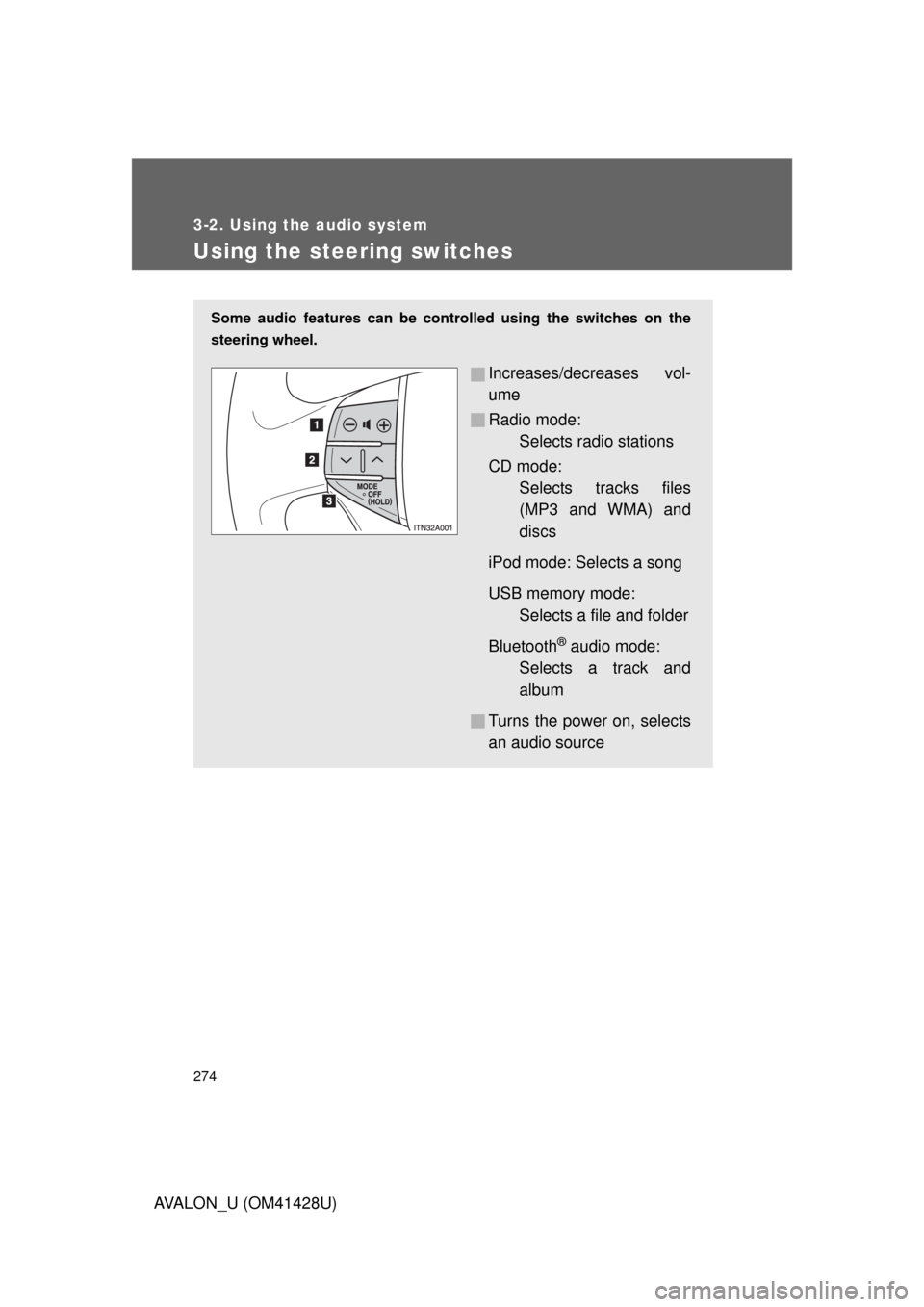
Some audio features can be controlled using the switches on the
steering wheel.
Increases/decreases vol-
ume
Radio mode:
Selects radio stations
CD mode:
Selects tracks files
(MP3 and WMA) and
discs
iPod mode: Selects a song
USB memory mode:
Selects a file and folder
Bluetooth
® audio mode:
Selects a track and
album
Turns the power on, selects
an audio source
Page 276 of 564
276 3-2. Using the audio system
AVALON_U (OM41428U)
Selecting a track/file or song
Press to select the CD, iPod, USB memory or
Bluetooth
® audio mode.
Press “” or “” on to select the desired track/file or
folder.
Selecting a folder or album
Press to select the CD, USB memory or Bluetooth
®
audio mode.
Press and hold “” or “” on until you hear a beep.
Selecting a disc in the CD player (type A only)
Press to select the CD mode.
Press and hold “” or “” on until you hear a beep.
CAUTION
■To reduce the risk of an accident
Exercise care when operating the audio switches on the steering wheel.
Page 281 of 564
281 3-3. Using the Bluetooth
® audio system
3
Interior features
AVALON_U (OM41428U)
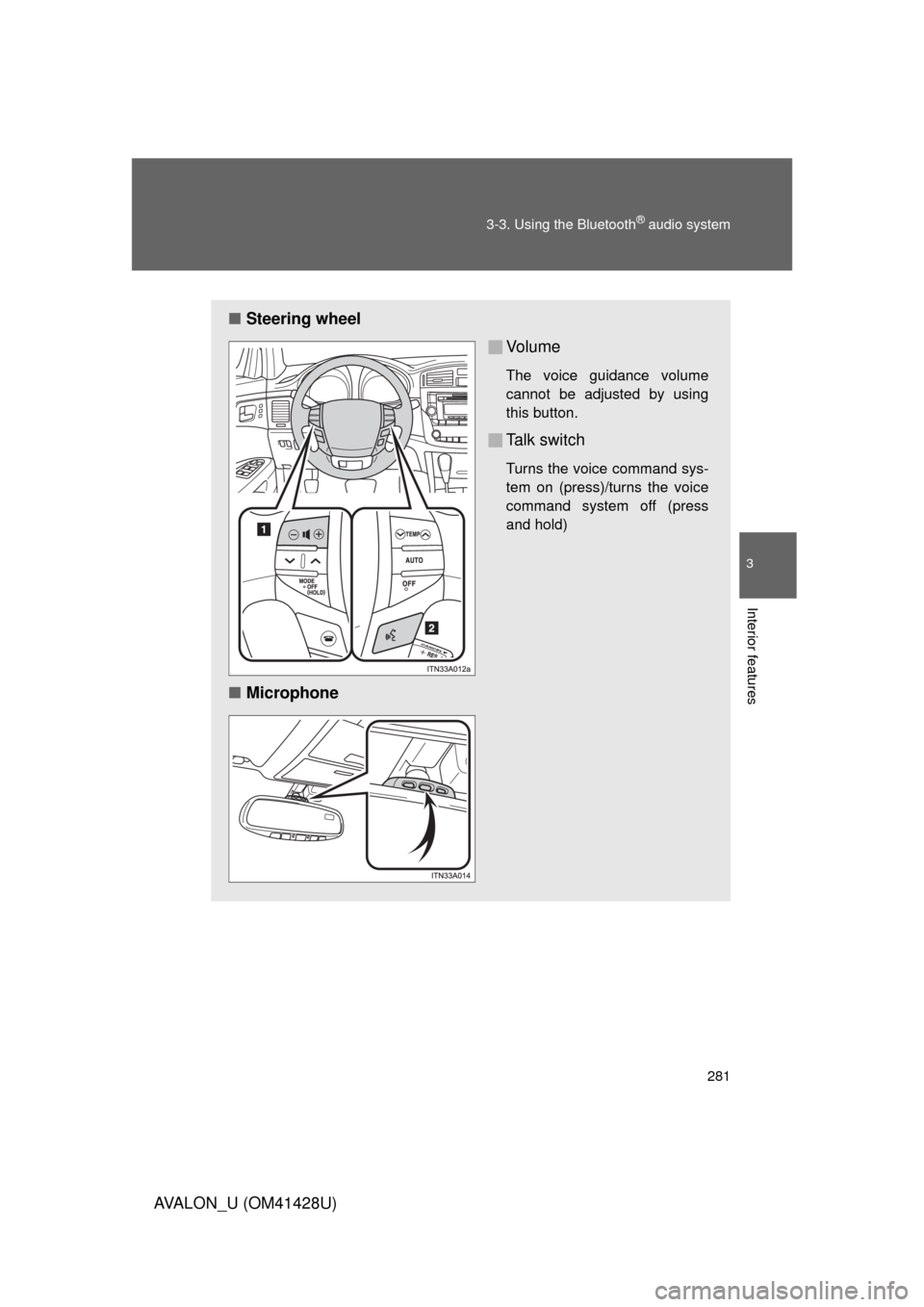
■Steering wheel
Vo l u m e
The voice guidance volume
cannot be adjusted by using
this button.
Talk switch
Turns the voice command sys-
tem on (press)/turns the voice
command system off (press
and hold)
■Microphone
Page 288 of 564
288 3-3. Using the Bluetooth
® audio system
AVALON_U (OM41428U)
Playing and pausing tracks
Press .
Fast-forwarding and rewinding tracks
Press and hold “
” or “” on .
Switching the display
Press .
Each time the button is pressed, the display changes in the following
order: Track title Track title/Artist name Track title/Album name
Track title/Elapsed time.
Using the steering switches
P. 2 7 4
■Bluetooth® audio system functions
Depending on the portable player that is connected to the system, certain
functions may not be available.
■Error messages
“BT Audio Error”: This indicates a problem in the system.
Page 300 of 564
300 3-4. Using the hands-free system (for cellular phone)
AVALON_U (OM41428U)
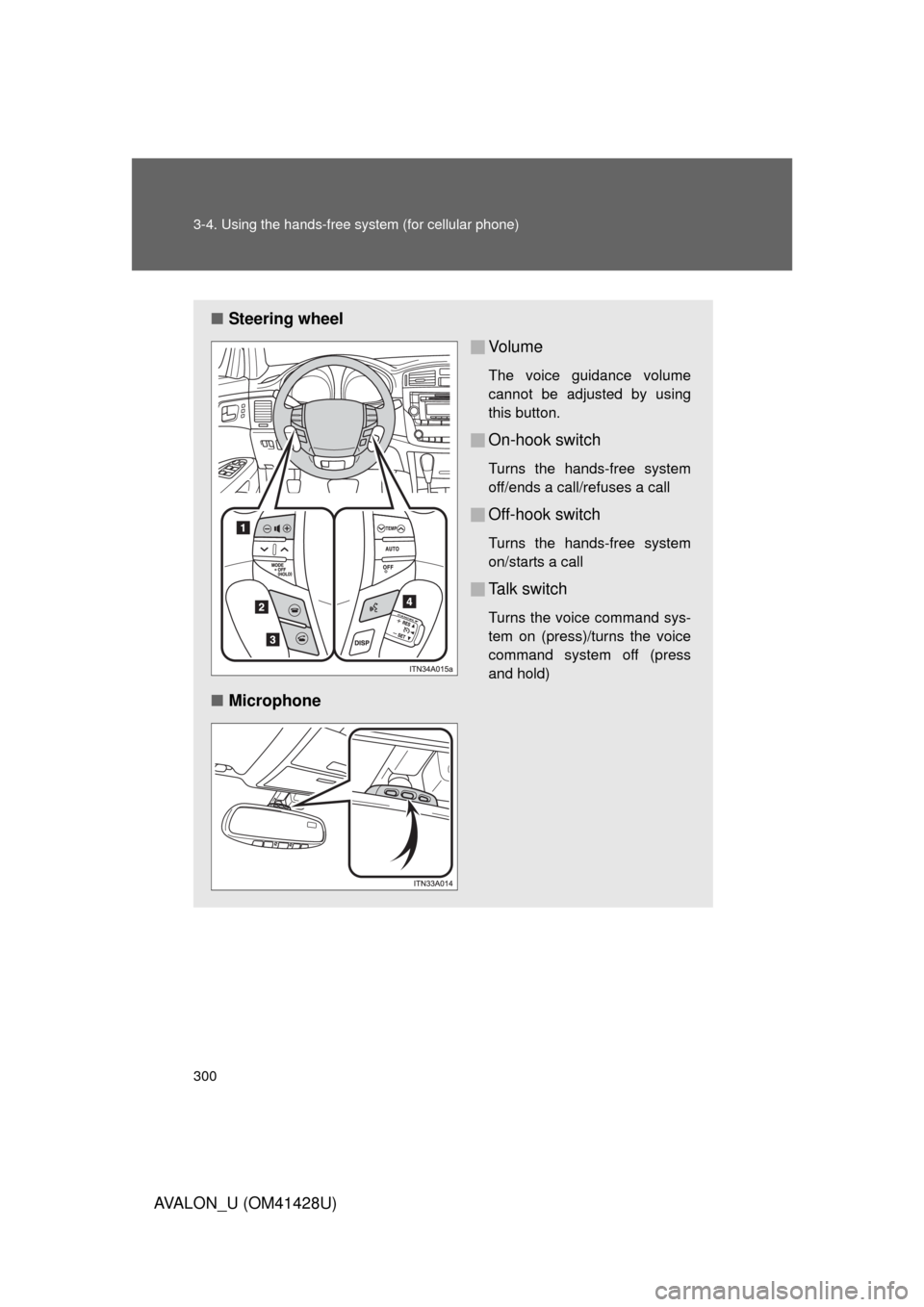
■Steering wheel
Vo l u m e
The voice guidance volume
cannot be adjusted by using
this button.
On-hook switch
Turns the hands-free system
off/ends a call/refuses a call
Off-hook switch
Turns the hands-free system
on/starts a call
Talk switch
Turns the voice command sys-
tem on (press)/turns the voice
command system off (press
and hold)
■Microphone