2011 NISSAN MURANO ECU
[x] Cancel search: ECUPage 94 of 433

Black plate (92,1)
Model "Z51-D" EDITED: 2010/ 9/ 28
11. Low washer fluid warningThis warning appears when the washer tank fluid
is at a low level. Add washer fluid as necessary.
(See “WINDOW WASHER FLUID” in the “8.
Maintenance and do-it-yourself” section.)12. Door/lift gate open warning (ignition
switch is in the ON position)This warning appears if any of the doors and/or
the lift gate are open or not closed securely. The
vehicle icon indicates which door is open on the
display.13. Loose fuel cap warningThis warning appears when the fuel-filler cap is
not tightened correctly after the vehicle has
been refueled. (See “FUEL-FILLER CAP” in the
“3. Pre-driving checks and adjustments” sec-
tion.)14. Check tire pressure warningThis warning appears when the low tire pressure
warning light in the meter illuminates and low tire
pressure is detected. If this warning appears,
stop the vehicle and adjust the tire pressure to
the recommended COLD tire pressure shown
on the Tire and Loading Information label. (See
“Low tire pressure warning light” earlier in this
section and “TIRE PRESSURE MONITORING
SYSTEM (TPMS)” in the “5. Starting and
driving” section.)
15. “TIMER” indicatorThis indicator appears when the set “TIMER”
indicator activates. You can set the time for up to
6 hours. (See “TRIP COMPUTER” later in this
section.)16. Low outside temperature warningThis warning appears if the outside temperature
is below 378F(3 8C) . The warning can be set not
to be displayed. (See “TRIP COMPUTER” later
in this section.)
SIC4237
2-20
Instruments and controls
Page 100 of 433

Black plate (98,1)
Model "Z51-D" EDITED: 2010/ 7/ 23
SIC2133
Your vehicle has two types of security systems,
as follows:
.Vehicle security system (if so equipped)
. NISSAN Vehicle Immobilizer System
The security condition will be shown by the
security indicator light.VEHICLE SECURITY SYSTEM (if so
equipped)The vehicle security system provides visual and
audio alarm signals if someone opens the doors
or lift gate when the system is armed. It is not,
however, a motion detection type system that
activates when a vehicle is moved or when a vibration occurs.
The system helps deter vehicle theft but cannot
prevent it, nor can it prevent the theft of interior
or exterior vehicle components in all situations.
Always secure your vehicle even if parking for a
brief period. Never leave your keys in the vehicle,
and always lock it when unattended. Be aware
of your surroundings, and park in secure, well-lit
areas whenever possible.
Many devices offering additional protection,
such as component locks, identification markers,
and tracking systems, are available at auto
supply stores and specialty shops. Your
NISSAN dealer may also offer such equipment.
Check with your insurance company to see if
you may be eligible for discounts for various
theft protection features.
SIC1699A
How to arm the vehicle security system1. Close all windows.
The system can be armed even if the
windows are open.
2. Push the ignition switch to the OFF position.
3. Carry the Intelligent Key.
4. Close all doors, hood and lift gate. Lock all doors. The doors can be locked with:
.the lock button
on the Intelligent
Key
. any request switch
. the power door lock switch
SECURITY SYSTEMS2-26
Instruments and controls
Page 101 of 433

Black plate (99,1)
Model "Z51-D" EDITED: 2010/ 7/ 23
.the key — master or mechanical
5. Confirm that the security indicator light
*A
comes on. The security indicator light stays
on for about 30 seconds. The vehicle
security system is now pre-armed. After
about 30 seconds the vehicle security
system automatically shifts into the armed
phase. The security light begins to flash
once every approximately 3 seconds. If,
during this 30-second pre-arm time period,
the door is unlocked, or the ignition switch is
pushed to ACC or ON, the system will not
arm.
Even when the driver and/or passengers
are in the vehicle, the system will activate
with all doors, hood and lift gate locked
withtheignitionswitchintheLOCK
position. When pushing the ignition switch
to the ACC or ON position, the system will
be released.
Vehicle security system activationThe vehicle security system will give the follow-
ing alarm:
. The headlights blink and the horn sounds
intermittently.
. The alarm automatica lly turns off after
approximately 1 minute. However, the alarm
reactivates if the vehicle is tampered with
again. The alarm is activated by:
.
Unlocking the door or opening the lift gate
without using the button on the Intelligent
Key, the request switch or the key. (Even if
the door is opened by releasing the door
inside lock knob, the alarm will activate.)
. Opening the hood.
How to stop an activated alarmThe alarm will stop by unlocking a door by
pushing the unlock button
on the Intelligent
Key, pushing the request switch or using the key.
The alarm will not stop if the ignition switch is
placed in the ACC or ON position.
If the system does not operate as de-
scribed above, have it checked by a
NISSAN dealer.
NISSAN VEHICLE IMMOBILIZER SYS-
TEMThe NISSAN Vehicle Immobilizer System will not
allow the engine to start without the use of the
registered key. Never leave these keys in the
vehicle.
Statement related to section 15 of FCC
rules for NISSAN Vehicle Immobilizer
System (CONT ASSY - CARD SLOT)
This device complies with part 15 of the
FCC Rules and RSS-210 of Industry Cana- da. Operation is subject to the following
two conditions;
(1) This device may not cause harmful
interference, and (2) this device must
accept any interference received, including
interference that may cause undesired
operation of the device.
CHANGES OR MODIFICATIONS NOT EX-
PRESSLY APPROVED BY THE PARTY
RESPONSIBLE FOR COMPLIANCE COULD
VOID THE USER’S AUTHORITY TO OPER-
ATE THE EQUIPMENT.
Instruments and controls
2-27
Page 102 of 433

Black plate (100,1)
Model "Z51-D" EDITED: 2010/ 7/ 23
SIC1699A
Security indicator lightThe security indicator light
*A
indicates the
status of the NISSAN Vehicle Immobilizer
System.
The light blinks after the ignition switch was in
the ACC, OFF and LOCK position. This function
indicates the security systems equipped on the
vehicle are operational.
If the NISSAN Vehicle Immobilizer System is
malfunctioning, this light will remain on while the
ignition switch is in the ON position.
If the light still remains on and/or the
engine will not start, see a NISSAN dealer
for NISSAN Vehicle Immobilizer System service as soon as possible. Please bring
all registered keys that you have when
visiting a NISSAN dealer for service.
WARNING
In freezing temperatures the washer
solution may freeze on the windshield
and obscure your vision which may lead
to an accident. Warm windshield with
the defroster before you wash the
windshield.
CAUTION
.
Do not operate the washer continu-
ously for more than 30 seconds.
. Do not operate the washer if the
reservoir tank is empty.
. Do not fill the window washer
reservoir tank with washer fluid
concentrates at full strength. Some
methyl alcohol based washer fluid
concentrates may permanently stain
the grille if spilled while filling the
window washer reservoir tank.
. Pre-mix washer fluid concentrates
with water to the manufacturer’s
recommended levels before pouring
the fluid into the window washer
reservoir tank. Do not use the
window washer reservoir tank toWINDSHIELD WIPER AND WASHER
SWITCH
2-28
Instruments and controls
Page 122 of 433
Black plate (120,1)
Model "Z51-D" EDITED: 2010/ 7/ 23
To use the sub cover, hang the straps on the
back of the headrest
*2.
To stow the cargo cover, remove it from the
hooks and hold until it is retracted.
To remove the cargo cover, stow the cover and
pull the left side of the holder to the opposite
side
*3.
WARNING
. Never put anything on the cargo
cover, no matter how small. Any
object on it could cause an injury
in an accident or sudden stop.
. Close the cargo cover when folding
the rear seat.
. Do not leave the cargo cover in the
vehicle with it disengaged from the
holder.
. Properly secure all cargo with ropes
or straps to help prevent it from
sliding or shifting. Do not place
cargo higher than the seatbacks. In
a sudden stop or collision, unse-
cured cargo could cause personal
injury.
. Your child could be seriously injured
or killed in a collision if the child restraint top tether strap is da-
maged.
— If the cargo cover contacts the
top tether strap when it is at-
tached to the top tether anchor,
remove the cargo cover from the
vehicle or secure it on the cargo
floor below its attachment loca-
tion. If the cargo cover is not
removed, it may damage the top
tether strap during a collision.
— Do not allow cargo to contact the top tether strap when it is
attached to the top tether an-
chor. Properly secure the cargo
so it does not contact the top
tether strap. Cargo that is not
properly secured or that con-
tacts the top tether strap may
damage the top tether strap
during a collision.
SIC3596
LUGGAGE HOOKS
WARNING
. Always make sure that the cargo is
properly secured. Use the suitable
2-48
Instruments and controls
Page 123 of 433

Black plate (121,1)
Model "Z51-D" EDITED: 2010/ 7/ 23
ropes and hooks.
. Unsecured cargo can become dan-
gerous in an accident or sudden
stop.
CAUTION
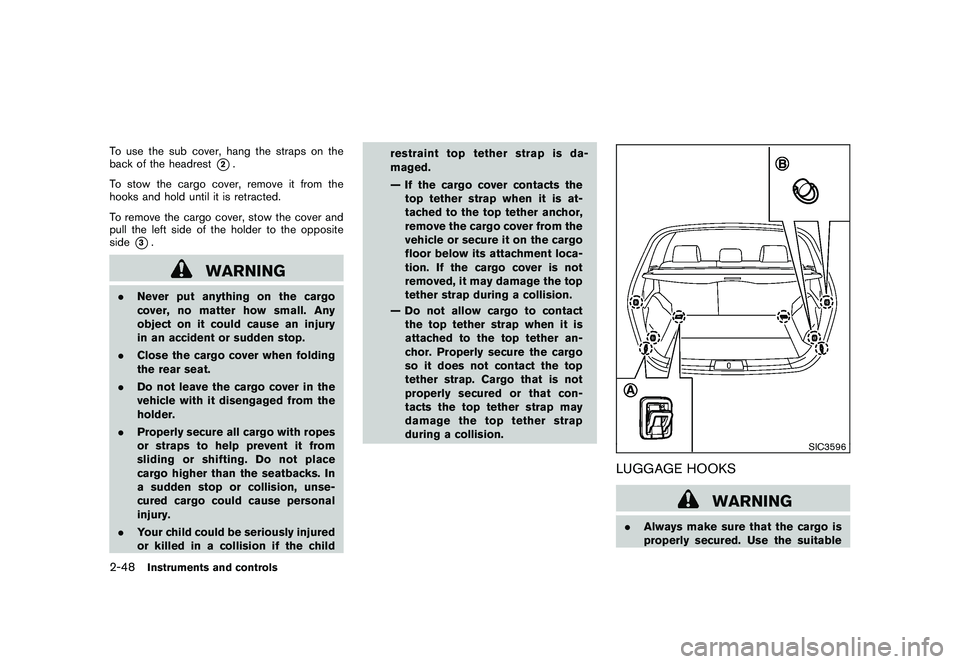
Do not apply a total load of more than
22 lb (10 kg)
*A
or 7 lb (3 kg)
*B
to a
single hook.
SIC3597
ROOF RACK (if so equipped)Always distribute the luggage evenly on the roof
rack. Do not load more than 165 lb (75 kg)
(black) or 220 lb (100 kg) (silver) on the roof
rails. Observe the maximum load limit shown on
the crossbars or roof carriers when you attach
them on the roof rails. Contact a NISSAN dealer
for crossbar or other equipment information. Be
careful that your vehicle does not exceed the
Gross Vehicle Weight Rating (GVWR) or its
Gross Axle Weight Rating (GAWR front and
rear) . The GVWR and GAWR are located on the
F.M.V.S.S. or C.V.M.S.S. certification label (lo-
cated on the driver’s door pillar). For more
information regarding GVWR and GAWR, see
“VEHICLE LOADING INFORMATION” in the “9. Technical and consumer information” section.
WARNING
.
Drive extra carefully when the vehi-
cle is loaded at or near the cargo
carrying capacity, especially if the
significant portion of that load is
carried on the roof rack.
. Heavy loading of the roof rack has
the potential to affect the vehicle
stability and handling during sud-
den or unusual handling maneuvers.
. Roof rack load should be evenly
distributed.
. Do not exceed maximum roof rack
load weight capacity.
. Properly secure all cargo with ropes
or straps to help prevent it from
sliding or shifting. In a sudden stop
or collision, unsecured cargo could
cause personal injury.
CAUTION
Use care when placing or removing
items from the roof rack. If you cannot
comfortably lift the items onto the roof
Instruments and controls
2-49
Page 131 of 433
Black plate (129,1)
Model "Z51-D" EDITED: 2010/ 7/ 23
SIC2064
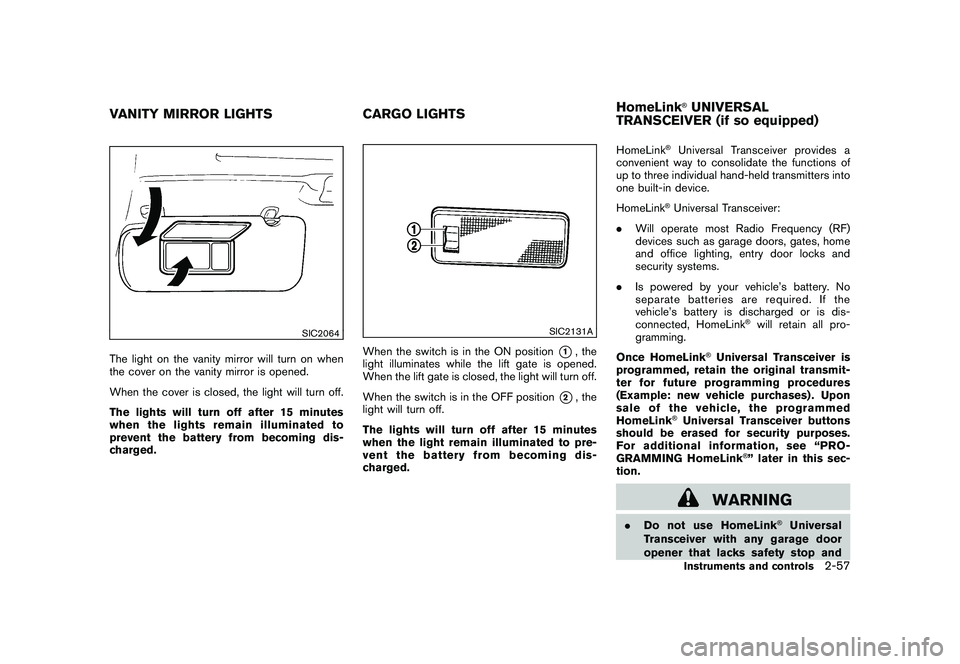
The light on the vanity mirror will turn on when
the cover on the vanity mirror is opened.
When the cover is closed, the light will turn off.
The lights will turn off after 15 minutes
when the lights remain illuminated to
prevent the battery from becoming dis-
charged.
SIC2131A
When the switch is in the ON position
*1, the
light illuminates while the lift gate is opened.
When the lift gate is closed, the light will turn off.
When the switch is in the OFF position
*2, the
light will turn off.
The lights will turn off after 15 minutes
when the light remain illuminated to pre-
vent the battery from becoming dis-
charged. HomeLink
®Universal Transceiver provides a
convenient way to consolidate the functions of
up to three individual hand-held transmitters into
one built-in device.
HomeLink®Universal Transceiver:
. Will operate most Radio Frequency (RF)
devices such as garage doors, gates, home
and office lighting, entry door locks and
security systems.
. Is powered by your vehicle’s battery. No
separate batteries are required. If the
vehicle’s battery is discharged or is dis-
connected, HomeLink
®will retain all pro-
gramming.
Once HomeLink
®Universal Transceiver is
programmed, retain the original transmit-
ter for future programming procedures
(Example: new vehicle purchases) . Upon
sale of the vehicle, the programmed
HomeLink
®Universal Transceiver buttons
should be erased for security purposes.
For additional information, see “PRO-
GRAMMING HomeLink
®” later in this sec-
tion.
WARNING
. Do not use HomeLink
®Universal
Transceiver with any garage door
opener that lacks safety stop and
VANITY MIRROR LIGHTS CARGO LIGHTSHomeLink
®UNIVERSAL
TRANSCEIVER (if so equipped)Instruments and controls
2-57
Page 132 of 433

Black plate (130,1)
Model "Z51-D" EDITED: 2010/ 7/ 23
reverse features as required by
federal safety standards. (These
standards became effective for
opener models manufactured after
April 1, 1982.) A garage door opener
which cannot detect an object in the
path of a closing garage door and
then automatically stop and reverse,
does not meet current federal safety
standards. Using a garage door
opener without these features in-
creases the risk of serious injury or
death.
. During programming procedure,
your garage door or security gate
may open or close. Make sure that
people and objects are clear of the
garage door, gate, etc. that you are
programming.
. Your vehicle’s engine should be
turned off while programming
HomeLink
®Universal Transceiver.
PROGRAMMING HomeLink
®
To program your HomeLink
®Transceiver to
operate a garage door, gate, or entry door
opener, home or office lighting, you need to be
at the same location as the device. Note:
Garage door openers (manufactured after 1996) have “rolling code protection”. To pro-
gram a garage door opener equipped with
“rolling code protection”; you will need to use
a ladder to get up to the garage door opener
motor to be able to access the “smart or learn”
program button.
SIC3612
1. To begin, push and hold the 2 outer Home-
Link
®buttons (to clear the memory) until the
indicator light
*A
blinks (after 20 seconds) .
Release both buttons.
2. Position the end of the hand-held transmitter 1 to 3 in (20 to 70 mm) away from the
HomeLink
®surface.
2-58
Instruments and controls