Page 152 of 345
Black plate (150,1)
Model "Z12-D" EDITED: 2010/ 9/ 27
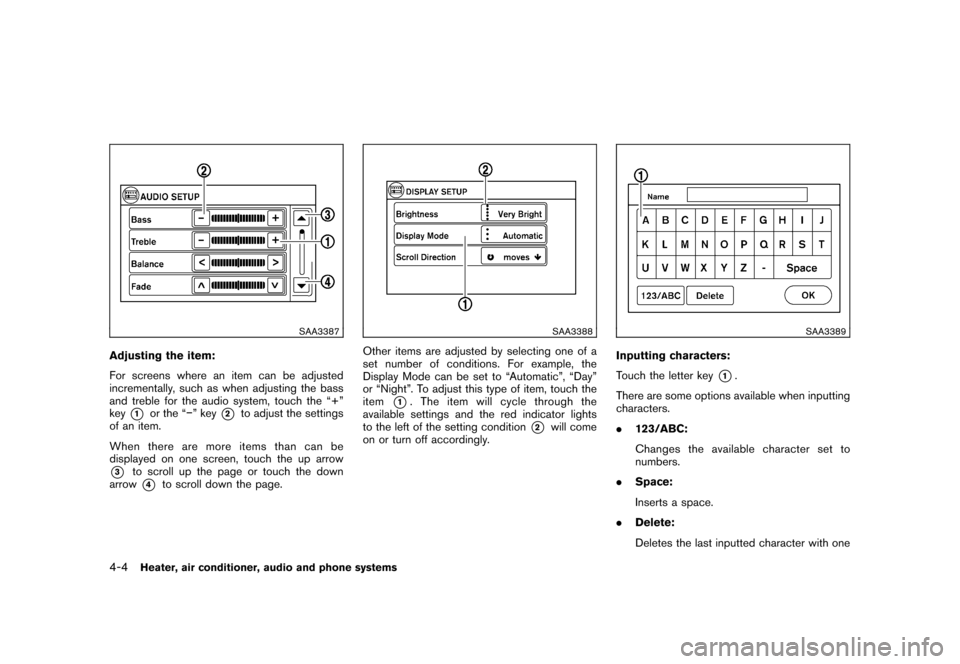
SAA3387
Adjusting the item:
For screens where an item can be adjusted
incrementally, such as when adjusting the bass
and treble for the audio system, touch the “+”
key
*1
or the “” key
*2
to adjust the settings
of an item.
When there are more items than can be
displayed on one screen, touch the up arrow
*3
to scroll up the page or touch the down
arrow*4
to scroll down the page.
SAA3388
Other items are adjusted by selecting one of a
set number of conditions. For example, the
Display Mode can be set to “Automatic”, “Day”
or “Night”. To adjust this type of item, touch the
item
*1. The item will cycle through the
available settings and the red indicator lights
to the left of the setting condition
*2
will come
on or turn off accordingly.
SAA3389
Inputting characters:
Touch the letter key
*1.
There are some options available when inputting
characters.
. 123/ABC:
Changes the available character set to
numbers.
. Space:
Inserts a space.
. Delete:
Deletes the last inputted character with one
4-4
Heater, air conditioner, audio and phone systems
Page 153 of 345
Black plate (151,1)
Model "Z12-D" EDITED: 2010/ 9/ 27
touch. Touch and hold the “Delete” key to
delete all of the characters.
. OK:
Completes the character input.
Touch screen maintenanceIf you clean the display screen, use a dry, soft
cloth. If additional cleaning is necessary, use a
small amount of neutral detergent with a soft
cloth. Never spray the screen with water or
detergent. Dampen the cloth first and then wipe
the screen.HOW TO USE THE BACK BUTTONPush the
BACK button to return to the
previous screen.
HOW TO USE BRIGHTNESS CON-
TROL AND DISPLAY ON/OFF BUTTONTo change the display brightness, push thebutton. Pushing the button again will change the
display to the day or the night display.
If no operation is performed within 5 seconds,
the display will return to the previous display.
Push and hold the
button for more than two
seconds to turn the display off. Push the button
again to turn the display on.
SAA3390
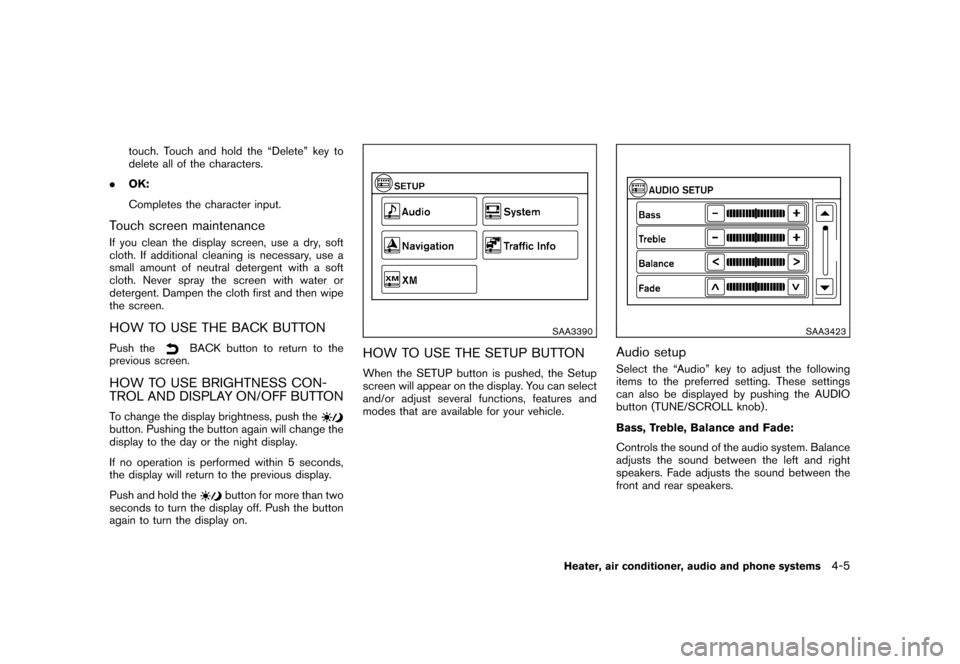
HOW TO USE THE SETUP BUTTONWhen the SETUP button is pushed, the Setup
screen will appear on the display. You can select
and/or adjust several functions, features and
modes that are available for your vehicle.
SAA3423
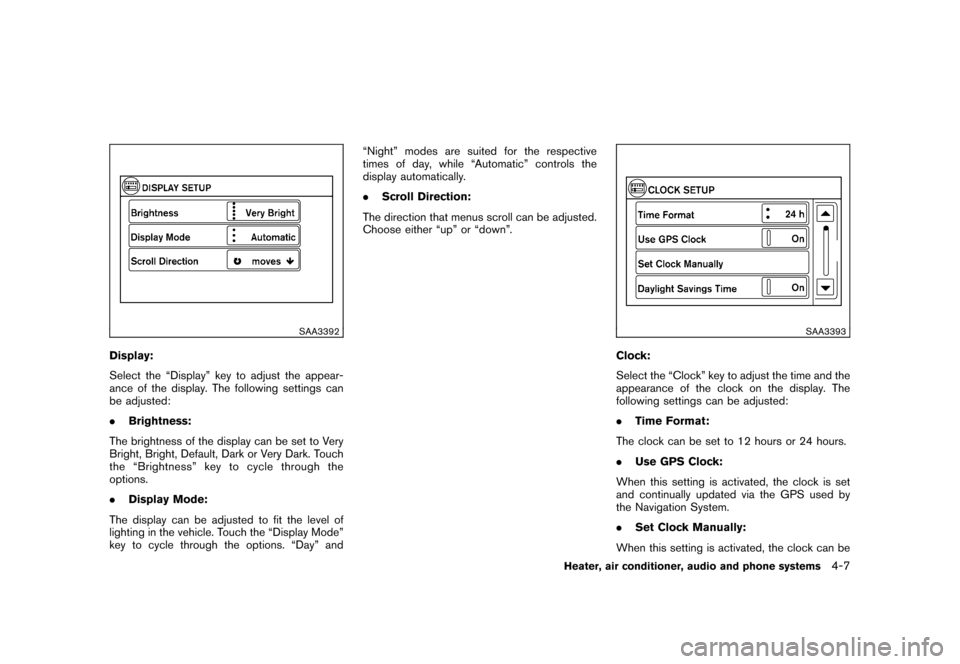
Audio setupSelect the “Audio” key to adjust the following
items to the preferred setting. These settings
can also be displayed by pushing the AUDIO
button (TUNE/SCROLL knob) .
Bass, Treble, Balance and Fade:
Controls the sound of the audio system. Balance
adjusts the sound between the left and right
speakers. Fade adjusts the sound between the
front and rear speakers.
Heater, air conditioner, audio and phone systems
4-5
Page 154 of 345
Black plate (152,1)
Model "Z12-D" EDITED: 2010/ 9/ 27
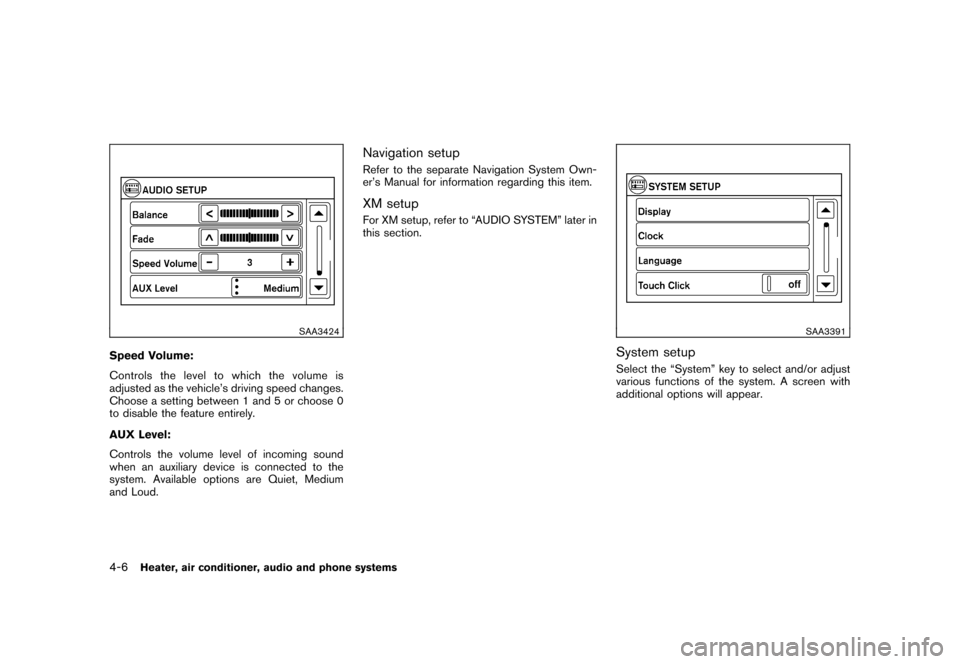
SAA3424
Speed Volume:
Controls the level to which the volume is
adjusted as the vehicle’s driving speed changes.
Choose a setting between 1 and 5 or choose 0
to disable the feature entirely.
AUX Level:
Controls the volume level of incoming sound
when an auxiliary device is connected to the
system. Available options are Quiet, Medium
and Loud.
Navigation setupRefer to the separate Navigation System Own-
er’s Manual for information regarding this item.XM setupFor XM setup, refer to “AUDIO SYSTEM” later in
this section.
SAA3391
System setupSelect the “System” key to select and/or adjust
various functions of the system. A screen with
additional options will appear.
4-6
Heater, air conditioner, audio and phone systems
Page 155 of 345
Black plate (153,1)
Model "Z12-D" EDITED: 2010/ 9/ 27
SAA3392
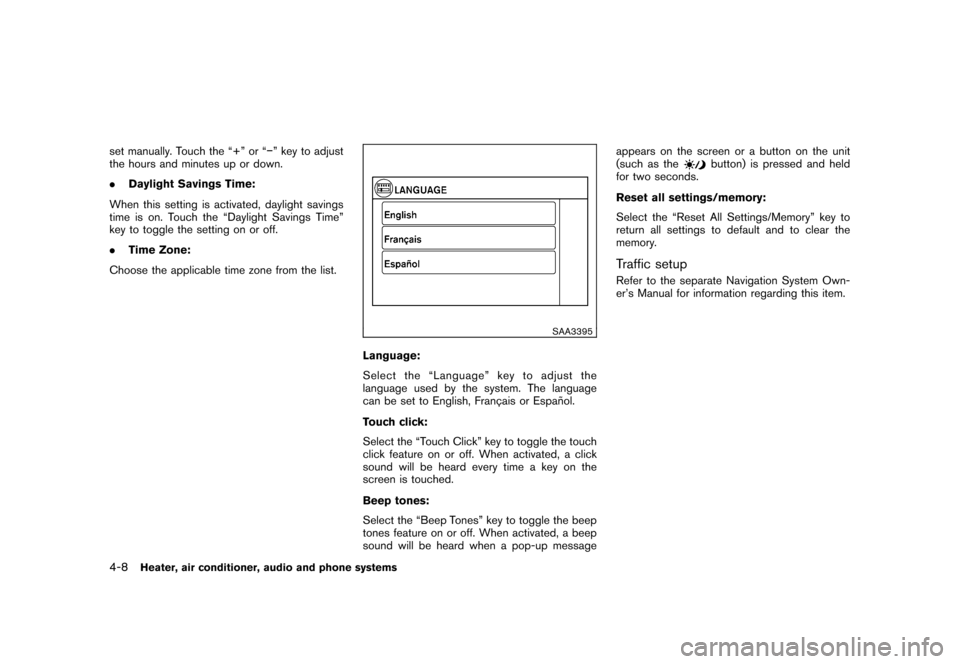
Display:
Select the “Display” key to adjust the appear-
ance of the display. The following settings can
be adjusted:
.Brightness:
The brightness of the display can be set to Very
Bright, Bright, Default, Dark or Very Dark. Touch
the “Brightness” key to cycle through the
options.
. Display Mode:
The display can be adjusted to fit the level of
lighting in the vehicle. Touch the “Display Mode”
key to cycle through the options. “Day” and “Night” modes are suited for the respective
times of day, while “Automatic” controls the
display automatically.
.
Scroll Direction:
The direction that menus scroll can be adjusted.
Choose either “up” or “down”.
SAA3393
Clock:
Select the “Clock” key to adjust the time and the
appearance of the clock on the display. The
following settings can be adjusted:
. Time Format:
The clock can be set to 12 hours or 24 hours.
. Use GPS Clock:
When this setting is activated, the clock is set
and continually updated via the GPS used by
the Navigation System.
. Set Clock Manually:
When this setting is activated, the clock can be
Heater, air conditioner, audio and phone systems
4-7
Page 156 of 345
Black plate (154,1)
Model "Z12-D" EDITED: 2010/ 9/ 27
set manually. Touch the “+” or “” key to adjust
the hours and minutes up or down.
.Daylight Savings Time:
When this setting is activated, daylight savings
time is on. Touch the “Daylight Savings Time”
key to toggle the setting on or off.
. Time Zone:
Choose the applicable time zone from the list.
SAA3395
Language:
Select the “Language” key to adjust the
language used by the system. The language
can be set to English, Franc¸ ais or Espan ˜
ol.
Touch click:
Select the “Touch Click” key to toggle the touch
click feature on or off. When activated, a click
sound will be heard every time a key on the
screen is touched.
Beep tones:
Select the “Beep Tones” key to toggle the beep
tones feature on or off. When activated, a beep
sound will be heard when a pop-up message appears on the screen or a button on the unit
(such as the
button) is pressed and held
for two seconds.
Reset all settings/memory:
Select the “Reset All Settings/Memory” key to
return all settings to default and to clear the
memory.
Traffic setupRefer to the separate Navigation System Own-
er’s Manual for information regarding this item.
4-8
Heater, air conditioner, audio and phone systems
Page 157 of 345
Black plate (155,1)
Model "Z12-D" EDITED: 2010/ 9/ 27
When the selector lever is shifted into the R
(Reverse) position, the monitor display shows
the view to the rear of the vehicle.
The system is designed as an aid to the driver in
detecting large stationary objects to help avoid
damaging the vehicle. The system will not detect
small objects below the bumper and may not
detect objects close to the bumper or on the
ground.
WARNING
.The rear view camera is a conve-
nience but it is not a substitute for
proper backing up. Always turn and
check that it is safe to do so before
backing up. Always back up slowly.
. Objects viewed in the RearView
Monitor differ from actual distance
because a wide-angle lens is used.
Objects in the RearView Monitor
will appear visually opposite than
when viewed in the rear view and
outside mirrors.
. Make sure that the back door is
securely closed when backing up.
. Underneath the bumper and the
corner areas of the bumper cannot
be viewed on the RearView Monitor because of its monitoring range
limitation.
. Do not put anything on the rear view
camera.
. When washing the vehicle with
high-pressure water, be sure not to
spray it around the camera. Other-
wise, water may enter the camera
unit causing water condensation on
the lens, a malfunction, fire or an
electric shock.
. Do not strike the camera. It is a
precision instrument. Otherwise, it
may malfunction or cause damage
resulting in a fire or an electric
shock.
CAUTION
Do not scratch the camera lens when
cleaning dirt or snow from the lens.
SAA2776
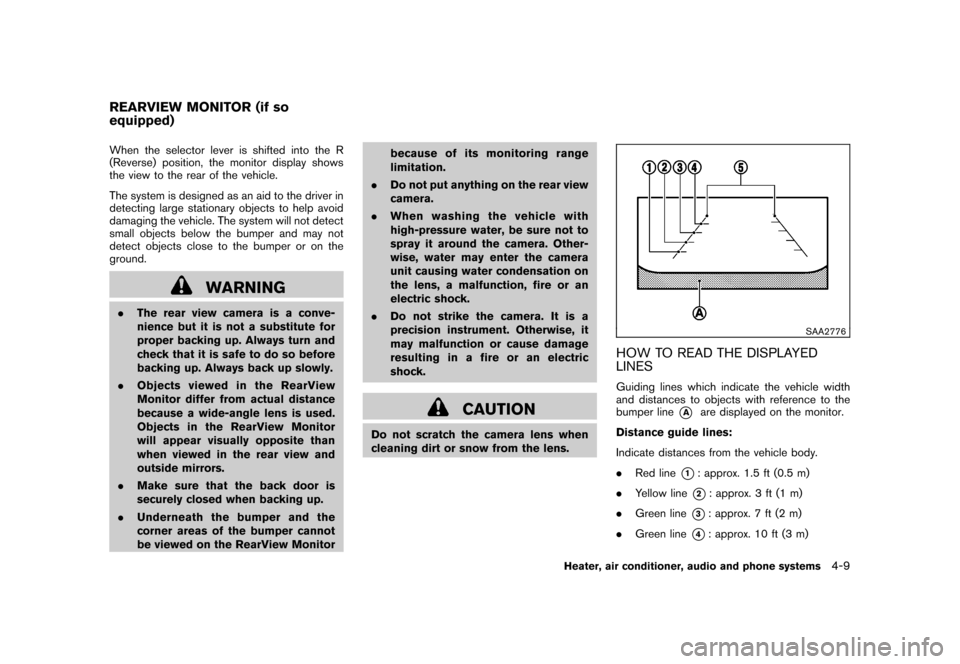
HOW TO READ THE DISPLAYED
LINESGuiding lines which indicate the vehicle width
and distances to objects with reference to the
bumper line
*A
are displayed on the monitor.
Distance guide lines:
Indicate distances from the vehicle body.
. Red line
*1: approx. 1.5 ft (0.5 m)
. Yellow line*2: approx. 3 ft (1 m)
. Green line
*3: approx. 7 ft (2 m)
. Green line
*4: approx. 10 ft (3 m)
REARVIEW MONITOR (if so
equipped)
Heater, air conditioner, audio and phone systems
4-9
Page 158 of 345
Black plate (156,1)
Model "Z12-D" EDITED: 2010/ 9/ 27
Vehicle width guide lines
*5:
Indicate the vehicle width when backing up.
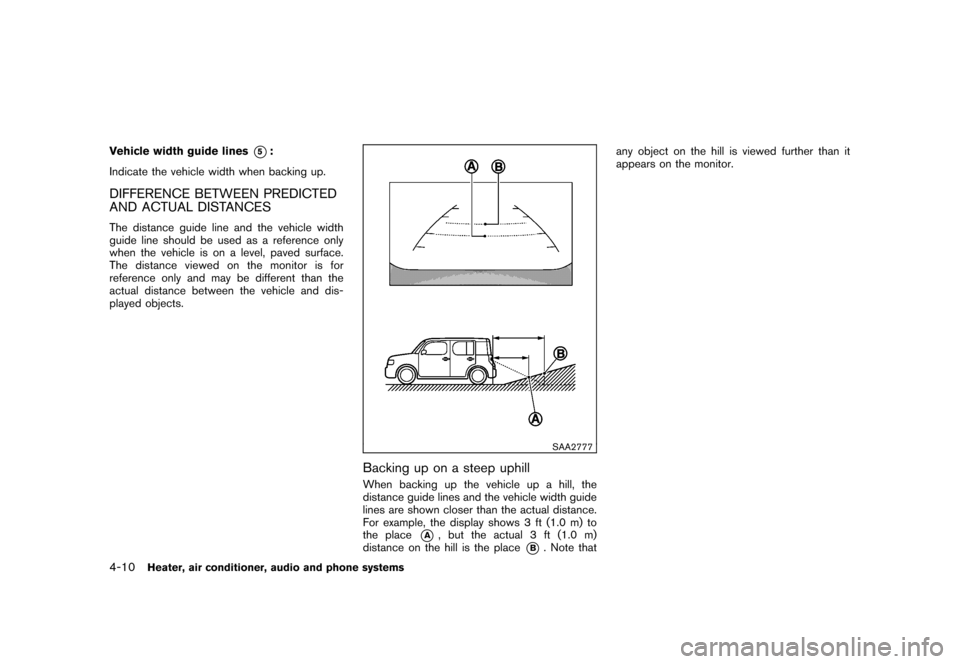
DIFFERENCE BETWEEN PREDICTED
AND ACTUAL DISTANCESThe distance guide line and the vehicle width
guide line should be used as a reference only
when the vehicle is on a level, paved surface.
The distance viewed on the monitor is for
reference only and may be different than the
actual distance between the vehicle and dis-
played objects.
SAA2777
Backing up on a steep uphillWhen backing up the vehicle up a hill, the
distance guide lines and the vehicle width guide
lines are shown closer than the actual distance.
For example, the display shows 3 ft (1.0 m) to
the place
*A
, but the actual 3 ft (1.0 m)
distance on the hill is the place
*B. Note that any object on the hill is viewed further than it
appears on the monitor.
4-10
Heater, air conditioner, audio and phone systems
Page 159 of 345
Black plate (157,1)
Model "Z12-D" EDITED: 2010/ 9/ 27
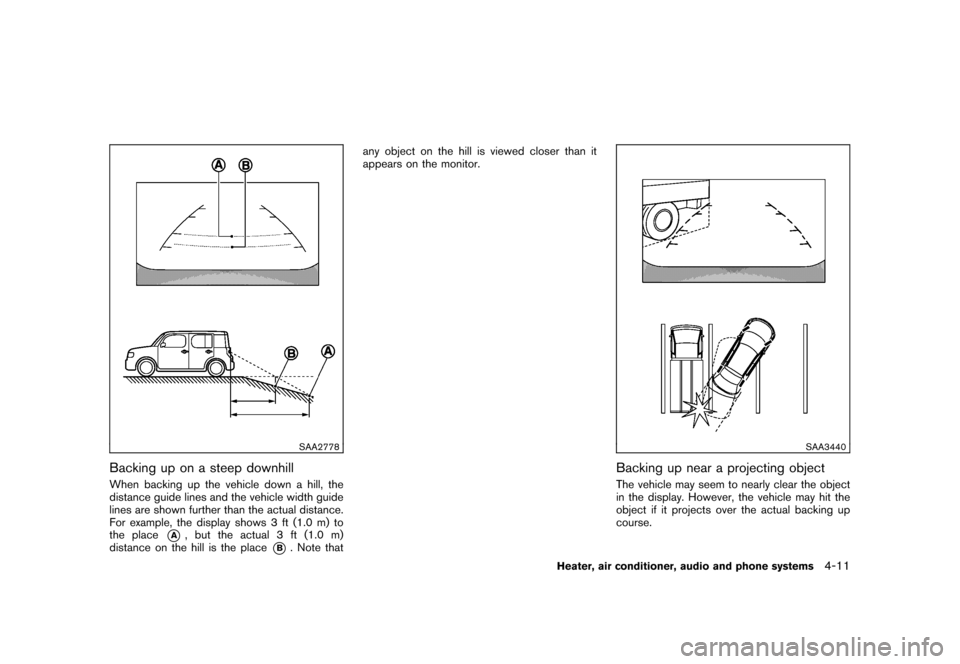
SAA2778
Backing up on a steep downhillWhen backing up the vehicle down a hill, the
distance guide lines and the vehicle width guide
lines are shown further than the actual distance.
For example, the display shows 3 ft (1.0 m) to
the place
*A
, but the actual 3 ft (1.0 m)
distance on the hill is the place
*B. Note that any object on the hill is viewed closer than it
appears on the monitor.
SAA3440
Backing up near a projecting objectThe vehicle may seem to nearly clear the object
in the display. However, the vehicle may hit the
object if it projects over the actual backing up
course.
Heater, air conditioner, audio and phone systems
4-11