Page 172 of 489
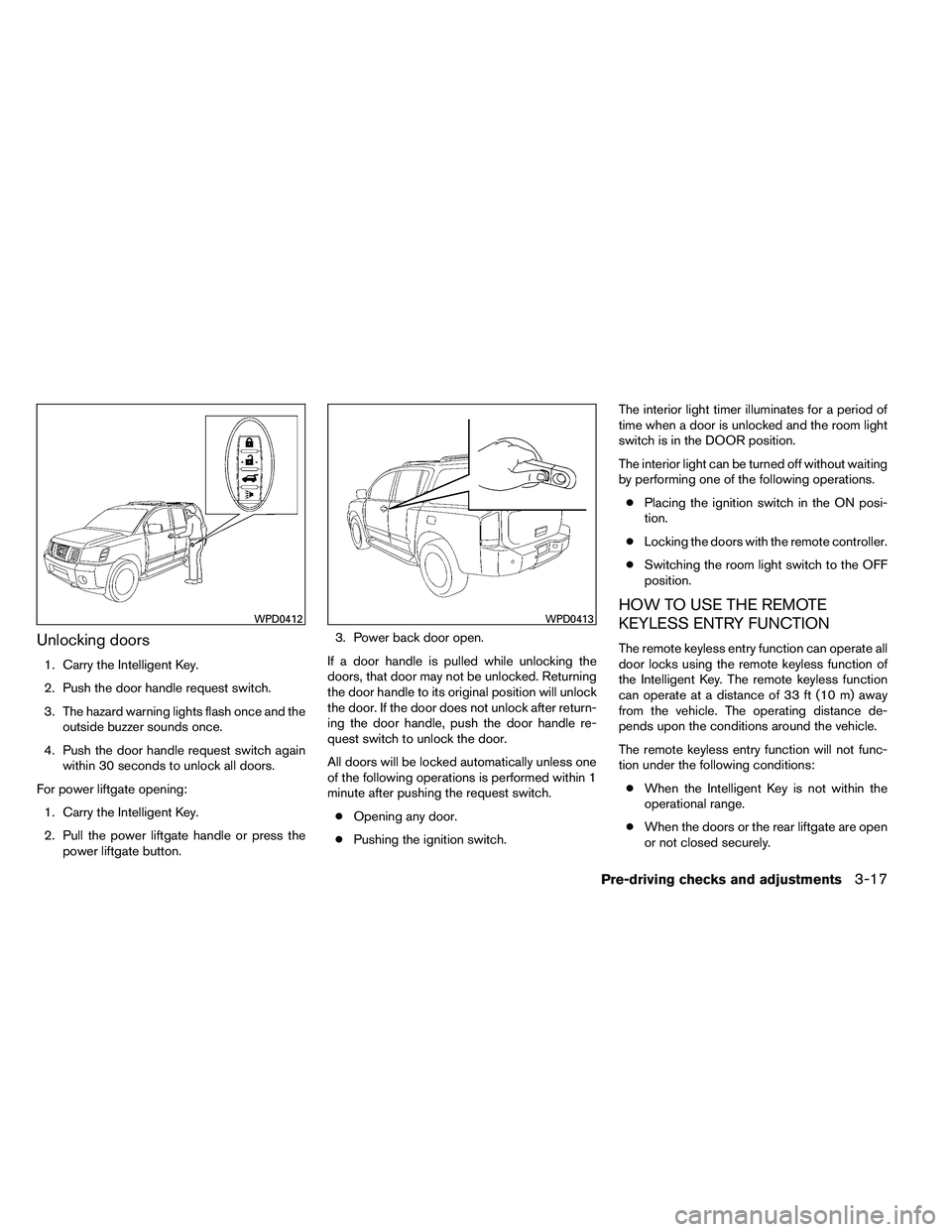
Unlocking doors
1. Carry the Intelligent Key.
2. Push the door handle request switch.
3. The hazard warning lights flash once and theoutside buzzer sounds once.
4. Push the door handle request switch again within 30 seconds to unlock all doors.
For power liftgate opening: 1. Carry the Intelligent Key.
2. Pull the power liftgate handle or press the power liftgate button. 3. Power back door open.
If a door handle is pulled while unlocking the
doors, that door may not be unlocked. Returning
the door handle to its original position will unlock
the door. If the door does not unlock after return-
ing the door handle, push the door handle re-
quest switch to unlock the door.
All doors will be locked automatically unless one
of the following operations is performed within 1
minute after pushing the request switch. ● Opening any door.
● Pushing the ignition switch. The interior light timer illuminates for a period of
time when a door is unlocked and the room light
switch is in the DOOR position.
The interior light can be turned off without waiting
by performing one of the following operations.
● Placing the ignition switch in the ON posi-
tion.
● Locking the doors with the remote controller.
● Switching the room light switch to the OFF
position.
HOW TO USE THE REMOTE
KEYLESS ENTRY FUNCTION
The remote keyless entry function can operate all
door locks using the remote keyless function of
the Intelligent Key. The remote keyless function
can operate at a distance of 33 ft (10 m) away
from the vehicle. The operating distance de-
pends upon the conditions around the vehicle.
The remote keyless entry function will not func-
tion under the following conditions:
● When the Intelligent Key is not within the
operational range.
● When the doors or the rear liftgate are open
or not closed securely.
Page 174 of 489
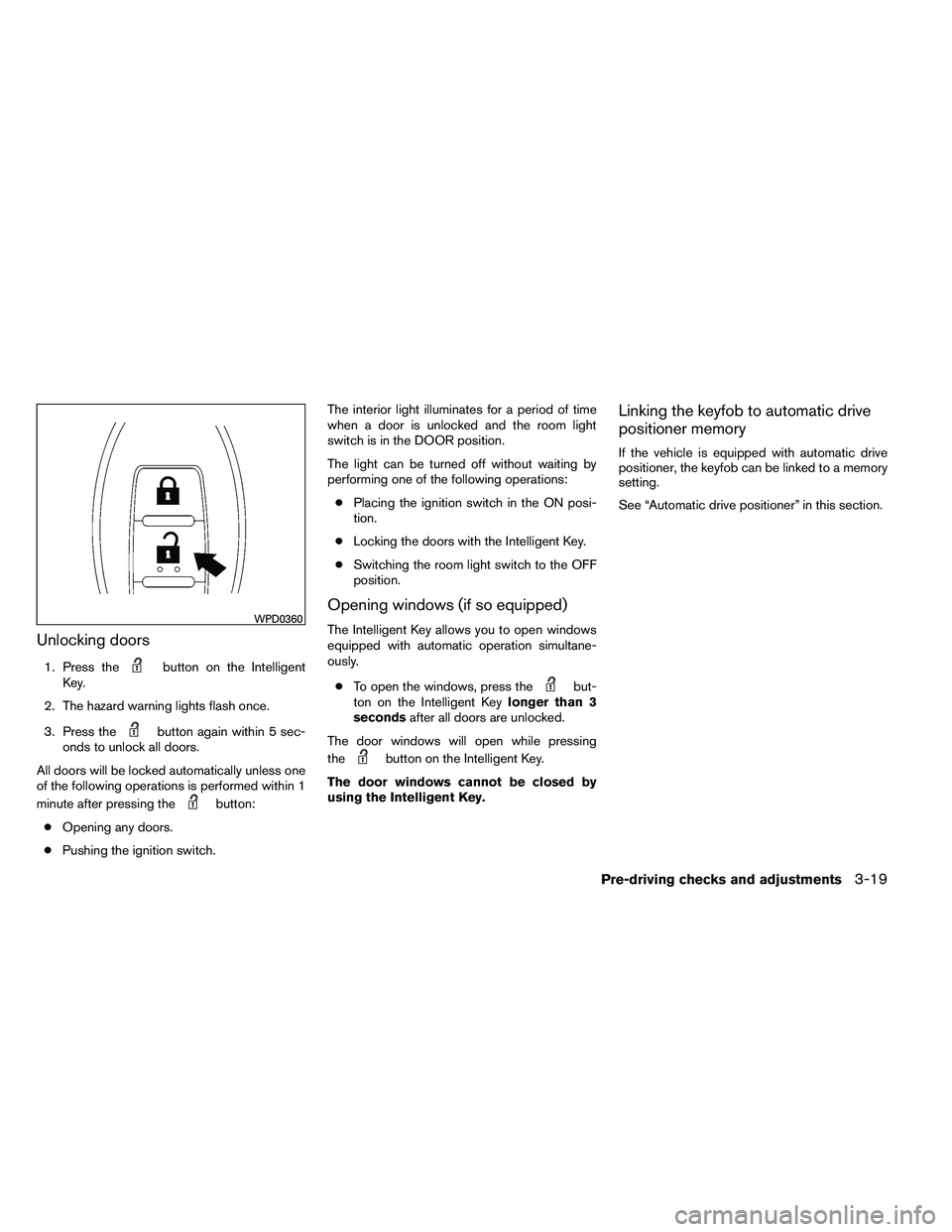
Unlocking doors
1. Press the
Page 178 of 489
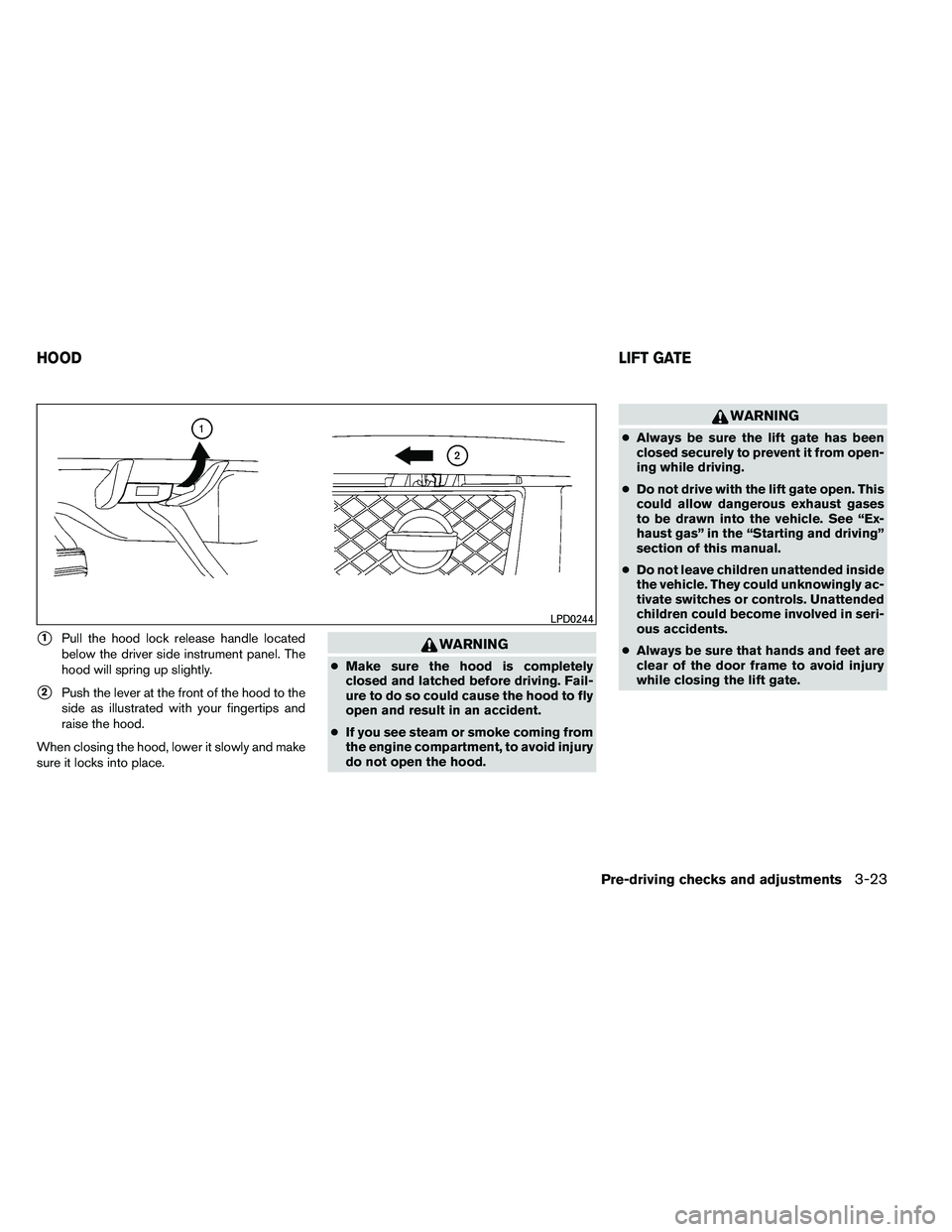
�1Pull the hood lock release handle located
below the driver side instrument panel. The
hood will spring up slightly.
�2Push the lever at the front of the hood to the
side as illustrated with your fingertips and
raise the hood.
When closing the hood, lower it slowly and make
sure it locks into place.
Page 179 of 489
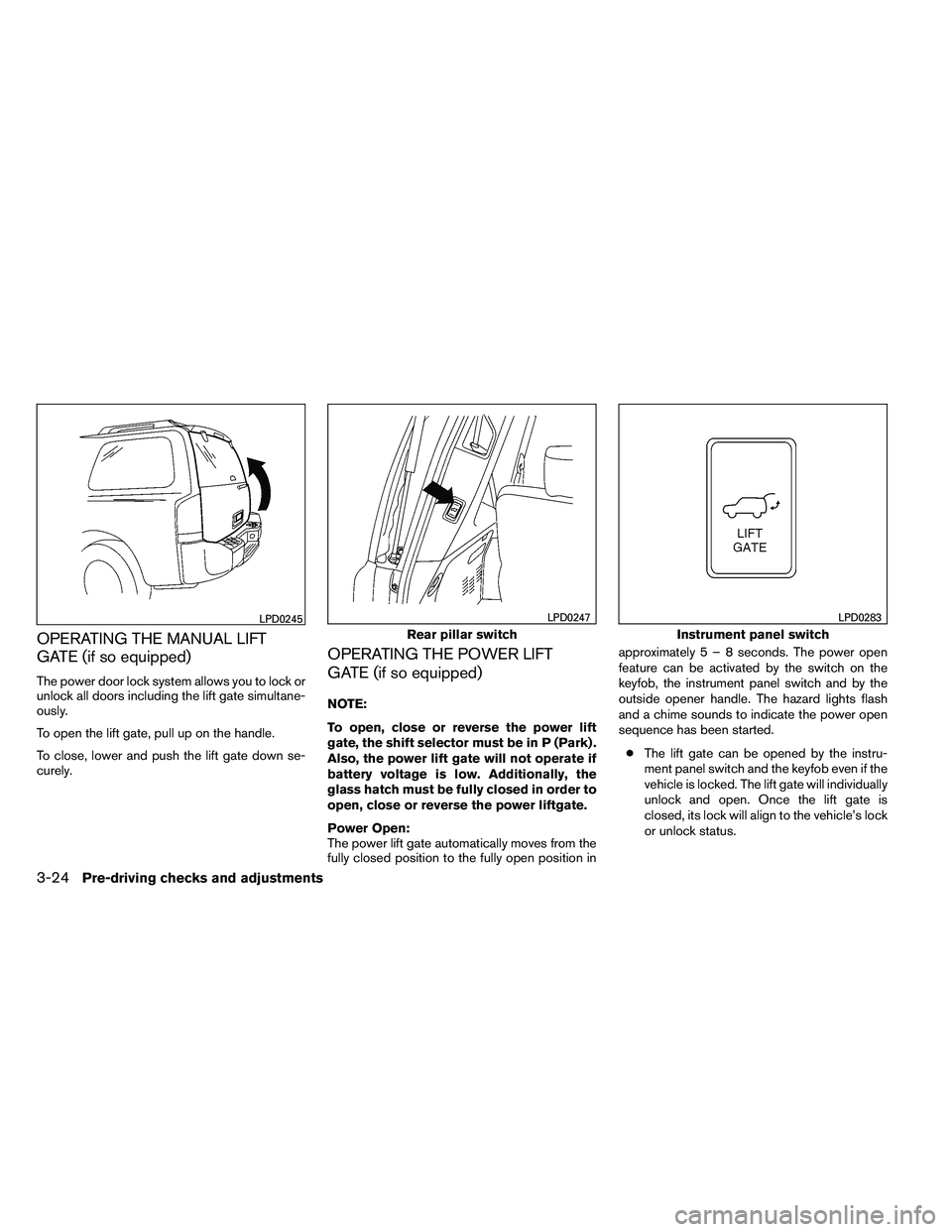
OPERATING THE MANUAL LIFT
GATE (if so equipped)
The power door lock system allows you to lock or
unlock all doors including the lift gate simultane-
ously.
To open the lift gate, pull up on the handle.
To close, lower and push the lift gate down se-
curely.
OPERATING THE POWER LIFT
GATE (if so equipped)
NOTE:
To open, close or reverse the power lift
gate, the shift selector must be in P (Park) .
Also, the power lift gate will not operate if
battery voltage is low. Additionally, the
glass hatch must be fully closed in order to
open, close or reverse the power liftgate.
Power Open:
The power lift gate automatically moves from the
fully closed position to the fully open position inapproximately5–8seconds. The power open
feature can be activated by the switch on the
keyfob, the instrument panel switch and by the
outside opener handle. The hazard lights flash
and a chime sounds to indicate the power open
sequence has been started.
● The lift gate can be opened by the instru-
ment panel switch and the keyfob even if the
vehicle is locked. The lift gate will individually
unlock and open. Once the lift gate is
closed, its lock will align to the vehicle’s lock
or unlock status.
Page 180 of 489

●The keyfob button must be held for 0.5 sec-
ond before the lift gate opens.
● The lift gate must be unlocked to open it with
the outside opener handle.
● The switch on the rear pillar cannot be used
to open the lift gate.
A warning chime will sound if the shift selector is
moved out of P (Park) during a power open
operation.
Power Close:
The power lift gate automatically moves from the
fully open position to the secondary position.
When the lift gate reaches the secondary posi-
tion, the cinching motor engages and pulls the lift
gate to its primary latch position. Power close
takes approximately7–10seconds. The power
close feature can be activated by the switch on
the keyfob, the instrument panel and the rear
pillar. The hazard lights flash and a chime sounds
to indicate the power close sequence has been
started.
● If the outside opener handle is activated
while the cinching motor is engaged, the
cinching motor will disengage and release
the latch.
● The keyfob button must be held for 0.5 sec-
ond before the lift gate closes. ●
The switch on the rear pillar can only be used
to close the lift gate if the cancel switch is
not in the on position.
Reverse:
The power lift gate will reverse direction immedi-
ately during power open or power close if the
keyfob, instrument panel or rear pillar switch is
pushed or if the outside handle is lifted. A chime
will sound to announce the reversal.
Auto Reverse:
If an obstacle is detected during power open or
power close, a warning chime will sound and the
lift gate will reverse direction and return to the full
open or full close position. If a second obstacle is
detected, the lift gate motion will stop and the
drive motor will disengage. The lift gate will enter
manual mode.
A pinch strip is mounted on each side of the lift
gate. If an obstacle is detected by a pinch strip
during power close, the lift gate will reverse di-
rection and return to the full open position.
NOTE:
If the pinch strip is damaged or removed,
the power close function will not operate.
Page 183 of 489
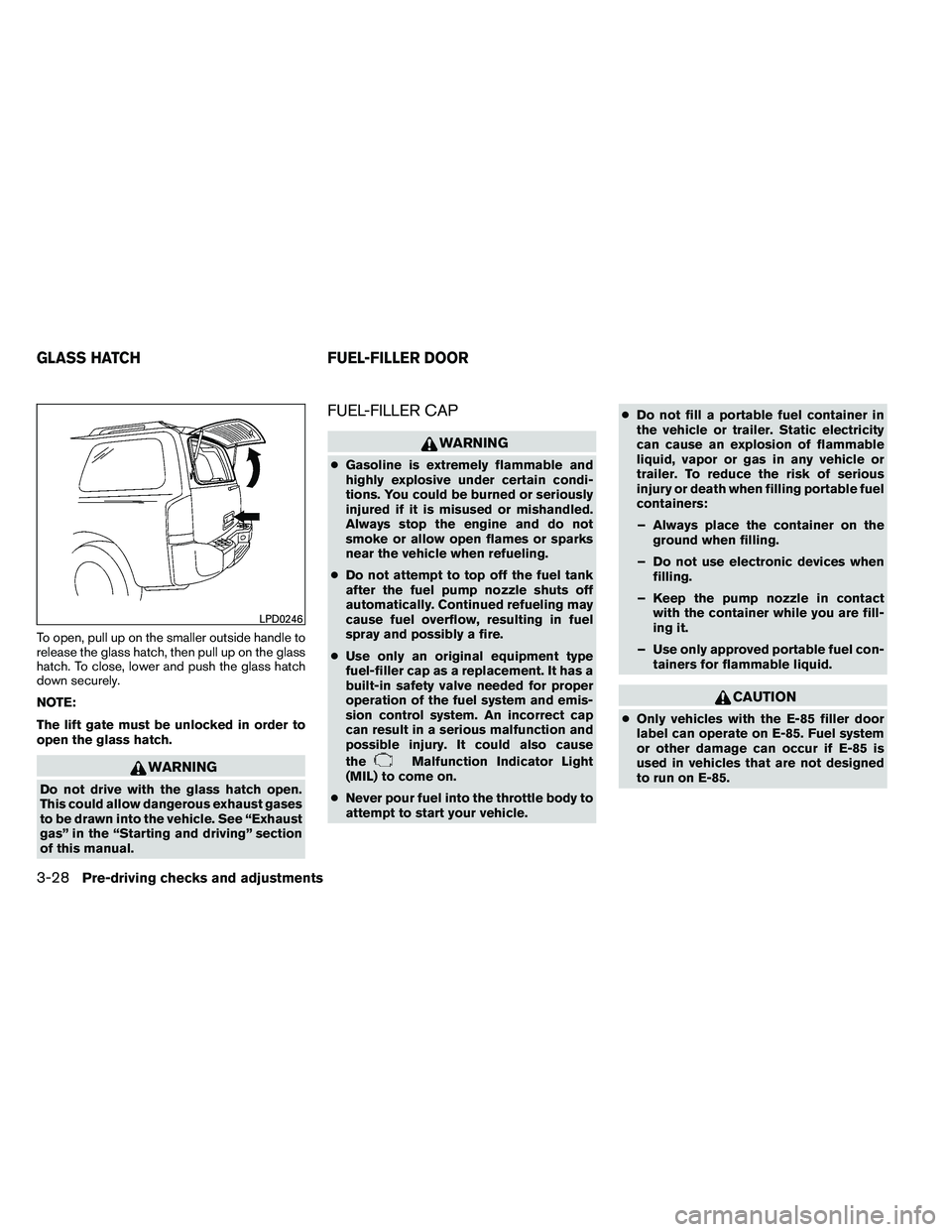
To open, pull up on the smaller outside handle to
release the glass hatch, then pull up on the glass
hatch. To close, lower and push the glass hatch
down securely.
NOTE:
The lift gate must be unlocked in order to
open the glass hatch.
Page 186 of 489
CAUTION
Do not adjust the pedal position with your
foot on the pedal.
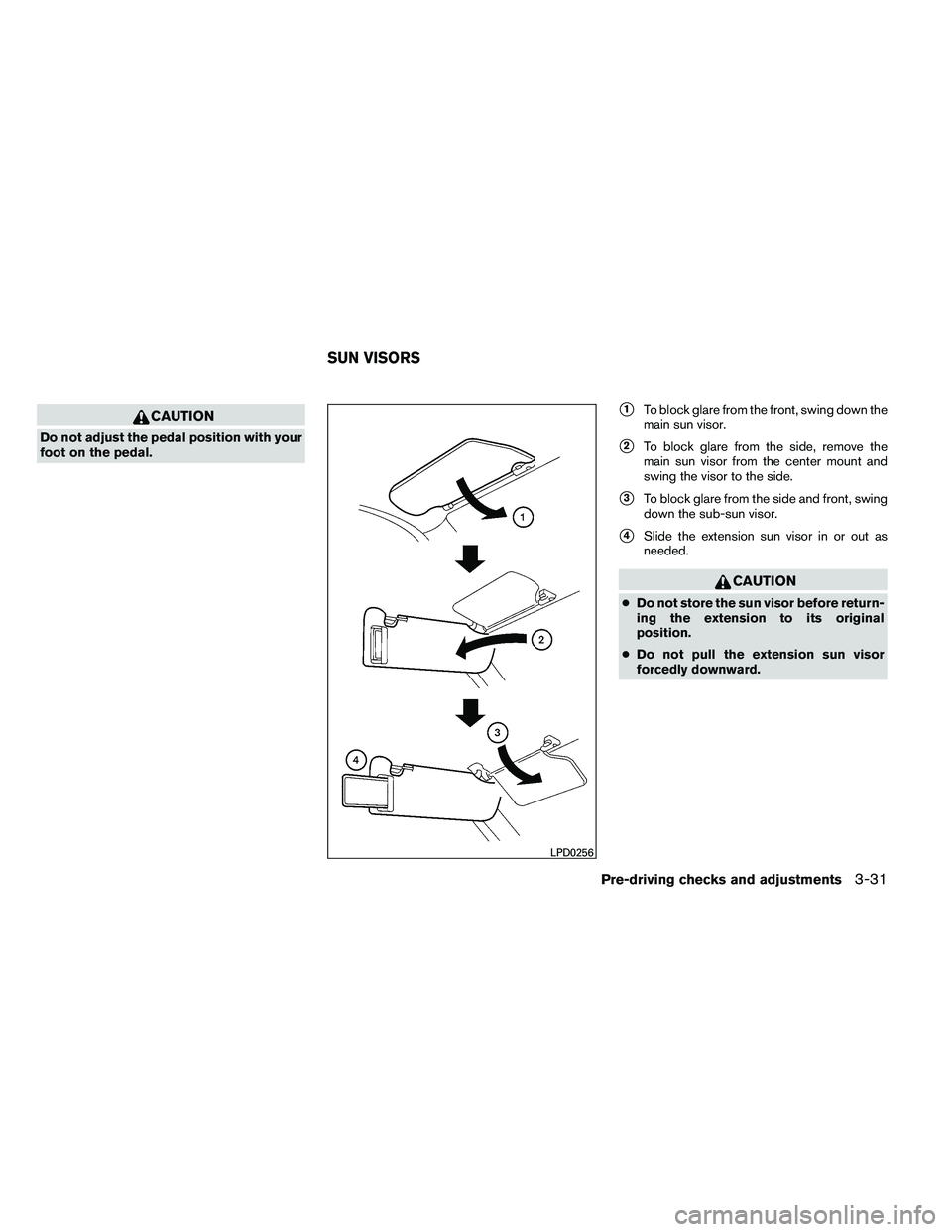
�1To block glare from the front, swing down the
main sun visor.
�2To block glare from the side, remove the
main sun visor from the center mount and
swing the visor to the side.
�3To block glare from the side and front, swing
down the sub-sun visor.
�4Slide the extension sun visor in or out as
needed.
Page 193 of 489
●If the battery cable is disconnected, or if the
fuse opens, the memory storage function will
be canceled and must be restarted before a
stored memory position can be set again.
Drive the vehicle over 25 MPH (40 km/h) to
restart the memory storage function. You
can also restart the memory storage function
using the following procedure.
1. Connect the battery cable or replace the fuse.
2. Open and close the driver’s door more than 2 times with the ignition switch in the LOCK
position.
Once the memory storage function has been
restarted, you can store a memory position.
See “Memory storage function” in this section.
Selecting the memorized position
Set the shift selector to the P (Park) position,
then:
● Within 45 seconds of opening the driver’s
door, push the memory switch (1 or 2) or
● Place the ignition switch in the ON position
and push the memory switch (1 or 2) .
The driver’s seat, accelerator and brake pedals,
and outside mirrors will move to the memorized
position with the indicator light blinking, and then
the light will stay on for approximately 5 seconds.
ENTRY/EXIT FUNCTION
This system is designed so that the driver’s seat
will automatically move when the shift selector is
placed in the P (Park) position. This allows the
driver to get into and out of the driver’s seat more
easily.
The driver’s seat will slide backward: ● When the key is removed from the ignition
switch and the driver’s door is opened.
● When the driver’s door is opened with the
ignition switch placed in the LOCK position.
● When the ignition switch is turned from
ACC to LOCK with the driver’s door open.
The driver’s seat will return to the previous posi-
tion: ● When the key is inserted into the ignition
switch and the driver’s door is closed.
● When the driver’s door is closed with the
ignition switch placed in the LOCK position.
● When the ignition switch is turned from
ACC to ON while the shift selector is in the P
(Park) position.
The entry/exit function can be adjusted or can-
celed. For vehicles with navigation system, see
“Comfort & convenience settings” in the “Moni-
tor, climate, audio, phone and voice recognition systems” section of this manual. For vehicles
without navigation system, see your NISSAN
dealer.
Restarting the entry/exit function
If the battery cable is disconnected or if the fuse
opens, the entry/exit function will be disabled.
Drive the vehicle over 25 MPH (40 km/h) to
restart the entry/exit function. You can also restart
the entry/exit function using the following proce-
dure.
1. Connect the battery cable or replace the fuse.
2. Open and close the driver’s door more than 2 times with the ignition switch in the LOCK
position.
The entry/exit function should now work properly.
SYSTEM OPERATION
The automatic drive positioner system will not
work or will stop operating under the following
conditions: ● When the vehicle speed is above 4 MPH (7
km/h) .
● When any of the memory switches are
pushed while the automatic drive positioner
is operating.
3-38Pre-driving checks and adjustments