Page 120 of 446
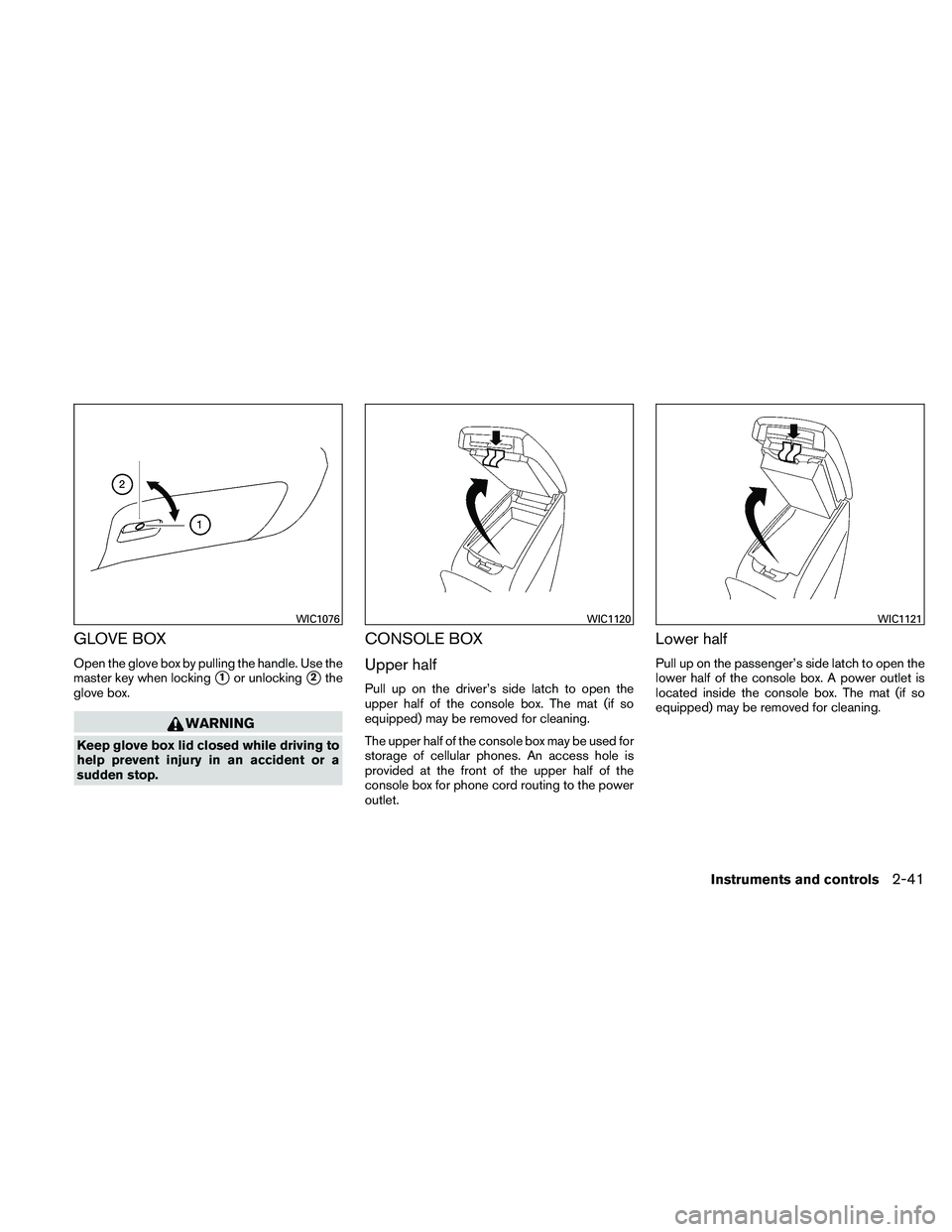
GLOVE BOX
Open the glove box by pulling the handle. Use the
master key when locking
�1or unlocking�2the
glove box.
Page 123 of 446
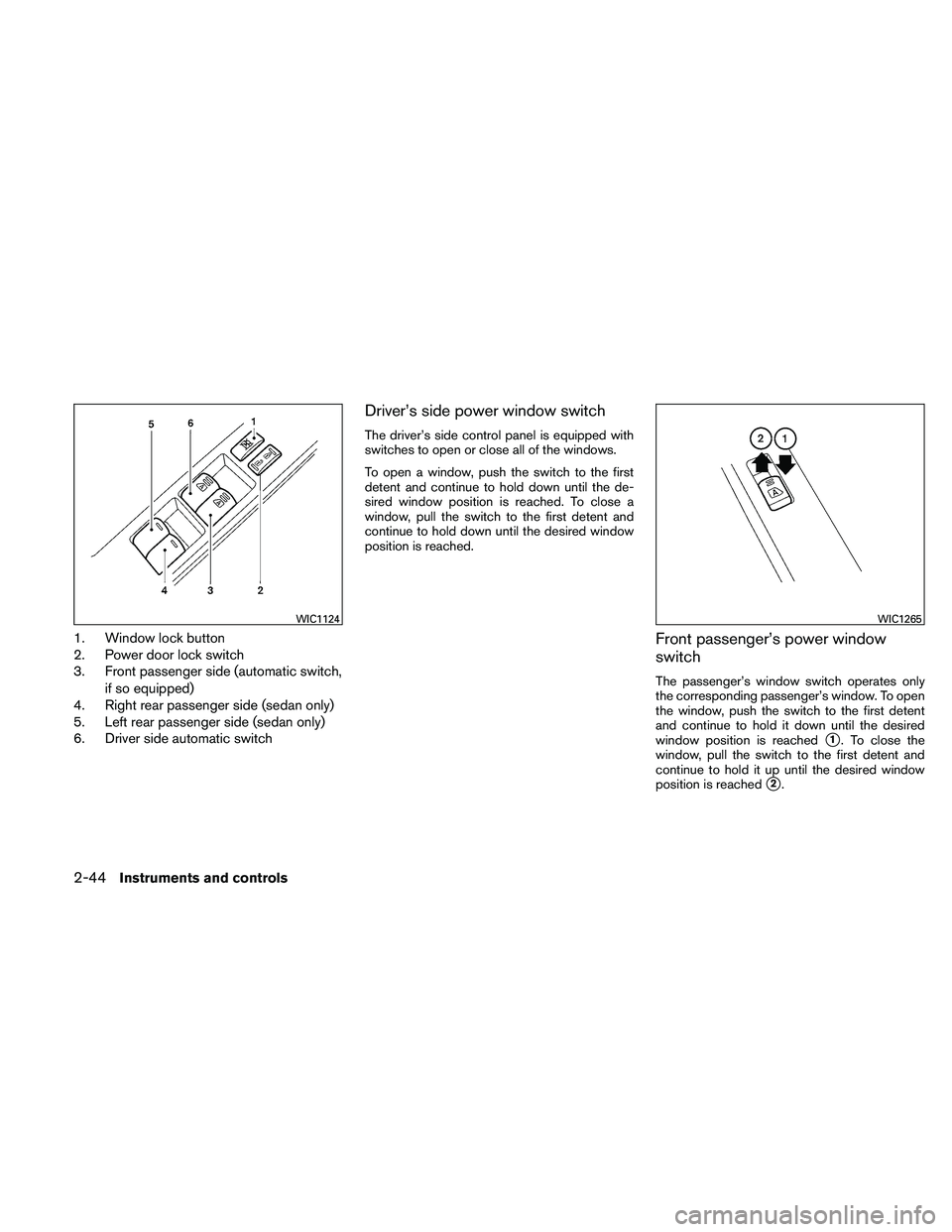
1. Window lock button
2. Power door lock switch
3. Front passenger side (automatic switch,if so equipped)
4. Right rear passenger side (sedan only)
5. Left rear passenger side (sedan only)
6. Driver side automatic switch
Driver’s side power window switch
The driver’s side control panel is equipped with
switches to open or close all of the windows.
To open a window, push the switch to the first
detent and continue to hold down until the de-
sired window position is reached. To close a
window, pull the switch to the first detent and
continue to hold down until the desired window
position is reached.
Front passenger’s power window
switch
The passenger’s window switch operates only
the corresponding passenger’s window. To open
the window, push the switch to the first detent
and continue to hold it down until the desired
window position is reached
�1. To close the
window, pull the switch to the first detent and
continue to hold it up until the desired window
position is reached
�2.
Page 124 of 446
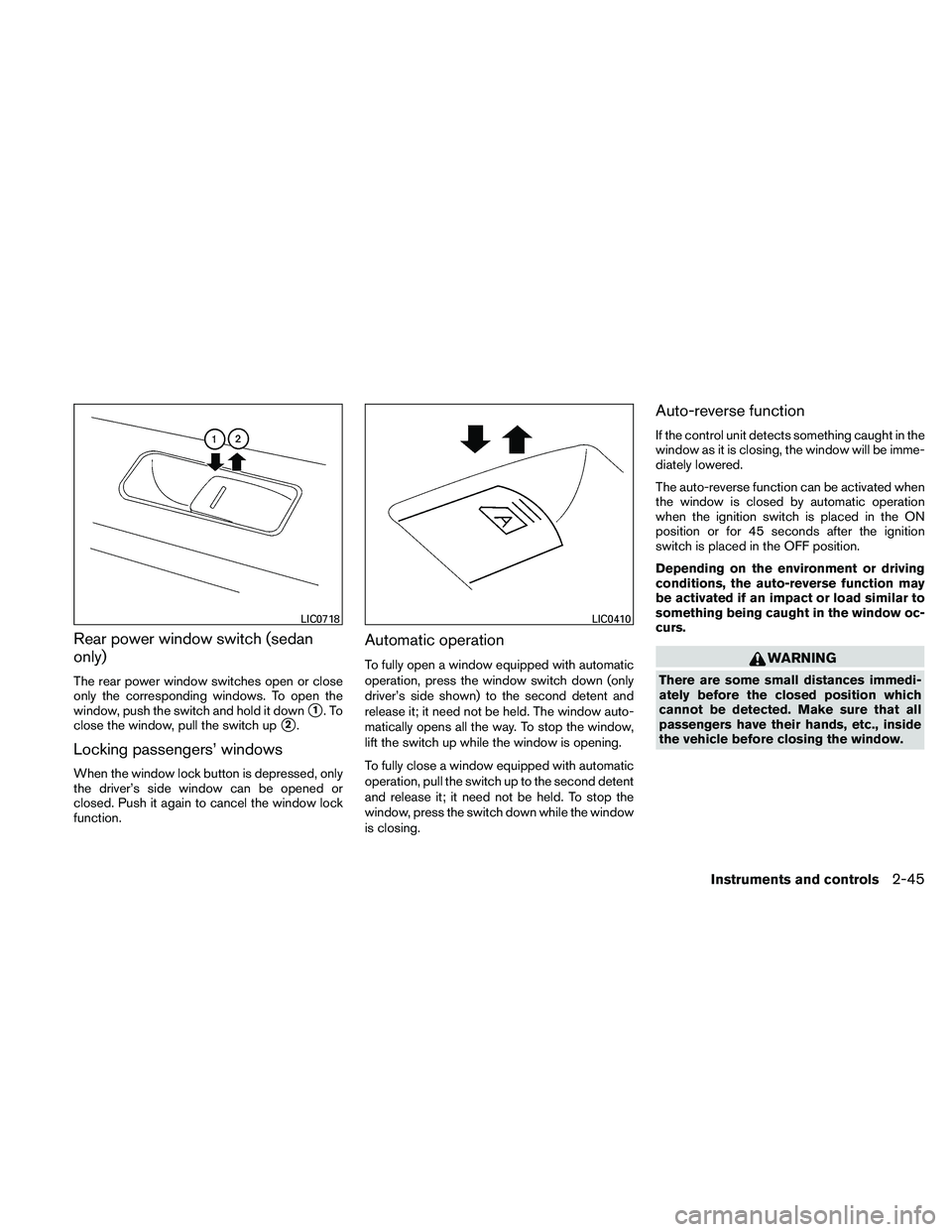
Rear power window switch (sedan
only)
The rear power window switches open or close
only the corresponding windows. To open the
window, push the switch and hold it down
�1.To
close the window, pull the switch up
�2.
Locking passengers’ windows
When the window lock button is depressed, only
the driver’s side window can be opened or
closed. Push it again to cancel the window lock
function.
Automatic operation
To fully open a window equipped with automatic
operation, press the window switch down (only
driver’s side shown) to the second detent and
release it; it need not be held. The window auto-
matically opens all the way. To stop the window,
lift the switch up while the window is opening.
To fully close a window equipped with automatic
operation, pull the switch up to the second detent
and release it; it need not be held. To stop the
window, press the switch down while the window
is closing.
Auto-reverse function
If the control unit detects something caught in the
window as it is closing, the window will be imme-
diately lowered.
The auto-reverse function can be activated when
the window is closed by automatic operation
when the ignition switch is placed in the ON
position or for 45 seconds after the ignition
switch is placed in the OFF position.
Depending on the environment or driving
conditions, the auto-reverse function may
be activated if an impact or load similar to
something being caught in the window oc-
curs.
Page 128 of 446
The interior light has a three-position switch and
operates regardless of ignition switch position.● When the switch is in the ON position
�1,
the interior light illuminates, regardless of
door position. The light will go off after 15
minutes unless the ignition switch is placed
in the ON position.
● When the switch is in the center DOOR
position
�2, the front and rear personal
lights will illuminate when the driver’s door is
opened. Lights remain on for a maximum of
30 seconds after driver’s door is closed.
The lights will go off when the ignition switch is
placed in the ON position, or the driver’s door is
closed and locked.
The lights will also go off after 15 minutes when
the doors are open. ● When the switch is in the OFF position
�3,
the interior light does not illuminate, regard-
less of door position. NOTE:
The doorstep lights illuminate when the
driver and passenger doors are opened re-
gardless of the interior light switch posi-
tion. These lights will turn off automatically
after 15 minutes while doors are open to
prevent the battery from becoming dis-
charged.
Page 130 of 446
The light illuminates when the trunk lid is opened.
When the trunk lid is closed, the light goes off.
The light will go off after about 15 minutes if the
trunk lid is left open, unless the ignition switch is
placed in the ON position.
For bulb replacement procedures, refer to “Exte-
rior and interior lights” in the “Maintenance and
do-it-yourself” section of this manual.The HomeLink�
Universal Transceiver provides a
convenient way to consolidate the functions of up
to three individual hand-held transmitters into
one built-in device.
HomeLink� Universal Transceiver:
● Will operate most Radio Frequency (RF)
devices such as garage doors, gates, home
and office lighting, entry door locks and se-
curity systems.
● Is powered by your vehicle’s battery. No
separate batteries are required. If the vehi-
cle’s battery is discharged or is discon-
nected, HomeLink� will retain all program-
ming.
Once the HomeLink� Universal Transceiver
is programmed, retain the original trans-
mitter for future programming procedures
(Example: new vehicle purchases) . Upon
sale of the vehicle, the programmed
HomeLink� Universal Transceiver buttons
should be erased for security purposes. For
additional information, refer to “Program-
ming HomeLink�” later in this section.
Page 138 of 446
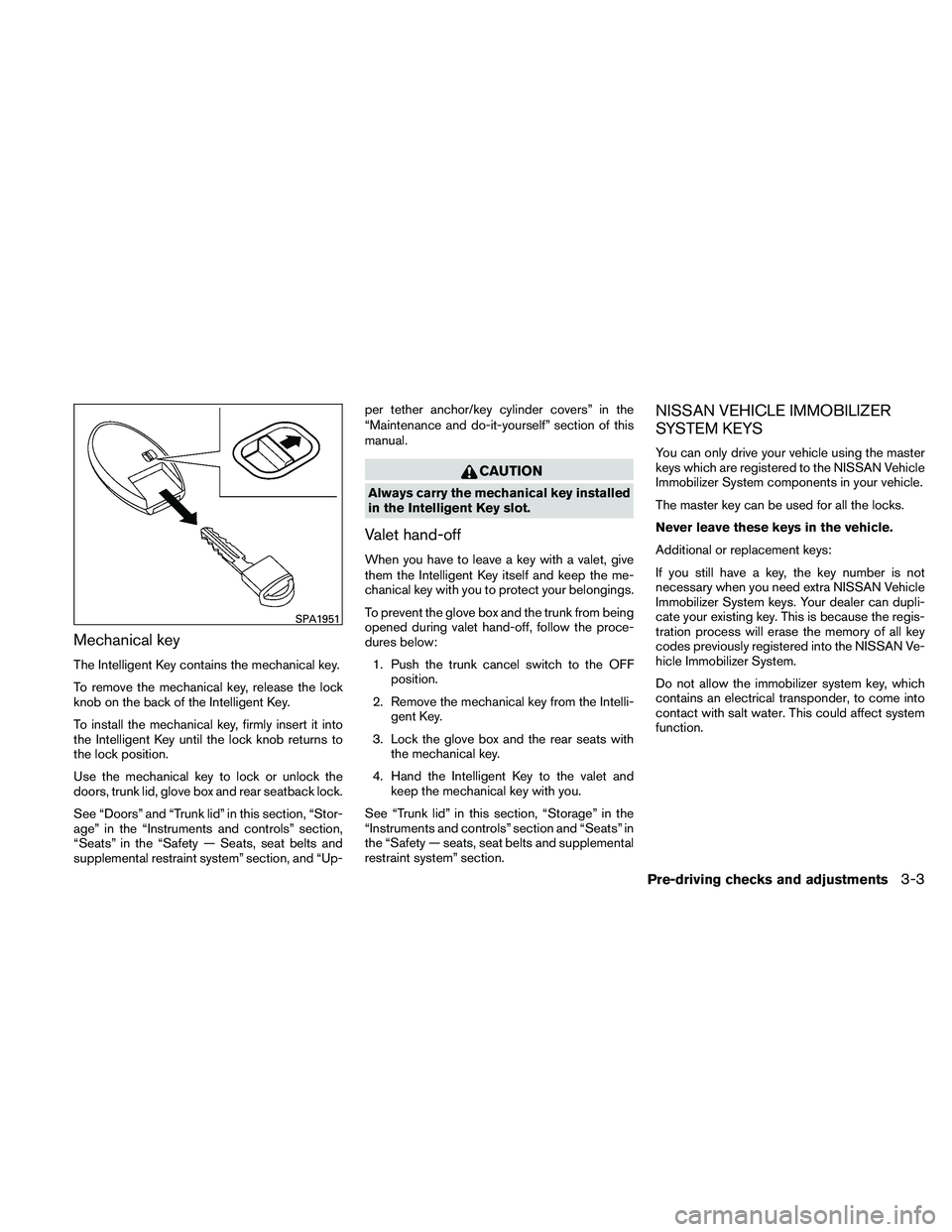
Mechanical key
The Intelligent Key contains the mechanical key.
To remove the mechanical key, release the lock
knob on the back of the Intelligent Key.
To install the mechanical key, firmly insert it into
the Intelligent Key until the lock knob returns to
the lock position.
Use the mechanical key to lock or unlock the
doors, trunk lid, glove box and rear seatback lock.
See “Doors” and “Trunk lid” in this section, “Stor-
age” in the “Instruments and controls” section,
“Seats” in the “Safety — Seats, seat belts and
supplemental restraint system” section, and “Up-per tether anchor/key cylinder covers” in the
“Maintenance and do-it-yourself” section of this
manual.
Page 139 of 446
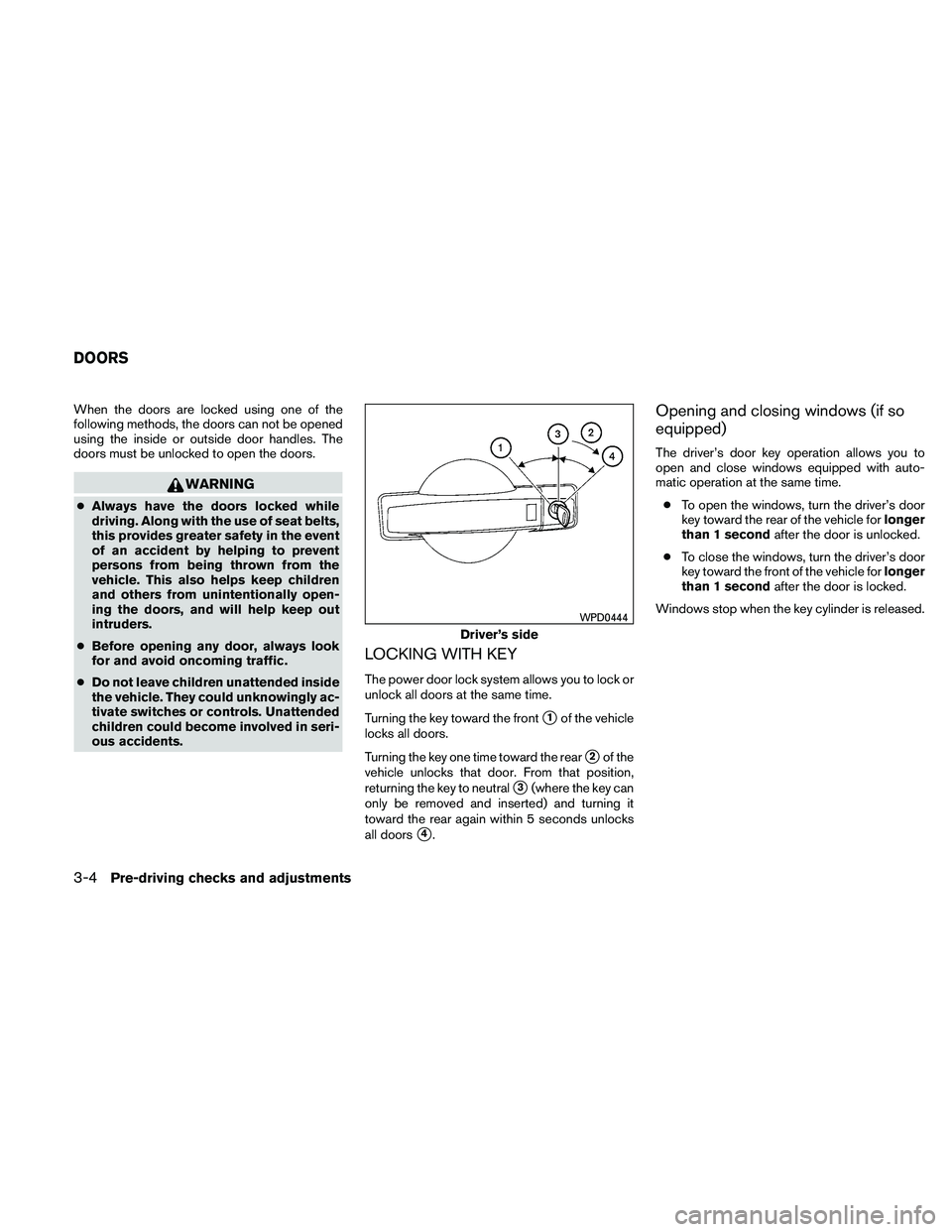
When the doors are locked using one of the
following methods, the doors can not be opened
using the inside or outside door handles. The
doors must be unlocked to open the doors.
Page 140 of 446
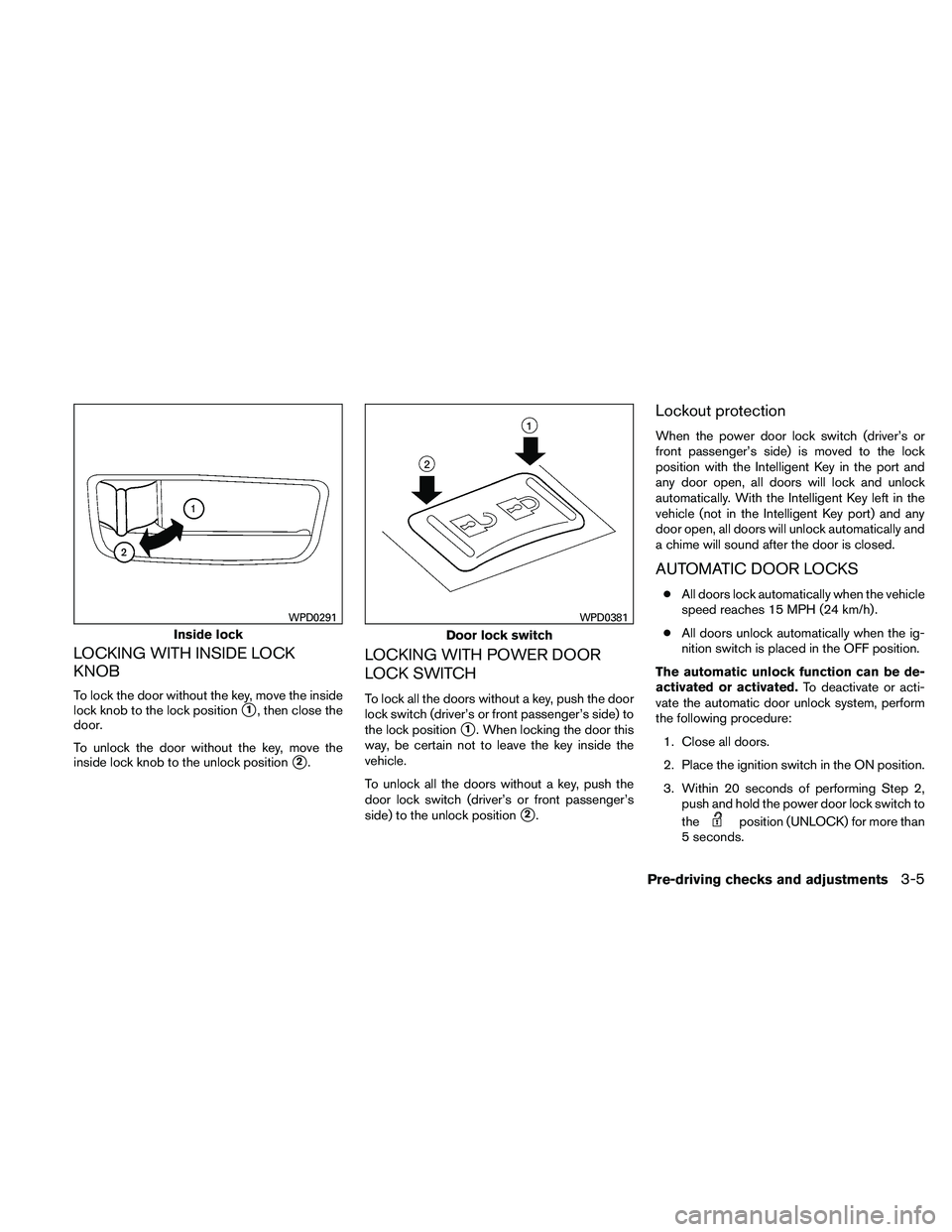
LOCKING WITH INSIDE LOCK
KNOB
To lock the door without the key, move the inside
lock knob to the lock position
�1, then close the
door.
To unlock the door without the key, move the
inside lock knob to the unlock position
�2.
LOCKING WITH POWER DOOR
LOCK SWITCH
To lock all the doors without a key, push the door
lock switch (driver’s or front passenger’s side) to
the lock position
�1. When locking the door this
way, be certain not to leave the key inside the
vehicle.
To unlock all the doors without a key, push the
door lock switch (driver’s or front passenger’s
side) to the unlock position
�2.
Lockout protection
When the power door lock switch (driver’s or
front passenger’s side) is moved to the lock
position with the Intelligent Key in the port and
any door open, all doors will lock and unlock
automatically. With the Intelligent Key left in the
vehicle (not in the Intelligent Key port) and any
door open, all doors will unlock automatically and
a chime will sound after the door is closed.
AUTOMATIC DOOR LOCKS
● All doors lock automatically when the vehicle
speed reaches 15 MPH (24 km/h) .
● All doors unlock automatically when the ig-
nition switch is placed in the OFF position.
The automatic unlock function can be de-
activated or activated. To deactivate or acti-
vate the automatic door unlock system, perform
the following procedure:
1. Close all doors.
2. Place the ignition switch in the ON position.
3. Within 20 seconds of performing Step 2, push and hold the power door lock switch to
the