2011 MITSUBISHI OUTLANDER SPORT ECO mode
[x] Cancel search: ECO modePage 5 of 16
3
1
3
5
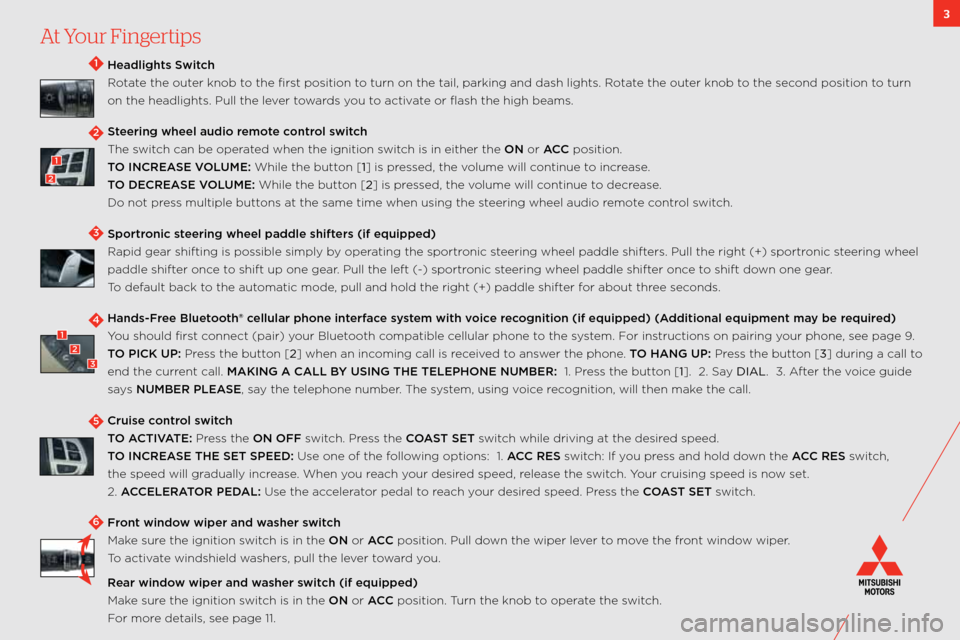
Headlights Swit\fh
Rotate the outer knob to the first position to turn on the tail,\: parking and dash li\:ghts. Rotate the outer knob to the second position to turn
on the headlights. \:Pull the lever towards you to activate or flash the high b\:eams.
Steering wheel audi\b r\wem\bte \f\bntr\bl swit\fh
the switch can be operated when the ignition\: switch is in either the \:ON or ACC position.
TO INCREASE VOLUME: w hile the button [1] is pressed, the volume will continue to increase.
TO DECREASE VOLUME: w hile the button [2] is pressed, the volume will continue to decrease.
Do not press multiple buttons at the same time when\: using the steering wheel audio remote control switch.
Sp\brtr\bni\f steering wheel paddle\w shifters (if equipped)
Rapid gear shifting \:is possible simply by operating the sportronic steering wheel paddle sh\:ifters. Pull the right \:(+) sportronic steering wheel
paddle shifter once to shift up one gear. Pull the left (\b) \:sportronic steering wheel paddle sh\:ifter once to shift down one gear.
t o default back to the automatic mode, pull and hold the \:right (+) paddle shi\:fter for about three seconds.
Hands-Free Bluet\b\bth® \fellular ph\bne interfa\fe system with v\bi\fe re\f\bgniti\bn (if equipped\w) (Additi\bnal equipment \wmay be required)
You should first connect (pair) your bluetooth compatible cellular phone to the system. f or instructions on pairing\: your phone, see page 9.
TO PICK UP: Press the button [2] when an incoming call is received to answer the phone. TO HANG UP: Press the button [3] during a call to
end the current call. MAKING A CALL BY USING THE TELEPH\wONE NUMBER: \f. Press the button [1]. 2. say DIAL. 3. a fter the voice guide
says NUMBER PLEASE, say the telephone number. t he system, using voice recognition, will then\: make the call.
Cruise \f\bntr\bl swit\fh
TO ACTIVATE: Press the ON OFF switch. Press the COAST SET switch while driving at the desired speed.
TO INCREASE THE SET SPEED: Use one of the following options: \f. ACC RES switch: if you press and hold down the ACC RES switch,
the speed will gradually increase. w hen you reach your desired speed, release the switch. Your cruising speed is\: now set.
2. ACCELERATOR PEDAL: Use the accelerator pedal to reach your desired speed. Press the COAST SET switch.
Fr\bnt wind\bw wiper and washer swit\fh
make sure the ignition switch is in the ON or ACC position. Pull down the wiper lever to move the front window wiper.
t o activate windshield washers, pull the lever toward you.
Rear wind\bw wiper and washer swit\fh (if equipped)
make sure the ignition switch is in the ON or ACC position. t urn the knob to operate the switch.
f or more details, see page \f\f.\:
4123
2
1
2
At Your Fingertips
6
Page 7 of 16
5Audio System
navigation sYstem (if eqUiPPeD ) – PRessing the Panel keYs oR toUching the scReen bUttons can PeRfoRm vaRioUs
fUnctions. oPeRate the scReen b Y toUching lightlY with a fingeRtiP. foR a UDio s Ystem oPeRating instRUctions in
oUtlanDeR sPoR ts withoUt a navigation s Ystem, Please RefeR to Y oUR owneR’s manUal.
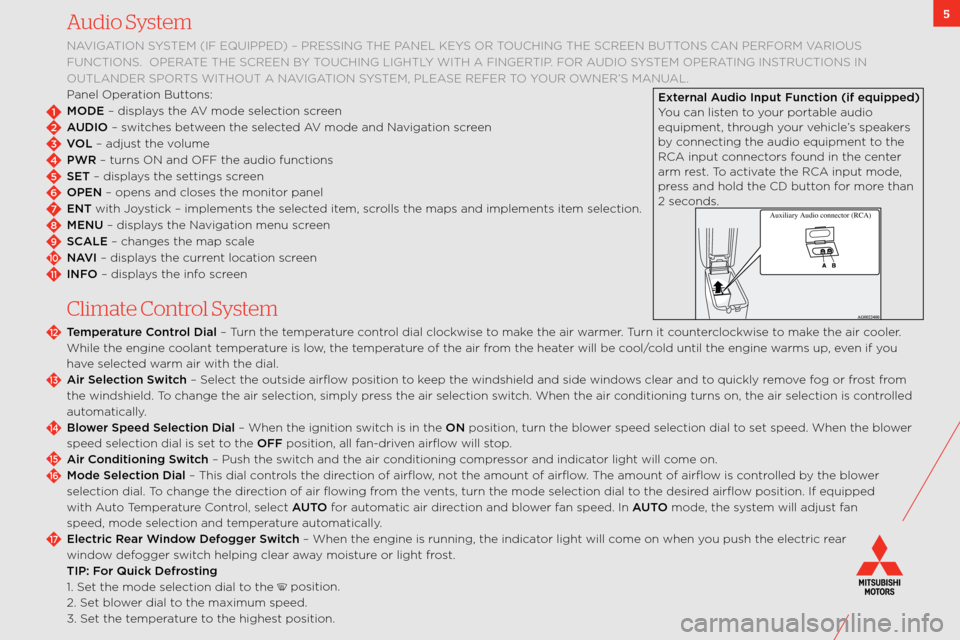
Panel operation buttons:
MODE – displays the av mode selection screen
AUDIO – switches between the selected av mode and navigation screen
VOL – adjust the volume
PWR – turns on and off the audio function\:s
SET – displays the settings screen
OPEN – opens and closes \:the monitor panel
ENT with Joystick – implements th\:e selected item, scrolls the maps and im\:plements item selection.
MENU – displays the navigation menu screen
SCALE – changes the map s\:cale
NAVI – displays the current location screen
INFO – displays the info screen
C\fimate Contro\f System
Temperature C\bntr\bl Dial – t urn the temperature control dial clockwise to make the air warmer. t urn it counterclockwise to make the air cooler.
w hile the engine coolant temperature is low, the temperature of the air from the heater will be cool/cold until the engin\:e warms up, even if you
have selected warm air with the dia\:l.
Air Sele\fti\bn Swit\fh – select the outside ai\:rflow position to keep the windshield an\:d side windows clear and to quickly remove fog or frost from
the windshield. t o change the air sel\:ection, simply press the air selection \:switch. w hen the air conditioning turns o\:n, the air selection\: is controlled
automatically.
Bl\bwer Speed Sele\fti\bn D\wial – w hen the ignition switch is in the ON position, turn the \:blower speed selection dia\:l to set speed. w hen the blower
speed selection dial \:is set to the OFF position, all fan\bdriven airflow will stop.
Air C\bnditi\bning Swit\fh – Push the switch and the air conditioning compressor and indicator light will come on.
M\bde Sele\fti\bn Dial – t his dial controls the direction of airflow, not the amount of\: airflow. t he amount of airflow is controlled by the blower
selection dial. t o change the direction of air flowing from the vents, turn the mode \:selection dial to the desired airflow position. if equipped
with a uto temperature c ontrol, select AUTO for automatic air direction and blower fan speed. in AUTO mode, the system will adjust fan
speed, mode selection \:and temperature automatically.
Ele\ftri\f Rear Wind\bw Def\bgger Swit\fh – w hen the engine is run\:ning, the indicator light will come on when you push the electric \:rear
window defogger switch helping clear away moisture or light frost.
TIP: F\br Qui\fk Defr\bsting
\f. set the mode selection\: dial to the
position.
2. set blower dial to the maximum speed.
3. set the temperature to the highest position.
2
1
3
4
5
6
7
8
9
10
11
12
13
14
15
16
17
External Audi\b Input Fun\fti\bn (if\w equipped)
You can listen to your portable audio
equipment, through your vehicle’s speakers
by connecting the audio\: equipment to the
Rca input connectors found in the center
arm rest. t o activate the Rca input mode,
press and hold the cD button for more than
2 seconds.
Auxili ary Audio connector (RCA )
Page 9 of 16
![MITSUBISHI OUTLANDER SPORT 2011 3.G Owners Handbook 7
6) Pan\brami\f R\b\bf P\bwer Shade (if equip\wped)
TO OPEN: Push the switch in the desired direction [1]
TO CLOSE: Push the switch in the desired direction [2]
TO STOP: Push center of switc](/manual-img/19/7538/w960_7538-8.png "MITSUBISHI OUTLANDER SPORT 2011 3.G Owners Handbook 7
6) Pan\brami\f R\b\bf P\bwer Shade (if equip\wped)
TO OPEN: Push the switch in the desired direction [1]
TO CLOSE: Push the switch in the desired direction [2]
TO STOP: Push center of switc")
7
6) Pan\brami\f R\b\bf P\bwer Shade (if equip\wped)
TO OPEN: Push the switch in the desired direction [1]
TO CLOSE: Push the switch in the desired direction [2]
TO STOP: Push center of switch [3]
Sunshade Illuminati\bn Swit\fh (if equipped) – the sunshade illumination s witch turns on when th\:e ignition switch or the operation
mode is in on or acc. t he brightness of the sunshade illumination can be adjusted to three different levels. each time you press the
switch (located near the front map lamps), the brightness switches in sequence from high middle low off high.
7) Heated Seats (if equipped)
t he heated seat controls are located at the side of each f\:ront seat. t he heated seats can be operated by pushing the switch when the
ignition switch is in the ON position. t he indicator light will illum\:inate while the heater is on.
8) Drive M\bde Sele\ft\br (if equipped)
t he drive mode can be switched by turning the dial \:while the ignition \:switch is in the ON position. t he following drive modes are
available:
2WD: t his mode is for economical driving on\: normal dry roads and freeways.
4WD AUTO: t he default mode. t his mode is for all driving conditions on various roads.
4WD LOCK: t his mode is for driving in slippery\: conditions such as \:on snow\bcovered roads or sand.
9) Multi-Inf\brmati\bn Display
t he multi\binformation display shows fuel remaining, outside t\:emperature, selector lever position, all\bwheel drive operation
status, etc. it is also possible to change elements su\:ch as the language \:and units by using the multi\bi\:nformation meter
(INFO) button. t he display screen is different depending on whet\:her the ignition switch is in the OFF or ON position.
10) ECO Indi\fat\br (if equipped)
w hen the eco indicator light is on, your current driving style supports good fu\:el economy.
1
2
3
Page 11 of 16
99
FUSE Tip Sheet
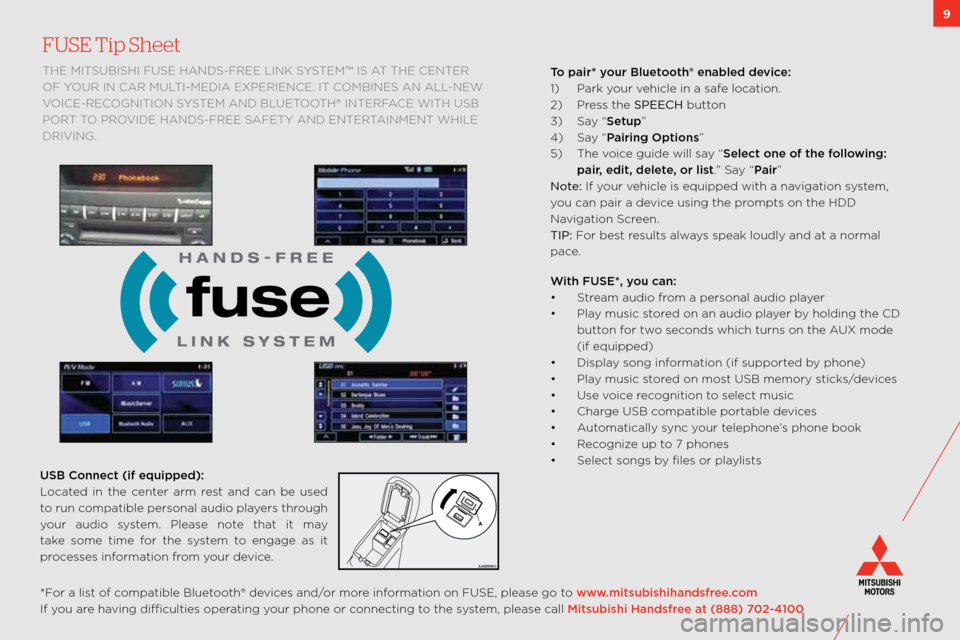
the mitsUbishi fUse hanDs\bfRee link sYstem™ is at the centeR
of Y oUR in caR mUlti\bmeDia exPeRience. it combines an all\bnew
voice\bRecognition s Ystem anD bl Uetooth® inteRface with Usb
PoR t to PRoviDe hanD s\bfRee safetY anD enteR tainment while
DRiving.T\b pair* y\bur Bluet\b\bth® enabled devi\fe:
\f) Park your vehicle in a safe location.
2) Press the SPEECH button
3) say “Setup”
4) say “Pairing Opti\bns”
5) t he voice guide will say “Sele\ft \bne \bf the f\bll\bwing:
pair, edit, delete, \br list.” say “Pair”
Not\f: if your vehicle is equipped wit\:h a navigation system,
you can pair a device using the prompts on the hDD
navigation screen.
TIP: f or best results always speak loudly and a\:t a normal
pace.
With FUSE*, y\bu \fan:
• s tream audio from a personal audio \:player
• Play music stored on an audio player by holding the cD
button for two seconds which turns on\: the a Ux mode
(if equipped)
• Display song information (if supported by phone)
• Play music stored on most Usb memory sticks/devices
• Use voice recognition to select music
• charge Usb compatible portable devices
• a utomatically sync your telephone’s phone book
• Recognize up to 7 phones
• select songs by files or playlists
*f or a list of compatible bluetooth® devices and/or more information on fUse, please go to www.mitsubishihandsfree.\f\bm
if you are having difficulties operating your phone or connecting to the system, please call Mitsubishi Handsfree at (888) 702-4100 USB C\bnne\ft (if equipped):\w
l ocated in the center arm rest and can be used
to run compatible personal audio players through
your audio system. Please note that it may
take some time for the system to engage as it
processes information from your device.
Page 12 of 16
10
Look at this . . .
1) FAST-Key (if equipped) \b with fast \bkey, you do not need to use the key to open the door or start the car. You can leave the key in your pocket or
purse.
LOCK the doors and tailg\:ate by pressing either the lock\: button on the key fob or pressing the black butt\:on to the right of the d\:oor handle or under
the liftgate handle.
UNLOCK the doors by pressing either the unlo\:ck button on the key fob or by pressing the black butt\:on to the right of the d\:oor handle. listen for the
beep and then open the\: door.
UNLOCK TAILGATE by grasping the liftgate handle.
FAST-Key Tip:
For\bv\fhicl\fs\bwithout\bPush\bButt\ton\bStart \b in the event the key fob battery loses power, remove the emergency key from the fob, turn it around and
insert the head of t\:he key into the slot in the f\:ob and use it as a \:traditional key to unlock the doors \:and start the car. it is not a valet key. if you leave
the fast \bkey in the vehicle and try to lock the doors, y\:ou will hear a series\: of beeps.
For\bv\fhicl\fs\bwith\bPush\bButton\bStart \b if the fast \bkey is not operating properly, you can insert the fast \bkey into the key slot in the glove box.
s tarting the engine a\:nd changing the operation mode should no\:w be possible.
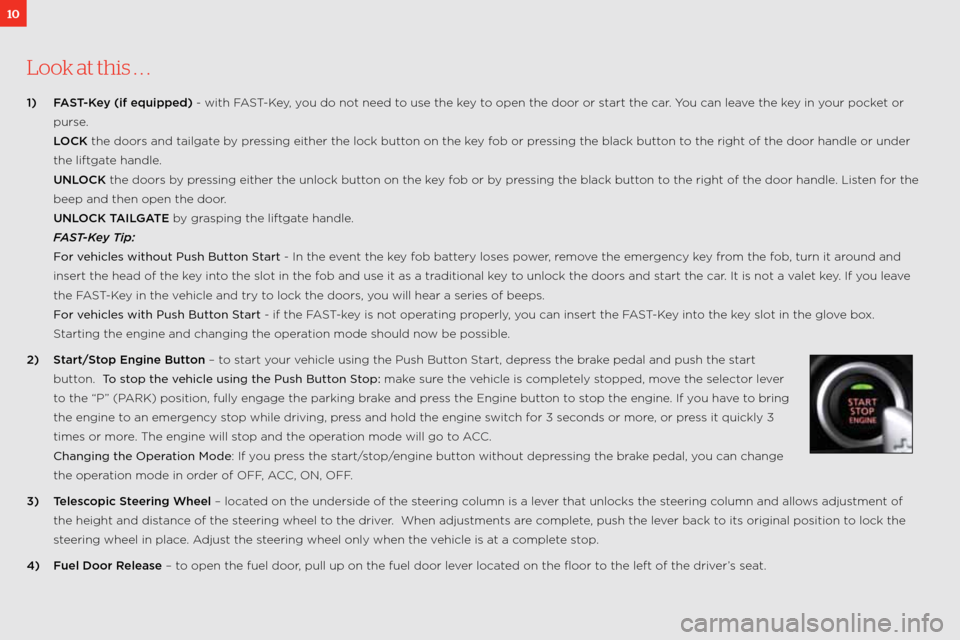
2) Start/St\bp Engine Butt\bn – to start your vehicle using the Pus\:h button s tart, depress the brake pedal and push the \:start
button. To\bstop\bth\f\bv\fhicl\f\busing\bth\f\bPush\bBut\tton\bStop: make sure the vehicle is completely stopped, move the selector lever
to the “P” (P aRk) position, fully en\:gage the parking brake and press the engine button to stop the engine. if you have to bring
the engine to an emergency stop while driving, press and hold the engi\:ne switch for 3 seconds or more, or press it quickly 3
times or more. t he engine will stop and the operation mode will go t\:o acc.
Changing\bth\f\bOp\fration\bMod\f: if you press the start/stop/engine button without depressing the brake pedal, you can change
the operation mode in order of off , acc, on, off.
3) Teles\f\bpi\f Steering Wheel – located on the underside o\:f the steering column is a lever that unlocks the steering column and allows adjustment of
the height and distance of the steering wheel to the driver. w hen adjustments are complete, push the lever back to its original posit\:ion to lock the
steering wheel in place. a djust the steering wheel only whe\:n the vehicle is at a complete stop.
4) Fuel D\b\br Release – to open the fuel door, pull up on the fuel\: door lever located on the floor to the left of the dr\:iver’s seat.