2011 MITSUBISHI OUTLANDER SPORT steering
[x] Cancel search: steeringPage 5 of 16
3
1
3
5
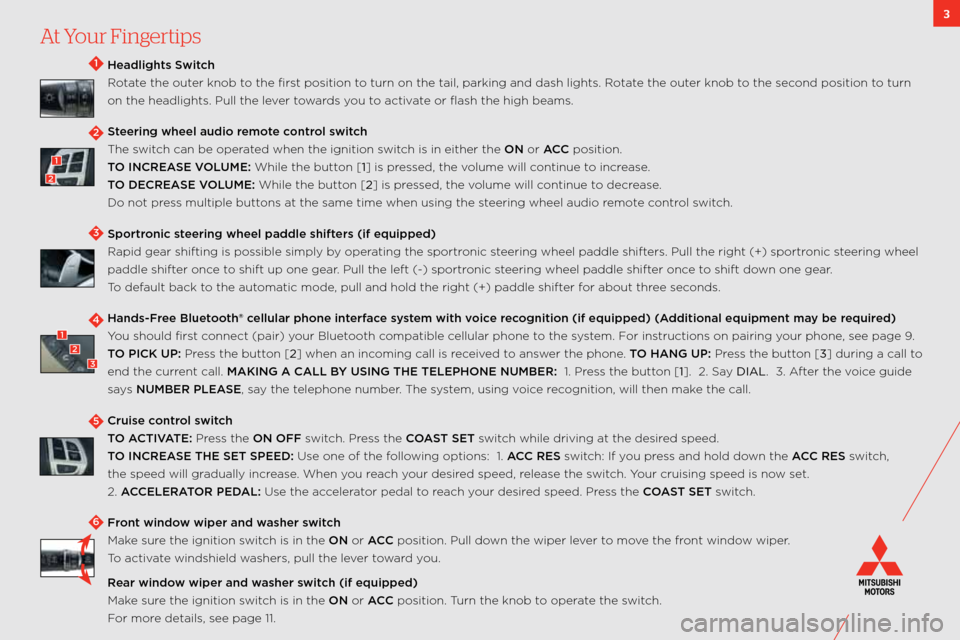
Headlights Swit\fh
Rotate the outer knob to the first position to turn on the tail,\: parking and dash li\:ghts. Rotate the outer knob to the second position to turn
on the headlights. \:Pull the lever towards you to activate or flash the high b\:eams.
Steering wheel audi\b r\wem\bte \f\bntr\bl swit\fh
the switch can be operated when the ignition\: switch is in either the \:ON or ACC position.
TO INCREASE VOLUME: w hile the button [1] is pressed, the volume will continue to increase.
TO DECREASE VOLUME: w hile the button [2] is pressed, the volume will continue to decrease.
Do not press multiple buttons at the same time when\: using the steering wheel audio remote control switch.
Sp\brtr\bni\f steering wheel paddle\w shifters (if equipped)
Rapid gear shifting \:is possible simply by operating the sportronic steering wheel paddle sh\:ifters. Pull the right \:(+) sportronic steering wheel
paddle shifter once to shift up one gear. Pull the left (\b) \:sportronic steering wheel paddle sh\:ifter once to shift down one gear.
t o default back to the automatic mode, pull and hold the \:right (+) paddle shi\:fter for about three seconds.
Hands-Free Bluet\b\bth® \fellular ph\bne interfa\fe system with v\bi\fe re\f\bgniti\bn (if equipped\w) (Additi\bnal equipment \wmay be required)
You should first connect (pair) your bluetooth compatible cellular phone to the system. f or instructions on pairing\: your phone, see page 9.
TO PICK UP: Press the button [2] when an incoming call is received to answer the phone. TO HANG UP: Press the button [3] during a call to
end the current call. MAKING A CALL BY USING THE TELEPH\wONE NUMBER: \f. Press the button [1]. 2. say DIAL. 3. a fter the voice guide
says NUMBER PLEASE, say the telephone number. t he system, using voice recognition, will then\: make the call.
Cruise \f\bntr\bl swit\fh
TO ACTIVATE: Press the ON OFF switch. Press the COAST SET switch while driving at the desired speed.
TO INCREASE THE SET SPEED: Use one of the following options: \f. ACC RES switch: if you press and hold down the ACC RES switch,
the speed will gradually increase. w hen you reach your desired speed, release the switch. Your cruising speed is\: now set.
2. ACCELERATOR PEDAL: Use the accelerator pedal to reach your desired speed. Press the COAST SET switch.
Fr\bnt wind\bw wiper and washer swit\fh
make sure the ignition switch is in the ON or ACC position. Pull down the wiper lever to move the front window wiper.
t o activate windshield washers, pull the lever toward you.
Rear wind\bw wiper and washer swit\fh (if equipped)
make sure the ignition switch is in the ON or ACC position. t urn the knob to operate the switch.
f or more details, see page \f\f.\:
4123
2
1
2
At Your Fingertips
6
Page 12 of 16
10
Look at this . . .
1) FAST-Key (if equipped) \b with fast \bkey, you do not need to use the key to open the door or start the car. You can leave the key in your pocket or
purse.
LOCK the doors and tailg\:ate by pressing either the lock\: button on the key fob or pressing the black butt\:on to the right of the d\:oor handle or under
the liftgate handle.
UNLOCK the doors by pressing either the unlo\:ck button on the key fob or by pressing the black butt\:on to the right of the d\:oor handle. listen for the
beep and then open the\: door.
UNLOCK TAILGATE by grasping the liftgate handle.
FAST-Key Tip:
For\bv\fhicl\fs\bwithout\bPush\bButt\ton\bStart \b in the event the key fob battery loses power, remove the emergency key from the fob, turn it around and
insert the head of t\:he key into the slot in the f\:ob and use it as a \:traditional key to unlock the doors \:and start the car. it is not a valet key. if you leave
the fast \bkey in the vehicle and try to lock the doors, y\:ou will hear a series\: of beeps.
For\bv\fhicl\fs\bwith\bPush\bButton\bStart \b if the fast \bkey is not operating properly, you can insert the fast \bkey into the key slot in the glove box.
s tarting the engine a\:nd changing the operation mode should no\:w be possible.
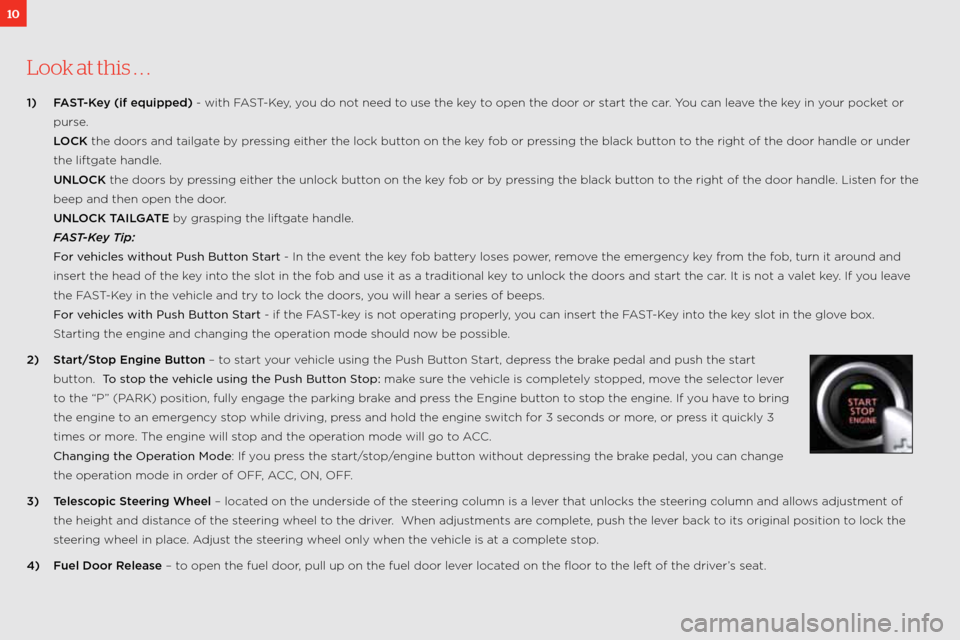
2) Start/St\bp Engine Butt\bn – to start your vehicle using the Pus\:h button s tart, depress the brake pedal and push the \:start
button. To\bstop\bth\f\bv\fhicl\f\busing\bth\f\bPush\bBut\tton\bStop: make sure the vehicle is completely stopped, move the selector lever
to the “P” (P aRk) position, fully en\:gage the parking brake and press the engine button to stop the engine. if you have to bring
the engine to an emergency stop while driving, press and hold the engi\:ne switch for 3 seconds or more, or press it quickly 3
times or more. t he engine will stop and the operation mode will go t\:o acc.
Changing\bth\f\bOp\fration\bMod\f: if you press the start/stop/engine button without depressing the brake pedal, you can change
the operation mode in order of off , acc, on, off.
3) Teles\f\bpi\f Steering Wheel – located on the underside o\:f the steering column is a lever that unlocks the steering column and allows adjustment of
the height and distance of the steering wheel to the driver. w hen adjustments are complete, push the lever back to its original posit\:ion to lock the
steering wheel in place. a djust the steering wheel only whe\:n the vehicle is at a complete stop.
4) Fuel D\b\br Release – to open the fuel door, pull up on the fuel\: door lever located on the floor to the left of the dr\:iver’s seat.
Page 13 of 16
11
5) Seatbelts – in order to help with securing \:child safety seats and other cargo, mitsubishi’s seat belts have an a uto locking Restraint (alR) system.
w hen the seat belt is pulled all\: the way out, it engages t\:he alR which restricts it from pulling out. t o release the alR, simply allow the seat belt to
retract to its original posit\:ion.
6) Tire Pressure M\bnit\bring System (TPMS) – illuminates a warning light when y\:our tire pressure is too low. Please n\bte that \fhanges in the \buts\wide
temperature may de\frease tire pressure \fausing the TPMS l\wight t\b turn \bn. if the tPms light stays illuminated, check your tire pressure. f or more
information on tPms, refer to your owner’s manual.
7) Anti-L\b\fk Braking System (ABS) – each time your vehicle is started and driven a short distance, you will hear the sou\:nd of the abs motor operating
from the right front engine compartment. t his is the normal s\:ound the anti\block braking system makes when performing a self check.\:
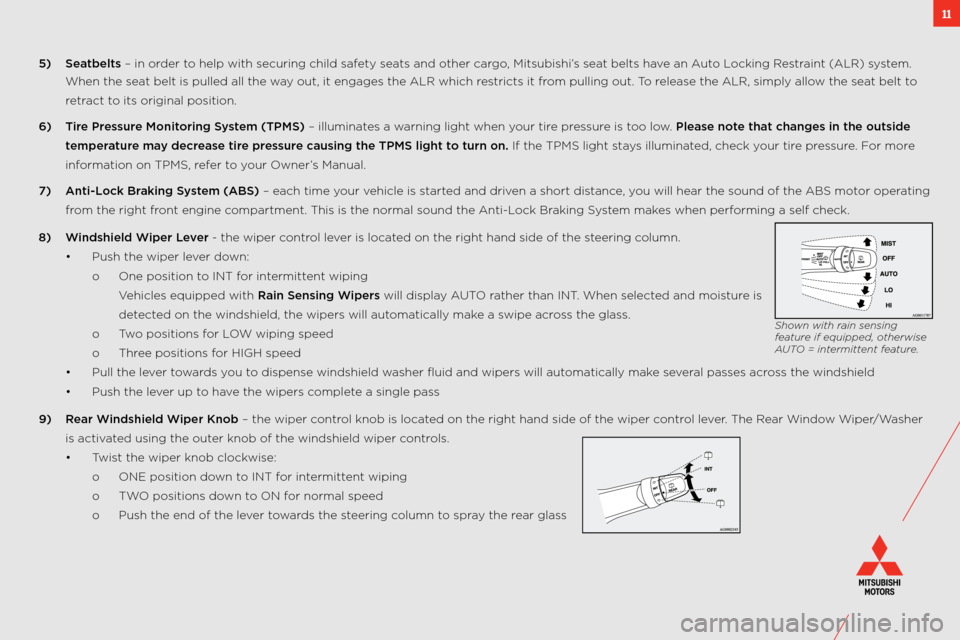
8) Windshield Wiper Lever \b the wiper control lever is located on the right hand\: side of the steering column.
• Push the wiper lever down:
o one position to int for intermittent wiping
v ehicles equipped with \:Rain Sensing Wipers will display a Uto rather than int. when selected and moisture is
detected on the windshield\:, the wipers will aut\:omatically make a swipe across the glass.
o two positions for low wiping speed
o three positions for high speed
• Pull the lever towards you to dispense windshield\: washer fluid and wipers\: will automatically make several passes across the windshield
• Push the lever up to have the wipers complete a single pass
9) Rear Windshield Wiper Kn\bb – the wiper control knob is located on the right hand\: side of the wiper control lever. t he Rear window wiper/washer
is activated using the outer knob of the winds\:hield wiper controls.
• t wist the wiper knob cloc\:kwise:
o one position down to int for intermittent wiping
o two positions down to on for normal speed
o Push the end of the \:lever towards the steering column to spray the rear glass
Shown with rain sensing
feature if equipped, othe\,rwise
\fUTO \b intermittent feature.