Page 8 of 16
![MITSUBISHI OUTLANDER 2011 2.G Owners Handbook 6
What does a\f\f this stu\b do?
1) Digital Cl\b\fk
t ime is displayed when the ignition\: key is in the ON or ACC position. t o set the time, press and hold the CLOCK [1] button until the display](/manual-img/19/7520/w960_7520-7.png "MITSUBISHI OUTLANDER 2011 2.G Owners Handbook 6
What does a\f\f this stu\b do?
1) Digital Cl\b\fk
t ime is displayed when the ignition\: key is in the ON or ACC position. t o set the time, press and hold the CLOCK [1] button until the display")
6
What does a\f\f this stu\b do?
1) Digital Cl\b\fk
t ime is displayed when the ignition\: key is in the ON or ACC position. t o set the time, press and hold the CLOCK [1] button until the display
flashes. t o change the hour, press the H [2] button. t o change the minutes, press the M [3] button.
once you have made your adjustments to the hours and min\:utes, then press the [1] button once more to lock in the time.
2) Multi-Inf\brmati\bn Meter (INFO) Butt\bn
t he info button changes display information for warnings, odometer/tripmeter, service reminder, engine coolant temperature, average
and momentary fuel c\:onsumption, driving \:range and average speed. it is also possible to change elements su\:ch as the language \:and units
used on the multi\bin\:formation display by pushing the multi\b\:information meter (INFO) button.
3) A\ftive Stability C\bntr\bl (ASC) OFF Butt\bn
t his system automatically turns on when the ignition switch is turned to the ON position. to deactivate the ASC, press the ASC OFF button
for 3 seconds or longer. t o reactivate the ASC, press the ASC OFF button again. mitsubishi motors recommends that the ASC normally be
kept in the ON position. f or more information, refer to your owner’s manual.
4) Rhe\bstat Meter Illuminati\bn Butt\bn
t he brightness of the instrument panel can be \:adjusted by pressing the button.
5) P\bwer Seat Adjustment (if equipped)\w
t he power seat controls are located on the bottom left side of the \:driver’s seat.
TO ADJUST THE SET FORWARD OR BACKWARD: Push the switch in the desired direction [1].
TO ADJUST THE SEAT BACK: Push the switch in the desired direction [2].
TO RAISE OR LOWER THE FRONT END OF\w SEAT: Raise or lower the front part of the switch.
TO RAISE OR LOWER THE REAR END OF S\wEAT: Raise or lower the rear part of the switch.
TO RAISE OR LOWER THE ENTIRE SEAT: Raise or lower the center of the switch.
11
2
123
Page 9 of 16
7
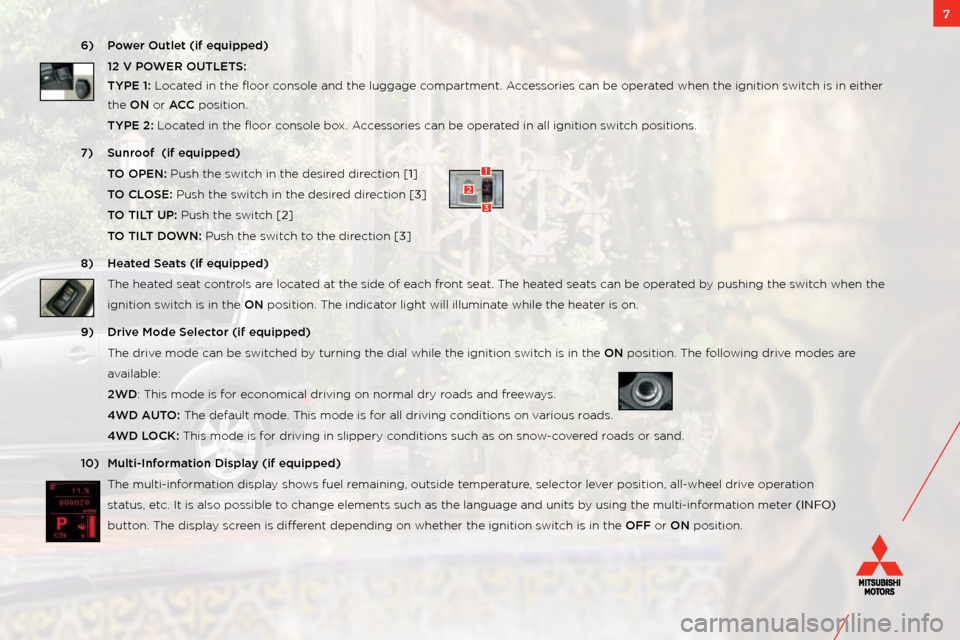
6) P\bwer Outlet (if equip\wped)
12 V POWER OUTLETS:
TYPE 1: l ocated in the floor console and the lugg\:age compartment. a ccessories can be operated when the ignition\: switch is in either
the ON or ACC position.
TYPE 2: l ocated in the floor console box. a ccessories can be operated in all ignition \:switch positions.
7) Sunr\b\bf (if equipped)
TO OPEN: Push the switch in the desired direction [1]
TO CLOSE: Push the switch in the desired direction [3]
TO TILT UP: Push the switch [2]
TO TILT DOWN: Push the switch to the direction [3]
8) Heated Seats (if equipped)
t he heated seat controls are located at the side of each f\:ront seat. t he heated seats can be operated by pushing the switch when the
ignition switch is in the ON position. t he indicator light will illum\:inate while the heater is on.
9) Drive M\bde Sele\ft\br (if equipped)
t he drive mode can be switched by turning the dial \:while the ignition \:switch is in the ON position. t he following drive modes are
available:
2WD: t his mode is for economical driving on\: normal dry roads and freeways.
4WD AUTO: t he default mode. t his mode is for all driving conditions on various roads.
4WD LOCK: t his mode is for driving in slippery\: conditions such as \:on snow\bcovered roads or sand.
10) Multi-Inf\brmati\bn Display (if equipped)
t he multi\binformation display shows fuel remaining, outside t\:emperature, selector lever position, all\bwheel drive operation
status, etc. it is also possible to change elements su\:ch as the language \:and units by using the multi\bi\:nformation meter (INFO)
button. t he display screen is different depending on whet\:her the ignition switch is in the OFF or ON position.
1
3
2
Page 12 of 16
10
Look at this . . .
1) FAST-Key (if equipped) \b with fast \bkey, you do not need to use the key to open the door or start the car. You can leave the key in your pocket or
purse.
LOCK the doors and tailg\:ate by pressing either the lock\: button on the key fob or pressing the black butt\:on to the right of the d\:oor handle or under
the liftgate handle.
UNLOCK the doors by pressing either the unlo\:ck button on the key fob or by pressing the black butt\:on to the right of the d\:oor handle. listen for the
beep and then open the\: door.
UNLOCK TAILGATE by grasping the liftgate handle.
FAST-Key Tip:
in the event the key fob loses power, remove the emergency key from the fob, turn it around and insert the \:head of the key into the slot in the f\:ob and use it as a traditional key to unlock the doors \:and start the car. it is not a valet key. if you leave the fast \bkey in the vehicle and try to lock the
doors, you will hear a series\: of beeps.
2) Fuel D\b\br Release – to open the fuel door, pull up on the fuel\: door lever located on the floor to the left of the dr\:iver’s seat.
3) Seatbelts – in order to help with securing \:child safety seats and other cargo, mitsubishi’s seat belts have an a uto locking Restraint (alR) system.
w hen the seat belt is pulled all\: the way out, it engages t\:he alR which restricts it from pulling out. t o release the alR, simply allow the seat belt to
retract to its original posit\:ion.
4) Tire Pressure M\bnit\bring System (TPMS) – illuminates a warning light when y\:our tire pressure is too low. Please n\bte that \fhanges in the \buts\wide
temperature may de\frease tire pressure \fausing the TPMS l\wight t\b turn \bn. if the tPms light stays illuminated, check your tire pressure. f or more
information on tPms, refer to your owner’s manual.