Page 525 of 706
5-116 Comfort controls
5
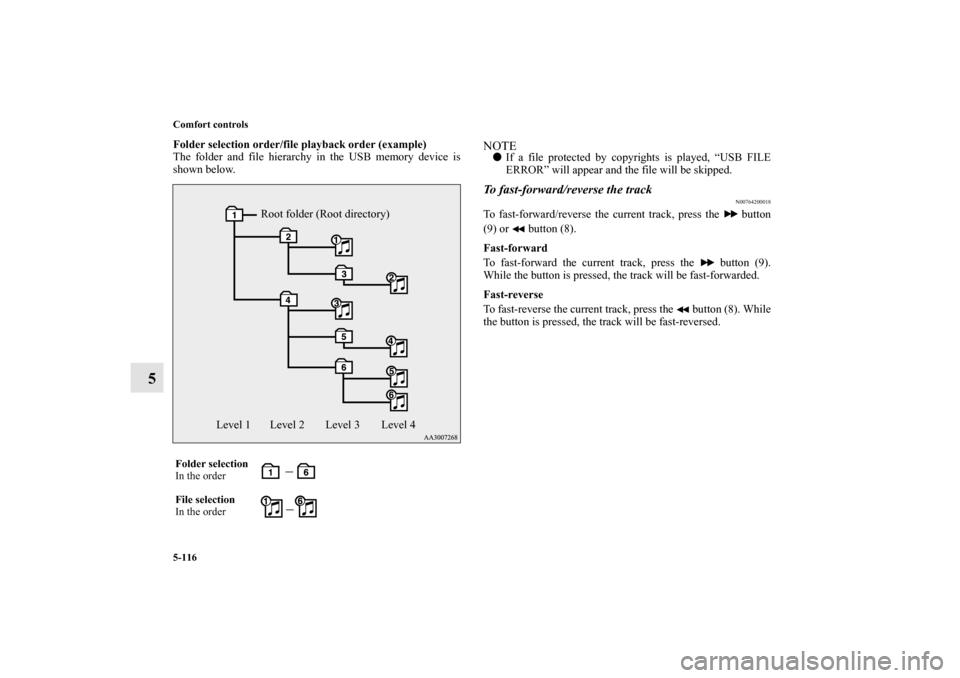
Folder selection order/file playback order (example)
The folder and file hierarchy in the USB memory device is
shown below.
NOTE�If a file protected by copyrights is played, “USB FILE
ERROR” will appear and the file will be skipped.To fast-forward/reverse the track
N00764200018
To fast-forward/reverse the current track, press the button
(9) or button (8).
Fast-forward
To fast-forward the current track, press the button (9).
While the button is pressed, the track will be fast-forwarded.
Fast-reverse
To fast-reverse the current track, press the button (8). While
the button is pressed, the track will be fast-reversed.
Folder selection
In the order
File selection
In the order
Root folder (Root directory)
Level 1 Level 2 Level 3 Level 4
BK0125300US.book 116 ページ 2010年5月18日 火曜日 午後1時53分
Page 529 of 706
5-120 Comfort controls
5
To play USB memory device tracks via voice
operation (vehicles with Bluetooth
® 2.0 interface)
N00765200060
Desired tracks can be selected and played from your USB
memory device by “Artist”, “Album”, “Playlist” and “Genre”
using voice commands.
For information concerning the voice recognition function or
speaker registration function, refer to “Bluetooth
® 2.0 inter-
face” on page 3-243.
The playback sequence of tracks is the same as when an iPod is
connected. Refer to the “To play iPod tracks via voice opera-
tion” on page 5-109.
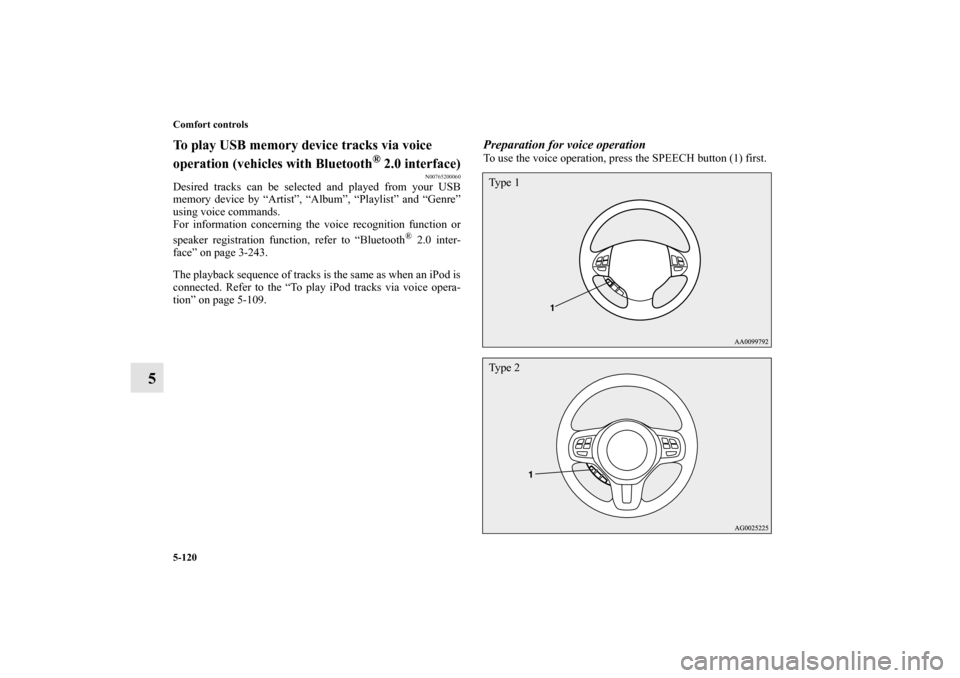
Preparation for voice operationTo use the voice operation, press the SPEECH button (1) first.Ty p e 1Ty p e 2
BK0125300US.book 120 ページ 2010年5月18日 火曜日 午後1時53分
Page 532 of 706
Comfort controls
5-123
5
To listen to tracks from a device connected via
Bluetooth
®
N00765500063
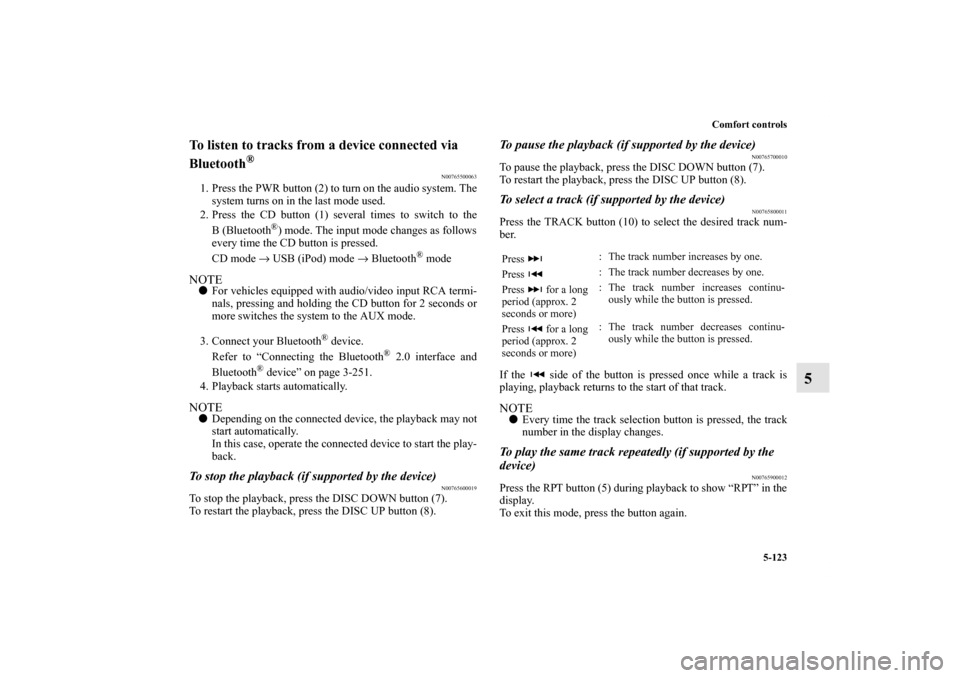
1. Press the PWR button (2) to turn on the audio system. The
system turns on in the last mode used.
2. Press the CD button (1) several times to switch to the
B(Bluetooth
®) mode. The input mode changes as follows
every time the CD button is pressed.
CD mode → USB (iPod) mode → Bluetooth
® mode
NOTE�For vehicles equipped with audio/video input RCA termi-
nals, pressing and holding the CD button for 2 seconds or
more switches the system to the AUX mode.
3. Connect your Bluetooth
® device.
Refer to “Connecting the Bluetooth
® 2.0 interface and
Bluetooth
® device” on page 3-251.
4. Playback starts automatically.
NOTE�Depending on the connected device, the playback may not
start automatically.
In this case, operate the connected device to start the play-
back.To stop the playback (if supported by the device)
N00765600019
To stop the playback, press the DISC DOWN button (7).
To restart the playback, press the DISC UP button (8).
To pause the playback (if supported by the device)
N00765700010
To pause the playback, press the DISC DOWN button (7).
To restart the playback, press the DISC UP button (8).To select a track (if supported by the device)
N00765800011
Press the TRACK button (10) to select the desired track num-
ber.
If the side of the button is pressed once while a track is
playing, playback returns to the start of that track.NOTE�Every time the track selection button is pressed, the track
number in the display changes.To play the same track repeatedly (if supported by the
device)
N00765900012
Press the RPT button (5) during playback to show “RPT” in the
display.
To exit this mode, press the button again.Press : The track number increases by one.
Press : The track number decreases by one.
Press for a long
period (approx. 2
seconds or more): The track number increases continu-
ously while the button is pressed.
Press for a long
period (approx. 2
seconds or more): The track number decreases continu-
ously while the button is pressed.
BK0125300US.book 123 ページ 2010年5月18日 火曜日 午後1時53分
Page 537 of 706
5-128 Comfort controls
5
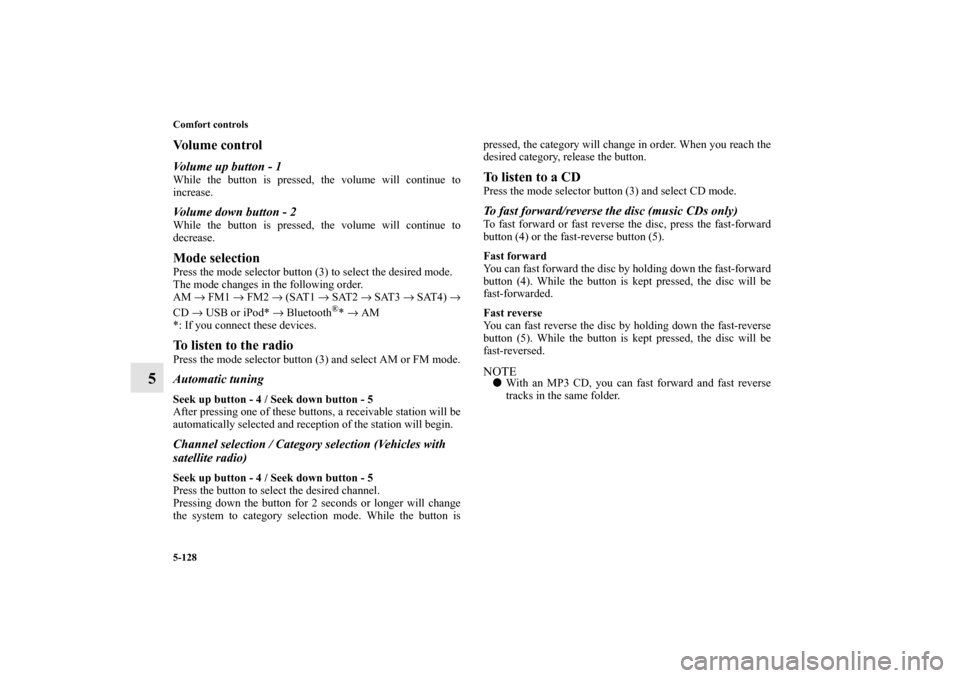
Vo l u m e c o n t r o lVolume up button - 1While the button is pressed, the volume will continue to
increase.Volume down button - 2While the button is pressed, the volume will continue to
decrease.Mode selectionPress the mode selector button (3) to select the desired mode.
The mode changes in the following order.
AM → FM1 → FM2 → (SAT1 → SAT2 → SAT3 → SAT4) →
CD → USB or iPod* → Bluetooth
®* → AM
*: If you connect these devices.
To listen to the radioPress the mode selector button (3) and select AM or FM mode.Automatic tuningSeek up button - 4 / Seek down button - 5
After pressing one of these buttons, a receivable station will be
automatically selected and reception of the station will begin.Channel selection / Category selection (Vehicles with
satellite radio)Seek up button - 4 / Seek down button - 5
Press the button to select the desired channel.
Pressing down the button for 2 seconds or longer will change
the system to category selection mode. While the button ispressed, the category will change in order. When you reach the
desired category, release the button.
To listen to a CDPress the mode selector button (3) and select CD mode.To fast forward/reverse the disc (music CDs only)To fast forward or fast reverse the disc, press the fast-forward
button (4) or the fast-reverse button (5).
Fast forward
You can fast forward the disc by holding down the fast-forward
button (4). While the button is kept pressed, the disc will be
fast-forwarded.
Fast reverse
You can fast reverse the disc by holding down the fast-reverse
button (5). While the button is kept pressed, the disc will be
fast-reversed.NOTE�With an MP3 CD, you can fast forward and fast reverse
tracks in the same folder.
BK0125300US.book 128 ページ 2010年5月18日 火曜日 午後1時53分
Page 538 of 706
Comfort controls
5-129
5
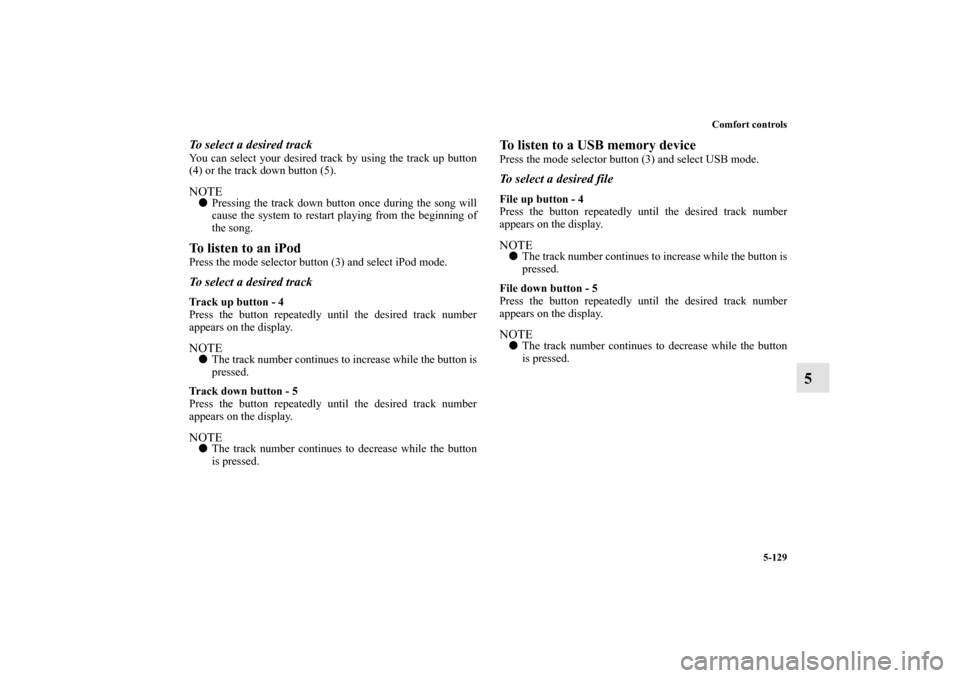
To select a desired trackYou can select your desired track by using the track up button
(4) or the track down button (5).NOTE�Pressing the track down button once during the song will
cause the system to restart playing from the beginning of
the song.To listen to an iPodPress the mode selector button (3) and select iPod mode.To select a desired trackTrack up button - 4
Press the button repeatedly until the desired track number
appears on the display.NOTE�The track number continues to increase while the button is
pressed.
Track down button - 5
Press the button repeatedly until the desired track number
appears on the display.NOTE�The track number continues to decrease while the button
is pressed.
To listen to a USB memory devicePress the mode selector button (3) and select USB mode.To select a desired fileFile up button - 4
Press the button repeatedly until the desired track number
appears on the display.NOTE�The track number continues to increase while the button is
pressed.
File down button - 5
Press the button repeatedly until the desired track number
appears on the display.NOTE�The track number continues to decrease while the button
is pressed.
BK0125300US.book 129 ページ 2010年5月18日 火曜日 午後1時53分
Page 543 of 706
5-134 Comfort controls
5Error codes (iPod)
N00766300013
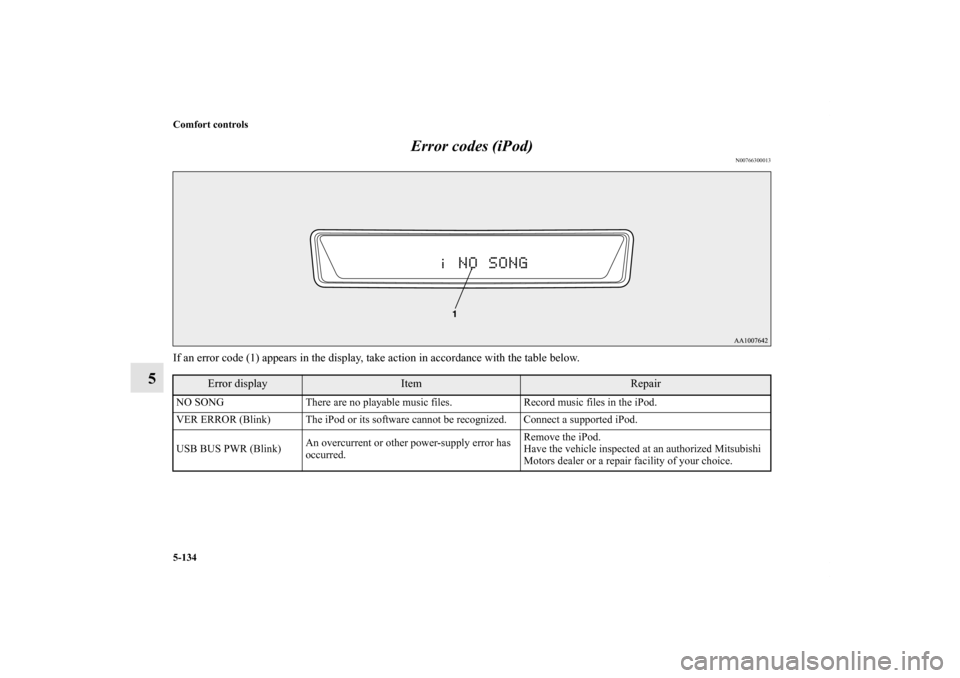
If an error code (1) appears in the display, take action in accordance with the table below.
Error display
Item
Repair
NO SONG There are no playable music files. Record music files in the iPod.
VER ERROR (Blink) The iPod or its software cannot be recognized. Connect a supported iPod.
USB BUS PWR (Blink)An overcurrent or other power-supply error has
occurred.Remove the iPod.
Have the vehicle inspected at an authorized Mitsubishi
Motors dealer or a repair facility of your choice.BK0125300US.book 134 ページ 2010年5月18日 火曜日 午後1時53分
Page 544 of 706
Comfort controls
5-135
5
CONNECT RETRY (Blink)If the iPod indicator illuminates, the iPod cannot
be authenticated.Reconnect the iPod.
If the iPod indicator goes out, it shows the USB
communication error.Reconnect the iPod correctly.
If this error is displayed again, have the vehicle
inspected at an authorized Mitsubishi Motors dealer or a
repair facility of your choice.
Error display
Item
Repair
BK0125300US.book 135 ページ 2010年5月18日 火曜日 午後1時53分
Page 545 of 706
5-136 Comfort controls
5Error codes (USB memory device)
N00766400014
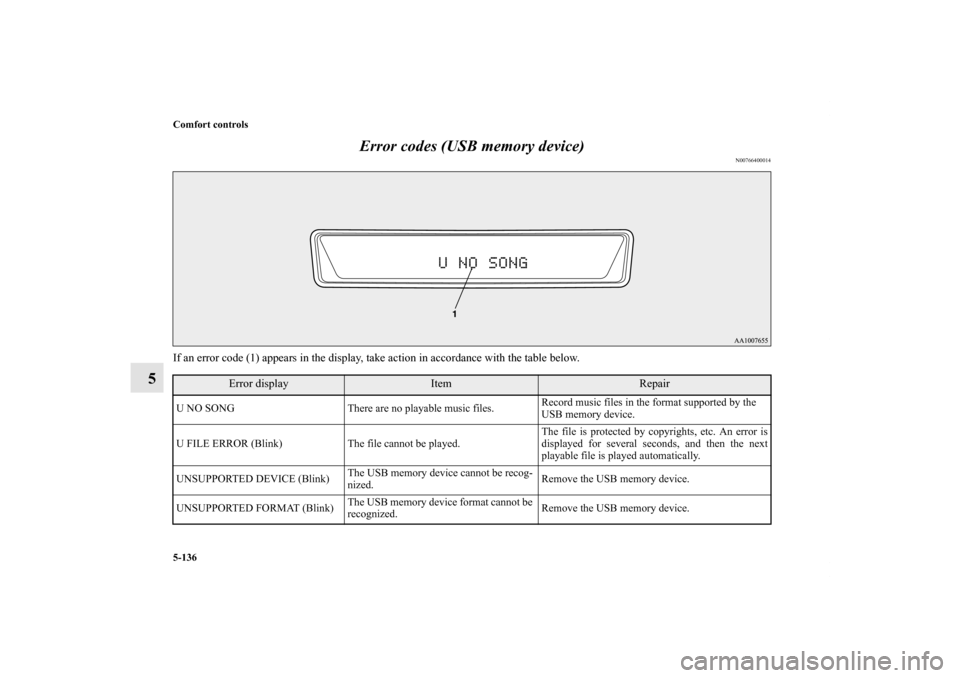
If an error code (1) appears in the display, take action in accordance with the table below.
Error display
Item
Repair
U NO SONG There are no playable music files. Record music files in the format supported by the
USB memory device.
U FILE ERROR (Blink) The file cannot be played. The file is protected by copyrights, etc. An error is
displayed for several seconds, and then the next
playable file is played automatically.
UNSUPPORTED DEVICE (Blink)The USB memory device cannot be recog-
nized. Remove the USB memory device.
UNSUPPORTED FORMAT (Blink)The USB memory device format cannot be
recognized. Remove the USB memory device.BK0125300US.book 136 ページ 2010年5月18日 火曜日 午後1時53分