2011 MERCEDES-BENZ SLS navigation
[x] Cancel search: navigationPage 286 of 436
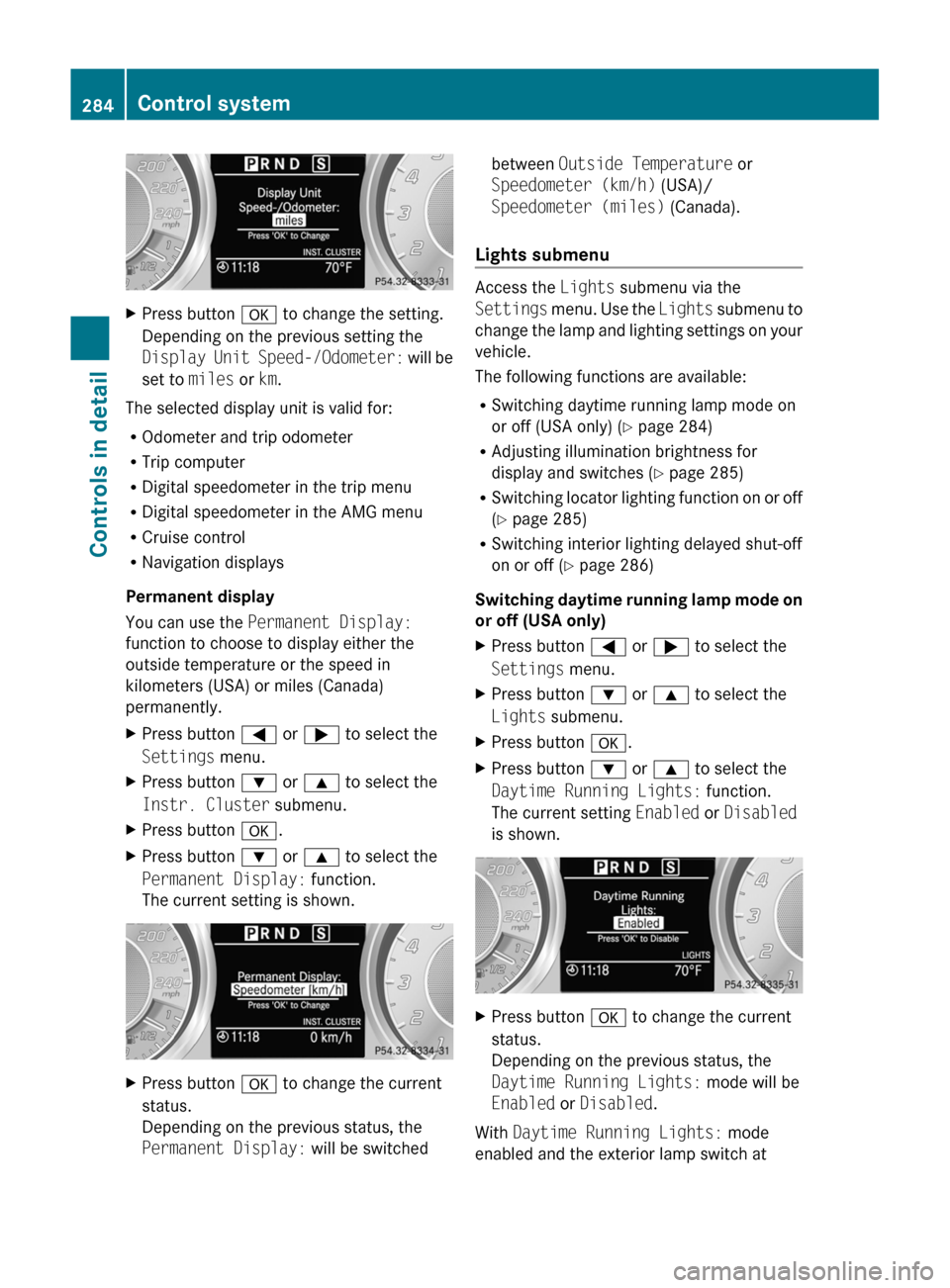
XPress button a to change the setting.
Depending on the previous setting the
Display Unit Speed-/Odometer: will be
set to miles or km.
The selected display unit is valid for:
R Odometer and trip odometer
R Trip computer
R Digital speedometer in the trip menu
R Digital speedometer in the AMG menu
R Cruise control
R Navigation displays
Permanent display
You can use the Permanent Display:
function to choose to display either the
outside temperature or the speed in
kilometers (USA) or miles (Canada)
permanently.
XPress button = or ; to select the
Settings menu.XPress button : or 9 to select the
Instr. Cluster submenu.XPress button a.XPress button : or 9 to select the
Permanent Display: function.
The current setting is shown.XPress button a to change the current
status.
Depending on the previous status, the
Permanent Display: will be switchedbetween Outside Temperature or
Speedometer (km/h) (USA)/
Speedometer (miles) (Canada).
Lights submenu
Access the Lights submenu via the
Settings menu. Use the Lights submenu to
change the lamp and lighting settings on your
vehicle.
The following functions are available:
R Switching daytime running lamp mode on
or off (USA only) ( Y page 284)
R Adjusting illumination brightness for
display and switches ( Y page 285)
R Switching locator lighting function on or off
( Y page 285)
R Switching interior lighting delayed shut-off
on or off ( Y page 286)
Switching daytime running lamp mode on
or off (USA only)
XPress button = or ; to select the
Settings menu.XPress button : or 9 to select the
Lights submenu.XPress button a.XPress button : or 9 to select the
Daytime Running Lights: function.
The current setting Enabled or Disabled
is shown.XPress button a to change the current
status.
Depending on the previous status, the
Daytime Running Lights: mode will be
Enabled or Disabled .
With Daytime Running Lights: mode
enabled and the exterior lamp switch at
284Control systemControls in detail
BA 197 USA, CA Edition A 2011; 1; 27, en-UShereepeVersion: 3.0.3.52010-03-24T15:31:10+01:00 - Seite 284
Page 313 of 436
XTerminating calls: Press button ~ on
the multifunction steering wheel.
or
XPress the respective button for ending a
telephone call on the COMAND system.
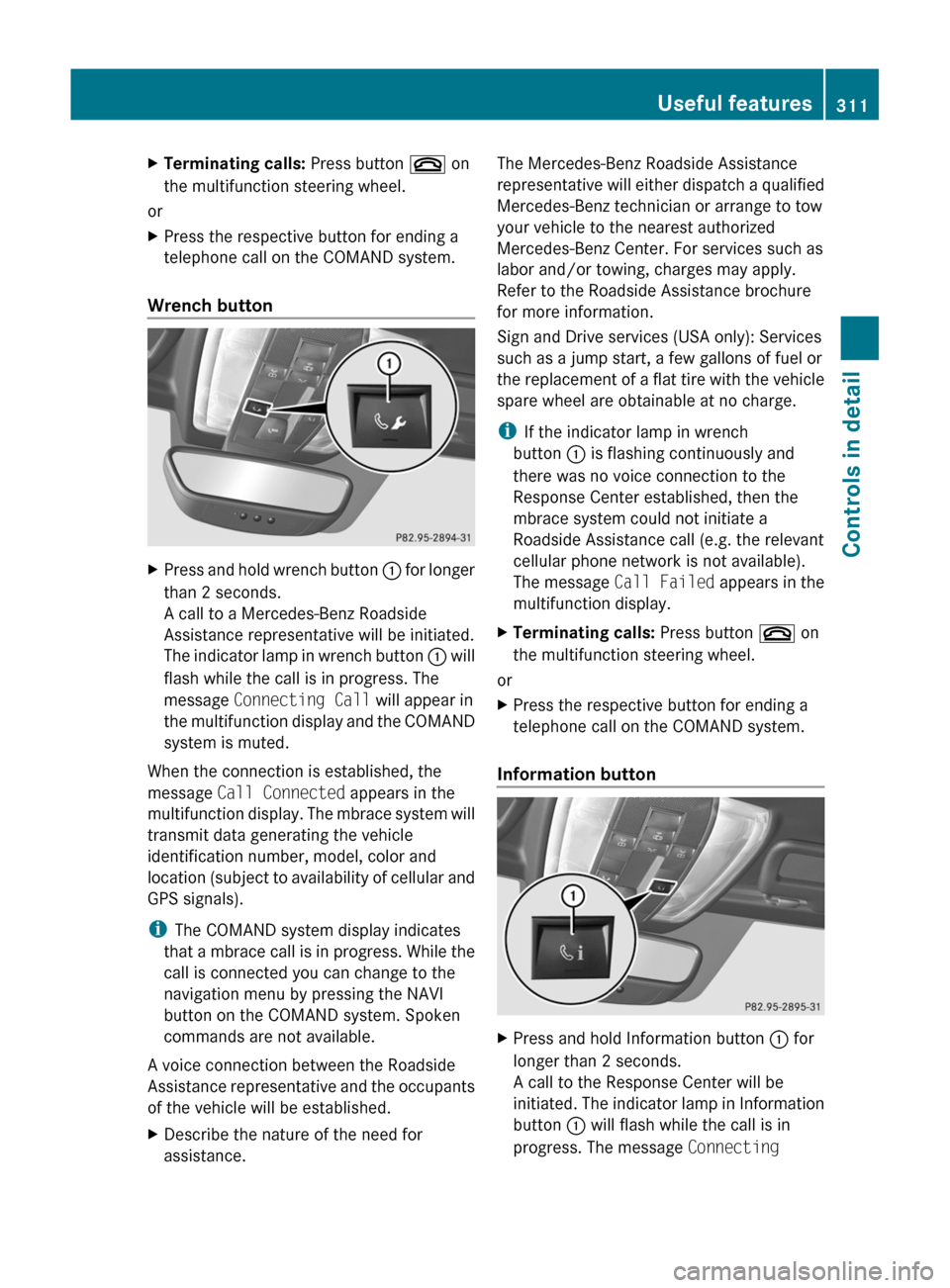
Wrench button
XPress and hold wrench button : for longer
than 2 seconds.
A call to a Mercedes-Benz Roadside
Assistance representative will be initiated.
The indicator lamp in wrench button : will
flash while the call is in progress. The
message Connecting Call will appear in
the multifunction display and the COMAND
system is muted.
When the connection is established, the
message Call Connected appears in the
multifunction display. The mbrace system will
transmit data generating the vehicle
identification number, model, color and
location (subject to availability of cellular and
GPS signals).
i The COMAND system display indicates
that a mbrace call is in progress. While the
call is connected you can change to the
navigation menu by pressing the NAVI
button on the COMAND system. Spoken
commands are not available.
A voice connection between the Roadside
Assistance representative and the occupants
of the vehicle will be established.
XDescribe the nature of the need for
assistance.The Mercedes-Benz Roadside Assistance
representative will either dispatch a qualified
Mercedes-Benz technician or arrange to tow
your vehicle to the nearest authorized
Mercedes-Benz Center. For services such as
labor and/or towing, charges may apply.
Refer to the Roadside Assistance brochure
for more information.
Sign and Drive services (USA only): Services
such as a jump start, a few gallons of fuel or
the replacement of a flat tire with the vehicle
spare wheel are obtainable at no charge.
i If the indicator lamp in wrench
button : is flashing continuously and
there was no voice connection to the
Response Center established, then the
mbrace system could not initiate a
Roadside Assistance call (e.g. the relevant
cellular phone network is not available).
The message Call Failed appears in the
multifunction display.XTerminating calls: Press button ~ on
the multifunction steering wheel.
or
XPress the respective button for ending a
telephone call on the COMAND system.
Information button
XPress and hold Information button : for
longer than 2 seconds.
A call to the Response Center will be
initiated. The indicator lamp in Information
button : will flash while the call is in
progress. The message Connecting Useful features311Controls in detailBA 197 USA, CA Edition A 2011; 1; 27, en-UShereepeVersion: 3.0.3.52010-03-24T15:31:10+01:00 - Seite 311Z
Page 314 of 436
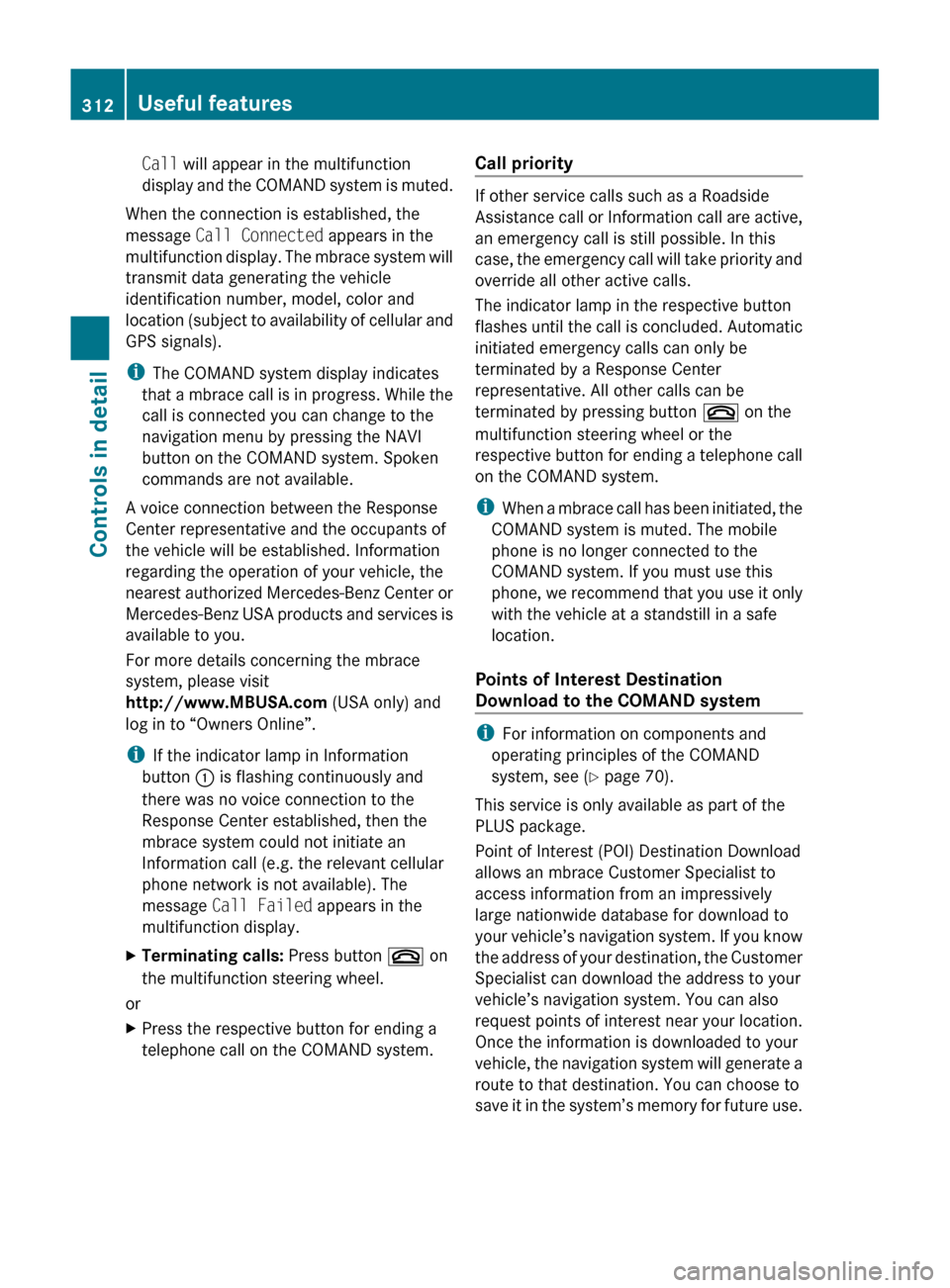
Call will appear in the multifunction
display and the COMAND system is muted.
When the connection is established, the
message Call Connected appears in the
multifunction display. The mbrace system will
transmit data generating the vehicle
identification number, model, color and
location (subject to availability of cellular and
GPS signals).
i The COMAND system display indicates
that a mbrace call is in progress. While the
call is connected you can change to the
navigation menu by pressing the NAVI
button on the COMAND system. Spoken
commands are not available.
A voice connection between the Response
Center representative and the occupants of
the vehicle will be established. Information
regarding the operation of your vehicle, the
nearest authorized Mercedes-Benz Center or
Mercedes-Benz USA products and services is
available to you.
For more details concerning the mbrace
system, please visit
http://www.MBUSA.com (USA only) and
log in to “Owners Online”.
i If the indicator lamp in Information
button : is flashing continuously and
there was no voice connection to the
Response Center established, then the
mbrace system could not initiate an
Information call (e.g. the relevant cellular
phone network is not available). The
message Call Failed appears in the
multifunction display.
XTerminating calls: Press button ~ on
the multifunction steering wheel.
or
XPress the respective button for ending a
telephone call on the COMAND system.Call priority
If other service calls such as a Roadside
Assistance call or Information call are active,
an emergency call is still possible. In this
case, the emergency call will take priority and
override all other active calls.
The indicator lamp in the respective button
flashes until the call is concluded. Automatic
initiated emergency calls can only be
terminated by a Response Center
representative. All other calls can be
terminated by pressing button ~ on the
multifunction steering wheel or the
respective button for ending a telephone call
on the COMAND system.
i When a mbrace call has been initiated, the
COMAND system is muted. The mobile
phone is no longer connected to the
COMAND system. If you must use this
phone, we recommend that you use it only
with the vehicle at a standstill in a safe
location.
Points of Interest Destination
Download to the COMAND system
i For information on components and
operating principles of the COMAND
system, see ( Y page 70).
This service is only available as part of the
PLUS package.
Point of Interest (POI) Destination Download
allows an mbrace Customer Specialist to
access information from an impressively
large nationwide database for download to
your vehicle’s navigation system. If you know
the address of your destination, the Customer
Specialist can download the address to your
vehicle’s navigation system. You can also
request points of interest near your location.
Once the information is downloaded to your
vehicle, the navigation system will generate a
route to that destination. You can choose to
save it in the system’s memory for future use.
312Useful featuresControls in detail
BA 197 USA, CA Edition A 2011; 1; 27, en-UShereepeVersion: 3.0.3.52010-03-24T15:31:10+01:00 - Seite 312
Page 315 of 436
Route Assistance
This service is only available as part of the
PLUS package.
With the Route Assistance service you get
professional, reliable guidance from an
mbrace Customer Specialist without leaving
your vehicle.
Using your current location and intended
destination, a Customer Specialist can find
the best route and provide turn-by-turn
directions, giving you the reassurance of live
assistance in times of need. Route Assistance
is available at the touch of a button, even if
your vehicle is not equipped with a COMAND
navigation system.
Search & Send
“Search & Send” is a navigation destination
address entry service. For more information
on “Search & Send”, see ( Y page 125).
Remote door lock
If you have forgotten to lock your vehicle and
are no longer near it, you can have it locked
remotely through the Response Center.
The vehicle can be remotely locked within
four days after the ignition has been switched
off.
XContact Response Center at
866-990-9007 (USA only) or
1-888-923-8367 (Canada only).
You will be asked to provide your Personal
Identification Number (PIN).
When you are inside your vehicle the next
time and switch on the ignition, the message
Tele Aid Doors Locked Remotely will
appear on the multifunction display.
i The remote door lock feature is available
if the relevant cellular phone network is
available and data connection is possible.
Stolen Vehicle Recovery Services
In the event your vehicle was stolen:
XReport the incident to the police.
The police will issue a numbered incident
report.XPass this number on to the Response
Center along with your Personal
Identification Number (PIN).
The Response Center will then attempt to
covertly contact the vehicle’s mbrace
system. Once the vehicle is located, the
Response Center will contact the local law
enforcement and you. The vehicle’s
location will only be provided to law
enforcement.
i If the anti-theft alarm stays on for more
than 30 seconds, the mbrace system will
notify the Response Center automatically.
Garage door opener
The integrated remote control can operate up
to three separately controlled devices
compatible with HomeLink ®
or some other
systems.
GWarning!
Before programming the integrated remote
control to a garage door opener or gate
operator, make sure people and objects are
out of the way of the device to prevent
potential harm or damage. When
programming a garage door opener, the door
moves up or down. When programming a gate
operator, the gate opens or closes.
Do not use the integrated remote control with
any garage door opener that lacks safety stop
and reverse features as required by U.S.
federal safety standards (this includes any
garage door opener model manufactured
before April 1, 1982). A garage door that
cannot detect an object - signaling the door
to stop and reverse - does not meet current
U.S. federal safety standards.
Useful features313Controls in detailBA 197 USA, CA Edition A 2011; 1; 27, en-UShereepeVersion: 3.0.3.52010-03-24T15:31:10+01:00 - Seite 313Z