2011 MERCEDES-BENZ S-Class shift
[x] Cancel search: shiftPage 330 of 524
distance, which creates a danger of a
collision.
Immediately brake the vehicle to increase
your distance to the preceding vehicle. The
warning sound is intended as a final caution
in which you should intercede with your own
braking inputs to avoid a potentially
dangerous situation. Do not wait for the
operation of the warning signal to intercede
with your own braking. This will result in
potentially dangerous emergency braking
which will not always result in an impact being
avoided.
Tailgating increases the risk of an accident.GWarning
DISTRONIC PLUS brakes your vehicle with a
maximum deceleration of 13 ft/s(4 m/s 2
).
This corresponds to approximately 40% of
your vehicle's maximum possible braking
power.
You must apply the brakes yourself to avoid a
collision. DISTRONIC PLUS brakes the vehicle
to restore the set distance to the vehicle in
front or to restore the set speed.
GWarning!
If you do not receive visual or acoustic
warning signals during a critical traffic
situation, DISTRONIC PLUS has either not
recognized the collision risk, has been
deactivated or is malfunctioning.
Remember, whether or not DISTRONIC PLUS
is operating, it is ultimately always the drivers
responsibility to apply the brakes in order to
control the vehicle and avoid a collision.
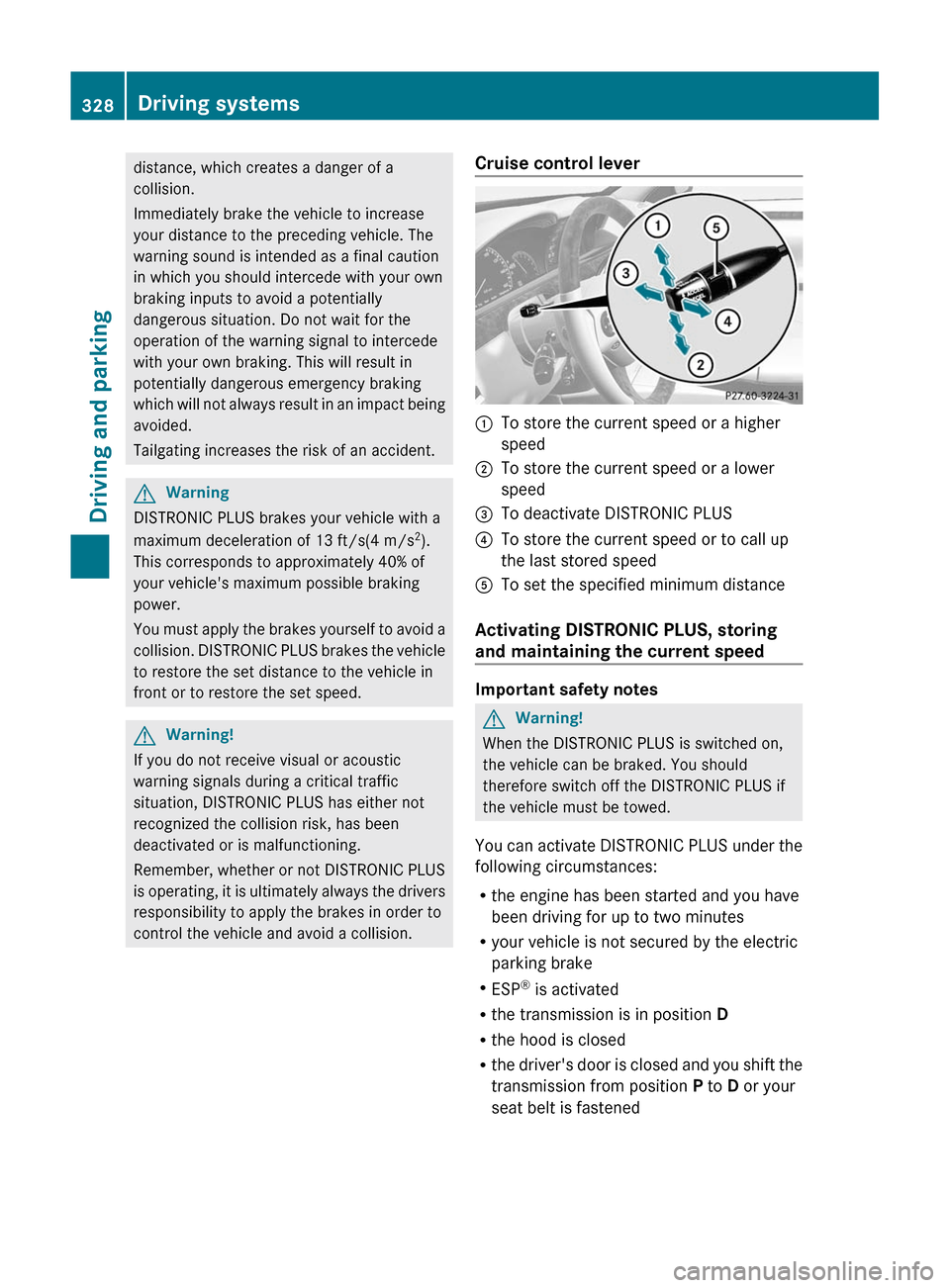
Cruise control lever:To store the current speed or a higher
speed;To store the current speed or a lower
speed=To deactivate DISTRONIC PLUS?To store the current speed or to call up
the last stored speedATo set the specified minimum distance
Activating DISTRONIC PLUS, storing
and maintaining the current speed
Important safety notes
GWarning!
When the DISTRONIC PLUS is switched on,
the vehicle can be braked. You should
therefore switch off the DISTRONIC PLUS if
the vehicle must be towed.
You can activate DISTRONIC PLUS under the
following circumstances:
R the engine has been started and you have
been driving for up to two minutes
R your vehicle is not secured by the electric
parking brake
R ESP ®
is activated
R the transmission is in position D
R the hood is closed
R the driver's door is closed and you shift the
transmission from position P to D or your
seat belt is fastened
328Driving systemsDriving and parking
Page 342 of 524

GWarning!
Make sure no persons or animals are in or
near the area in which you are parking/
maneuvering. Otherwise, they could be
injured.
PARKTRONIC is an electronic parking aid with
ultrasonic sensors. It indicates visually and
audibly the distance between your vehicle
and an object.
PARKTRONIC is activated automatically when
you:
Rswitch on the ignition.
Rshift the transmission to position D, R or
N.
Rrelease the electric parking brake.
PARKTRONIC is deactivated at speeds above
11 mph (18 km/h). It is reactivated at lower
speeds.
PARKTRONIC monitors the area around your
vehicle using six sensors in the front bumper
and four sensors in the rear bumper.
:Sensors in the front bumper, left-hand
side (example)
Range of the sensors
The sensors must be free of dirt, ice and
slush; otherwise they may not function
correctly. Clean the sensors regularly, taking
care not to scratch or damage them
(Y page 456).
Side view
Top view
Front sensors
CenterApprox. 40 in (100 cm)CornersApprox. 24 in (60 cm)
Rear sensors
CenterApprox. 48 in (120 cm)CornersApprox. 32 in (80 cm)
! When parking, pay particular attention to
objects above or below the sensors, such
as flower pots or trailer drawbars.
PARKTRONIC does not detect such objects
when they are in the immediate vicinity of
the vehicle. You could damage the vehicle
or the objects.
Ultrasonic sources such as an automatic
car wash, a truck's compressed-air brakes
or a pneumatic drill could cause
PARKTRONIC to malfunction.
340Driving systemsDriving and parking
Page 373 of 524
XTo select a station using the station
search23: press and briefly hold the 9
or : button.
XPress a to stop the station search
function at the desired station.
Audio player or audio media operation
XSwitch on COMAND and select the audio
device or audio medium (Y page 217).
XPress the = or ; button on the
steering wheel to select the Audio menu.
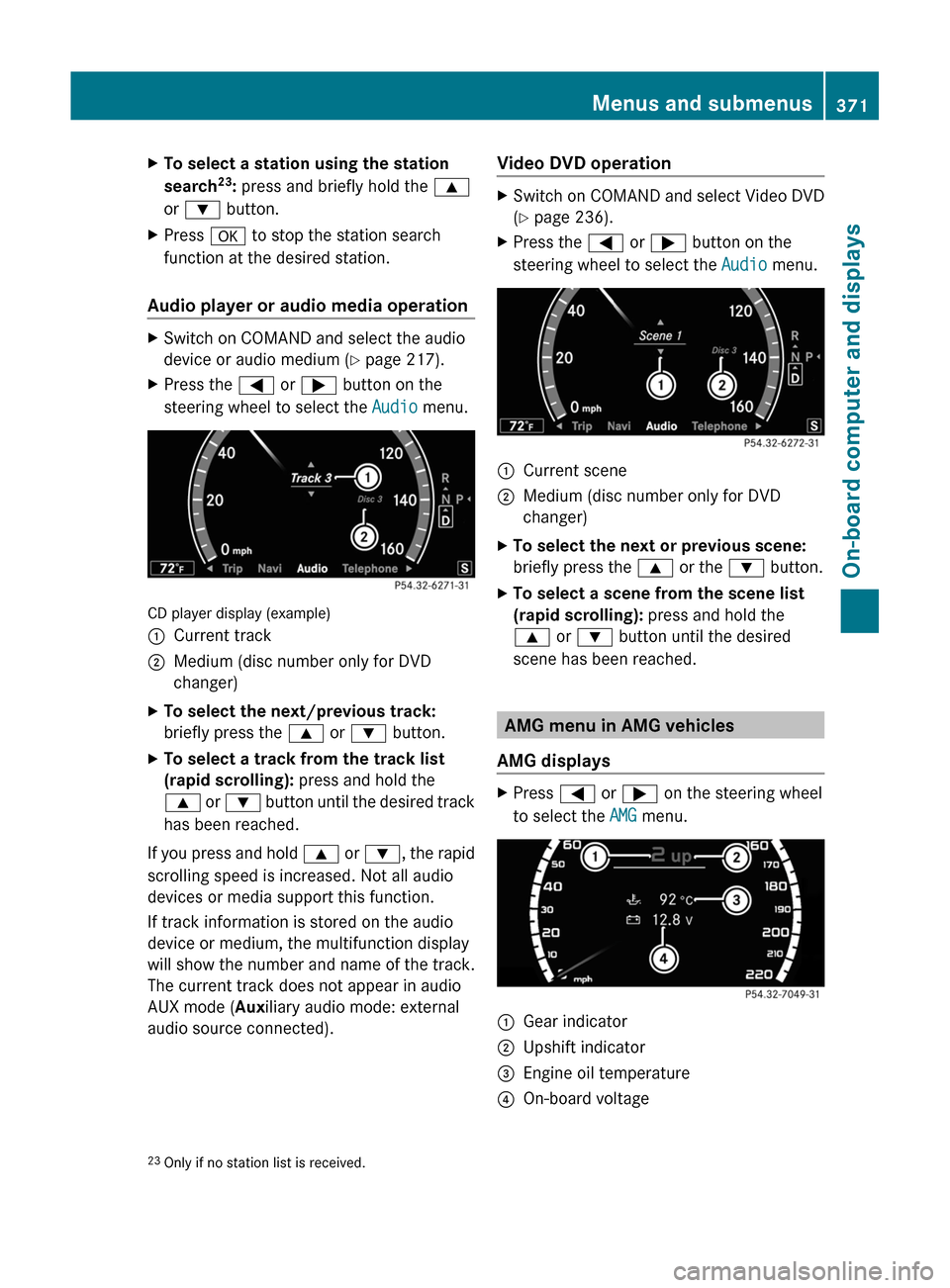
CD player display (example)
:Current track;Medium (disc number only for DVD
changer)
XTo select the next/previous track:
briefly press the 9 or : button.
XTo select a track from the track list
(rapid scrolling): press and hold the
9 or : button until the desired track
has been reached.
If you press and hold 9 or :, the rapid
scrolling speed is increased. Not all audio
devices or media support this function.
If track information is stored on the audio
device or medium, the multifunction display
will show the number and name of the track.
The current track does not appear in audio
AUX mode (Auxiliary audio mode: external
audio source connected).
Video DVD operationXSwitch on COMAND and select Video DVD
(Y page 236).
XPress the = or ; button on the
steering wheel to select the Audio menu.
:Current scene;Medium (disc number only for DVD
changer)
XTo select the next or previous scene:
briefly press the 9 or the : button.
XTo select a scene from the scene list
(rapid scrolling): press and hold the
9 or : button until the desired
scene has been reached.
AMG menu in AMG vehicles
AMG displays
XPress = or ; on the steering wheel
to select the AMG menu.
:Gear indicator;Upshift indicator=Engine oil temperature?On-board voltage23Only if no station list is received.Menus and submenus371On-board computer and displaysZ
Page 374 of 524

Upshift indicator up ; indicates that the
engine has reached the overrevving range
when in the manual gearshift program.
Upshift indicator up ; fades out other
messages until you have shifted up.
When the engine oil temperature is below
80 †, the oil temperature is shown in blue.
Avoid driving at full engine output during this
time.
RACETIMER
Displaying and starting RACETIMER
GWarning
The RACETIMER feature is only for use on
roads and in conditions where high speed
driving is permitted. Racing on public roads is
prohibited under all circumstances. The driver
is and must always remain responsible for
following posted speed limits.
You can use the RACETIMER to store lap
times.
When RACETIMER is displayed, you cannot
adjust the volume using the W and X
buttons on the steering wheel.
XPress = or ; on the steering wheel
to select the AMG menu.
XPress the 9 button repeatedly until the
RACETIMER is shown.
:Gear indicator;Seconds indicator=RACETIMER?LapYou can start the RACETIMER when the
engine is running or if the key is in position
2 in the ignition lock.
XTo start: press the W button to start the
RACETIMER.
XTo display the intermediate time: press
X to show the intermediate time.
The intermediate time is displayed for five
seconds.
XTo stop: press the W button to stop the
RACETIMER.
The RACETIMER interrupts timing when you
stop the vehicle and turn the key to position
1 in the ignition lock. When you turn the key
to position 2 or 3 and then press the W
button, timing is continued.
Storing the lap time and starting a new lap
It is possible to store a maximum of sixteen
laps.
XPress the X button on the steering
wheel to show the intermediate time during
timing.
The intermediate time is displayed for five
seconds.
XPress the X button again within five
seconds.
The displayed intermediate time is stored
as a lap time.
Timing starts for a new lap. The new lap is
timed from when the intermediate time is
called up.
:Gear indicator;RACETIMER=Fastest lap time (best lap)372Menus and submenusOn-board computer and displays
Page 392 of 524
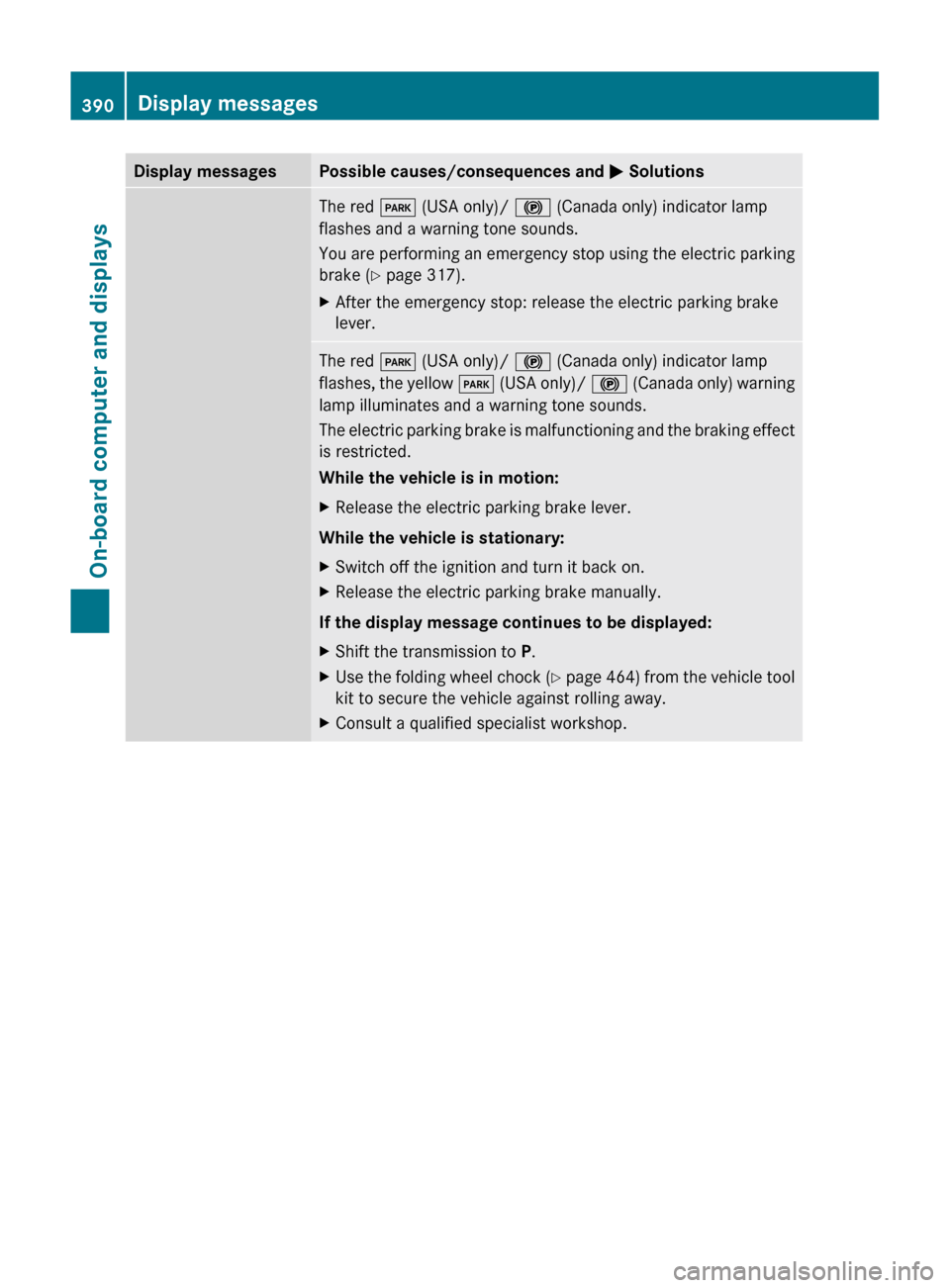
Display messagesPossible causes/consequences and M SolutionsThe red F (USA only)/ ! (Canada only) indicator lamp
flashes and a warning tone sounds.
You are performing an emergency stop using the electric parking
brake ( Y page 317).XAfter the emergency stop: release the electric parking brake
lever.The red F (USA only)/ ! (Canada only) indicator lamp
flashes, the yellow F (USA only)/ ! (Canada only) warning
lamp illuminates and a warning tone sounds.
The electric parking brake is malfunctioning and the braking effect
is restricted.
While the vehicle is in motion:XRelease the electric parking brake lever.
While the vehicle is stationary:
XSwitch off the ignition and turn it back on.XRelease the electric parking brake manually.
If the display message continues to be displayed:
XShift the transmission to P.XUse the folding wheel chock (Y page 464) from the vehicle tool
kit to secure the vehicle against rolling away.XConsult a qualified specialist workshop.390Display messagesOn-board computer and displays
Page 393 of 524
Display messagesPossible causes/consequences and M SolutionsF
(USA only)
!
(Canada only)
Parking brake See
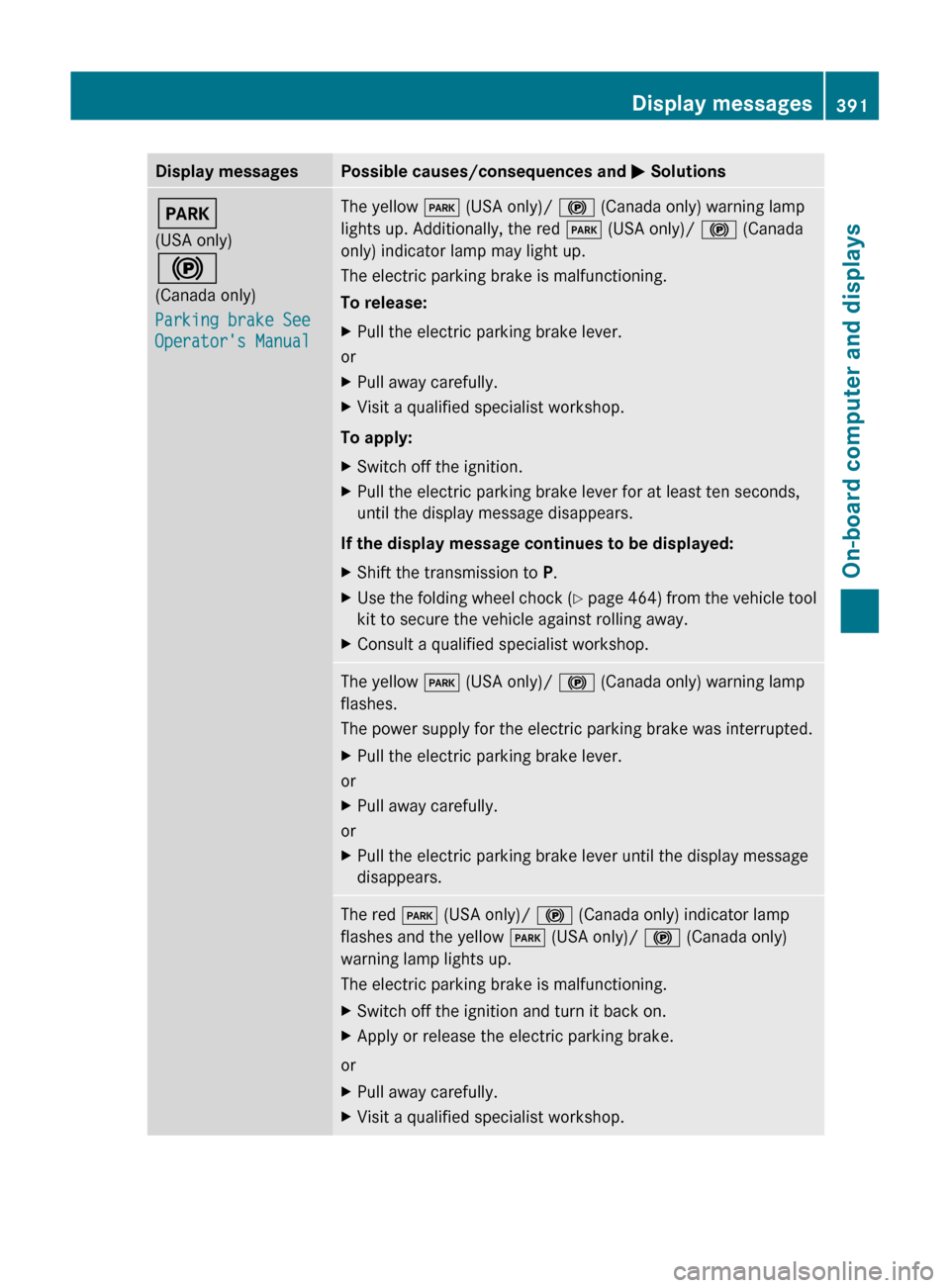
Operator's ManualThe yellow F (USA only)/ ! (Canada only) warning lamp
lights up. Additionally, the red F (USA only)/ ! (Canada
only) indicator lamp may light up.
The electric parking brake is malfunctioning.
To release:XPull the electric parking brake lever.
or
XPull away carefully.XVisit a qualified specialist workshop.
To apply:
XSwitch off the ignition.XPull the electric parking brake lever for at least ten seconds,
until the display message disappears.
If the display message continues to be displayed:
XShift the transmission to P.XUse the folding wheel chock (Y page 464) from the vehicle tool
kit to secure the vehicle against rolling away.XConsult a qualified specialist workshop.The yellow F (USA only)/ ! (Canada only) warning lamp
flashes.
The power supply for the electric parking brake was interrupted.XPull the electric parking brake lever.
or
XPull away carefully.
or
XPull the electric parking brake lever until the display message
disappears.The red F (USA only)/ ! (Canada only) indicator lamp
flashes and the yellow F (USA only)/ ! (Canada only)
warning lamp lights up.
The electric parking brake is malfunctioning.XSwitch off the ignition and turn it back on.XApply or release the electric parking brake.
or
XPull away carefully.XVisit a qualified specialist workshop.Display messages391On-board computer and displaysZ
Page 395 of 524

Display messagesPossible causes/consequences and M SolutionsF
(USA only)
!
(Canada only)
Pkg Brake
InoperativeThe yellow F (USA only)/ ! (Canada only) warning lamp
lights up. The red F (USA only)/ ! (Canada only) indicator
lamp flashes for approximately 10 seconds after application or
release F (USA only)/ ! (Canada only). It then goes out or
remains lit.
The electric parking brake is malfunctioning.XSwitch the ignition off and on, and then apply the electric
parking brake.
If it is not possible to apply the electric parking brake:
XShift the transmission to P.XUse the folding wheel chock (Y page 464) from the vehicle tool
kit to secure the vehicle against rolling away.XConsult a qualified specialist workshop.F
(USA only)
!
(Canada only)
Turn On the
Ignition to
Release the
Parking BrakeThe red F (USA only)/ ! (Canada only) indicator lamp lights
up.
You have attempted to release the electric parking brake with the
ignition switched off.XKey: turn the key to position 1 in the ignition lock.XKEYLESS-GO: switch on the ignition.$
(USA only)
J
(Canada only)
Service See Oper.
ManualThere is a malfunction in the system. The brake system continues
to operate normally.XDrive on carefully.XVisit a qualified specialist workshop.$
(USA only)
J
(Canada only)
Check Brake Fluid
LevelGRisk of accident
There is insufficient brake fluid in the brake fluid reservoir.
Additionally, the red $ (USA only)/ J (Canada only)
warning lamp lights up in the instrument cluster and a warning
tone sounds.
XPull over and stop the vehicle safely as soon as possible, paying
attention to road and traffic conditions. Do not continue driving
under any circumstances.XApply the parking brake.XConsult a qualified specialist workshop.XDo not add brake fluid. This will not rectify the malfunction.Display messages393On-board computer and displaysZ
Page 403 of 524

Driving systemsDisplay messagesPossible causes/consequences and M SolutionsÀ
Attention Assist:
Drowsiness
detectedBased on certain criteria, ATTENTION ASSIST has detected fatigue
or a lack of concentration on the part of the driver. A warning tone
also sounds.XIf necessary, take a break.
During long journeys, take regular breaks in good time so you get
enough rest.
À
Attention Assist
InoperativeATTENTION ASSIST is inoperative.XVisit a qualified specialist workshop.Á
Night View Assist
InoperativeNight View Assist Plus is faulty.XVisit a qualified specialist workshop.Á
Night View Assist
Currently
UnavailableThe temperature of the camera is too high.XWait until you see the Night View Assist Available
Again display message.
You can also:
XFold the camera cover down ( Y page 457).XAdjust the air distribution of the automatic air conditioning
upwards.Á
Night View Assist
Lights Must Be Set
to AUTO or ONA condition for activating Night View Assist Plus has not been met.XTurn the light switch to c or L .Á
Night View Assist
Not in Reverse GearA condition for activating Night View Assist Plus has not been met.XShift the transmission to P, N or D.Á
Night View Assist
Lights ON or AUTO,
Not in R GearA condition for activating Night View Assist Plus has not been met.XTurn the light switch to c or L .XShift the transmission to P, N or D.Display messages401On-board computer and displaysZ