2011 MERCEDES-BENZ E-Class COUPE display
[x] Cancel search: displayPage 112 of 344
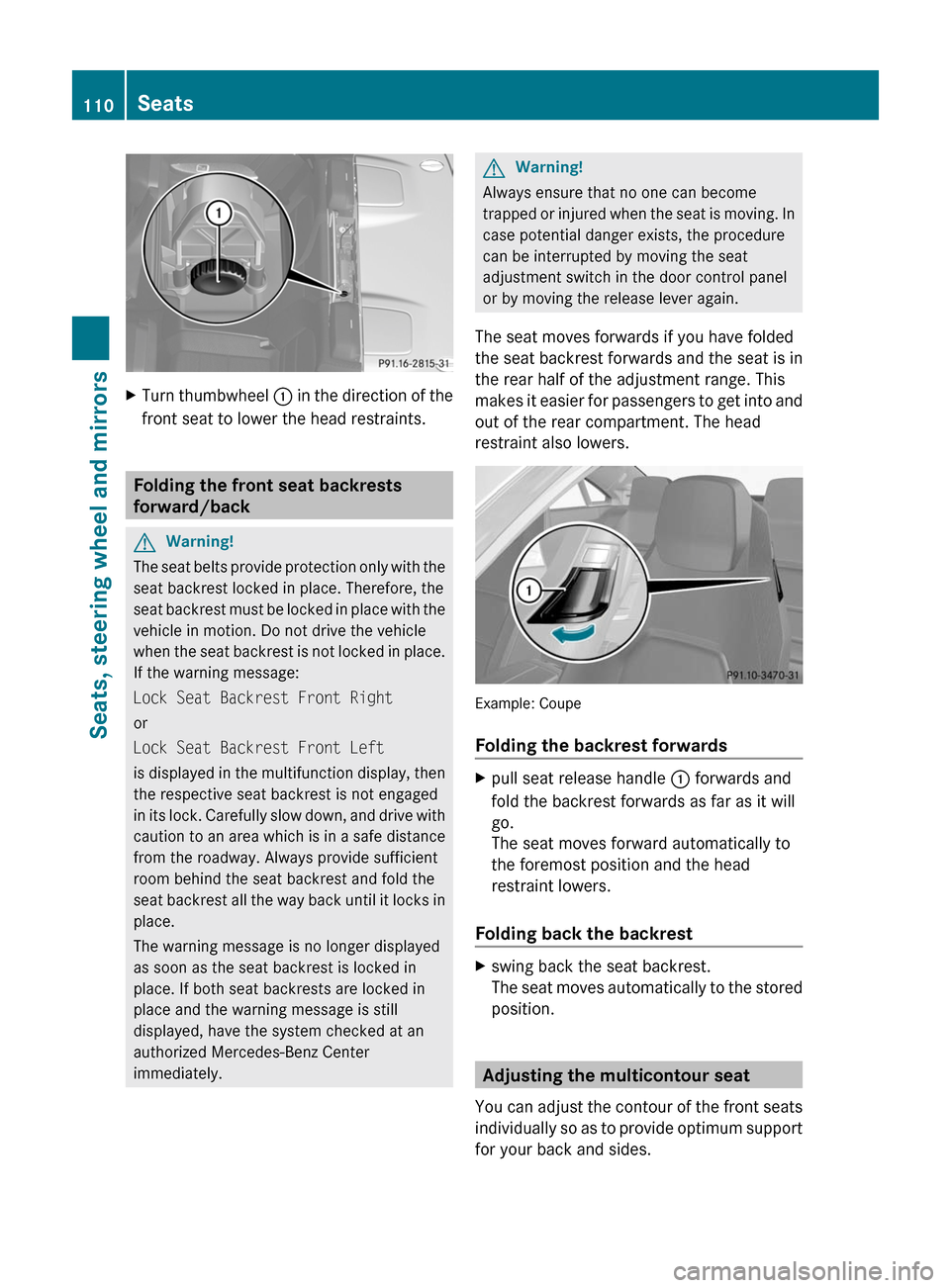
XTurn thumbwheel : in the direction of the
front seat to lower the head restraints.
Folding the front seat backrests
forward/back
GWarning!
The seat belts provide protection only with the
seat backrest locked in place. Therefore, the
seat backrest must be locked in place with the
vehicle in motion. Do not drive the vehicle
when the seat backrest is not locked in place.
If the warning message:
Lock Seat Backrest Front Right
or
Lock Seat Backrest Front Left
is displayed in the multifunction display, then
the respective seat backrest is not engaged
in its lock. Carefully slow down, and drive with
caution to an area which is in a safe distance
from the roadway. Always provide sufficient
room behind the seat backrest and fold the
seat backrest all the way back until it locks in
place.
The warning message is no longer displayed
as soon as the seat backrest is locked in
place. If both seat backrests are locked in
place and the warning message is still
displayed, have the system checked at an
authorized Mercedes-Benz Center
immediately.
GWarning!
Always ensure that no one can become
trapped or injured when the seat is moving. In
case potential danger exists, the procedure
can be interrupted by moving the seat
adjustment switch in the door control panel
or by moving the release lever again.
The seat moves forwards if you have folded
the seat backrest forwards and the seat is in
the rear half of the adjustment range. This
makes it easier for passengers to get into and
out of the rear compartment. The head
restraint also lowers.
Example: Coupe
Folding the backrest forwards
Xpull seat release handle : forwards and
fold the backrest forwards as far as it will
go.
The seat moves forward automatically to
the foremost position and the head
restraint lowers.
Folding back the backrest
Xswing back the seat backrest.
The seat moves automatically to the stored
position.
Adjusting the multicontour seat
You can adjust the contour of the front seats
individually so as to provide optimum support
for your back and sides.
110SeatsSeats, steering wheel and mirrors
BA 207 USA, CA Edition B 2011; 1; 3, en-USd2sboikeVersion: 3.0.3.62010-05-20T10:38:09+02:00 - Seite 110
Page 137 of 344

Control panel for the dual-zone automatic climate control
For Canada only
FunctioniNotes/tips:Activates/deactivates air-
recirculation mode
Only use "air-recirculation" mode briefly, e.g. if there
are unpleasant outside odors or when in a tunnel. The
windows could otherwise fog up as, in air-
recirculation mode, no fresh air is drawn into the
vehicle.
;Defrosts the windshieldOnly use the "defrosting" function briefly until the
windshield is clear again.
=Switches the ZONE function
on/off
Use the ZONE function to adopt the temperature
settings on the driver's side for the front-passenger
side as well. The indicator lamp above the á
button goes out.
?DisplayASets climate control to
automatic
Activate climate control using the à and ¿
buttons. The indicator lamps above the à and
¿ buttons light up.
BSwitches cooling with air
dehumidification on/off
Activate climate control using the à and ¿
buttons. The indicator lamps above the à and
¿ buttons light up.
CSwitches the rear window
heating on/off
DSwitches climate control on/
off
ESets the temperature, rightSet the temperature to 72 ‡ (22 †).FSets the air distributionOverview of climate control systems135Climate controlBA 207 USA, CA Edition B 2011; 1; 3, en-USd2sboikeVersion: 3.0.3.62010-05-20T10:38:09+02:00 - Seite 135Z
Page 139 of 344
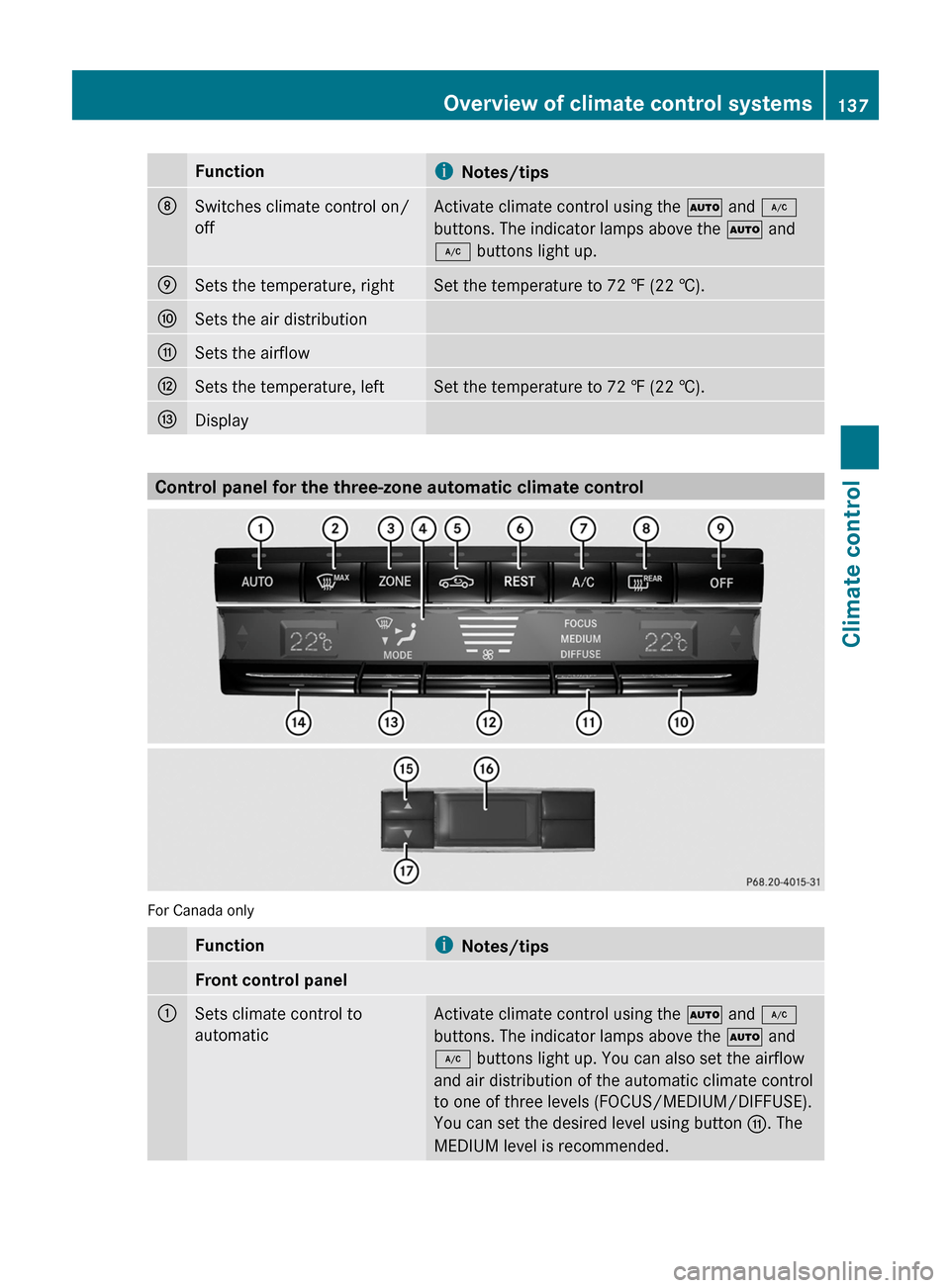
FunctioniNotes/tipsDSwitches climate control on/
off
Activate climate control using the à and ¿
buttons. The indicator lamps above the à and
¿ buttons light up.
ESets the temperature, rightSet the temperature to 72 ‡ (22 †).FSets the air distributionGSets the airflowHSets the temperature, leftSet the temperature to 72 ‡ (22 †).IDisplay
Control panel for the three-zone automatic climate control
For Canada only
FunctioniNotes/tipsFront control panel:Sets climate control to
automatic
Activate climate control using the à and ¿
buttons. The indicator lamps above the à and
¿ buttons light up. You can also set the airflow
and air distribution of the automatic climate control
to one of three levels (FOCUS/MEDIUM/DIFFUSE).
You can set the desired level using button G. The
MEDIUM level is recommended.
Overview of climate control systems137Climate controlBA 207 USA, CA Edition B 2011; 1; 3, en-USd2sboikeVersion: 3.0.3.62010-05-20T10:38:09+02:00 - Seite 137Z
Page 140 of 344
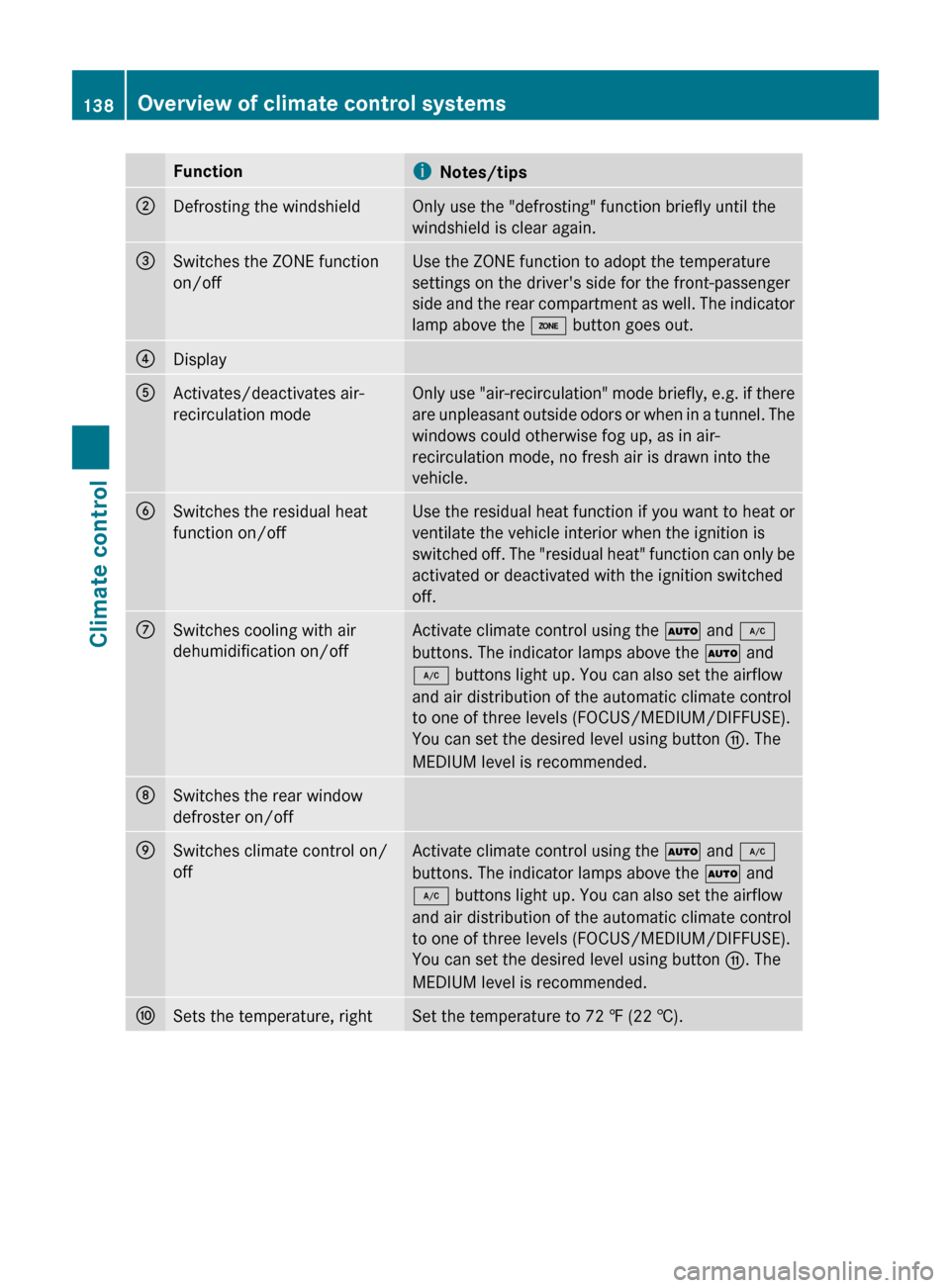
FunctioniNotes/tips;Defrosting the windshieldOnly use the "defrosting" function briefly until the
windshield is clear again.=Switches the ZONE function
on/offUse the ZONE function to adopt the temperature
settings on the driver's side for the front-passenger
side and the rear compartment as well. The indicator
lamp above the á button goes out.?DisplayAActivates/deactivates air-
recirculation modeOnly use "air-recirculation" mode briefly, e.g. if there
are unpleasant outside odors or when in a tunnel. The
windows could otherwise fog up, as in air-
recirculation mode, no fresh air is drawn into the
vehicle.BSwitches the residual heat
function on/offUse the residual heat function if you want to heat or
ventilate the vehicle interior when the ignition is
switched off. The "residual heat" function can only be
activated or deactivated with the ignition switched
off.CSwitches cooling with air
dehumidification on/offActivate climate control using the à and ¿
buttons. The indicator lamps above the à and
¿ buttons light up. You can also set the airflow
and air distribution of the automatic climate control
to one of three levels (FOCUS/MEDIUM/DIFFUSE).
You can set the desired level using button G. The
MEDIUM level is recommended.DSwitches the rear window
defroster on/offESwitches climate control on/
offActivate climate control using the à and ¿
buttons. The indicator lamps above the à and
¿ buttons light up. You can also set the airflow
and air distribution of the automatic climate control
to one of three levels (FOCUS/MEDIUM/DIFFUSE).
You can set the desired level using button G. The
MEDIUM level is recommended.FSets the temperature, rightSet the temperature to 72 ‡ (22 †).138Overview of climate control systemsClimate control
BA 207 USA, CA Edition B 2011; 1; 3, en-USd2sboikeVersion: 3.0.3.62010-05-20T10:38:09+02:00 - Seite 138
Page 141 of 344
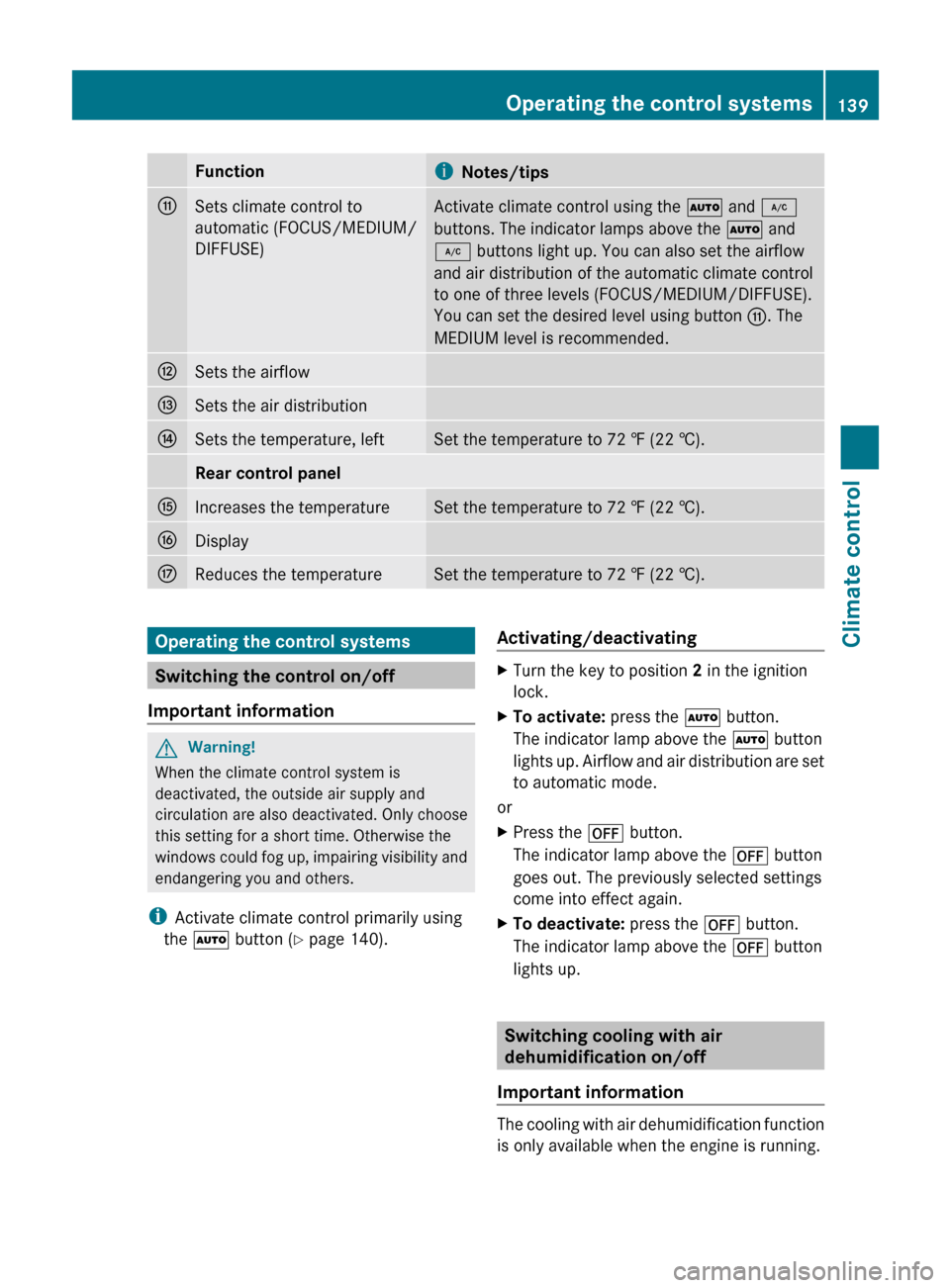
FunctioniNotes/tipsGSets climate control to
automatic (FOCUS/MEDIUM/
DIFFUSE)Activate climate control using the à and ¿
buttons. The indicator lamps above the à and
¿ buttons light up. You can also set the airflow
and air distribution of the automatic climate control
to one of three levels (FOCUS/MEDIUM/DIFFUSE).
You can set the desired level using button G. The
MEDIUM level is recommended.HSets the airflowISets the air distributionJSets the temperature, leftSet the temperature to 72 ‡ (22 †).Rear control panelKIncreases the temperatureSet the temperature to 72 ‡ (22 †).LDisplayMReduces the temperatureSet the temperature to 72 ‡ (22 †).Operating the control systems
Switching the control on/off
Important information
GWarning!
When the climate control system is
deactivated, the outside air supply and
circulation are also deactivated. Only choose
this setting for a short time. Otherwise the
windows could fog up, impairing visibility and
endangering you and others.
i Activate climate control primarily using
the à button ( Y page 140).
Activating/deactivatingXTurn the key to position 2 in the ignition
lock.XTo activate: press the à button.
The indicator lamp above the à button
lights up. Airflow and air distribution are set
to automatic mode.
or
XPress the ^ button.
The indicator lamp above the ^ button
goes out. The previously selected settings
come into effect again.XTo deactivate: press the ^ button.
The indicator lamp above the ^ button
lights up.
Switching cooling with air
dehumidification on/off
Important information
The cooling with air dehumidification function
is only available when the engine is running.
Operating the control systems139Climate controlBA 207 USA, CA Edition B 2011; 1; 3, en-USd2sboikeVersion: 3.0.3.62010-05-20T10:38:09+02:00 - Seite 139Z
Page 144 of 344
bdirects the airflow through the
defroster, center and side air vents 12adirects the airflow through the footwell
and defroster vents
i Regardless of the air distribution setting,
airflow is always directed through the side
air vents. The side air vents can only be
closed when the controls on the side air
vents are turned downwards.
Dual-zone automatic climate control
XTurn the key to position 2 in the ignition
lock.XPress switch F up or down repeatedly until
the desired symbol appears in the display
( Y page 135).
3-zone automatic climate control
XTurn the key to position 2 in the ignition
lock.XPress switch F11
or I12
up or down
repeatedly until the desired symbol
appears in the display ( Y page 137).
Setting the airflow
Dual-zone automatic climate control
XTurn the SmartKey to position 2 in the
ignition lock.XTo increase/reduce: press switch G up
or down ( Y page 135).
3-zone automatic climate control
XTurn the SmartKey to position 2 in the
ignition lock.XTo increase/reduce: press switch H up
or down ( Y page 137).Switching the ZONE function on/offXTo switch on: press the á button
( Y page 135), ( Y page 137).
The indicator lamp above the á button
lights up.
Dual-zone automatic climate control: the
temperature setting for the driver's side is
not adopted for the front-passenger side.
3-zone automatic climate control: the
temperature setting on the driver's side is
not adopted for the front-passenger side or
the rear compartment.
When the buttons for temperature, airflow or
air distribution are activated, the temperature
setting on the driver's side is not adopted for
the other climate control zones.
XTo switch off: press the á button
( Y page 135), ( Y page 137).
The indicator lamp above the á button
goes out.
Dual-zone automatic climate control: the
temperature setting for the driver's side is
not adopted for the front-passenger side.
3-zone automatic climate control: the
temperature setting on the driver's side is
not adopted for the front-passenger side or
the rear compartment.
Defrosting the windshield
You can use this function to defrost the
windshield or to defrost the inside of the
windshield and the side windows.
i You should only select the defrosting
function until the windshield is clear again.
XTurn the SmartKey to position 2 in the
ignition lock.XTo activate: press the ¬ button.
The indicator lamp above the ¬ button
lights up.12 Canada only.
11 USA only.142Operating the control systemsClimate control
BA 207 USA, CA Edition B 2011; 1; 3, en-USd2sboikeVersion: 3.0.3.62010-05-20T10:38:09+02:00 - Seite 142
Page 145 of 344
The climate control system switches to the
following functions:
R cooling with air dehumidification on
R high airflow 13
R high temperature 13
R air distribution to the windshield and
front side windows
R air-recirculation mode offXTo deactivate: press the ¬ button.
The indicator lamp above the ¬ button
goes out. The previously selected settings
come into effect again. The cooling with air
dehumidification function remains on. Air-
recirculation mode remains deactivated.
or
XPress the à button.
The indicator lamp above the ¬ button
goes out. Airflow and air distribution are set
to automatic mode.
or
XDual-zone automatic climate control:
press switch E or H up or down
( Y page 135).
3-zone automatic climate control: press
switch F or J up or down ( Y page 137).
or
XDual-zone automatic climate control:
press switch G up or down ( Y page 135).
3-zone automatic climate control: press
switch H up or down ( Y page 137).
Maximum cooling MAX COOL
The MAX COOL function is only available in
vehicles for the USA.
MAX COOL is only operational when the
engine is running.
When you activate MAX COOL, climate
control switches to the following functions:
R maximum cooling
R maximum airflow
R air-recirculation mode onXTo activate: press the Ù button.
The indicator lamp above the button lights
up.XTo deactivate: press the Ù button
again.
The indicator lamp goes out. The previously
selected settings come into effect again.
Defrosting the windows
Windows fogged up on the inside
XActivate the "cooling with air
dehumidification" function ¿.XActivate automatic mode Ã.XIf the windows continue to fog up, activate
the defrosting function ( Y page 142).
i
You should only select this setting until
the windshield is clear again.
Windows fogged up on the outside
XSwitch on the windshield wipers.Xdual-zone automatic climate control:
press switch F up or down ( Y page 135)
until the P or O symbol appears in
the display.X3-zone automatic climate control: press
switch I up or down (Y page 137) until the
P or O symbol appears in the
display.
i You should only select this setting until
the windshield is clear again.
13 Depending on the outside temperature.Operating the control systems143Climate controlBA 207 USA, CA Edition B 2011; 1; 3, en-USd2sboikeVersion: 3.0.3.62010-05-20T10:38:09+02:00 - Seite 143Z
Page 152 of 344
Vehicle equipment
i This manual describes all the standard
and optional equipment of your vehicle
which was available at the time of
purchase. Country-specific differences are
possible. Bear in mind that your vehicle
may not feature all functions described
here. This also refers to safety-related
systems and functions.
Notes on breaking-in a new vehicle
The first 1000 miles (1500 km)
The more you look after the engine when it is
new, the happier you will be with its
performance in the future.
R Drive at varying vehicle speeds and engine
speeds for the first 1000 miles (1500 km)
for this reason.
R Avoid overstraining the vehicle during this
period, e.g. driving at full throttle.
R Change gear in good time, at the latest
when the tachometer needle is 2
/ 3 of the
way to the red area in the tachometer
display.
R If possible, do not depress the accelerator
pedal past the point of resistance
(kickdown).
R Only select shift ranges 3, 2 or 1 when
driving slowly, e.g. in mountainous terrain.
After 1000 miles (1500 km) you may
gradually bring the vehicle up to full road and
engine speeds.
i Also observe these breaking-in notes
when the vehicle's engine or axle gear have
been replaced.
i Always observe the respective limit
speeds.
Driving
Important safety notes
GWarning
Make sure absolutely no objects are
obstructing the pedals' range of movement.
Keep the driver's footwell clear of all
obstacles. If there are any floormats or
carpets in the footwell, make sure the pedals
still have sufficient clearance.
During sudden driving or braking maneuvers
the objects could get caught between the
pedals. You could then no longer brake or
accelerate. This could lead to accidents and
injury.
GWarning
On slippery road surfaces, never downshift in
order to obtain braking action. This could
result in drive wheel slip and reduced vehicle
control. Your vehicle's ABS will not prevent
this type of loss of control.
GWarning
It is dangerous to shift the automatic
transmission out of parking position P or
neutral position N if the engine speed is
higher than idle speed. If your foot is not firmly
on the brake pedal, the vehicle could
accelerate quickly forward or in reverse. You
could lose control of the vehicle and hit
someone or something. Only shift into gear
when the engine is idling normally and when
your right foot is firmly on the brake pedal.
! Warm up the engine quickly. Do not use
the engine's full performance until it has
reached operating temperature.
Only shift the automatic transmission to
the desired drive position when the vehicle
is stationary.
Where possible, avoid spinning the drive
wheels when pulling away on slippery
roads. You could otherwise damage the
drive train.
150DrivingDriving and parking
BA 207 USA, CA Edition B 2011; 1; 3, en-USd2sboikeVersion: 3.0.3.62010-05-20T10:38:09+02:00 - Seite 150