Page 392 of 821

322
3-2. Using the audio system
Adjusting sound quality and volume balance
Press to enter iPod menu mode.
Pressing changes sound modes. (→P. 335)
nAbout iPod
lApple is not responsible for the operation of this device or its compliance with
safety and regulatory standards.
liPod is a trademark of Apple Inc., registered in the U.S. and other countries.
niPod functions
lWhen an iPod is connected and the audio source is changed to iPod mode, the
iPod will resume play from the same point in which it was last used.
lDepending on the iPod that is connected to the system, certain functions may
not be available. If a function is unavailable due to a malfunction (as opposed to
a system specification), disconnecting the device and reconnecting it once
again may resolve the problem.
lWhile connected to the system, the iPod cannot be operated with its own con-
trols. It is necessary to use the controls of the vehicle’s audio system instead.
niPod problems
To resolve most problems encountered when using your iPod, disconnect your iPod
from the vehicle iPod connection and reset it.
For instructions on how to reset your iPod, refer to your iPod Owner's Manual.
nDisplay
→P. 3 0 3
STEP1
STEP2
Page 393 of 821
323
3-2. Using the audio system
3
Interior features
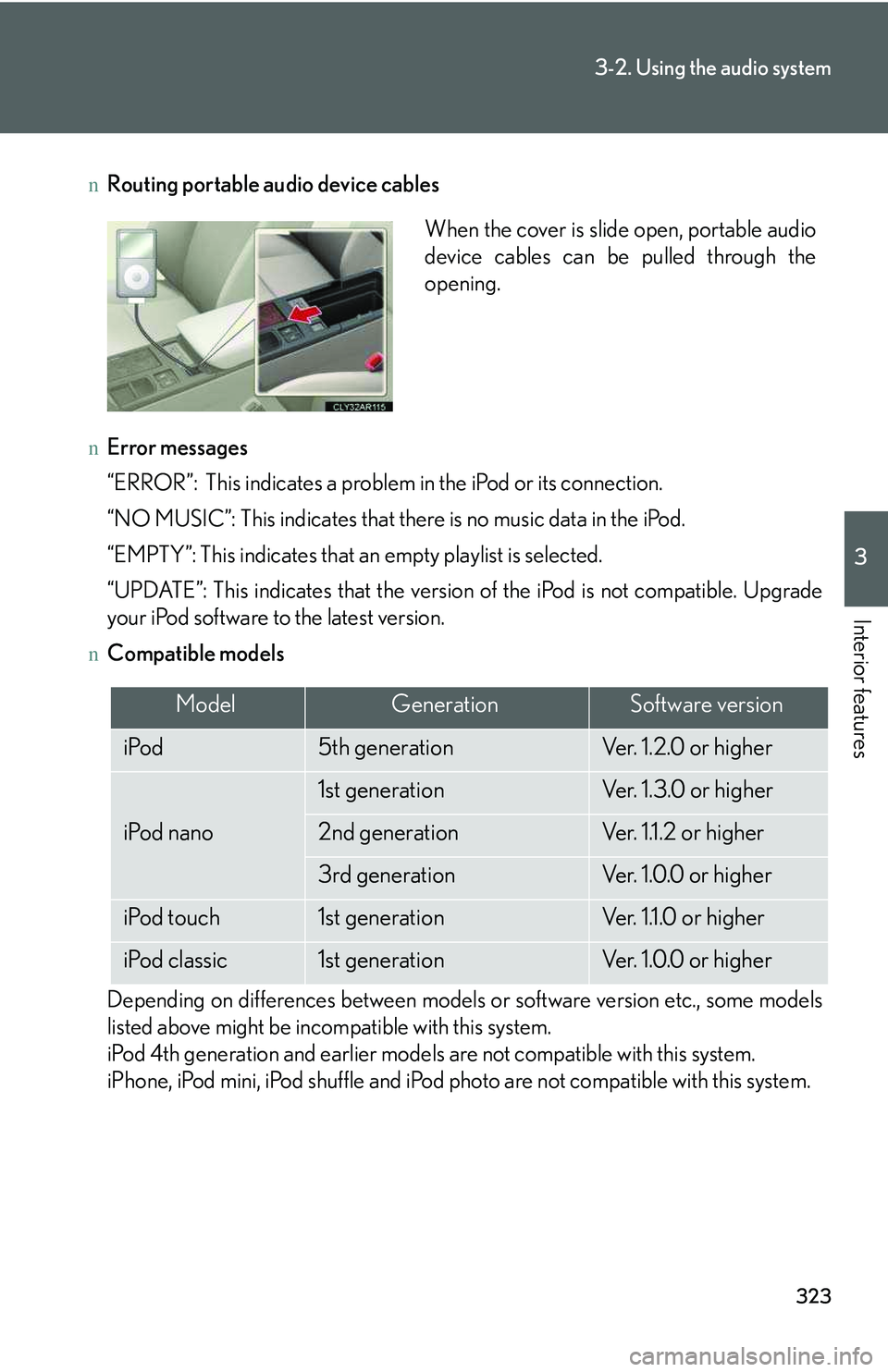
nRouting portable audio device cables
nError messages
“ERROR”: This indicates a problem in the iPod or its connection.
“NO MUSIC”: This indicates that there is no music data in the iPod.
“EMPTY”: This indicates that an empty playlist is selected.
“UPDATE”: This indicates that the version of the iPod is not compatible. Upgrade
your iPod software to the latest version.
nCompatible models
Depending on differences between models or software version etc., some models
listed above might be incompatible with this system.
iPod 4th generation and earlier models are not compatible with this system.
iPhone, iPod mini, iPod shuffle and iPod photo are not compatible with this system.
When the cover is slide open, portable audio
device cables can be pulled through the
opening.
ModelGenerationSoftware version
iPod5th generationVe r. 1 . 2 . 0 o r h i g h e r
iPod nano
1st generationVe r. 1 . 3 . 0 o r h i g h e r
2nd generationVer. 1.1.2 or higher
3rd generationVe r. 1 . 0 . 0 o r h i g h e r
iPod touch1st generationVer. 1.1.0 or higher
iPod classic1st generationVe r. 1 . 0 . 0 o r h i g h e r
Page 394 of 821
324
3-2. Using the audio system
Items related to standards and limitations are as follows:
lMaximum number of lists in device: 9999
lMaximum number of songs in device: 65025
lMaximum number of songs per list: 65025
CAUTION
nCaution while driving
Do not connect iPod or operate the controls.
NOTICE
nTo prevent damage to iPod
lDo not leave iPod in the vehicle. The temperature inside the vehicle may become
high, resulting in damage to the player.
lDo not push down on or apply unnecessary pressure to the iPod while it is con-
nected as this may damage the iPod or its terminal.
lDo not insert foreign objects into the port as this may damage the iPod or its ter-
minal.
Page 395 of 821
325
3-2. Using the audio system
3
Interior features
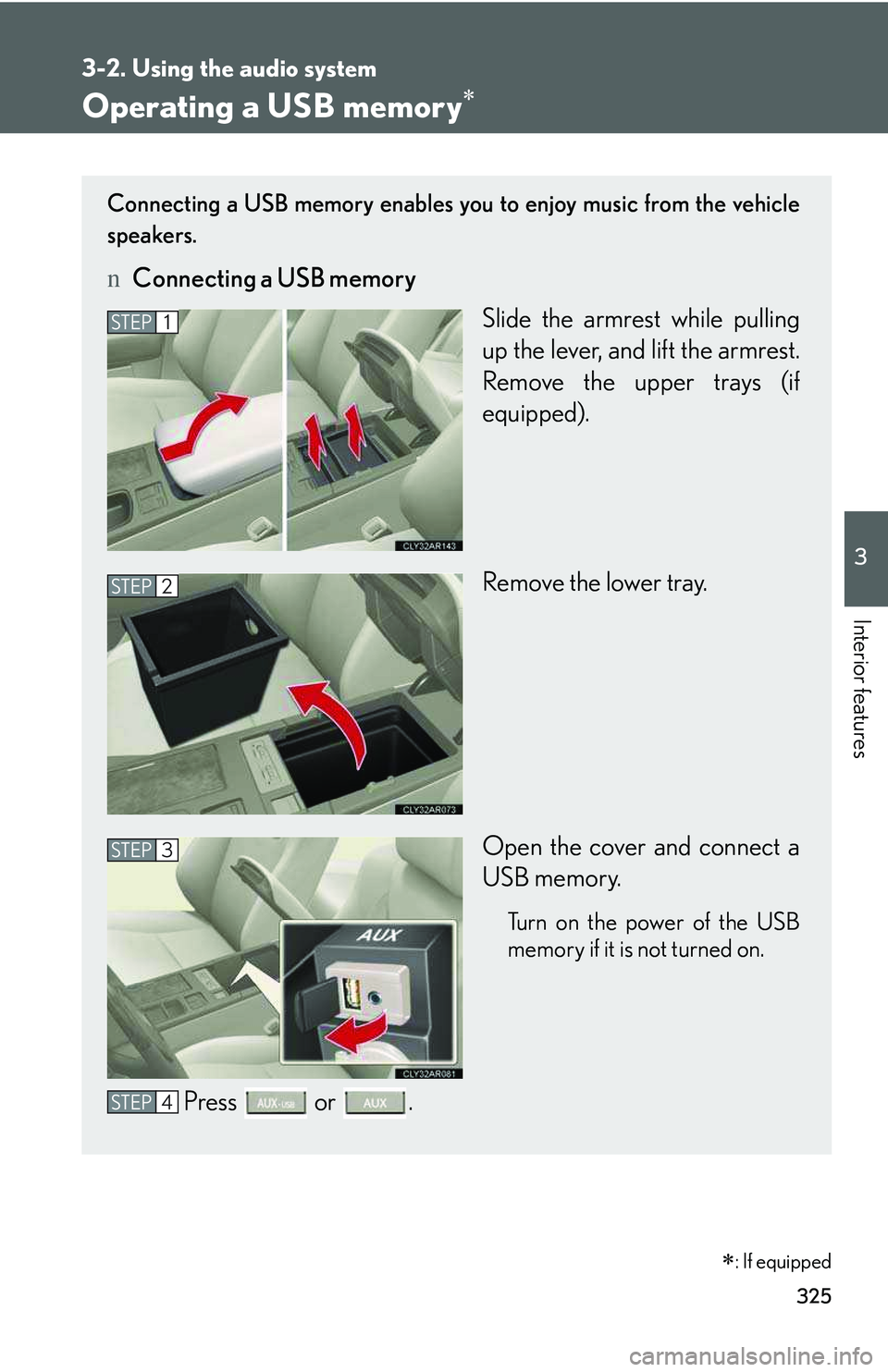
Operating a USB memory∗
Connecting a USB memory enables you to enjoy music from the vehicle
speakers.
nConnecting a USB memory
Slide the armrest while pulling
up the lever, and lift the armrest.
Remove the upper trays (if
equipped).
Remove the lower tray.
Open the cover and connect a
USB memory.
Turn on the power of the USB
memory if it is not turned on.
Press or .
STEP1
STEP2
STEP3
STEP4
∗: If equipped
Page 396 of 821
326
3-2. Using the audio system
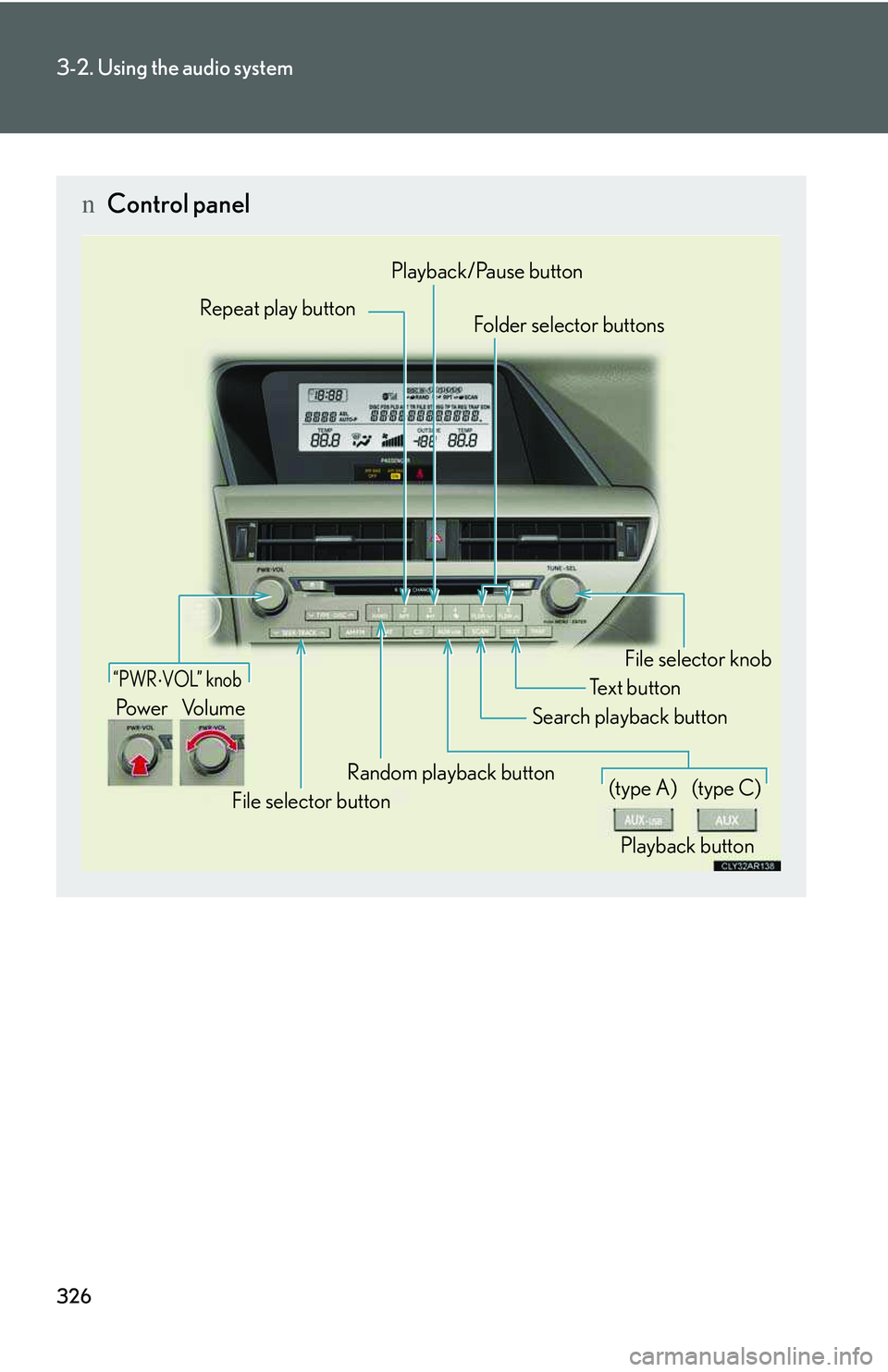
nControl panel
Repeat play buttonFolder selector buttons
Random playback button
File selector button
Search playback button
File selector knob
Playback/Pause button
Text button
“PWR ⋅ VOL” knob
Pow e r Vo l u m e
Playback button
(type A)(type C)
Page 397 of 821
327
3-2. Using the audio system
3
Interior features
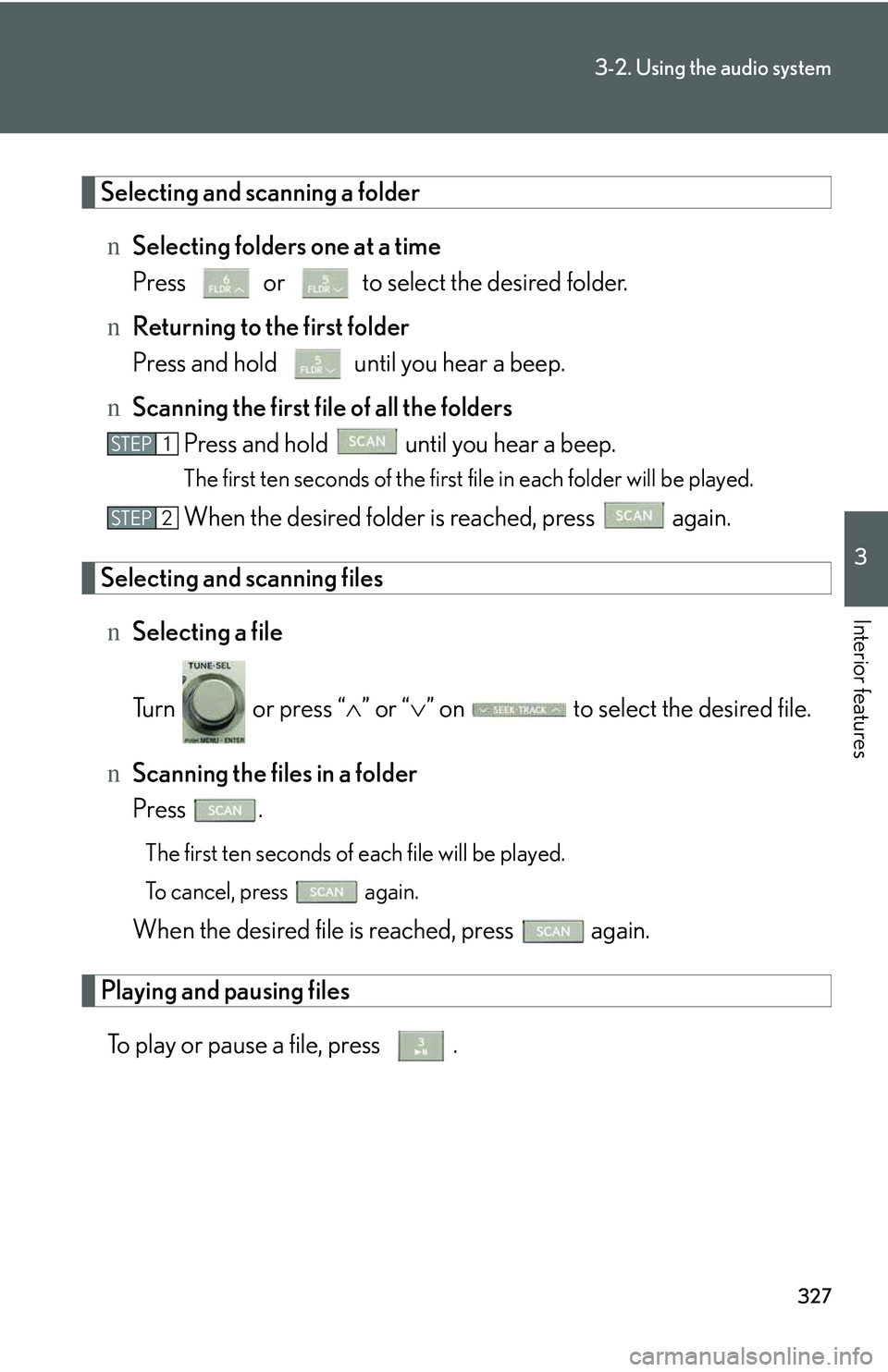
Selecting and scanning a folder
nSelecting folders one at a time
Press or to select the desired folder.
nReturning to the first folder
Press and hold until you hear a beep.
nScanning the first file of all the folders
Press and hold until you hear a beep.
The first ten seconds of the first file in each folder will be played.
When the desired folder is reached, press again.
Selecting and scanning files
nSelecting a file
Turn or press “∧” or “∨” on to select the desired file.
nScanning the files in a folder
Press .
The first ten seconds of each file will be played.
To cancel, press again.
When the desired file is reached, press again.
Playing and pausing files
To play or pause a file, press .
STEP1
STEP2
Page 398 of 821
328
3-2. Using the audio system
Fast-forwarding and rewinding files
To fast-forward or rewind, press and hold “∧” or “∨” on until
you hear a beep.
Random playback
nPlaying files from a folder in random order
Press .
To cancel, press again.
nPlaying all the files from a USB memory in random order
Press and hold until you hear a beep.
To cancel, press again.
Repeat play
nRepeating a file
Press .
To cancel, press again.
nRepeating all the files in a folder
Press and hold until you hear a beep.
To cancel, press again.
Switching the display
Press .
Each time the button is pressed, the display changes in the following order:
Elapsed time → Folder name → File name → Album title → Track title →
Artist name
Page 399 of 821
329
3-2. Using the audio system
3
Interior features
nUSB memory functions
lDepending on the USB memory that is connected to the system, the device
itself may not be operable and certain functions may not be available. If the
device is inoperable or a function is unavailable due to a malfunction (as
opposed to a system specification), disconnecting the device and reconnecting
it once again may resolve the problem.
lIf the USB memory still does not begin operation after being disconnected and
reconnected, format the memory.
nDisplay
→P. 3 0 3
nRouting portable audio device cables
→P. 3 2 3
nError messages
“ERROR”: This indicates a problem in the USB memory or its connection.
“NO MUSIC”: This indicates that no MP3/WMA files are included in the USB
memory.