Page 194 of 821

121
1-7. Safety information
1
Before driving
CAUTION
nSRS airbag precautions
lDo not place anything, such as a cushion, on the front passenger's seat. Doing so
will disperse the passenger's weight, which prevents the sensor from detecting
the passenger's weight properly. As a result, the SRS front passenger airbag may
not deploy in the event of a collision.
nModification and disposal of SRS airbag system components
Do not dispose of your vehicle or perform any of the following modifications with-
out consulting your Lexus dealer.
The SRS airbags may malfunction or deploy (inflate) accidentally, causing death or
serious injury.
lInstallation, removal, disassembly and repair of the SRS airbags
lRepairs, modifications, removal or replacement of the steering wheel, instrument
panel, dashboard, seats or seat upholstery, front, side and rear pillars or roof side
rails
lRepairs or modifications of the front fender, front bumper, or side of the occupant
compartment
lInstallation of snow plows, winches, etc. to the front grille (bull bars or kangaroo
bar etc.)
lModifications to the vehicle's suspension system
lInstallation of electronic devices such as mobile two-way radios or CD players
lModifications to your vehicle for a person with a physical disability
Page 288 of 821

216
2-4. Using other driving systems
nCertification
For vehicles sold in U.S.A.
FCC ID: HYQDNMWR005
This device complies with Part 15 of the FCC Rules. Operation is subject to the fol-
lowing two conditions: (1) this device may not cause harmful interference, and (2)
this device must accept any interference received, including interference that may
cause undesired operation.
FCC WARNING
Changes or modifications not expressly approved by the party responsible for
compliance could void the use’s authority to operate the equipment.
Radio frequency radiation exposure Information:
This equipment complies with FCC radiation exposure limits set forth for an uncon-
trolled environment.
This equipment should be installed and operated with minimum distance of 20 cm
between the radiator and your body.
This transmitter must not be co-located or operating in conjunction with any other
antenna or transmitter.
For vehicles sold in Canada
Operation is subject to the following two conditions: (1) this device may not cause
interference, and (2) this device must accept any interference, including interfer-
ence that may cause undesired operation of the device.
CAUTION
nBefore using dynamic radar cruise control
Do not overly rely on vehicle-to-vehicle distance control.
Be aware of the set speed. If automatic deceleration/acceleration is not appropri-
ate, adjust the vehicle speed, as well as the distance between your vehicle and vehi-
cles ahead by applying the brakes etc.
Page 314 of 821

242
2-4. Using other driving systems
When the system is activated in the situations described above, there is also a possi-
bility that the seat belts will retract quickly and the brakes will be applied with a force
greater than normal. When the seat belt is locked in the retracted position, stop the
vehicle in a safe place, release the seat belt and refasten it.
nObstacles not detected
The sensor cannot detect plastic obstacles such as traffic cones. There may also be
occasions when the sensor cannot detect pedestrians, animals, bicycles, motorcy-
cles, trees, or snowdrifts.
nWhen there is a malfunction in the system
Warning lights and/or warning messages will turn on or flash. (→P. 535, 545)
nCertification
For vehicles sold in U.S.A.
FCC ID: HYQDNMWR005
This device complies with Part 15 of the FCC Rules. Operation is subject to the fol-
lowing two conditions: (1) this device may not cause harmful interference, and (2)
this device must accept any interference received, including interference that may
cause undesired operation.
FCC WARNING
Changes or modifications not expressly approved by the party responsible for
compliance could void the user's authority to operate the equipment.
Radiofrequency radiation exposure Information:
This equipment complies with FCC radiation exposure limits set forth for an uncon-
trolled environment.
This equipment should be installed and operated with minimum distance of 20 cm
between the radiator (antenna) and your body.
This transmitter must not be co-located or operating in conjunction with any other
antenna or transmitter.
For vehicles sold in Canada
Operation is subject to the following two conditions: (1) this device may not cause
interference, and (2) this device must accept any interference, including interfer-
ence that may cause undesired operation of the device.
Page 353 of 821
283
3
Interior features
3-2. Using the audio system
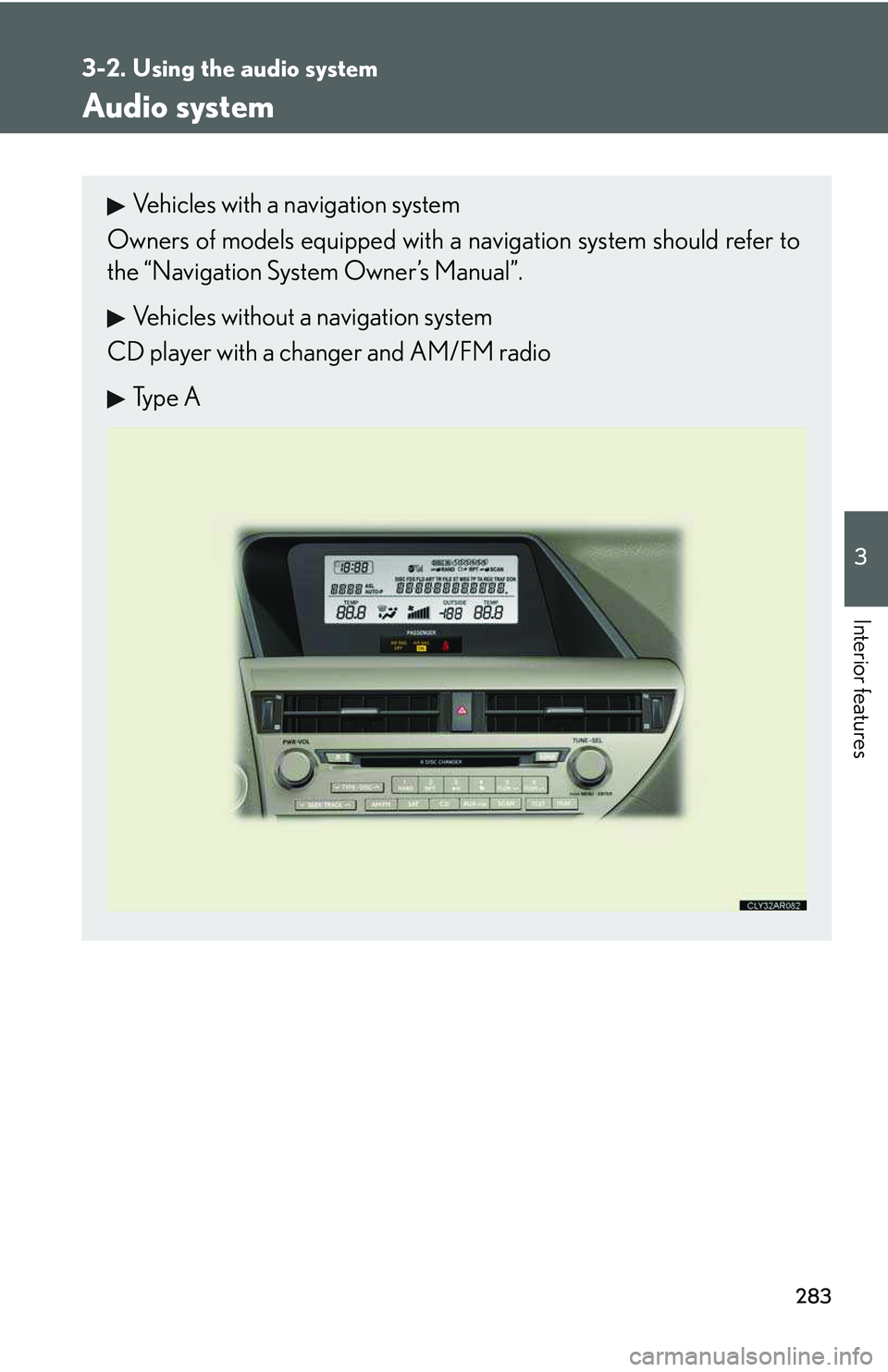
Audio system
Vehicles with a navigation system
Owners of models equipped with a navigation system should refer to
the “Navigation System Owner’s Manual”.
Vehicles without a navigation system
CD player with a changer and AM/FM radio
Type A
Page 355 of 821
285
3-2. Using the audio system
3
Interior features
Type C
Ti t l ePa g e
Using the radioP. 2 8 7
Using the CD playerP. 2 9 7
Playing MP3 and WMA discsP. 3 0 7
Operating an iPodP. 3 1 7
Operating a USB memoryP. 3 2 5
Optimal use of the audio systemP. 3 3 4
Using the AUX portP. 3 3 7
Using the steering wheel audio switchesP. 3 3 9
Page 357 of 821
287
3-2. Using the audio system
3
Interior features
Using the radio
Type A
Traffic information button
Preset station buttons
Radio text message button
Scan button
Seek button
Channel category button
Frequency adjustment
(AM/FM mode) and
channel (SAT mode)
knobAM
⋅
FM/SAT
mode buttons
“PWR ⋅ VOL” k nob
Po w e r Vo l u m e
Page 358 of 821
288
3-2. Using the audio system
Type B
Traffic information button
Preset station buttons
Radio text message button
Scan button
Seek button
Channel category button
Frequency adjustment
(AM/FM mode) and
channel (SAT mode)
knobAM
⋅
FM/SAT
mode buttons
“PWR ⋅ VOL” k nob
Po w e r Vo l u m e
Page 360 of 821
290
3-2. Using the audio system
Setting station presets (excluding XM® Satellite Radio)
Search for the desired stations by turning or or
pressing “∧” or “∨” on .
Press and hold the button (from to ) the station is to
be set to until you hear a beep.
Scanning radio stations (excluding XM® Satellite Radio)
nScanning the preset radio stations
Press and hold until you hear a beep.
Preset stations will be played for 5 seconds each.
When the desired station is reached, press the button again.
nScanning all the radio stations within range
Press .
All the stations with reception will be played for 5 seconds each.
When the desired station is reached, press the button again.
STEP1
STEP2
STEP1
STEP2
STEP1
STEP2