Page 226 of 578

225
3-2. Using the audio system
3
Interior features
IS350/250_U
■If the satellite radio does not operate normally
If a problem occurs with the XM
® tuner, a message will appear on the display. Refer
to the table below to identify the problem, and take the suggested corrective action.
“A N T E N N A”
The XM® antenna is not connected. Check whether
the XM® antenna cable is attached securely.
There is a short-circuit in the antenna or the surround-
ing antenna cable. See a Lexus certified dealer.
“UNAUTH”
You have not subscribed to the XM® Satellite Radio.
The radio is being updated with the latest encryption
code. Contact the XM
® Satellite Radio for subscrip-
tion information. When a contract is canceled, you can
choose the “CH000” and all free-to-air channels.
The premium channel you selected is not authorized.
Wait for about 2 seconds until the radio returns to the
previous channel or “CH001”. If it does not change
automatically, select another channel. If you want to lis-
ten to the premium channel, contact XM
® Satellite
Radio.
“NO SIGNAL”
The XM® signal is too weak at the current location.
Wait until your vehicle reaches a location with a stron-
ger signal.
“LOADING”The unit is acquiring audio or program information.
Wait until the unit has received the information.
“OFF AIR”The channel you selected is not broadcasting any pro-
gramming. Select another channel.
“-----”
There is no song/program title or artist name/feature
associated with the channel at that time. No action
needed.
Page 227 of 578

226
3-2. Using the audio system
IS350/250_U
Contact the XM® Listener Care Center at 1-877-515-3987.
■Certifications for the radio tuner
This equipment has been tested and found to comply with the limits for a class B
digital device, pursuant to Part 15 of the FCC Rules. These limits are designed to
provide reasonable protection against harmful interference in a residential installa-
tion. This equipment generates, uses and can radiate radio frequency energy and, if
not installed and used in accordance with the instructions, may cause harmful inter-
ference to radio communications. However, there is no guarantee that interference
will not occur in a particular installation.
If this equipment does cause harmful interference to radio or television reception,
which can be determined by turning the equipment off and on, the user is encour-
aged to try to correct the interference by trying one or more of the following:
●Reorienting or relocate the receiving antenna.
●Increasing the separation between the equipment and receiver.
●Connecting the equipment into an outlet on a circuit different from that to which
the receiver is connected.
●Consulting the dealer or an experienced radio/TV technician for help.
“CH UNAVL”
The channel you selected is no longer available. Wait
for about 2 seconds until the radio returns to the previ-
ous channel or “CH001”. If it does not change auto-
matically, select another channel.
Page 228 of 578
227
3-2. Using the audio system
3
Interior features
IS350/250_U
Using the CD player
Ty p e A
Ty p e B
Po w e r Vo l u m eTrack selection CD eject
Playback
Search playback CD loadCD selection
Random playback Repeat play
Displays text
message
Playback/Pause
Silencing a sound
Po w e r Vo l u m e
Track selection CD eject
Playback
CD loadCD selection
Random playback
Repeat play
Displays text
message
Silencing a sound
Playback/Pause
Page 229 of 578
228
3-2. Using the audio system
IS350/250_U
Loading CDs■ Loading a CD
Push .
“WAIT” is shown on the display.
Insert a CD when the indicator on the slot turns from amber to
green.
The display changes from “WAIT” to “LOAD”.
■Loading multiple CDs
Press and hold until you hear a beep.
“WAIT” is shown on the display.
Insert a CD when the indicator on the slot turns from amber to
green.
The display changes from “WAIT” to “LOAD”.
The indicator on the slot turns to amber when the CD is inserted.
Insert the next CD when the indicator on the slot turns from
amber to green again.
Repeat the procedure for the remaining CDs.
To stop the operation, press or .
STEP1
STEP2
STEP1
STEP2
STEP3
Page 230 of 578
229
3-2. Using the audio system
3
Interior features
IS350/250_U
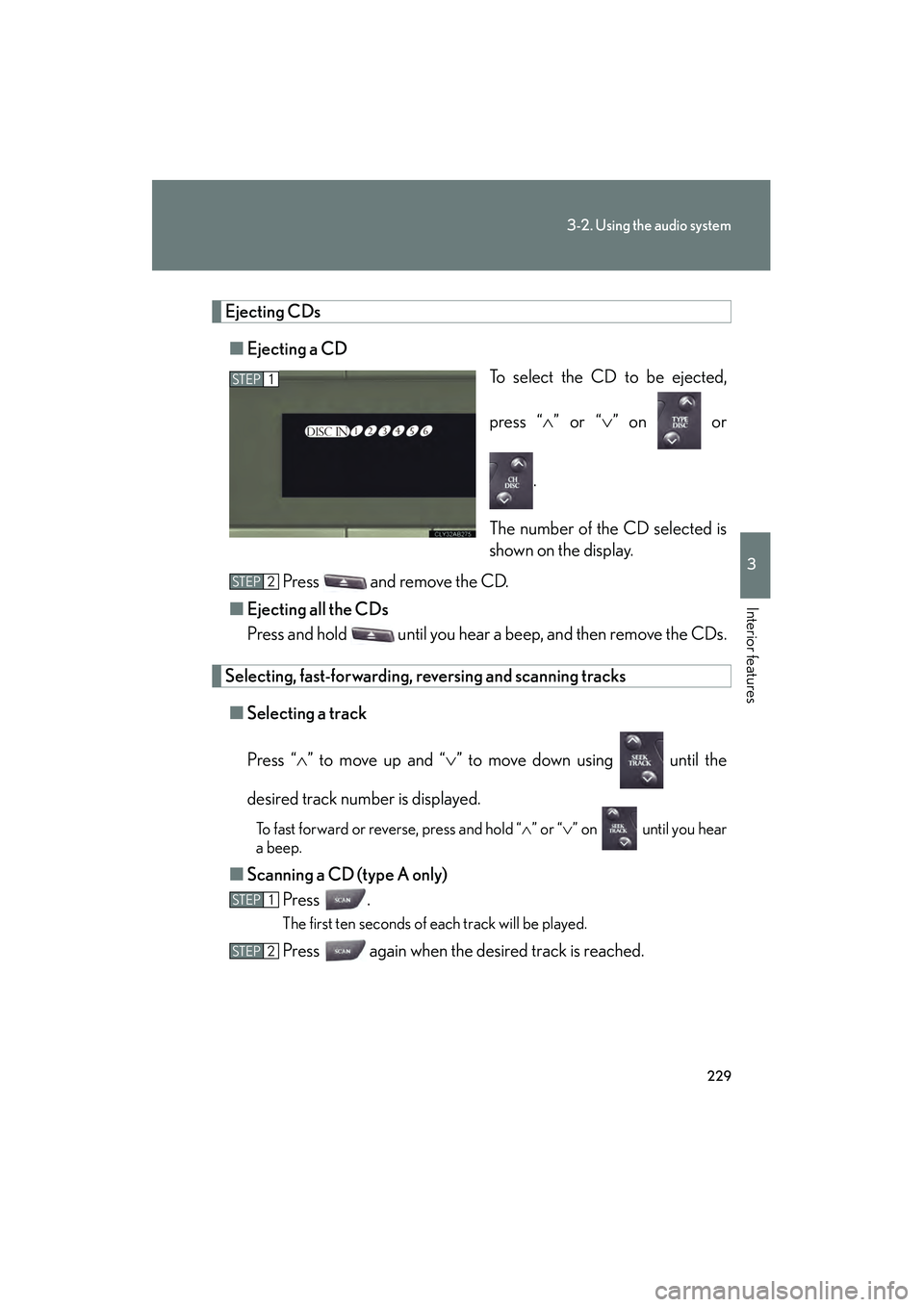
Ejecting CDs■ Ejecting a CD
To select the CD to be ejected,
press “∧” or “ ∨” on or
.
The number of the CD selected is
shown on the display.
Press and remove the CD.
■ Ejecting all the CDs
Press and hold until you hear a beep, and then remove the CDs.
Selecting, fast-forwarding, re versing and scanning tracks
■ Selecting a track
Press “ ∧” to move up and “ ∨” to move down using until the
desired track number is displayed.
To fast forward or reverse, press and hold “ ∧” or “ ∨” on until you hear
a beep.
■ Scanning a CD (type A only)
Press .
The first ten seconds of each track will be played.
Press again when the desired track is reached.
STEP1
STEP2
STEP1
STEP2
Page 231 of 578
230
3-2. Using the audio system
IS350/250_U
Selecting a CD■ To select a CD to play
To select the desired CD, press “ ∧” or “ ∨” on or .
■ To scan loaded CDs (type A only)
Press and hold
until you hear a beep.
The first ten seconds of the first track on each CD will be played.
Press again when the desired CD is reached.
Random playback
■ Current CD
Press (RAND).
■ All CDs
Press and hold (RAND) until you hear a beep.
Repeat play
■ To repeat a track
Press (RPT).
■ To repeat all of the tracks on a CD
Press and hold (RPT) until you hear a beep.
Playing and pausing tracks
To play or pause a track, press ( ).
Switching the displayPress .
Each time is pressed, the display changes in the order of Track no./
Elapsed time → CD title → Track title.
STEP1
STEP2
Page 232 of 578

231
3-2. Using the audio system
3
Interior features
IS350/250_U
■Display
Up to 12 characters can be displayed at a time.
If there are 13 characters or more, pressing and holding until you hear a
beep will display the remaining characters.
A maximum of 24 characters can be displayed.
If is pressed until you hear a beep again or has not been pressed for 6 sec-
onds or more, the display will return to the first 12 characters.
Depending on the contents recorded, the characters may not be displayed prop-
erly or may not be displayed at all.
■Canceling random, repeat and scan playback
Press (RAND), (RPT), again.
■When “LOAD”, “ERROR” or “WAIT” is shown on the display
“LOAD”: This indicates that the CD player has completed loading the CD.
“ERROR”: This indicates a trouble either in the CD or inside the player. The CDmay be dirty, damaged, or inserted up-side down.
“WAIT”: Operation is stopped due to a high temperature inside the player. Wait for a while and then press or . Contact your Lexus dealer if
the CD still cannot be played back.
■Discs that can be used
Discs with the marks shown below can be used.
Playback may not be possible depending on recording format or disc features, or
due to scratches, dirt or deterioration.
CDs with copy-protection features may not play correctly.
Page 233 of 578
232
3-2. Using the audio system
IS350/250_U
■CD player protection feature
To protect the internal components, playback is automatically stopped when a
problem is detected.
■If CDs are left inside the CD player or in the ejected position for extended peri-
ods
CDs may be damaged and may not play properly.
■Lens cleaners
Do not use lens cleaners. Doing so may damage the CD player.
NOTICE
■CDs and adapters that cannot be used
Do not use the following types of CDs, 3 in. (8 cm) CD adapters or Dual Disc.
Doing so may damage the CD player and/or the CD insert/eject function.
●CDs that have a diameter that is not 4.7 in.
(12 cm).
●Low-quality and deformed CDs.